Generating Game Assets with AI Agents
The field-tested playbook for making image→3D models, textures, and audio for games on Wireflow — including the failures, so your agent gets it right faster.
This guide is the distilled playbook from building Breach Point, a multiplayer arena FPS where every asset — wall textures, the rifle, the enemy drone, the first-person hands, the sound effects — is an upstream Wireflow node. It took eight iteration rounds to get the viewmodel right; each failure below is one your agent can skip.
Everything here was produced by an agent driving the public API, so every rule is agent-actionable. The full workflow is public: inspect the asset graph.
The pipeline
Game assets are a two-stage chain, never a single step:
input:text → image model (concept art) → image-to-3D model (GLB mesh) → game node port
input:text → audio model (SFX)                                    → game node port
The image model invents the look; the 3D model reconstructs geometry from it. What the concept image shows is what the mesh becomes — which is why prompt craft is 80% of the outcome.
The 9 rules that matter
1. The concept image IS the mesh's camera
An image→3D model reconstructs the exact pose it sees. If your concept is a "three-quarter product shot", your mesh is a product shot, and it will look wrong in an FPS camera forever. Compose the concept like an in-game screenshot: gun at bottom-right, muzzle toward screen center, plain background.
2. Weapon and hands as separate meshes
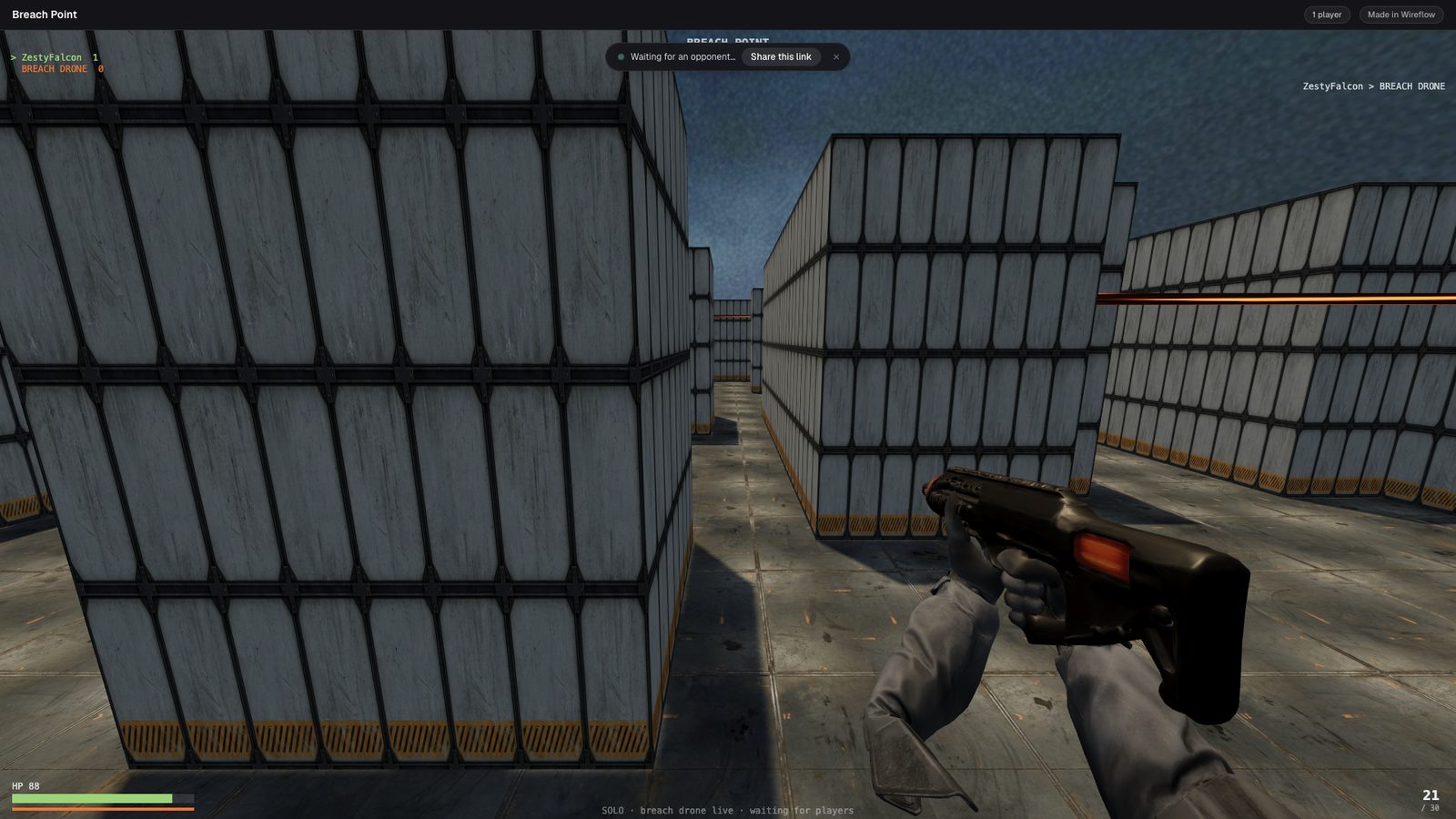
The industry standard, and the single highest-leverage decision. A combined hands+rifle mesh reads beautifully in concept art but its in-engine alignment is a lottery (see rule 7). Keep a clean weapon GLB and a separate hands GLB — you can always swap or re-tune one without the other.
3. One material family per mesh
Dark gun + dark gloves + dark sleeves reconstructs as one unreadable blob, for both the image model and the 3D reconstruction. Give each mesh a tight palette with deliberate contrast (dark gunmetal + warm orange accents works).
4. Thick, simple organic shapes; sleeves over skin
Long thin parts melt first — forearms, fingers, antennae. Full sleeves beat bare skin: one less material, no fingers, and sleeves come out as clean tubes. Our first hands mesh had melted, stubby forearms; cropping them into sleeves fixed it. Note that artifacts at crop boundaries (where the concept cuts the object off, like a sleeve cuff) are seed-dependent — if the mesh has a wispy shard there, a same-concept re-roll often fixes it for $0.10 before you touch the prompt.
5. No contradictory prompts
"hands and arms" plus "no forearms visible" confuses the image model — it picks one. Short, focused sentences; say what you want, not what you don't. The prompt that failed:
…two tactical gloved hands and arms gripping a rifle… short grey tactical cuffs
at the wrist only, no forearms visible…
6. Prompt for reconstruction, not beauty
What survives image→3D: bold silhouettes, uniform materials, even lighting, plain backgrounds. What dies: dramatic shadows, depth of field, fine engravings, skinny details. Write "game asset, studio product lighting, plain solid light grey background" and mean it.
7. Judge the mesh from the exact in-game camera — and center by geometry, not bbox
A mesh normalized by its bounding box centers the arms, not the gun. Anchor by measured geometry (e.g. compute the barrel tip from the forward-most vertex slice) and render-candidate framings against your real camera FOV/offset before shipping. Per-asset viewmodel offsets (position/euler/scale) are completely normal — every FPS game hand-tunes these per weapon. Judge candidates against a reference frame from a real game, not against your last attempt — a framing that merely beats the previous one can still be wrong (we shipped a muzzle-points-at-the-floor hip pose that way).
8. Expect per-asset orientation constants
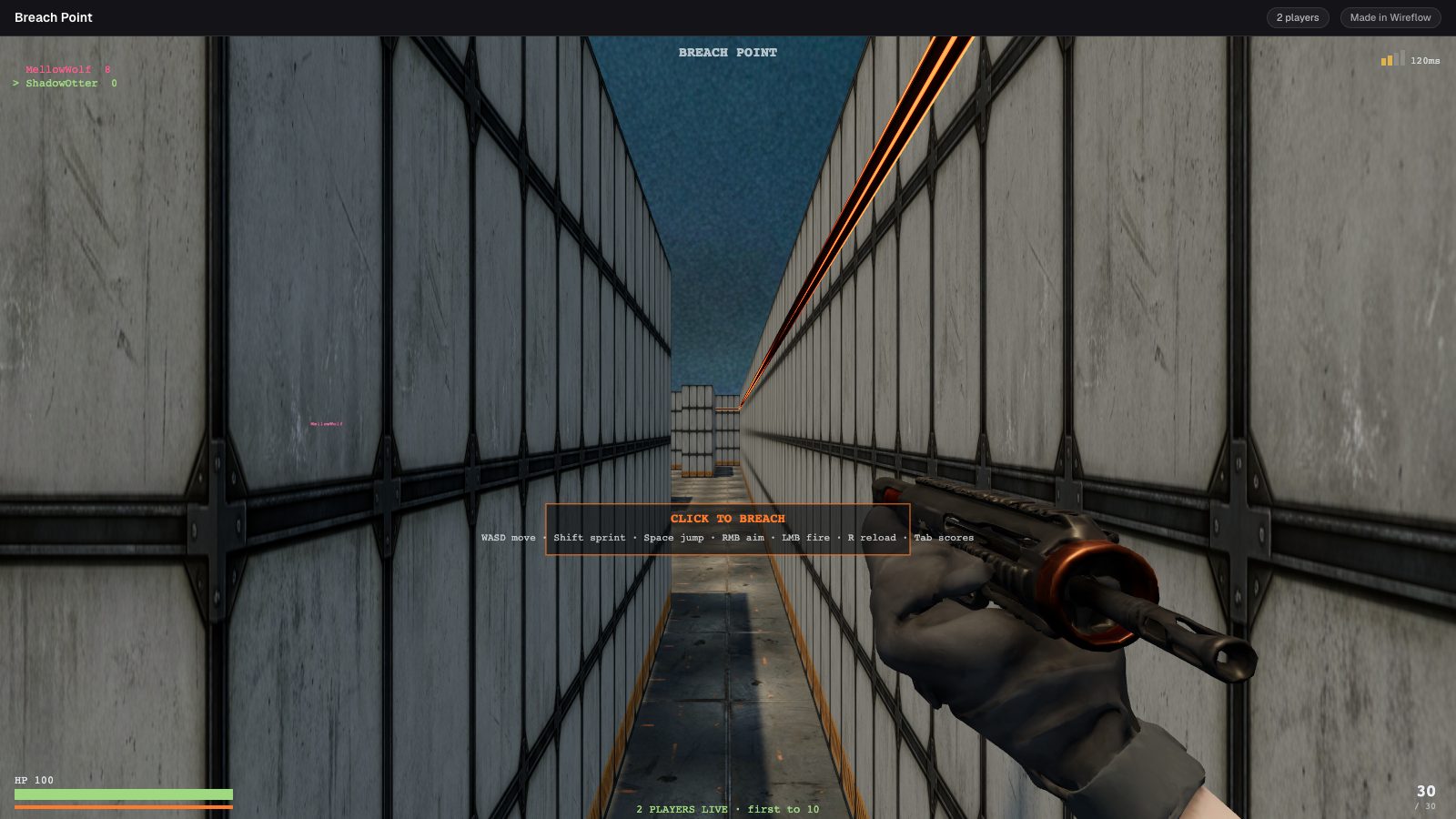
3D generators emit arbitrary poses. Auto-orient heuristics (e.g. "the thin end is the muzzle") work for clean hard-surface meshes and fail on combined organic+hard meshes — our wrist-cuffed mesh shipped backward because the thin wrist stubs read as "the muzzle end". The fix: render a turntable of every GLB, then pin a verified yaw constant per asset.
9. Audio: short transients + pitch jitter, or don't bother
A 0.8s gunshot sample retriggered every 0.13s stacks ~6 tails into echo-mush. Trim shots to a ~0.3s transient (analyze attack time and crest factor — you don't need to listen), normalize under 0dBFS, and add ±5% playbackRate jitter per shot so full-auto doesn't sound like a loop.
Picking the image→3D model (July 2026)
| Model | Wireflow node | Cost | Multi-view | Notes |
|---|---|---|---|---|
| Trellis 2 | generate:trellis_2 |
lowest | via API (image_urls), not yet exposed as a port |
Cheapest; great hard-surface. Our default for props. |
| Hyper3D Rodin v2 | 3d:hyper3d_rodin_v2 |
high | Yes (input_image_urls port) |
Multi-view conditioning today — the winner for organic+hard combined meshes (arms+weapon viewmodels). |
| Tripo H3.1 | 3d:tripo_h31 |
mid | No | PBR + texture/geometry quality knobs. |
| Meshy 6 | 3d:meshy_v6 |
highest | No | PBR, polycount control, rigging options. |
Multi-view (3 angles of the same object) improves fidelity, not framing — it's the fix for "the back of the mesh is guesswork", not for "the pose is wrong". But note it is the decisive lever for organic+hard combined meshes: our hands+rifle viewmodel failed 4× in single-view (melted forearms, crop shards) and passed first try in Rodin multi-view. For web games, set decimation_target 20k–50k and texture_size 1024–2048; defaults (500k) produce multi-MB meshes — and even then, budget a gltf-transform pass (texture resize + simplify) to ship under ~5MB.
The verification loop (cheap, catches everything above)
- Dry-run the graph ($0):
npx tsx scripts/dryrun.ts <workflowId>— routing/schema/port errors before a cent is spent. - Preflight credits:
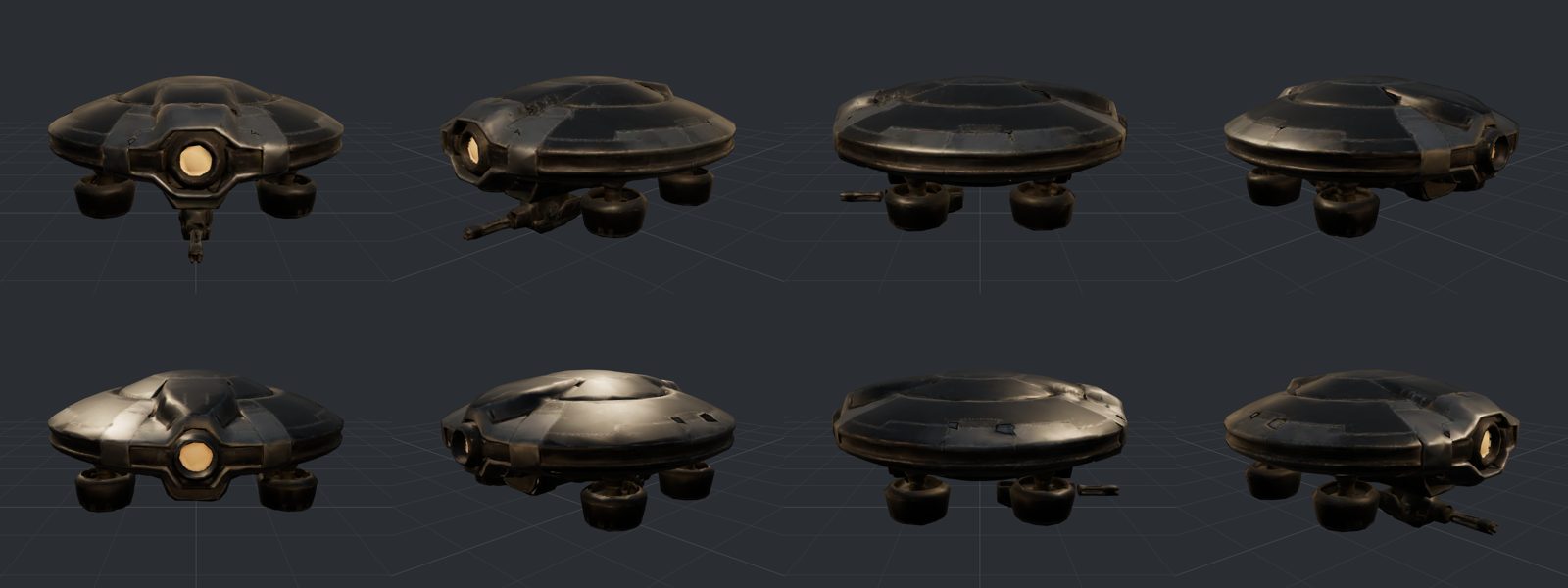
npx tsx scripts/preflight-credits.ts <workflowId>— the balance must cover estimate × 3. - Render the GLB offline before shipping: an 8-angle turntable + a render from the exact in-game camera. This caught a backward-facing enemy drone and a backward rifle before players saw them.
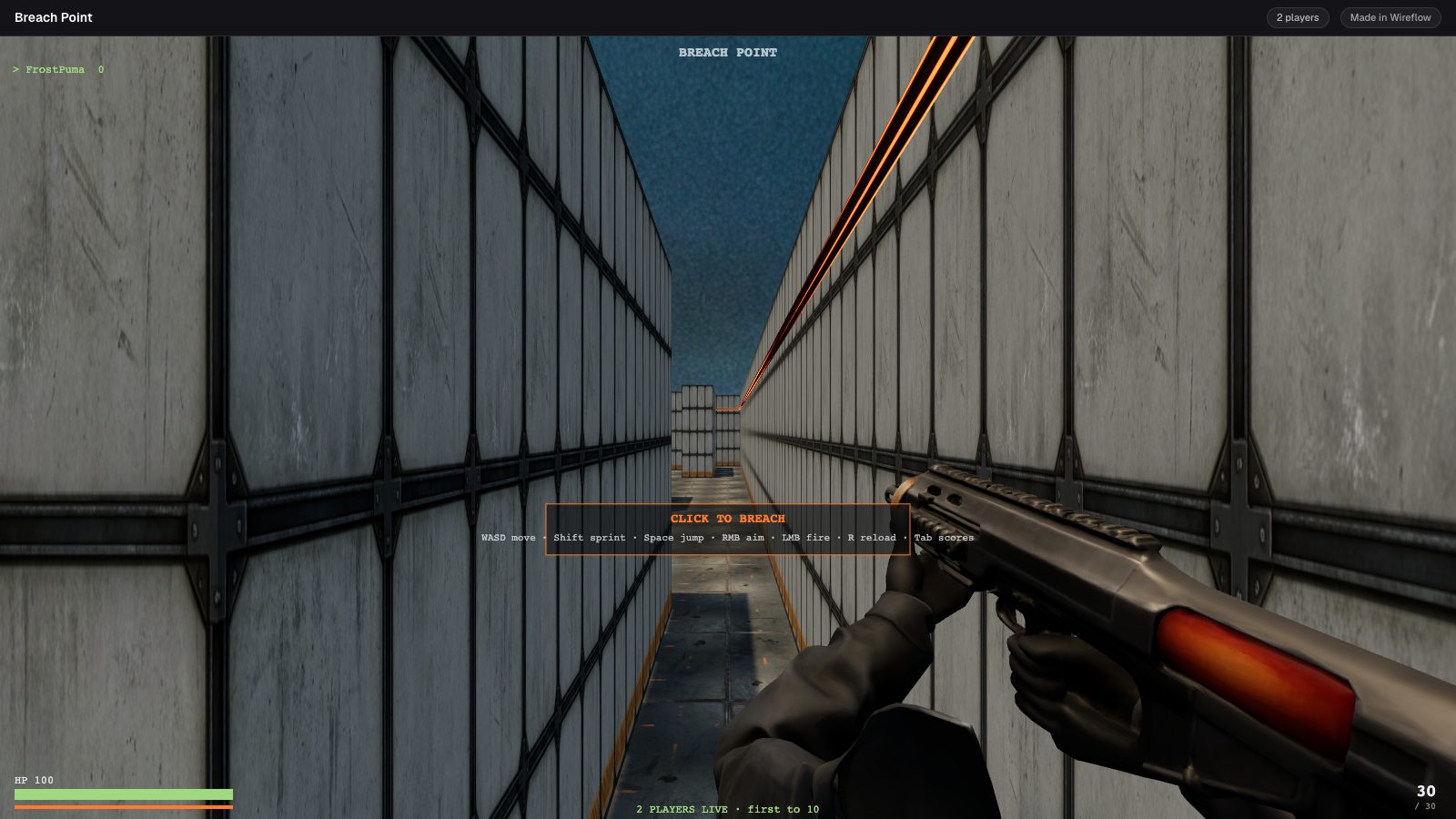
 4. Then a live screenshot of the real game.
What the end state looks like
Copy-paste block for your agent
You are generating game assets via Wireflow workflows. Rules:
1. Assets are two-stage chains: input:text → image model (concept) →
   image-to-3D (GLB). Never call a model API directly. Build a scratch workflow,
   dry-run + preflight it, then POST /api/v1/workflows/<id>/run.
2. Concept prompts: short sentences, one material family per mesh, plain
   light-grey background, "game asset, studio product lighting". Compose
   viewmodels like an in-game screenshot, not a product shot.
3. Weapon and hands as SEPARATE meshes. Sleeves over skin. No contradictory
   instructions in prompts.
4. Trellis 2: decimation_target 30k-50k, texture_size 2048 for hero assets,
   1024 otherwise.
5. After generating: render an 8-angle turntable of the GLB, pin per-asset
   yaw/offset constants, verify from the exact in-game camera, THEN ship.
6. Audio: <=0.35s transients for retriggered sounds, normalize to -3dB.
Cost reality
A full asset suite for a small game (4 textures, 2 sprites, 3 GLB models, 3 SFX) is cheap, iteration rounds included. Sound effects and concept images are the cheap steps and 3D meshes the expensive one, so the two-stage split pays: a bad concept is cheap to throw away, a bad mesh is not.