← All endpoints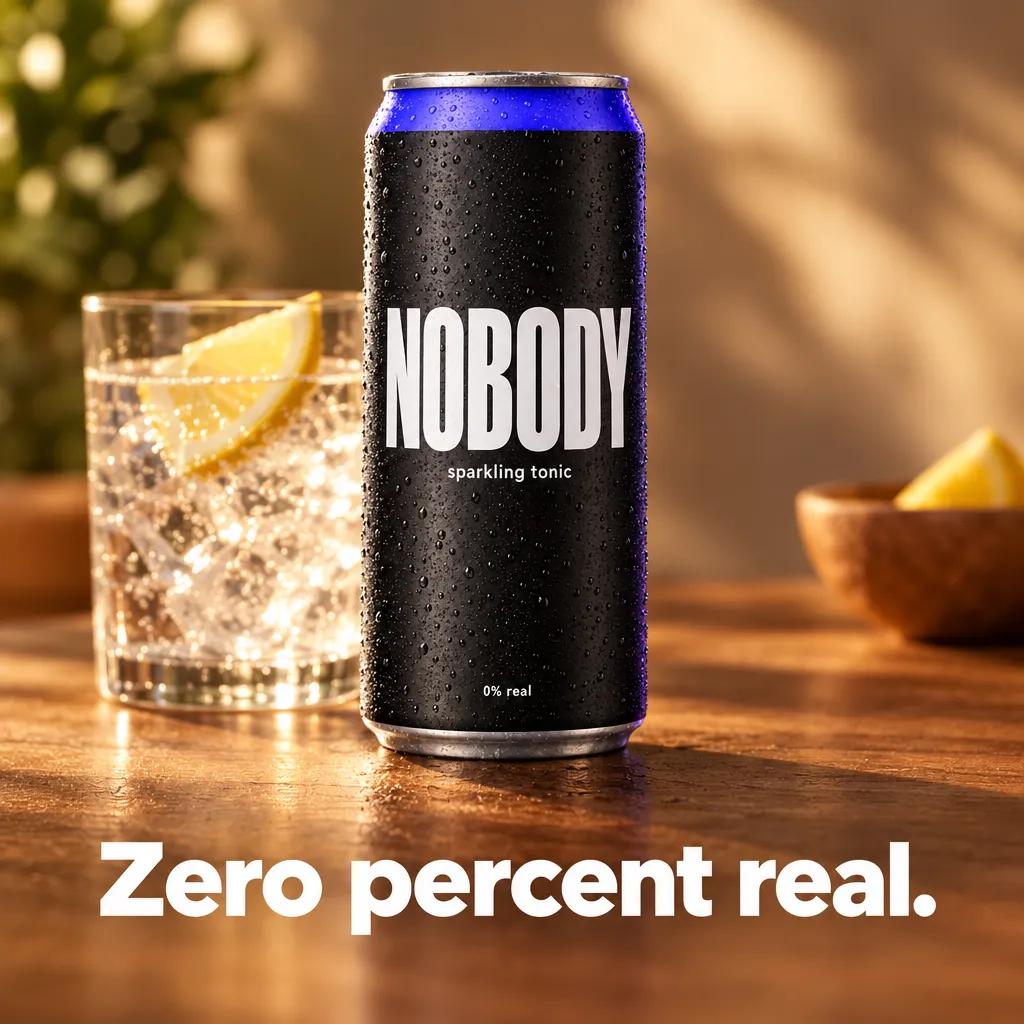
API endpoint
Product ad image
Finished square product ad with your headline set in it
- What goes in
- product_photoA public https link to the product
- headlineThe words set in the ad
- What it costs
- about 9 credits
- Made with
- GPT Image 2.5
The call
The call behind the sample above, with its real inputs, then the wait for the file. Set WIREFLOW_API_KEY first. Plain HTTP, no SDK to install.
curl -X POST https://www.wireflow.ai/api/v1/apps/product-ad-image/execute \
  -H "Authorization: Bearer $WIREFLOW_API_KEY" \
  -H "Content-Type: application/json" \
  -d '{
  "inputs": {
    "product_photo": "https://cdn.wireflow.ai/landing/api/input-nobody-can.webp",
    "headline": "Zero percent real."
  }
}'

# It returns an executionId right away. Poll until it finishes.
curl https://www.wireflow.ai/api/v1/apps/product-ad-image/executions/EXECUTION_ID/poll \
  -H "Authorization: Bearer $WIREFLOW_API_KEY"
The key needs Full access or Run published apps (apps:execute).
Change this
Same endpoint, different values. Each one starts a run, and you wait for it the same way as the call above.
Change the headline
It is set exactly as you write it. Short ones read best.
curl -X POST https://www.wireflow.ai/api/v1/apps/product-ad-image/execute \
  -H "Authorization: Bearer $WIREFLOW_API_KEY" \
  -H "Content-Type: application/json" \
  -d '{
  "inputs": {
    "product_photo": "https://cdn.wireflow.ai/landing/api/input-nobody-can.webp",
    "headline": "Tastes like nothing else."
  }
}'
Swap the product
Any public https image. The product and its label stay as they are in the photo.
curl -X POST https://www.wireflow.ai/api/v1/apps/product-ad-image/execute \
  -H "Authorization: Bearer $WIREFLOW_API_KEY" \
  -H "Content-Type: application/json" \
  -d '{
  "inputs": {
    "product_photo": "https://your-site.com/product.jpg",
    "headline": "Zero percent real."
  }
}'