
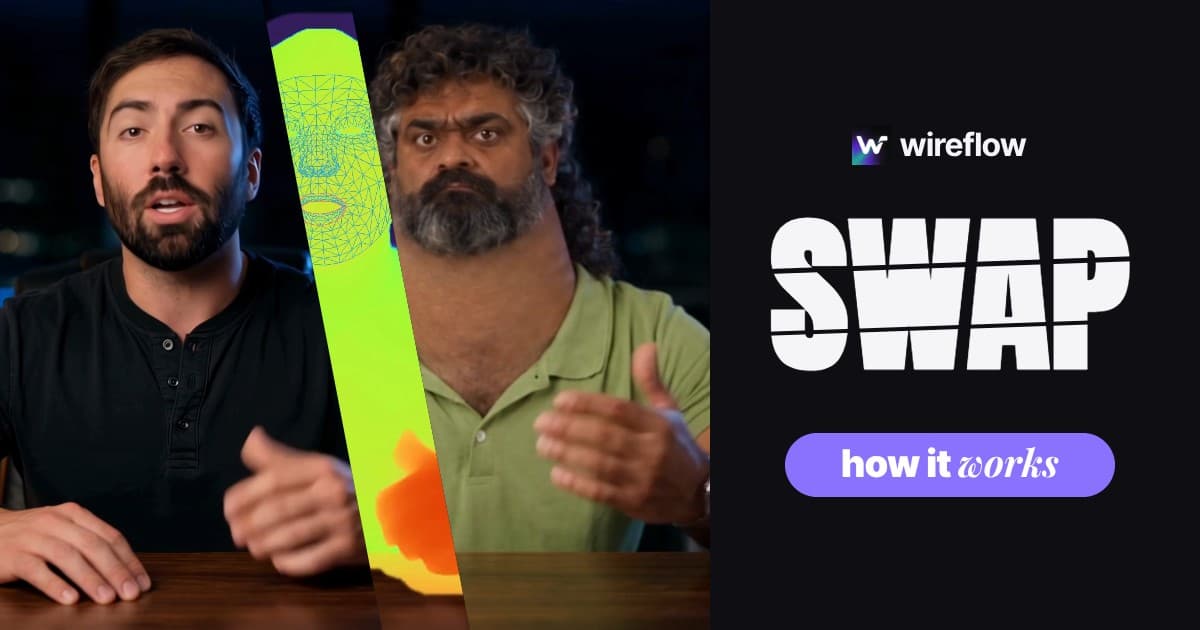
Swap the person in a real clip for any character, and keep the clip real.
Why the extra steps: video models like Seedance refuse a lot of clips that show a real person's face, and famous faces almost always. This board hides the person first, so the clip goes through.
Hiding the person also means the original face never leaks into the swap, so the new face comes only from your refs. Only the person is regenerated, so the background, camera, light and grain stay the original footage. And nothing of the real person ends up in what you make.
Talking clips keep their lips: a face mesh tracks the jaw, lips, eyes and brows, and the original voice guides the mouth, so expressions carry over while the face stays hidden.
Swap the person, the world around them, or both, from the same mask.
How it runs: the board masks the person, keeps the motion with a depth pass and the face mesh, then swaps in your character from your refs. Every step and its cost is on the board.
Fork to your canvas makes a full copy in your account, every node and edge on a fresh canvas. Add to an existing workflow drops it into one of yours as a single collapsed node: its inputs become ports on the left and its outputs ports on the right, so you wire it like any other node.
Inputs and what's baked in
Overridable inputs become sockets on the left of the node. Baked ones are served as outputs, so you get the author's asset without supplying your own.
- Overridable inputImport: your clip (one continuous shot, one person, a few seconds)input:image · VIDEO
- Overridable inputSegment prompt: person (the WHOLE person)input:text · TEXT
- Overridable inputYour character sheet (Raj example: turnaround). Replace it with yoursinput:image · IMAGE
- Overridable inputSwap prompt: identity first, then replace the whole person, keep the room. Add "never" lines for missesinput:text · TEXT
See it run
Real outputs from this Blueprint's nodes.