 Andrew Adams · Co-Founder & Operations at Wireflow ·
 ComfyUI Alternative
The node workflow you love, in the cloud.
No GPU, no Python, no install, and every graph is a REST API.
Free to build · no credit card
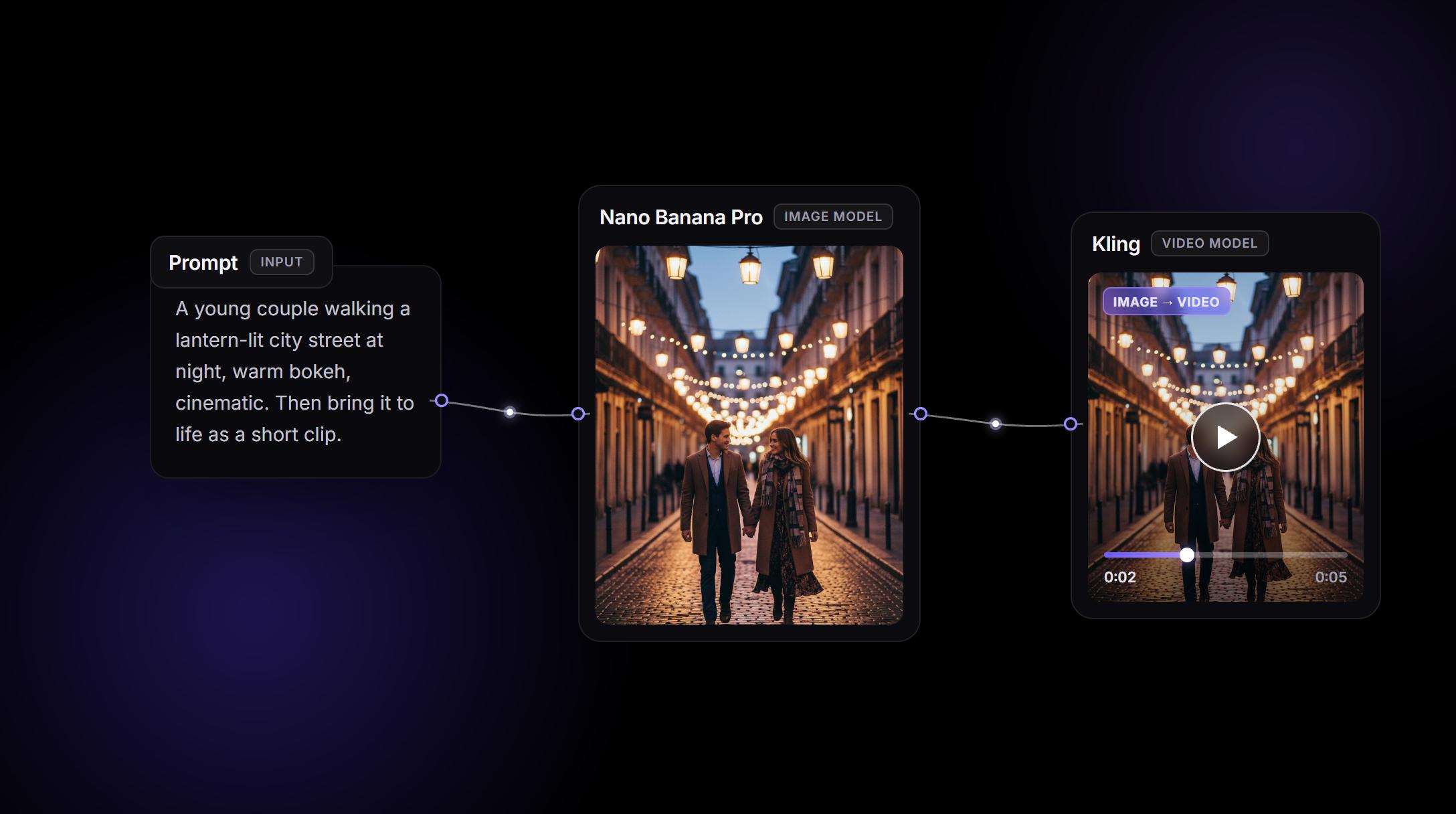
This workflow is based on 200+ comfyui alternative generations we ran during Wireflow's development. We catalogued the results, identified the patterns that consistently produced the highest-quality outputs, and built them in.
The same node canvas, without the machine
ComfyUI gives you a node graph for Stable Diffusion and total local control. It also gives you a Python and CUDA install to babysit, a hard VRAM ceiling (Flux at FP16 wants about 24 GB), and custom nodes that break on every update.
Wireflow keeps the node canvas and drops the machine. You build the same graph in a browser tab, it runs on cloud GPUs, and SD1.5, SDXL, Flux, and Flux 2 all run the same no matter what you own. Open a canvas and wire your first flow in under a minute.
What comes over, and what does not
Your ComfyUI files do not transfer, but your instincts do. You rebuild the graph on Wireflow's canvas, and the mapping is close to one to one:
- Load Checkpoint becomes a hosted Model node (pick SD1.5, SDXL, Flux, or Flux 2).
- CLIP Text Encode becomes the Prompt fields.
- KSampler becomes the generate settings: steps, CFG, sampler, seed.
- VAE Decode becomes the Output. ControlNet, LoRA, img2img, and upscale are hosted nodes on the models that support them.
What stays local: custom Python nodes, your own .safetensors, and the Civitai LoRA ecosystem. If your work depends on those, keep ComfyUI. If the install and VRAM ceiling are the blocker, you can run the same nodes without a GPU in minutes.
Every model on one canvas
Flux 2 Pro
High-fidelity images with tight prompt adherence and clean typography.
SDXL
Fast, LoRA-friendly base most ControlNet pipelines were tuned on.
SD 1.5
Lightweight and quick, runs the classic conditioning stack.
Seedance
Reference-driven, cinematic image-to-video motion.
Kling
Longer, multi-shot video sequences from a single still.
Veo
Realistic video with lip-synced audio.
One API for humans and agents
ComfyUI has no stable public API. Shipping a graph means standing up the server yourself and hitting an undocumented queue endpoint. Wireflow makes every canvas workflow a hosted REST endpoint and MCP tool automatically. Ship it as a ComfyUI cloud API without standing up a server.
POST your inputs, get back asset URLs. Loop it over a CSV for batch runs, call it as your app backend, or let an AI agent run it as one step in a larger task. The graph you tested by hand is the exact one your code calls.
What it costs vs running ComfyUI yourself
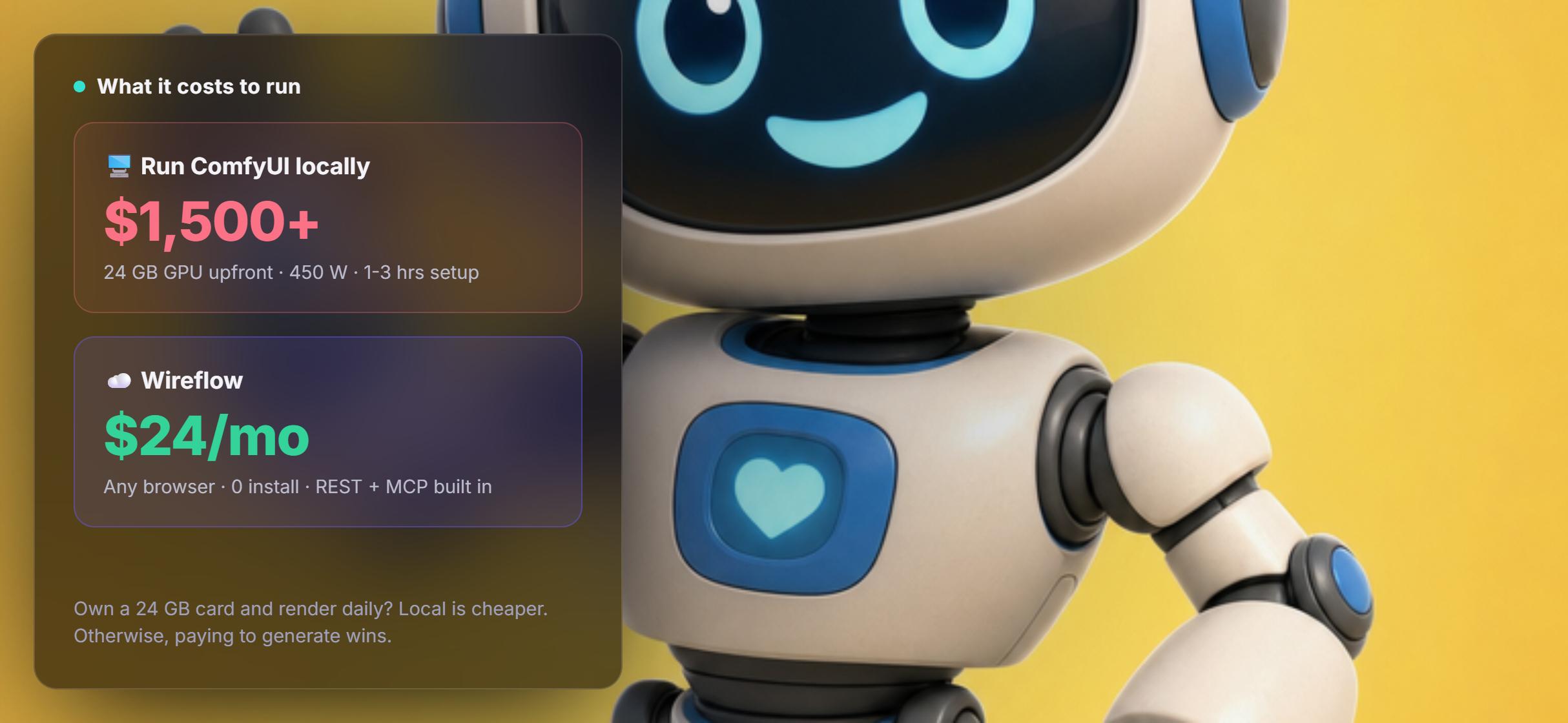
ComfyUI is free, the machine is not. A 24 GB card for Flux at FP16 runs $700 to $2,000 used, plus 450 W under load and one to three hours of setup before your first image.
Wireflow is a flat plan from $24/mo with every model included and nothing to maintain. Own the GPU and render daily? Local wins. If you do not, or you need a team on one setup, paying to generate is cheaper and faster.
Wireflow vs ComfyUI at a Glance
ComfyUI and Wireflow share a mental model. The split is hardware: one runs on a card you own, the other on cloud GPUs you rent by the credit.
Where Wireflow wins
- The node mapping is close to one to one: Load Checkpoint becomes a Model node, CLIP Text Encode becomes the Prompt fields, KSampler becomes the generate settings
- No Python, CUDA, driver updates, or VRAM ceiling to manage
- Hosted video models such as Kling, Veo, and Seedance sit on the same canvas as the image models
- Every published workflow is also a REST endpoint and an MCP tool
- Graphs are shareable, versioned, and reproducible, so a teammate runs yours without a setup call
Choose ComfyUI if
- Your work depends on custom Python nodes, your own .safetensors files, or the Civitai LoRA ecosystem
- You already own a 24 GB card and render heavily every day
- You need to run offline or inside an air-gapped environment
Pricing, checked August 2026. Building on the Wireflow canvas is free and needs no credit card; generating runs on a paid plan. Starter is $24 a month for 1,600 credits, Professional is $45 a month for 4,300 credits with three-month rollover, and Team is $249 a month for 21,500 credits shared across four seats. Every node shows its credit cost on the canvas before you press run, so an expensive video step is visible up front instead of at the end of the month. ComfyUI itself is free; the machine under it is not, as the hardware section above lays out.
More Than Just ComfyUI Alternative
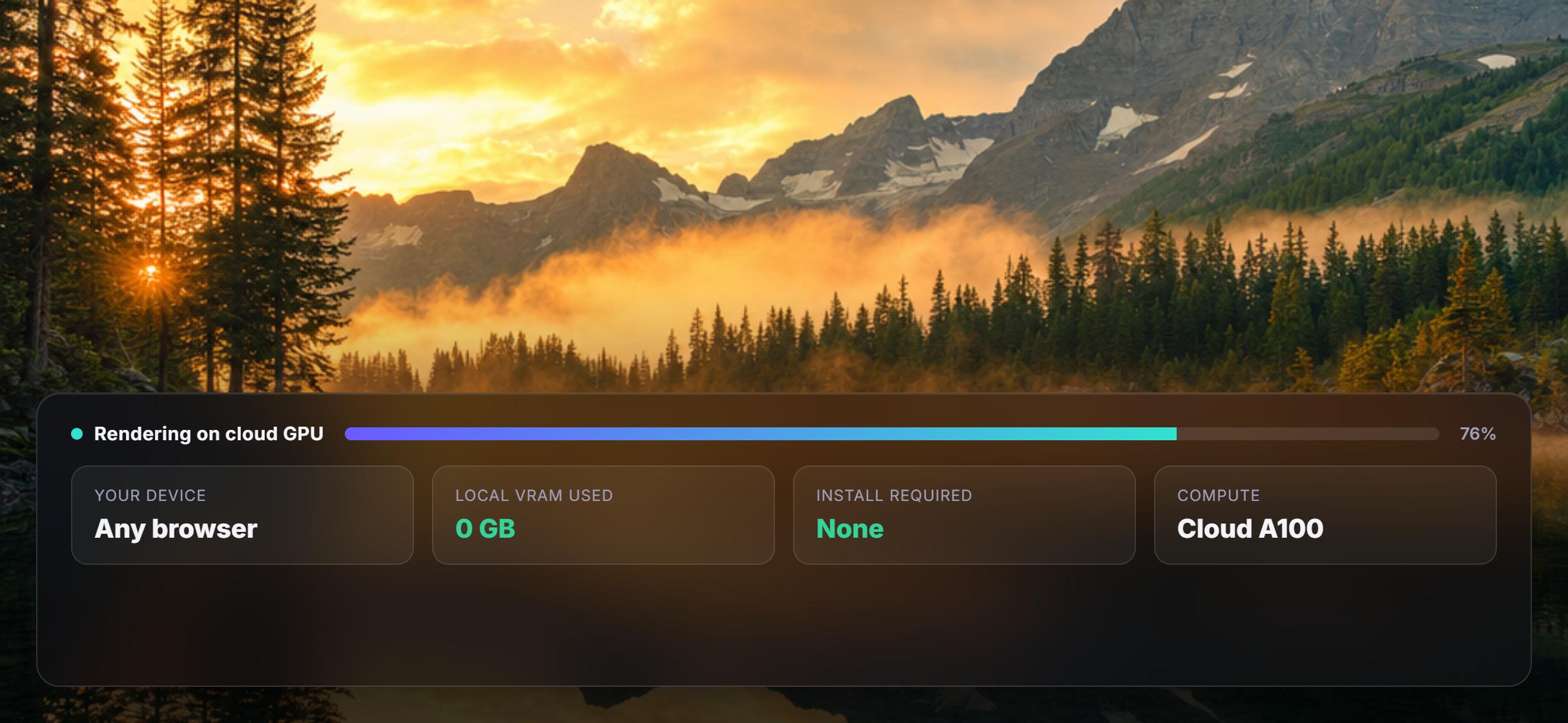
No GPU, no install
Skip the 24 GB VRAM ceiling, CUDA, and Python. Wireflow runs in a browser tab on cloud GPUs, so you build graphs instead of babysitting hardware. Start with the AI image generator.
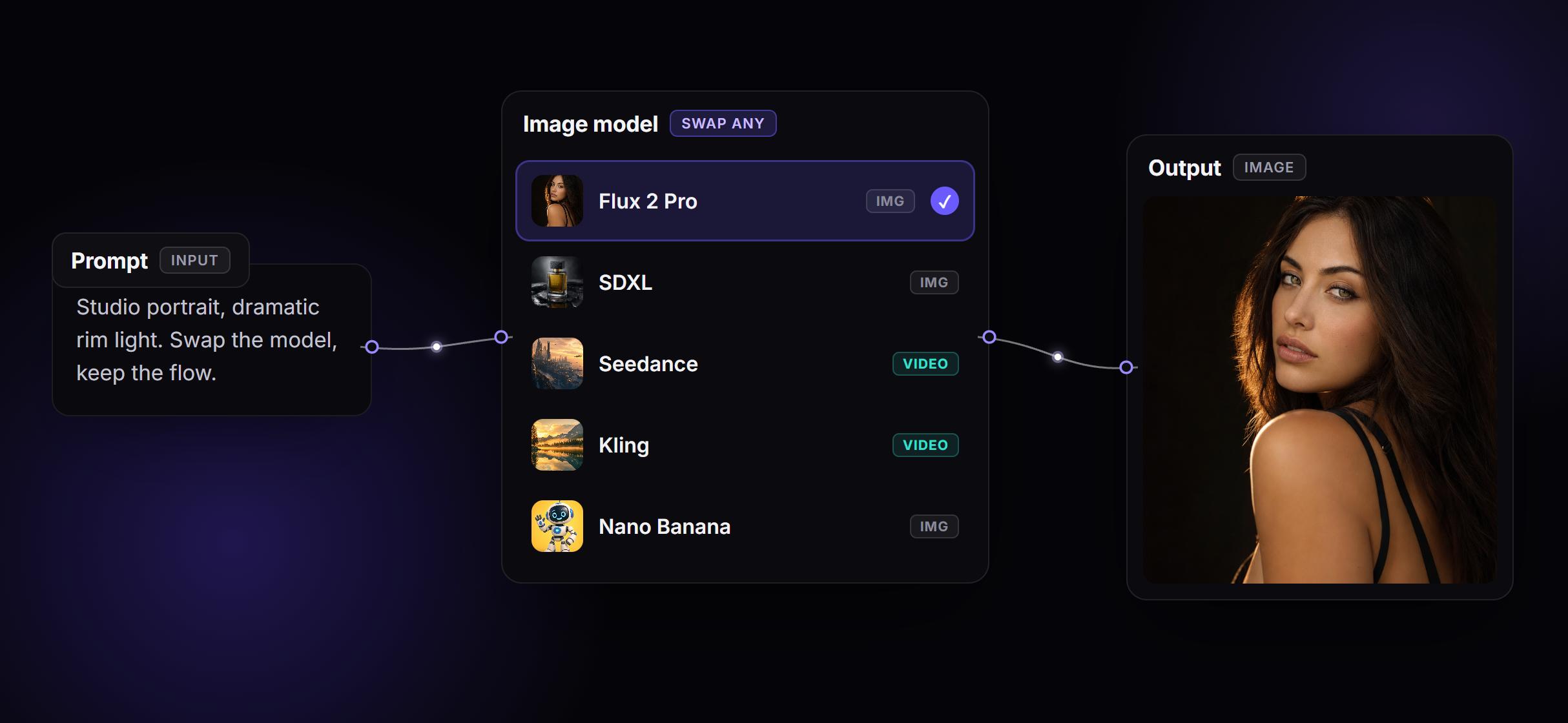
Every model, one canvas
Swap SD1.5, SDXL, Flux 2, Seedance, Kling, or Veo per node, with zero downloads. Pick the best model for each step, including AI video generation.
Workflows as live APIs
Every graph you build is a hosted REST endpoint and an MCP tool, with no server to run. Ship it as an app backend or an agent step. Read the API docs.

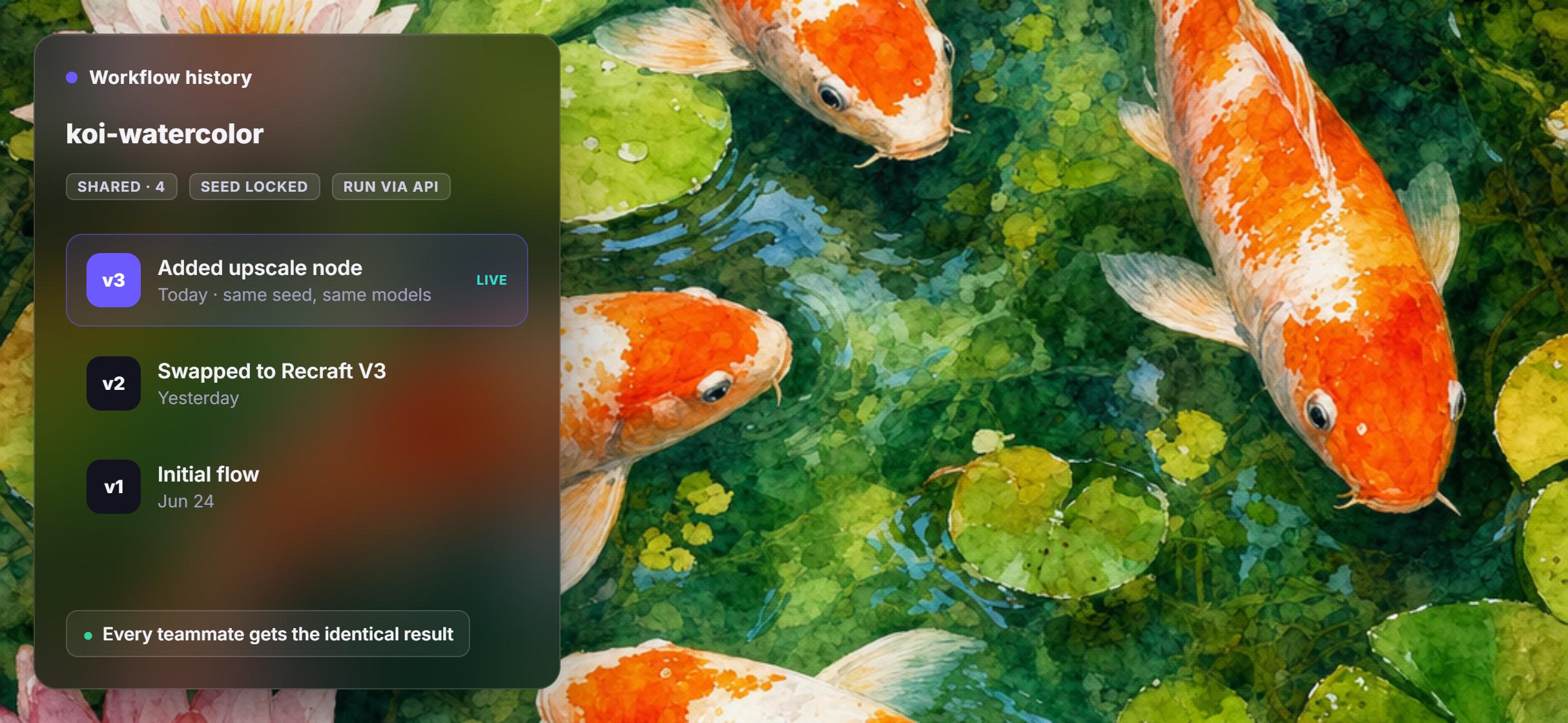
Reproducible by default
Workflows are versioned graphs stored server-side. Share a link and a teammate opens the exact same nodes, models, and seed. Built for team workflows.
Pay to generate, not to idle
Flat plans from $24/mo with every model included, versus $1,500+ in GPU capex plus power and upkeep. Cheaper for bursts and for teams. See pricing.
AI Models Available
Automate Any Workflow
Included in Every Plan
FAQs
Wireflow runs the same node-based workflow in your browser on cloud GPUs, with no Python, CUDA, or VRAM limits. ComfyUI runs locally with more low-level control but needs a capable GPU and setup.
More From Wireflow
Written by
Andrew Adams · Co-Founder & Operations at Wireflow
Runs client operations and content strategy at Wireflow. Works directly with creative teams and agencies to build production AI workflows.
Build your first workflow, free
No GPU, no install, no maintenance. Open a canvas, wire up a model, and generate on cloud GPUs in your browser. Your workflow is a shareable API and MCP tool from the very first run.