Design.com AI Image Generator Review: Features, Pricing, and Alternatives (2026)

In this article▾
AI image generators can help businesses create visuals for social media, websites, advertisements, and other marketing materials without hiring a designer for every project. However, the tools differ in what they offer beyond image generation. Some focus on artistic control, while others make it easier to turn generated images into publishable content.
Design.com takes the second approach. Its AI Image Generator lets users describe an image in everyday language, explore multiple generated options, and refine the prompt to get a result closer to their idea. The tool also integrates with Design.com's broader design platform, where users can incorporate generated images into social posts, presentations, website graphics, and marketing materials.
In this review, we'll look at how Design.com's AI Image Generator works, its main features, where it fits into a creative workflow, how its pricing works, and how it compares with other image-generation tools.
What Makes Design.com's AI Image Generator Different?
Design.com's AI Image Generator focuses on making image creation accessible to people without professional design experience. Instead of working with complex settings, users start by describing the image they want. They can specify the subject, background, lighting, colors, mood, composition, and visual style to guide the result.
The tool generates multiple image options from a prompt, giving users different directions to consider. If the results don't match the original idea, they can revise the description and generate it again. This prompt-based workflow is useful when you have a clear concept but need help turning it into a visual.
Its main distinction is how image generation fits into the rest of the platform. Design.com also offers tools for creating logos, websites, social media graphics, presentations, flyers, posters, and other branded materials. This gives users a way to move from a generated image to a larger design without switching between several creative applications.
Build this in Wireflow
Make the same kind of asset on a canvas you control, with a free account and no credit card.
Image Quality and Creative Control
Image quality is one of the most important factors when choosing an AI image generator. A tool may produce an attractive image, but it also needs to follow the prompt closely and create something that works for the intended project.
Design.com supports a wide range of visual concepts, including realistic scenes, product concepts, illustrations, backgrounds, and imaginative artwork. Users can guide the output by adding details about lighting, composition, mood, setting, and style.
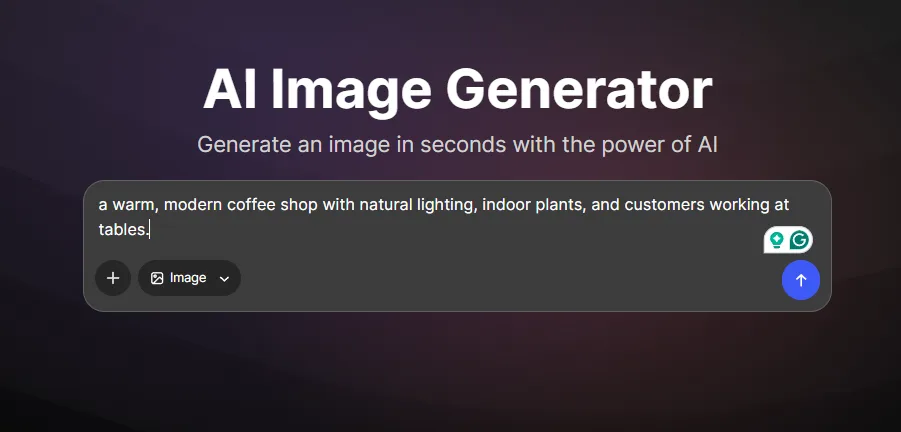
For example, a small business owner could request a warm, modern coffee shop with natural lighting, indoor plants, and customers working at tables. Adding details about the camera angle, color palette, and atmosphere would give the generator more direction than a short prompt such as "coffee shop."
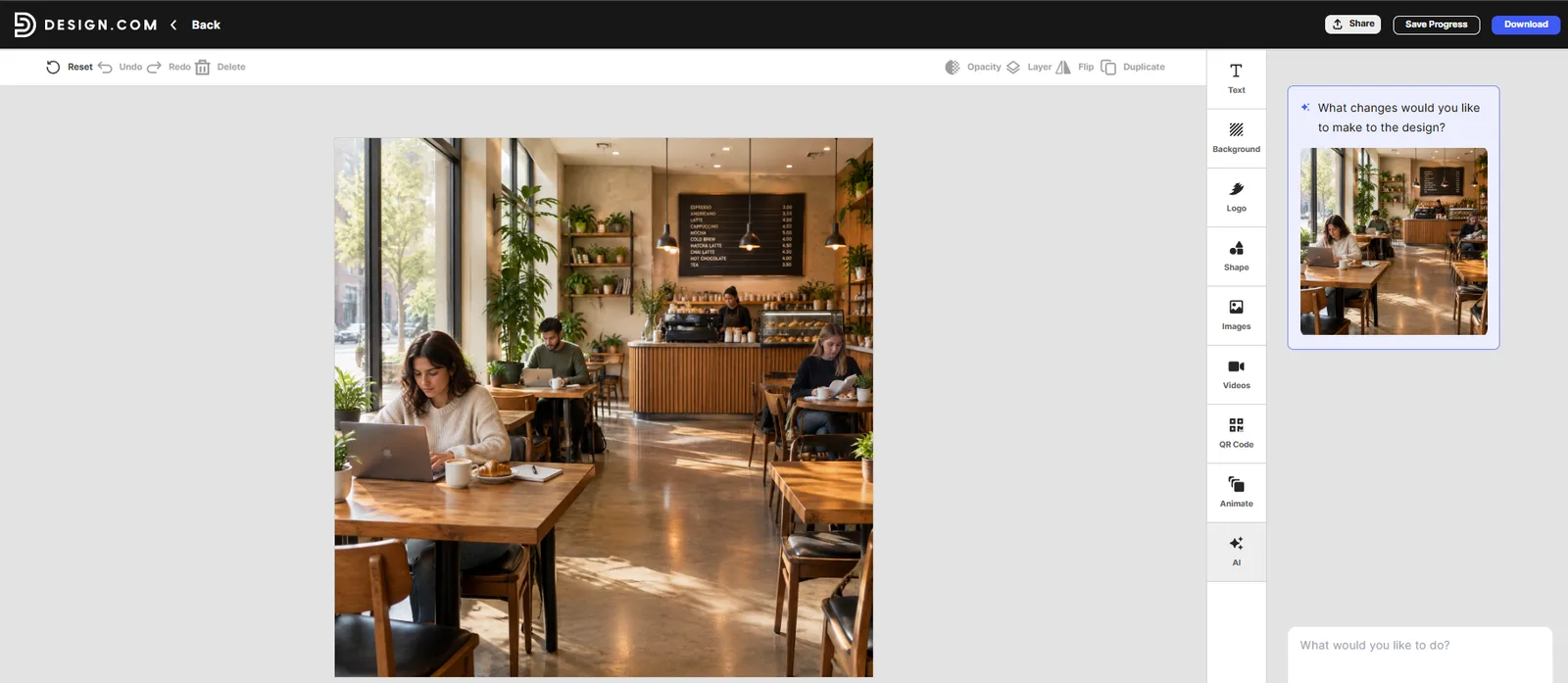
The ability to refine prompts is useful when the first result isn't quite right. You can adjust the description, change the visual style, or explore a different composition without starting the creative process from scratch.
Design.com AI Image Generator vs. Other Tools
Design.com, Adobe Firefly, Canva, and Midjourney serve overlapping but different creative needs. The most useful comparison is how each fits into the user's workflow.
Design.com vs. Adobe Firefly
Adobe Firefly is worth considering for users already working within Adobe's creative ecosystem. Design.com offers a different approach by connecting AI image generation with a broader set of accessible branding and marketing design tools.
Choose Design.com if you want to create images and continue working on branded content within the same platform. Consider Firefly if your workflow depends on Adobe's creative applications and their editing capabilities.
Design.com vs. Canva AI
Canva combines AI features with a broad visual design workspace. Both platforms can help users create marketing content without having to build every design from scratch.
Design.com is particularly relevant if you want to connect generated visuals with its logo maker, website builder, and branding tools. Canva is another option for users who already manage their social media graphics, presentations, and other visual content on the platform.
Design.com vs. Midjourney
Midjourney is commonly considered by users who prioritize artistic image generation and detailed visual exploration. Design.com places greater emphasis on accessibility and on the path from image creation to finished marketing materials.
If your main goal is to experiment with distinctive artistic styles, compare the image outputs directly. If you need a straightforward way to generate visuals and incorporate them into business designs, Design.com's integrated workflow may be more convenient.
No single tool is automatically the best for every project. Prompt adherence, image quality, editing needs, licensing, and cost should all factor into the decision.
Design.com Pricing
Design.com offers a free plan and several paid subscription tiers that provide access to its broader branding and design tools.
The Free plan costs $0 and lets users create and customize logos, download designs in supported formats, and explore the platform's branding tools. It also provides access to features such as the website builder, digital business card maker, and link-in-bio tools, although some features and downloads may require a paid subscription.
For users who need more design capabilities, Design.com offers three paid plans:
-
Starter: $3/month when billed annually; $9/month with monthly billing.
-
Value: Starts at $4/month when billed annually or $14/month when billed monthly. This tier adds website access.
-
Premium: Starts at $5/month when billed annually or $19/month when billed monthly. It includes a website, link-in-bio tools, and digital business cards.
Paid plans offer a wider selection of branding and design features, including high-resolution downloads, vector files, business card designs, social media graphics, and access to more than 50 design tools. The exact features available depend on the subscription tier.
Best Use Cases for Design.com's AI Image Generator
Design.com is worth considering for several everyday creative tasks.
-
Social media content: Generate images for posts, campaigns, and promotional graphics. You can then continue working on social designs within the platform.
-
Website visuals: Create custom concepts for website banners, backgrounds, blog graphics, and other page visuals when stock imagery doesn't match your idea.
-
Marketing materials: Explore images for flyers, posters, advertisements, and presentations, then incorporate them into a finished design.
-
Brand-related content: Use generated imagery alongside your logo, colors, and typography to create visuals that fit your existing brand identity.
-
Early-stage creative concepts: Explore different subjects, styles, and compositions before committing to a final visual direction. This can be helpful for brainstorming campaign ideas or developing a visual brief.
The common thread is the connection between generating an image and using it in a larger design. That workflow may be more valuable to a small business or solo marketer than a tool focused exclusively on producing standalone images.
Final Verdict
Design.com’s AI Image Generator is worth exploring if you want an accessible way to turn written ideas into visuals and use those images across a broader branding and marketing workflow. Its prompt-based generation, multiple image options, and connection to the platform's other design tools make it relevant to small businesses, marketers, entrepreneurs, and content creators.
Its strongest selling point is the workflow around the image, not a proven advantage in raw image quality. Users who need specialized artistic control or measurable production performance should compare actual outputs from several tools before deciding.
For occasional marketing visuals and branded content, Design.com offers a practical starting point. For professional image production, verify its generation limits, download options, and usage rights, then test it with the types of prompts you expect to use most often.
Frequently Asked Questions
What is Design.com's AI Image Generator?
Design.com’s AI Image Generator is a text-to-image tool that creates visuals from written descriptions. Users can describe a subject, setting, style, mood, colors, and composition, then generate and refine image options.
Is Design.com's AI Image Generator free?
Yes, Design.com's AI Image Generator is free to use. You can create AI-generated images without paying for a separate image-generation subscription. However, some downloads or additional design features may require a paid plan, so check the current terms before using the tool for regular business or commercial projects.
Can I use Design.com AI-generated images commercially?
Design.com explains that generated images can be used in its creative workflow, but that alone does not establish comprehensive commercial-use rights for every standalone image. Review the applicable terms before using generated images in advertisements, client projects, or products for sale.
Can I edit images generated with Design.com?
You can refine the results by changing your prompt and generating new options. You can also bring generated visuals into Design.com's broader design workflow. The exact image-editing controls available for individually generated images should be verified in the current tool.
What can I create with Design.com's AI Image Generator?
You can generate concepts for social media, websites, marketing materials, presentations, creative projects, illustrations, product concepts, and backgrounds.
Who should use Design.com's AI Image Generator?
It is worth considering for small businesses, entrepreneurs, marketers, and content creators who want to generate images and use them in a wider branding or marketing workflow without needing advanced design skills.

Co-Founder & Operations at Wireflow
Runs client operations and content strategy at Wireflow. Works directly with creative teams and agencies to build production AI workflows.
- Content Strategy
- Client Operations
Ask Claude for your next ad.
Connect once. Ask any time.
- No credit card
- You keep the rights to what you make
- Cancel anytime
More in News
Model news and reviews. Wireflow's own releases are in the changelog.