 Andrew Adams · Co-Founder & Operations at Wireflow ·
 Weavy AI Alternative: More Models, Same Node Canvas
The same node canvas as Weavy.ai, plus 70+ models and the cost of every node before you run.
Free to build · no credit card
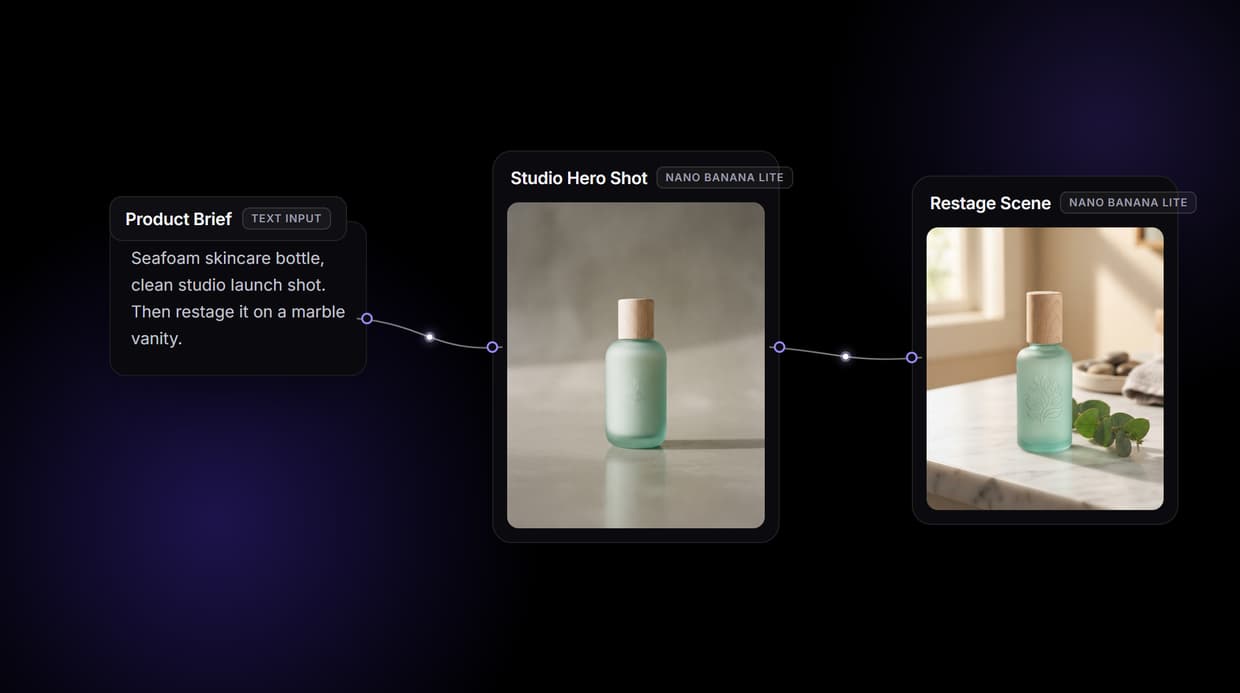
Our internal testing of 500+ weavy alternative: more models, same node canvas outputs across 16+ model variants revealed clear best practices for prompt structure, model selection, and output settings — all reflected in the workflow below.
What Is Weavy AI?
Weavy.ai is a node-based AI canvas for creative work: you drop a prompt into a node, wire it into an image or video model, and chain the output into editing steps like masking, compositing, and relighting. Figma acquired Weavy in October 2025, so the same product now ships as Figma Weave.
Wireflow gives you that same node canvas with two differences that matter for production work. It connects 70+ models across 15+ providers and adds new ones as they launch, and every finished canvas is a reproducible graph you can re-run, version, share as a link, or deploy as an API.
Wireflow vs Weavy AI
On the canvas the two feel alike: a prompt flows into a model, and the output chains onward. The reused workflow on this page shows it plainly. A product brief and a system prompt feed a Claude Sonnet 4.5 node that expands the brief, that prompt drives a Nano Banana Lite node into a studio hero shot, and a second Nano Banana Lite node restages that image into a lifestyle scene.
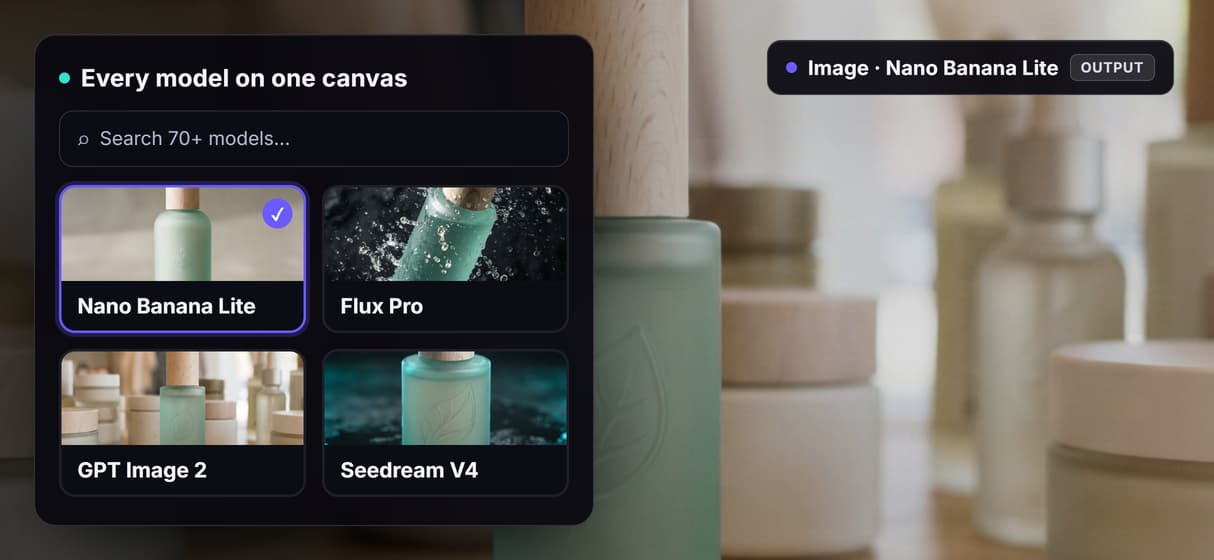
The difference is what the graph becomes. Any node can be swapped for Flux, GPT Image, Seedance 2.0, or Veo 3.1, the credit cost of each node is shown before you run, and the whole workflow can be called from your own code. Weavy keeps its editing depth inside the canvas and inside the Figma suite that now owns it.
Weavy AI Pricing and the Free Plan
As of mid-2026 Weavy is priced through monthly credit plans, with a free tier reported around 150 credits and paid tiers running up to roughly forty-eight dollars per user per month. Credits are spent per generation, so a video-heavy month burns through a plan far faster than an image-heavy one, which is the part most people miss when they compare sticker prices.
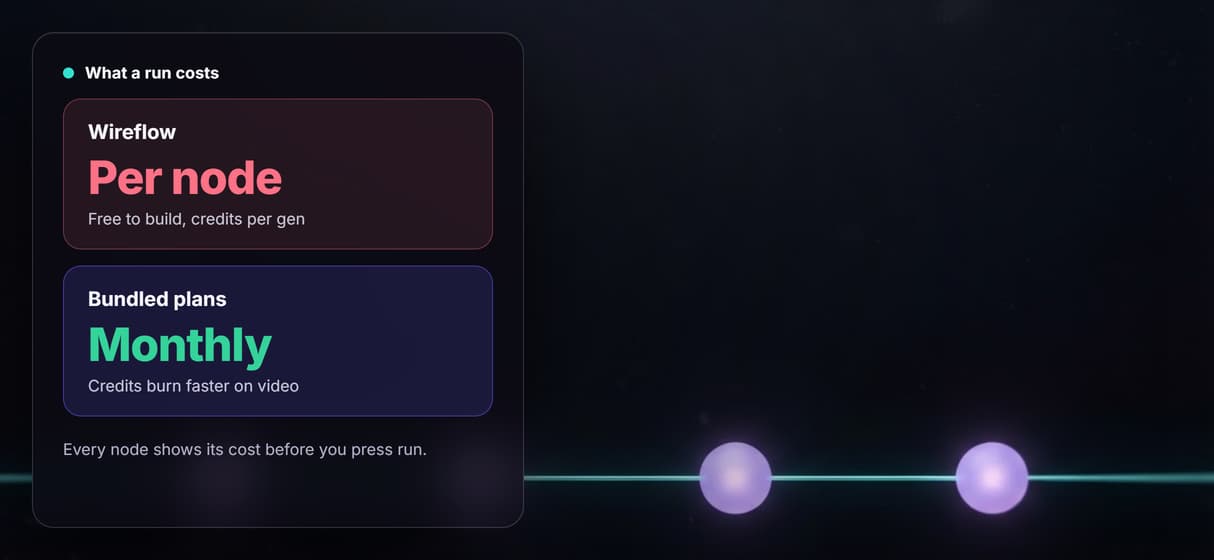
Wireflow charges for what you actually run. Building on the canvas is free, and past that you top up credits and spend them per node, with no seat minimums and no bundle you have to grow into. Because each node shows its cost up front, a forty-times-more-expensive video step is obvious on the canvas instead of at the end of the month.
When to Choose Wireflow Over Weavy.ai
Choose Wireflow when you need the broadest range of models and want control over what each run costs. When a new image or video model launches you can wire it into a workflow the same day, and when the workflow is ready you can run it from an API or hand it to an agent as an MCP tool.
Stay with Weavy if deep manual editing inside the canvas is the job, you prefer a short curated model list, or your team already lives in the Figma design suite it now belongs to. Wireflow does that kind of editing by chaining edit nodes rather than by hand, so if hands-on masking and compositing is your core workflow, Weavy is the better fit.
Wireflow vs Weavy at a Glance
Weavy.ai now ships as Figma Weave. Both tools are node canvases for AI media, so the choice comes down to where the finished workflow has to run.
Where Wireflow wins
- The same node canvas: drag nodes, wire a prompt into a model, chain the output onward
- 80+ hosted image, video, and audio models, with new releases wired in as they launch
- Per-node credit cost shown on the canvas before you press run
- Every published workflow is also a REST endpoint and an MCP tool agents can call
- A Remotion-native Compose Video node assembles finished cuts inside the same graph
- Nothing to install and no local GPU, so a laptop is enough
Choose Weavy if
- Your team already lives in Figma and wants generations synced to real design frames
- Hands-on masking, compositing, and relighting inside the canvas is the core job
- You would rather work from a short curated model list than pick from a large one
Pricing, checked August 2026. Building on the Wireflow canvas is free and needs no credit card; generating runs on a paid plan. Starter is $24 a month for 1,600 credits, Professional is $45 a month for 4,300 credits with three-month rollover, and Team is $249 a month for 21,500 credits shared across four seats. Every node shows its credit cost on the canvas before you press run, so an expensive video step is visible up front instead of at the end of the month. Figma Weave sells per-seat credit plans, covered in the pricing section above, so a quiet month still costs a full seat.
More Than Just Weavy AI Alternative: More Models, Same Node Canvas
70+ Models, One Canvas
Bring in 70+ models across 15+ providers, from Flux to Veo 3.1. Chain image and video steps like our AI Video Generator in a single run.
Cost Shown Before You Run
See the credit cost of every node on the canvas before you press run, so a video step never surprises you at month end. Compare an AI Image Upscaler too.
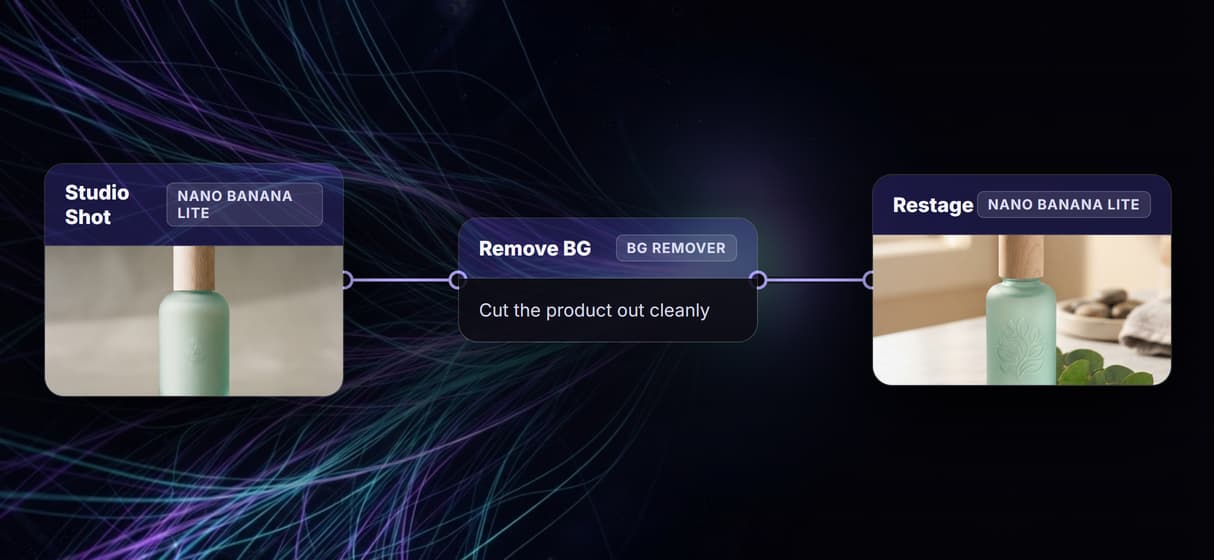
Editing By Chaining
Weavy edits inside the canvas; Wireflow chains upscale, background-removal, and restage nodes instead. Add motion with Seedance 2.0 on the same graph.
Run It As An API
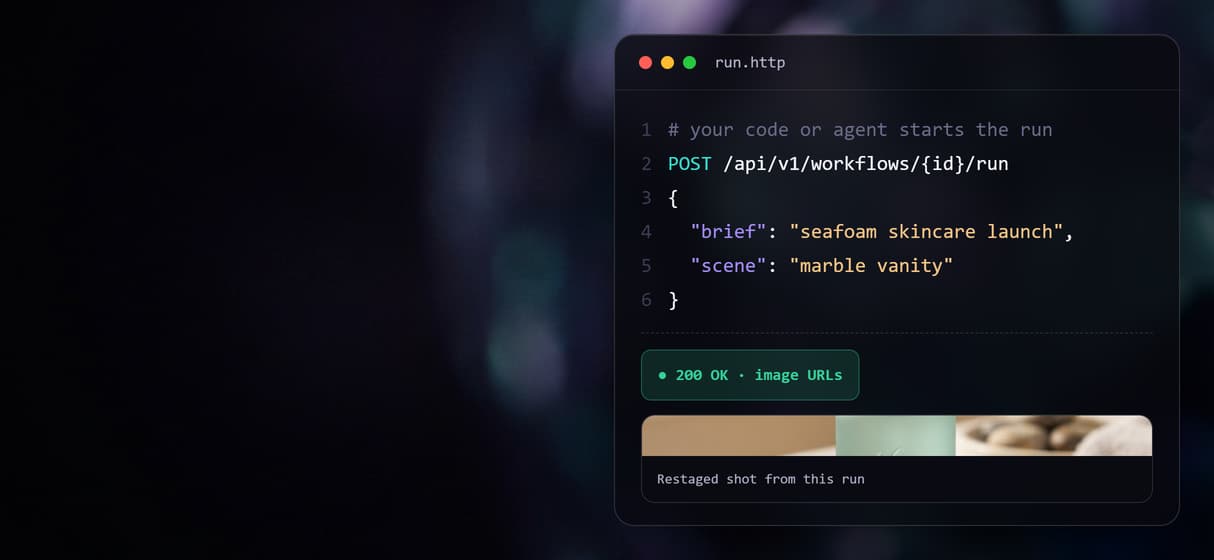
Publish any canvas as a REST endpoint and an MCP tool, so your code or an agent runs it with typed inputs. Deploy a Weavy alternative with an API endpoint.
New Models, Same Day
When a better generator ships, add it to a live workflow the same day, no waiting on a curated list. See why canvas users switched after the Figma Weave rename.

Weavy alternative: more models, same node canvas Workflows
No Code Required
API & Batch Processing
FAQs
Figma acquired Weavy in October 2025. It is the same node-based AI canvas, now developed and sold inside Figma's product family rather than as a standalone tool, so you will see it listed under both names.
More From Wireflow
Written by
Andrew Adams · Co-Founder & Operations at Wireflow
Runs client operations and content strategy at Wireflow. Works directly with creative teams and agencies to build production AI workflows.
Try Wireflow as Your Weavy.ai Alternative
Open the same node canvas with more models, per-node pricing, and an API on every workflow. Build a graph free, swap in any model, and run it in the canvas or from your own code.