Design.com vs. Canva vs. Adobe Firefly: Which AI Image Generator Is Better for Beginners?

In this article▾
- Design.com vs. Canva vs. Adobe Firefly at a Glance
- How We Tested the AI Image Generators
- Test 1: Which Is Best With a Simple Prompt?
- Test 2: Which Handles Detailed Prompts Best?
- Test 3: Which Is Better for Marketing Images?
- Which AI Image Generator Is Easiest for Beginners?
- Which Is Best for Turning an AI Image Into a Finished Design?
- Design.com vs Canva vs Adobe Firefly: Final Verdict
Compare Design.com, Canva, and Adobe Firefly to find the best AI image generator for beginners, from simple prompts to finished branded designs.
-
Design.com is the best overall choice for beginners in this comparison, combining straightforward prompting, strong image results, free generation, and an integrated path from AI image to finished branded design.
-
Canva is a good option for existing Canva users who want AI image generation alongside a familiar general-purpose editor.
-
Adobe Firefly produces convincing imagery, but beginners primarily interested in fast, uncomplicated business content may find Design.com’s broader workflow more approachable.
-
Our test used the same three prompts across the platforms, moving from a simple request to a detailed scene and finally a marketing-focused image.
For someone trying AI image generation for the first time, Design.com is our top pick as the best AI image generator.
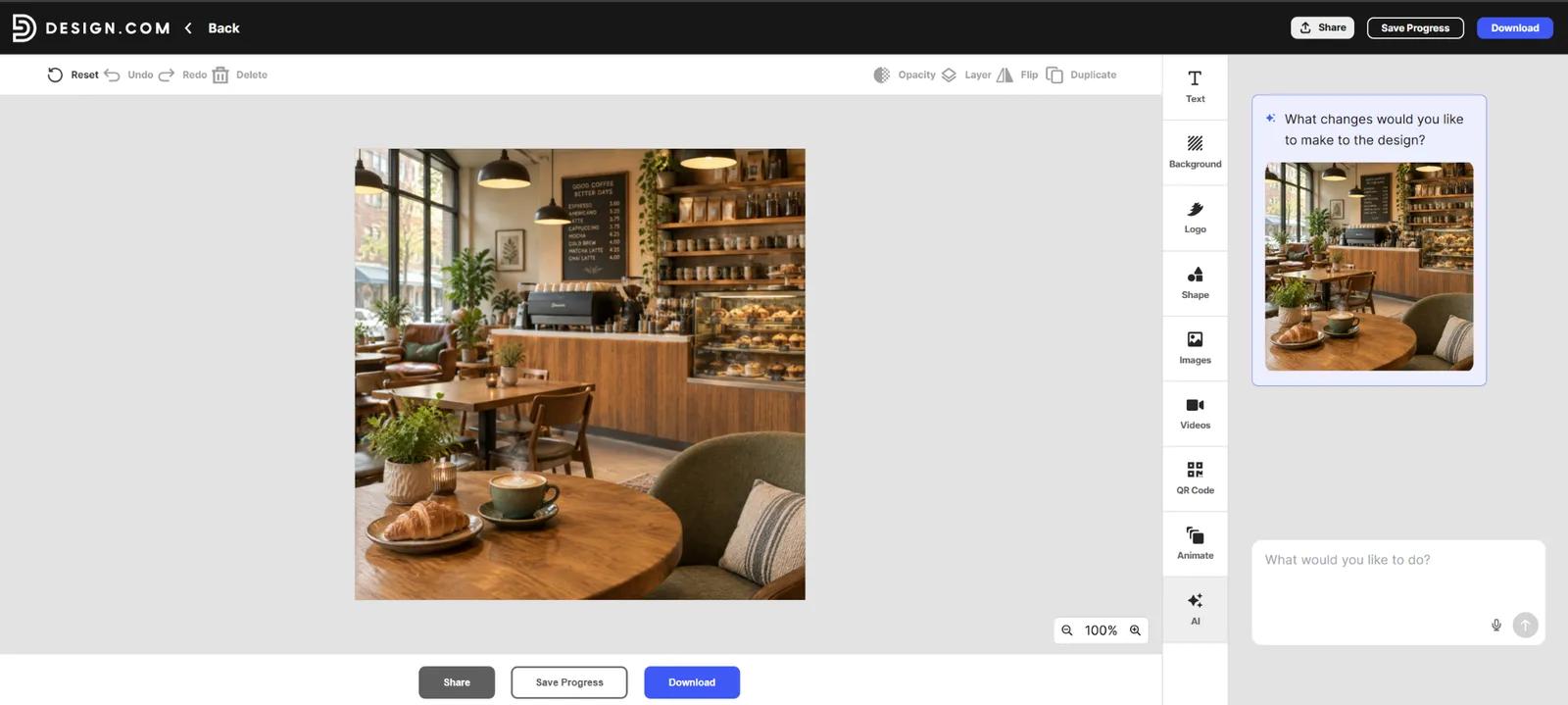
All three tools successfully turned text prompts into usable visuals during our test, but Design.com offers the strongest overall beginner proposition. You can describe what you want in everyday language, edit the image through AI, refine the prompt, and then use the resulting image within Design.com’s wider suite of branding and design tools.
That last point matters. Beginners often aren't generating an image simply to admire or download it. They need it for an Instagram post, advertisement, website banner, flyer, presentation, or another finished asset. Design.com brings those steps together.
Canva remains a capable choice, particularly for people already comfortable with its editor. Adobe Firefly also generated convincing results in our test. But for a first-time user who wants to go from idea to AI image to finished business design, Design.com provides the most complete beginner-friendly workflow.
Design.com vs. Canva vs. Adobe Firefly at a Glance
| Category | Design.com | Canva | Adobe Firefly |
|---|---|---|---|
| Best for | Beginners and small businesses | Existing Canva users | Adobe users and AI experimentation |
| Everyday-language prompts | Yes | Yes | Yes |
| Simple prompt performance | Strong | Strong | Strong |
| Detailed prompts | Strong | Good | Strong |
| Marketing imagery | Strong | Strong | Strong |
| Prompt refinement | Yes | Yes | Yes |
| Broader design tools | 50+ design and AI tools | Yes | Adobe ecosystem |
| Brand integration | Yes | Yes | Available through Adobe tools |
| Free use | Images can be created without an account | Free access available with limits | Free access available with limits |
| Starting paid plan | $3/month billed annually | Varies by plan | Varies by plan |
| Beginner verdict | Best overall | Good alternative | Better suited to users wanting Adobe's ecosystem |
Build this in Wireflow
Make the same kind of asset on a canvas you control, with a free account and no credit card.
How We Tested the AI Image Generators
Instead of comparing marketing claims alone, we gave Design.com, Canva, and Adobe Firefly the same three tasks.
The first was intentionally vague:
Create an image of a cozy coffee shop interior.
Next, we increased the level of detail:
Create a realistic photo of a cozy neighborhood coffee shop with warm natural lighting, wooden tables, indoor plants, and customers working on laptops.
Finally, we introduced a real marketing requirement:
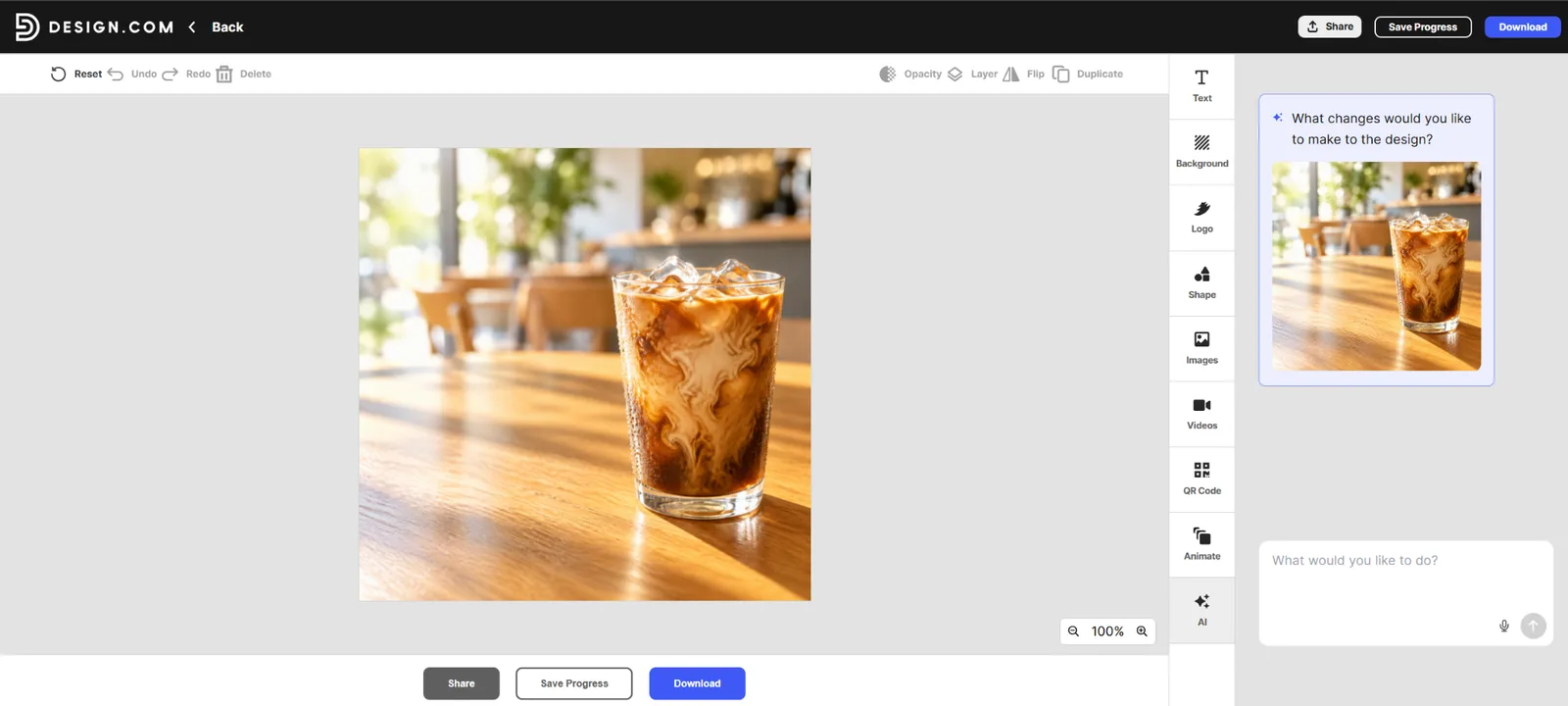
Create a bright, modern image of an iced coffee on a wooden café table, with morning sunlight and space on the left for promotional text.
The test results document the same simple, complex, and marketing prompts for the platforms.
This progression is useful for beginners because it answers three different questions:
-
Can you get something good without knowing how to write prompts?
-
Does adding ordinary descriptive details improve the result?
-
And can the generator understand a practical business requirement?
Test 1: Which Is Best With a Simple Prompt?
Our first prompt contained almost no creative direction beyond the subject and atmosphere.
That is deliberate. A beginner may not know terms such as cinematic lighting, depth of field, editorial photography, or photorealistic rendering. A beginner-friendly generator should therefore be able to do something useful with an ordinary sentence.
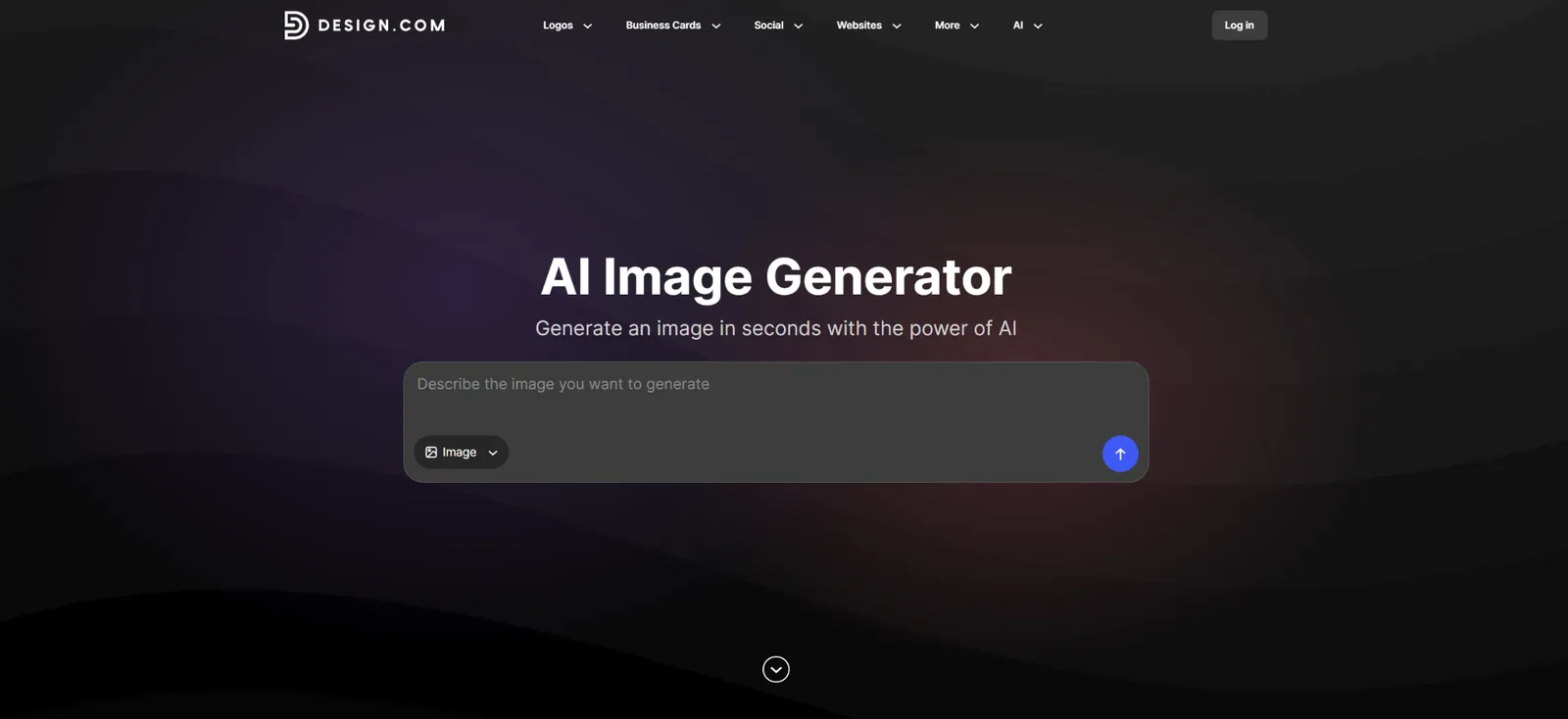
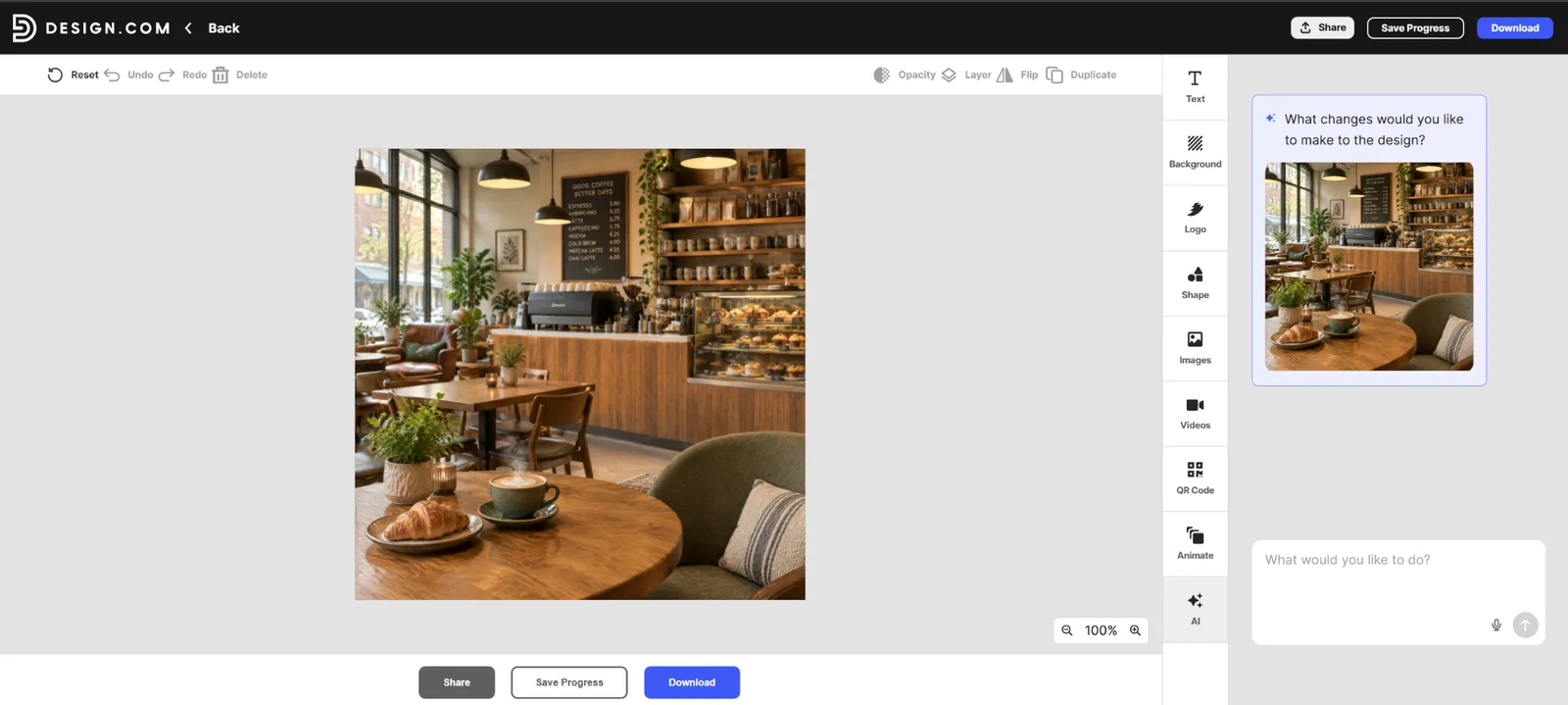
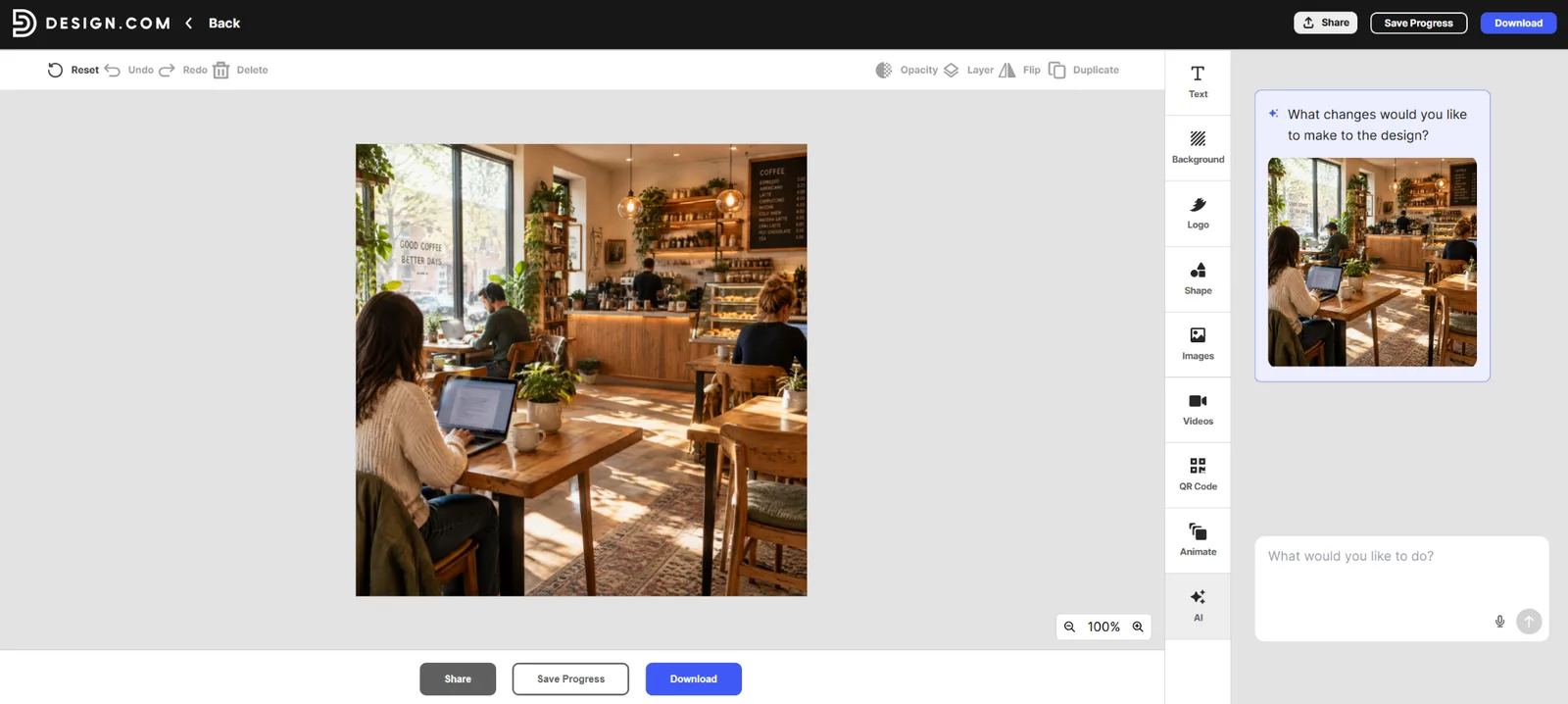
Design.com’s AI image generator performed particularly well here. Its result immediately established a warm café atmosphere, with wooden furniture, natural light, plants, shelving, and a foreground table.
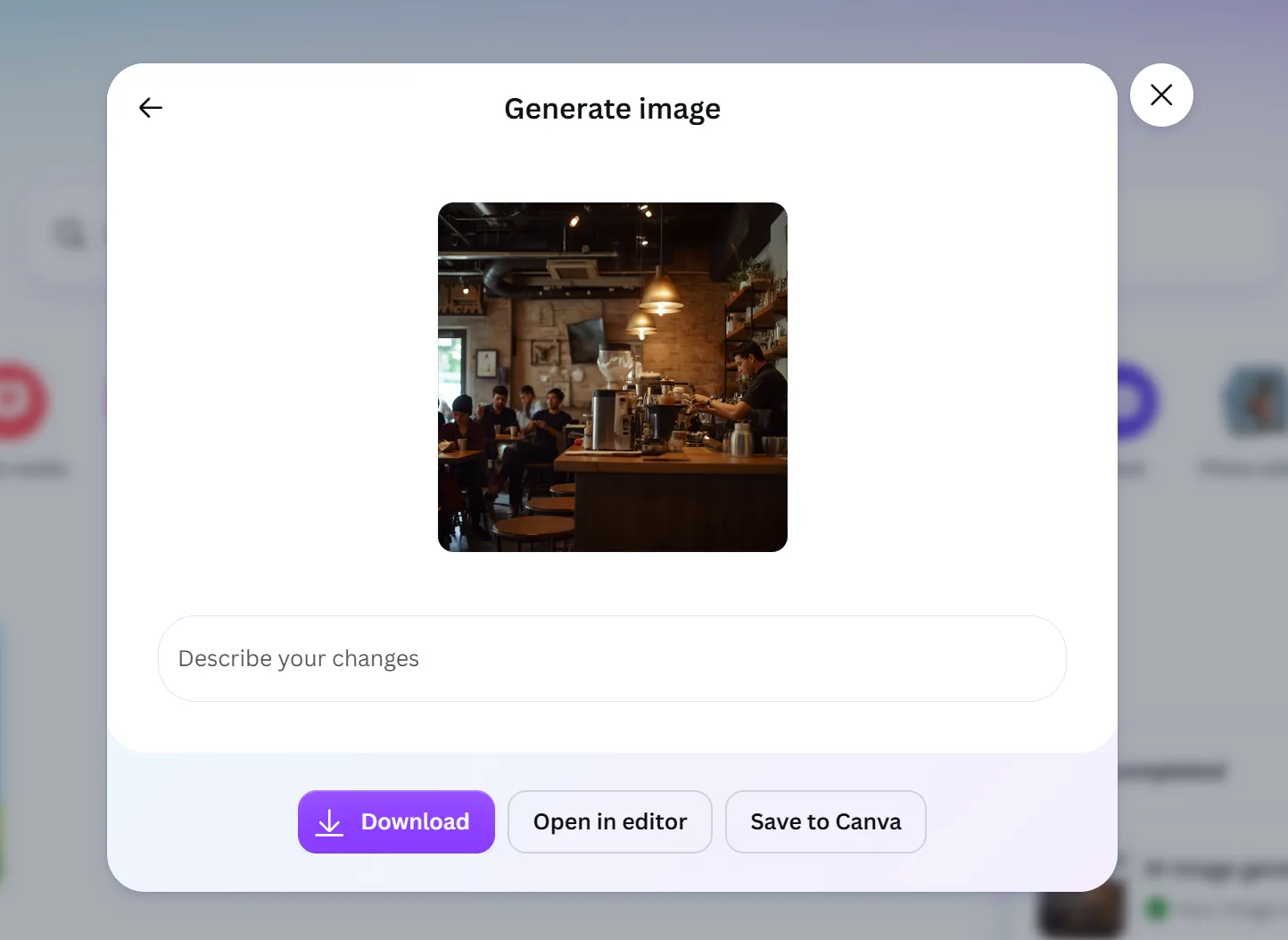
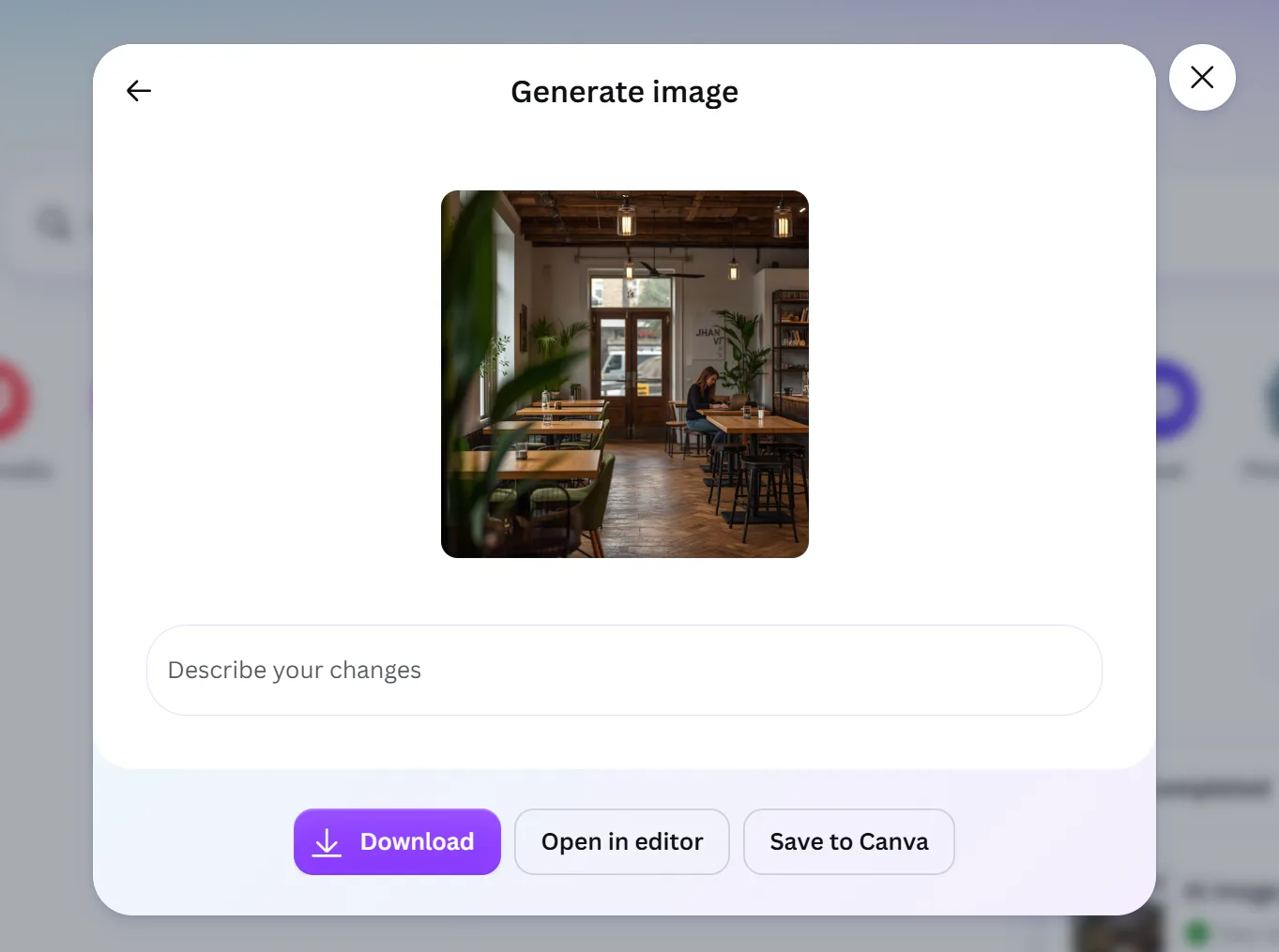
Canva also interpreted the simple coffee-shop request successfully. Its result leaned toward a darker, moodier café interior.
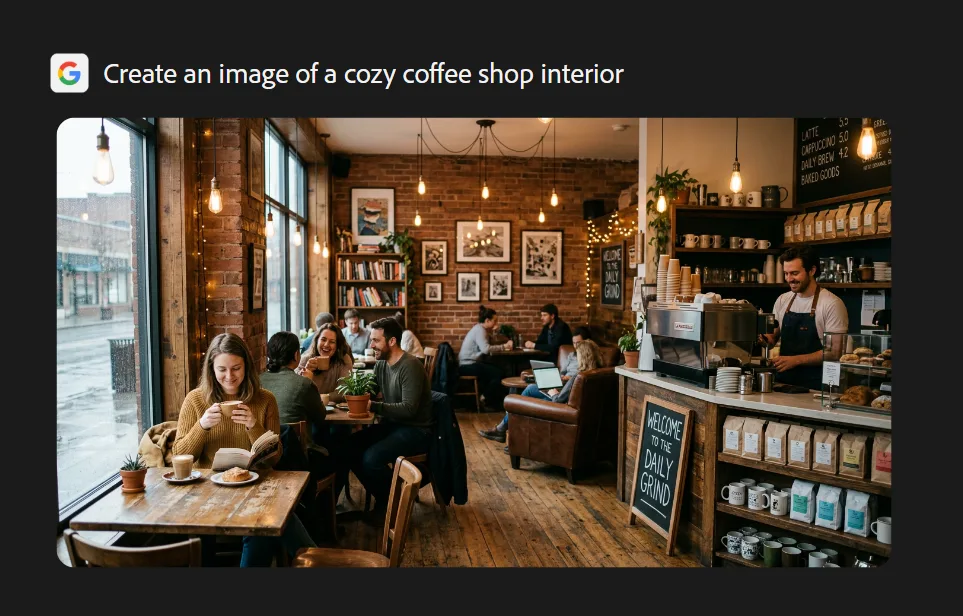
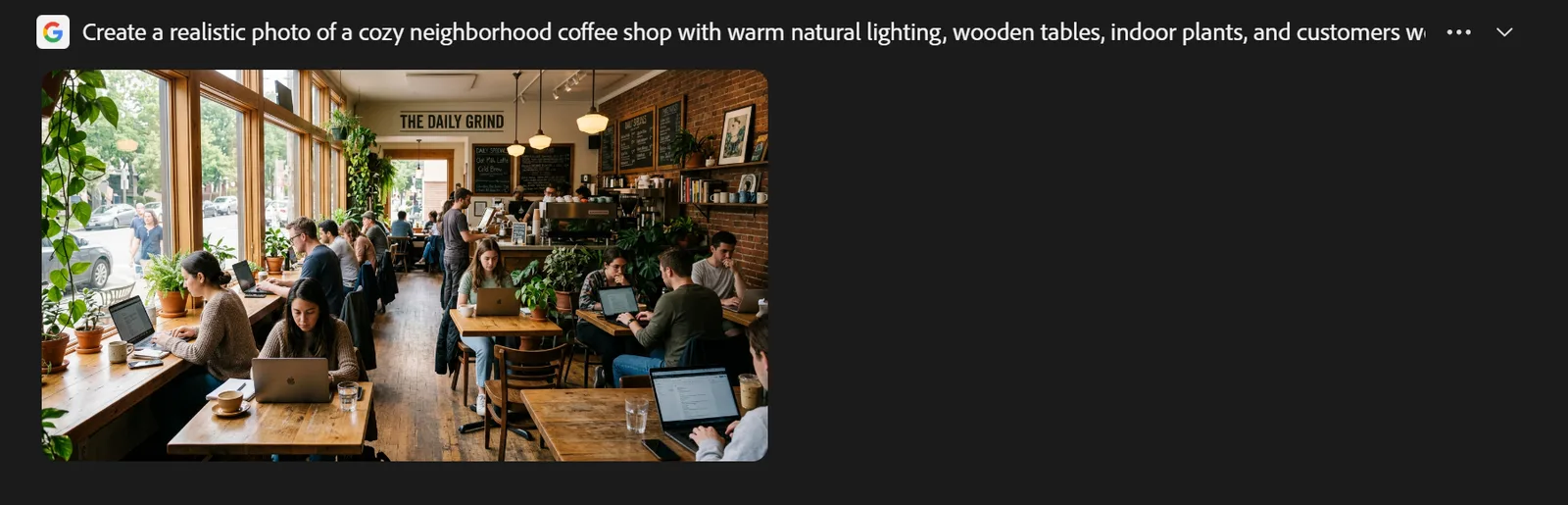
Adobe's result also demonstrated that a short prompt could produce a convincing café scene. The supplied test shows a populated coffee shop with warm lighting, tables, a service counter, and customers.
Beginner takeaway: You don't need to become a prompt engineer before you start. All three can work with simple instructions, but Design.com combines a strong initial interpretation with a particularly straightforward generation workflow.
Test 2: Which Handles Detailed Prompts Best?
The second test made the brief considerably more demanding.
The image needed warm natural light, wooden tables, plants, a neighborhood-coffee-shop feel, and, importantly, customers working on laptops.
Design.com's result responded well to those additional instructions. The image generated shows a warm, naturally lit café with multiple people, visible laptops, wooden furniture, and greenery. In other words, the additional prompt detail visibly shaped the output.
Canva's complex-prompt result maintained the café environment, although the supplied result is more restrained in how prominently it represents the requested people-working-on-laptops element.
Adobe's result also captured many of the requested elements, including a busier café populated with laptop users and natural light.
For beginners, the important lesson isn't that prompts need complicated technical language. They need useful detail.
Design.com's prompting model fits that approach. Users can describe the subject, setting, background, mood, lighting, colors, style, and composition using normal language. If the first result isn't right, they can change those details and generate again.
Test 3: Which Is Better for Marketing Images?
This was arguably the most useful test for a small-business user.
Rather than simply asking for an attractive iced-coffee photograph, we added an actual layout requirement: space on the left for promotional text.
That distinction matters. A beautiful image isn't necessarily a useful marketing image. If every part of the frame is visually busy, adding a headline, offer, or CTA becomes difficult.
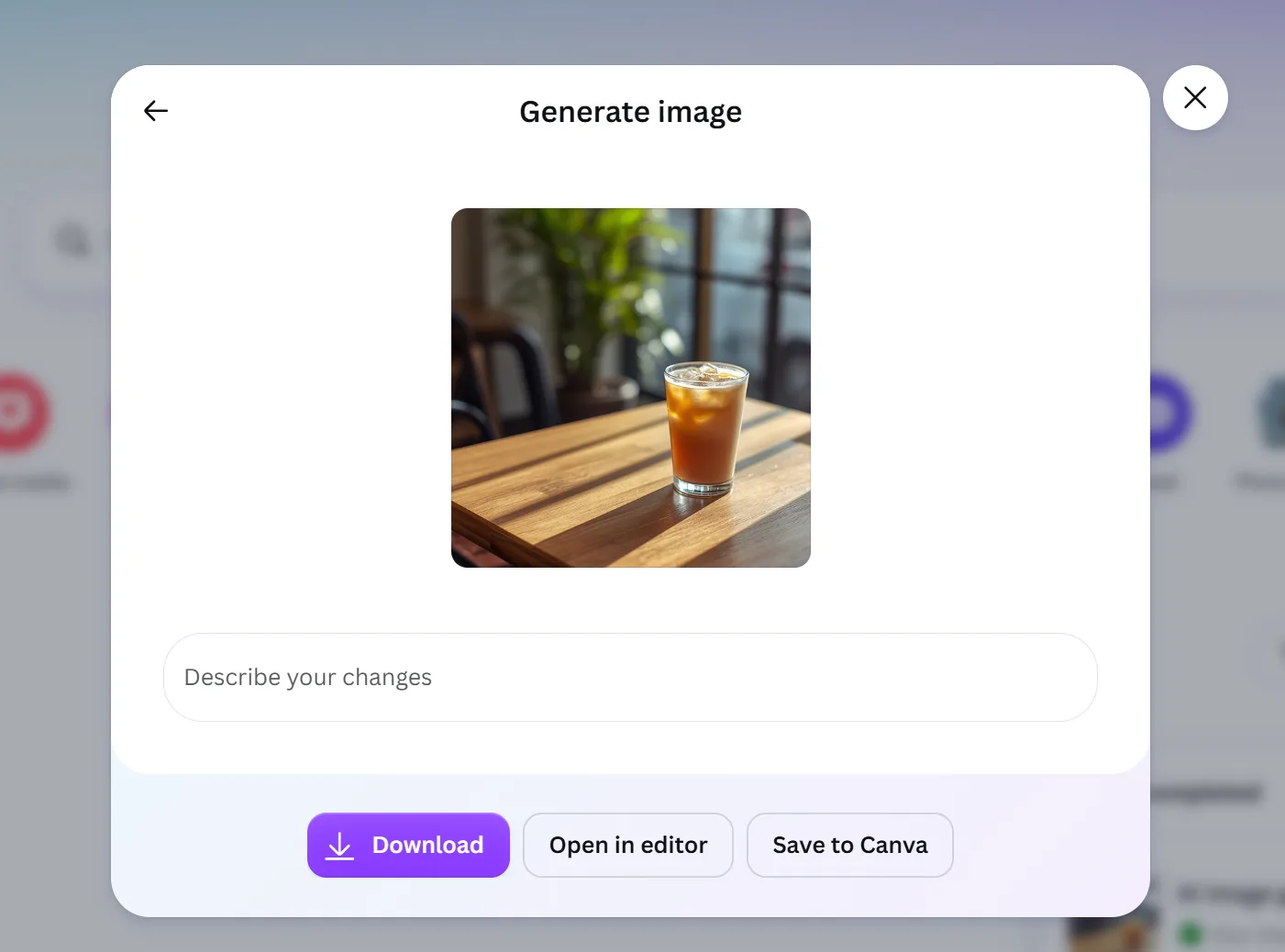
Design.com's result shows a bright iced coffee as the focal point, with strong natural morning light and a clean commercial aesthetic.
Canva similarly generated a bright product-oriented iced-coffee visual for the marketing prompt.
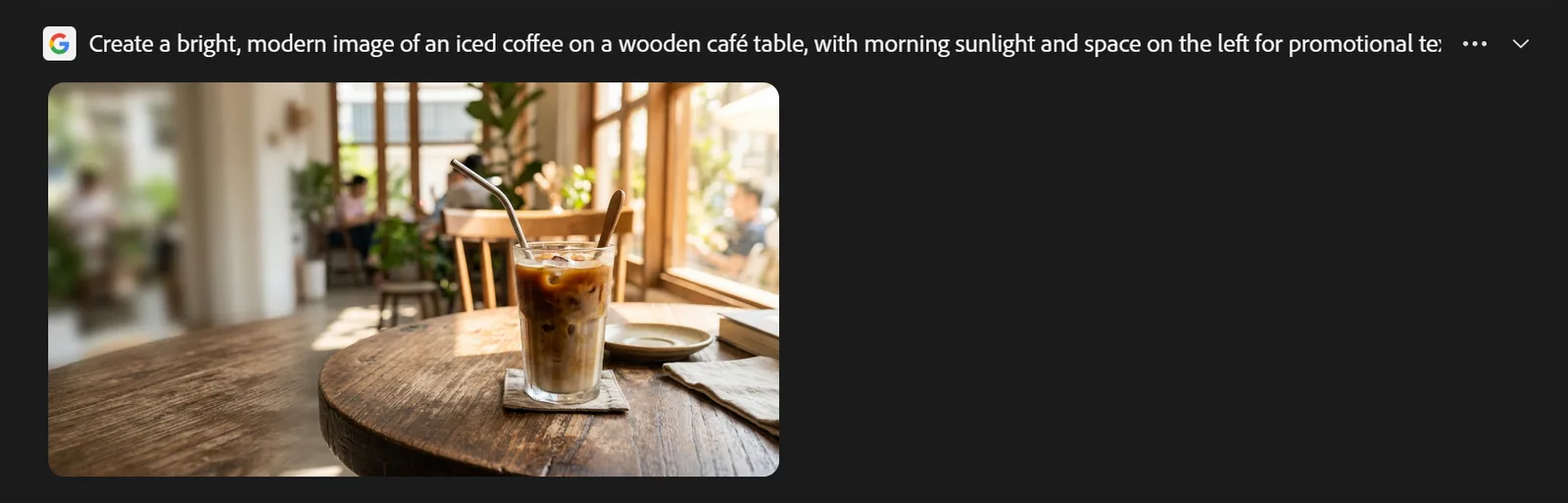
Adobe's result also shifted toward a product-focused composition, placing the iced drink prominently within a sunlit café environment.
This is where Design.com's broader ecosystem becomes especially relevant. Once you've created an image, you don't have to treat it as an isolated asset. It can be incorporated into Design.com templates and combined with a business's logo, fonts, colors, and other visual elements.
That means the same AI-generated coffee image could become an Instagram post, Facebook graphic, poster, flyer, presentation, advertisement, or website visual.
Which AI Image Generator Is Easiest for Beginners?
Design.com wins this category for our target audience.
The basic workflow is intentionally simple:
Write a prompt → add details → generate → choose a result → refine if necessary → download or continue designing.
No professional photography, illustration, graphic-design, or AI prompting experience is required.
Users can also create images on the site without first creating an account, reducing one of the most common pieces of friction for someone who simply wants to experiment with AI generation.
Its AI Design plan adds another value advantage as you can use the image generated as part of your Brand Kit. At $3/month when billed annually, you get 50 AI-generated images per month, use of the AI image editor, 50+ design and AI tools, 651,000+ templates, and tools for assets including business cards, Instagram posts, Facebook posts, email signatures, and letterheads.
For beginners building an actual business, that's more useful than evaluating the image generator in isolation.
Which Is Best for Turning an AI Image Into a Finished Design?
This is the category that most clearly differentiates the experience.
Suppose our fictional coffee shop wants to use its newly generated iced-coffee image in a weekend promotion.
Generating the picture is only step one. Someone still needs to add the company logo, brand colors, headline, offer, and perhaps a CTA. Then the design may need to be adapted for Instagram, Facebook, a flyer, or a website.
Design.com is built around that broader journey.
Its AI Image Generator sits within a platform that also includes tools for logos, websites, business cards, flyers, posters, presentations, and social media designs. Generated imagery can therefore become the raw material for a complete branded asset.
Canva's editing ecosystem is also a major strength and makes it a sensible choice for users already working there.
Adobe Firefly is compelling for users who want generative capabilities within the larger Adobe ecosystem. For a newcomer whose primary objective is quickly creating business content, however, that ecosystem may be more than they actually need.
Design.com vs Canva vs Adobe Firefly: Final Verdict
There is no question that all three platforms can generate attractive AI imagery. Our test results show that each could interpret the same coffee-shop prompts at increasing levels of complexity.
But the question here isn't simply “Which tool can generate an image?”
It's “Which AI image generator is better for beginners?”
For that audience, Design.com is our overall recommendation.
It keeps prompting approachable, generates multiple creative directions, lets users iterate with additional details, requires no professional design experience, and connects AI generation with the tools needed to turn an image into a finished business asset.
For a first-time user who wants to type an idea, generate an image, and then actually do something useful with it, Design.com offers the strongest all-around starting point.

Co-Founder & Operations at Wireflow
Runs client operations and content strategy at Wireflow. Works directly with creative teams and agencies to build production AI workflows.
- Content Strategy
- Client Operations
Get unlimited ad creatives today.
One call to see if we are a fit and scope the first ad. If it fits, your first batch lands inside week one.