Claude Motion Graphics: One Prompt, a 12-Second Clip and What It Cost

In this article▾
Claude motion graphics are animations that Claude writes as code and renders to video. We gave Claude Code one prompt and got a 12-second 1080p clip in about 9 minutes, at $1.00 in list-price model usage. This guide shows the exact prompt, what Claude built, where the time went, and how we rebuilt the same piece without writing React on Wireflow, the node-based AI canvas we build.
Results at a glance
Every figure comes from one run on 14 October 2026 with Claude Code and the open-source Remotion framework, one of the Remotion tools for coding agents we cover.
| Measure | Our run |
|---|---|
| Prompt to verified MP4 | 8 min 56 s, 22 turns |
| Model usage | $1.00 at API list prices |
| Output | 12.0 s, 1920x1080, 30 fps, 360 frames, 3.3 MB |
| Re-rendering the finished code | 13.7 s |
| Same piece in a Video Editor node | 1 min 47 s hosted render, 0 credits |

That loop is Claude's unedited render; click it for the original MP4. If you would rather not run code at all, the same clip can be built as AI motion graphics on a visual canvas, as we show further down.
Build this in Wireflow
Make the same kind of asset on a canvas you control, with a free account and no credit card.
Three ways Claude makes motion graphics
Claude makes motion graphics through two Anthropic products and one developer route. All three write code that moves text, shapes and charts instead of generating footage, so they suit explainers, titles and data. Our roundup of AI tools for motion graphics design covers the wider field.
| Route | What you get | Who can use it | Output |
|---|---|---|---|
| Claude Motion | A Motion artifact in chat, edited by asking or in an editor | Beta on Team and Enterprise plans | MP4 export and a share link |
| Claude Design | Animated designs and prototypes on a canvas | Launched April 2026 for Pro, Max, Team and Enterprise | .zip, PDF, PPTX, Canva, standalone HTML |
| Claude Code + Remotion | React code in your own project, rendered on your machine | Anyone running Claude Code | MP4 (H.264) and other Remotion formats |
Per Anthropic's help article, Claude Motion is on by default for Team plans, needs an owner to switch it on for Enterprise, counts toward your usage limits and "doesn't create realistic footage or people". Claude Design's documented exports include no video. For real people on screen, use a text to video AI model.
We tested the third route because any Claude Code user can run it today and it leaves the source in your project. Remotion is free for individuals, non-profits and companies of up to 3 employees; larger companies need a company license. Our Remotion templates guide explains how its compositions are structured.
Our setup, step by step
Everything ran on one Windows 11 PC that had only Node.js and Claude Code installed beforehand. If you would rather render on a server than on your own machine, see our Remotion API page.
- Blank project. We wrote a minimal Remotion 4.0.535 project (React 18.3.1, TypeScript) with an empty root and ran
npm install: 301 packages in 57 seconds. - Agent skills.
npx remotion skills addinstalled Remotion's 12 official skills in 20 seconds and linked them into.claude/skills, where Claude Code picks them up. - One prompt. We ran Claude Code 2.1.293 headless on Opus 5.5 with file permissions open, web tools and subagents switched off, and a system note telling it to work alone inside the project folder.
The exact prompt
We wrote the prompt like a shot list, with sizes, seconds and copy spelled out, the same habit that helps when you connect Claude to video editing tools. Word for word:
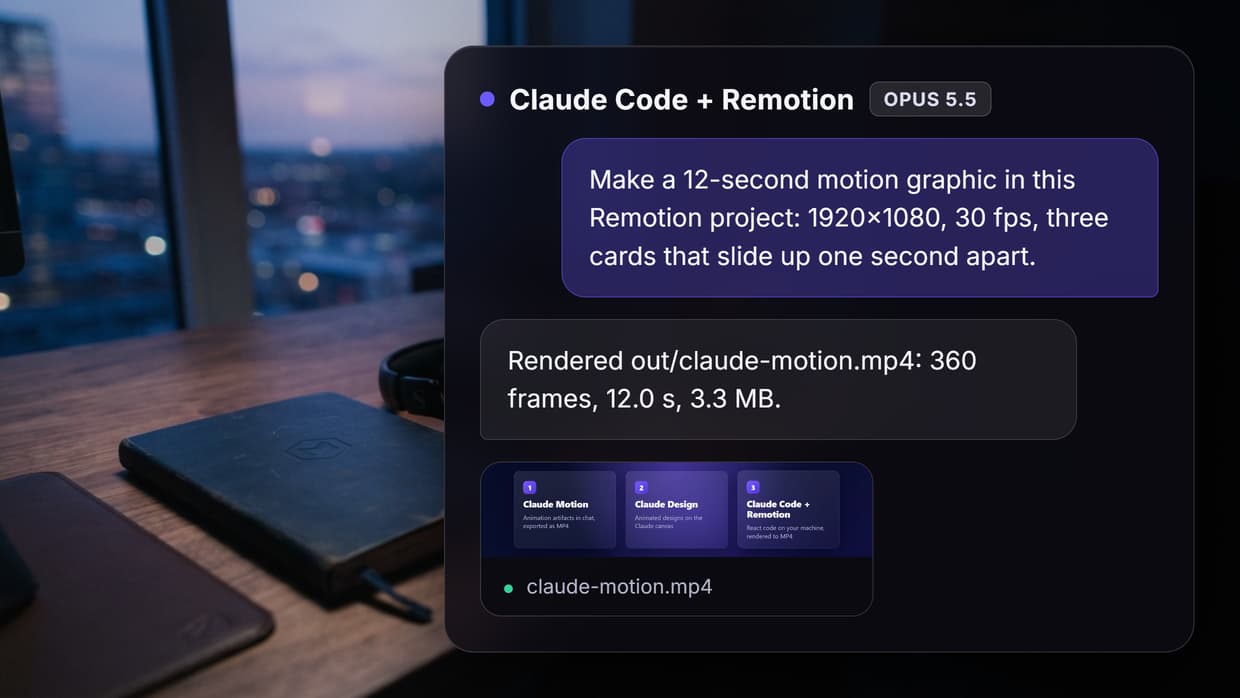
Make a 12-second motion graphic in this Remotion project: 1920x1080, 30 fps, composition id ClaudeMotionExplainer.
Scene 1 (0 to 3 s): the title "3 ways to make motion graphics with Claude" builds in word by word over a deep navy background with a slow violet gradient drift.
Scene 2 (3 to 9 s): three cards slide up one after another, 1 second apart, each with a bold name and one line:
- Claude Motion: animation artifacts in chat, exported as MP4
- Claude Design: animated designs on the Claude canvas
- Claude Code + Remotion: React code on your machine, rendered to MP4
Scene 3 (9 to 12 s): the cards fade out and "Prompt. Code. Render." appears one word at a time with a progress bar filling underneath.
Use spring animations, a clean sans-serif font, and no external images or audio. When it is done, render it to out/claude-motion.mp4 and check the file plays.
What Claude built
Claude registered a 360-frame composition in Root.tsx and wrote the whole piece into one 274-line file, ClaudeMotionExplainer.tsx. It split the clip into four components (background, title, cards, outro), drove every entrance with Remotion's spring(), and made the "violet drift" from two radial-gradient glows moving on slow sine curves. The result looks like the output of an AI animation maker, except that it is code you own:
const s = spring({ frame: frame - 6 - i * 7, fps, config: { damping: 14, stiffness: 120 } });
It also checked its own work. After a type check it rendered preview stills at frames 60, 170, 300 and 355, looked at them, and saw that the third card's two-line name, "Claude Code + Remotion", was squashing its number badge. It made the cards taller (500 by 380 pixels), stopped the badge from shrinking, rendered the MP4 and confirmed it decodes end to end. That review loop is the step most LLM video editing workflows skip.
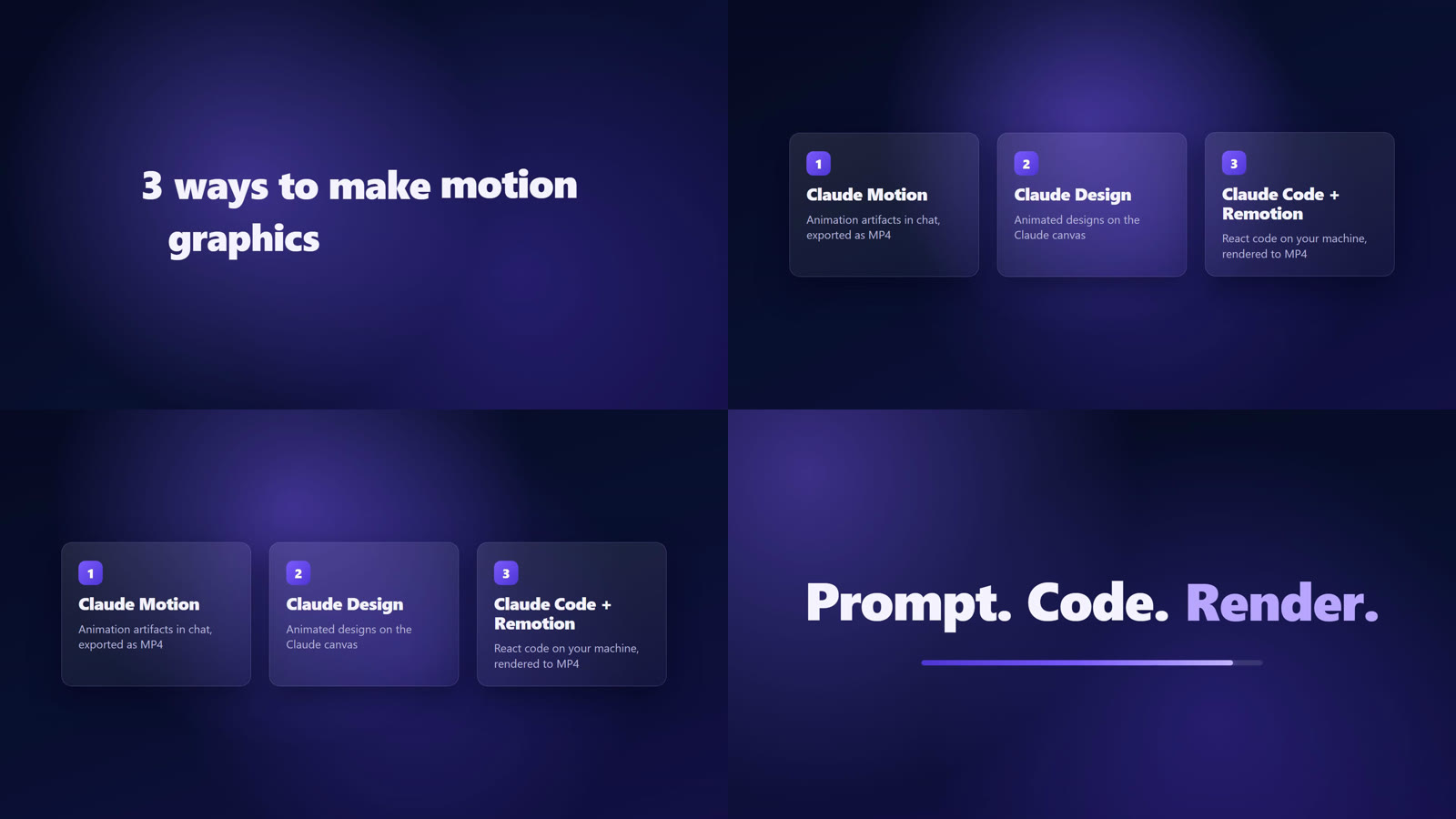
Two choices are worth knowing about. Because we asked for nothing external, Claude used system fonts: Inter is first in its font stack but was not installed, so Windows rendered Segoe UI. Ask for a font package such as @remotion/google-fonts if the typeface matters. It also removed the title when the cards arrive, because the prompt did not say, and it told us so in its summary. Planning a longer product piece? See our page on AI product explainer videos.
Cost and time on our run
| Step | Time | Detail |
|---|---|---|
npm install | 57 s | 301 packages |
| Remotion agent skills | 20 s | 12 skills |
| Claude Code session | 8 min 56 s | 22 turns, 99.5 s of model time, 11,528 output tokens |
| Final still and MP4 render | 22 s | Inside the session |
Most of the 9 minutes was not Claude thinking. Its first attempt wrote both files in one shell command, which came back after 2 minutes 50 seconds with a quoting error, so it switched to its file tool. The first preview pass took 3 minutes 43 seconds, during which Remotion downloaded its own headless Chrome (283 MB on disk); a single still takes 4 seconds once that is cached. Our list of Remotion options without self-hosting covers ways to skip that setup.
The $1.00 is Claude Code's list-price figure; on our Claude Max subscription the work counted against plan usage limits instead of being billed per token. If you call models from code instead, see our guide to AI APIs with Claude Code integration.
The same piece in a Video Editor node, no React needed
We then rebuilt the clip as a workflow with one Video Editor node, using only the editor's built-in parts instead of custom React: an aurora scene for the drifting background, text clips with a word-by-word reveal, rectangle shapes for the cards and progress bar, and spring keyframes for the slide-ups. Claude's layout values (500-pixel cards, 48 pixels apart, a 260-pixel slide, one second apart) went straight into those keyframes on the visual node editor.
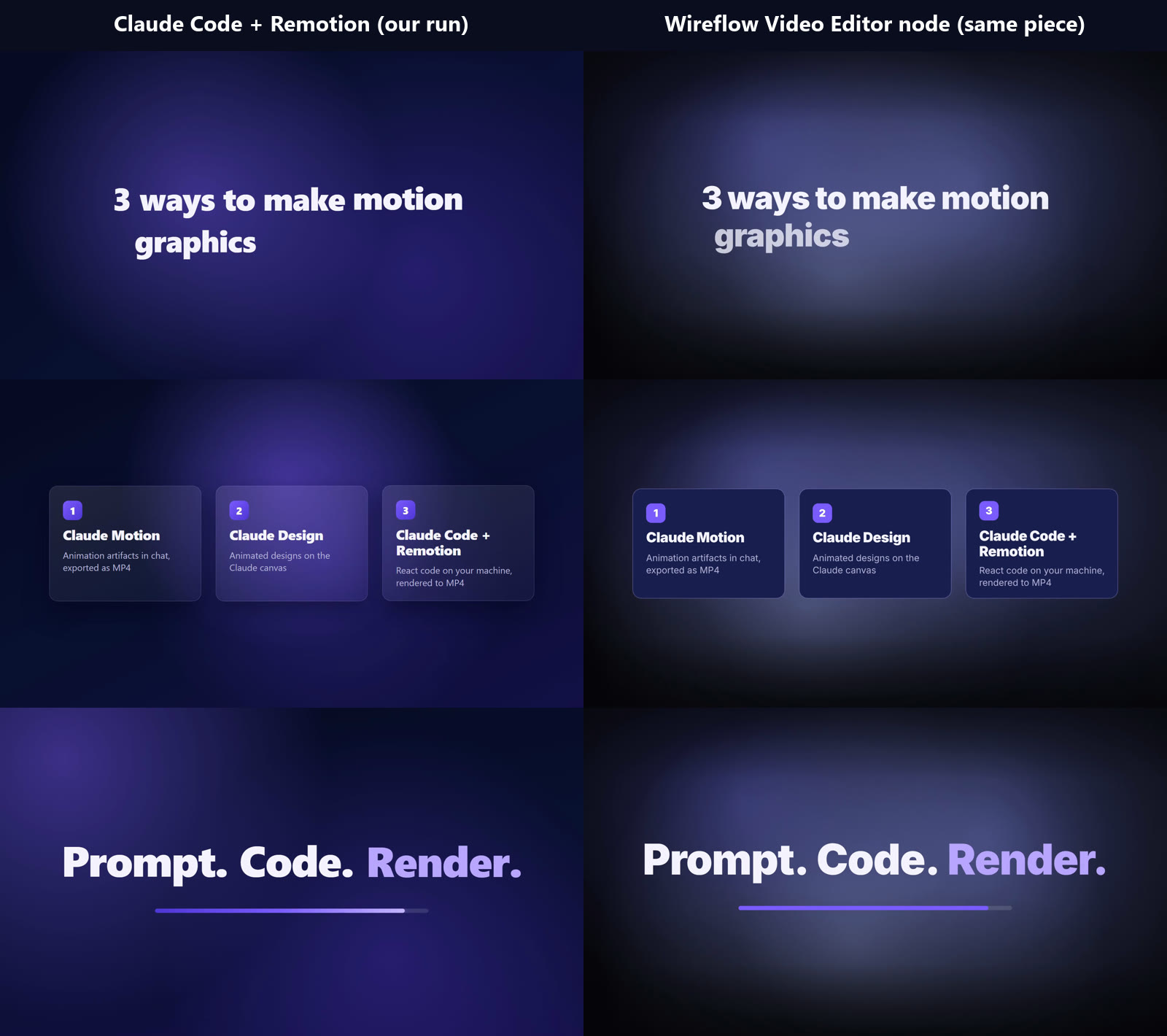
The hosted render took 1 minute 47 seconds and charged 0 credits on our run: 360 frames at 1920x1080 and 30 fps, 2.9 MB, with nothing installed locally. Inter loaded properly here and the background glow is softer and darker at the edges; otherwise the sampled frames line up. The editor also takes images, video, audio and captions as inputs, so the card sequence can sit inside a larger AI video pipeline.
Which route to pick comes down to who edits next. Code suits a developer who wants the source in a repository and full React control. The node suits a marketer who needs to change a word and re-render, or a team running the same template for many products, much like AI logo animation at volume.
Prompting tips from this run
These come straight from what helped or hurt in the session, and most carry over to other ways of making animations with AI.
- Give frames and seconds. Size, fps and per-scene timings left little to guess.
- Name the font and how to load it. Otherwise you get whatever the machine has.
- Ask for stills before the full render. Claude did it unprompted and caught the squashed badge.
- Install Remotion's skills first. Claude reads Remotion's own guidance before writing.
- Say what stays on screen. Anything left open becomes Claude's call.
Try it yourself: Build this workflow in Wireflow. The Video Editor node holds the full 12-second piece: change the words, colors or timing, then run it to render a new MP4.
FAQ
Can Claude make motion graphics?
Yes, three ways: Claude Motion (a Team and Enterprise beta that exports MP4), Claude Design, and Claude Code writing Remotion code, which is what we ran.
Is Claude Motion available on Pro or Max plans?
Not at the time of writing: Anthropic lists it as a Team and Enterprise beta. Pro and Max users can take the Claude Code and Remotion route.
How much does a Claude motion graphic cost?
Our 12-second clip used $1.00 of model usage at API list prices. Claude Motion counts toward your plan's usage limits, and Anthropic publishes no per-animation price.
Do I need to know React to make motion graphics with Claude Code?
Not for a first render: we wrote no code. You need Node.js and a terminal, and fixes are faster if you can read React. Our guide to generating images in Claude Code covers adding stills.
Is Remotion free?
Free for individuals, non-profits and companies of up to 3 employees, including commercial use. Larger companies need a company license from Remotion.
Can Claude make realistic video with people in it?
Not through these routes. Claude Motion "doesn't create realistic footage or people", and Remotion only animates what you give it. For live-action shots, use a video model such as those in an AI video generator.
Conclusion
Claude turned one detailed prompt into a clean, on-brief motion graphic and fixed its own layout bug; the time went on setup and shell quirks, not the animation. When the people changing the copy are not developers, Wireflow's Video Editor node rebuilds the same piece without a local code project, and our page on AI animated video shows where it fits.

Co-Founder & Operations at Wireflow
Runs client operations and content strategy at Wireflow. Works directly with creative teams and agencies to build production AI workflows.
- Content Strategy
- Client Operations
Get unlimited ad creatives today.
One call to see if we are a fit and scope the first ad. If it fits, your first batch lands inside week one.