How to Build an LLM Video Editing Workflow in 2026

In this article▾
- What an LLM video editing workflow actually means
- The four-stage pipeline: ingest, transcribe, reason, assemble
- Stage 1 and 2: turning footage into LLM-readable material
- Stage 3: prompting the LLM to make edit decisions
- Stage 4: turning decisions into a rendered timeline
- Where the workflow breaks and how to guard against it
- The full stack in one table
- FAQ
- Conclusion
An LLM video editing workflow uses a language model as the decision layer of your edit: it reads transcripts, picks takes, writes cut lists, and hands structured instructions to rendering tools. Wireflow lets you chain an LLM node with transcription, video, and assembly models on one canvas, which is the fastest way to see this pattern working end to end. This guide walks through the full pipeline: what the LLM actually does, the four stages, where it breaks, and the exact stack to use.
What an LLM video editing workflow actually means
The first thing to get right is the division of labor. A language model never touches pixels. It cannot trim a clip, apply a transition, or render a frame. What it can do, better than any rule-based system, is reason over text representations of your footage: transcripts, shot logs, scene descriptions, and metadata. Platforms built around an agentic video editing platform formalize this split: the LLM plans, and deterministic tools execute.
So the workflow is a translation loop. Footage becomes text, the LLM reasons over that text and outputs a structured edit decision list (EDL), and a rendering layer turns those decisions back into video. Teams comparing tools in this space usually start with a video editing agent because it packages this loop behind a single interface, but understanding the stages matters even if you buy rather than build.
Build this in Wireflow
Make the same kind of asset on a canvas you control, with a free account and no credit card.
The four-stage pipeline: ingest, transcribe, reason, assemble
Every working LLM editing pipeline, whether it is a weekend script or a production system, has the same four stages. Tools that let an agent edit video are wrapping exactly this sequence:
- Ingest: collect source clips, normalize formats, extract audio.
- Transcribe: convert speech to timestamped text with a speech-to-text model.
- Reason: prompt the LLM with the transcript plus your editing rules; get back a structured cut list.
- Assemble: feed the cut list to FFmpeg, a rendering API, or an NLE to produce the final video.
The reason this architecture wins is auditability. Because the LLM's output is a text artifact, you can inspect, diff, and correct every decision before a single frame renders. That is a fundamentally different failure mode from black-box "auto edit" buttons, and it is why developer-facing options like a video creation and editing API expose the intermediate steps instead of hiding them.

Stage 1 and 2: turning footage into LLM-readable material
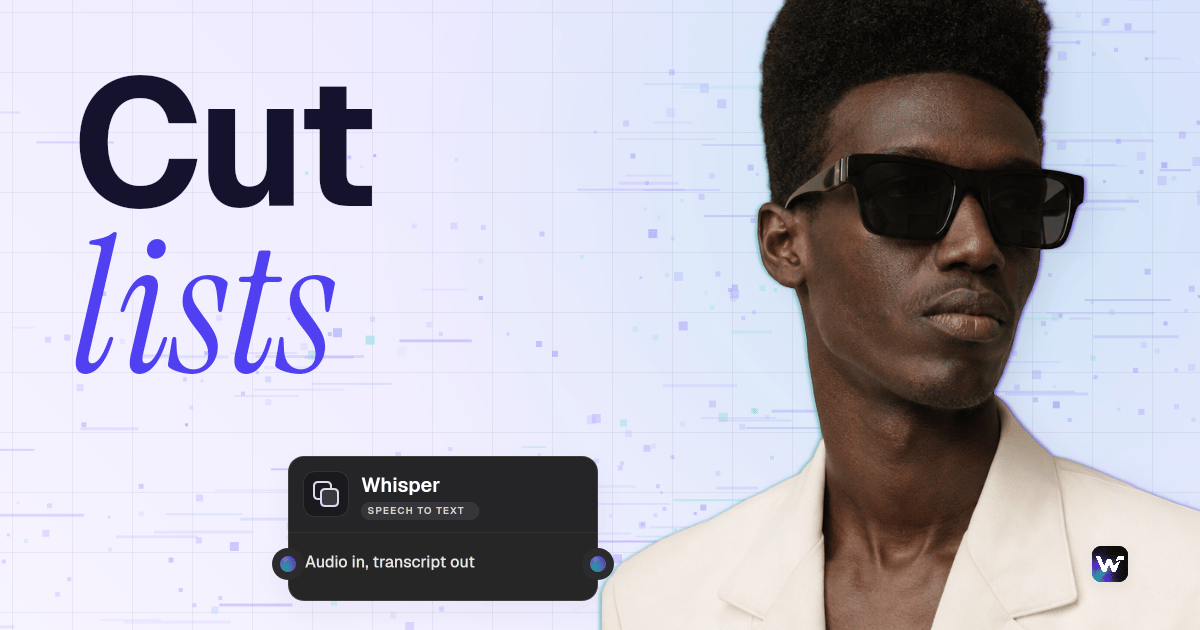
The transcript is the LLM's entire view of your footage, so quality here caps quality everywhere downstream. Use a speech-to-text model that returns word-level timestamps, not just sentences; Whisper and AssemblyAI both do this well. If you plan to drive the pipeline from a coding assistant, an MCP server for video editing can expose transcription and media operations as tools the model calls directly.
Format matters more than most people expect. Plain prose transcripts force the LLM to guess where cuts land. Instead, pass JSON with one object per utterance: start time, end time, speaker, and text. For multi-take recordings, add a take label. This structure is also what makes it practical to connect Claude to video editing tasks: the model can reference exact timestamps instead of describing moments vaguely.
Stage 3: prompting the LLM to make edit decisions
This is the stage where most pipelines are won or lost. The prompt needs three components: the timestamped transcript, an explicit rubric for what to keep and cut, and a strict output schema. A rubric might say: remove filler words, keep the last take of any repeated line, cap total runtime at 90 seconds, and flag any sentence that mentions the product for b-roll. Several of the platforms covered in this roundup of video editing agent tools ship with rubrics like this baked in.
For output, ask for JSON: an array of segments with source file, in-point, out-point, and an optional note. Never accept free-text answers like "cut the boring part in the middle." Validate the JSON against your schema before it moves downstream, and re-prompt on failure. This mirrors how production systems chain multiple AI models in one API call: every hop passes typed data, not prose.
Two practical prompting rules from real pipelines:
- Give the model permission to keep things. If the rubric only lists removal criteria, LLMs over-cut. Add "when uncertain, keep the segment and flag it."
- Batch by scene, not by file. Long transcripts degrade decision quality. Chunk at natural scene boundaries and merge the cut lists afterward.

Stage 4: turning decisions into a rendered timeline
Once you have a validated cut list, assembly is deterministic. The lightweight route is FFmpeg: generate a filter graph or a concat file from the JSON segments and render locally. The scalable route is a hosted video assembly API that accepts a scene graph and returns a rendered MP4, which removes the need to manage encoding infrastructure.
If your output needs generated inserts, title cards, or AI b-roll between talking-head segments, add a generation step between reasoning and assembly. Multi-scene outputs benefit from a multi-shot video stitching API so each generated clip lands in the right slot with consistent transitions. Keep generation optional and rubric-driven; the LLM should request an insert only when the cut list has a gap it cannot bridge with existing footage.
Where the workflow breaks and how to guard against it
LLM editing pipelines fail in predictable places, and every failure has a cheap guard:
| Failure mode | Symptom | Guard |
|---|---|---|
| Hallucinated timestamps | Cuts reference times outside the clip | Validate every in/out point against media duration |
| Over-cutting | Choppy result, lost context | "Keep when uncertain" rule plus minimum segment length |
| Transcript drift | Cuts land mid-word | Word-level timestamps, snap cuts to word boundaries |
| Schema violations | Assembly step crashes | JSON schema validation with automatic re-prompt |
| Silent cost creep | Bill grows with every revision | Log token and render spend per job |
The teams that get the most out of this pattern treat the LLM output as a draft, not a verdict. A quick human pass over the cut list before rendering catches the 5 percent of bad decisions at text-reading speed instead of video-scrubbing speed. That review loop is exactly what makes it realistic to outsource video editing to AI without shipping embarrassing edits.

The full stack in one table
Here is a working reference stack, from footage to final render:
| Pipeline role | What it does | Example tools | Cost tier |
|---|---|---|---|
| Transcription | Word-level timestamped text | Whisper, AssemblyAI, ElevenLabs Scribe | Low |
| Reasoning LLM | Cut decisions, EDL generation | Claude, GPT-5.x | Low to medium |
| Orchestration | Chains the stages, retries, validation | Node canvas or custom scripts | Low |
| Generation (optional) | AI b-roll, title cards, inserts | Kling, Seedance, Sora-class models | Medium to high |
| Assembly | Renders the cut list to MP4 | FFmpeg, hosted rendering APIs | Low to medium |
If you would rather not wire these together yourself, the current field of hosted options is covered in this comparison of AI video editing API tools, and most of them follow the same four-stage shape internally.
Try it yourself: open this pre-built agentic video editing workflow in Wireflow. The nodes are pre-configured with the exact pipeline discussed above, with real executed outputs on every node.
FAQ
Can ChatGPT or Claude actually cut video footage directly?
No. LLMs process and generate text, not media. They make editing decisions by reasoning over transcripts and metadata, then output structured instructions that tools like FFmpeg or a rendering API execute. The LLM is the editor's brain, not the editor's hands.
What is the difference between an LLM editing workflow and a tool like Descript?
Descript-style editors apply fixed AI features (filler removal, silence trimming) inside their own UI. An LLM workflow is programmable: you define the rubric, the model reasons over your specific rules, and the output is a portable cut list you can render anywhere. More control, more setup.
What format should the LLM use to pass edit decisions to FFmpeg?
JSON with an array of segments, each containing source file, in-point, out-point in seconds, and an optional note. Your script converts that into an FFmpeg concat file or filter graph. Avoid free-text instructions entirely; they cannot be validated.
What transcript format works best as LLM input?
Timestamped JSON, one object per utterance with start, end, speaker, and text fields. Word-level timestamps beat sentence-level because cuts snap to word boundaries. Plain prose transcripts are the single most common cause of bad cut decisions.
How do I prompt an LLM to decide which takes to keep?
Label takes in the transcript, then give an explicit rule such as "when a line is repeated, keep the last complete take unless an earlier one is flagged better." Always include a keep-when-uncertain instruction to prevent over-cutting.
Can an LLM workflow handle b-roll selection automatically?
Partially. The LLM can flag transcript moments that need b-roll and describe what should appear there. Matching or generating the actual footage requires a separate vision or generation model in the pipeline. Fully automatic b-roll placement is still the weakest stage.
How much does it cost to run per video?
For a 10-minute source video: transcription is a few cents, LLM reasoning is typically under a dollar with a mid-tier model, and rendering is near free with local FFmpeg. Costs jump only when you add AI video generation, which can run several dollars per generated clip.
How do I validate the edit before rendering?
Read the cut list. Because decisions are text, a human can review 40 cut decisions in two minutes, versus scrubbing a timeline for twenty. Add automated checks first: timestamps within media bounds, minimum segment length, and total runtime against target.
Conclusion
An LLM video editing workflow comes down to one idea: turn footage into text, let a language model reason over it against explicit rules, and hand the structured result to deterministic rendering tools. Get the transcript format right, enforce a JSON schema on the model's output, and keep a human glance over the cut list before render. Start with the four-stage pipeline above, and use the pre-built Wireflow canvas linked earlier if you want the whole loop running in one place before committing to custom code.

Co-Founder & Operations at Wireflow
Runs client operations and content strategy at Wireflow. Works directly with creative teams and agencies to build production AI workflows.
- Content Strategy
- Client Operations
Ask Claude for your next ad.
Connect once. Ask any time.
- No credit card
- You keep the rights to what you make
- Cancel anytime