Kling in Claude: How to Run Kling 4.0 From a Chat

In this article▾
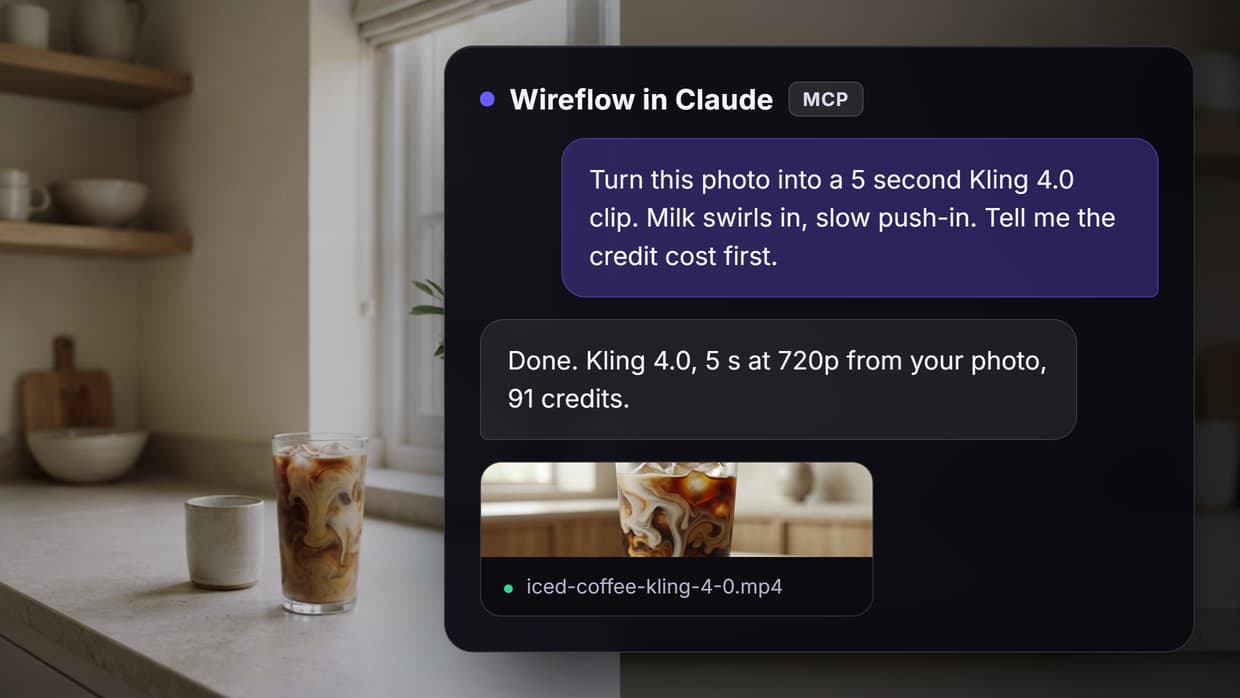
Kling in Claude means asking Claude for a video and getting a real Kling 4.0 clip back, made from your own photo. This guide covers the connector setup, one image-to-video run and what it cost. Claude has no video model of its own, so it calls one through MCP. We used Wireflow, a node-based AI canvas whose connector lets Claude run a saved Kling 4.0 flow and return the MP4. On 28 October 2026 our 5-second clip from one product photo took just under 4 minutes and charged 91 credits.
What "Kling in Claude" means
Claude reads, writes and calls tools, but it does not render video. Kling is Kuaishou's video model family, and Kling 4.0 is its newest release: 3 to 30 second clips at 720p or 1080p, from text, a start frame, an end frame or up to 10 reference images. To get a Kling clip from a chat, Claude needs an MCP server that exposes Kling as a tool.
The pages that rank for this phrase describe three kinds of setup:
| Setup | Who holds the Kling access | What Claude can do |
|---|---|---|
| Self-hosted Kling MCP server | You, with your own Kling API key | Start a Kling job and poll it |
| Hosted Kling-only connector | The host, paid with its credits | Kling text or image to video |
| Workflow connector | Your account, signed in with OAuth | Run a saved flow with Kling 4.0 as one node, and call the same flow over REST |
Most of those guides stop at installation and cover older Kling versions. For a wider look at connector options, see our ranked list of video MCP tools.
Build this in Wireflow
Make the same kind of asset on a canvas you control, with a free account and no credit card.
How Claude calls Kling over MCP
The Model Context Protocol (MCP) lets an app publish tools that Claude calls by name. A video takes minutes, so the tool starts a job, returns an id, and Claude checks back until a file URL appears. Our test of Claude video generation used the same loop with other models.
The MCP server we connected has these tools for a Kling clip:
list_modelsandget_credit_balanceshow prices and the balance before anything is spent.list_workflowsandget_workflowfind a saved flow and the inputs it takes.create_upload_linksends you a link to upload a photo (opt-in permission).run_workflowstarts a run. It is the only tool that spends credits.get_executionreturns the status and, once done, the output URLs.
The run: one photo, Kling 4.0, 5 seconds
Most people want Kling for a short video from a still, such as a moving product shot. Our flow is a plain image to video AI setup in three parts:
- Start Frame (photo). An image input. Ours is a product-style photo of iced coffee with milk swirling in, made for this test.
- Motion Prompt. A text input that says what moves and how the camera moves.
- Clip (Kling 4.0). The Kling 4.0 node at 5 seconds and 720p. With only a start frame wired, the clip takes the photo's shape.
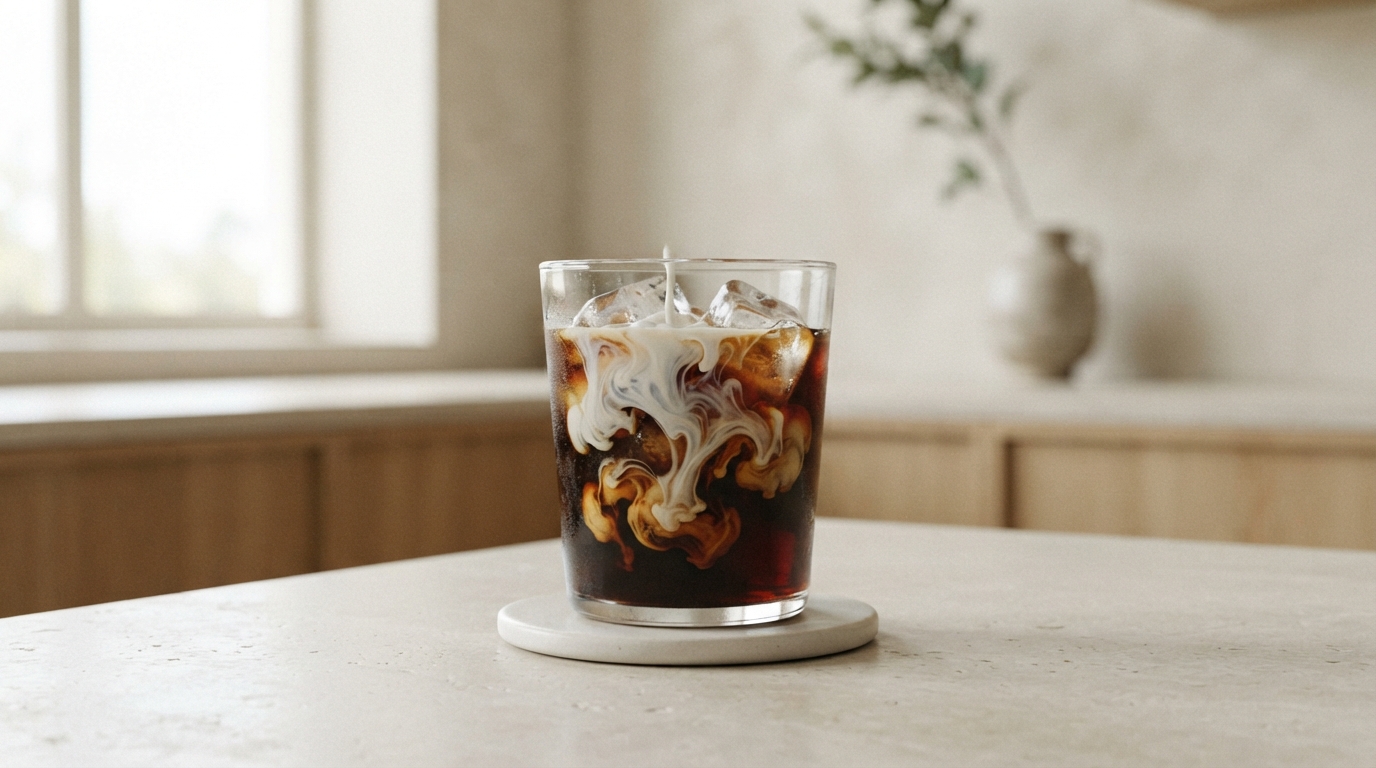
The motion prompt, word for word:
The cold milk keeps swirling slowly down through the iced coffee and blends in, the ice cubes shift and settle, and a bead of condensation runs down the outside of the glass. Slow, gentle push-in toward the glass. Soft daylight from the window, calm and still. Sound: ice cubes clinking softly, quiet room tone. No text, no logos, no people.
A start frame already fixes the subject, light and framing, so the prompt only needs one physical motion and one camera move. Our Kling prompt guide has more patterns that hold up.

The loop is the unedited output without sound; click it for the MP4 with audio. Figures come from the run record, and the pricing page lists the plans behind the credits.
| Step | Settings | Finished after | Credits |
|---|---|---|---|
| Start Frame and Motion Prompt | Inputs | under 1 s | 0 |
| Clip (Kling 4.0) | 5 s, 720p, start frame | 3 min 54 s | 91 |
| Total | about 3 min 57 s | 91 |
What came back

The file is 1280x716 at 24 frames a second, 5.04 seconds long, H.264 with a stereo AAC track. The odd height comes from our 1376x768 photo, whose shape Kling kept. For other ways to put a still into motion, see how to animate still images with AI.
- The motion matched the prompt. The milk swirls, the ice shifts, and by 4.5 seconds the drink has blended to an even light brown while the camera pushes in.
- It kept what was in the photo. A thin milk stream in our start frame kept pouring for about 3 seconds.
- One visible flaw. The "bead of condensation" became a white, milky drip running down the outside of the glass from about 3 seconds on. A product shot would need a rerun.
- The sound stops early. Quiet room tone, a burst of sharp sounds between 2 and 3.3 seconds, then near silence from about 3.8 seconds.
That drip is why a person should watch the first take: Claude can rerun without the condensation line, or try a second model on the same photo, the idea behind comparing video models side by side.
Set it up and run it from Claude
The connector signs in with OAuth, so there is no key to paste. It works in claude.ai, Claude Desktop and Claude Code, the terminal route on our AI API with Claude Code integration page.
- Add the connector. In claude.ai, open Customize, then Connectors, click the plus button and choose Add custom connector. Paste
https://www.wireflow.ai/api/mcpand leave the advanced OAuth fields empty. In Claude Code, runclaude mcp add --transport http wireflow https://www.wireflow.ai/api/mcp. - Sign in and approve. Reading and running are allowed by default. Tick "Create, edit and delete workflows" only if Claude should change flows or send upload links.
- Copy the flow. Open the workflow linked at the end of this guide and duplicate it into your account.
- Ask in plain words. For example: "Run my Kling 4.0 Clip From Claude flow with this photo as the start frame. Motion: steam rises from the mug, slow push-in. Tell me the credit cost and wait for my yes." Give it a public image URL, or ask for an upload link.
- Let Claude poll. It quotes the price, calls
run_workflowafter your yes, and checksget_executionuntil it can reply with the MP4 link.
Claude can also write the motion prompt from the photo; read it before you say yes. To copy motion from a reference video instead, use Kling Motion Control.
When to move from Claude to the Kling API
Claude is the right front end while a person is choosing the photo, the motion and whether to rerun. It is the wrong place for work nobody watches, because the chat stays busy while a render runs. Our n8n vs MCP comparison covers that trade-off.
The flow does not change when your code takes over. Your app sends an API key as a Bearer token, POST /api/v1/workflows/{id}/run returns an execution id, and GET /api/v1/workflows/executions/{executionId}/poll returns the status and output URLs. The poll reports creditsUsed (91 for ours), so you can log each clip's cost. Request patterns and per-node cost reporting are on the Kling API page.
| Claude through MCP | REST API | |
|---|---|---|
| Who starts a run | You, in a chat | Your app, a schedule or a queue |
| Sign-in | OAuth, no key to paste | API key as a Bearer token |
| Cost check | Claude reads price and balance first | Your code reads creditsUsed |
| Best for | One-off clips and prompt tests | Product photo batches and app features |
API and MCP access are on every plan, and runs use the same credits either way. For request bodies and error handling, follow our step-by-step Kling API guide.
Costs and limits to plan for
Figures are from the live models list and pricing page on 28 October 2026. Kling's own plans are in our Kling AI pricing breakdown.
- 19 credits a second at the 5-second rate. Our clip's free quote and its charge were both 91 credits.
- Plans. Starter is $36 a month for 2,660 credits, about 29 of these clips. Professional is $59 a month for 4,370 credits, about 48.
- Resolution. 1080p costs more: in our 26 October test, 5 seconds at 1080p quoted 135 credits.
- The photo sets the shape. Crop to 16:9 or 9:16 before you run.
- Two bills. Claude's tool calls count toward your Claude plan. The generation is charged to the connector's account.
Try it yourself: Build this workflow in Wireflow. Swap in your own photo, edit the Motion Prompt and run Clip (Kling 4.0) for a 5-second, 720p clip. From Claude, one
run_workflowcall does the same.
FAQ
Can Claude generate videos with Kling?
Not by itself. Claude has no video model, but through an MCP connector it can run Kling 4.0 and return the MP4 link.
Which Kling versions can Claude use this way?
Any version the flow's video node is set to. Kling 4.0 is the newest, and Kling O3 is a cheaper node at 16 credits a second, so Claude can run both on one photo to compare.
How much does one Kling 4.0 clip cost from Claude?
Our 5-second 720p clip quoted and charged 91 credits. Claude's own usage counts toward your Claude plan.
Can I use my own photo as the first frame?
Yes. Give Claude a public image URL or upload the photo through a link it sends you. The clip opens on your photo and keeps its aspect ratio.
Does the clip come with sound?
Yes, a stereo track in the same file. Ours went near silent after about 3.8 seconds, so listen before you publish.
Do I need a Kling API key?
No. The connector signs in with OAuth, and Kling runs on the account's credits. You need an API key only when your own code calls the flow, for example through a video generation API integration.
Conclusion
Kling in Claude works today through a connector: you hand Claude a photo, it quotes the price, runs Kling 4.0 after your yes and returns the file. Our 5-second test took just under 4 minutes and 91 credits, with one milky drip worth a rerun. Wireflow keeps that flow the same whether Claude or your code starts it, so the node-based video generation graph you test in a chat is the one your app calls later.

Co-Founder & Operations at Wireflow
Runs client operations and content strategy at Wireflow. Works directly with creative teams and agencies to build production AI workflows.
- Content Strategy
- Client Operations
Make AI videos and ads.
Start free, no card needed.