Claude Video Generation: How to Make AI Videos From Claude Through MCP

In this article▾
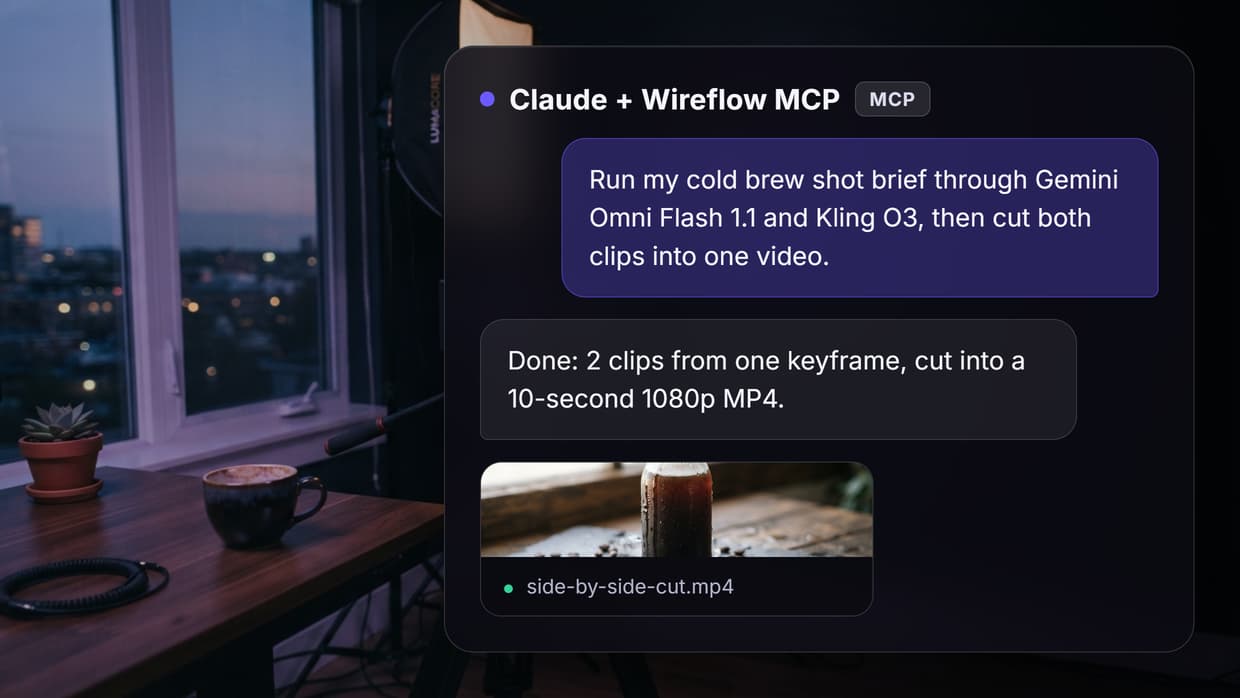
Claude video generation works through connected models: Claude cannot render footage itself, but over MCP it can run video models and hand back the finished MP4. We built that on Wireflow, the node-based AI canvas we make, as one pipeline that turns a shot brief into a keyframe, clips from two video models and an edited cut. On 16 October 2026 it ran end to end in 101 seconds for 176 credits.
Can Claude generate videos?
Not natively. Claude reads text and images and writes text and code, and none of its models output video frames. What it does well is the layer before rendering: scripts cut to a runtime, shot lists and prompts written for a specific video model, the same planning step behind the best AI storyboard generators.
| Task | Claude on its own | What you add |
|---|---|---|
| Script, shot list, model prompts | Yes | Nothing |
| Motion graphics (animated text, shapes, charts) | Yes, as code | Claude Motion (Team and Enterprise beta) or Claude Code with Remotion |
| Realistic footage, people, camera moves | No | A video model such as Kling, Veo or Gemini Omni Flash |
| Voiceover and music | No | A voice or music model |
| Cutting clips into one video | Through code | Remotion, an editing API or an editor node |
Anthropic's help article says its animation feature, Claude Motion, "doesn't create realistic footage or people". Our test of Claude motion graphics found the code route good for titles and explainers, not product shots.
Build this in Wireflow
Make the same kind of asset on a canvas you control, with a free account and no credit card.
How Claude calls video models through MCP
The Model Context Protocol (MCP) lets an app publish tools that Claude can call: Claude picks a tool, fills in its inputs and reads the result. Video takes from 30 seconds to minutes, so video servers start a job, return an id and let Claude check back. Our roundup of the best MCP servers for video editing covers the servers built for this today.
Most video connectors are tied to one vendor: Higgsfield's runs its own model library (Veo 3.1, Kling 3.0, Seedance 2.0 and others, per its guide) and HeyGen's makes avatar videos. Each call returns one clip from one model, so chaining image to video to edit means Claude carries URLs between calls. Our list of Higgsfield MCP alternatives covers more.
A workflow connector works one level up: Claude runs a saved graph in which the models already feed each other. Our MCP server exposes that through four tools:
list_workflowsfinds the flows in your account.get_workflowshows a flow's nodes and the inputs it accepts.run_workflowstarts a run and returns an execution id. This is the call that spends credits.get_executionreturns the status and, once finished, the output URLs.
The pipeline we ran: one brief, two video models, one cut
The graph has four working nodes. Both video models start from one keyframe, so any difference comes from the model, not the composition, the idea behind comparing AI video models side by side.
- Shot Brief. One text input that feeds every model.
- Keyframe. Nano Banana Lite renders a 16:9 still from the brief.
- Clip A and Clip B. Gemini Omni Flash 1.1 (5 seconds, 720p) and Kling O3 (5 seconds) each animate that same keyframe, with the brief as the motion prompt. They run in parallel.
- Side by Side Cut. The Video Editor plays both clips back to back at 1920x1080 and labels each with its model name.
The brief, word for word:
Product shot for a cold brew coffee ad. A clear glass bottle of cold brew coffee stands on a wet dark slate surface, with ice cubes and a few roasted coffee beans around it. Soft window light from the left, shallow depth of field, photorealistic, 16:9. Camera: slow push-in toward the bottle. Motion: drops of condensation slide down the glass and one ice cube settles. No text, no logos.

That loop is the unedited Video Editor render; click it for the MP4. The edit is a node in the same graph, not a separate service as with the AI video editing APIs we have compared. Figures come from the run record.
| Step | Model | Finished after | Credits |
|---|---|---|---|
| Keyframe | Nano Banana Lite | 5 s | 16 |
| Clip A | Gemini Omni Flash 1.1, 5 s, 720p | 40 s | 80 |
| Clip B | Kling O3, 5 s | 65 s | 80 |
| Cut | Video Editor, 10 s, 1920x1080, 30 fps | 101 s | 0 |
| Total | 101 s | 176 |
The pre-run quote was 176 credits and the run charged exactly that. The final render, which waits for the slower clip, took over a third of the time.
What the two models did with the same frame
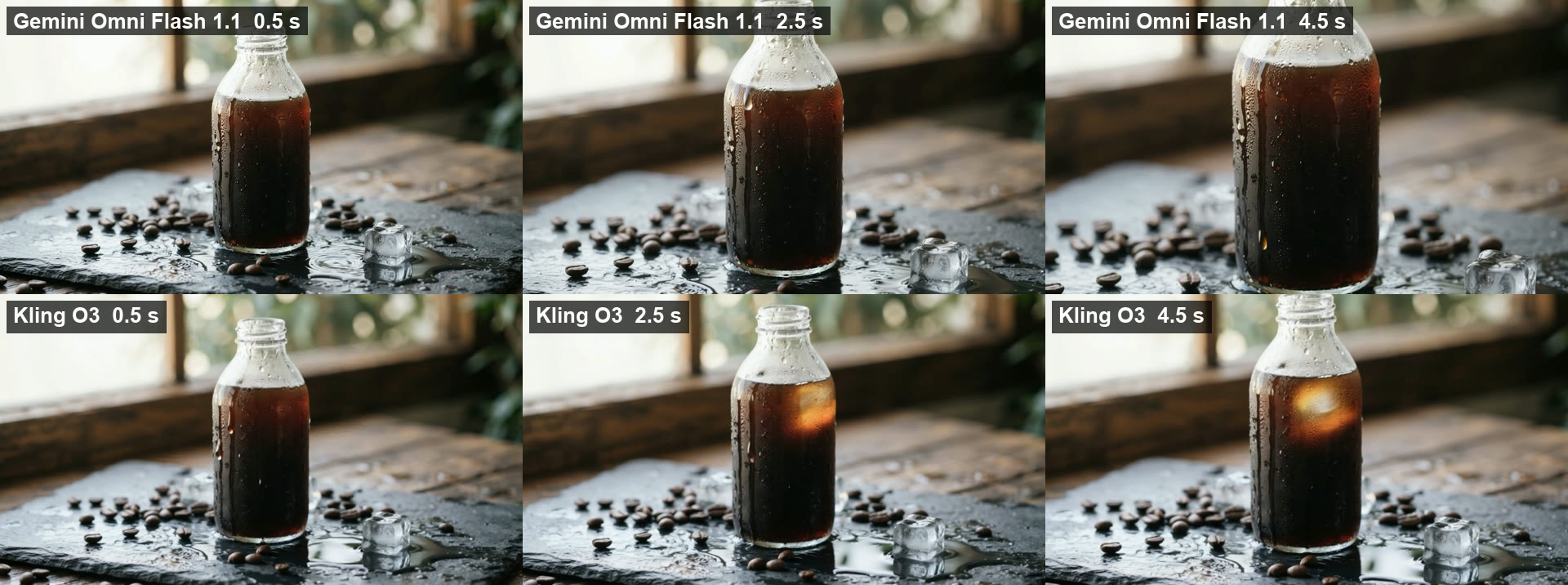
Both clips kept the bottle, beans and window light and added running condensation. They differed in the camera move and in what each model invented, which no spec sheet, our Kling AI API page included, can predict for your shot.
- Gemini Omni Flash 1.1 made the stronger push-in. By 4.5 seconds the bottle fills the frame and its neck is cropped off. It also generated an ambient sound track, which we muted in the cut.
- Kling O3 kept the whole bottle in frame with a gentler move, but it added an ice cube floating inside the bottle that was not in the keyframe. Its file came back at 1284x716 rather than 1280x720, and with no audio track.
Neither is wrong, which is the point of running two: keep Kling's framing for a pack shot that must show the whole bottle, Gemini's for a close opener. Each model is one node, so swapping one changes nothing else; our Kling AI alternatives list is a place to pick a third.
Set it up and run it from Claude
The connector is a remote MCP server with OAuth sign-in, so there is no API key to paste, and it also fits the AI API with Claude Code integration route in a terminal.
- Add the connector. In claude.ai or Claude Desktop, open Settings, then Connectors, choose Add custom connector and enter
https://www.wireflow.ai/api/mcp. In Claude Code, runclaude mcp add --transport http wireflow https://www.wireflow.ai/api/mcp. - Sign in and approve. Running flows spends credits; editing flows is an opt-in permission you can leave off.
- Copy the flow. Open the workflow linked below and use it as a template so it sits in your account.
- Ask in plain words. For example: "Run my Claude video generation flow with this shot brief, then give me the link to the finished cut."
- Let Claude poll. It reads the inputs with
get_workflow, starts the run withrun_workflowand checksget_executionuntil it can reply with the MP4 link.
Claude can write the brief too: ask for one shaped like ours (subject, setting, light, camera move, motion, "no text"), check it, then have it run the flow. Our guide to connect Claude to video editing uses the same habit.
Vendor connectors vs a workflow connector
| Single-vendor video connector | Workflow connector | |
|---|---|---|
| One call returns | One clip from one model | Every node in the graph: keyframe, clips, cut |
| Models | The vendor's library | Any model nodes you wire in, swappable |
| Image to video to edit | Claude passes URLs between calls | Wired once in the graph |
| Repeat runs | Claude re-enters the settings | Same graph, new brief |
| Billing | Vendor credits | Credits per node; the editor render cost 0 on our run |
A vendor connector is enough for a single clip. A graph earns its place when the same shot type repeats, when you want two models on one frame, or when the result needs an edit before anyone sees it, as in the AI video generation MCP tools we have tested.
Costs and limits to plan for
These come from our runs; the pricing page lists current credit packs.
- Each 5-second clip cost 80 credits here. Longer videos are several clips cut together, so cost scales with clip count.
- Video takes time. Our clips finished 34 and 59 seconds after the keyframe. Claude has to check back, and a chat waits while it does.
- Content filters can block a prompt. On our AI short drama run, one shot was blocked three times before a reworded prompt passed.
- Two bills, not one. Claude's tool calls count toward your Claude plan's usage; the generation is charged to the account the connector signs in to.
Try it yourself: Build this workflow in Wireflow. Edit the Shot Brief and run Side by Side Cut to get the keyframe, both clips and the labeled MP4. From Claude, one
run_workflowcall does the same.
FAQ
Can Claude generate videos?
Not on its own. It writes scripts, prompts and animation code, and through an MCP connector it can run video models and return the file.
Does Claude have a built-in video model?
No. Claude Motion, a Team and Enterprise beta, makes motion graphics as code, and Anthropic says it "doesn't create realistic footage or people". Footage needs a text to video AI model.
Which Claude apps can use a video connector?
Custom MCP connectors work in claude.ai, Claude Desktop and Claude Code. On managed Team or Enterprise plans an admin may need to add or allow the connector first.
How much does it cost to make a video from Claude?
Our run cost 176 credits: 16 for the keyframe, 80 for each 5-second clip and 0 for the edit. Claude's own usage counts toward your Claude plan.
Can Claude edit the clips into one video?
Yes. An editor node in the graph cuts, labels and renders the clips, or Claude Code can write Remotion code for a programmatic video generation platform approach.
Can I swap in other video models?
Yes. Each model is one node, so you can replace Kling O3 or Gemini Omni Flash 1.1 with Veo, Seedance or another model on a node-based video generation canvas without touching the rest.
Conclusion
Claude does not make video itself, but it drives the models that do: it writes the brief, starts the run and returns the file. One brief through a graph showed clear differences between two models on the same frame in under two minutes, and Wireflow's connector puts that whole AI video pipeline behind one call.

Co-Founder & Operations at Wireflow
Runs client operations and content strategy at Wireflow. Works directly with creative teams and agencies to build production AI workflows.
- Content Strategy
- Client Operations
Get unlimited ad creatives today.
One call to see if we are a fit and scope the first ad. If it fits, your first batch lands inside week one.