Generative AI Workflow: What It Is, With 3 Real Examples to Open

In this article▾
A generative AI workflow is a chain of steps in which AI models make the content: a prompt becomes a product photo, a photo becomes a video clip, a topic becomes a voice-over. Below we build three real ones node by node, with every input, setting and output, on Wireflow, the node-based AI canvas we build.
The three workflows at a glance
When we checked the top three search results for this term on 16 October 2026, all three explained the idea and none showed a workflow you could run. Each example below is a saved, executed workflow on a public page, made in an AI workflow builder, so you can open it, change the input and run it again.
| Workflow | Nodes | Models | Output |
|---|---|---|---|
| Product shot | 2 | GPT Image 2.5 Flare | One 1088x608 PNG |
| Short video | 3 | GPT Image 2.5 Flare, Gemini Omni Flash 1.1 | One 720p, 16:9 MP4 |
| Voice-over | 3 | Claude Sonnet 4.5, ElevenLabs v3 | One spoken audio track |
Build this in Wireflow
Make the same kind of asset on a canvas you control, with a free account and no credit card.
What a generative AI workflow is
A workflow is a set of connected steps. Each step is a node that does one job: hold a prompt, run one model, or pass a file along. A wire connects one node's output to the next node's input, so the image from step two becomes the first frame in step three. That is what chaining AI models means in practice.
Every generative AI workflow, from a single image to a full AI video pipeline, has the same four parts:
- Input: a text prompt, an image or an audio file.
- Model steps: one model per node, each with fixed settings such as size, quality or voice.
- Wires: the map of which output feeds which input.
- Output: the finished file, ready to download or pass to another workflow.
Those top results use the term for business process work: drafting documents, triaging tickets, summarizing contracts. This guide covers the creative side, where the outputs are images, video and audio, the area usually called creative workflow automation.
A workflow beats a single chat prompt once a job repeats or needs more than one model. A saved workflow keeps every setting in place, shows you each step's output and lets you rerun only the step that went wrong, which is why teams lay them out on a visual node editor.
Example 1: a product shot from text
The smallest useful workflow has two nodes: a prompt and an image model. It is the base of most AI product photography setups.
- Text Input node. Prompt: "Professional product photo of wireless headphones on white marble".
- GPT Image 2.5 Flare node. Quality medium, image size landscape 16:9, one image, PNG output. Wire the prompt into it.
- Run. The image node returns one 1088x608 PNG.
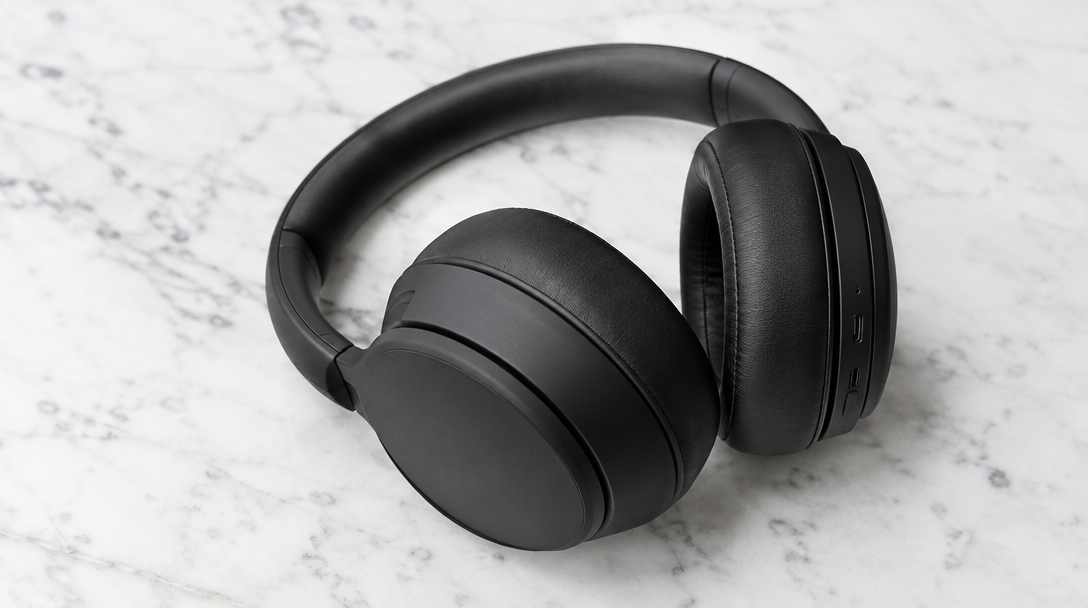
Two nodes pay off on a catalog. The settings stay fixed, so every product comes out at the same size and quality, and only the prompt changes between runs. That split between fixed settings and a changing input is the pattern behind most AI creative workflows.
Template: Product Photo Generator, ready to run.
Example 2: a short video from text, via an image
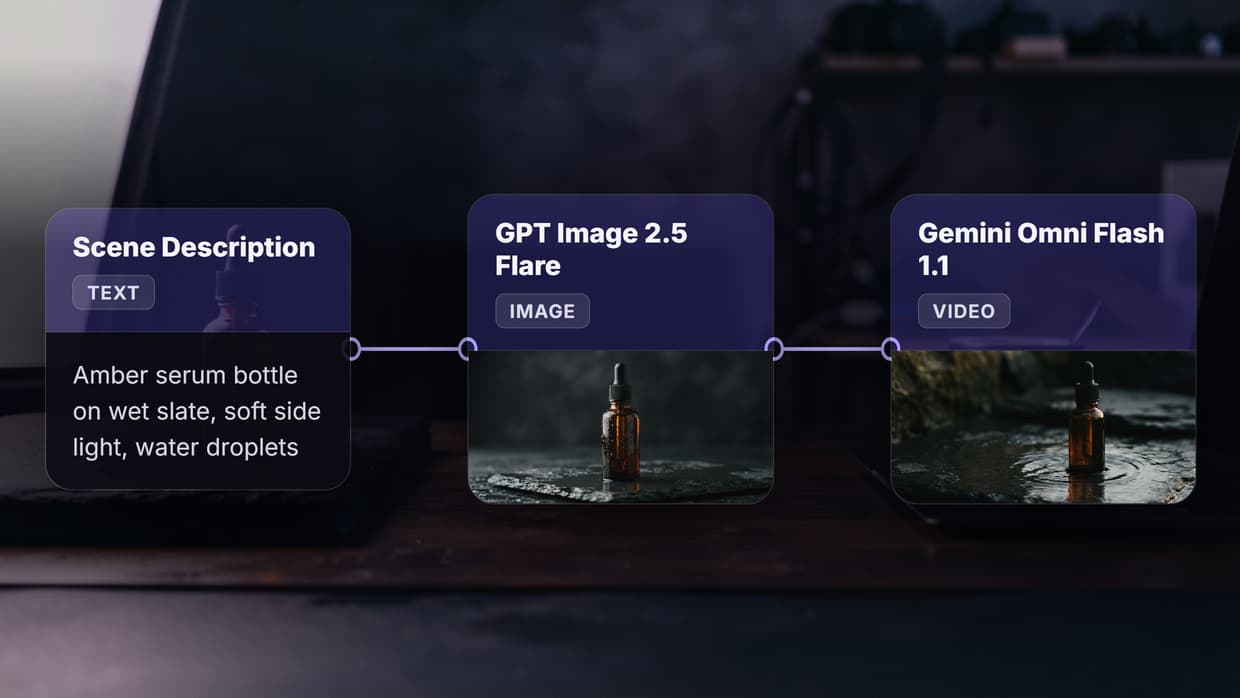
Video models give better results when you hand them a strong first frame instead of text alone, which is the idea behind image to video AI. This workflow makes the frame first, then animates it.
- Scene Description node (a text input). Prompt: "A serene Japanese garden at golden hour".
- GPT Image 2.5 Flare node. Same settings as Example 1: medium quality, landscape 16:9. Wire the prompt in.
- Gemini Omni Flash 1.1 node. 720p, 16:9. It takes two wires: the prompt from step 1, and the image from step 2 as its starting frame.

The image step is a checkpoint. You see the still before the video model runs, and if the frame is wrong you rerun only the image node, which costs less than rerunning the video. Keep the aspect ratio the same in both nodes, 16:9 here, so the video model does not have to crop the frame. This two-model chain is the simplest multi-model AI workflow worth saving.
Template: Text to Image to Video, with this run's still and clip attached.
Example 3: a voice-over from a topic
Audio workflows usually chain a language model to a voice model: one writes the words, the other speaks them, as in any AI voiceover generator.
- Voiceover Script / Topic node. Prompt: "A 10-second explainer about how solar panels convert sunlight into electricity, aimed at a general audience. only output the script".
- Script Refiner LLM node. Claude Sonnet 4.5, reasoning off, up to 4,000 output tokens. It returns the script as plain text.
- ElevenLabs TTS node (v3). One fixed voice. The script goes in; an audio file and word timestamps come out, and the timestamps can drive captions later.
The saved run history shows why the last line of that prompt matters. An earlier run asked for a 60-second explainer with no output rule, and the language model returned a formatted article with a title and bold "Step 1", "Step 2" subheads, which a voice model would read out loud. The current prompt ends with "only output the script", and its run came back as plain text. The latest run shows a second lesson: asked for 10 seconds, the model wrote 65 words, about 26 seconds at a normal pace of 150 words per minute. Ask for a word count instead, about 25 words for 10 seconds, before the text reaches the AI text to speech step.
Template: Voiceover Script Refiner, with the script and voice settings in place.
How to plan your own generative AI workflow
Planning goes faster backwards, from the file you need to the inputs that make it. Sketch it on paper first, then lay it out on a no-code AI canvas.
- Name the output. File type, size, length and aspect ratio, for example a 720p, 16:9 clip.
- Work back to the inputs. List what the final model needs: a prompt, a first frame, a script.
- Give each job its own node. One prompt, one image, one clip or one voice line per node, so each can be checked and rerun alone.
- Fix what should stay the same. Size, quality, voice and aspect ratio go in node settings; the prompt is the only thing you change per run.
- Put the cheap step first. Check the still or the script before the video or voice step runs.
- Save it as a template. Rerun it with new inputs.
Once a workflow works, the saved version becomes one of your reusable AI templates, and a teammate can run it without knowing how it was built.
Common mistakes and how to fix them
| Mistake | What happens | Fix |
|---|---|---|
| No output rule on the language model | Titles and headings get read aloud | End the prompt with "only output the script" |
| Asking for seconds instead of words | A "10-second" script runs about 26 seconds | Ask for a word count, about 2.5 words per second |
| Running video before checking the still | You pay for a clip with a bad first frame | Check the image node before the video node runs |
| Different aspect ratios between nodes | The video model crops the frame | Use one ratio, such as 16:9, in every node |
| One long prompt doing every job | You cannot tell which step failed | One job per node |
The same rules hold at volume. A workflow that runs cleanly once can run across a list of inputs with batch AI generation, with the settings unchanged from run to run.
Developers can also trigger a saved workflow from their own code through an AI workflow API.
Try it yourself: Build this workflow in Wireflow. The nodes are pre-configured with the exact text to image to video setup from Example 2; change the scene description and run it.
FAQ
What is a generative AI workflow?
A chain of connected steps in which AI models create content, such as an image, a video clip or a voice track, and each step's output feeds the next step's input. Our guide to building multi-model AI workflows goes deeper on the wiring.
How is a generative AI workflow different from a single prompt?
A single prompt gives one answer. A workflow saves the settings and lets you rerun one step alone, the core idea of AI pipeline automation.
Do I need to code to build one?
No. On a node canvas you add nodes and draw wires between them, as covered in building AI workflows without code. Code only matters if you want to trigger the workflow from your own app.
Which models should a generative AI workflow use?
Pick one per step: an image model for stills, a video model for motion, a language model for scripts and a voice model for speech. Our examples use GPT Image 2.5 Flare, Gemini Omni Flash 1.1, Claude Sonnet 4.5 and ElevenLabs v3, and the full model library lists the alternatives.
Why make an image before the video?
The still is a checkpoint. You fix the frame by rerunning the image node, which costs less than rerunning the video, and the video model starts from a frame you already approved. Pure text to video AI skips that check.
How long should a voice-over script be?
About 2.5 words per second of audio at a normal pace, so roughly 25 words for 10 seconds and 150 for a minute, before the script goes to an AI voice generator.
Can I run a workflow on many inputs at once?
Yes. Keep the settings fixed and swap the input per run, or run a list of inputs in one go with bulk image generation.
What does a generative AI workflow cost to run?
Each model node is charged when it runs, so the cost follows the number and type of model steps, and video steps usually cost the most. The current rates are on the pricing page.
Conclusion
A generative AI workflow is a set of small, checkable steps: an input, one model per node, wires between them and a file at the end. The three examples above cover the common shapes, and each is a saved template you can open today. Wireflow keeps every step in its own node, so you check the still or the script before the expensive step runs and rerun only the part that went wrong. Start from the AI workflow templates and change one input at a time.

Co-Founder & Operations at Wireflow
Runs client operations and content strategy at Wireflow. Works directly with creative teams and agencies to build production AI workflows.
- Content Strategy
- Client Operations
Get unlimited ad creatives today.
One call to see if we are a fit and scope the first ad. If it fits, your first batch lands inside week one.