AI Fruit Videos: How We Made a Talking Fruit Drama, With Every Prompt and Cost

In this article▾
AI fruit videos are short vertical clips where fruit characters talk, flirt and argue, often in a reality-show setting. We made a two-fruit drama for 164 credits in about four minutes of run time. This guide gives every prompt, setting and cost from that run, built as one workflow on Wireflow, the node-based AI canvas we build.
Results at a glance
Every number below comes from one run on 16 October 2026, built as an AI video workflow with one node per job, so each character, voice and clip can be checked and re-run on its own.
| Measure | Our run |
|---|---|
| Finished video | 9.3 s, 1080x1920, 30 fps, 2 characters, 2 spoken lines, captions |
| Two character images (GPT Image 2.5 Flare) | 15 to 17 s each, 5 credits each |
| Two voice lines (ElevenLabs v4) | under 3 s each, 20 credits each |
| Two lip-synced clips (Kling AI Avatar, Standard) | 136 s each, run side by side, 57 credits each |
| Final cut with captions (Video Editor node) | 34 s, 0 credits |
| Total charged | 164 credits |
| First run to final MP4 | 6 min 50 s, including checks between steps |

Click the silent loop for the MP4 with sound. Nothing was edited by hand, and a speech-to-text check of the cut heard both lines word for word: the strawberry from 0.0 to 4.6 seconds and the banana from 5.0 to 8.7 seconds. The 9:16 frame is the one a TikTok video maker targets.
Build this in Wireflow
Make the same kind of asset on a canvas you control, with a free account and no credit card.
What AI fruit videos are
Three formats share the name:
- Talking fruit dramas: a soap or dating-show plot, often called "Fruit Love Island". We rebuilt this one.
- Fruit ASMR: close-ups of fruit being cut or eaten, with sound and no dialogue.
- Talking fruit explainers: one fruit speaking to camera about food or a product.
All three are short AI animated video made for phones. The Daily Aus covered the Fruit Love Island trend in March 2026, and its short video on the topic reached over 110,000 views within 24 hours, according to Bond University, whose researcher it interviewed.
The top guides we read, from CapCut's Dreamina and from HitPaw, give prompt ideas and the same three steps (image, voice, animation) but no real output, cost or timing, and neither keeps a voice the same between clips. This page adds one complete run with fixed voices, a sibling of our AI short drama episode.
The workflow, node by node
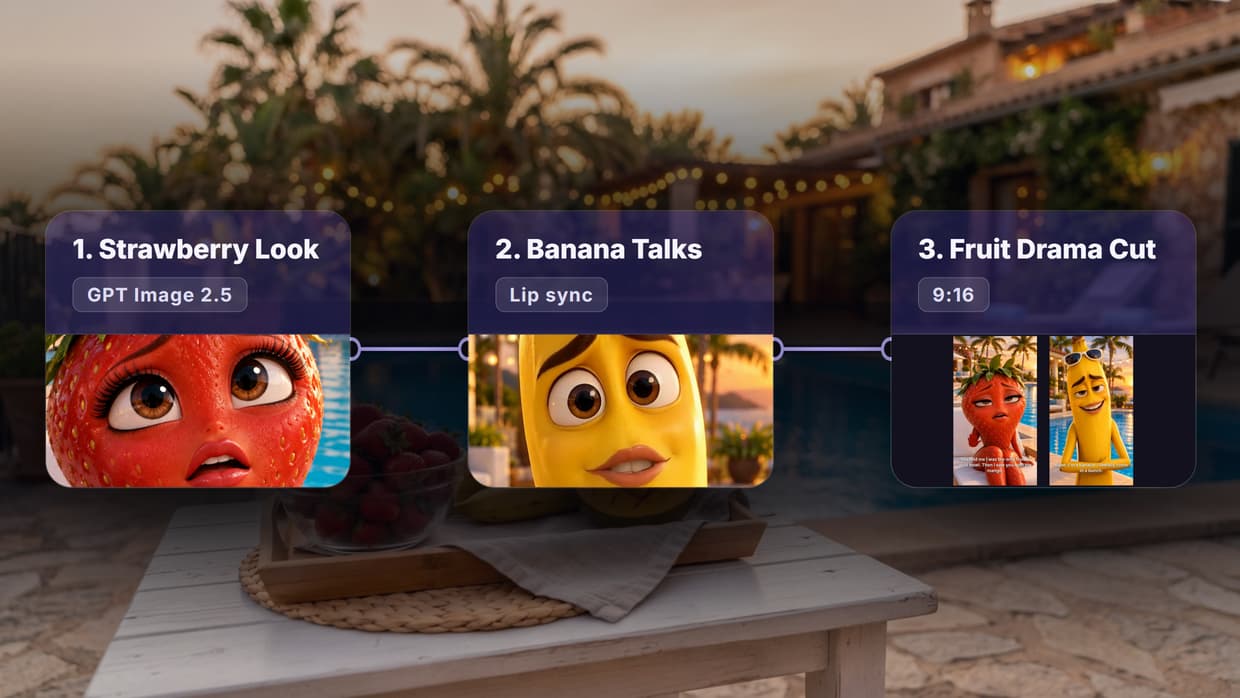
- Look (Text): one character prompt per fruit.
- Character image (GPT Image 2.5 Flare): 720x1280, medium quality.
- Line (Text): what each fruit says.
- Voice (ElevenLabs v4): one ready-made voice per fruit.
- Motion (Text): how the lip-sync model should move the face.
- Talks (Kling AI Avatar): image and voice in, talking clip out.
- Fruit Drama Cut (Video Editor): both clips at 1080x1920 with captions.
Steps 1 to 6 run once per fruit, so the graph has 13 working nodes plus a sticky note. Swapping the image model, the voice or the lip-sync model changes one node, which is the point of AI model chaining.
Step 1: draw each fruit character
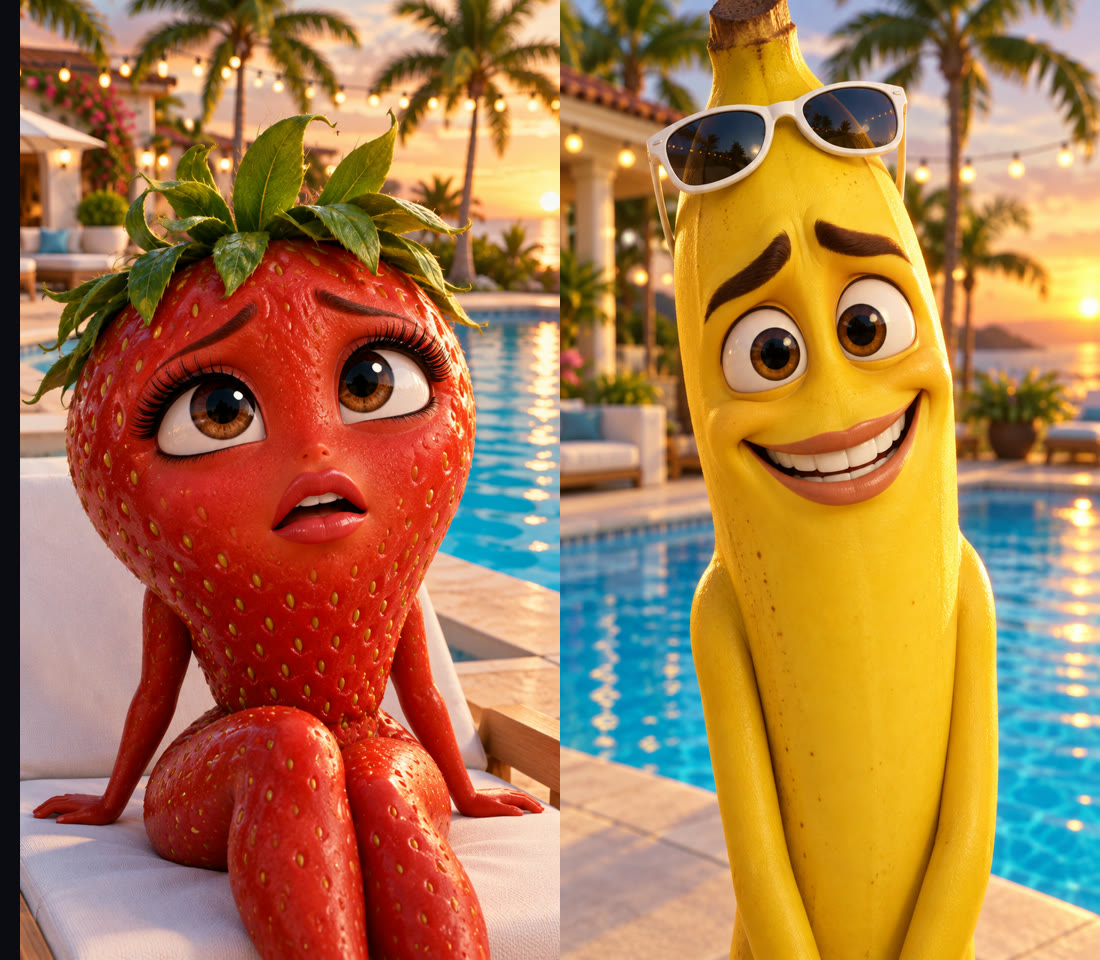
Strawberry Look: Vertical 9:16 still from a 3D animated comedy, glossy Pixar-like style. A ripe red strawberry character with big brown eyes, long eyelashes, a small expressive mouth with clear lips and a crown of green leaves like messy hair. She looks hurt and dramatic, eyebrows raised. She sits on a white sun lounger beside a bright blue villa pool at golden hour, palm trees and string lights softly blurred behind her. Front-facing, her face in the upper half of the frame and her mouth clearly visible, warm soft light, sharp focus. No text, no logos.
Banana Look: Vertical 9:16 still from a 3D animated comedy, glossy Pixar-like style. A yellow banana character with big brown eyes, thick eyebrows, a wide expressive mouth with clear lips and small white sunglasses pushed up on his head. He gives a sheepish, guilty grin. He stands beside a bright blue villa pool at golden hour, palm trees and string lights softly blurred behind him. Front-facing, his face in the upper half of the frame and his mouth clearly visible, warm soft light, sharp focus. No text, no logos.
Two phrases do most of the work: "front-facing" and "mouth clearly visible", because a lip-sync model needs a face it can read, the same rule an AI character creator follows. Both prompts share one set, so the two clips cut together as one place.
GPT Image 2.5 Flare took 17 seconds for the strawberry and 15 for the banana, 5 credits each. Neither prompt asked for arms or legs; the model added them anyway, which suits the format. For a series, reuse these two images in every episode, as a character design generator does, so the cast never drifts.
Step 2: give each fruit a fixed voice
The two lines:
Strawberry Line: You told me I was the only fruit in your bowl. Then I saw you with the mango.
Banana Line: Babe, I'm a banana. I literally come in a bunch.
Each line runs through an ElevenLabs v4 node with a ready-made voice: Jessica for the strawberry and Will for the banana, at stability 0.5, similarity 0.75, style 0 and speed 1. Because the voice is a fixed node setting, the strawberry sounds the same in episode ten as in episode one, which a model that invents a voice per clip cannot promise. Other voices to try sit in our AI voice generator.
The voices took 2.7 and 1.8 seconds and came back 4.96 and 4.08 seconds long, 20 credits each. The node also returns word timestamps, and v4 accepts inline tags such as [whispering] or [shouting]. To compare options, see our roundup of realistic AI voice generators.
Step 3: make the fruit talk
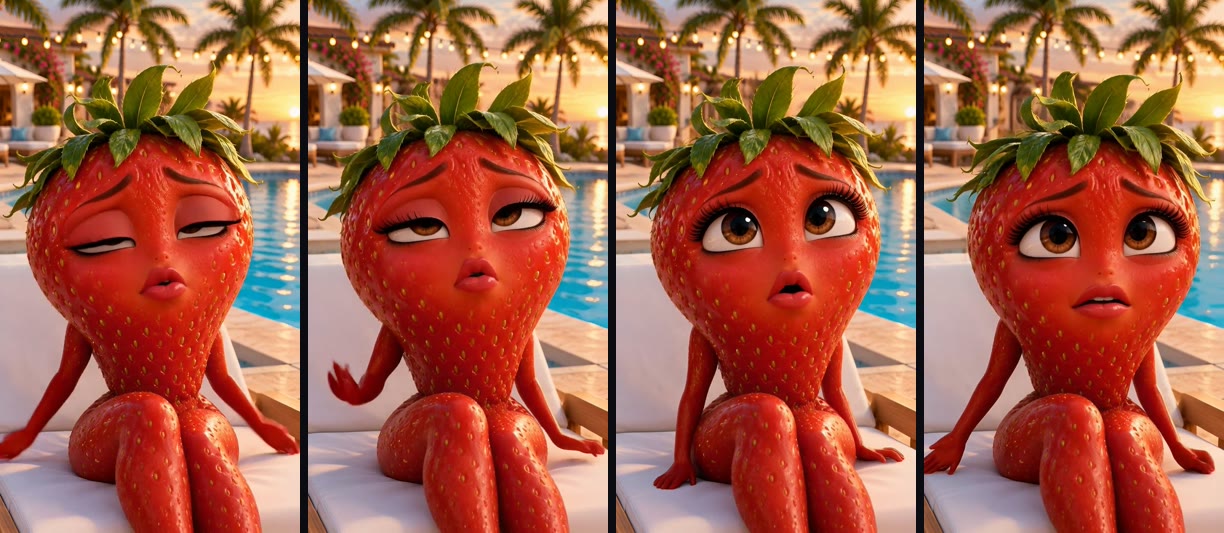
This is the step that makes the first clip. Each Kling AI Avatar node takes three inputs: the character image, the voice and a short motion prompt. It works as an AI video generator with one job: a face that speaks a given audio file.
Strawberry Motion: The strawberry talks straight to the camera with hurt, dramatic expressions, blinking and tilting her head slightly. The camera stays still.
Banana Motion: The banana talks straight to the camera with a guilty grin and a small shrug, eyebrows moving. The camera stays still.
The clip length follows the voice: 5.07 seconds for the strawberry's 4.96-second line and 4.27 seconds for the banana's 4.08. Both clips came out 720x1280 at 30 fps, took 136 seconds each when run side by side, and cost 57 credits each on the Standard tier (the node defaults to Pro, which we did not test). Lip sync was about 70 percent of the total spend, the main cost to plan for with any AI lip sync generator.
Both faces, the leaves, the sunglasses and the set matched the source images, and the mouths open and close with the words. The strawberry rolls her eyes and raises a hand; the banana's arms move and his grin shifts. One image in, one talking clip out is the pattern behind an AI talking photo.
Step 4: cut it with captions
The Video Editor node places the two clips in order at 1080x1920 and 30 fps, 152 frames for the strawberry and 128 for the banana, with each clip's own sound on. Each scene carries its line as a white bold caption at the bottom, 56 px, for viewers who watch with the sound off. The hosted render took 34 seconds and 0 credits for an 8.3 MB MP4, the job of a headless video editor.
We set the frame counts from the measured clip lengths, so no line is cut short. The captions are one static line per scene; word-by-word captions from the voice timestamps would suit fast YouTube Shorts edits better.
What a full episode would cost
Our four minutes of run time include 56 seconds the first run spent in the queue before any node started. The characters are a one-time cost: once the images exist, each new line costs about 77 credits (20 for the voice and 57 for the clip, at our 4 to 5 second lengths). A 30-second episode with seven lines would come to roughly 540 credits before retries, and the pricing page lists what a credit costs on each plan.
Tips from the run
- Keep lines short. Ours ran 4 to 5 seconds; HitPaw suggests 7 to 10. Split longer speeches across clips.
- Write the face into the prompt. Front-facing, upper half of the frame, mouth visible.
- Share one set. Same location, light and time of day in every Look prompt.
- Fix the voice per character, not per clip.
- Listen before you pay for video. Run images and voices first (50 credits here), then lip sync once the jokes land.
Saved as a template, the graph keeps these choices as defaults for the next episode, which is what AI workflow templates are for.
Try it yourself: Build this workflow in Wireflow. Edit each Look to change the fruit or the set and each Line to change what they say, then run Fruit Drama Cut.
FAQ
What are AI fruit videos?
Short vertical clips where AI-made fruit characters talk, act out dramas or get sliced in ASMR close-ups, made with image, voice and text to video AI models.
How do you make an AI fruit talk?
Make a front-facing fruit image, turn the line into speech, then give both to a lip-sync model. An image to video AI model with a speaking prompt also works, but it makes up the voice each time.
How much does an AI fruit video cost?
Our 9.3-second, two-character video charged 164 credits: 10 for the images, 40 for the voices, 114 for lip sync and 0 for the cut. Lip sync is the biggest cost, so compare AI lip sync tools if you plan to make many.
How long should each fruit's line be?
Ours were 4.1 and 5.0 seconds. Short lines keep lip sync clean and cheap, and a long script can run through a lip sync API as a batch.
How do you keep the same fruit character in every clip?
Reuse the same character image and the same voice for every line instead of generating new ones, as in our guide to creating AI characters for stories.
Can I make fruit ASMR videos the same way?
Partly. ASMR clips need no voice or lip sync: one video model that makes sound, given a close-up cutting prompt, does the job, for example Gemini Omni Flash.
Do I need to show my face or use my own voice?
No. Every character, voice and caption here is generated, which makes the format a fit for a faceless AI video generator channel.
Conclusion
One prompt and one line per fruit, two lip-synced clips and a captioned cut made a 9.3-second talking fruit drama for 164 credits, with voices that stay the same in every episode. Wireflow keeps each character, voice and clip in its own node, so a new line or a new fruit is one re-run, and our AI video pipeline page shows how to run the same chain episode after episode.

Co-Founder & Operations at Wireflow
Runs client operations and content strategy at Wireflow. Works directly with creative teams and agencies to build production AI workflows.
- Content Strategy
- Client Operations
Get unlimited ad creatives today.
One call to see if we are a fit and scope the first ad. If it fits, your first batch lands inside week one.