How to Create AI Characters for Games and Stories

In this article▾
- Why AI Character Generation Matters for Creators
- Step 1: Define Your Character's Core Traits
- Step 2: Write Effective Prompts for Character Art
- Step 3: Choose the Right Generation Model
- Step 4: Build a Repeatable Character Pipeline
- Step 5: Refine and Iterate on Your Characters
- Step 6: Bring Characters to Life with Voice and Animation
- Practical Tips for Game-Ready Characters
- Frequently Asked Questions
Building memorable characters used to require concept artists, writers, and weeks of iteration. Today, AI tools compress that timeline from days to minutes. Wireflow lets you chain multiple AI models together so you can go from a text description to a fully rendered, upscaled character portrait in a single automated workflow. This guide walks through the complete process of creating AI characters for games, interactive fiction, and visual storytelling projects. If you want the whole pipeline instead of a single button, try our AI character design generator built as a node graph.
Why AI Character Generation Matters for Creators
The economics of character design have shifted dramatically. Independent game studios and solo developers can now produce character art that rivals AAA studios, with AI handling the heavy lifting on visual generation. Narrative designers working on interactive fiction and animated content benefit from rapid prototyping, testing dozens of character variations before committing to a final design. The same applies to tabletop RPG creators, webcomic artists, and authors who need consistent character visuals across long-form projects.
Build this in Wireflow
Make the same kind of asset on a canvas you control, with a free account and no credit card.
Step 1: Define Your Character's Core Traits
Every strong AI character starts with a written profile. Before generating any visuals, document these elements in a structured brief:
- Physical appearance: age, build, height, distinguishing features, skin tone, hair style and color
- Costume and gear: armor type, clothing era, weapons, accessories, color palette
- Personality markers: posture, facial expression defaults, body language tendencies
- Setting context: fantasy, sci-fi, modern, post-apocalyptic, or historical
The more specific your brief, the better your AI outputs will be. A prompt like "warrior character" produces generic results. A prompt like "a scarred elven ranger in weathered leather armor, carrying a recurve bow, standing at the edge of a misty cliff" gives the model enough detail to produce something distinctive. Writers building characters for AI-generated stories and avatars should also document speech patterns and backstory, since these inform expression and posture choices in the visual prompt.

Step 2: Write Effective Prompts for Character Art
Prompt engineering is the skill that separates generic character art from production-ready assets. Structure your prompts with these components in order:
- Subject description: the character's physical appearance and pose
- Costume and equipment: specific details about what they wear and carry
- Art style: painterly, cel-shaded, photorealistic, pixel art, anime
- Lighting and mood: dramatic side-lighting, soft ambient glow, harsh overhead
- Technical specifications: aspect ratio, resolution target, background treatment
For game characters, specify the camera angle that matches your game's perspective. A top-down RPG needs three-quarter view portraits. A visual novel needs front-facing bust shots. A fighting game needs full-body action poses. Matching the AI image generation pipeline to your actual use case prevents wasted iterations.
Step 3: Choose the Right Generation Model
Different AI models excel at different character styles. Here is a practical breakdown:
| Model Type | Best For | Limitations |
|---|---|---|
| Recraft V4 | Clean illustration, design-quality output, text overlays | Less photorealistic |
| Flux Pro | Photorealistic portraits, consistent lighting | Slower generation |
| SDXL fine-tunes | Anime, pixel art, specific style mimicry | Requires custom training |
| Midjourney | Atmospheric concept art, painterly styles | Less control over composition |
For most game and story projects, a model like Recraft V4 handles the widest range of character styles without needing custom training data. You can access it directly through platforms that support visual node editors for AI workflows, letting you swap models mid-pipeline without rebuilding your entire process.
Step 4: Build a Repeatable Character Pipeline
Generating one character is useful. Generating an entire cast with consistent style is where pipelines pay off. A typical character creation pipeline includes:
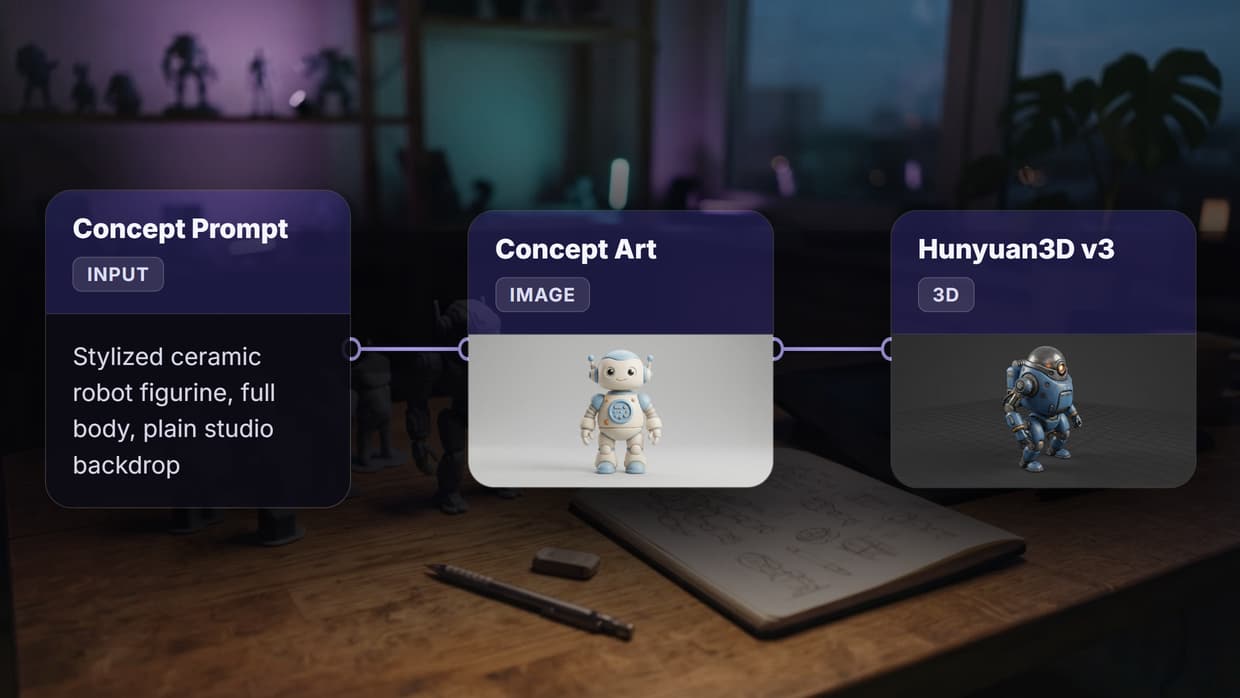
- Text input node: your character description prompt
- Image generation node: produces the base character portrait
- Post-processing node: upscaling, background removal, or style transfer
- Output: final high-resolution asset ready for your game engine or story platform
This approach works for batch generation of game assets where you need 20+ characters in the same art style. By locking the style parameters in your pipeline template, every character shares the same visual language even though their individual traits differ. Many developers building AI-powered creative tools and agents rely on this kind of structured pipeline to maintain quality at scale.
The pipeline model also makes iteration fast. If your art director wants all characters slightly more saturated or in a different lighting setup, you change one parameter and regenerate the full set. Compare that to manually re-painting dozens of character portraits. Some teams sketch first instead, using an AI line-art sketch tool to lock pose and silhouette before the render pass fills in color.
Step 5: Refine and Iterate on Your Characters
AI-generated characters rarely land perfectly on the first attempt. Build a feedback loop into your process:
- Generate 4-8 variations of each character using slightly different prompts
- Cherry-pick the strongest elements from multiple outputs: the face from version 3, the armor detail from version 7
- Use inpainting to fix specific areas without regenerating the entire image
- Upscale the final version to your target resolution for print or high-DPI screens
For game developers, character consistency across multiple scenes is critical. Techniques like AI model chaining let you feed a reference image into subsequent generations, maintaining facial features and proportions across different poses and environments. Story creators working on serialized content need this same consistency to avoid jarring visual shifts between chapters.
Step 6: Bring Characters to Life with Voice and Animation
Static portraits are just the starting point. Modern AI tools let you extend characters into animated and voiced assets:
- Voice synthesis: generate unique character voices from text descriptions, useful for voiceover generation in narrative games
- Talking portraits: animate still character art with lip-sync and expression changes for visual novels and cutscenes
- Motion generation: create idle animations, walk cycles, and emotes from a single character image using image-to-video AI models
The key is keeping all these steps in a connected pipeline rather than switching between disconnected tools. When your character portrait, voice, and animation all flow from the same source prompt, consistency improves and production time drops significantly.
Practical Tips for Game-Ready Characters
A few practical considerations that separate hobby projects from production-quality character assets:
- Export at 2x your target resolution so you have room for cropping and UI framing
- Generate transparent backgrounds when characters need to composite over game environments, using AI background removal tools
- Create expression sheets showing the same character with 6-8 different emotions for dialogue systems
- Document your prompts in a shared file so team members can regenerate or modify characters without starting from scratch
- Test at actual display size because details that look great at 2048px may disappear at 128px sprite resolution
Try it yourself: Build this workflow in Wireflow — the nodes are pre-configured with the exact character generation setup discussed above.
Frequently Asked Questions
What is the best AI tool for creating game characters?
The best tool depends on your art style. For clean illustration and design-quality output, Recraft V4 is a strong choice. For photorealistic characters, Flux Pro excels. Platforms that support visual node editors let you chain multiple models together for maximum flexibility.
Can AI generate consistent characters across multiple images?
Yes, but it requires technique. Use reference images as inputs to subsequent generations, lock style parameters in your pipeline, and use inpainting for targeted edits. Model chaining helps maintain facial features and proportions across different poses.
How detailed should my character prompt be?
Aim for 50-150 words per prompt. Include physical appearance, costume details, art style, lighting, and camera angle. More specific prompts produce more distinctive results, while vague prompts tend to generate generic fantasy archetypes.
Is AI character art good enough for commercial games?
Many indie studios now ship games with AI-generated character art, particularly for concept phases and smaller-scale projects. For AAA production, AI is primarily used for rapid prototyping before human artists refine the final assets.
How do I maintain a consistent art style across a full character cast?
Build a pipeline template with locked style parameters (art style, color palette, lighting setup) and only vary the character-specific details between runs. Batch generation ensures every character shares the same visual language.
Can I animate AI-generated characters?
Yes. Image-to-video models can generate motion from still portraits. Talking-head AI can add lip-sync and facial expressions. For game sprites, you can generate individual animation frames and compile them into sprite sheets.
What resolution should I generate characters at?
Generate at 2x your target display resolution minimum. For mobile games, 1024x1024 is usually sufficient. For PC and console, aim for 2048x2048 or higher. Upscaling models can increase resolution further without losing detail.
Do I need to worry about copyright when using AI-generated characters?
Copyright status of AI-generated images varies by jurisdiction and is still evolving legally. For commercial projects, check the terms of service of your generation platform, keep records of your prompts, and consider having a human artist make meaningful modifications to strengthen your copyright position.

Co-Founder & Operations at Wireflow
Runs client operations and content strategy at Wireflow. Works directly with creative teams and agencies to build production AI workflows.
- Content Strategy
- Client Operations
Get unlimited ad creatives today.
One call to see if we are a fit and scope the first ad. If it fits, your first batch lands inside week one.