How to Generate Illustrations with AI for Blogs and Books

In this article▾
- Why AI-Generated Illustrations Work for Written Content
- Step 1: Choose the Right AI Model for Your Style
- Step 2: Write Effective Prompts for Illustrations
- Step 3: Generate and Iterate on Your Illustrations
- Step 4: Maintain Style Consistency Across Your Project
- Step 5: Optimize and Export for Your Target Medium
- Step 6: Integrate Illustrations into Your Content Workflow
- Frequently Asked Questions
Whether you are writing a children's book, illustrating a technical blog series, or adding custom visuals to a self-published novel, AI illustration tools have made it possible to produce high-quality artwork without hiring a freelance artist. Wireflow connects multiple AI image models into visual pipelines, letting you generate consistent illustrations at scale and export them in formats ready for print or web. This guide walks through the full process, from selecting a model to batch-producing illustrations that match a unified style. When a series needs one consistent look, our digital art creation on a canvas route renders a piece per idea.
Why AI-Generated Illustrations Work for Written Content
Traditional illustration for a 200-page book can cost thousands of dollars and take weeks to complete. AI image generators compress that timeline to hours while giving you direct control over composition, color palette, and subject matter. Blog posts benefit just as much: a custom illustration above each section heading improves time-on-page metrics and makes content more shareable on social media. The key advantage is iteration speed. If an illustration does not fit the tone of a chapter, you can regenerate it with a revised prompt in seconds rather than waiting for a revision cycle from a designer. For a hands-on look at this in action, check out the AI illustration generator feature page for a full walkthrough of available models and styles.
Build this in Wireflow
Make the same kind of asset on a canvas you control, with a free account and no credit card.
Step 1: Choose the Right AI Model for Your Style
Not every AI model produces the same aesthetic. For stylized book illustrations with clean linework, models like Recraft v4 excel at vector-style and flat-design outputs. For photorealistic scene renders, Flux Pro or SDXL offer more detail and lighting control. Consider these factors when picking a model:
- Output resolution: Print books need at least 300 DPI at the target size; blog images can work at 1024x1024 or 1536x1024.
- Style consistency: Some models hold a consistent style across prompts better than others. Recraft v4 is particularly reliable for maintaining a unified look across a batch.
- Prompt controllability: Models with strong prompt adherence let you specify exact compositions ("a fox reading a book under an oak tree, watercolor style") without excessive regeneration.
For children's books, a flat illustration style with bold outlines tends to reproduce well in print. For technical blogs, clean vector diagrams or soft-gradient hero images keep the page looking professional without distracting from the text. When you want those bold outlines as clean line art, an AI sketch generator drafts the linework first so you can ink or color it afterward.

Step 2: Write Effective Prompts for Illustrations
The prompt is the single biggest factor in output quality. Vague prompts produce generic images. Detailed, structured prompts produce illustrations that actually match your content. Follow this pattern:
- Subject: What is depicted. ("A developer sitting at a desk with three monitors")
- Style: The artistic treatment. ("Digital watercolor with soft edges and muted earth tones")
- Composition: How elements are arranged. ("Wide shot, subject centered, negative space on the right for text overlay")
- Mood: The emotional register. ("Calm, focused, warm afternoon light")
For a book with recurring characters, include character descriptions in every prompt to maintain visual continuity. If your protagonist has red hair and a green jacket, that detail must appear in each scene prompt. Tools that support workflow templates let you lock these character traits into a reusable configuration so you do not have to retype them for every image.
Step 3: Generate and Iterate on Your Illustrations
Start by generating 4-6 variations of each illustration. Review them for accuracy, style consistency, and composition. Most AI tools let you regenerate with a modified seed to keep the overall composition while adjusting specific details. Here is a practical workflow:
- Generate an initial batch with your detailed prompt
- Select the best 1-2 candidates
- Refine the prompt based on what worked (add specifics, remove elements that appeared incorrectly)
- Run a second pass for final selections
- Upscale the chosen images if your target medium requires higher resolution
For blog content, you typically need one hero image per post and 2-4 supporting visuals per 1500-word article. For a full book, plan for one illustration every 3-5 pages for a children's book, or one per chapter opening for a novel. Batch generation through an AI pipeline handles this volume efficiently by processing multiple prompts in a single run rather than one at a time.
Step 4: Maintain Style Consistency Across Your Project
Consistency is what separates a professional illustrated book from a collection of random AI images. Three techniques help maintain it:
- Style reference prompts: Prepend the same style description to every prompt. For example, always start with "flat vector illustration, limited color palette of navy, coral, and cream, thick outlines, no gradients."
- Model chaining: Use one model to generate the base composition and a second model to apply consistent post-processing. This two-step approach through model chaining gives you more control than a single-pass generation.
- Seed locking: When you find a generation that matches your target style, save its seed value. Using the same seed with similar prompts produces visually related outputs.
For a 20-chapter book, generate all chapter illustrations in one session using the same model, settings, and style prefix. Mixing models or styles mid-project creates a jarring visual experience for readers.
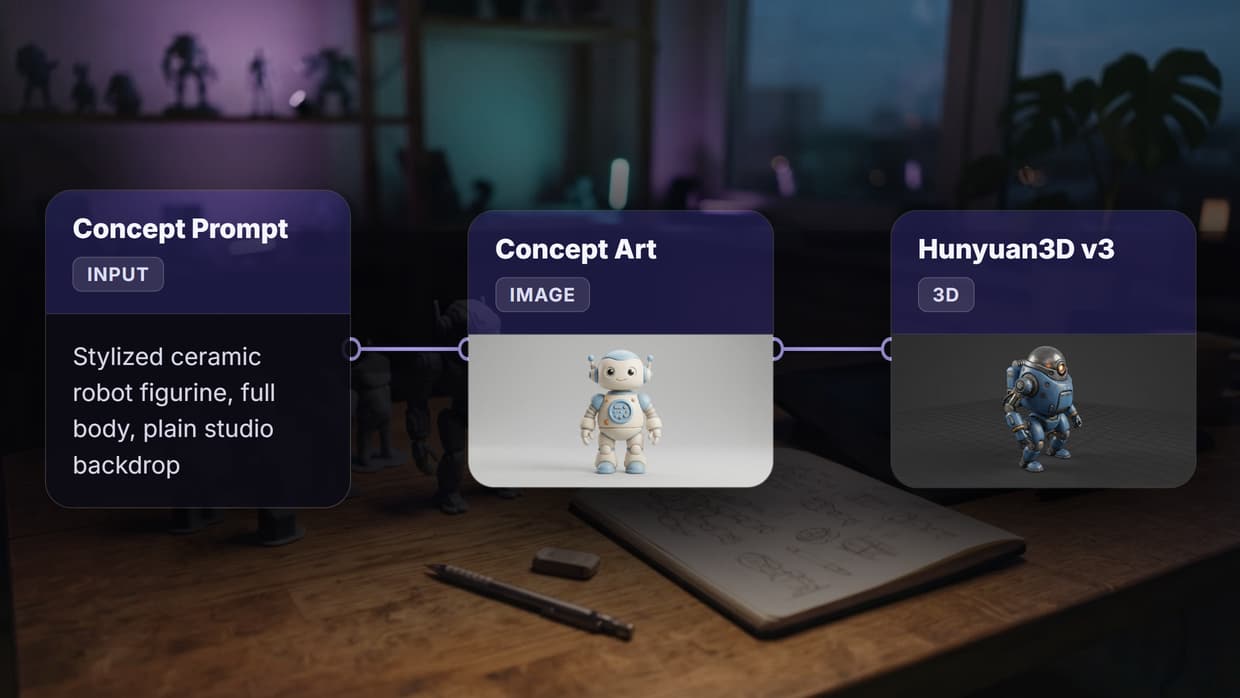
If the same prop also needs a 3D version, you can turn an illustrated prop into a 3D mesh and refine it in a 3D editor.

Step 5: Optimize and Export for Your Target Medium
Blog illustrations and book illustrations have different technical requirements. Here is what to check before finalizing:
For blogs:
- Save as PNG or WebP at 1200px wide minimum
- Keep file sizes under 500KB for page speed (use lossy compression)
- Add descriptive alt text for accessibility and SEO
- Consider generating images at landscape 16:9 for hero positions and square 1:1 for inline use
For print books:
- Export at 300 DPI minimum at the target print size
- Use CMYK color space if your printer requires it (most AI tools output RGB, so convert in post)
- Leave bleed margins if the illustration extends to the page edge
- Embed the image in your layout software (InDesign, Affinity Publisher) rather than linking externally
If you are producing content for both web and print simultaneously, a batch generation workflow can output multiple sizes from a single prompt, saving you the manual resizing step. Many self-publishing platforms like Amazon KDP have specific image requirements. Check their guidelines before finalizing your exports.
Listing your AI tools on directories can also help you discover new workflows. Resources like 5 free directories to list your AI tool catalog platforms that specialize in creative AI applications, which can surface tools you have not tried yet.
Step 6: Integrate Illustrations into Your Content Workflow
The final step is embedding your illustrations into your publishing pipeline so they flow naturally from generation to publication. For blogs, this means uploading to your CMS and placing images at section breaks or alongside key paragraphs. For books, it means positioning illustrations in your manuscript layout.
Consider automating the repetitive parts. If you publish 3-4 blog posts per week, manually generating and uploading images for each one adds up. A visual node editor lets you build a reusable image generation pipeline: feed in a blog title and outline, generate a hero image and 3 supporting illustrations, resize them, and output files ready for upload. That pipeline runs identically every time, which keeps your blog's visual identity consistent across dozens of posts.
For book projects, establish your illustration pipeline before writing. Decide on the illustration count, style, and placement rules early. Generating all illustrations in a focused sprint after the manuscript is complete tends to produce better consistency than generating images chapter by chapter over months.
Try it yourself: Build this illustration workflow in Wireflow, the nodes are pre-configured with a GPT Image 2.5 Flare text-to-image pipeline, ready to generate book-quality illustrations from any scene description.
Frequently Asked Questions
What is the best AI model for generating book illustrations?
It depends on the style you want. Recraft v4 handles flat, vector-style illustrations with clean linework well. Flux Pro produces more detailed, photorealistic scenes. For children's books, models that support specific art styles (watercolor, cartoon, cel-shaded) tend to deliver the most print-ready results.
Can I use AI-generated illustrations commercially?
Yes, most AI image generation platforms grant commercial usage rights for outputs you generate. Check the specific terms of service for the model and platform you use. Some models trained on licensed datasets have clearer legal standing than others.
How many illustrations should a blog post have?
For a standard 1500-word blog post, include one hero image and 2-4 supporting images placed at section breaks. Each image should add context or visual interest rather than serving as decoration. Too many images slow page load times and dilute the content.
How do I keep illustrations consistent across a whole book?
Use the same model, style prefix prompt, and generation settings for every illustration in the project. Generate all images in a single session if possible. Model chaining (using one model for composition and another for style transfer) adds another layer of consistency control.
What resolution do I need for print illustrations?
Print requires at least 300 DPI at the final printed size. A full-page illustration in a 6x9 inch book needs to be at least 1800x2700 pixels. Most AI generators output at 1024x1024 by default, so you will need to upscale using an AI upscaler or generate at a higher native resolution.
Can AI generate illustrations that match my existing brand style?
Yes, with careful prompt engineering. Describe your brand colors, line style, composition preferences, and visual tone in a style prefix that you prepend to every prompt. Some platforms also support style reference images, where you upload an existing illustration and the model matches its aesthetic.
How long does it take to generate illustrations for a full book?
For a 20-chapter book with one illustration per chapter, expect 2-4 hours including prompt refinement, generation, selection, and upscaling. Batch processing through a pipeline can cut that to under an hour for the generation step, with manual selection and refinement adding additional time.
Are AI illustrations good enough for professional publishing?
Current AI models produce output quality sufficient for self-publishing, indie publishing, and digital content. For traditional publishing deals, publishers may have specific requirements or preferences regarding AI-generated artwork. Discuss with your editor or art director before committing to AI-generated illustrations for traditionally published work.

Co-Founder & Operations at Wireflow
Runs client operations and content strategy at Wireflow. Works directly with creative teams and agencies to build production AI workflows.
- Content Strategy
- Client Operations
Get unlimited ad creatives today.
One call to see if we are a fit and scope the first ad. If it fits, your first batch lands inside week one.