 Andrew Adams · Co-Founder & Operations at Wireflow ·
 Image to Video AI
Animate any still image into smooth video on a visual node canvas, where a Gemini Omni Flash 1.1 image-to-video node adds motion and camera moves to the frame you feed it.
The whole graph runs from an API call or an agent, with no watermarks and a full commercial license.
Free to build · no credit card
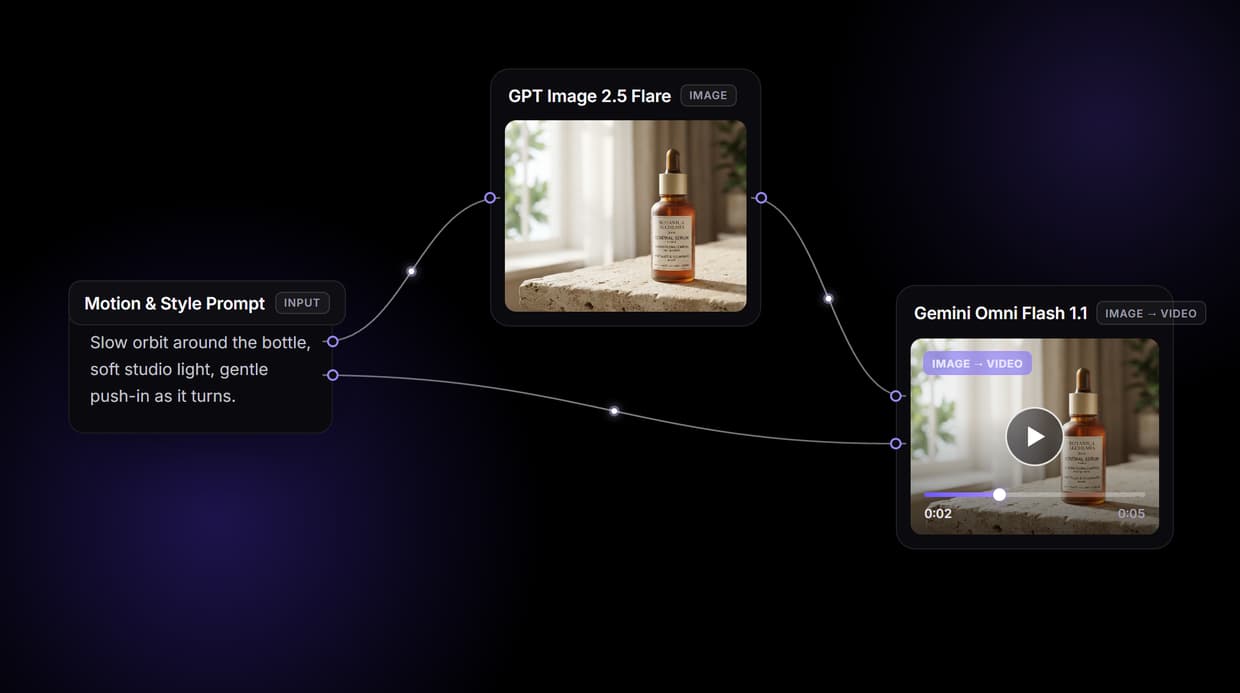
How image to video AI works on this canvas
Image to video generation reads a still frame and predicts how its parts should move. The model identifies the subject, depth layers, and lighting, then adds motion on top of what is already there. That is the difference from text to video: because the run starts from a frame, the composition, colors, and characters you approved carry into every frame of the clip instead of being re-invented.
The workflow above is a live graph you can open, not a diagram. A Motion & Style Prompt node feeds a GPT Image 2.5 Flare node, which renders the start frame; that frame and the prompt then feed a Gemini Omni Flash 1.1 image-to-video node, which animates it into the finished clip. To animate a photo you already have, point the Gemini Omni Flash 1.1 node's start-frame input at your upload instead of the GPT Image 2.5 Flare output, and the rest of the graph runs on unchanged.
What the image to video graph gives you
Starts from your frame
Gemini Omni Flash 1.1 animates the image you supply, so the subject and layout stay put.
Camera and subject motion
Describe pan, zoom, and orbit in the prompt and the node applies that motion.
Source look preserved
Motion layers on top of the frame, so colors and brand details carry through.
Swap the video model
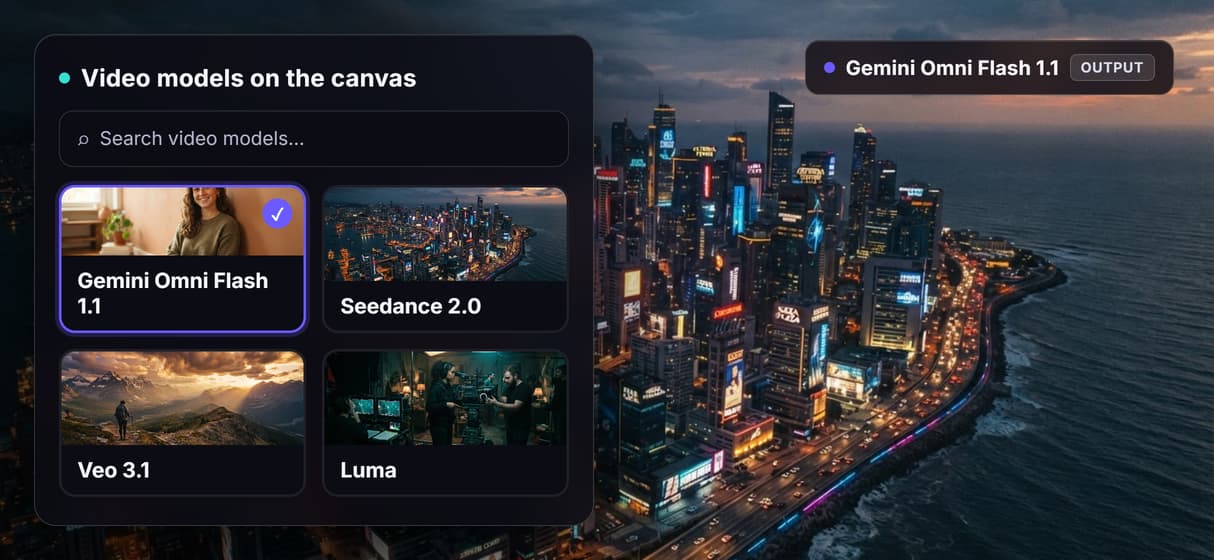
Repoint the Gemini Omni Flash 1.1 node to Seedance 2.0 or Veo 3.1 without a rebuild.
Every workflow is an API
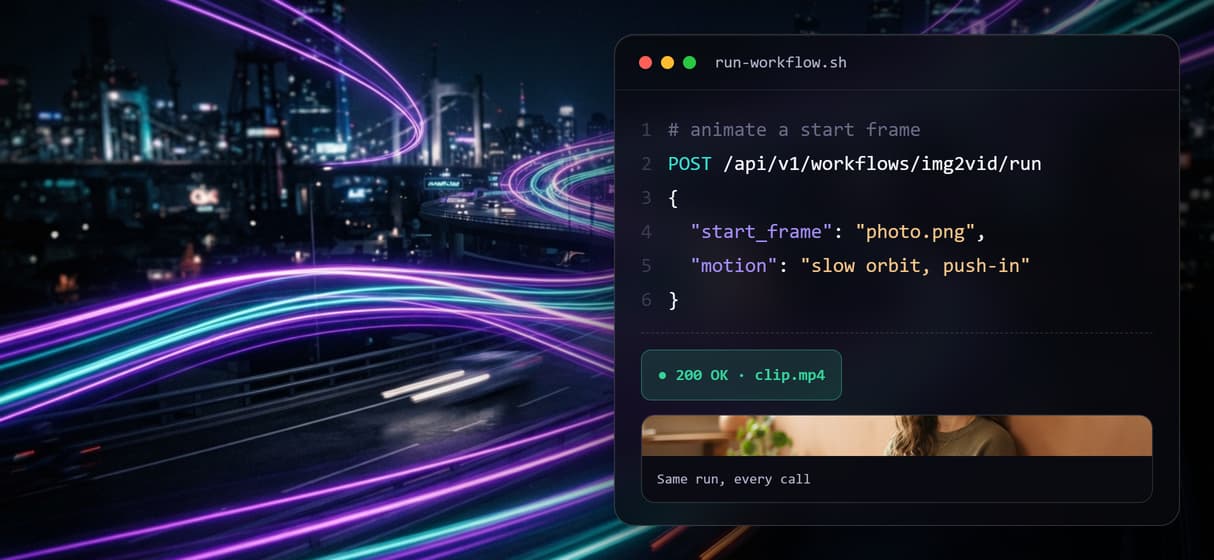
Publish the graph and call the same run as a REST endpoint from any backend.
No watermarks, full license
Clips render without watermarks and ship with a full commercial license.
Swap the model without rebuilding the graph
Every stage on the canvas is a node you can repoint. The template animates the start frame with Gemini Omni Flash 1.1 image-to-video. When short-form pacing matters more than tight frame control, swap that node for Seedance 2.0; when you want a different motion character, try Veo 3.1. The start frame and prompt wiring stay the same, so the swap is one node, not a rebuild.
The start frame itself is a swap too. This template generates it with GPT Image 2.5 Flare, but you can swap in Nano Banana Pro, or delete the image node entirely and feed the Gemini Omni Flash 1.1 node your own uploaded photo. Image to video is honest about its limit here: it adds motion to the frame you give it, it does not redraw the scene, so the frame you choose is the frame you animate.
Run image to video from an API or an agent
Publish the workflow and the whole graph becomes a REST endpoint. Your backend or a one-off script sends a start frame and a motion prompt, the graph runs, and a finished clip URL comes back in the response, with webhook delivery for longer renders. The same published graph is also an MCP tool, so an agent connected through the Claude connector can trigger the run and get the clip URL back in the conversation.
What Wireflow does not do is post for you. The pipeline returns finished video files and URLs into your own stack; uploading and scheduling stay with whatever automation you already run. For a batch of product shots or design assets, send the same graph a set of frames and collect a clip per frame, no per-video setup.
More Than Just Image to Video AI
Animate a still, not a new render
Gemini Omni Flash 1.1 image-to-video starts from the frame you give it, so composition and subject hold steady while motion is added. Compare text to video AI.
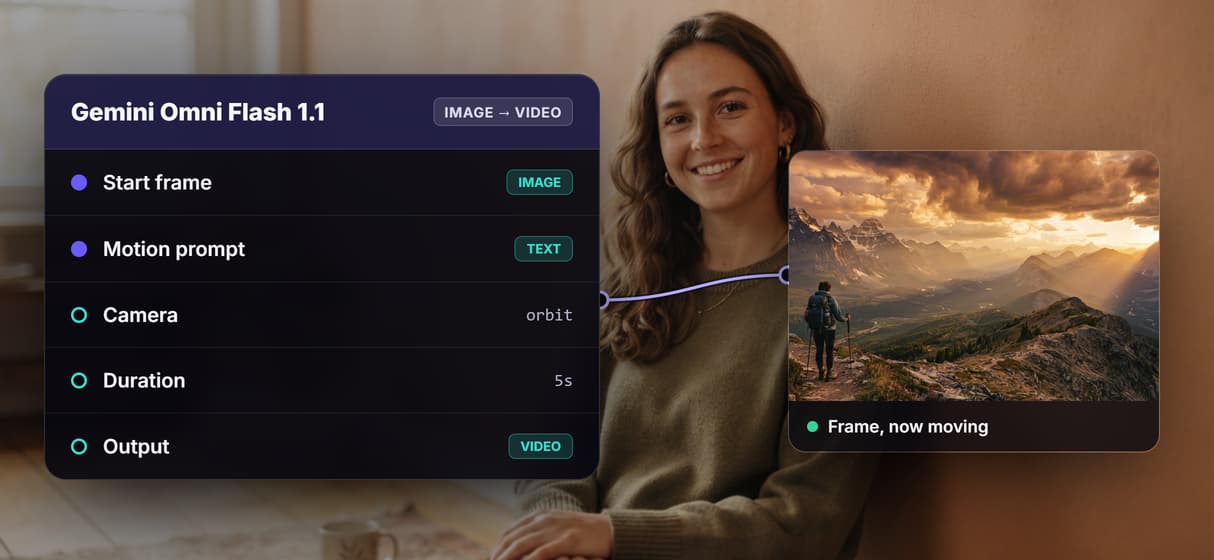
Your source look is preserved
Motion layers on top of your source image, so brand colors and product details carry frame to frame, the way a faceless AI video generator needs.
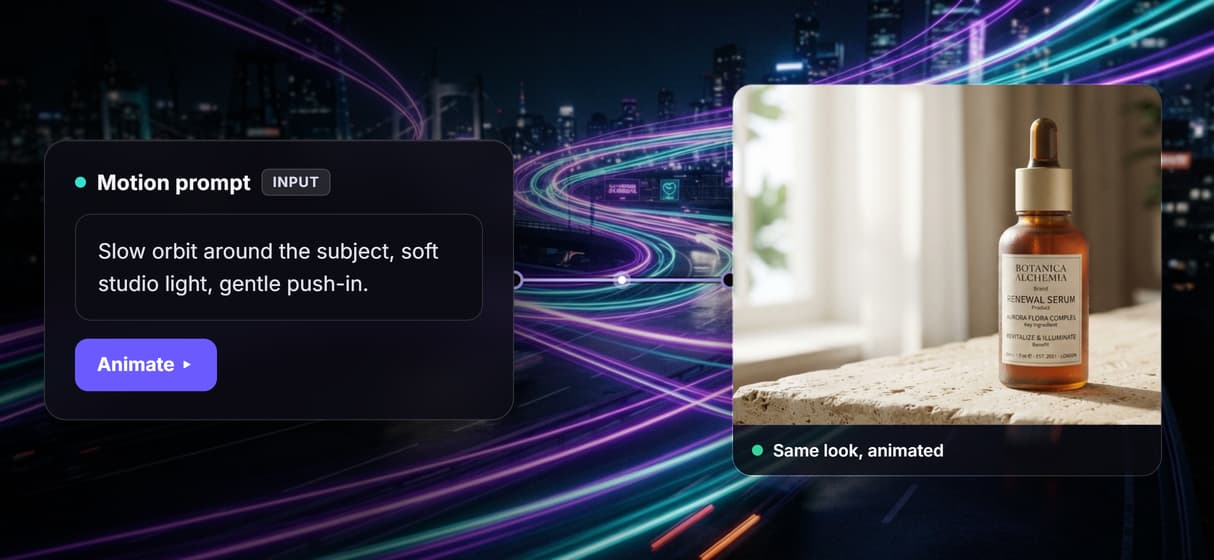
Direct the camera and subject
Describe pan, zoom, and orbit in the motion prompt and the node applies that camera move to your frame. Assemble clips in the video maker.
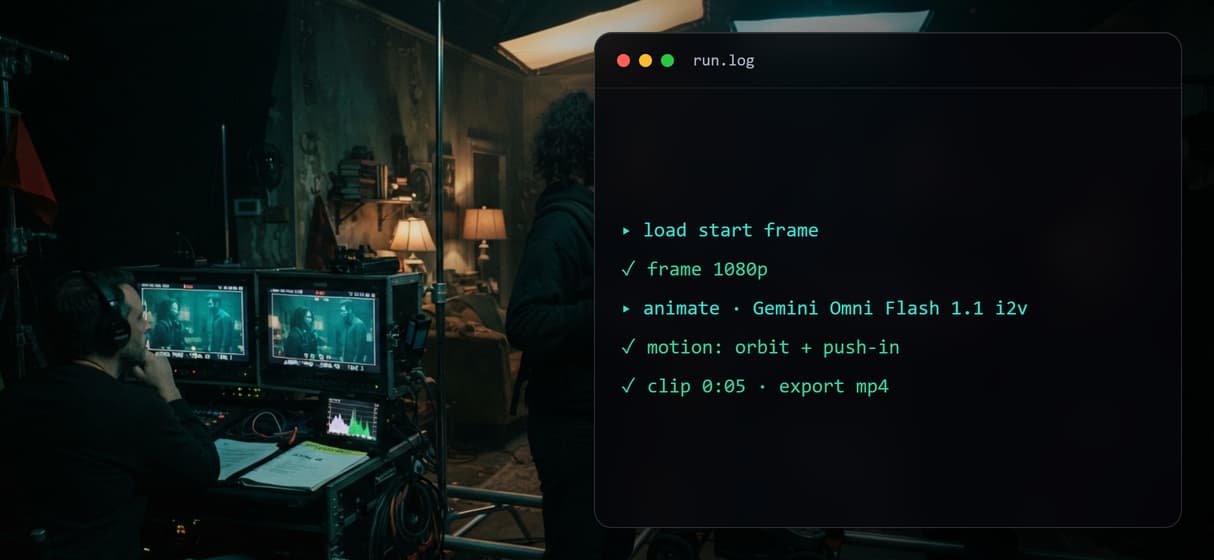
Swap the video model per job
Trade the Gemini Omni Flash 1.1 node for Seedance 2.0 when short-form pacing matters more than frame control, and the rest of the graph runs on unchanged. If you are moving off Google Flow, the best alternatives to Google Flow covers other image-to-video options.
Every run is an API and MCP tool
Publish the graph and the same image-to-video run answers a REST call or an AI video generator API from any backend, script, or agent.
Build Any AI Workflow
AI Models Integrated
Full Commercial License
FAQs
Image to video AI analyzes a still image and generates a video clip from it, adding motion, camera movement, and animation derived from the subject, depth, and lighting already in the source frame.
More From Wireflow
Written by
Andrew Adams · Co-Founder & Operations at Wireflow
Runs client operations and content strategy at Wireflow. Works directly with creative teams and agencies to build production AI workflows.
Animate your first image
Open the public template on this page, drop in a photo or keep the generated frame, describe the motion you want, and run the Gemini Omni Flash 1.1 node for a finished clip. Publish it and your next run starts from an API call.