 Andrew Adams · Co-Founder & Operations at Wireflow ·
 Node Based Video Generation
Build video on a visual canvas by wiring a text prompt into a GPT Image 2.5 Flare frame, then into a swappable Gemini Omni Flash 1.1 video slot, then into Compose Video for final assembly.
Free to build · no credit card
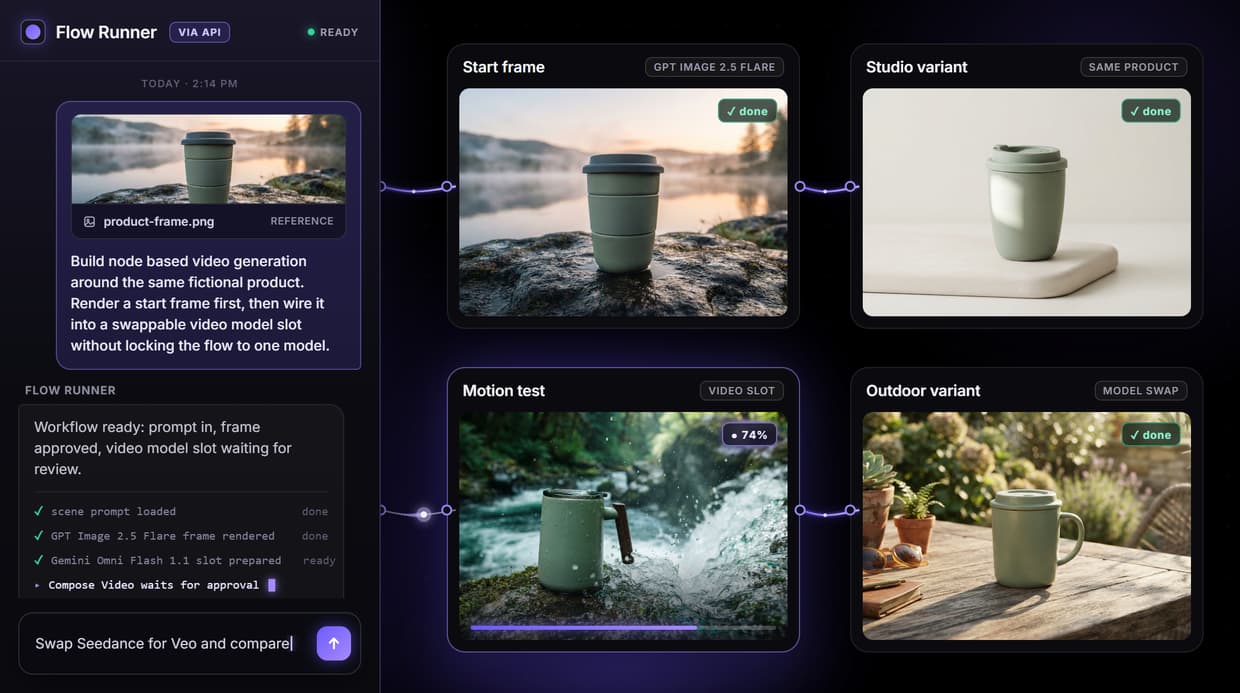
How node based video generation works
Node based video generation breaks the video process into discrete steps, each one a node on a canvas. A text prompt node feeds an image node, and the image node feeds a video node. You draw the connections that define the data flow, then run the graph end to end. That modular shape gives you control over every parameter at every stage instead of one opaque prompt box, which is why a canvas video generation API scales better than a single form.
The flow behind this page is deliberately small. Text Input holds the scene, GPT Image 2.5 Flare renders a 16:9 start frame, Gemini Omni Flash 1.1 is the first video slot, and Compose Video waits for final assembly. The point is not that Gemini Omni Flash 1.1 is the only model; the point is that the AI video workflow survives when a node changes.
What the node based video flow contains
Text Input
One prompt describes the product, motion intent, and framing before any model node runs.
GPT Image 2.5 Flare
The image node creates the 16:9 start frame that keeps the product look stable.
Gemini Omni Flash 1.1
The first swappable video slot turns the frame into motion when video spend is approved.
Model swaps
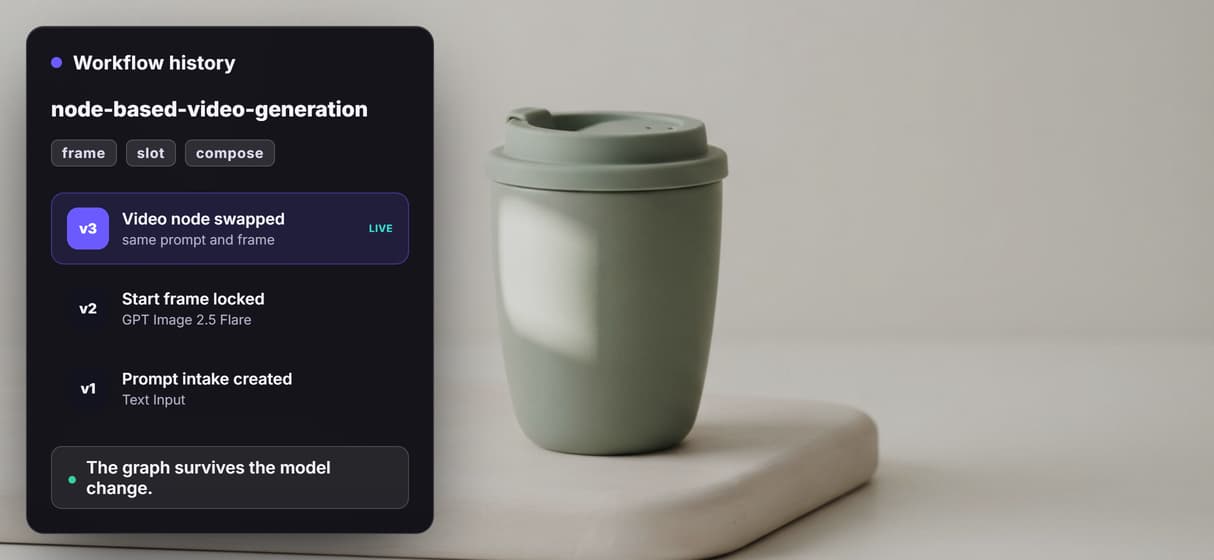
Veo, Kling, Wan, or another video node can replace the slot without changing the prompt intake.
Compose Video
Remotion assembly is the final step, wired for review and intentionally left unrun in the preview.
Callable endpoint
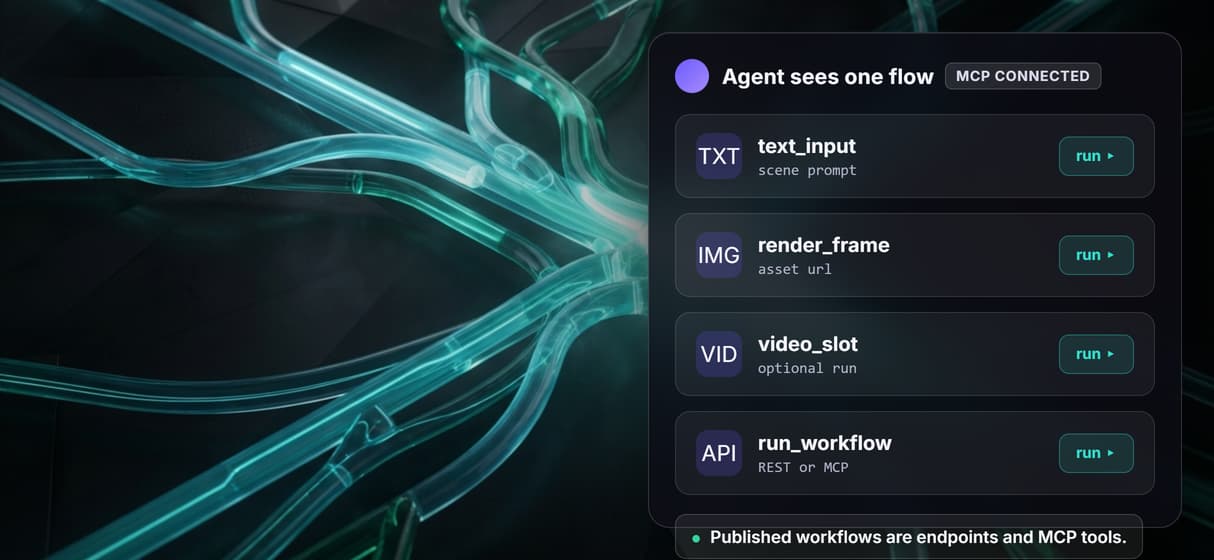
Publishing makes the same graph available as a REST workflow and an MCP tool.
Why the video node should be a slot
Video models age quickly. One week the best choice is cinematic motion, the next it is character consistency, cost, audio, or availability. If a model is hardcoded into your app, every switch becomes an integration project. If the model is a visible slot in a graph, the rest of the flow stays intact and the swap is one node edit, which is what a real AI orchestration API should make cheap.
That is the difference between chaining models on a canvas and gluing SDKs together in code. Teams need a prompt intake, a start-frame strategy, a video model slot, and an assembly step that can be tested visually before code depends on it. Wireflow keeps those pieces on the canvas, then exposes the same graph as a programmatic video generation platform.
When a single tool is simpler
If your job is one cinematic clip from a model you already have access to, that model's own interface is probably faster. Node based video generation adds a canvas, and a canvas is only worth it when the work repeats. Building a graph for a one-off render is overhead you do not need.
The canvas pays off when the job is a repeatable production system: a scene prompt first, a frame you approve, a video model you can swap, composition after review, then the same flow called by code or an agent. That is the wedge for teams that need an AI video pipeline, not just the next model tab to try.
More Than Just Node Based Video Generation
Build the pipeline once
Wire prompt, frame, and video nodes into one node based image generation style graph, then swap a node without rebuilding the flow. Video is one of many node-based AI workflows in Wireflow.
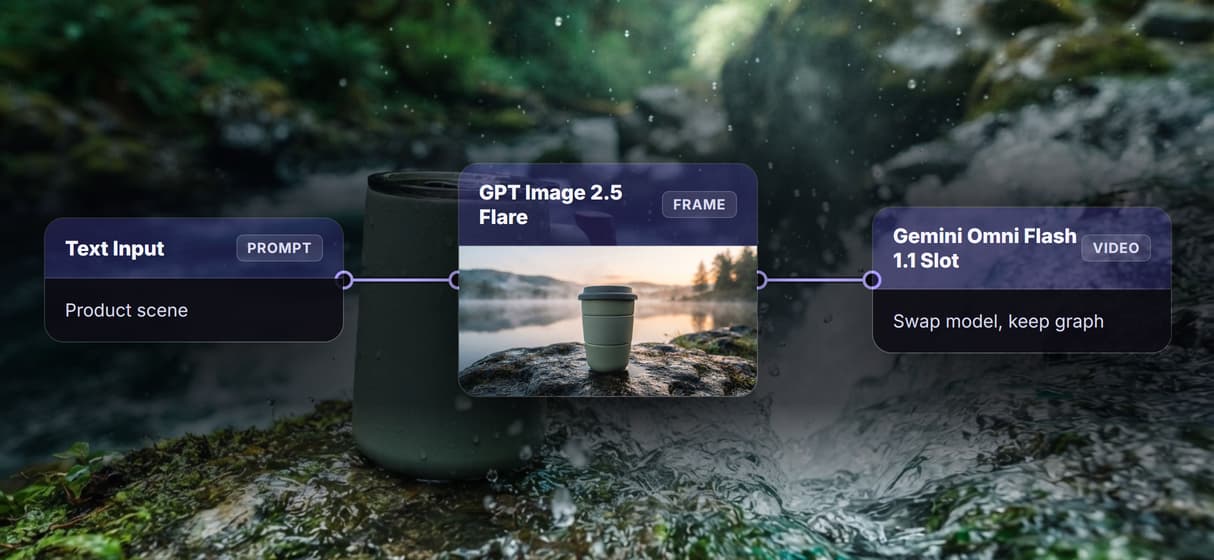
Approve frames before motion
Render the start frame first with an image to video AI chain, so you approve the look before a video model spends credits.
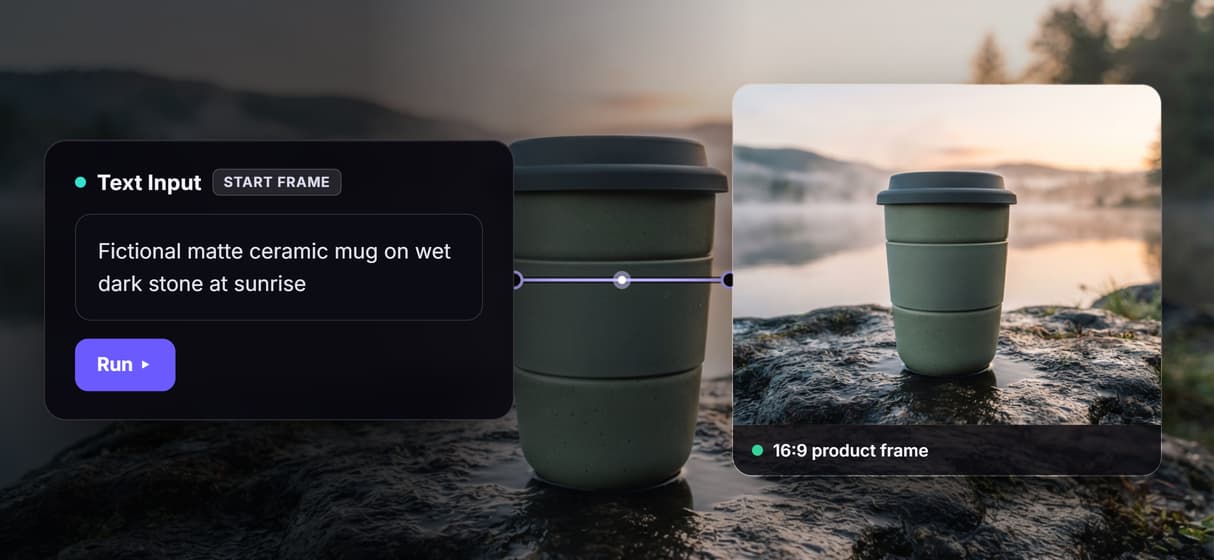
Swap the video model
Gemini Omni Flash 1.1 sits in the slot. Trade it for Veo, Kling, or Wan inside a multi shot video stitching API flow.
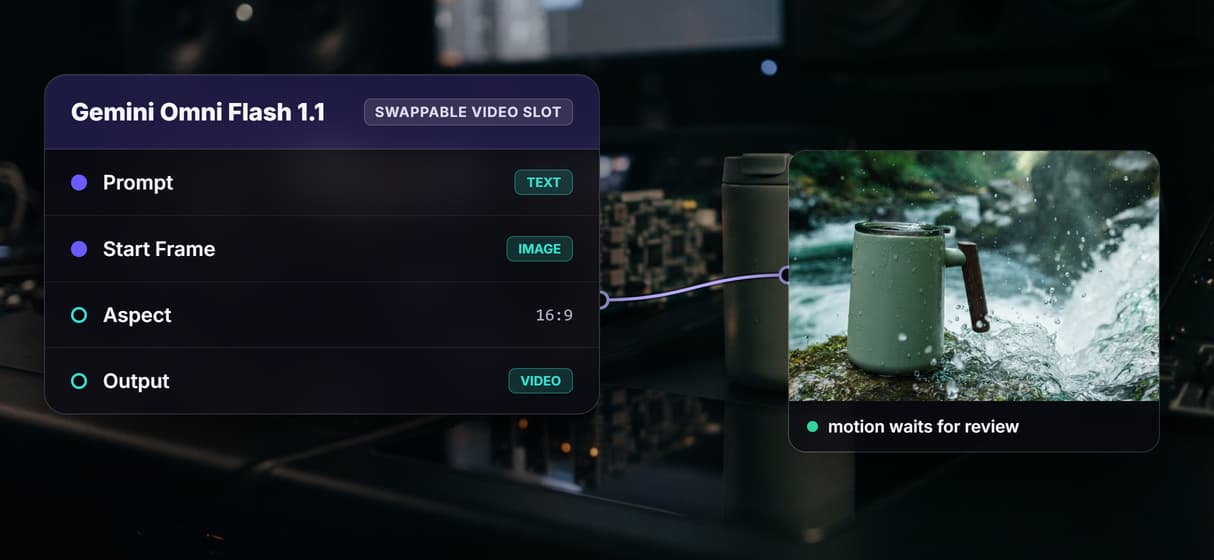
Call the whole graph
Publish once and the flow becomes an AI workflow API endpoint plus an MCP tool, so code or an agent runs it.
Reuse and version pipelines
Save the graph as a reusable, model agnostic multi model AI workflow and re-run it with new prompts or a swapped node.
Node based video generation Workflows
No Code Required
API & Batch Processing
FAQs
It is a way to build video by connecting model nodes on a canvas. Each node handles one step, from the text prompt to the image frame to the video model, and passes its output to the next.
More From Wireflow
Written by
Andrew Adams · Co-Founder & Operations at Wireflow
Runs client operations and content strategy at Wireflow. Works directly with creative teams and agencies to build production AI workflows.
Open the node based video flow
Start from the live graph: a text prompt, a GPT Image 2.5 Flare frame, a swappable Gemini Omni Flash 1.1 video slot, and Compose Video waiting for review. Swap the video node whenever another model fits.