 Andrew Adams · Co-Founder & Operations at Wireflow ·
 agentic video editing platform
An agentic video editing platform is a node graph, not a black-box button: a brief goes in, a Claude-powered editing director plans the shots, a generation model renders the frames, and Compose Video assembles the cut.
Every graph is a REST endpoint and MCP tool your agent can run on demand.
Free to build · no credit card · See how it works ↓
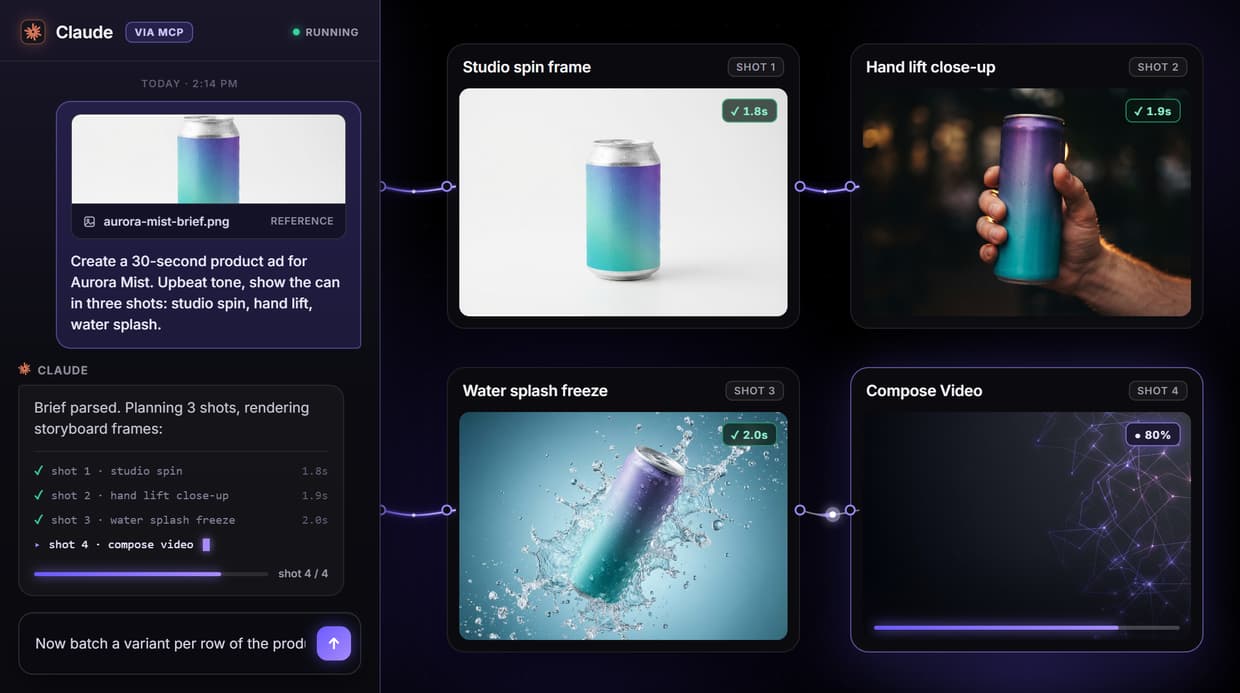
How to Use agentic video editing platform
Steps to get you started in Wireflow.
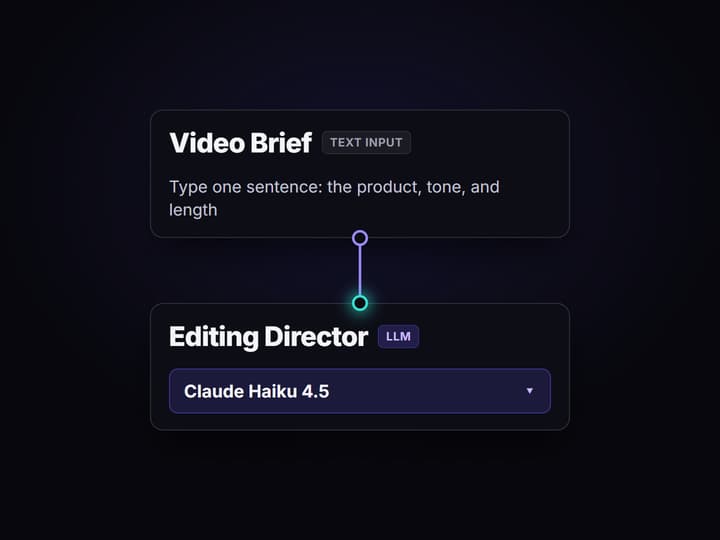
Open the flow and type the brief
Open the published workflow and click the Video Brief node. Type one sentence: the product, the tone, and the length. The default reads: create a 30-second product ad for Aurora Mist sparkling water, upbeat tone.
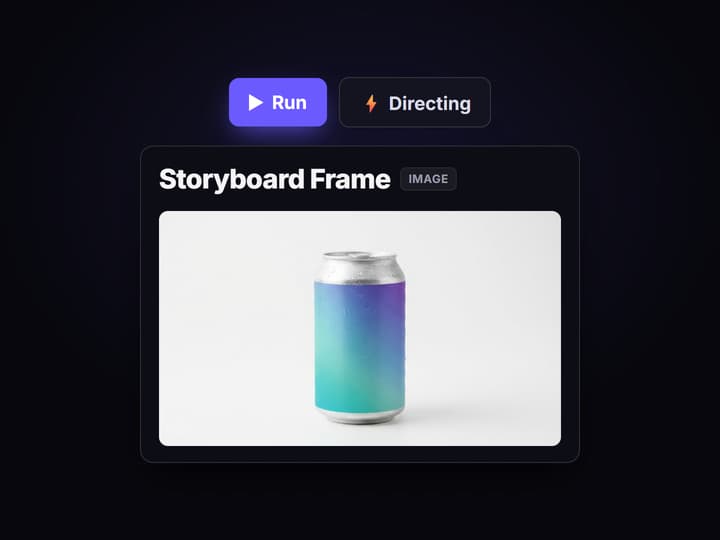
Run and watch the agent direct
Press Run. The Editing Director node runs Claude Haiku 4.5 and returns three numbered shot descriptions. GPT Image 2.5 Flare renders a storyboard frame from those descriptions on hosted compute.
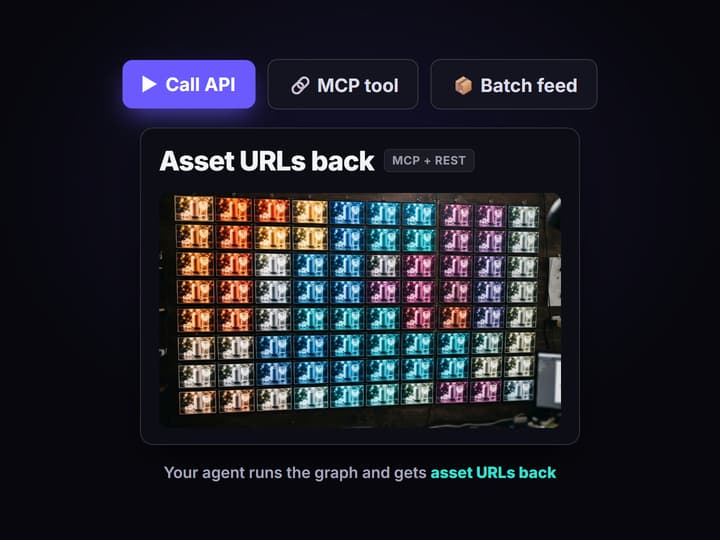
Call the graph from your agent or a batch loop
The graph is a REST endpoint and MCP tool with a typed input schema. Your agent sends the brief, or a loop sends one brief per row of a feed, and asset URLs come back in each response.
What makes a video editing platform agentic
Most tools labeled agentic hide the reasoning inside a single prompt: footage in, edited clip out, and no way to see why the agent cut where it did. When the result is wrong you re-roll and hope. That is automation, not orchestration, and it does not survive contact with a client revision.
An agentic video editing platform makes the agent's decisions inspectable. The pattern has three moving parts. A planning layer, an LLM acting as editing director, reads the brief and writes a shot list naming subject, composition, lighting, and mood. A generation layer renders or assembles the frames. A composition layer stitches the cut. On Wireflow each layer is a node on a canvas you can open, change, and re-run, so the agent's choices are never trapped in a chat session. The same graph your team runs by hand is the one your AI workflow builder exposes as a callable tool.
What the agentic video editing pipeline does
One brief drives the whole cut
A single line about product, tone, and length runs the pipeline. The editing director expands it into a full numbered shot list.
LLM editing director
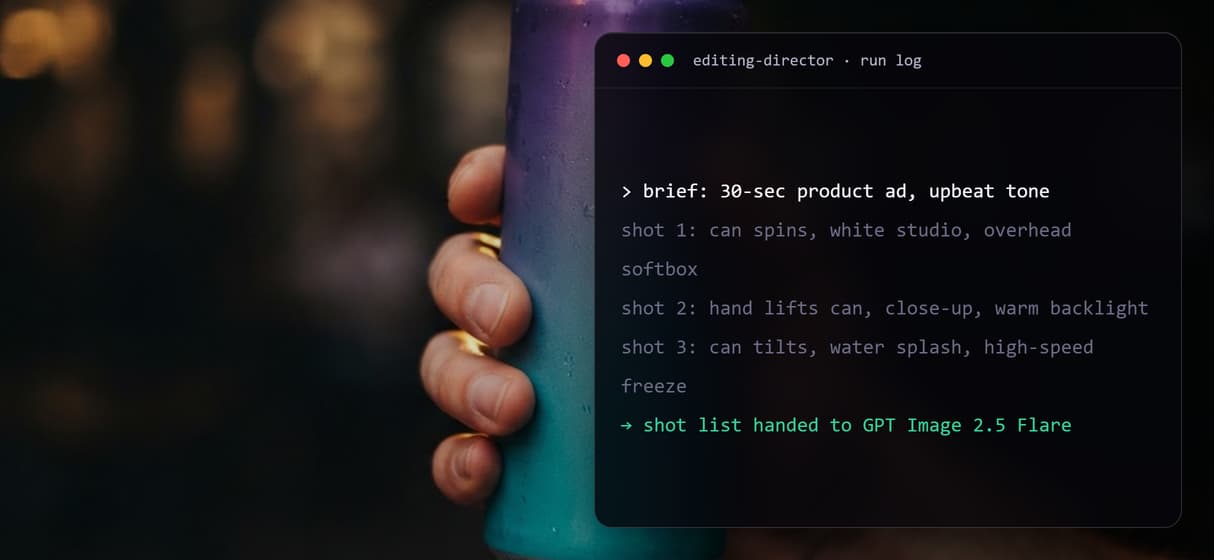
Claude Haiku 4.5 reads the brief and returns shot descriptions: subject, composition, lighting, and mood for each frame, all visible on the canvas.
Multi-model orchestration
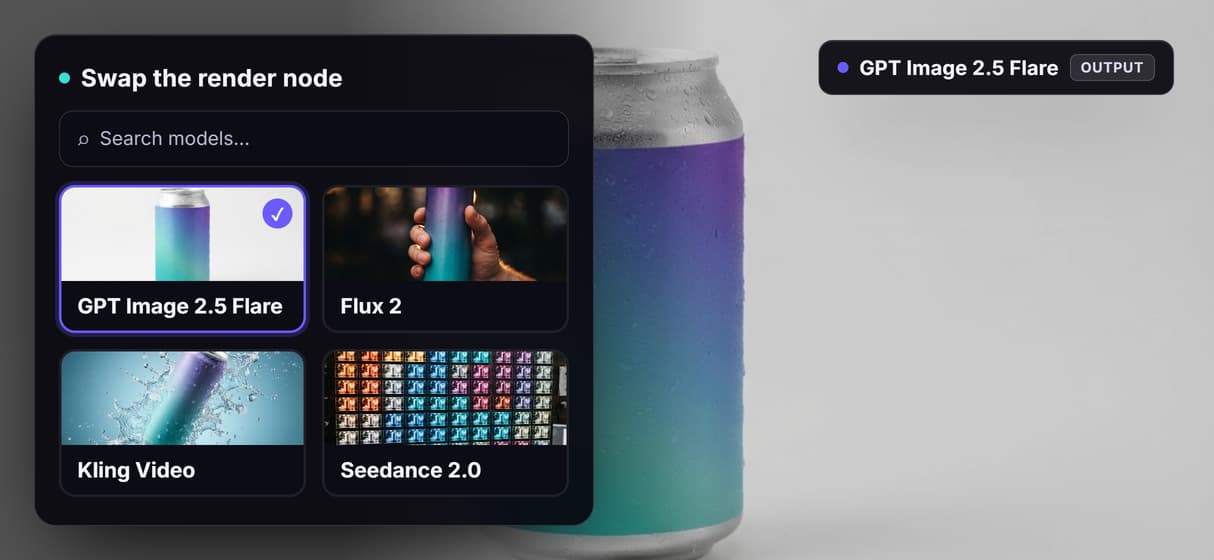
Route each stage to the right model. Swap GPT Image 2.5 Flare for Flux 2 on frames, or wire Kling Video, Seedance 2.0, or Veo 3.1 for motion clips.
REST endpoint and MCP tool
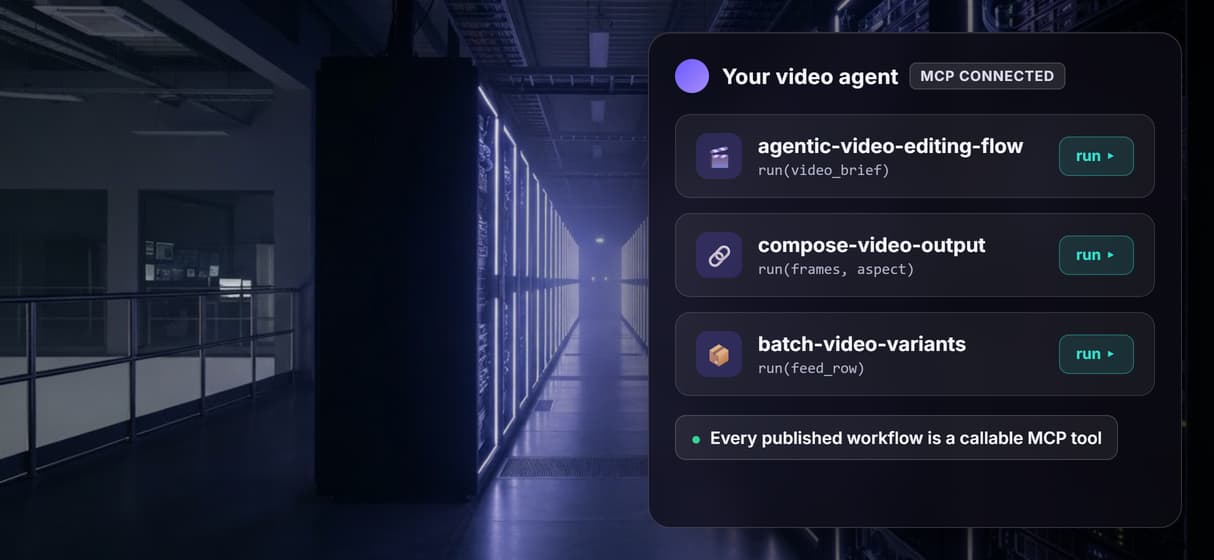
Every published graph is a REST endpoint and an MCP tool. Your agent sends the brief with typed inputs and gets asset URLs back, no browser automation.
Batch and programmatic runs
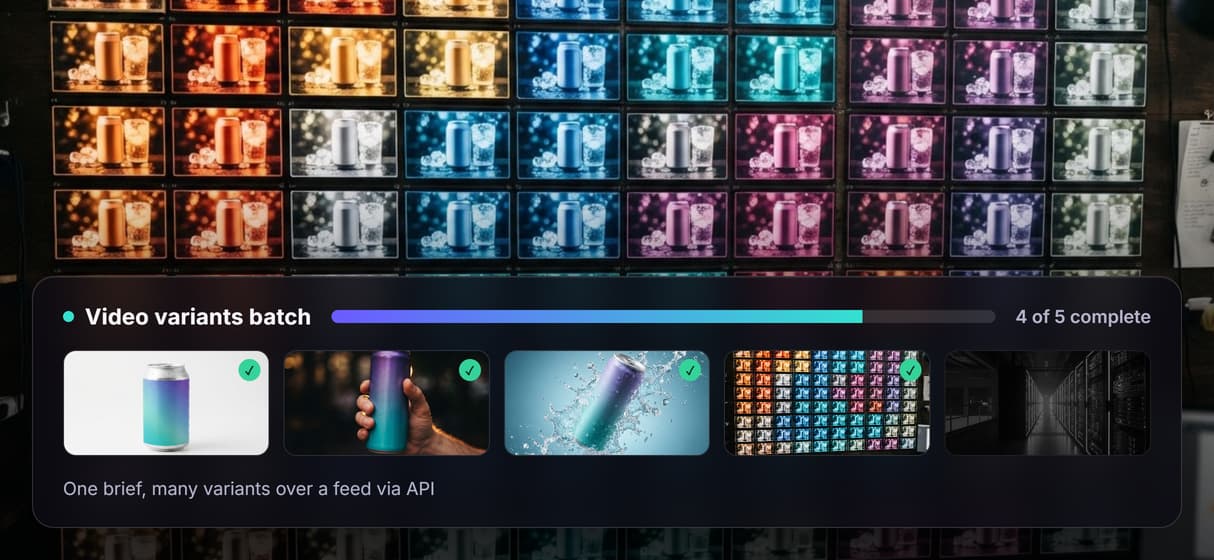
Loop one API call over a CSV or product feed to render many variants from one template. The agency batch use case, run headless.
Versioned, deterministic re-runs
Every workflow is versioned server-side. Same graph, same inputs, same structure every time, so an audited pipeline replaces a lucky one-off.
The pipeline on this page, node by node
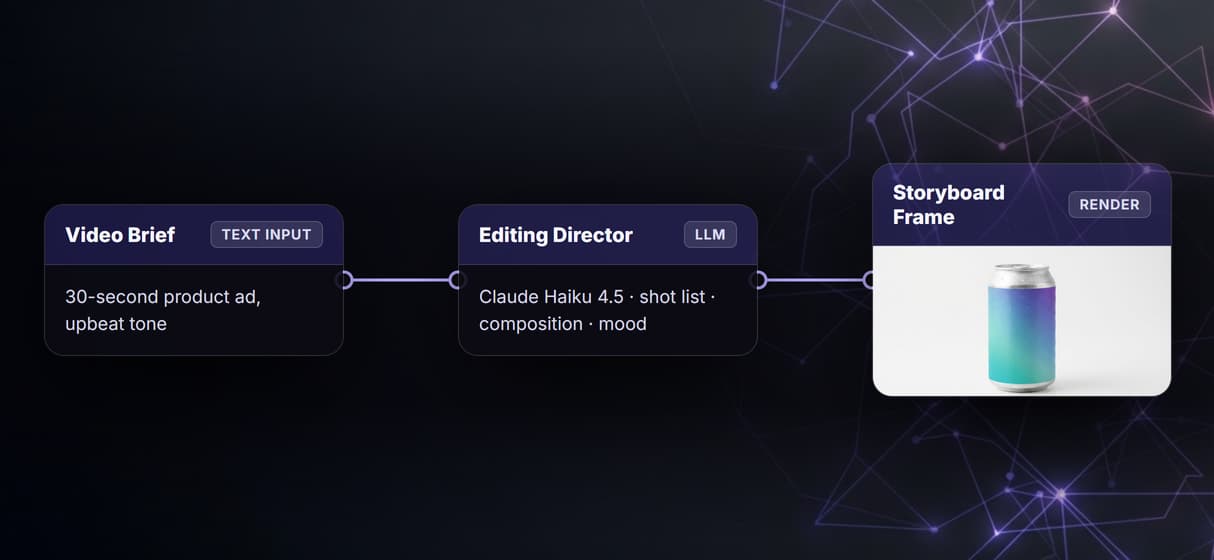
The flow behind this page is the minimal agentic video editing pattern as a literal graph. Open it and you see four nodes plus a note.
- Video Brief holds the intent. A Text Input node with the production brief, the only field a person has to touch. The default reads: create a 30-second product ad for Aurora Mist sparkling water, upbeat tone.
- Editing Director plans the cut. A Run any LLM node running Claude Haiku 4.5, system-prompted as an editing director. It reads the brief and returns three numbered shot descriptions, each naming subject, composition, lighting, and mood.
- Storyboard Frame renders the visual. A GPT Image 2.5 Flare node takes the shot descriptions as its prompt and renders a storyboard frame on hosted compute. No local GPU, no CUDA, no install.
- Compose Video assembles the output. The final node in a multi-model AI workflow always ends in the Compose Video node, which stitches the generated frames into the final cut.
Putting the director inside the graph is the whole point. Briefs typed into a chat session vanish when the session ends. An Editing Director node is versioned with the workflow, so every output traces back to the exact shot descriptions that produced it. That traceability is what makes the loop safe to hand to an agent and what separates a reproducible pipeline from a one-off.
Run it from code, from Claude, or in a batch
Every workflow published on Wireflow is simultaneously a REST endpoint and a hosted MCP tool. The same pipeline your team runs by clicking Run is the one a Claude agent, a Python script, or a no-code automation can trigger with a single POST request.
From an agent's view: it lists your published workflows, reads the typed input schema, sends the brief as a string, and polls the execution until asset URLs come back. No scraping, no headless browser, no bespoke infrastructure. That same surface is what makes batch work trivial. Point one loop at a product feed or a spreadsheet of briefs and the AI video editing API renders a variant per row. For a team wiring video into a product, one graph powers the manual canvas, the programmatic API, and the agent tool with no duplication. The headless AI workflow platform runs the whole thing from your own backend.
When an agentic video editing platform on Wireflow is not the fit
Wireflow is the generation and orchestration layer, not the reasoning brain. The Editing Director node plans the shot list, but narrative arc, pacing instinct, and creative taste still come from you or from an agent you design. If you want a tool that watches your existing footage and makes autonomous trim decisions from the content, that is a different product category.
Wireflow also does not ingest raw footage for semantic analysis or transcription. The pipeline here generates frames and clips from prompts; it does not cut your existing video files. If your job is ingest-heavy (talking-head trimming, podcast editing, subtitle extraction), start with tools built for that. See the best AI video editing API tools roundup for where each approach wins. Runs are metered too: building the canvas graph is free, every generation costs credits, so an unattended agent loop needs a spend cap before you delegate it.
More Than Just agentic video editing platform
Brief to cut in four nodes
Video Brief feeds the Editing Director, which feeds GPT Image 2.5 Flare, which feeds Compose Video. The whole multi-model AI workflow laid out as a graph, small enough to audit at a glance.
The agent's decisions are on the canvas
Claude Haiku 4.5 reads the brief and writes numbered shot descriptions: subject, composition, lighting, and mood. Every choice is a visible node in the AI workflow builder, not a black box you re-roll and hope.
REST endpoint and MCP tool, one graph
Publish the flow and it becomes a REST endpoint and an MCP tool with typed inputs. Your agent sends the brief to the AI video editing API and gets asset URLs back.
Batch many variants from one template
Loop one API call over a CSV or product feed to render a video variant per row. The agency batch use case, run headless from the AI workflow API with no timeline clicking.
Swap models without rewiring the graph
Replace GPT Image 2.5 Flare with Flux 2 on frames, or wire Kling Video, Seedance 2.0, or Veo 3.1 for motion clips, and reach the AI video generator roster without touching the director or composition layer.
Agentic video editing platform Workflows
No Code Required
API & Batch Processing
FAQs
It is agentic when an AI agent orchestrates the pipeline end to end rather than a person driving a timeline: the agent reads a brief, plans the shots, routes each stage to a model, and returns the cut. On Wireflow that orchestration is a visible node graph, so the agent's decisions are inspectable and re-runnable, not hidden inside one prompt.
Discover related AI tools
More From Wireflow
Written by
Andrew Adams · Co-Founder & Operations at Wireflow
Runs client operations and content strategy at Wireflow. Works directly with creative teams and agencies to build production AI workflows.
Run the agentic video editing pipeline yourself
The flow behind this page is public: a Video Brief, a Claude-powered Editing Director, GPT Image 2.5 Flare, and a Compose Video node in one graph. Type your brief, press Run, and watch the agent plan the shots before the frames render. The canvas is free to explore; generations are pay per run.