 Andrew Adams · Co-Founder & Operations at Wireflow ·
 Video Assembly API
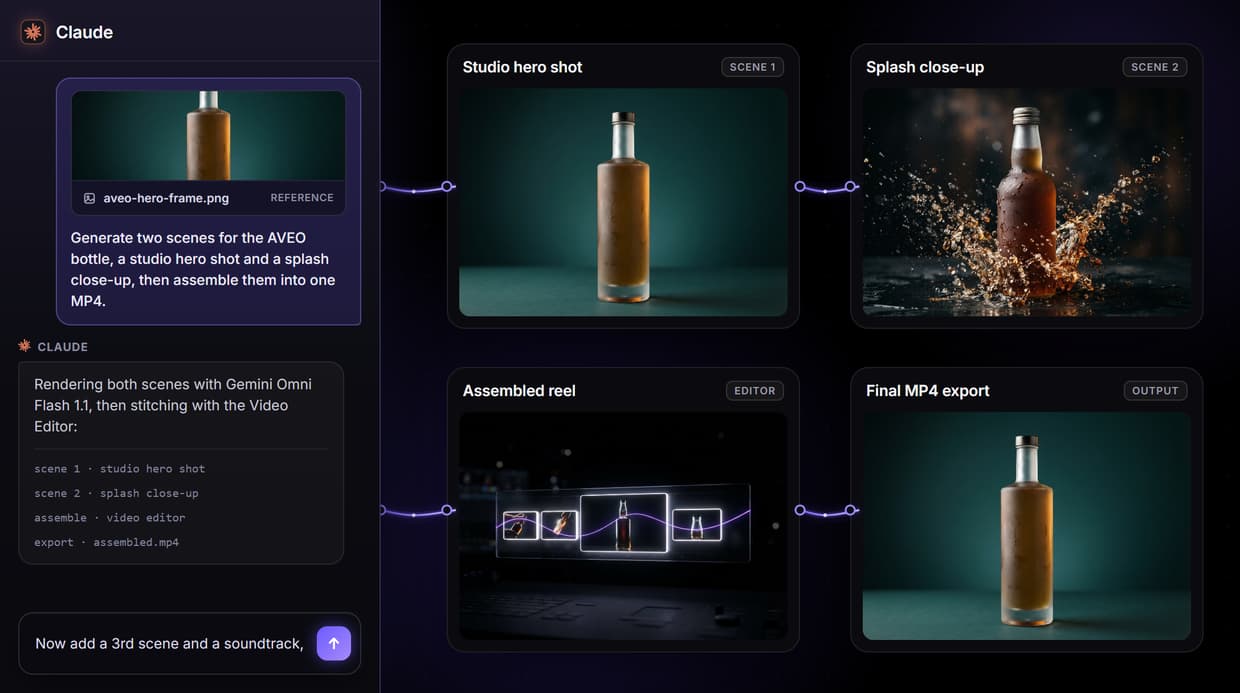
A video assembly API that also generates the footage: build a node graph once that generates each scene clip and stitches them into one finished MP4, then call the whole pipeline with one REST request or as an MCP tool.
Most assembly APIs make you supply the clips first. This one makes them.
Free to build · no credit card · See how it works ↓
How to Use Video Assembly API
Steps to get you started in Wireflow.
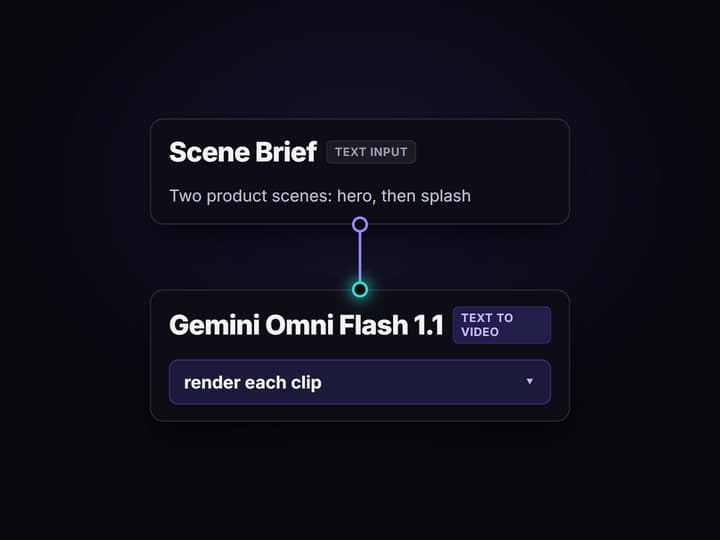
Describe the scenes
Open the flow and click the Scene Brief node. One line per shot is enough; the default reads: two product scenes, a studio hero shot then a splash close-up.
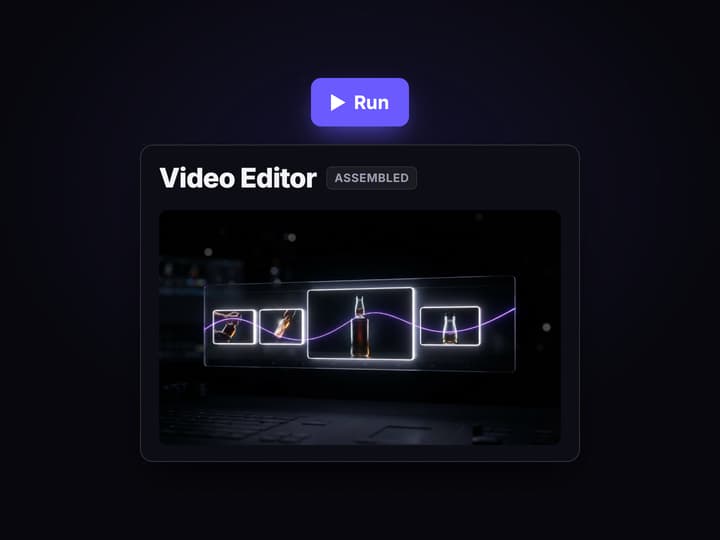
Generate and assemble
Press Run. The two Gemini Omni Flash 1.1 nodes render each clip and the Video Concat node stitches them into one MP4 on the canvas, no timeline UI and no FFmpeg.
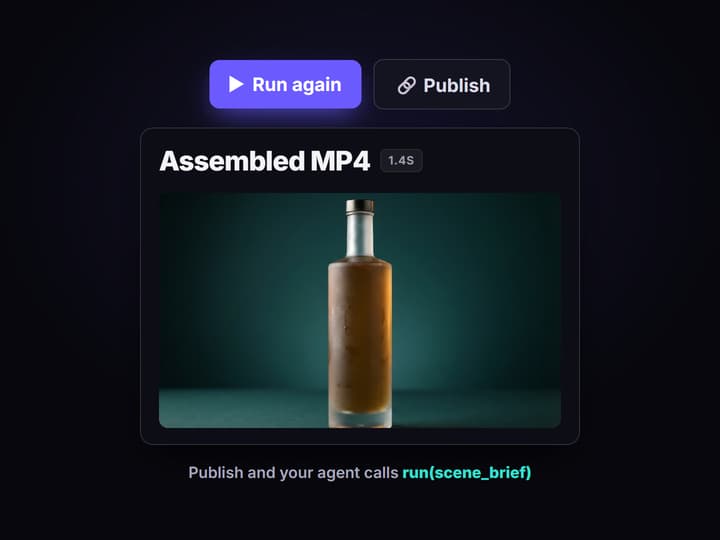
Call it from code or an agent
Publish the graph and it becomes a REST endpoint and an MCP tool with typed inputs. POST the brief, or let your agent run it, and get the assembled video URL back.
What a video assembly API actually does
A video assembly API is the seam between raw media and a shippable file. You send it clips, an audio track, captions, and an order to put them in; it renders and returns one video. It exists because timeline editing does not belong inside product code: no engineer wants to ship an FFmpeg build, manage codecs, or babysit a render farm just to concatenate two shots.
The standard pattern splits the job in two. One API generates or hosts your footage, a second API assembles it, and you write glue code to move files between them. This page is built around collapsing that seam. The flow linked here is the literal assembly graph: a Scene Brief text node, two Gemini Omni Flash 1.1 nodes that render each shot, and a Video Concat node that stitches them into a single MP4. Generation and assembly are one graph, one call, one output URL, the same way an AI video editing API keeps editing operations inside the pipeline instead of a separate service.
What the video assembly graph can do
Generate the source clips
Gemini Omni Flash 1.1 nodes render each scene from a prompt, so you do not have to supply footage before you assemble it.
Stitch into one MP4
A Video Concat node joins the clips in order and returns a single finished file with one output URL.
Mix audio and captions
Add an Audio Master node for the soundtrack or a Merge Captions node for burned-in text, all in the same graph.
Swap the video model
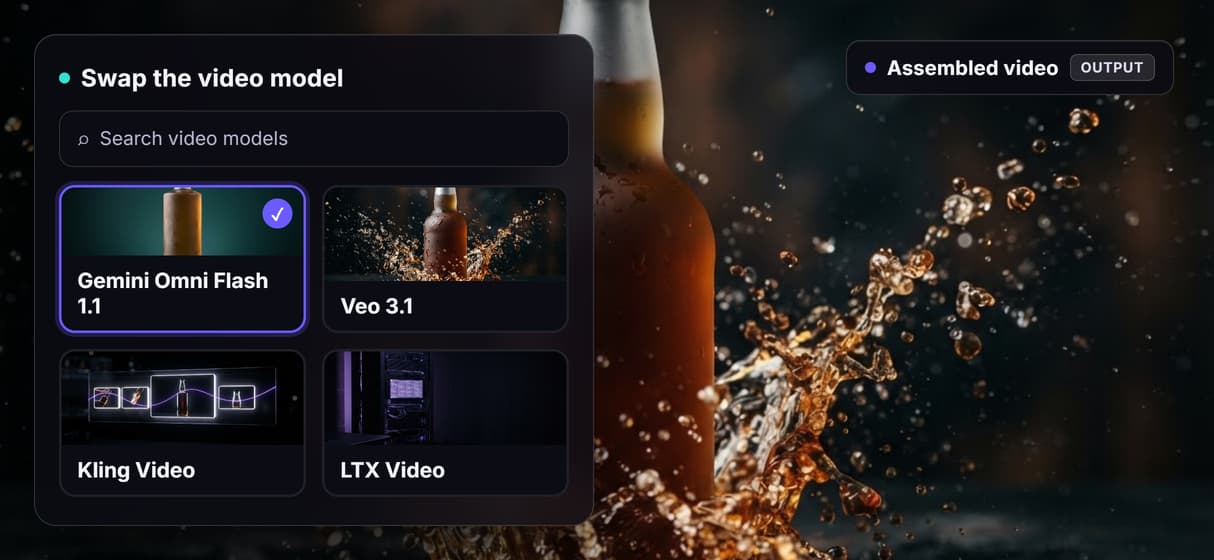
The graph is model-agnostic: replace Gemini Omni Flash 1.1 with Veo 3.1, Kling, or Wan without rewiring the assembly step.
One REST call
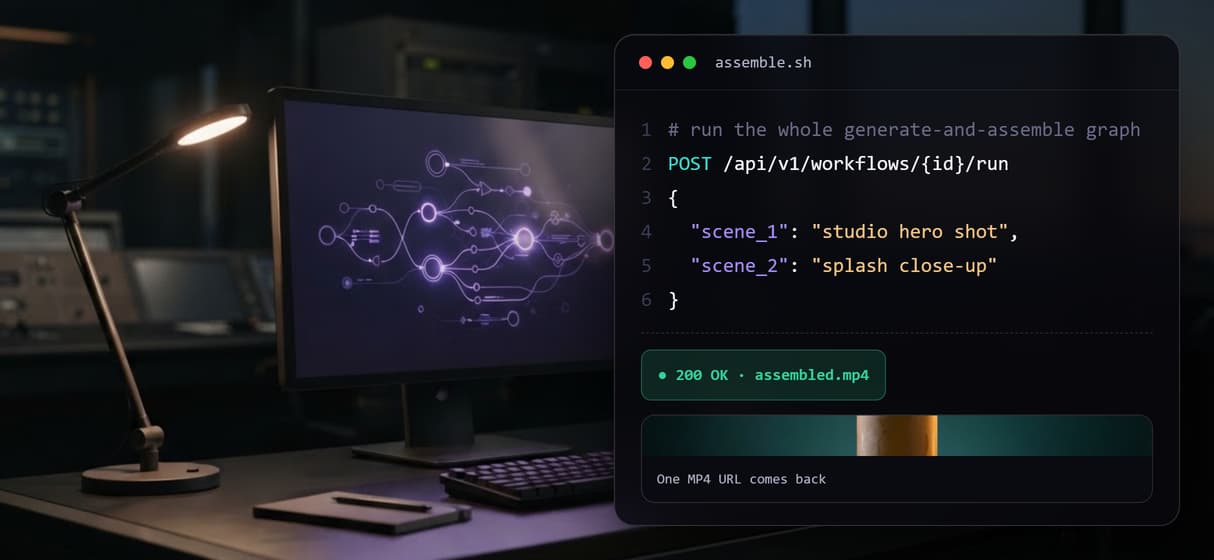
Publish the graph and it becomes a workflow endpoint with typed inputs; POST once and get the assembled video back.
Callable as an MCP tool
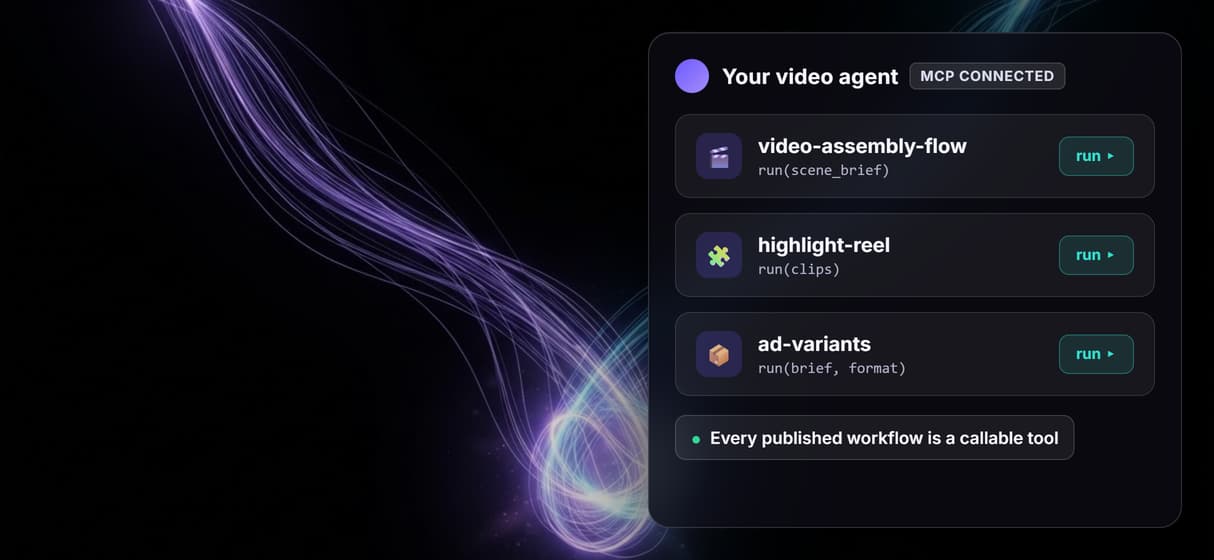
The same published graph is an MCP tool, so an agent can list it, send inputs, and receive the finished asset URL.
The assembly pipeline, node by node
Open the flow and the whole pipeline is on one canvas, nothing hidden behind a JSON schema.
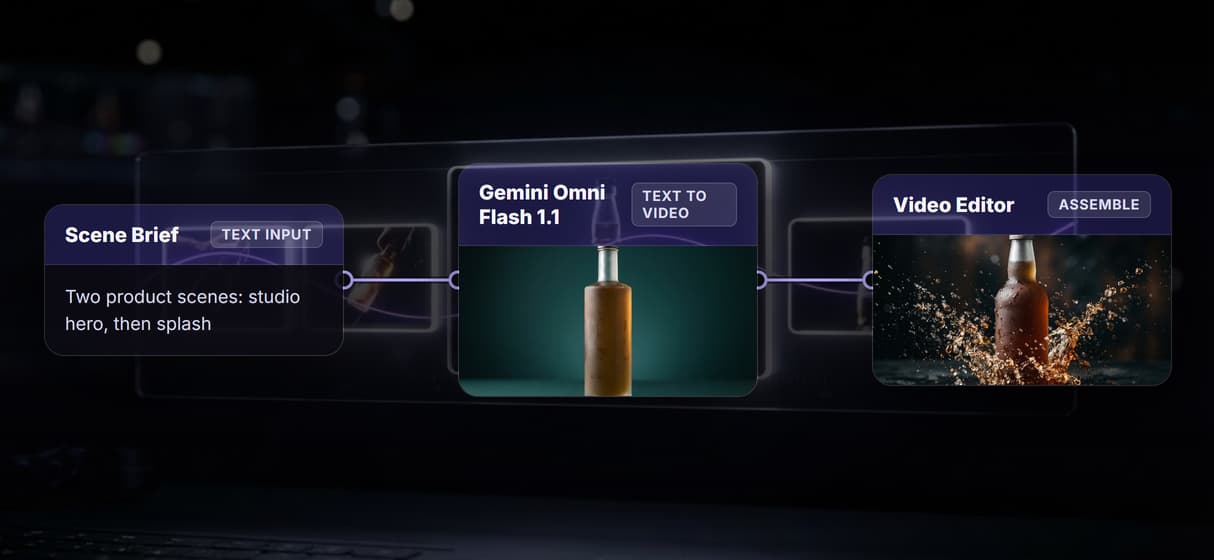
- Scene Brief holds the intent. A Text Input node with one line describing the shots, the default reads: two product scenes, a studio hero shot then a splash close-up.
- Two Gemini Omni Flash 1.1 nodes render the shots. Each is a text to video node that turns its prompt into a short clip on hosted compute, so the source footage is generated inside the graph rather than uploaded from somewhere else.
- Video Concat assembles the output. It takes both clips on its two video inputs, joins them in order, and returns one MP4 whose URL is the graph's output.
Keeping generation and assembly in one graph is the point: there is no glue code moving files between a generator API and an editor API, and no intermediate storage to manage. Because the graph is versioned server-side, the same call produces the same structure every run, which is what separates a reproducible pipeline from a one-off script, the same property that makes a no-code workflow with API access safe to call from production. The honest tradeoff: a graph of generation plus assembly nodes is heavier than a bare concat call, so when you already hold finished clips and only need to join them, a lighter dedicated concat step is the better fit.
When a dedicated video-editing API is the better fit
Wireflow assembles and generates video; it is not a frame-accurate non-linear editor. If your job is keyframe animation, precise multi-track timeline trimming, complex transition libraries, or template-driven bulk edits over footage you already own, a purpose-built video-editing API such as Shotstack, Creatomate, or JSON2Video is built for exactly that and will feel more direct. Those tools assume the clips already exist and give you fine timeline control; Wireflow's advantage is upstream, generating the clips and assembling them in the same reproducible graph.
A few more honest limits. Runs are metered: building on the canvas is free, but every generation and render costs credits, so an unattended assembly loop is a spend decision to cap. Wireflow is the media layer, not the reasoning brain, so it does not write your script or decide the edit; you or your agent bring that. And output is finished video files, not editable project files, so this feeds a final render rather than replacing an editor's timeline. If you want to weigh the field first, the best AI video editing API tools roundup covers where a generate-and-assemble graph wins and where a dedicated editor does.
More Than Just Video Assembly API
Generation and assembly in one graph
Two Gemini Omni Flash 1.1 nodes feed a Video Concat node on the agentic canvas: the footage is generated and stitched in the same flow, so there is no glue code between a generator API and an editor API.
One MP4 from one REST call
Publish the flow and it becomes a workflow API endpoint with typed inputs: POST the brief, the graph generates and concatenates, and one finished video URL comes back.
Swap models without rewiring
The graph is model-agnostic, so a multi-model workflow can replace Gemini Omni Flash 1.1 with Veo 3.1 or Kling and keep the same Video Concat assembly step untouched.
Your agent assembles video as a tool
Every published graph is also an MCP tool, so an AI video agent can list it, send a brief, and get the assembled clip URL back with no editor in the loop.
Reproducible, versioned runs
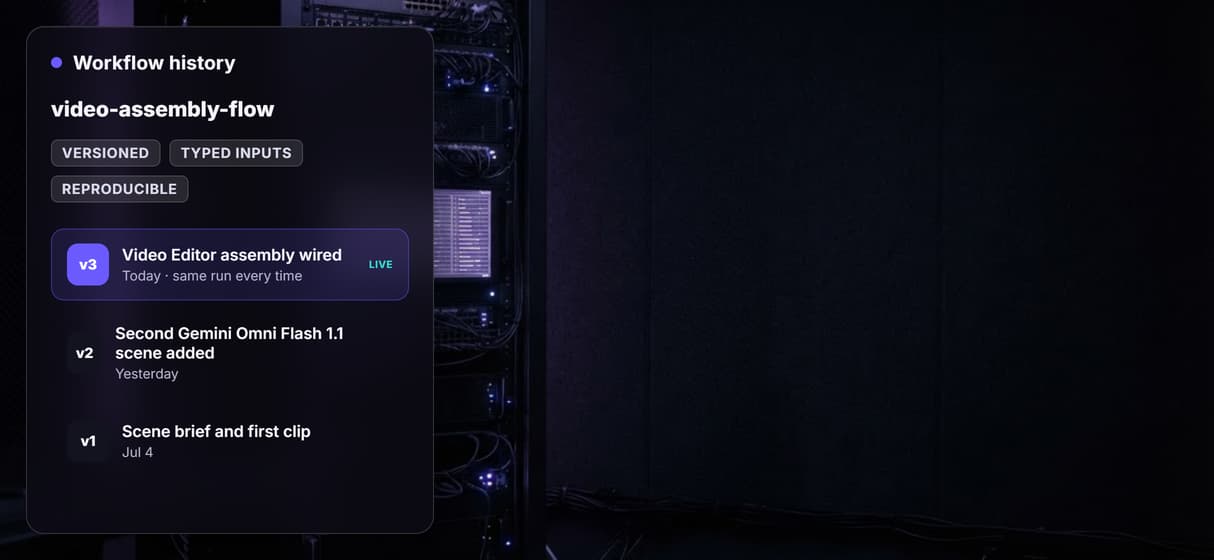
The assembly graph lives on the AI workflow builder canvas and is versioned server-side, so the same call returns the same structure every run and stays open to inspect and re-run.
AI Models Available
Automate Any Workflow
Included in Every Plan
FAQs
It is an HTTP endpoint that takes clips, audio, and timing instructions and returns one finished video file, so software can produce videos without a manual editor or a local FFmpeg pipeline. On Wireflow the assembly step lives in the same node graph that generates the clips.
Discover related AI tools
- AI Pipeline Automation
- AI Workflow Templates
- AI Video Pipeline: Build One on a Node Canvas
- Batch AI Generation: Many Assets, One Run
- AI Model Chaining
- AI Asset Pipeline
- AI Workflow Builder
- AI Content Generation API
- AI Workflow API
- AI Orchestration API
- Headless AI Workflow Platform
- Krea AI API Alternative: Image and Video From One REST Endpoint
More From Wireflow
Written by
Andrew Adams · Co-Founder & Operations at Wireflow
Runs client operations and content strategy at Wireflow. Works directly with creative teams and agencies to build production AI workflows.
Build a video assembly pipeline with one API call
The flow behind this page is public: a scene brief, two Gemini Omni Flash 1.1 scene nodes, and a Video Concat node in one graph. Read the workflow API docs to see how one REST call runs the whole generate-and-assemble pipeline and returns a finished MP4. The canvas is free to explore; generations are pay per run.