How to Chain Multiple AI Models in One API Call

In this article▾
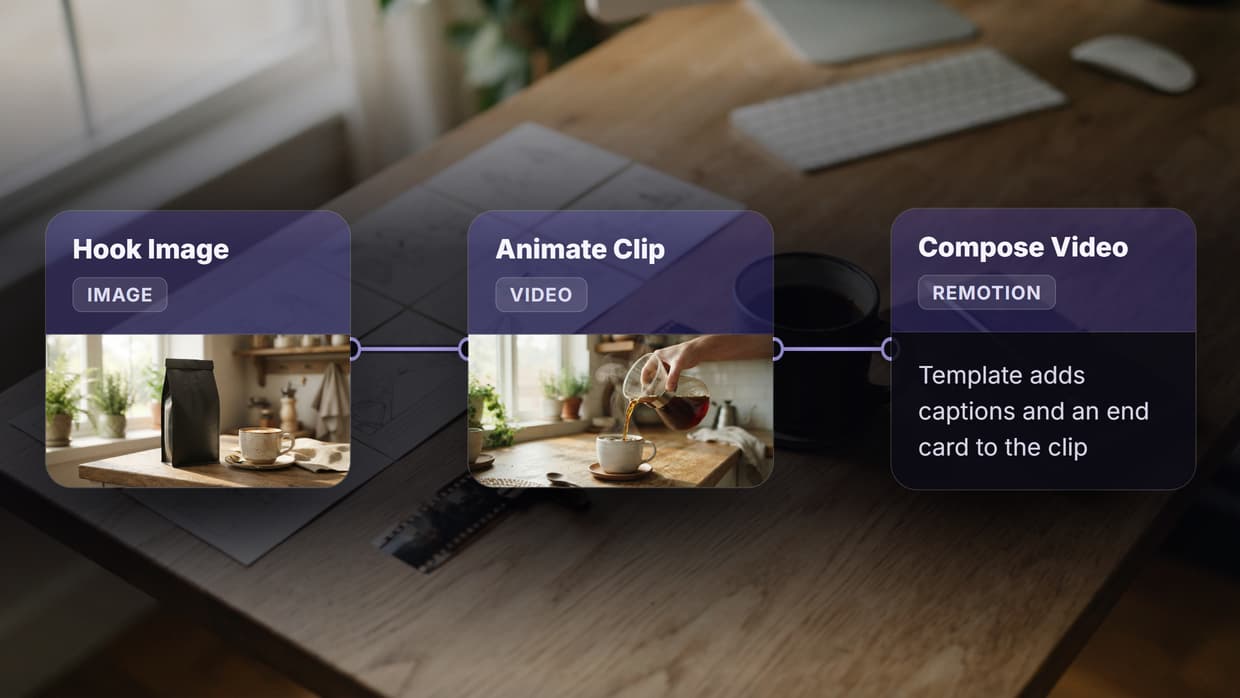
Most AI-powered products hit a wall when a single model cannot handle the full job. A text-to-image generator produces a great photo, but the resolution is too low for print. A voice synthesizer delivers clean audio, but it needs a separate noise-reduction pass. Chaining multiple AI models in one API call solves this by routing data through a sequence of specialized models, each one picking up where the last left off. When the footage does not exist yet, chain it on a Remotion alternative that wires an image and video model. Wireflow makes this possible without writing backend plumbing: you connect model nodes on a visual canvas, and the platform handles execution order, data passing, and error recovery in a single request.
Why Chain AI Models Instead of Using One
Running one large model for every task is tempting, but it creates three problems that model chaining addresses directly. For a hands-on look, check out the AI model chaining feature page.
Cost control. A lightweight classifier that costs fractions of a cent can filter 90% of inputs before they reach an expensive generation model. Sending every request to a premium model wastes budget on inputs that never needed it.
Quality ceiling. Specialized models outperform generalists on narrow tasks. A background-removal model trained on segmentation masks will beat a general image editor every time. Chaining lets you pair each step with the model built for it.
Reproducibility. When the pipeline is defined as a reusable workflow template, every team member runs the exact same sequence. No manual copy-paste between tools, no version drift.

Build this in Wireflow
Make the same kind of asset on a canvas you control, with a free account and no credit card.
Core Architecture of a Model Chain
A model chain has three layers: an input layer, one or more processing layers, and an output layer. Each layer maps to a node in a visual node editor.
Input Layer
The input layer accepts the raw data your chain will process. This is usually a text prompt, an uploaded image, or a URL pointing to a media file. In API terms, the input layer is the request body you send to the workflow API endpoint.
Processing Layers
Each processing layer contains one AI model. The output of one layer becomes the input of the next. A simple two-model chain might look like this:
- Text prompt enters the pipeline
- Image generation model (e.g. Nano Banana 2) produces an image from the prompt
- Upscaler or post-processor (e.g. Recraft V4) refines the result
The key design principle is that each model's output type must match the next model's input type. Text-to-image produces an IMAGE, so the next node must accept IMAGE. Platforms that enforce typed ports, like the no-code AI canvas, prevent mismatches at build time rather than at runtime.
Output Layer
The output layer collects the final result and returns it to the caller. In a REST API context, this is the JSON response containing URLs to generated assets, status codes, and metadata.
Step-by-Step: Building Your First Model Chain
Here is a practical walkthrough for chaining two image models in a single API call.
Step 1: Define the Goal
Decide what the chain should accomplish. For this example, the goal is: "Given a text prompt, generate an image with one model, then produce a second styled version with a different model, and return both."
Step 2: Select Your Models
Choose models that complement each other. A good pairing for batch AI generation is Nano Banana 2 (fast, photorealistic) alongside Recraft V4 (design-quality output with strong text rendering). Each model covers a different aesthetic, giving the end user options.
Step 3: Wire the Nodes
In a visual workflow builder, drag a Text Input node onto the canvas. Connect its output port to the prompt input of both model nodes. This fan-out pattern means a single text prompt triggers both models in parallel.
The same chaining idea powers a chained text to image endpoint that runs generation and an upscale step in a single call and returns one finished image URL.

Step 4: Configure Model Parameters
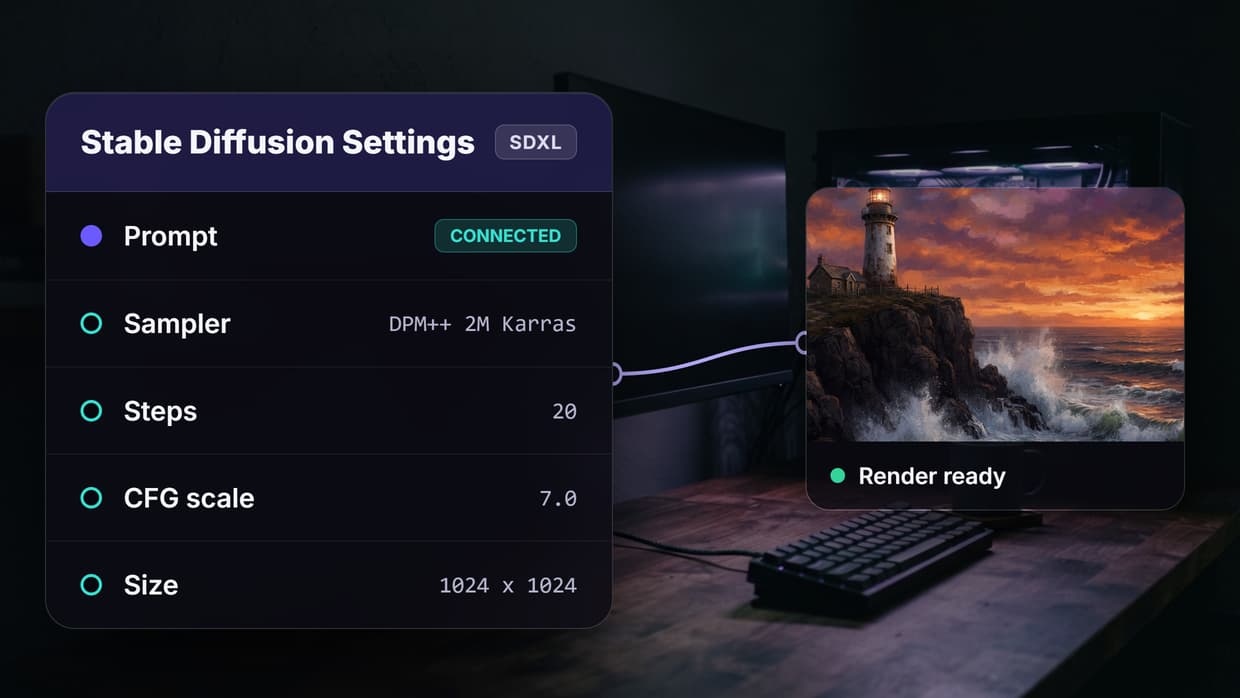
Each model node has its own settings. Set Nano Banana 2 to 16:9 aspect ratio at 2K resolution for landscape output. Set Recraft V4 to standard quality. These parameters live inside the node configuration, not in your calling code, which keeps the API integration clean.
Step 5: Execute via API
Once saved, the workflow exposes a single API endpoint. A POST request with just the text prompt triggers the full chain. The response includes output URLs from every model node, so you can display both results or pick the best one programmatically.
{
  "prompt": "A futuristic city skyline at sunset with neon reflections"
}
The platform executes nodes in dependency order (or in parallel when there are no dependencies), handles retries on transient failures, and returns a unified response.
Common Chain Patterns
Several proven patterns appear across production AI pipeline automation setups.
Sequential Refinement
Model A generates a draft, Model B refines it. Example: text-to-image followed by upscaling. This is the simplest chain and the most common.
Fan-Out Comparison
One input fans out to multiple models that run in parallel. The caller receives all outputs and selects the best one. This is useful for A/B testing models or letting users pick their preferred style from the AI creative workflows output.
Filter-Then-Generate
A cheap classifier model screens the input first. Only approved inputs reach the expensive generation model. This pattern cuts costs by 60-80% on content moderation pipelines.

Multi-Modal Handoff
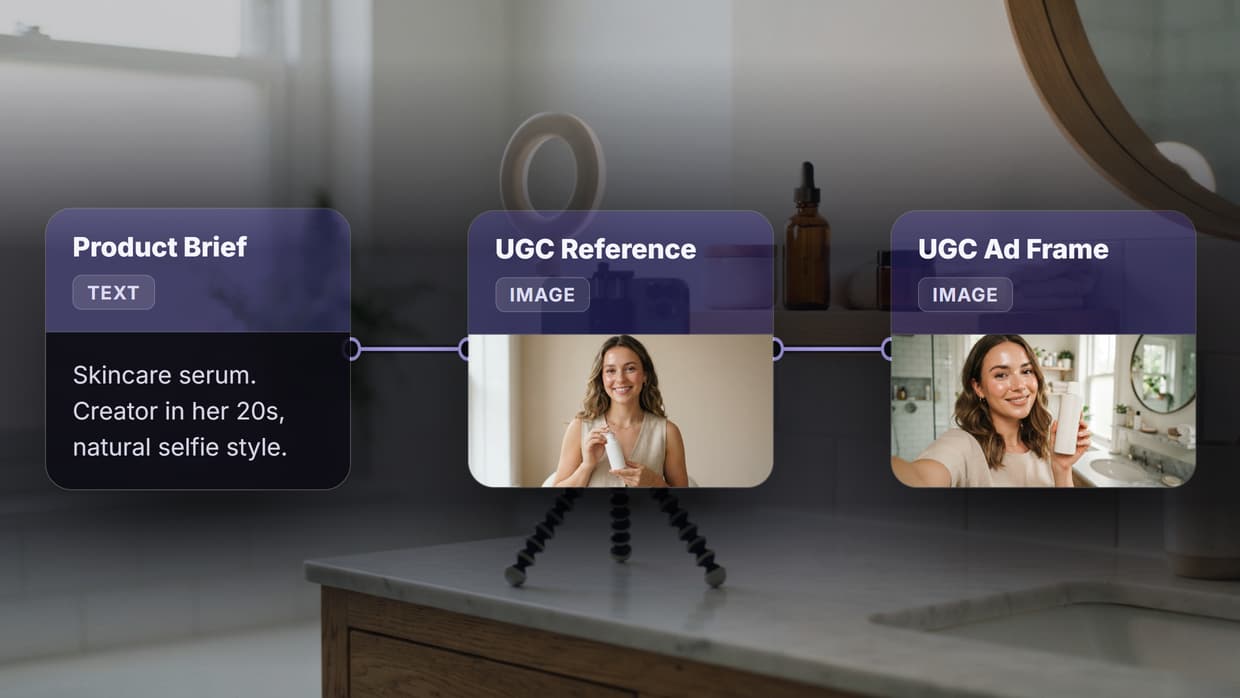
The chain crosses modality boundaries. A text model writes a scene description, an image model renders it, and a video model animates the result. Each handoff converts data from one type to another using the AI asset pipeline infrastructure.
Handling Errors and Retries in Chained Calls
When one model in a chain fails, the entire pipeline stalls unless you plan for it. Three strategies keep chains reliable in a headless AI workflow platform.
Automatic retries with backoff. Transient API errors (rate limits, timeouts) resolve on retry. Exponential backoff prevents hammering the provider. Most orchestration platforms handle this internally.
Fallback models. If Model A is down, route to Model B automatically. This requires both models to accept the same input format. Define fallbacks at the node level so the chain continues without manual intervention.
Partial results. In fan-out patterns, return whatever succeeded even if one branch failed. The caller gets a response with three out of four images instead of a blanket error. This improves perceived reliability.
Performance Optimization
Chained API calls add latency. Each model invocation is a round trip, and sequential chains multiply the wait time. Here are three tactics to keep total response time under control.
Parallelize independent steps. If two models do not depend on each other's output, run them at the same time. Visual workflow templates make this explicit: nodes without a connecting edge run in parallel automatically.
Cache intermediate results. If the same input text generates the same image every time, cache it. Subsequent requests skip the generation step entirely and return the cached output.
Choose the right model size. A 7B parameter model responds in under a second. A 70B model takes 10-15 seconds. Use the smallest model that meets quality requirements for each step in the chain.

Real-World Use Cases
E-Commerce Product Imagery
An online store uploads a raw product photo. The chain removes the background (BiRefNet), places the product on a styled scene (image generation), and resizes for five different social media formats. One API call, five ready-to-post images.
Content Pipeline for Marketing Teams
A marketer types a blog post title. The chain generates a hero image (Nano Banana 2), creates an OG image variant (Recraft V4), and produces a short animated video teaser from the hero. Three assets from one prompt, delivered in under 30 seconds.
Developer Platform Integration
A SaaS app embeds AI generation in its product. End users never see the underlying models. They click "Generate," and the chained workflow runs server-side, returning polished output to the app's frontend.
Try it yourself: Build this workflow in Wireflow, the nodes are pre-configured with the exact setup discussed above.
Frequently Asked Questions
What does it mean to chain AI models in one API call?
Chaining AI models means connecting two or more models in sequence (or in parallel) so the output of one feeds into the next. A single API call triggers the entire pipeline, and you receive the final result without managing each model separately.
Do I need to write code to chain AI models?
No. Visual workflow platforms let you drag model nodes onto a canvas, connect their ports, and save the result as a callable API endpoint. Code-based approaches (Python, cURL) also work if you prefer scripting.
How many models can I chain in one call?
There is no hard limit in most orchestration platforms. Practical chains typically use 2 to 5 models. Beyond that, latency and error probability increase, so break very long chains into smaller sub-workflows.
What happens if one model in the chain fails?
Most platforms retry transient errors automatically. For persistent failures, you can configure fallback models or accept partial results from the branches that succeeded.
Is chaining models more expensive than running one model?
Each model in the chain incurs its own cost. However, chaining a cheap filter before an expensive generator often reduces total spend because the filter blocks low-quality inputs before they reach the costly step.
Can I chain models from different providers?
Yes. Orchestration platforms abstract away provider differences. You can chain an OpenAI model with a Stability AI model and a custom Hugging Face endpoint in the same workflow, as long as the data types match between nodes.
What data formats pass between chained models?
The most common types are TEXT (strings, prompts), IMAGE (URLs or base64), AUDIO (WAV/MP3 URLs), and VIDEO (MP4 URLs). Each node declares its input and output types so the platform can validate connections.
How do I monitor a chained workflow in production?
Check execution logs per node. Each node reports its status (pending, running, completed, failed), runtime in milliseconds, and output URLs. Aggregate these into dashboards that track success rate and median latency across the full chain.

Co-Founder & Operations at Wireflow
Runs client operations and content strategy at Wireflow. Works directly with creative teams and agencies to build production AI workflows.
- Content Strategy
- Client Operations
Get unlimited ad creatives today.
One call to see if we are a fit and scope the first ad. If it fits, your first batch lands inside week one.