 Andrew Adams · Co-Founder & Operations at Wireflow ·
 AI Social Media Video
Turn a written prompt into a vertical clip for TikTok, Reels, and Shorts on a canvas you can see.
This page's live flow wires one Text Input node into a GPT Image 2.5 Flare image node and a Google Omni Flash 1.1 node, so a prompt becomes a 9:16 frame and that frame becomes a 9:16 clip.
Free to build · no credit card
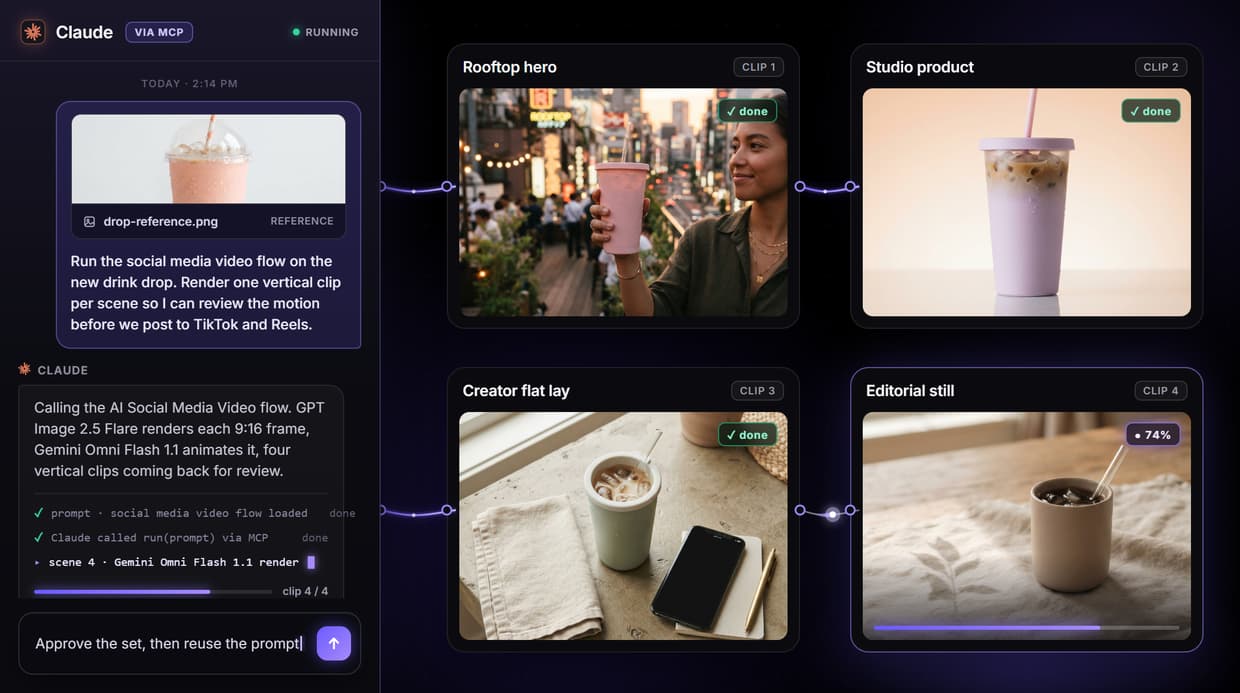
What the social media video flow actually does
The phrase AI social media video usually promises a system that reads a topic, writes the caption, picks its own models, adds a voiceover, and posts the clip. That hides where the work happens. What you actually need is a pipeline you can see, so you know which model made which frame and can fix any step by hand.
On Wireflow the flow behind this page is three nodes: one Text Input node wired into a GPT Image 2.5 Flare image node and a Google Omni Flash 1.1 node. You describe the scene once, Nano Banana 2 renders a 9:16 opening frame, and Kling Video reads that frame on its Start Frame port and animates it into a vertical clip. You approve the still before you spend a render on motion, and every stage stays visible and repeatable.
What you can make from one prompt
TikTok and Reels clips
Vertical clips in 9:16 for feeds and stories, rendered from one prompt and a single opening frame.
Product motion shots
Animate a product still into a moving hero shot with camera drift, no physical set or crew.
Promo and launch teasers
Turn a sale or launch frame into a short animated teaser you can render again per offer.
Explainer scenes
Build a scene from a written description, then animate it to show a feature or step in motion.
UGC-style clips
Render a candid, lifestyle-styled frame and add subtle motion for a native, hand-held feel.
Concept motion tests
Explore how a look moves early, when a render costs credits instead of a shoot day.
One frame model, one video model, both swappable
Each model on the canvas is a node you can replace. Unplug Nano Banana 2 and drop in another image model to change the opening frame, or unplug Kling Video and wire in Seedance 2.0, Veo 3.1 Lite, Wan 2.5, or Sora 2 to change how the clip moves. The same prompt runs through whatever you pick, so you compare motion styles without rebuilding the flow.
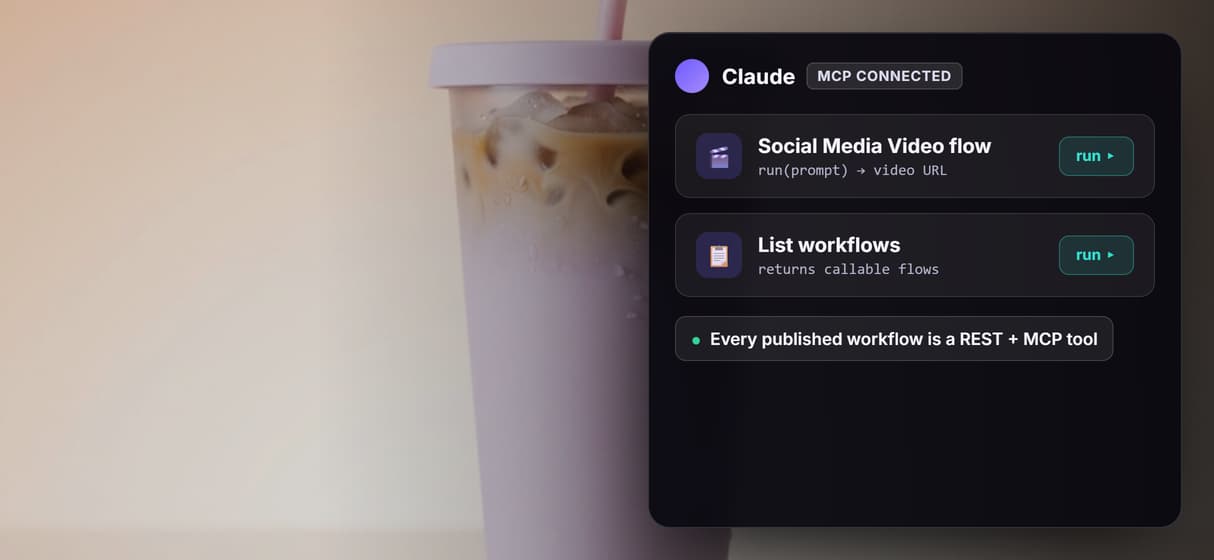
You can also add steps on purpose: chain a chosen clip into an upscaler for higher resolution, or add an AI voiceover node for narration, since the base clip has no audio. None of that is wired in the base flow, and there is no LLM node writing your captions in it either. Each swap and each added node is a deliberate choice, so the pipeline never drifts on its own and you always know what produced the final clip. A published workflow is also a REST endpoint and a hosted MCP tool, so an agent can list it, run it with a typed prompt, and receive a video URL back.
When Wireflow is not the right tool
Wireflow is the generation layer, not the reasoning brain. It does not plan your content calendar, write your captions, choose a posting time, or publish to TikTok, Instagram, or YouTube, and it does not refine on its own between runs. It renders what the prompt describes. This flow produces one clip per run from one frame; both nodes are set to 9:16, so a single run does not auto-size the same clip into 1:1 and 16:9 as well, and it does not add narration by itself. To post and schedule those clips, pair the flow with an AI social media agent.
It earns its place when short-form video is repeatable and you want an agent to drive it: when you lock a prompt and reuse it, swap models without rebuilding, chain a clip into an upscaler, or hand the whole workflow to an agent as a callable tool. Building and wiring the flow is free; every generation run spends credits, and video models run on the paid plans, so a large batch is a real budgeting decision. If you need one clip once and never plan to repeat it, a single prompt in any video tool is enough. The three-node flow above is the smallest honest start for teams that ship social video again and again.
More Than Just AI Social Media Video
One prompt, a vertical clip out
A single Text Input node feeds GPT Image 2.5 Flare for the first frame, then Google Omni Flash 1.1 animates it into a 9:16 text to video clip you watch build on the canvas.
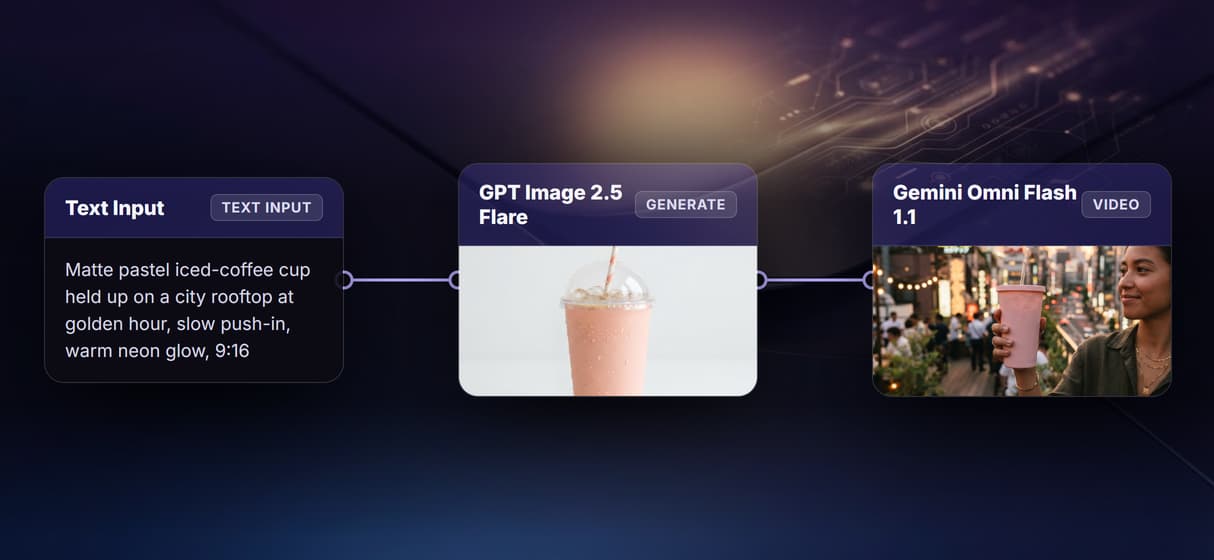
Animate the frame you approve
Kling Video reads the still on its Start Frame port and adds motion. You judge the image to video frame first, so a weak shot costs one render, not a whole clip.
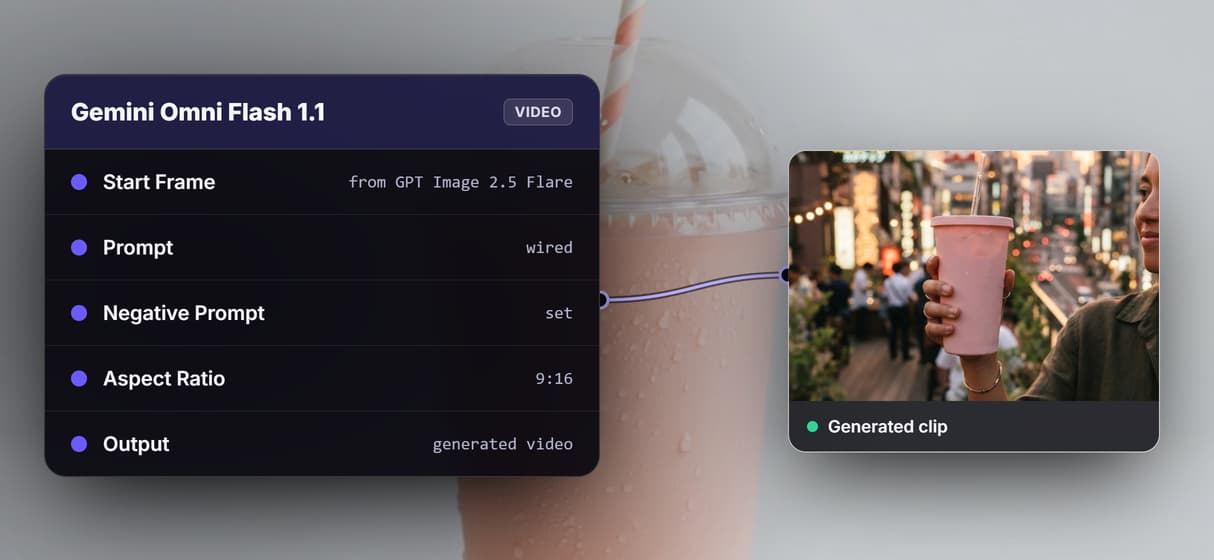
Vertical for TikTok, Reels, and Shorts
Both nodes are set to 9:16, so the clip lands in the format short-form feeds want. Pair it with the AI TikTok video maker for vertical-first runs.
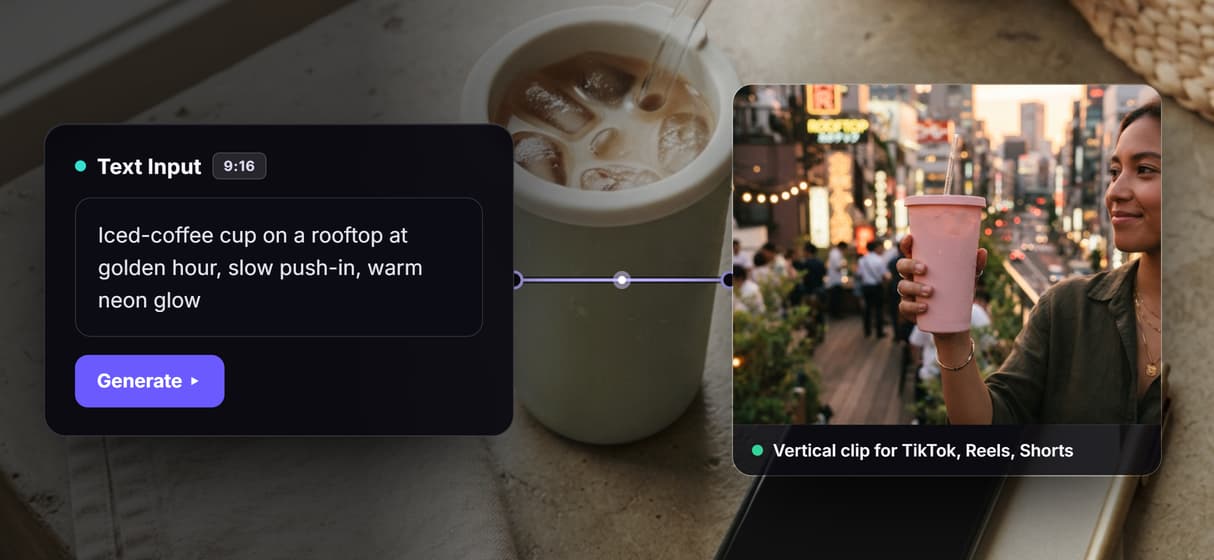
Swap the video model, keep the flow
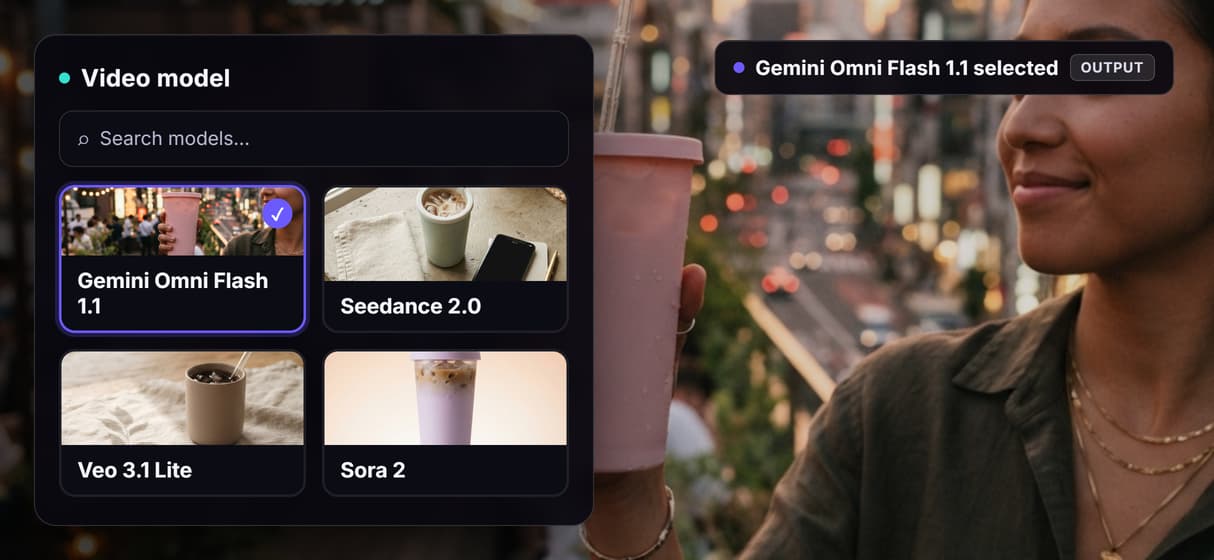
The video model is a node, not a lock-in. Trade Kling Video for Seedance 2.0, Veo 3.1 Lite, or Sora 2 on the same wire when an AI video generator job needs a new motion style.
Your agent calls the video flow
Every published workflow is a REST endpoint and an MCP tool, so an agent like Claude runs this one with a typed prompt and gets a video URL back, no clicking required.
AI Models Available
Automate Any Workflow
Included in Every Plan
FAQs
It is a tool that turns a written prompt into a short vertical clip for platforms like TikTok, Instagram Reels, and YouTube Shorts. On Wireflow it is a visible workflow: one Text Input node wired into a GPT Image 2.5 Flare image node and a Google Omni Flash 1.1 node that animates the frame into a 9:16 clip.
More From Wireflow
Written by
Andrew Adams · Co-Founder & Operations at Wireflow
Runs client operations and content strategy at Wireflow. Works directly with creative teams and agencies to build production AI workflows.
Open the social media video flow behind this page
It is live on the canvas: one Text Input node into a GPT Image 2.5 Flare frame into a Google Omni Flash 1.1 node. Run a prompt, watch the frame animate into a 9:16 clip, then save your own copy so an agent can call it. Building is free; generations are pay per run.