How to Scale Ad Creative Production with AI

In this article▾
- What You Need Before You Start
- Build the Core Pipeline: Brief to Finished Creative
- Modular Creative Systems: Lock the Brand, Vary the Hook
- Multi-Model Chaining: The Real Unlock for Volume
- Cost Math: AI Pipeline vs. Traditional Production
- Platform Format Adaptation as a Pipeline Step
- The Iteration Loop: Feed Winners Back Into Production
- Frequently Asked Questions
- Conclusion
Most paid media teams hit the same wall: winning creatives fatigue in two to three weeks, but producing fresh variants takes days of designer time and format adaptation for every placement. Wireflow lets you chain multiple AI models on one canvas so that a single brief produces dozens of on-brand ad variants in minutes, not days. This guide covers the concrete pipeline, cost math, and iteration loop you need to scale ad creative production from a handful of images per month to hundreds of tested variants.
What You Need Before You Start
Before building your first production pipeline, lock down three things: brand assets, a testing framework, and access to the right creative workflow automation tools.
Brand assets: Logo files (SVG + transparent PNG), brand color hex codes, approved font pairings, 3 to 5 high-resolution product images, a style guide or mood board, and approved copy frameworks (headline formulas, CTAs, disclaimers).
Testing framework: Define your primary KPI per channel (CTR for prospecting, ROAS for retargeting), set a minimum sample size (1,000 impressions is a reasonable floor), and establish a naming convention to trace which prompt/visual/hook combination drove each result.
Platform access: You need a node-based AI workflow tool with multi-model chaining and batch execution. For a hands-on look, check out the scale ad creative production feature page. You will also want API access to an image generation model, a background removal model, and an upscaler.
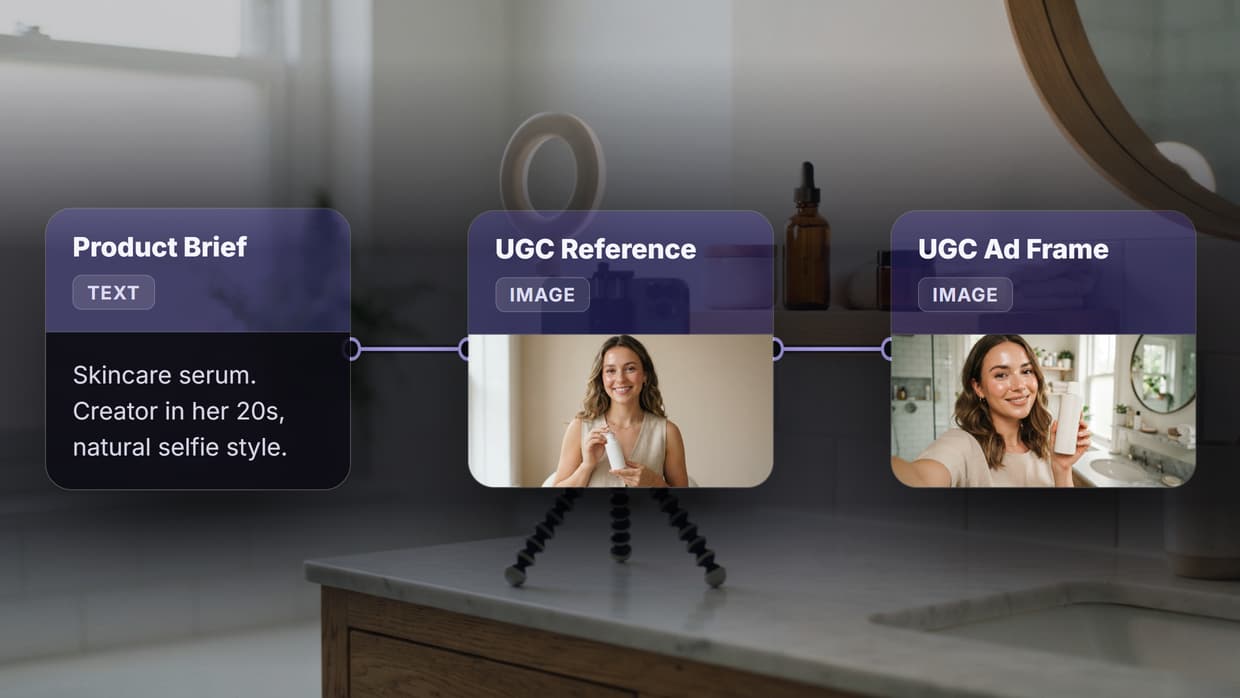
One of the fastest ways to hit that volume is to scale ads with UGC by rerunning a single creator-video pipeline over a matrix of hooks and products.
Build this in Wireflow
Make the same kind of asset on a canvas you control, with a free account and no credit card.
Build the Core Pipeline: Brief to Finished Creative
Replace the linear designer process (brief, draft, review, revise, export) with a parallel node-based pipeline where each step is an independent, reusable module.
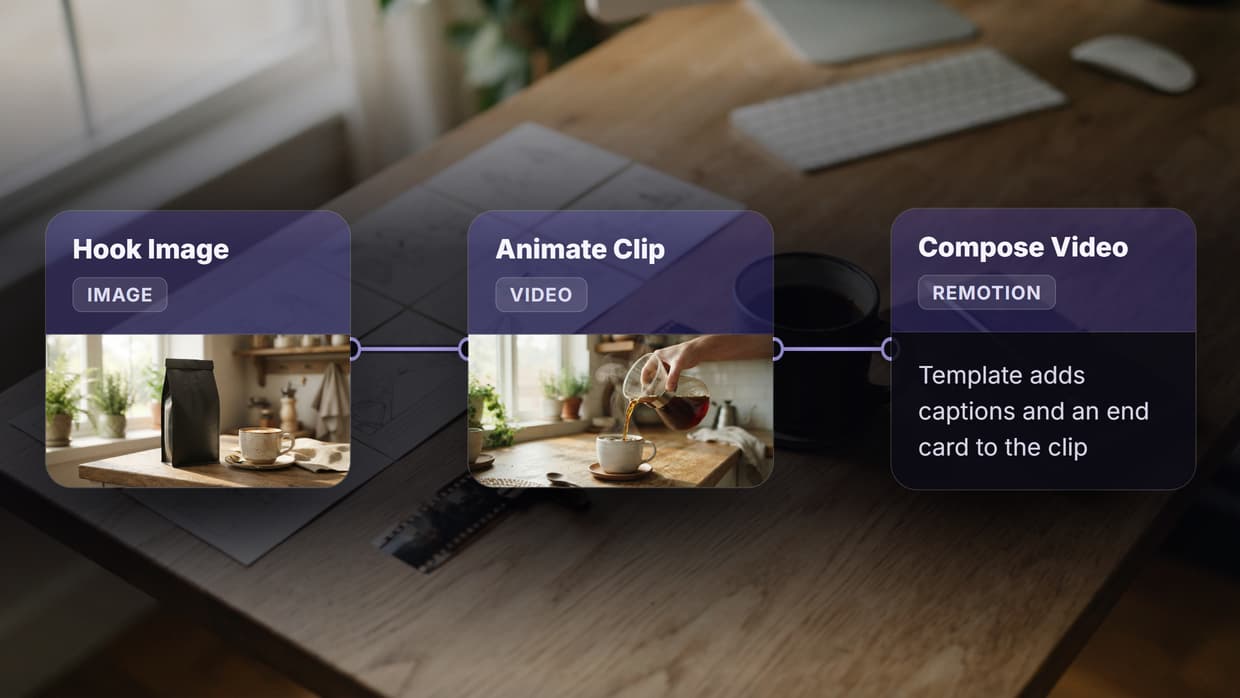
Step 1: Text input node. Feed in your product name, key benefit, and CTA. This input fans out to every downstream node; changing one line of copy regenerates the entire batch.
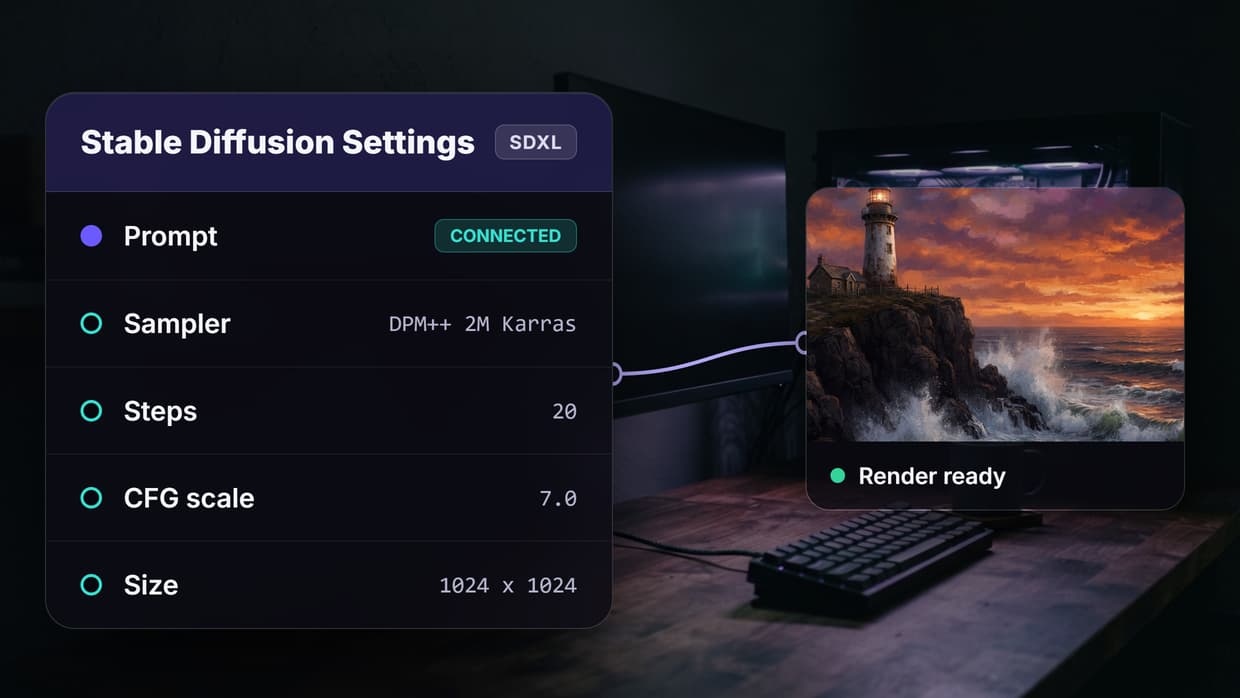
Step 2: Image generation node. Connect to an image model (Flux, DALL-E, or Stable Diffusion) and lock the style prompt to your brand aesthetic: "clean product shot, white marble surface, soft directional light, brand color accent."
Step 3: Variant branching. Duplicate the generation node 3 to 5 times with different scene prompts: product in use, isolated on a gradient, lifestyle context. This is where volume comes from without sacrificing brand consistency.
Step 4: Post-processing. Each variant flows through background removal (BiRefNet), then an upscaler (ClarityAI 4x), then a format-adaptation node for placement-specific crops.
Step 5: Export. Batch-export with your naming convention applied. A 5-variant brief with 3 format sizes produces 15 finished assets from one pipeline run.
Modular Creative Systems: Lock the Brand, Vary the Hook
The biggest risk at volume is brand drift. The fix is a modular creative system where brand-locked elements stay fixed while performance-sensitive elements rotate. Feeding that system is easier with a five step ad cloning workflow that turns a long-running competitor ad into a reusable shot list. This is how professional ad generation workflows maintain quality at volume. Combining human design direction with automated pipelines prevents repetitive visual fatigue across large campaign sets. Many teams work with Superside, the world's leading AI-first creative partner for enterprises, to handle ad creative production.

What to Lock
- Color palette and typography: Embed these in a style-prompt template that every generation node inherits
- Logo placement and safe zones: Use a compositing node to overlay your logo at a fixed position after generation, not during
- Tone of voice: Write 3 to 5 approved headline formulas and rotate through them as variables, not freeform prompts
What to Vary
- Hero visual: Product angle, background scene, lighting mood
- Hook copy: First line of the ad; test pain-point, benefit, and social-proof angles
- Format: Static image, carousel, short-form video (more on video below)
- CTA: "Shop now" vs. "See how it works" vs. "Free trial" performed differently by funnel stage
This mirrors how top-performing batch image generation setups work: define the invariant frame once and inject controlled variation at specific points.
Multi-Model Chaining: The Real Unlock for Volume
Single-model workflows hit a ceiling fast. Chaining specialized models in sequence, where each does what it is best at, is what separates a creative workflow platform from a standalone image generator. A practical four-stage chain:
- Image generation (Flux or Nano Banana Lite) produces the raw hero visual from your prompt template
- Background swap (BiRefNet + inpainting) isolates the subject and places it on a brand-approved background
- Upscale (ClarityAI 4x) brings the output to 4096px for print and high-DPI placements
- Video extension (Seedance or Kling) animates the static frame into a 3 to 5 second motion clip for Stories and Reels
Each stage is a separate node; when a faster model launches, update one node and re-run the batch. Teams producing marketing videos at scale use this chaining pattern to go from still product shots to finished video ads without manual editing.
Cost Math: AI Pipeline vs. Traditional Production
Here is a breakdown using 50 ad variants as the benchmark, a typical monthly volume for a mid-spend DTC brand on Meta, TikTok, and YouTube.
| Cost Component | Traditional (Designer/Agency) | AI Pipeline |
|---|---|---|
| Creative concept and copy | $500 to $1,000 (copywriter) | $0 (prompt templates, your time) |
| Visual production (50 variants) | $2,500 to $4,000 ($50 to $80 per creative) | $5 to $15 (model inference costs) |
| Format adaptation (3 sizes each) | $750 to $1,500 ($15 to $30 per resize) | $2 to $5 (automated crop/resize nodes) |
| Video motion (10 animated variants) | $2,000 to $5,000 ($200 to $500 per clip) | $10 to $30 (video model inference) |
| Turnaround time | 5 to 10 business days | 15 to 45 minutes |
| Total for 50 variants | $5,750 to $11,500 | $17 to $50 |
These numbers assume a usage-based platform where you pay per generation rather than a flat seat. Savings compound because each additional variant costs only inference, not human hours. Even with 2 to 4 hours of initial setup, you break even in the first run.
Platform Format Adaptation as a Pipeline Step
Most teams treat format adaptation as an afterthought, but that breaks at scale. Build it into the pipeline as a dedicated final stage, the same principle behind effective social media video automation.
The three core formats: 1:1 (1080x1080) for Meta feed and LinkedIn; 9:16 (1080x1920) for Stories, TikTok, and Shorts; 16:9 (1920x1080) for YouTube pre-roll and display. A smart-crop node reframes static compositions per ratio; a reframing model tracks subjects in video. Build both after all visual processing so every variant outputs in all three sizes.
The Iteration Loop: Feed Winners Back Into Production
The teams that win run a continuous loop: generate, test, analyze, refine, regenerate. Here is how to structure that loop using performance data from your ad campaigns.

Week 1: Initial batch. Run your pipeline with 5 visual concepts x 3 hook variants x 3 formats = 45 creatives. Launch with equal budget across your UGC and performance ad workflows.
Week 2: First cut. After 1,000+ impressions per variant, kill the bottom 50% by CTR. Identify which visual concept, hook angle, and format combination won.
Week 3: Double down. Generate 10 new variants of the winning visual with different hook copy, and pair the winning hook with 5 new visuals. You are testing at the intersection of proven elements.
Week 4: Scale and refresh. Move top performers to higher budgets. Feed winning prompt patterns back into your pipeline templates. The prompts that generate winners become your brand content system's institutional knowledge.
Try it yourself: Build this workflow in Wireflow. The nodes are pre-configured with the exact setup discussed above.
Frequently Asked Questions
How many ad creatives should I test per campaign?
Start with 3 to 5 visual concepts, each with 2 to 3 hook variants, giving you 6 to 15 unique creatives per campaign. Meta recommends a minimum of 3 to 5 active creatives per ad set. At scale, top DTC brands test 50 to 100 variants per month, killing underperformers weekly.
How do I maintain brand consistency when producing hundreds of variants?
Lock your brand colors, typography, logo placement, and tone of voice into reusable prompt templates and compositing nodes. Only vary the elements you are testing (hero visual, hook copy, CTA). This is how creative workflow automations enforce consistency through template inheritance.
What is the real cost per creative with an AI pipeline?
Expect $0.10 to $0.30 per static variant and $0.50 to $3.00 per video variant at current inference pricing, including post-processing and format adaptation. Compare that to $50 to $80 from a freelance designer or $150 to $500 from an agency.
Can AI produce UGC-style video ads?
Yes, with caveats. AI avatar videos (HeyGen, Synthesia) can mimic the UGC format, and tools for AI product photography produce authentic lifestyle shots. The quality gap is closing fast, though real creator content still outperforms synthetic avatars for trust-sensitive audiences.
Do I need a developer to set up an AI ad creative pipeline?
No. Node-based platforms let you build pipelines visually by connecting blocks on a canvas. Developers benefit from API-level batch generation for programmatic access, but the visual builder covers most use cases without writing code.
How long does it take to set up a production pipeline from scratch?
Plan for 2 to 4 hours for your first pipeline, including prompt engineering and test runs. Once your template is dialed in, generating a new batch of 50 variants takes 15 to 45 minutes. The upfront investment pays for itself after one production cycle.
Which variants should I scale vs. pause?
Scale any variant exceeding your target CPA or ROAS threshold after 1,000+ impressions. Pause variants below the 25th percentile in their cohort. For the middle 50%, let them run another cycle. Never scale based on fewer than 500 clicks; small samples produce misleading CTR numbers.
What is a modular creative system?
A modular creative system separates ad creatives into interchangeable components: visual (product shot, lifestyle, abstract background), copy (hook, body, CTA), and format (1:1, 9:16, 16:9). Lock brand elements as constants, swap performance variables. This is the foundation of any mass UGC ad production setup.
Conclusion
Scaling ad creative production is no longer a staffing problem. Multi-model chaining, modular prompt templates, and automated format adaptation let one marketer produce more variants in a week than a design team delivers in a month. Wireflow provides the canvas and node library to build these pipelines visually, but the real advantage is the iteration loop: generate at volume, read the data, feed winners back. Start with one product, one pipeline, one channel, then extend the template across your catalog.

Co-Founder & Operations at Wireflow
Runs client operations and content strategy at Wireflow. Works directly with creative teams and agencies to build production AI workflows.
- Content Strategy
- Client Operations
Get unlimited ad creatives today.
One call to see if we are a fit and scope the first ad. If it fits, your first batch lands inside week one.