Top 8 Weavy Alternatives in 2026 (Weavy Is Now Figma Weave)

In this article▾
- Top 8 Figma Weave Alternatives: Quick Reference
- What Is Weavy AI and Why Look for Alternatives?
- Evaluation Criteria for Weavy Alternatives
- Top 8 Weavy Alternatives Compared
- Feature Comparison Matrix
- Choosing the Right Weavy Alternative
- Migration Strategy from Weavy
- Future of AI Creative Workflow Platforms
- Frequently Asked Questions
- Conclusion
Weavy is now Figma Weave. Figma acquired the node-canvas tool in October 2025, renamed it, and folded it into the Figma ecosystem. If you are searching for Weavy alternatives, here is the short answer: Wireflow is the strongest overall replacement because it keeps the node-based canvas that made Weavy popular while adding the things Weavy never shipped, including a REST API on every workflow, batch execution, and workflow-to-app publishing. ComfyUI is the best free option if you can self-host, and Flora is the pick for real-time team collaboration.
The longer answer depends on who is doing the work. Solo creatives, small agencies, and engineering teams have different dealbreakers: some need programmatic control, some need multiplayer editing, some just need the lowest cost per generation. This guide compares eight proven alternatives across capability, pricing model, and ideal use case so you can match a platform to your actual workflow instead of a feature checklist. If your shortlist is down to two canvases, our Weavy vs Flora comparison goes deeper on that matchup. For a closer look at Wireflow as a Weavy replacement, see our Weavy AI alternative page.
Top 8 Figma Weave Alternatives: Quick Reference
- Wireflow AI (Freemium) - Visual node canvas plus full REST API access, multi-modal model support, and workflow-to-app publishing. Best for teams that need both no-code accessibility and programmatic control.
- ComfyUI (Free / OSS) - Fully local, self-hosted diffusion workflows with complete parameter control and a massive community node ecosystem. Best for technical users who want privacy and zero recurring costs.
- Krea Nodes (Freemium) - Dozens of models on an infinite canvas with a strong template library and one-click workflow sharing. Best for freelancers and creatives who want fast experimentation.
- Flora (Subscription) - Real-time co-editing, version history, and shared team asset libraries. Best for studios and agencies coordinating distributed teams on shared projects.
- Figma Weave (Included with Figma) - Not a separate tool: this is what Weavy became after the acquisition. Best for design teams already on Figma who want AI workflows next to their design files.
- Freepik Spaces (Subscription) - Hybrid workflows combining Freepik's stock library with AI generation, plus brand kit management and approval workflows. Best for marketing teams producing high-volume templated assets.
- RunDiffusion (Hourly compute) - Managed cloud hosting for ComfyUI with zero local setup, persistent workspaces, and full plugin ecosystem compatibility. Best for ComfyUI power without the hardware investment.
- Replicate (Pay per use) - API-first access to thousands of models with clean REST APIs, SDKs, and custom model deployment. Best for engineering teams building AI generation directly into applications.
Build this in Wireflow
Make the same kind of asset on a canvas you control, with a free account and no credit card.
What Is Weavy AI and Why Look for Alternatives?
Weavy AI was a browser-based creative workflow platform built around a node canvas: connect AI models for image and video generation (Flux, Runway, Kling, Veo) with editing functions like inpainting, masking, relighting, and compositing, then save and share the resulting pipeline. It made multi-step creative work visual and repeatable without code, and that idea earned it a loyal user base before Figma bought it.
The acquisition sharpened questions users already had. Teams that need batch AI generation at scale, programmatic execution, or deployment control were already hitting walls, and the move into Figma's ecosystem added a new dependency on Figma's roadmap and seat model. The specific limitations:
API Access Only on Enterprise
Weavy always ran exclusively through browser interaction, and Figma Weave lists API workflow runs only on its Enterprise plan, which you buy through sales. On its other plans, that rules out programmatic workflow execution, scheduled jobs, automation, and embedding creative pipelines inside your own products. For developers, the absence of API access is the single biggest reason to switch.
Limited Team Collaboration
The platform was built for individual creative work. Real-time multi-user editing, version history, commenting, and role-based permissions were absent or underdeveloped compared to collaboration-first alternatives, which studios with multiple contributors feel immediately.
Closed Model Ecosystem
Weavy supported importing models from libraries like fal.ai, but teams wanting custom-trained models, proprietary APIs, or specialized tools faced barriers. Alternatives that allow arbitrary custom nodes or direct API endpoint integration do not have that ceiling.
Cloud-Only Architecture
Weavy ran entirely in the cloud with no self-hosting option, and Figma Weave inherits that. Organizations with strict data residency requirements, air-gapped environments, or cost concerns around cloud processing need platforms that support local deployment.
Pricing and Platform Lock-In
Weavy's subscription tiers did not fit every usage pattern, and post-acquisition, access is tied to Figma's plan structure. Teams with sporadic high-volume needs tend to prefer consumption-based billing; teams that do not use Figma at all now have to buy into an ecosystem they did not choose.
Evaluation Criteria for Weavy Alternatives
Eight dimensions separate these platforms. Weigh them against your actual workload rather than scoring every tool on every axis:
- Visual workflow building. Canvas quality, node libraries, and workflow readability matter most for teams building complex, branching pipelines without code.
- AI model coverage. Breadth across image, video, and audio generation, and how fast new models land. Platforms with model-agnostic architectures age better.
- Professional editing tools. Generation alone is not a pipeline. Masking, compositing, color grading, upscaling, and format conversion separate demos from production work, especially for AI video pipelines.
- Collaboration. Multi-user editing, version control, commenting, and permissions. Critical for agencies and studios, irrelevant for solo operators.
- API and integrations. REST APIs, webhooks, and SDKs unlock automation that browser-only tools cannot touch.
- Deployment flexibility. Cloud, self-hosted, or hybrid. This is a compliance and cost question as much as a technical one.
- Pricing model. Subscription, pay-per-use, free tier, or open source. Count infrastructure and setup time in the total, not just the sticker price.
- Learning curve. Documentation, templates, and community determine how fast a team becomes productive.
Top 8 Weavy Alternatives Compared
1. Wireflow – Best Overall for API-Enabled Creative Workflows
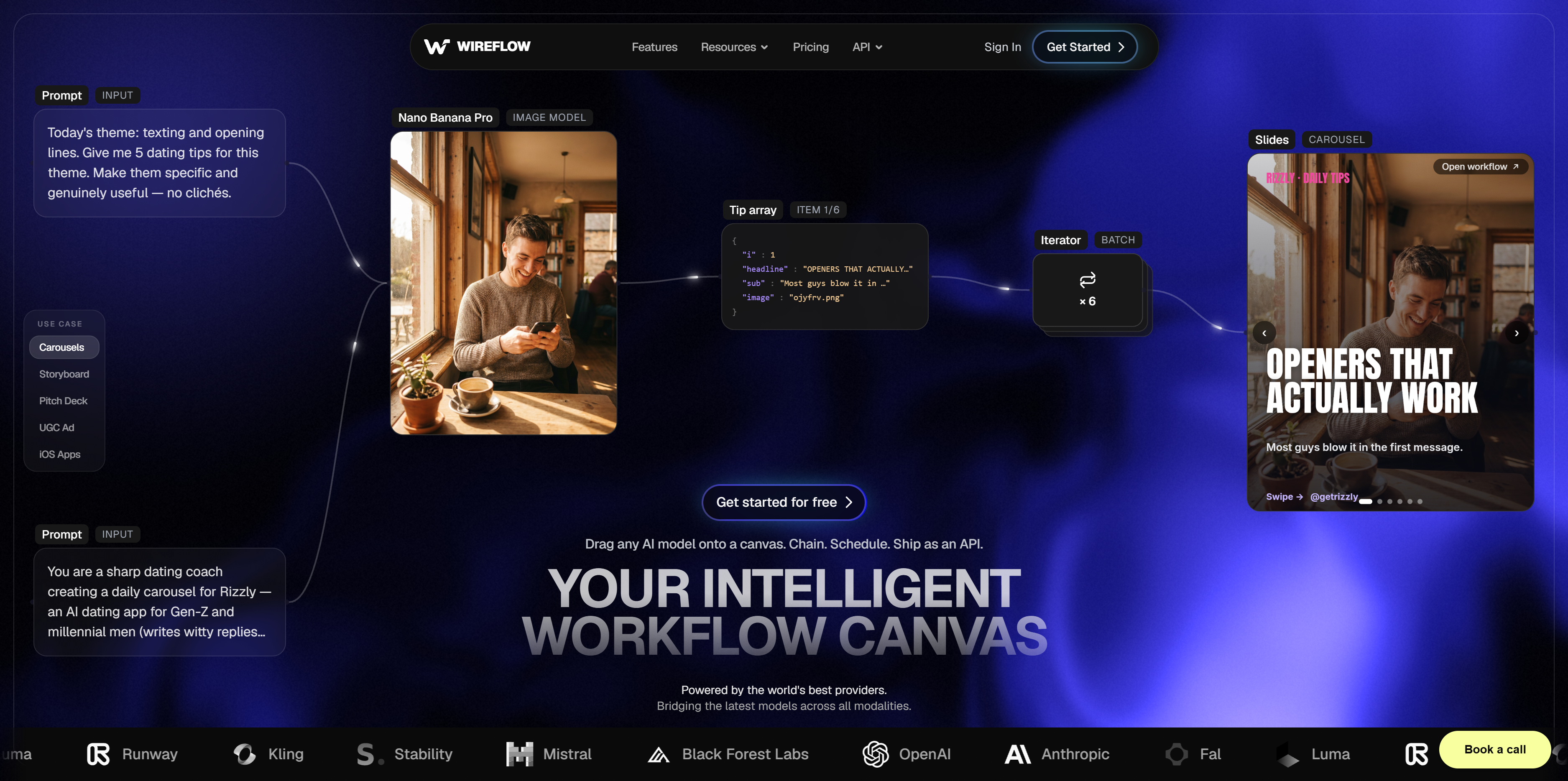
Wireflow keeps the part of Weavy worth keeping, the visual node canvas, and pairs it with the part Weavy never had: every workflow you build is also an API endpoint. Creatives design pipelines on a drag-and-drop node-based canvas connecting image generators, video models, audio tools, and upscalers; developers trigger those same pipelines programmatically. One artifact serves both sides of the team.
API on every workflow. Build visually, then call the workflow via REST: trigger runs, monitor status, retrieve results. That means scheduled jobs, webhook-driven pipelines, and creative generation embedded inside your own product, automation that browser-only tools structurally cannot offer.
Model variety without lock-in. Connect models across image (Flux, Stable Diffusion and successors), video (Runway, Kling, Luma and peers), and audio, pulled from providers like fal.ai and Replicate or wired to custom endpoints. When a better model ships, you swap a node, not a platform.
Workflows as reproducible assets. For small agencies and 2-10 person teams this is the quiet advantage: a workflow is a saved, re-runnable, shareable artifact. The client-approved look from March runs identically in July, new hires inherit working pipelines instead of tribal knowledge, and one person's experiment becomes the whole team's process.
Workflow-to-app publishing. Convert a node graph into a simple web app where end users fill a form and the pipeline handles the complexity. Useful for client-facing tools and internal request queues alike.
Production editing pipeline. Layers, masking, compositing, upscaling, and batch processing, with chaining, conditional logic, and error handling for pipelines that have to run unattended.
Ideal for: development teams embedding creative generation in products, agencies building client tools without writing an app, marketing teams automating campaign assets at scale, and any team that needs creatives and engineers working from the same source of truth.
Pricing: Freemium with usage-based billing. The free tier covers workflow building and initial executions; paid plans scale with usage. Current tiers are on the pricing page.
Limitations: Newer platform with a smaller community than ComfyUI's; documentation and the template library are still growing while the core platform is production-ready.
2. ComfyUI – Best Open-Source Local Option
ComfyUI is the leading open-source node-based interface for Stable Diffusion and related models. It runs entirely on your own hardware, which means complete control over workflows, models, and data with no cloud dependency, plus a community that has contributed thousands of custom nodes.
Complete control. Self-host with full access to source, models, and outputs. No vendor lock-in, no usage tracking, no cloud costs. Privacy-sensitive and air-gapped projects have no better option.
Extensive customization. Community nodes cover specialized models, unusual processing techniques, and external integrations, and developers can write their own nodes in Python without platform restrictions.
Zero recurring costs. Free and open source. The only costs are hardware and electricity, which makes it the economical choice for high-volume work once a GPU is in place.
Ideal for: technical users comfortable with local installs and Python environments, organizations with data residency requirements, and high-volume workflows where per-generation cloud pricing becomes prohibitive.
Pricing: Free and open source; budget for a GPU-equipped workstation or server.
Limitations: Real technical setup (Python environment, model downloads, dependency management), no built-in collaboration, and no hosted API: programmatic use means running and maintaining your own instance. Teams that want ComfyUI's power without the ops burden usually end up at RunDiffusion (#7) or an API-first platform.
3. Krea Nodes – Best for Fast Experimentation
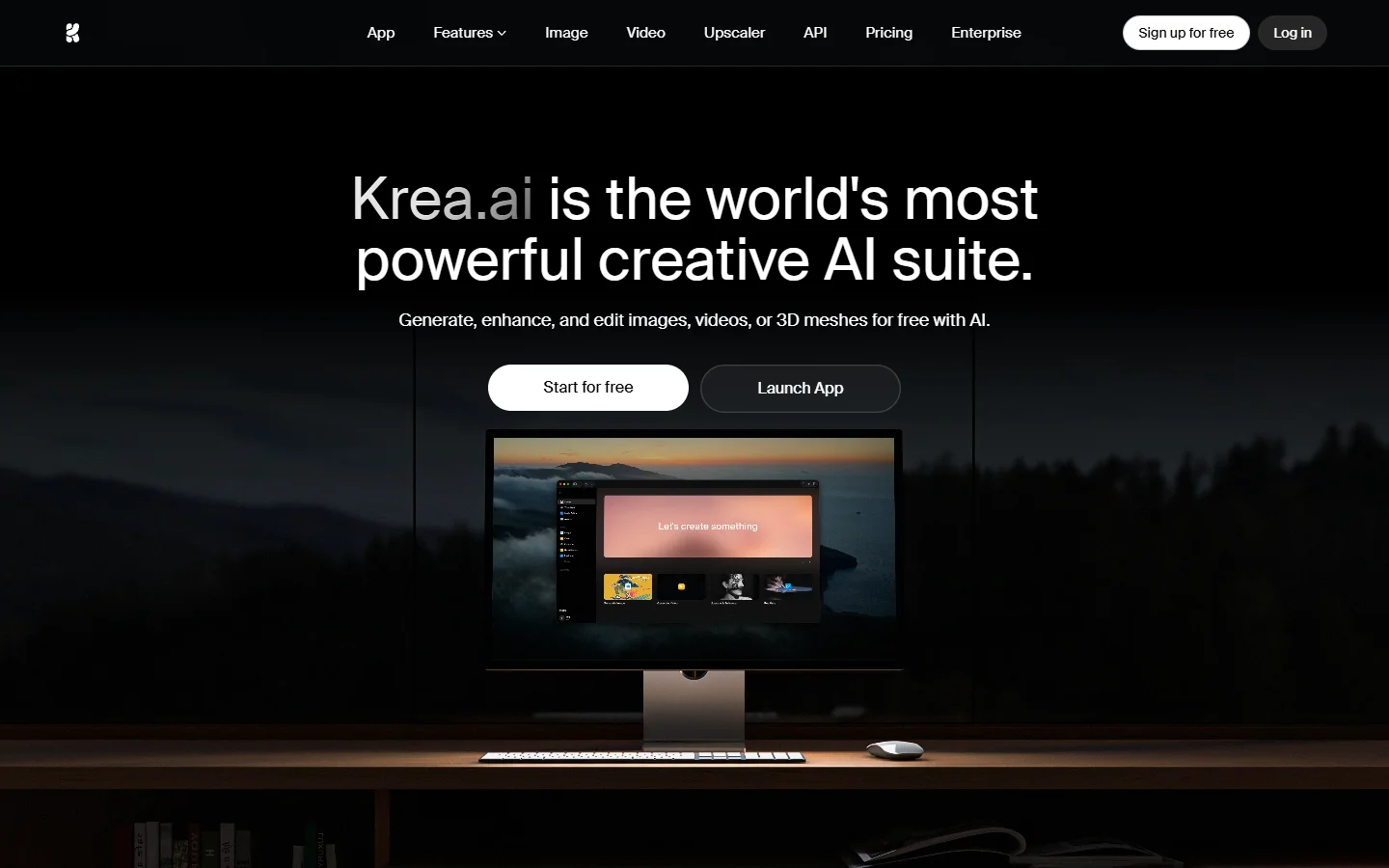
Krea Nodes puts dozens of AI models for image, video, audio, and 3D on an infinite canvas, with an emphasis on speed: pre-built templates, easy model switching, and one-click sharing make it the lowest-friction way to explore ideas among the tools here.
Model diversity, fast. New model releases tend to land quickly, so the platform stays current without you managing anything.
Template library. Start from working workflows for common tasks (product shots, social content, animation) instead of a blank canvas. Templates double as best-practice examples.
Infinite canvas. Zoom out for the big picture, zoom in to configure nodes. Spatial organization suits branching, iterative exploration better than linear builders.
Shareable by default. Publish a workflow as a public link for review or remixing, no account required on the viewer's side.
Ideal for: freelancers and solo creators exploring directions cheaply, content creators testing tools before committing, and educators demonstrating AI techniques.
Pricing: Free tier with usage limits; paid plans unlock higher resolution, faster processing, and commercial usage rights.
Limitations: Less depth in professional editing than specialized tools, light collaboration features, and no API, which caps its automation potential.
4. Flora – Best for Team Collaboration
Flora is the collaborative canvas of this list: real-time multi-user editing, version history, and shared team libraries. Studios running complex projects with multiple contributors will find its collaboration features unmatched among Weavy alternatives.
Real-time co-editing. Multiple people in the same workflow simultaneously, with live cursors and synchronized changes. No file-based version conflicts.
Version control built in. Automatic snapshots enable rollback to any prior state, and branching supports parallel experimentation without touching production workflows.
Team asset libraries. Shared nodes, prompts, style presets, and templates keep output consistent across projects and make onboarding fast.
Major models included. Access to leading image and video models without manual API configuration.
Ideal for: creative studios with distributed teams, agencies standardizing workflows across client campaigns, and organizations that need audit trails on creative work.
Pricing: Team-based subscription. Pricier than individual-focused tools, but the price includes collaboration infrastructure and bundled model access.
Limitations: The cost is hard to justify for solo users or light collaboration needs, it is cloud-only, and its API story is thinner than developer-focused platforms.
5. Figma Weave (formerly Weavy) – Best for Figma-Integrated Design
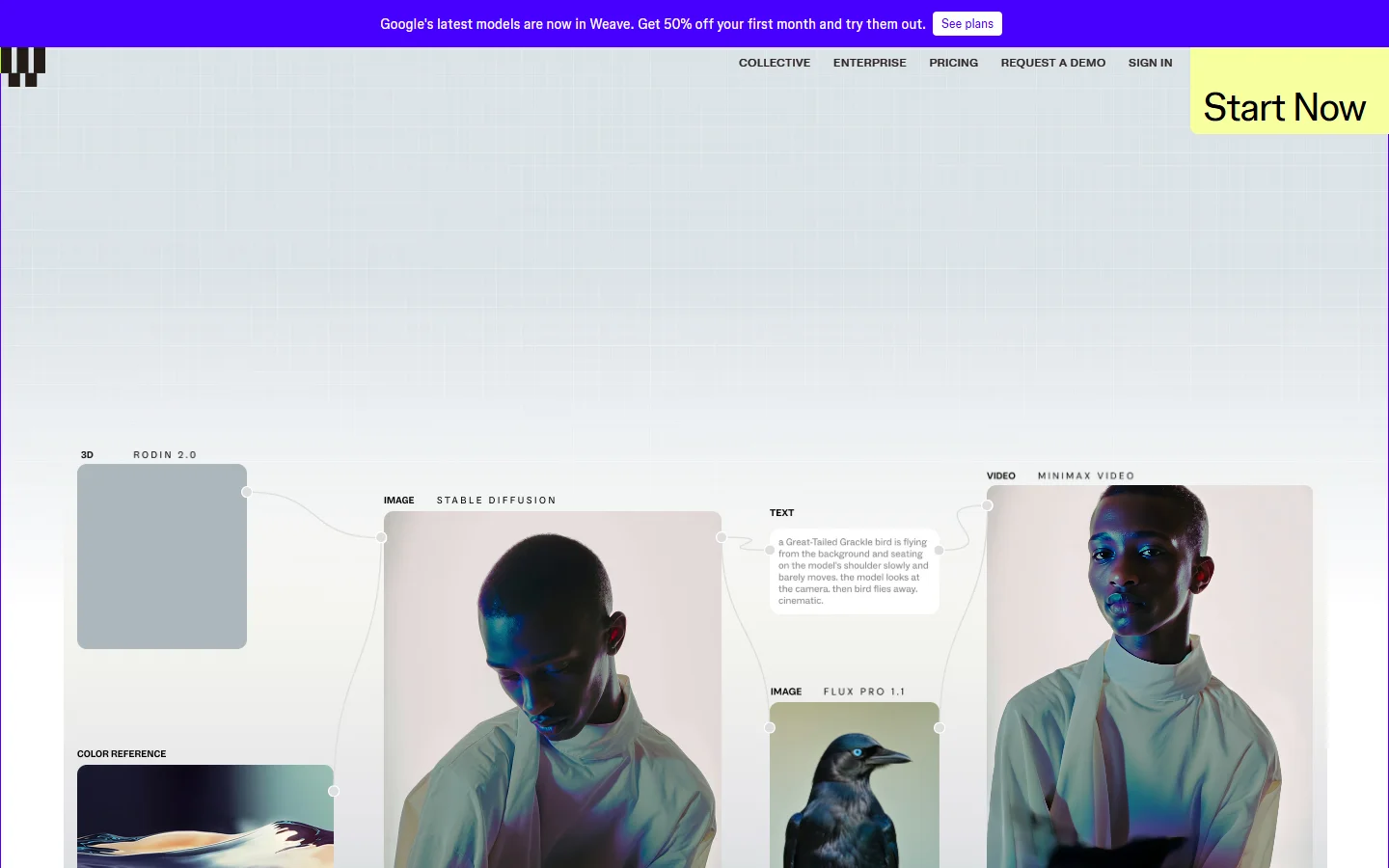
Honesty first: Figma Weave is not an alternative to Weavy. It IS Weavy, after Figma's October 2025 acquisition. If you have a Weavy account, this is where it went. So the real question for this entry is different from the other seven: should you stay, or is the acquisition your cue to move?
What you gain by staying. Native Figma integration is genuinely useful if design work already lives there: AI workflows sit alongside design files, Figma components and variables feed into generation parameters, generated assets land directly on design canvases, and design tokens keep output on-brand automatically. App Mode still lets non-technical stakeholders run workflows through a simple interface, and Figma's compositing tools are stronger than what standalone Weavy offered.
What changed or got lost. Weavy is no longer a standalone product with its own trajectory: the roadmap now serves Figma's design-platform strategy, access is bundled with paid Figma plans rather than sold on its own, and the pre-acquisition gaps went nowhere. API workflow runs are still listed only on the Enterprise plan, there is no self-hosting, and model selection trails platforms that live and die by creative workflow breadth.
Stay if your team is already standardized on Figma and your AI generation is design-adjacent: mockups, icons, illustrations, brand assets. Move if you never used Figma, need programmatic execution, or want your creative pipeline independent of a design suite's roadmap. For a deeper feature-by-feature breakdown, see the Figma Weave alternative comparison.
6. Freepik Spaces – Best for Stock-Integrated Content
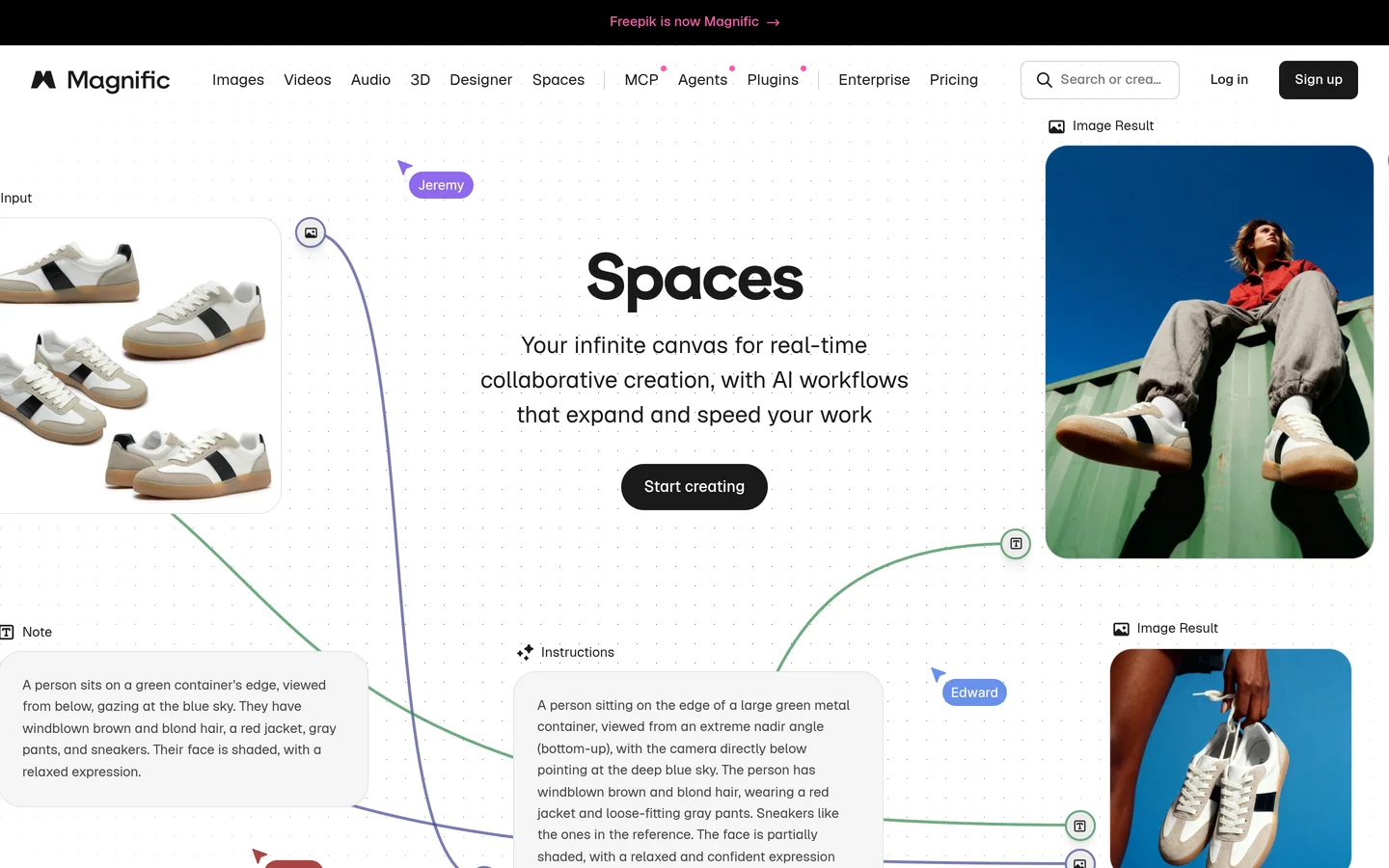
Freepik Spaces extends the Freepik stock ecosystem with AI workflow automation. Teams already using Freepik for photos, vectors, and templates get hybrid workflows that blend stock assets with AI generation in one place.
Stock plus AI. Workflows pull from Freepik's stock library and combine those assets with generated elements, which speeds production whenever existing assets partially fit the brief.
Built for volume. Batch processing and templated workflows target marketing teams producing many similar assets: social posts, ad variants, localized campaigns. Configure once, generate variations automatically.
Brand kits and approvals. Shared brand colors, fonts, and logos apply automatically, and built-in review stages fit agency workflows where creatives produce, managers review, and clients sign off.
Ideal for: marketing teams generating high-volume campaign assets, agencies already on Freepik wanting one creative stack, and e-commerce businesses producing product imagery at scale.
Pricing: Bundled with Freepik subscription tiers, from solo plans to team and enterprise options.
Limitations: Optimized for commercial marketing content rather than artistic or experimental work, and workflows lean templated rather than freeform node building.
7. RunDiffusion – Best Managed ComfyUI Hosting

RunDiffusion hosts ComfyUI in the cloud: the full interface and plugin ecosystem without local setup, infrastructure management, or a GPU purchase.
Zero-setup ComfyUI. Launch pre-configured instances with common models, custom nodes, and dependencies already installed. All of ComfyUI's power, none of the environment debugging.
Hardware on demand. Rent GPU compute by the hour, scaling tiers to the workload. Occasional users skip the GPU purchase entirely; heavy users scale up for intensive projects only.
Persistent workspaces. Workflows, models, and custom nodes survive between sessions, so you can start on one machine and continue on another.
Full community compatibility. Workflows shared in ComfyUI communities run without modification.
Ideal for: technical users who want ComfyUI without hardware investment, freelancers with sporadic high-volume needs, and teams avoiding the "works on my machine" problem of coordinated local installs.
Pricing: Hourly compute rental plus storage fees for persistent workspaces, across multiple GPU tiers.
Limitations: Collaboration stops at shared workspaces, API access requires custom implementation on top of your instance, and hourly costs accumulate under heavy sustained use.
8. Replicate – Best API-First Model Access
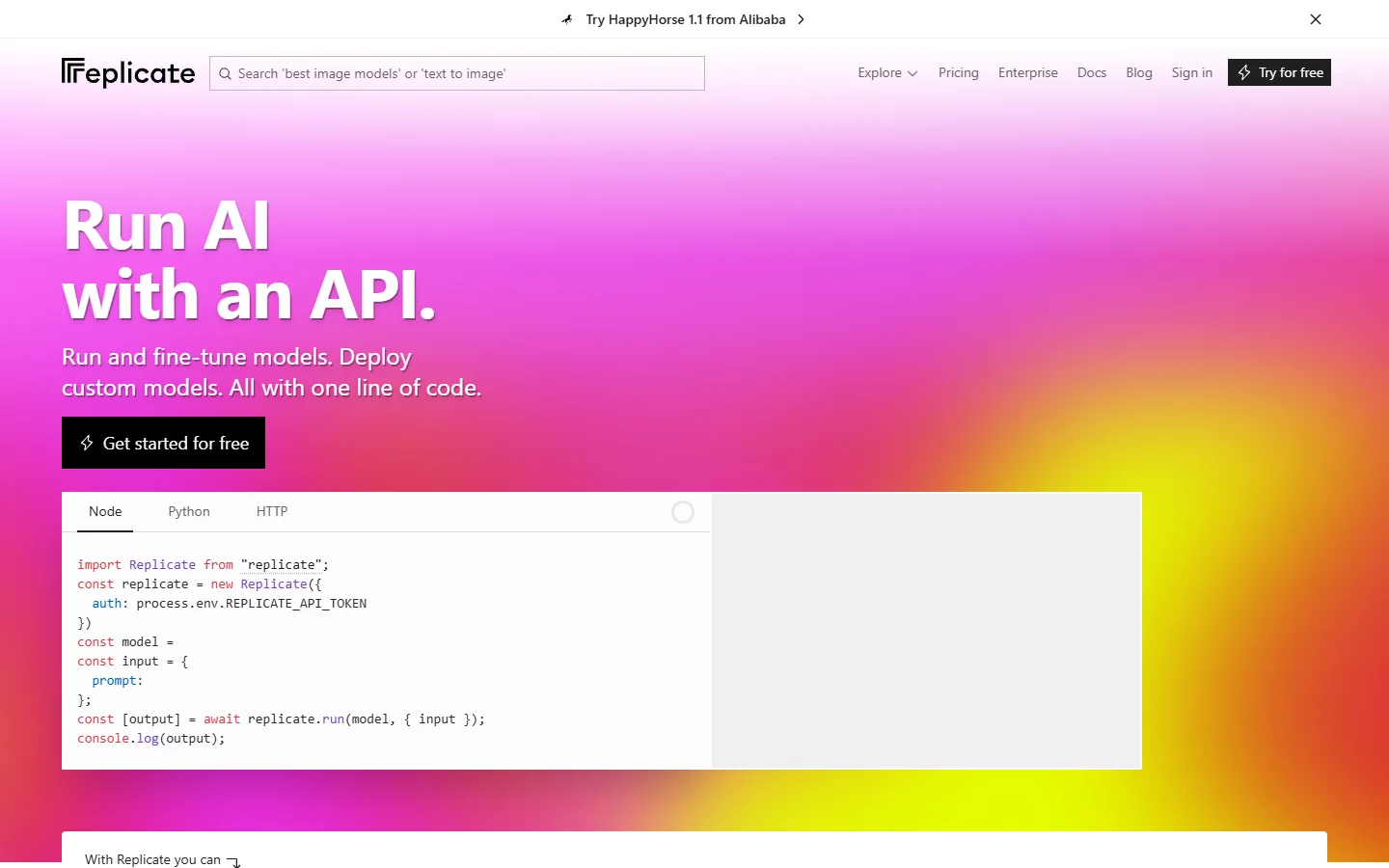
Replicate approaches the problem from the opposite direction: instead of a visual canvas, it offers thousands of models behind clean APIs. For engineering-heavy teams building custom applications around AI generation, that inversion is exactly right.
Model marketplace. Image, video, and audio generation plus specialized tasks like depth estimation, background removal, and style transfer, all testable in minutes without infrastructure.
API-first architecture. REST APIs with Python and JavaScript SDKs, asynchronous predictions, and webhook notifications that fit standard backend patterns.
Custom model deployment. Package your own models as containers and run them on Replicate's infrastructure, keeping proprietary IP while outsourcing scaling.
Transparent pricing. Pay only for compute consumed, priced per model by hardware tier, which makes cost forecasting straightforward.
Ideal for: engineering teams integrating generation into applications, startups building AI products without managing infrastructure, and researchers prototyping multi-model pipelines in code.
Pricing: Pay-per-use with no subscriptions or minimums.
Limitations: Minimal visual workflow building, so it is unsuitable for non-technical creatives; chaining models means writing code; and there is no built-in collaboration or version control.
Feature Comparison Matrix
| Platform | Visual workflow | API access | Team collaboration | Custom models | Deployment | Pricing |
|---|---|---|---|---|---|---|
| Wireflow | Yes (node canvas) | Yes (REST API) | Moderate | Yes | Cloud | Freemium + usage |
| ComfyUI | Yes (node graph) | Self-hosted only | No | Yes (plugins) | Local / self-hosted | Free |
| Krea Nodes | Yes (canvas) | No | Basic sharing | No | Cloud | Freemium |
| Flora | Yes (canvas) | Limited | Excellent | Via team libraries | Cloud | Subscription |
| Figma Weave | Yes (node canvas) | Enterprise plan only | Via Figma | Limited | Cloud | Figma plans |
| Freepik Spaces | Template-based | No | Team features | No | Cloud | Subscription |
| RunDiffusion | Yes (ComfyUI) | Via custom backend | Shared workspaces | Yes (plugins) | Managed cloud | Hourly + storage |
| Replicate | No | Yes (API-first) | No | Yes (containers) | Cloud | Pay-per-use |
Choosing the Right Weavy Alternative
Match the platform to your team composition and workflow requirements rather than hunting for a single best tool.
For developer-integrated workflows, choose Wireflow or Replicate. If your team embeds creative generation in applications, comprehensive API access is non-negotiable. Wireflow adds a visual canvas for the creative side of the team; Replicate is the leaner pick when everything happens in code.
For privacy and data control, choose ComfyUI or RunDiffusion. Strict data residency or air-gapped environments demand local deployment: self-host ComfyUI for maximum control, or use RunDiffusion for managed hosting with persistent workspaces.
For team collaboration, choose Flora or Figma Weave. Real-time co-editing, version control, and shared libraries matter most to studios with multiple contributors. Flora wins when AI workflows are the core creative work; Figma Weave wins when your team already lives in Figma.
For marketing content at scale, choose Freepik Spaces or Krea Nodes. Batch processing, brand kits, and stock integration serve high-volume templated output, and teams that formalize their pipelines as AI workflow templates get compounding returns from every workflow they build.
For budget-conscious exploration, choose ComfyUI or Krea Nodes. ComfyUI is free forever if you have the hardware and patience; Krea's free tier delivers meaningful creative work before payment enters the picture.
Migration Strategy from Weavy
Document before you move. Capture each Weavy workflow's node configuration, model parameters, inputs, output formats, and success criteria. No platform imports Weavy workflows directly, so this documentation is what preserves creative intent during the rebuild.
Evaluate with a proof of concept. Pick two or three candidates, recreate one representative workflow in each, and compare ease of recreation, output quality, speed, and cost. Involve both the creative and technical people who will live in the tool. Platforms supporting AI model chaining with custom endpoints tend to survive requirement changes better than closed ones.
Migrate in phases and run in parallel. Move high-priority, stable workflows first, keep executing on both platforms during the transition, and compare outputs to catch parameter drift before cutover. Leave experimental workflows for last, and close the migration by documenting your team's conventions for workflow structure, naming, and versioning in the new platform.
Future of AI Creative Workflow Platforms
The direction of travel is clear: programmatic access is becoming table stakes as creative automation scales, collaboration features are converging on what development teams have had for years, and model-agnostic platforms are outlasting closed ones because the model landscape refuses to sit still. Weavy's acquisition is itself the strongest signal that node-based creative workflows are now core infrastructure, not a niche experiment. Pick a platform positioned for that future rather than one solving only today's brief.
Frequently Asked Questions
What happened to Weavy AI?
Figma acquired Weavy in October 2025 and rebranded it as Figma Weave, folding the node-based creative workflow tool into the Figma product family. Existing Weavy accounts and workflows moved into the Figma ecosystem, and Weavy no longer exists as a standalone product.
Is Weavy free to use?
Not as a standalone product anymore. Access to Figma Weave is bundled with paid Figma plans rather than sold separately, so check Figma's current pricing for seat requirements. If you want a free node-based alternative, ComfyUI is free and open source, and Krea Nodes offers a usable free tier.
What is the best free Weavy alternative?
ComfyUI is the strongest free option: open source, fully local, and extensible with thousands of community nodes, though it requires technical setup and your own GPU. For a free tier without any setup, Krea Nodes is the easier starting point, and Wireflow offers a free tier that includes workflow building and API access.
Does Weavy have an API?
Only on its Enterprise plan. Weavy was browser-only before the acquisition, and Figma Weave's pricing page lists your own API keys and API workflow runs on Enterprise, which you buy through sales, and no API access on its other plans. Teams that need API execution typically move to Wireflow for visual workflows with REST endpoints, or Replicate for pure code-first model access.
Can I still use Weavy without a Figma account?
No. Since the acquisition, Weavy's technology lives inside Figma as Figma Weave, so using it means adopting Figma's platform and plan structure. Teams that do not otherwise use Figma generally get more value from a standalone alternative.
What is the best Weavy alternative for small agencies and teams?
For 2-10 person teams, the decision usually comes down to Wireflow or Flora. Wireflow suits agencies that need reproducible client workflows plus API automation; Flora suits studios where several people edit the same canvas at once. The Weavy vs Wireflow comparison covers the tradeoffs in detail.
Which Weavy alternative can run locally or self-hosted?
ComfyUI is the only option on this list that runs fully on your own hardware, which makes it the default for air-gapped environments and strict data residency requirements. RunDiffusion offers a middle path: the same ComfyUI environment, hosted and managed in the cloud.
Can I import my Weavy workflows into another platform?
No platform offers direct Weavy workflow import. Migration means documenting each workflow's nodes, models, and parameters, then rebuilding it in the new tool. Most workflows rebuild faster than expected because the node-graph concepts transfer even though the files do not.
Conclusion
Weavy popularized accessible node-based creative workflows, and its absorption into Figma leaves an opening for tools that go further on API access, collaboration, custom models, and deployment flexibility. Wireflow is the strongest overall replacement, pairing the visual canvas Weavy users expect with the REST API access Weavy never offered, and its free tier makes the proof-of-concept test this guide recommends a zero-cost exercise.
ComfyUI remains the pick for privacy-conscious teams that can self-host, Flora leads for studio collaboration, and Replicate serves teams that want everything in code. Whichever direction fits, test a representative workflow before committing to a full migration; the AI workflow builder landscape is maturing fast, and the platforms balancing creative accessibility with technical depth are the ones worth building on.

Co-Founder & Operations at Wireflow
Runs client operations and content strategy at Wireflow. Works directly with creative teams and agencies to build production AI workflows.
- Content Strategy
- Client Operations
Ask Claude for your next ad.
Connect once. Ask any time.
- No credit card
- You keep the rights to what you make
- Cancel anytime
More in Alternatives
Head-to-heads and roundups of the tools people weigh up.