Features
Figma Weave API
Figma Weave lists API workflow runs on its Enterprise plan.
Build the same visual workflow on Wireflow, then call it through REST or MCP from code and AI agents.
Free to build · no credit card · Read the agent docs · See how it works ↓
 Andrew Adams · Co-Founder & Operations at Wireflow ·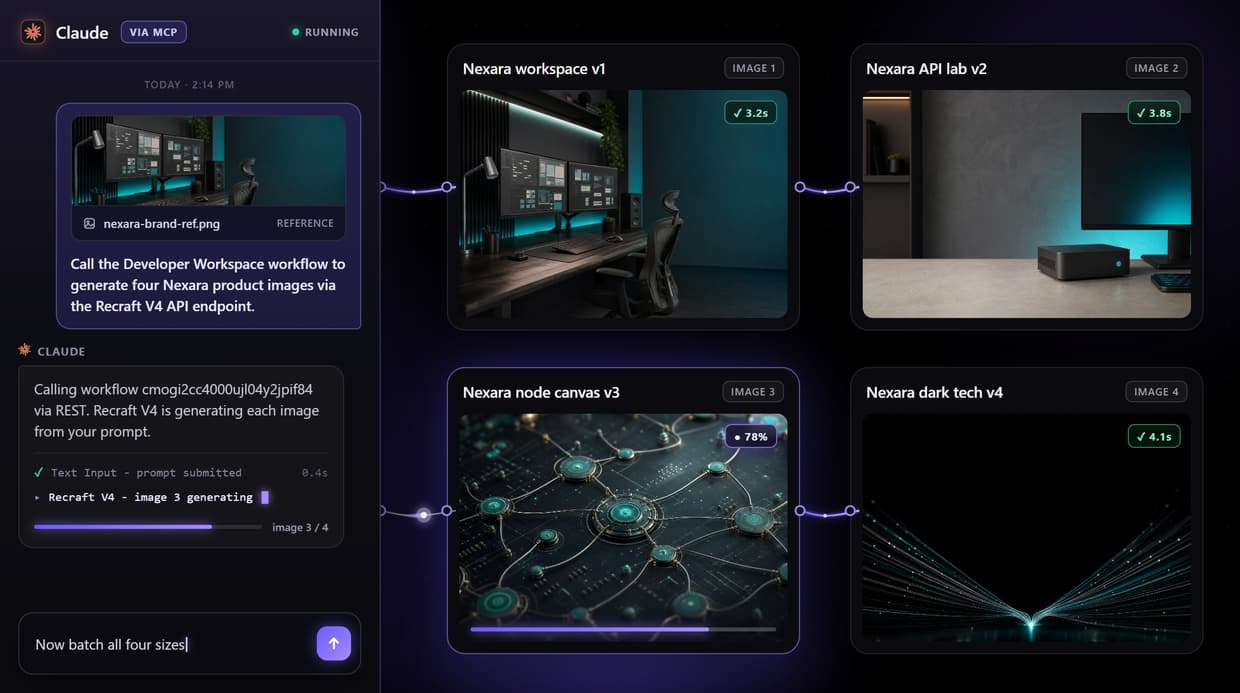
How to Use Figma Weave API
Steps to get you started in Wireflow.
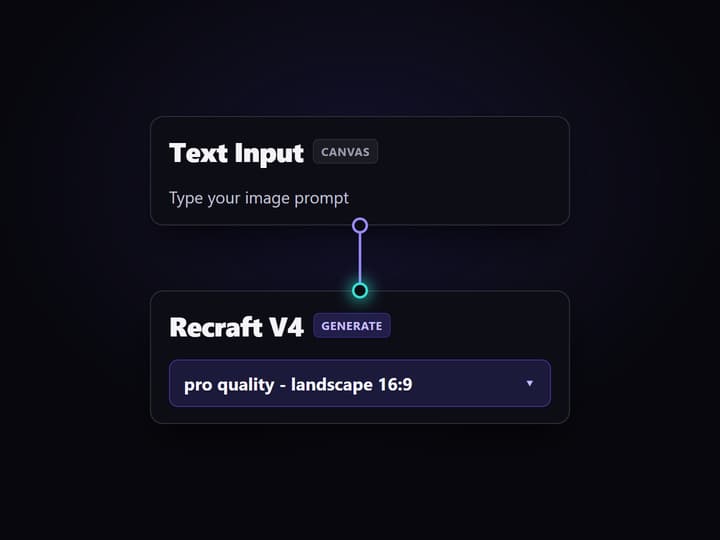
Open the Developer Workspace workflow
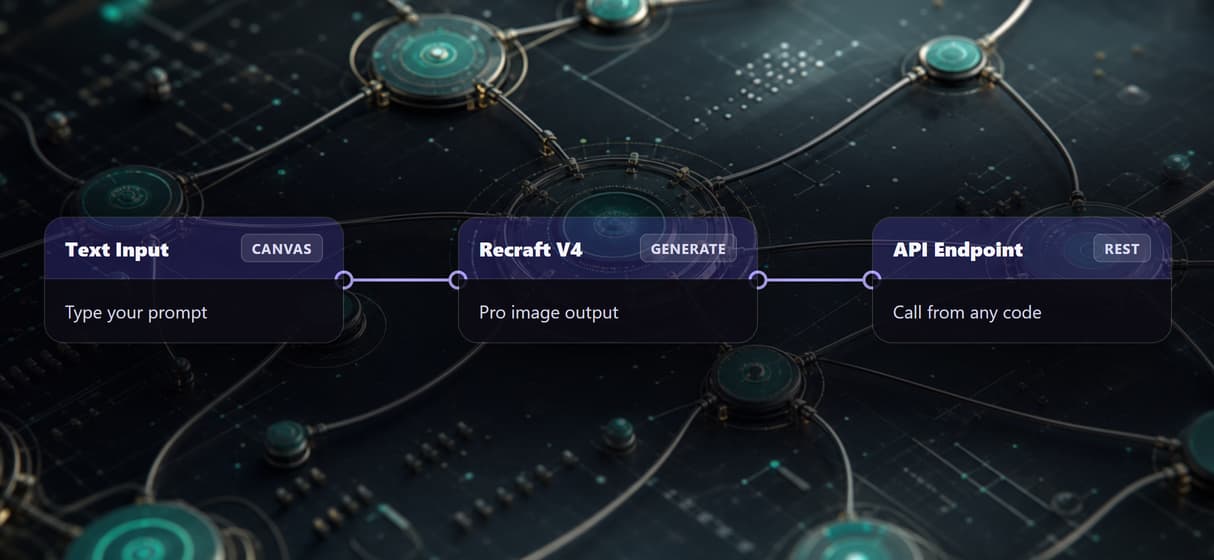
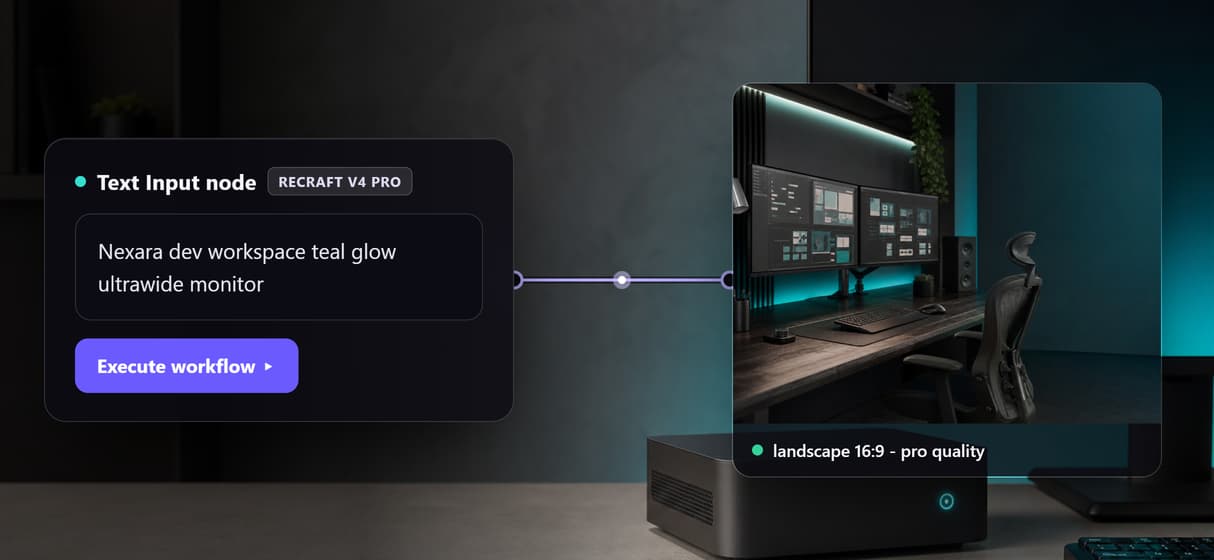
Navigate to /flow/cmogi2cc4000ujl04y2jpif84 to see the live graph. The canvas shows a Text Input node wired to a Recraft V4 node. The result panel shows the image URL from the last executed run.
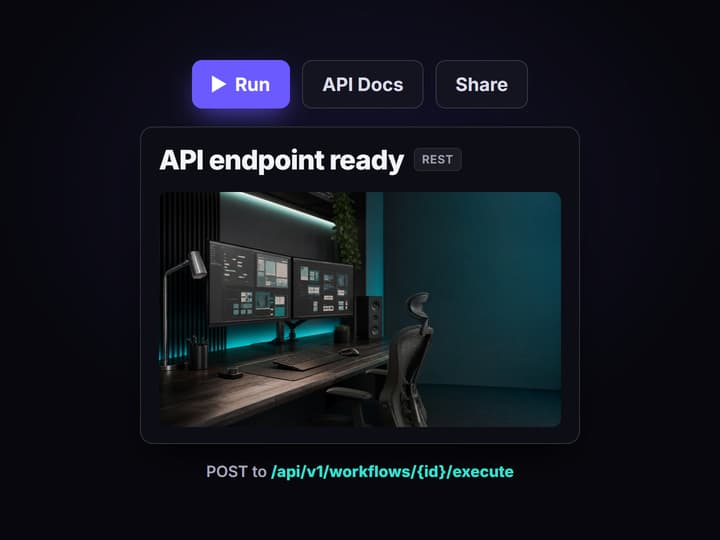
Copy your API key and call the endpoint
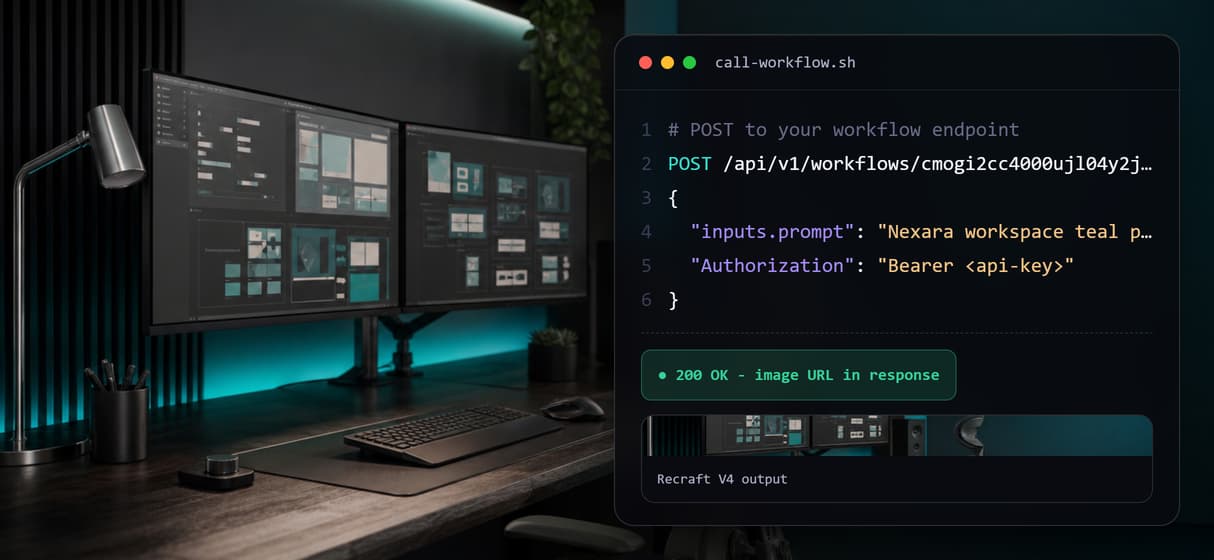
Go to Settings and copy your API key. Send a POST request to /api/v1/workflows/cmogi2cc4000ujl04y2jpif84/execute with your prompt in the inputs JSON and your Bearer token in the Authorization header.
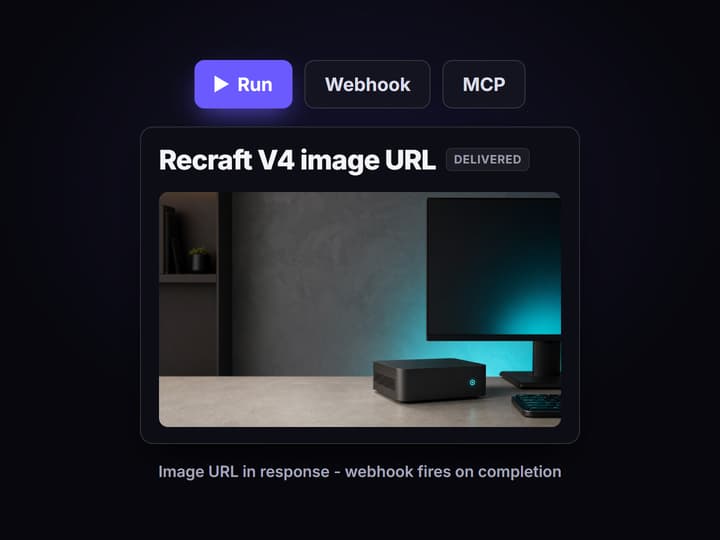
Receive images and configure webhooks
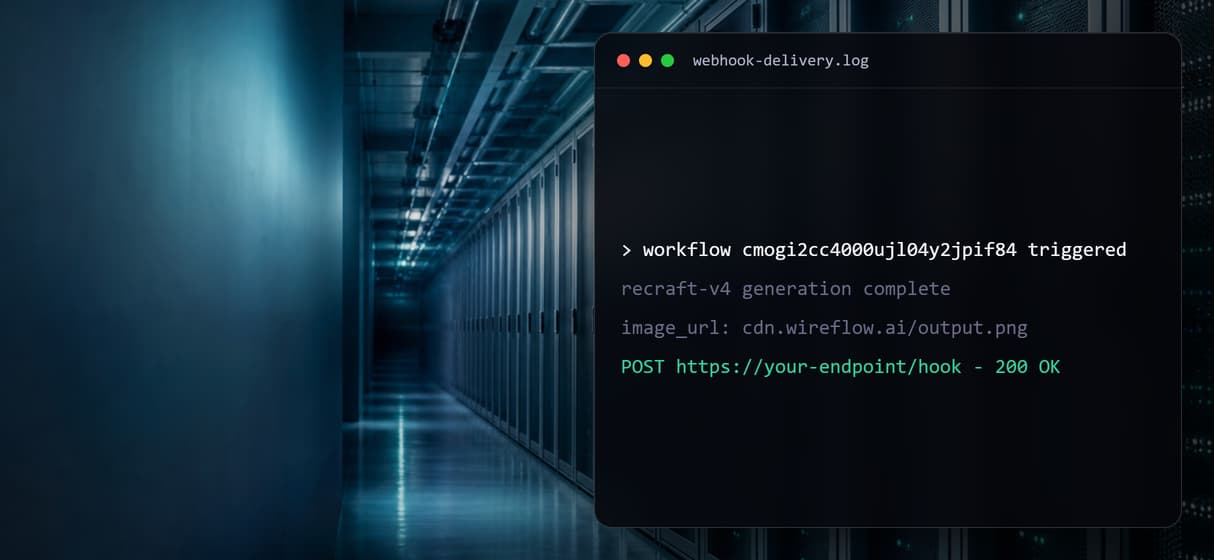
The API response contains the Recraft V4 image URL. Add a webhook URL in the workflow settings to receive a POST with the full output payload each time the workflow runs.
The API gap in Figma Weave
Figma Weave is the rebrand of Weavy, acquired by Figma in October 2025. It is a standalone AI-native creative canvas with separate billing from Figma Design. Its pricing page lists your own API keys and API workflow runs on the Enterprise plan only, which you buy through sales.
Wireflow ships REST and MCP access on every published workflow today. The Figma Weave alternative page covers the broader platform comparison. This page focuses on the developer API gap: what you can build when your code or agent needs to call a visual AI workflow programmatically.
What developers get with Wireflow today
REST endpoint today
Every published Wireflow workflow is a REST endpoint callable from any language. POST a prompt, get image URLs back.
MCP tool listing
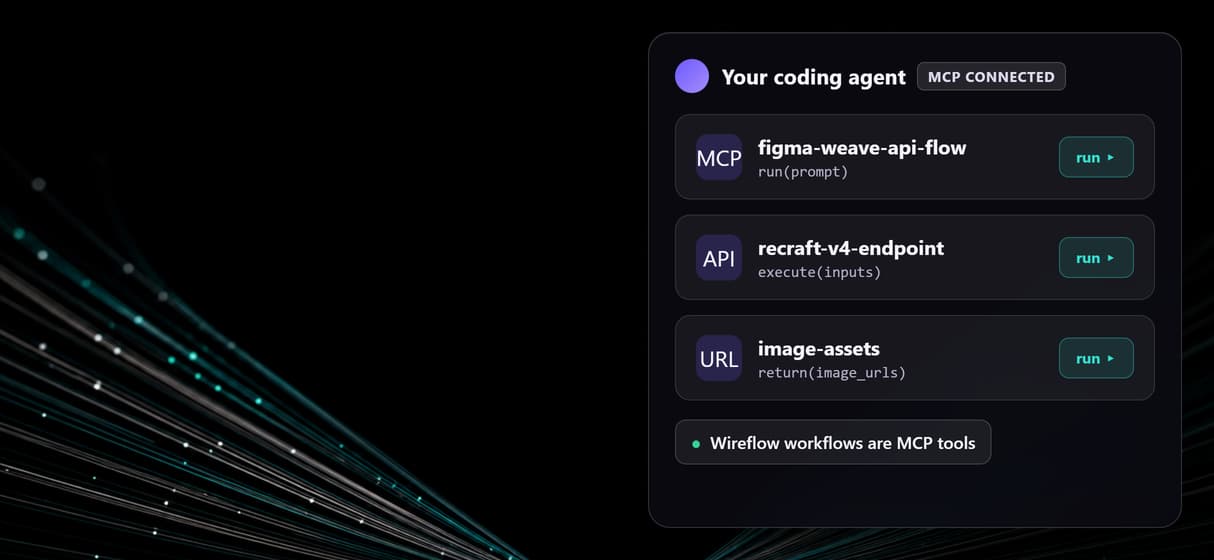
Wireflow hosts an MCP server. Agents list your workflows, read typed inputs, and run them without custom integration code.
Webhook delivery
Configure a webhook URL. Wireflow fires a POST with image URLs when the generation node finishes.
Canvas-to-API
Build your Text Input to Recraft V4 graph visually, test on the canvas, then call it via REST in production.
Recraft V4 node
The Developer Workspace workflow uses Recraft V4 at pro quality, landscape 16:9. Swap to any image model node.
Batch via repeated calls
Call the endpoint N times programmatically. Each call runs the full Text Input to Recraft V4 graph and returns a unique image URL.
When Figma Weave is the better choice
If your team collaborates on creative projects inside the Figma ecosystem, shares Figma design files, and does not need programmatic API access, Figma Weave may be the better fit. Its integration with Figma Design means assets and workflows stay in one ecosystem. Wireflow is purpose-built for developers and teams that need to run visual AI workflows programmatically from code or AI agents.
API access: Wireflow vs Figma Weave
Wireflow REST API
Available today on every published Wireflow workflow. Call from any language, receive image URLs in the JSON response.
Wireflow MCP connector
Agents list and run Wireflow workflows as typed MCP tools now. No custom integration code required.
Figma Weave API
Listed on the Enterprise plan only: your own API keys and API workflow runs, bought through sales. No API access listed on the other plans.
More Than Just Figma Weave API
REST endpoint per workflow
Call any Wireflow workflow through an AI workflow API from your code. The Developer Workspace flow returns Recraft V4 image URLs in the JSON response body. Full endpoint details live in the Wireflow API reference.
MCP connector for agents
Claude or GPT can call Wireflow through an AI API with Claude Code integration: list workflows, submit prompts, and receive image URLs without writing custom API integration code.
Webhook on completion
Configure a webhook URL for an AI orchestration API workflow. Wireflow fires a POST with image URLs when the Recraft V4 node finishes. No polling needed.
Canvas-first, then API
Build and test your Text Input to Recraft V4 graph on an AI canvas with a REST API, then call the same workflow from production code. No redeploy.
Recraft V4 image quality
The example workflow uses the Recraft V4 API at pro quality and landscape 16:9. One call returns a broadcast-ready image URL from the hosted node.
AI Models Available
Automate Any Workflow
Included in Every Plan
FAQs
Only on its Enterprise plan. Figma Weave's pricing page lists your own API keys and API workflow runs for Enterprise customers, who buy through sales, and no API access on its other plans. Wireflow offers REST and MCP access on every published workflow today.
Written by
Andrew Adams · Co-Founder & Operations at Wireflow
Runs client operations and content strategy at Wireflow. Works directly with creative teams and agencies to build production AI workflows.
Turn one visual workflow into an API
Open the live Text Input to Recraft V4 graph, inspect it on the canvas, then use the API docs to call your own published workflow through REST or MCP.