How to Generate Images with an AI SDK: A Practical Guide for 2026

In this article▾
Learning how to generate images with an AI SDK comes down to one decision: install a client library like Vercel's AI SDK, or call an image generation API directly over REST. Wireflow takes the second path, exposing multi-model image workflows as plain HTTP endpoints that work from any language, and this guide walks through both approaches with working code.
What "generate images with an AI SDK" actually means
An AI SDK is a wrapper around an inference API. When you call generateImage() in JavaScript or client.images.generate() in Python, the library is assembling an HTTP request, sending your prompt to a hosted model, and parsing the response into a convenient object. That is the whole job. Understanding this matters because it tells you what an SDK can and cannot do: it saves you boilerplate, but the model quality, pricing, and rate limits all live on the API side, which is why comparing the underlying AI inference APIs matters more than comparing client libraries.
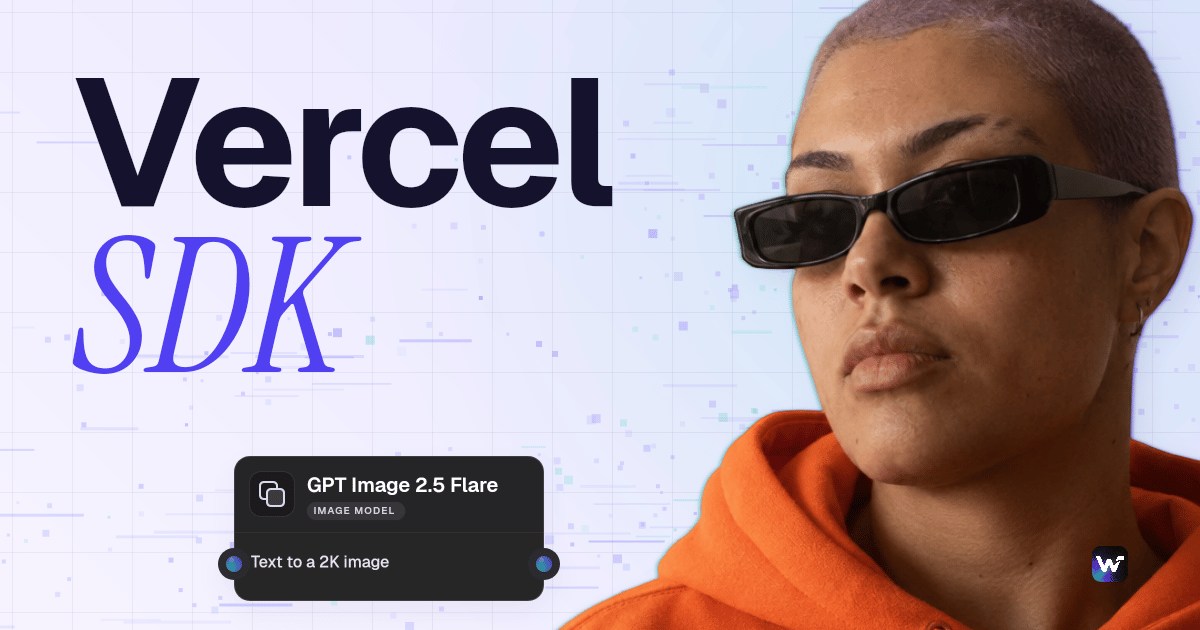
There are two practical routes in 2026. Route one: a provider-agnostic SDK such as Vercel's AI SDK, which gives you a single generateImage function that talks to OpenAI, Google, Fireworks, or Replicate behind the scenes. Route two: a workflow platform with a REST API, where the "SDK" is just fetch or curl and the server handles model orchestration. For a hands-on look at the second route, see the generate images with AI SDK feature page, which shows a complete image pipeline running as a callable endpoint.
Build this in Wireflow
Make the same kind of asset on a canvas you control, with a free account and no credit card.
Route 1: Vercel AI SDK's generateImage
The Vercel AI SDK is the most common answer developers find when they search this topic. Install the ai package plus a provider package, then call generateImage with a model and a prompt. It supports batch generation through an n parameter, seed control for reproducible outputs, and provider-specific options passed through providerOptions. If your product already runs on Next.js and you only need single-model generation, this is a reasonable default, though teams that outgrow one model per call tend to move toward chaining multiple AI models in one API call instead.
import { experimental_generateImage as generateImage } from "ai";
import { openai } from "@ai-sdk/openai";

const { image } = await generateImage({
  model: openai.image("gpt-image-2"),
  prompt: "A studio photo of a ceramic mug on a walnut desk",
  size: "1536x1024",
});
The limitation shows up when your generation step is not a single model call. Real production pipelines usually look like: generate a base image, upscale it, edit the background, then compose a final asset. With a client SDK you write and maintain that chain yourself, including retries, intermediate storage, and cost tracking, which is exactly the glue code a node-based AI platform with an API is designed to absorb.

Route 2: REST API, no SDK required
Wireflow deliberately ships no official SDK. The API is plain REST plus JSON, so anything that speaks HTTP works: curl, fetch, axios, Python's requests. You build an image workflow visually on the canvas (for example a text input feeding a GPT Image 2.5 Flare node), publish it, and then execute it programmatically. The building blocks range from single-model endpoints like the Flux 2 API to full multi-step graphs with editing and upscaling nodes.
Authentication is a Bearer token. You create a key under Settings > API Keys in the dashboard; keys start with sk- and are shown once. Execution is asynchronous: you start a run, get an execution ID back, and poll for the result. Here is the complete loop, which also works as a drop-in replacement if you are migrating from Replicate to a canvas API:
# 1. Start the run
curl -X POST https://www.wireflow.ai/api/v1/workflows/YOUR_WORKFLOW_ID/execute \
  -H "Authorization: Bearer sk-your-api-key" \
  -H "Content-Type: application/json" \
  -H "Idempotency-Key: run-2026-07-18-001" \
  -d '{ "nodes": [...], "edges": [] }'
# → 201 { "executionId": "exec_456" }

# 2. Poll until COMPLETED
curl https://www.wireflow.ai/api/v1/workflows/executions/exec_456/poll \
  -H "Authorization: Bearer sk-your-api-key"
Execution states move from RUNNING to COMPLETED (with node outputs, including your image URLs) or FAILED (with an error message). The recommended polling pattern is exponential backoff: start at 1 second, multiply by 1.5 each attempt, and cap the interval at 10 seconds. The Idempotency-Key header is worth using from day one; identical keys within 24 hours replay the original response instead of running the workflow twice, which protects you from double-billing on client retries. Full request and response shapes are documented in the API overview.
Step by step: build an image generation endpoint
Here is the shortest path from zero to a production image endpoint, using the free AI image generator canvas as the starting point.
- Build the workflow on the canvas. Add a text input node, connect it to an image model node such as
generate:flux_2orgenerate:nano_banana_pro, and run it once in the UI to confirm output. Keep it minimal; you can add edit or upscale nodes later. - Publish it. Every published workflow becomes an App, a callable endpoint that accepts inputs and returns outputs. This is the pattern for using the platform as a generative backend.
- Create an API key with the
workflows:executeandexecutions:readscopes. Store it server-side; never ship it in client code. - Execute and poll using the curl loop above, or wrap it in a 20-line helper in your language of choice.
- Handle the two failure modes that matter. A 402 means insufficient credits and includes a per-node cost breakdown so you can see which step is expensive. A 429 means you hit a rate limit and includes a
Retry-Afterheader telling you exactly how long to wait.
For batch jobs, the same execute-and-poll loop applies; you queue multiple executions and poll each one, and the batch image generation API page covers patterns for fan-out at volume.

Rate limits, webhooks, and production concerns
Rate limits are per plan, and the numbers worth planning around are these:
| Plan | Requests/min |
|---|---|
| Free | 10 |
| Starter | 20 |
| Pro | 60 |
| Enterprise | 200 |
Every response carries X-RateLimit-Limit, X-RateLimit-Remaining, and X-RateLimit-Reset headers plus an X-Request-Id you can quote to support, so your client can throttle itself instead of guessing. Design your queue around the daily execution number, the way you would when adding image generation to Claude Code or any other agent that fires requests unattended.
If polling does not fit your architecture, webhook triggers do the inverse: POST /api/v1/workflow/{webhookId}/trigger starts a run over HTTP with no API key required on the trigger call, returns 202 with an execution ID, and serves CORS with Access-Control-Allow-Origin: *. The pattern is trigger without credentials (from a form, Zapier, or CI), then poll with your API key from the server. Details and payload shapes are in the webhooks reference. This is also the natural integration point for agents; an official Claude Skill lets Claude Code drive these same workflows, following the same pattern as other AI models chained through one API.
SDK vs REST: which should you pick?
| Client SDK (e.g. Vercel AI SDK) | REST workflow API (Wireflow) | |
|---|---|---|
| Setup | npm install, JS/TS only | Any language with HTTP |
| Single model call | One function call | Build canvas once, then one HTTP call |
| Multi-model pipeline | You write the glue code | Modeled as nodes, runs server-side |
| Retries and idempotency | Your responsibility | Idempotency-Key built in |
| Cost visibility | Per provider invoice | 402 responses include per-node credit breakdown |
| Vendor coupling | Tied to SDK's provider list | 157 nodes across image, video, and audio models |
The honest summary: if you need one image from one model inside a TypeScript app, a client SDK is the fastest route. If your image generation is a pipeline, or your stack is not JavaScript, or you want the model chain to be editable without a deploy, the REST workflow approach wins, and self-hosting is rarely worth it once you compare it against a managed self-hosted image generation API honestly.
Try it yourself: open this image workflow in Wireflow, then execute it from your own code with the curl loop above. The nodes are pre-configured with the exact setup discussed in this guide.
FAQ
Do I need an official SDK to generate images programmatically?
No. An SDK is convenience, not capability. Any image generation API that speaks REST works with curl, fetch, axios, or requests. Some platforms intentionally ship no SDK for this reason; when the API surface is small, plain HTTP is simpler than a dependency.
What is the difference between generateImage in the Vercel AI SDK and a workflow API?
generateImage wraps a single model call. A workflow API executes a graph of nodes (generate, edit, upscale, compose) server-side in one request. For single images they are equivalent; for pipelines the workflow API replaces the orchestration code you would otherwise maintain.
How do I authenticate API requests?
With a Bearer token: Authorization: Bearer sk-your-api-key. Keys are generated in the dashboard under Settings > API Keys and shown only once. A missing or malformed key returns 401 with the message "Invalid API key format. Expected: Bearer sk-...".
How long does image generation take through the API?
Execution is asynchronous, so it depends on the models in your workflow. Start the run, then poll /workflows/executions/{id}/poll with exponential backoff starting at 1 second and capped at 10 seconds. Most single-model image workflows complete within a few polls.
Can I trigger image generation without exposing my API key in the browser?
Yes, that is what webhook triggers are for. POST /workflow/{webhookId}/trigger requires no API key and returns 202 with an execution ID. You then poll for results from your server using your key, so the secret never reaches the client.
What happens if I run out of credits mid-batch?
The API returns 402 with requiredCredits, availableCredits, and a per-node breakdown showing which nodes cost what. Your queue can catch the 402, pause, and resume after a top-up without losing state, since completed executions are unaffected.
Which image models can I call through the API?
Current image nodes include generate:flux_2, generate:flux_2_pro, generate:nano_banana_pro, generate:imagen4, and generate:bytedance_seedream_v4_text_to_image, plus editing nodes like edit:flux_2_edit. There are 157 nodes total across image, video, audio, and utility categories.
Are duplicate requests billed twice if my client retries?
Not if you send an Idempotency-Key header on execute calls. Identical keys within 24 hours replay the original response with no duplicate execution, so network retries and double-clicks are safe.
Conclusion
Generating images with an AI SDK is less about the library and more about where the orchestration lives. A client SDK like Vercel's is quick for single calls; a REST workflow API moves the pipeline server-side, works from every language, and gives you idempotency, rate-limit headers, and per-node cost reporting out of the box. Wireflow's canvas-plus-API model means the workflow you sketch visually today is the same endpoint your production code calls tomorrow, and you can have the curl loop from this guide running against your own workflow in under ten minutes.

Co-Founder & Operations at Wireflow
Runs client operations and content strategy at Wireflow. Works directly with creative teams and agencies to build production AI workflows.
- Content Strategy
- Client Operations
Ask Claude for your next ad.
Connect once. Ask any time.
- No credit card
- You keep the rights to what you make
- Cancel anytime
More in Guides
Walkthroughs with the model and the settings that held up.