Features
ElevenLabs Alternative
Searching for an ElevenLabs alternative usually means you want a voiceover you can actually build on, not just download.
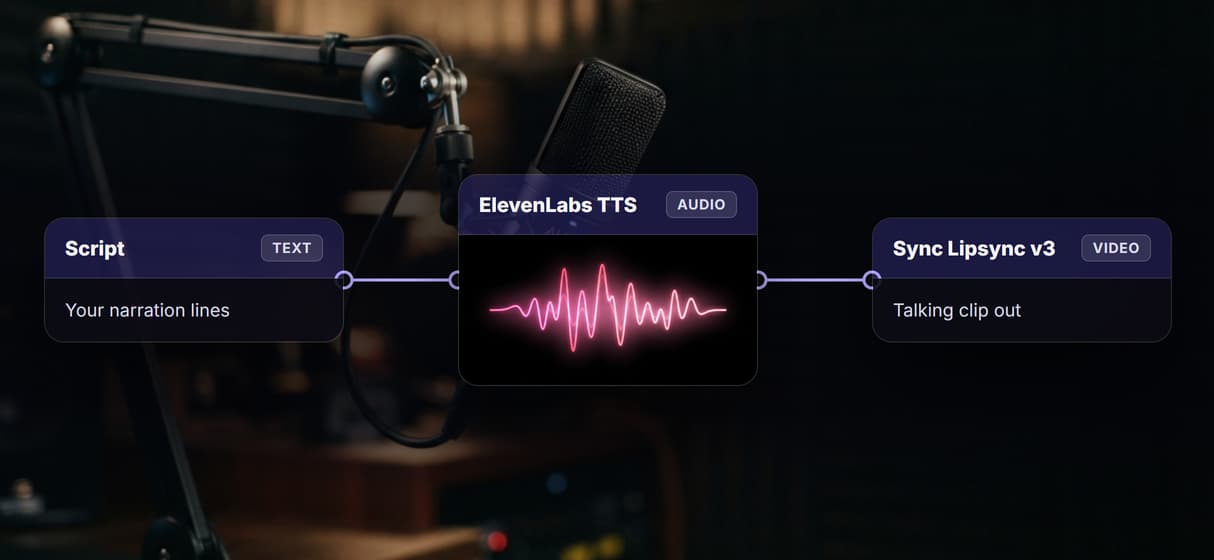
This page's live flow does exactly that: a Script node wired into a text-to-speech node, published as one endpoint, with the voice model swappable and the audio ready to flow into lipsync and video.
Free to build · no credit card · Read the agent docs · See how it works ↓
 Andrew Adams · Co-Founder & Operations at Wireflow ·
How to Use ElevenLabs Alternative
Steps to get you started in Wireflow.
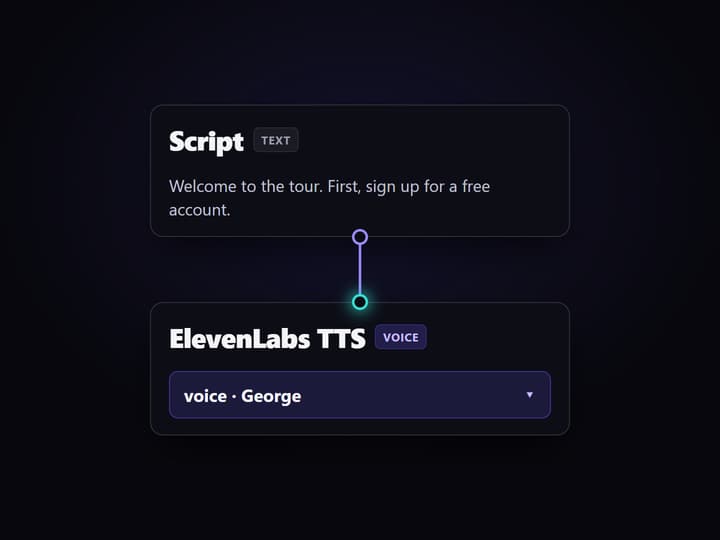
Wire the script into a voice node
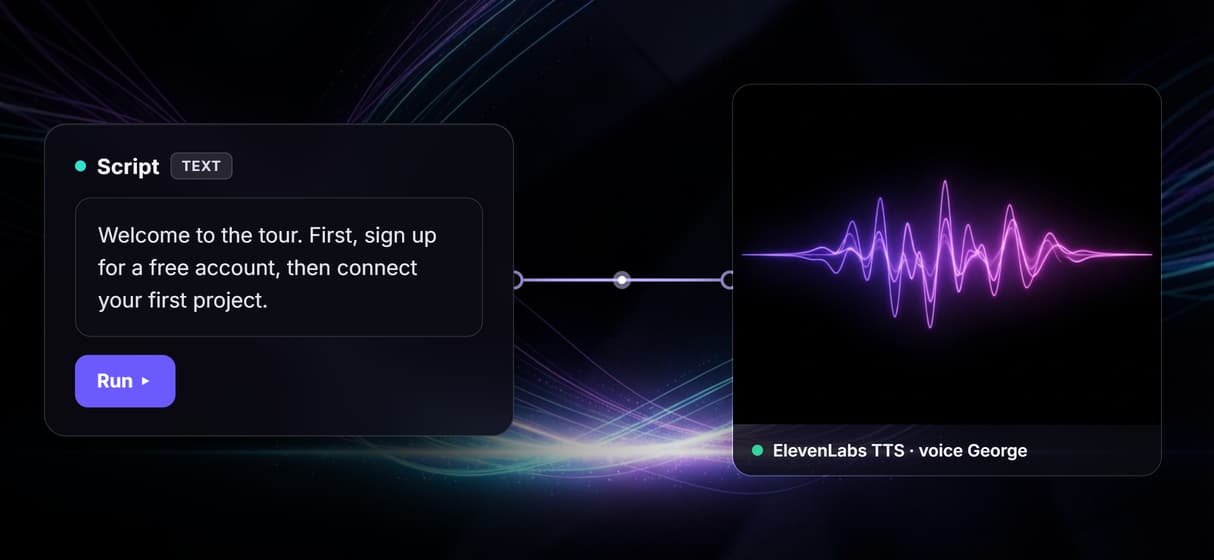
The flow is two nodes. A Script text node holds your narration, and its output wires into the text port of a text-to-speech node set to a clear narrator voice.
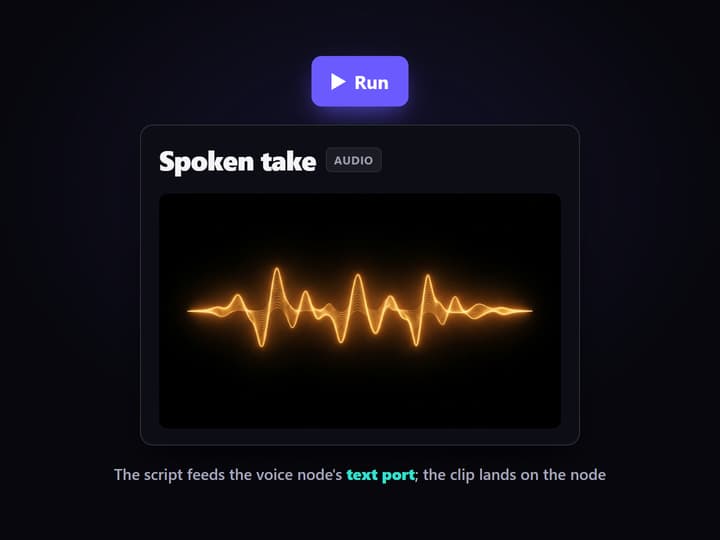
Run it and hear the take
Press Run and the spoken clip lands on the voice node as an audio file. Edit wording on the canvas, where a weak line costs one run instead of a re-export from a separate tool.
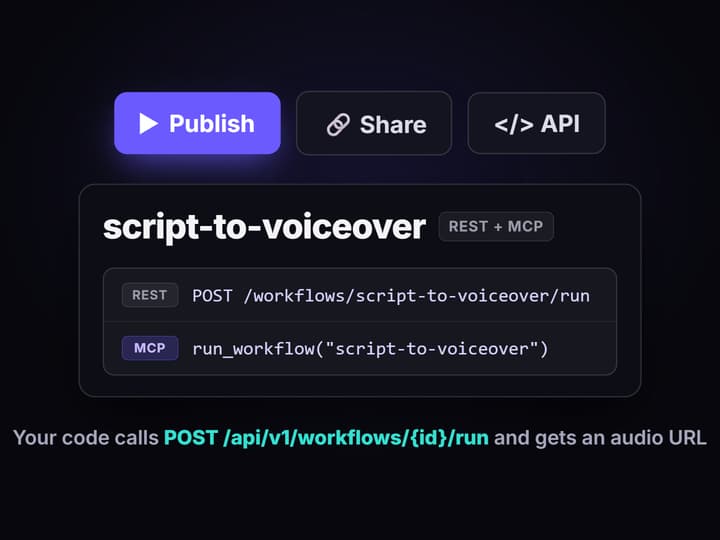
Publish it and call it anywhere
Publish the flow and it becomes a REST endpoint and an MCP tool with a typed script input. Your app posts text and gets an audio URL back, and the voice can change without the call changing.
An honest answer to the ElevenLabs alternative search
Most people who search for an ElevenLabs alternative are not unhappy with the voice. They are unhappy with the shape of the work: generate a clip in one app, download it, drop it into an editor, then do it again for every line and every language. The tool is fine; the round trips are not.
Wireflow answers the search by changing the shape. A script becomes a voiceover on a visual canvas, and that audio is a node output you can wire onward instead of a file you export. Start with a plain text to speech flow like the one above, then reach for a realistic AI voice node when a take needs more warmth. The voice is where it should be: one step in a graph, not a separate destination.
What the voice workflow can do
Multiple voice models
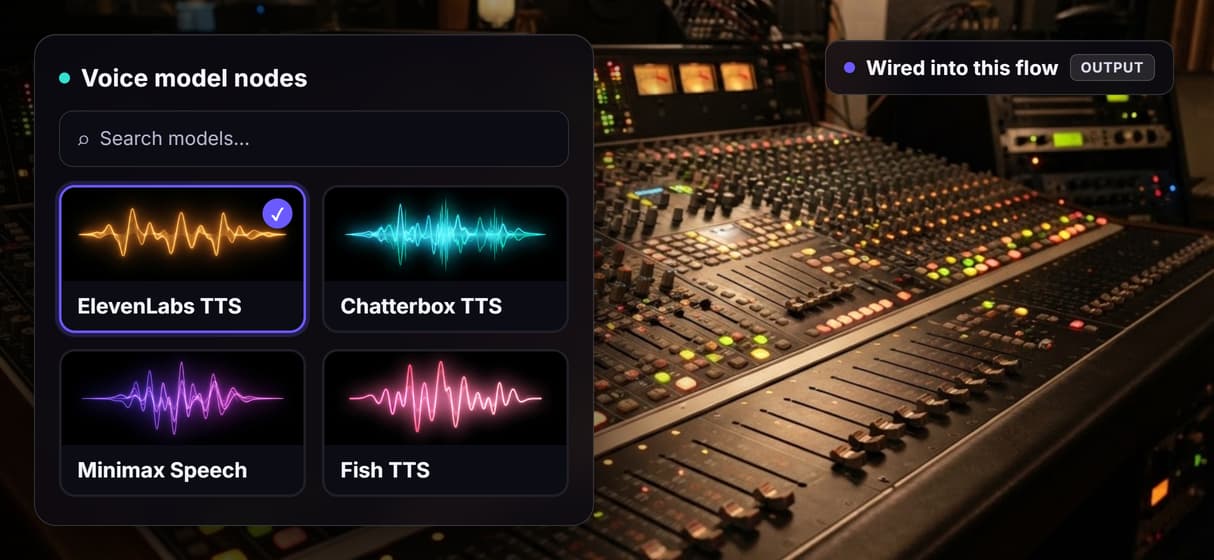
ElevenLabs TTS, Chatterbox TTS, Minimax Speech, and Fish TTS all run as nodes you can swap without rewiring the graph.
Custom and cloned voices
Use a custom ElevenLabs voice node or Fish Voice Clone when a project needs a consistent, recognizable narrator.
Chained into video
Wire a take into a Sync Lipsync v3 node and a video model so a script becomes a talking clip in one flow.
Batch over a feed
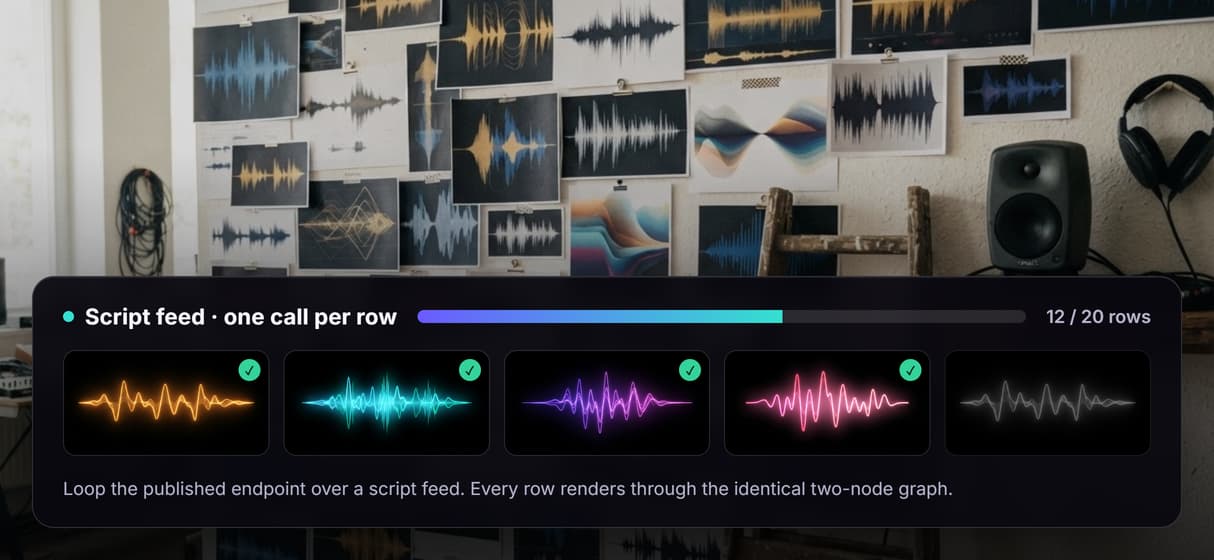
Loop one workflow across a script CSV and voice every row through the same graph instead of one export at a time.
Canvas-first editing
Tune wording and settings visually, then publish; the endpoint serves exactly the flow you heard on the canvas.
REST and MCP built in
Every published workflow is an endpoint and an MCP tool with a typed script input and an audio URL back.
Why the voice node matters more than the voice
Voice models move fast, and an integration welded to one vendor inherits that pace. On a canvas the model is one node: unplug the default text-to-speech node, drop in Chatterbox TTS or Minimax Speech, run the same script, and keep whichever take sounds right. The endpoint your app calls does not move, which is the quiet advantage of an AI canvas with a REST API.
Reproducibility is what makes the swap safe. Workflows are versioned server-side, so the five hundredth voiceover walks the same graph as the first, and a model change is a deliberate new version, not silent drift. The same published flow is also an MCP tool, so an agent on the hosted MCP server can list it, fill the script, and run it. The honest tradeoff: every generation spends credits, and building the graph itself is free.
When ElevenLabs' own app is the better pick
If your work lives inside a voice library, a dubbing studio, or a fine-grained voice-design tool, ElevenLabs' own app is built for exactly that, and Wireflow does not try to copy it. Wireflow is a generation canvas, not a dedicated voice suite: no offline runs, no custom Python nodes, and it will not write your script for you.
Wireflow earns its place when the job is bigger than one clip: when you want to swap voice models behind one endpoint, batch a script feed into a season of takes, chain a voiceover into talking-head video, or hand the whole flow to an agent as an MCP tool. If that is the shape of your problem, the two-node flow above is the smallest honest start.
More Than Just ElevenLabs Alternative
A script in, a spoken clip out
This page's flow is the smallest useful voiceover: a Script node wired into a text to speech node. Type the lines, press Run, and the audio lands on the node. No export dance.
Swap the voice, keep the flow
The voice is a node, not a lock-in. Trade the default node for Chatterbox TTS, Minimax Speech, or Fish TTS on the AI voice generator canvas and your graph never changes.
Every setting is a labeled port
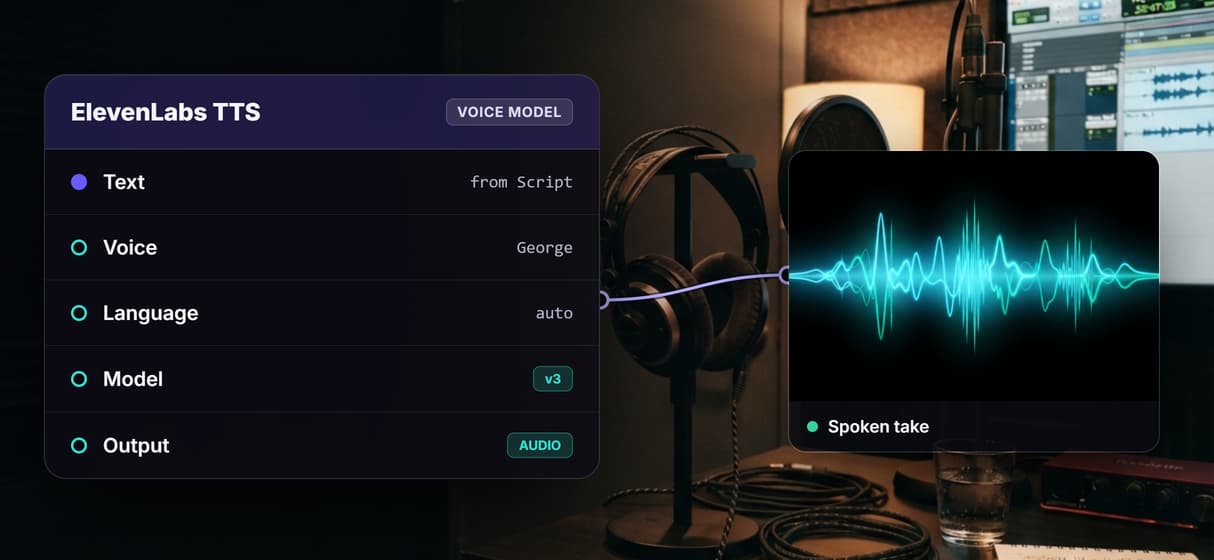
The voice node shows its text and language ports on the canvas, so tuning a take is wiring, not guesswork. It is the same control an AI voiceover generator should give you.
One flow, a whole season of takes
Loop the published endpoint over a script feed and each row renders through the identical graph, the reproducible way to voice content at scale instead of one clip at a time.
Voice is one node in a bigger pipeline
The audio does not stop at a file. Wire it into a Sync Lipsync v3 node and a video model, and the same graph turns a script into lipsync and video from one place.
Build Any AI Workflow
AI Models Integrated
Full Commercial License
FAQs
There is no single winner; it depends on the job. For a dedicated voice library and dubbing suite, ElevenLabs' own app fits. For voice as a step you build on, Wireflow runs voice models as nodes on a canvas, so a script becomes a voiceover you can swap, batch, and chain into video.
More From Wireflow
Written by
Andrew Adams · Co-Founder & Operations at Wireflow
Runs client operations and content strategy at Wireflow. Works directly with creative teams and agencies to build production AI workflows.
Open the two-node voiceover flow behind this page
It is live on the canvas: a Script node wired into a text-to-speech node that already rendered a real take. Run your own script, swap the voice model, then publish it as the endpoint your app calls. Building is free; generations are pay per run.