The 7 Best Tools to Create Ads With AI in 2026


In this article▾
- Quick summary
- How we ranked these tools
- 1. Wireflow: Best overall
- 2. AdCreative.ai: Best for static performance creatives
- 3. Creatify: Best for product video ads
- 4. Arcads: Best for UGC style actor reads
- 5. Canva Magic Studio: Best free option
- 6. Creatopy: Best for multi format display
- 7. Predis.ai: Best for social packages
- Comparison table
- Which one should you pick
- How to make AI ads, step by step
- FAQ
- Conclusion
Creating ads with AI in 2026 means picking between two very different kinds of software: template engines that spit out a finished banner in one click, and node based canvases where you chain an image model, a video model and a voice model into a repeatable pipeline. Wireflow sits in the second group, which is why it leads this list for teams producing more than a handful of creatives per week. Below are seven tools ranked by how well they handle real ad production, from static Meta creatives to UGC style video, with pricing, strengths and the specific job each one is actually good at.
Quick summary
- Wireflow: Best overall. Node based canvas that chains multiple AI models into one repeatable ad pipeline.
- AdCreative.ai: Best for static performance creatives. Conversion scored banners at volume.
- Creatify: Best for product video ads. Product URL in, avatar video out.
- Arcads: Best for UGC style actor reads. Script to spokesperson video.
- Canva Magic Studio: Best free option. Familiar editor with AI generation bolted on.
- Creatopy: Best for multi format display. Auto resize across every ad size.
- Predis.ai: Best for social packages. Visual, copy, caption and hashtags together.
How we ranked these tools
Ad production has three cost centres: generating the creative, versioning it across formats and placements, and doing both again next week when the ads fatigue. Most tools solve the first and ignore the other two, which is why teams end up with a folder of one off exports and no way to rebuild them. We weighted repeatability heavily, then output quality, then price per usable asset rather than price per seat. If you are still deciding between static and video first, the breakdown in our guide to AI video ads tools covers where each format earns its keep. Runway Ads, announced on 30 September 2026, makes image and video ads from a brand kit; our guide to Runway Ads alternatives compares it with 6 other tools and a free blueprint.
Pricing below is list pricing at time of writing. Every tool here has a free tier or trial, so the real test is running the same brief through two of them and comparing what comes back.
Build this in Wireflow
Make the same kind of asset on a canvas you control, with a free account and no credit card.
1. Wireflow: Best overall

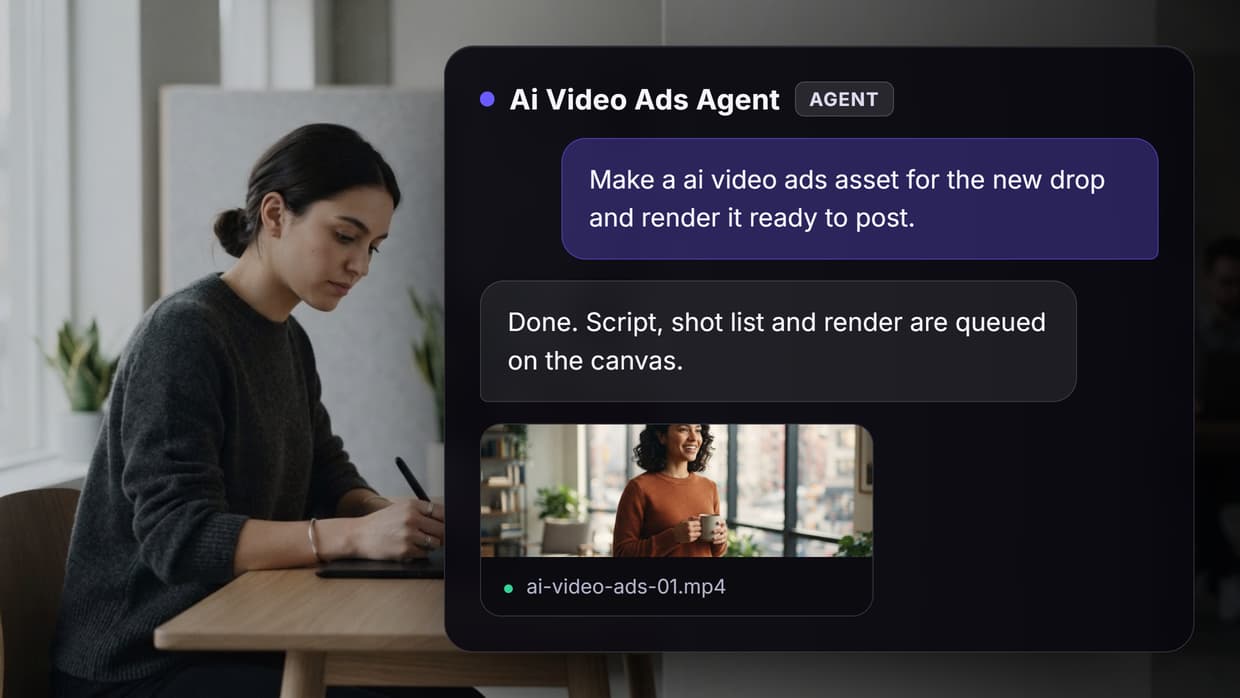
Wireflow is a visual canvas where each node is a model call and the connections between them carry images, video, audio and text. A single ad workflow might start with a product photo, pass it to an image model for three background variations, feed the winner into a video model for motion, then add a generated voiceover and a caption pass. Because the graph is saved, next month's campaign is a re-run with new inputs rather than a rebuild. For a hands on look at this in action, check out the create ads with AI feature page.
The tradeoff is honest: you are assembling a pipeline rather than pressing one button, so the first workflow takes longer than a template tool would. What you get back is model choice (you are not locked to whichever generator the vendor licensed), branching for A/B variants, and the ability to hand the same canvas to a teammate. Agencies running creative for several brands at once tend to land here after outgrowing single purpose tools, a path covered in UGC video automation for agencies.
Pricing is credit based with a free tier to build and test on, and paid plans metered by model usage rather than per seat. Full detail sits on the pricing page.
Verdict: the right pick if you need the same ad concept produced repeatedly, in variants, across formats.
2. AdCreative.ai: Best for static performance creatives

AdCreative.ai generates static banners and scores each one for predicted conversion, trained on a large library of historical ad performance. You upload brand assets, set a size, and it returns dozens of laid out creatives ranked by that score. For paid social teams who need twenty fresh variants before Monday, it is the fastest route from brand kit to uploadable files.
Where it stops short is anything outside the template grammar. The layouts are recognisably AdCreative layouts, video support is thin next to the static engine, and the conversion score is a directional signal, not a guarantee. Plans start around $39 per month with credit limits that climb steeply for agencies, which puts it in similar territory to the tools compared in our AI ad generators for social media roundup.
Verdict: best when the bottleneck is static volume, not creative range.
3. Creatify: Best for product video ads

Creatify takes a product URL, scrapes the images and copy, and builds a short video ad with an AI presenter reading a generated script. For ecommerce sellers with a catalogue of SKUs and no video budget, that URL to video path removes most of the setup work. Output lands in vertical formats ready for TikTok and Reels.
Avatar realism is good in short clips and gets noticeably weaker past twenty seconds or so, and the scraped script usually needs an edit before it sounds like your brand. Paid plans start near $39 per month; the run rate at agency volume is worth modelling first, which is what our Creatify pricing breakdown is for.
Verdict: strongest option if your ads are product led and you want video without a shoot.
4. Arcads: Best for UGC style actor reads

Arcads is narrower than the rest of this list and better for it: you paste a script, pick from a roster of AI actors, and get a talking head read that looks like creator content rather than a corporate video. Teams testing ten hooks against the same offer can generate all ten in an afternoon.
The library is the ceiling. You are choosing from their actors and their settings, so a distinctive brand look has to come from the script and the edit rather than the footage. It is also priced for volume, starting around $110 per month, which only makes sense if you are genuinely producing at scale, a calculation covered in how much to charge clients for AI UGC ads.
Verdict: buy it for hook testing volume, not for one flagship video.
5. Canva Magic Studio: Best free option

Canva added AI generation, background removal, magic resize and copywriting into an editor most marketers already know. That familiarity is the real feature: there is no new tool to learn, brand kits and team folders already exist, and an ad can go from idea to export without leaving the tab.
The AI features are competent rather than best in class, and generation limits on the free plan run out quickly during a real campaign. Treat it as the editor that finishes work other tools started, especially for quick static adaptations. Teams that outgrow the manual step usually move toward the approaches in automate video creation for social media ads.
Verdict: the default for small teams and anyone who needs an ad today with no budget.
6. Creatopy: Best for multi format display

Creatopy exists to solve the format problem. Design one ad, and it resizes and relays out across the full display network set, HTML5 banners included, keeping brand rules locked across every version. For anyone shipping Google Display campaigns, that removes the single most tedious job in the workflow.
It is a design and versioning system first, so the generative side is lighter than the tools above and the price reflects the enterprise leaning feature set, starting around $36 per month per user and rising fast with team features. Display heavy accounts get the value; social first accounts probably do not, and may find more in a creative workflow platform instead.
Verdict: worth it purely for auto resize if display is a real channel for you.
7. Predis.ai: Best for social packages

Predis.ai generates the whole social post rather than just the creative: visual, ad copy, caption and hashtags, with scheduling attached. For a solo marketer running paid and organic from one calendar, having those pieces arrive together saves real time.
Quality is mid tier across each component compared with specialists, and the output leans generic without a strong prompt and brand setup. Plans start near $32 per month. It suits small businesses and freelancers more than performance teams who need tight creative control, the sort covered in best AI tools to mass produce UGC ads.
Verdict: good value when you need a complete post, not a perfect asset.
Comparison table
| Tool | Best for | Output | Starting price | Repeatable pipeline |
|---|---|---|---|---|
| Wireflow | Multi model ad pipelines | Image, video, audio, text | Free tier, then usage based | Yes, saved canvas |
| AdCreative.ai | Static volume | Static banners | ~$39/mo | Partial, templates |
| Creatify | Product video | Vertical video | ~$39/mo | Partial |
| Arcads | UGC style reads | Talking head video | ~$110/mo | No |
| Canva | Free and fast | Static, light video | Free | No |
| Creatopy | Display formats | Static, HTML5 | ~$36/mo/user | Yes, for resizing |
| Predis.ai | Social packages | Post, copy, caption | ~$32/mo | Partial |
Which one should you pick
Pick by the bottleneck, not the feature list. If you cannot produce enough static variants, AdCreative.ai clears it in a week. If the missing piece is video and you sell products, Creatify. If you are testing hooks, Arcads. If the problem is that every campaign is rebuilt from scratch and nothing is reusable, that is a pipeline problem and a canvas tool solves it, which is the same argument made in how to build multi model AI workflows.
Most teams end up with two: one canvas or generator producing the assets and one editor finishing them. That is a healthier setup than paying for a single suite that does six things adequately.
Try it yourself: Build this ad workflow in Wireflow: the nodes are pre-configured with the exact setup discussed above, so you can swap in your own product image and run it.
How to make AI ads, step by step
Most people searching for how to make AI ads want a repeatable process, not a single banner. Here is the workflow that holds up when you need several variations a week.
- Start with your inputs. Gather the product shot, the offer, and one line of positioning. These feed every downstream step, so a clean brief matters more than any single model.
- Generate the base visual. Use an image model to produce the hero frame or static, then branch it into size and format variants instead of starting each one from scratch.
- Add motion if you need video. Pass the approved still into a video model for short hooks, product reveals, or UGC style reads, keeping the same subject across cuts so the set stays consistent.
- Layer voice and sound. Add a voice track and light audio so the ad reads as finished rather than as a raw clip.
- Export and version. Save the whole chain as a template so the next campaign reuses the structure and only the inputs change.
If you want this as one connected pipeline instead of five separate apps, the create ads with AI workflow runs each of these steps as nodes on a single canvas, so one run produces the full set of ad variations.
FAQ
Can AI create ads that actually convert? Yes, with the same caveat as human made ads: the offer and the hook do most of the work. AI shortens production time so you can test more hooks per week, which is where the measurable gain shows up.
What is the best free tool to create ads with AI? Canva Magic Studio has the most usable free tier for finished ads. Wireflow's free tier is the better free option if you want to build a repeatable pipeline rather than a single export.
Do I need separate tools for static and video ads? Not necessarily. Node based canvases handle both because the model, not the tool, decides the output format. Single purpose generators usually specialise in one and treat the other as an add on.
How much does it cost to create AI ads at scale? Budget by asset rather than seat. At roughly 50 to 200 creatives per month, usage based platforms tend to come out cheaper than per seat suites, though the crossover point depends on how much video you generate.
Are AI generated ads allowed on Meta and TikTok? Both platforms permit AI generated creative, and both require disclosure for realistic synthetic people in some contexts. Check the current policy before running avatar or actor style ads.
How do I keep AI ads on brand? Lock the inputs. Feed real product photography, a fixed colour and type spec, and an approved script rather than letting a model invent them, then reuse the same setup for every run.
How long does it take to produce an AI ad? A template tool returns a static ad in a few minutes. A multi model video pipeline takes an hour or two to build the first time and a few minutes per run afterwards.
Should agencies use one tool across all clients? One system, separate configurations per client. Shared templates or workflows keep quality consistent while per client inputs keep the creative distinct.
Conclusion
The gap between these tools is not output quality any more, it is whether the work survives the campaign. Template generators are fast and disposable; canvas based pipelines are slower to set up and reusable for months. Choose the first if ads are occasional, the second if ad production is a standing job on your calendar, and start with a free tier either way before committing budget.

Co-Founder & Operations at Wireflow
Runs client operations and content strategy at Wireflow. Works directly with creative teams and agencies to build production AI workflows.
- Content Strategy
- Client Operations
Ask Claude for your next ad.
Connect once. Ask any time.
- No credit card
- You keep the rights to what you make
- Cancel anytime
More in Alternatives
Head-to-heads and roundups of the tools people weigh up.