 Andrew Adams · Co-Founder & Operations at Wireflow ·
 AI UGC Ads for Agencies From One Reusable Workflow
Stop rebuilding UGC ad production for each client.
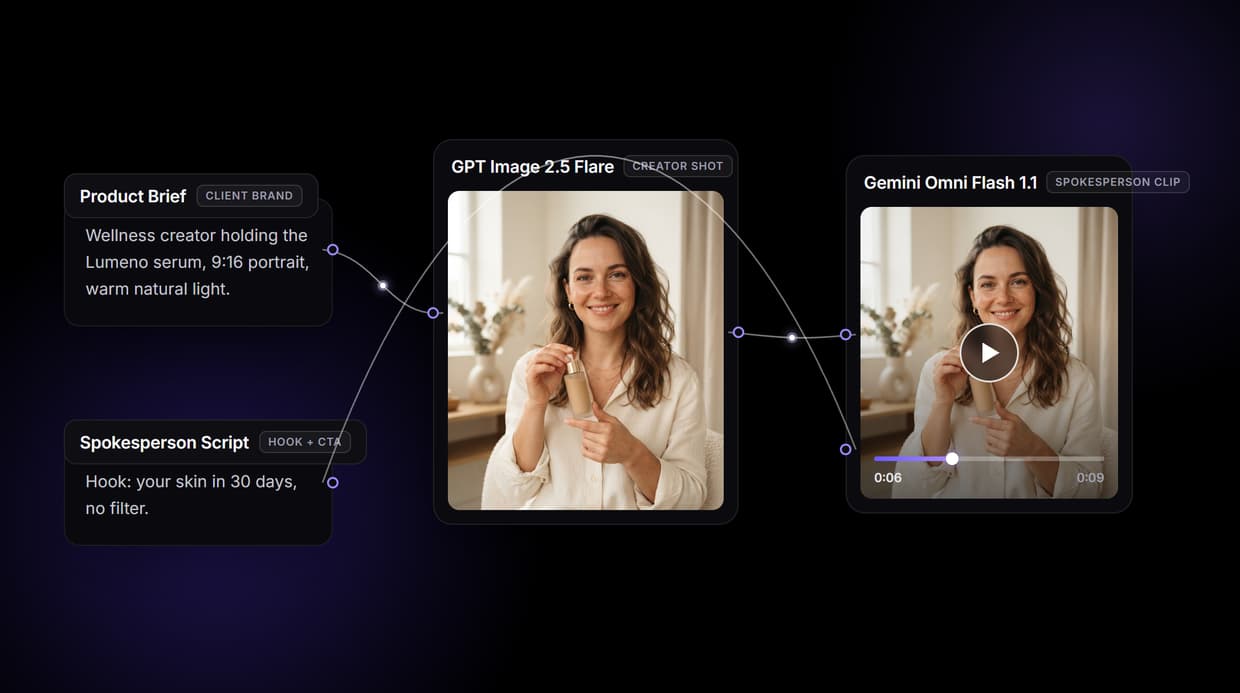
Swap the Product Brief and Spokesperson Script in the five-node graph, then generate a new 9:16 spokesperson clip from the canvas or via API.
Free to build · no credit card · See how it works ↓
How to Use AI UGC Ads for Agencies From One Reusable Workflow
Steps to get you started in Wireflow.
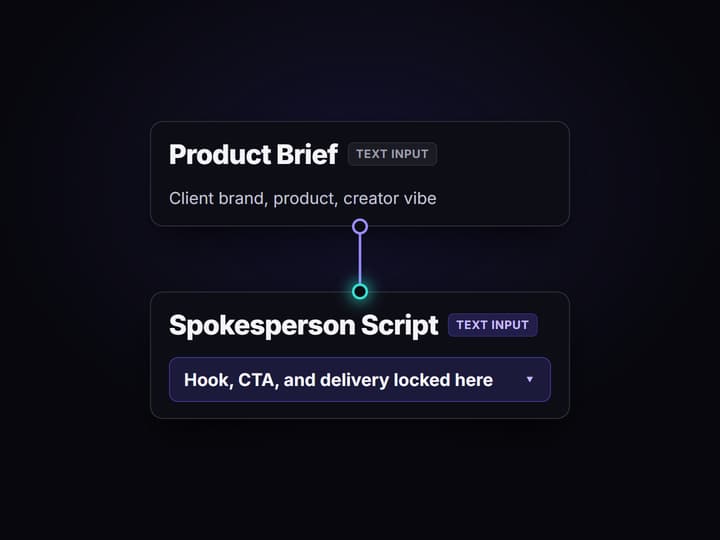
Set up one reusable workflow
Open the public five-node UGC Ad Pipeline. Put the client, product, and creator direction in Product Brief, then add the hook and CTA to Spokesperson Script. Run it to create the 9:16 creator image and talking-head clip, then save the shareable flow link.
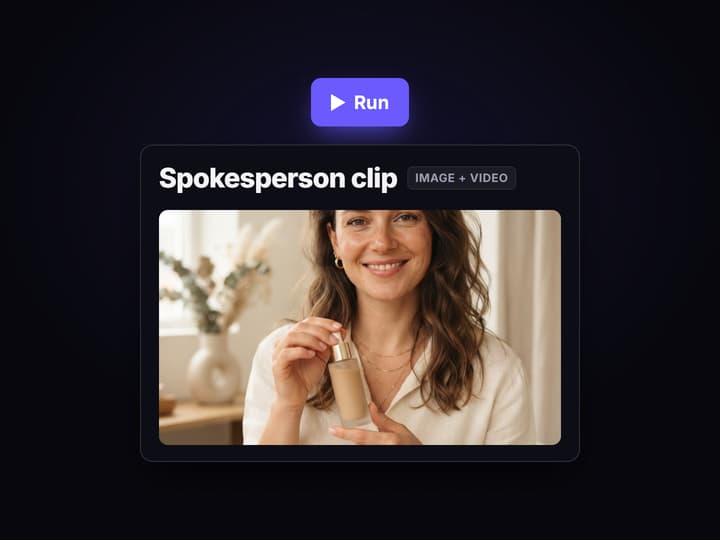
Swap the two inputs for each client
For the next client, replace only Product Brief and Spokesperson Script, then rerun the same graph. The fixed wiring keeps client inputs separate, and the server-side workflow version preserves the setup your team used.
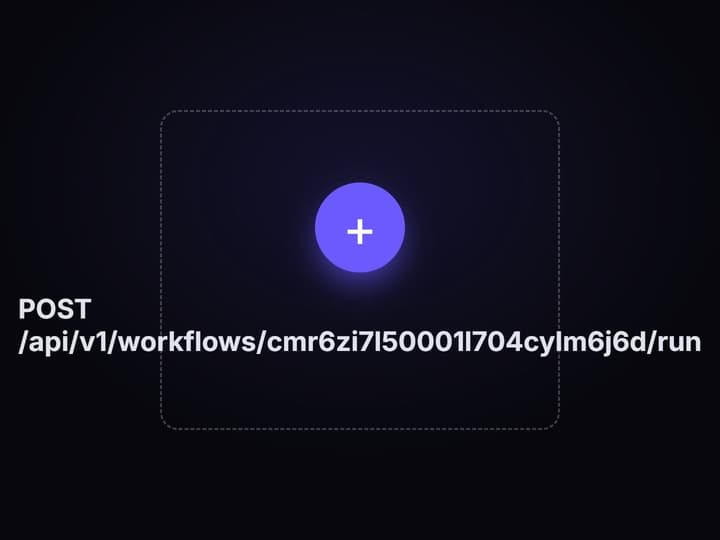
Publish and run the variation matrix
Publish the workflow to get its REST endpoint and MCP tool. Have an agent or script call it once per hook and creator-direction combination, with a spend cap for large batches. Production can run without reopening the canvas.
What AI UGC ads for agencies actually require
Agency UGC production breaks down when each client brief becomes a new setup. The scalable unit is not one finished ad. It is a reusable input contract: the client's Product Brief and Spokesperson Script change, while the five-node graph and its wiring stay fixed.
Wireflow's AI UGC workflow turns that contract into a generation pipeline. Product Brief drives GPT Image 2.5 Flare's 9:16 creator shot. That still and the Spokesperson Script feed Gemini Omni Flash 1.1 Spokesperson, which generates a 9:16 talking-head clip with synced speech. Run it on the canvas, or publish it as both a REST endpoint and an MCP tool for production without the UI.
The tradeoff is setup discipline. Wireflow is the generation layer, so it repeats the inputs you provide but does not decide which hook will convert. Agencies still own the brief, output review, AI disclosure, and a spend cap for large batches.
What the UGC ad pipeline can do for your client roster
Brief in plain words
The Product Brief Text Input node holds the client name, product benefits, and creator profile. Swap it per client; the graph stays identical.
Photoreal creator shot
GPT Image 2.5 Flare renders a 9:16 creator-holding-product still. The image node runs before motion spend.
Talking-head spokesperson clip
Gemini Omni Flash 1.1 Spokesperson takes the still and script and returns a clip with synced speech.
Reuse across every client
Change the two Text Input nodes and rerun the same five-node graph. The pipeline is the asset, not the ad.
Trigger via REST or MCP
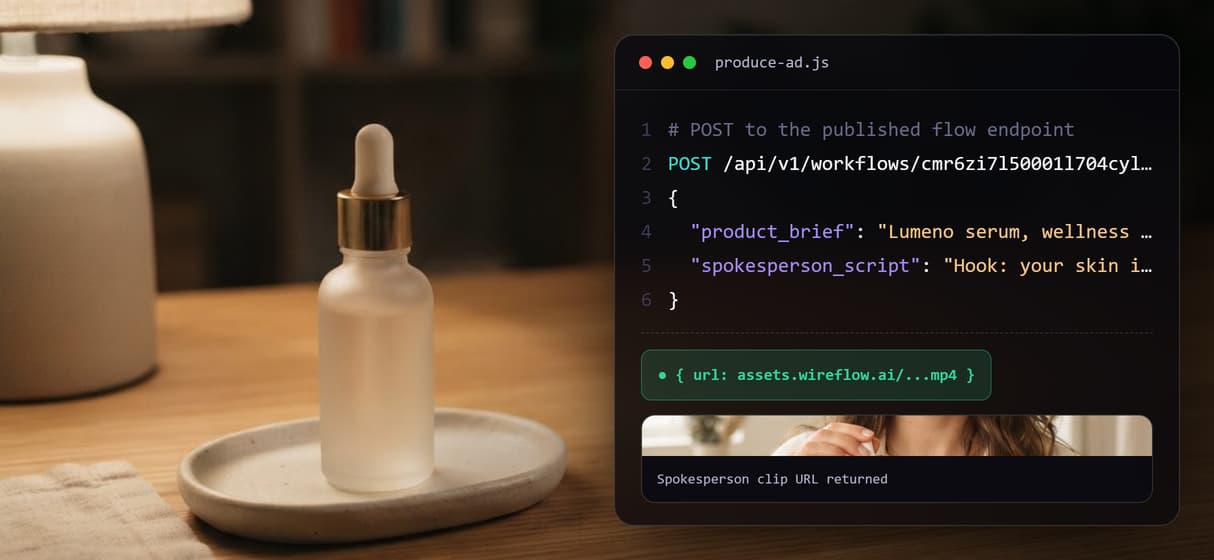
Publish the flow and it becomes an endpoint. Pass brief and script as JSON; get the clip URL back. No UI loop.
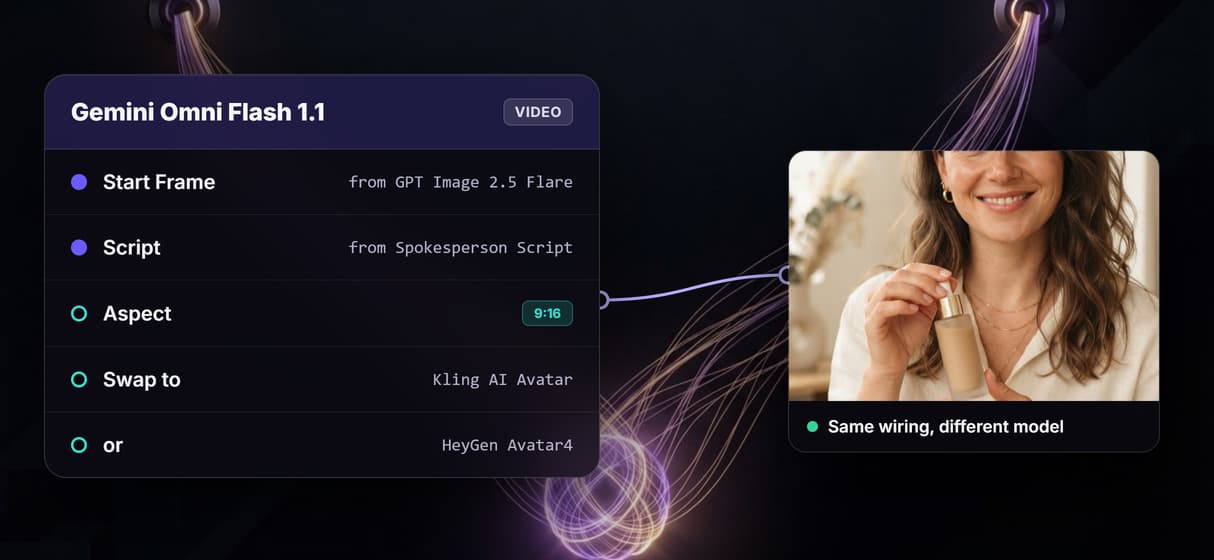
Swap avatar models
Gemini Omni Flash 1.1 Spokesperson supports model swaps: change the model inside the node to use a different talking-head or avatar engine without rewiring the graph.
How the five-node graph runs
The workflow on this page has five nodes and two input paths. Four nodes generate the ad; the fifth is a Sticky Note that documents the graph.
- Product Brief supplies the product details and creator direction to GPT Image 2.5 Flare.
- GPT Image 2.5 Flare generates a photorealistic 9:16 creator-holding-product still on hosted compute.
- Spokesperson Script supplies the hook and spoken copy directly to Gemini Omni Flash 1.1 Spokesperson.
- Gemini Omni Flash 1.1 Spokesperson combines the still and script to generate a 9:16 talking-head clip with synced speech.
- Sticky Note documents the workflow and does not generate media.
The wiring keeps image direction and spoken copy separate: Product Brief goes to GPT Image 2.5 Flare and then Gemini Omni Flash 1.1 Spokesperson, while Spokesperson Script connects straight to Gemini Omni Flash 1.1 Spokesperson. Publish the versioned workflow and your AI UGC agent can call the same graph through REST or MCP. The tradeoff is control, not guaranteed sameness: AI output can vary, each generation uses credits, and unattended batches need a spend cap.
When Wireflow is not the right tool
Wireflow generates the media; it does not supply the creative strategy. Your team or agent must write the brief and script, choose the hooks to test, and judge what converts. The result is AI-generated UGC-style media, not a licensed human creator or a real customer testimonial. Agencies remain responsible for following disclosure requirements in each platform's rules and local law. Large unattended batches also need a spend cap because every generation uses credits.
Choose a talent platform when the client needs sourcing and licensing for real creators or genuine customer testimonials. Choose another production tool if the job requires offline runs, custom Python nodes, or a managed long-form presentation workflow. Wireflow fits when the agency already owns the strategy and wants its AI ad generator to rerun a controlled media workflow across clients through the canvas, REST, or MCP.
More Than Just AI UGC Ads for Agencies From One Reusable Workflow
One workflow template, every client brand
Build the five-node UGC Ad Pipeline once and rerun it per client by swapping the Product Brief and Spokesperson Script inputs. No rebuild per account. Our guide on how to build AI workflow software for agencies walks through that setup one step at a time.
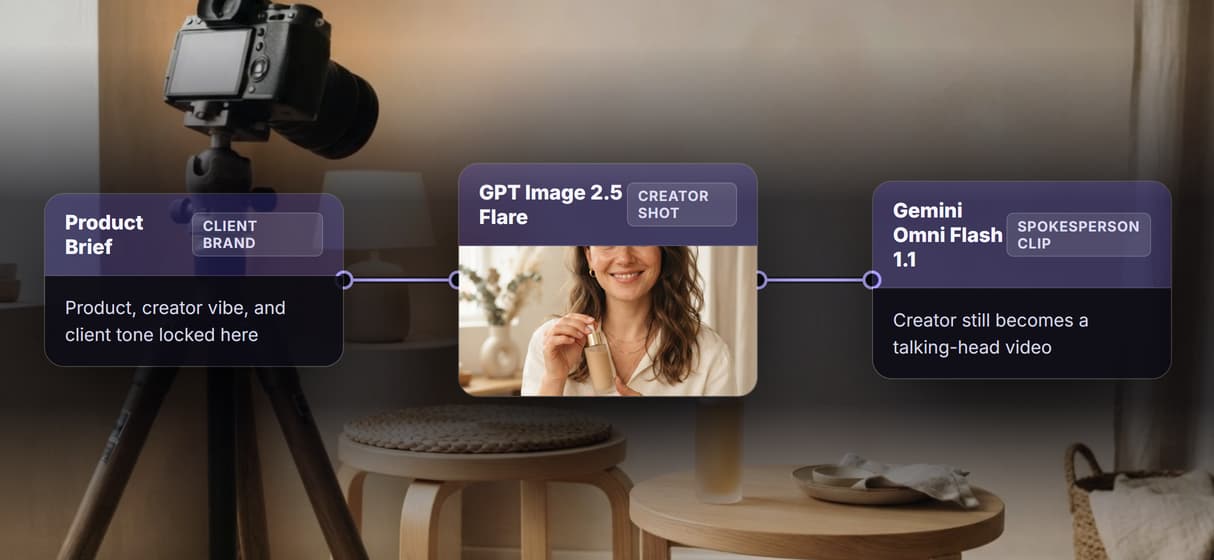
From brief to spokesperson clip: the five-node graph
Product Brief feeds GPT Image 2.5 Flare for the creator shot, then Gemini Omni Flash 1.1 Spokesperson animates that still into a talking-head clip with synced speech.
Trigger production via API, no UI required
Publish the flow to unlock a REST endpoint and MCP tool. Pass product brief and script as typed inputs and get the spokesperson clip URL back.
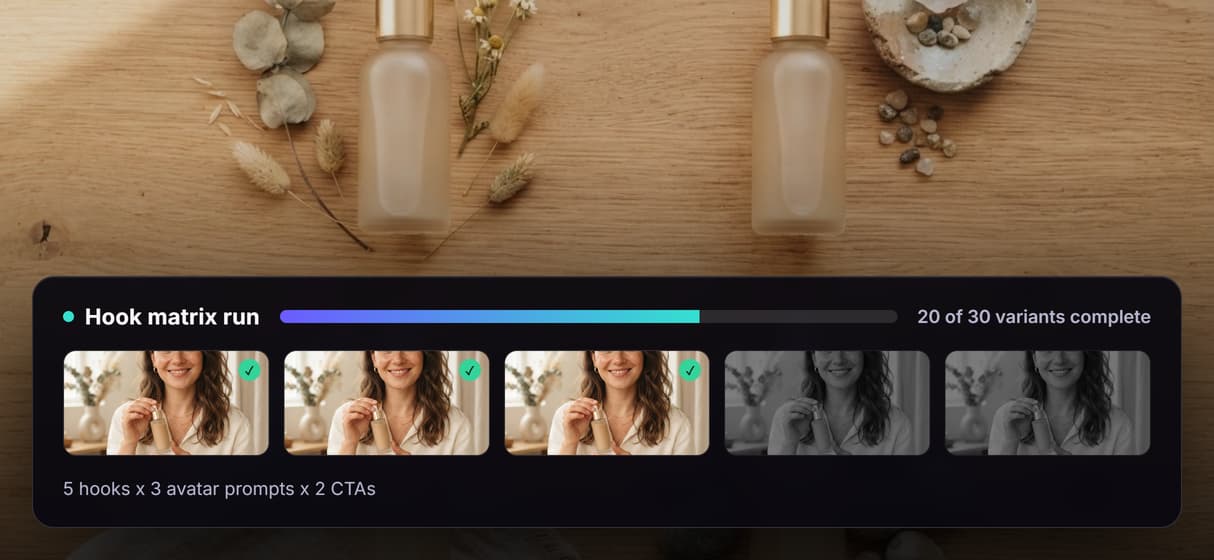
Build a hook matrix and run all variants at once
Loop the REST endpoint over a brief variation list. Five hooks times three avatar prompts from one workflow call produces fifteen spokesperson clips.
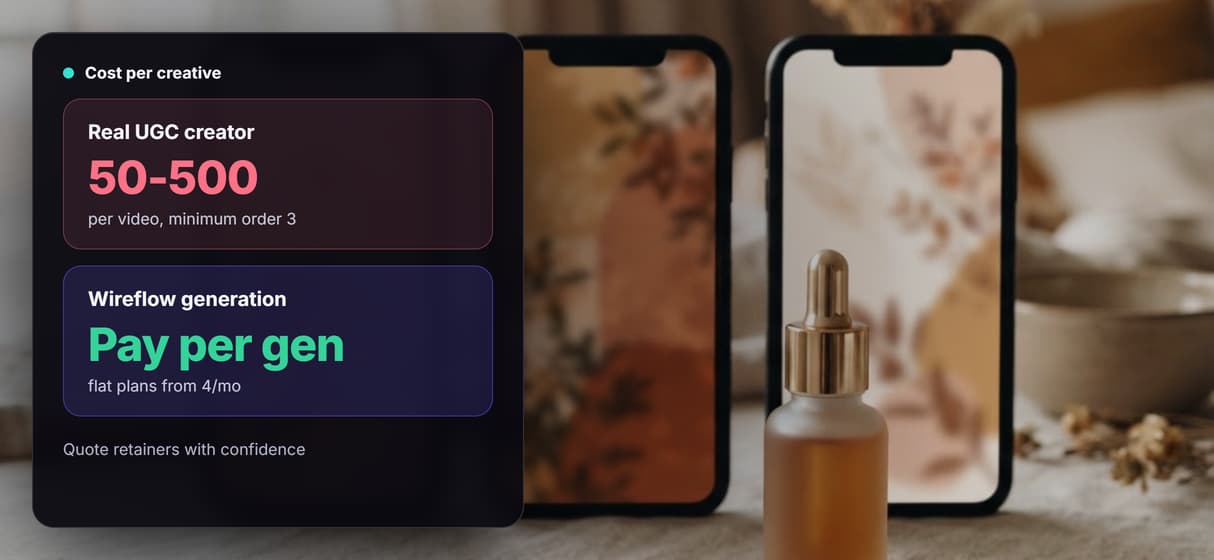
Per-generation pricing built for retainer math
Building the canvas workflow is free. Generations cost credits on flat plans from 4 a month, so quoting a retainer means credits times volume.
Ugc ads for agencies from one reusable workflow Workflows
No Code Required
API & Batch Processing
FAQs
Wireflow uses one reusable five-node UGC Ad Pipeline. Product Brief feeds GPT Image 2.5 Flare for the 9:16 creator image; that image and Spokesperson Script then feed Gemini Omni Flash 1.1 Spokesperson for the talking-head clip. Publish the flow to run it through REST or MCP.
Discover related AI tools
More From Wireflow
Written by
Andrew Adams · Co-Founder & Operations at Wireflow
Runs client operations and content strategy at Wireflow. Works directly with creative teams and agencies to build production AI workflows.
Build your agency UGC ad pipeline
Open the five-node workflow free, swap the brief and script per client, then run it from the canvas, REST API, or MCP. Generations use credits.