 Andrew Adams · Co-Founder & Operations at Wireflow ·
 AI UGC Agent
An AI UGC agent is only trustworthy when you can see what it runs.
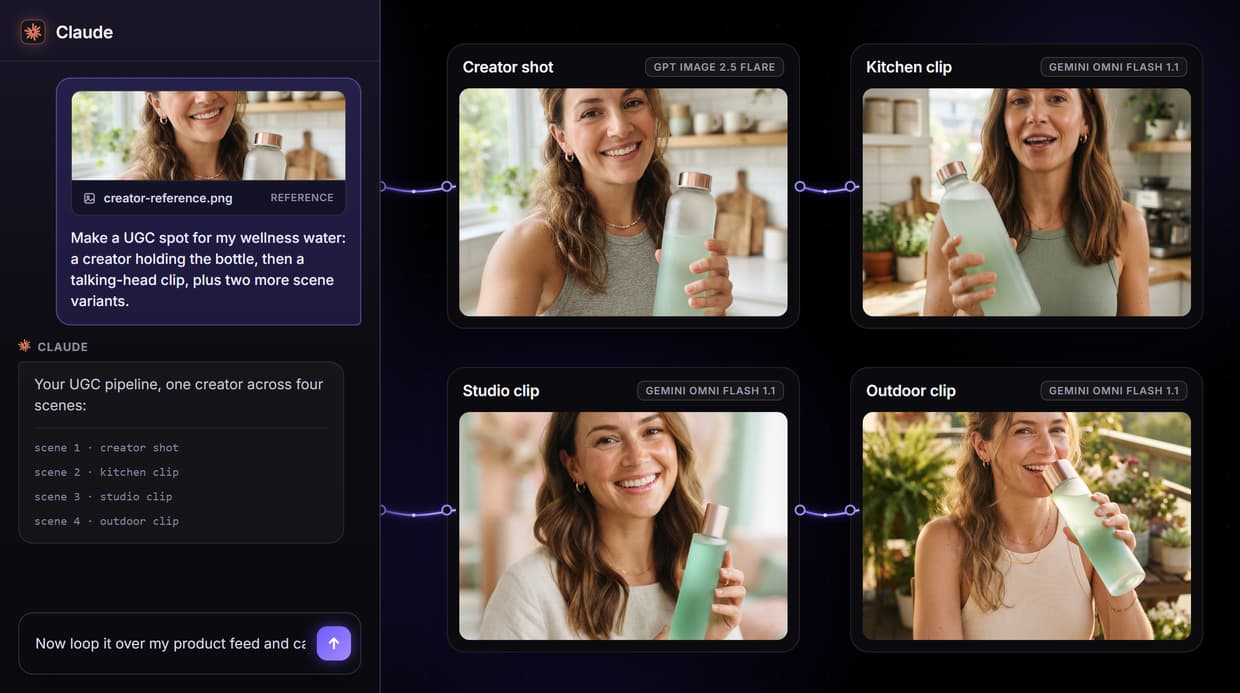
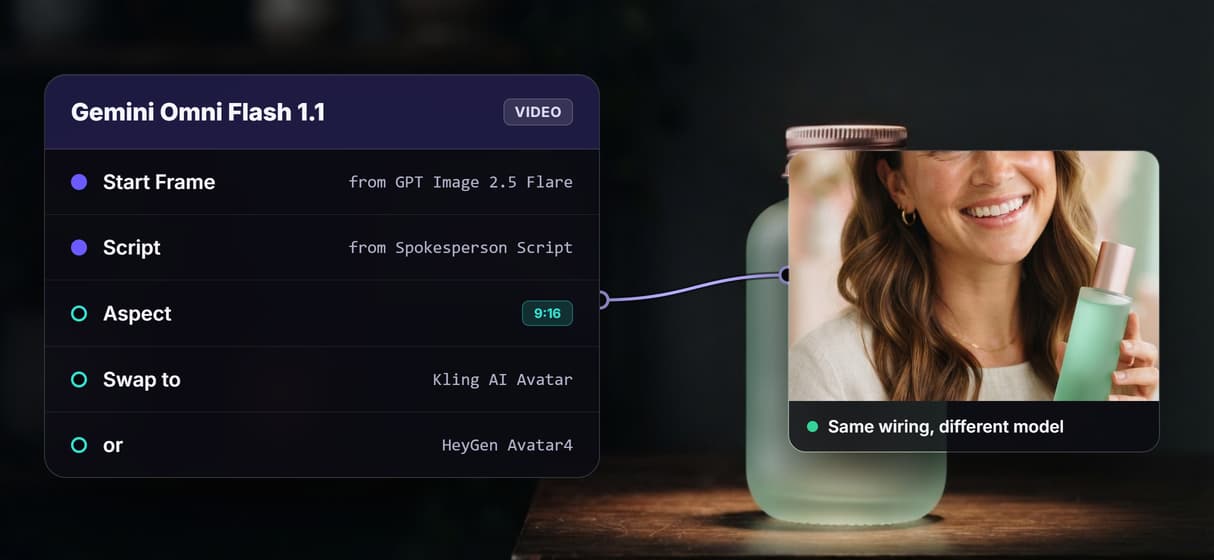
On Wireflow it is a node graph you build once: a product brief becomes a photorealistic creator shot, then Gemini Omni Flash 1.1 turns that still into a talking-head spokesperson clip. Publish it and your agent calls the exact same pipeline on demand.
Free to build · no credit card · See how it works ↓
How to Use AI UGC Agent
Steps to get you started in Wireflow.
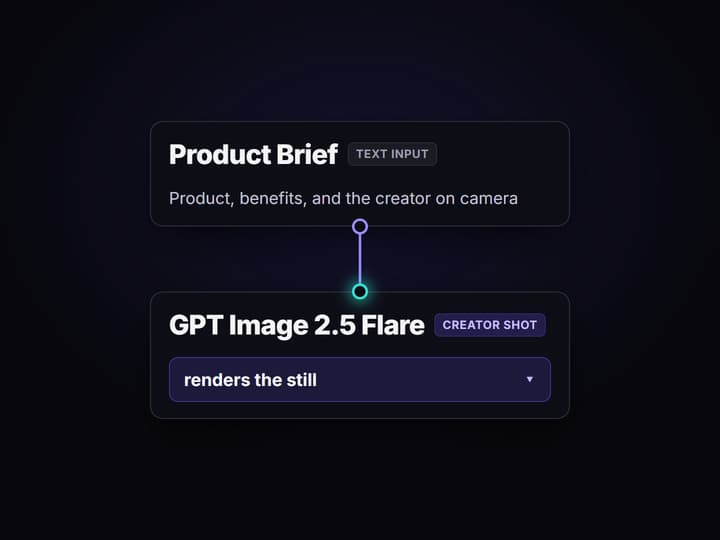
Write the product brief
Open the flow and click the Product Brief node. Enter the product, its benefits, and the creator you want on camera; the default is a wellness creator holding a bottle.
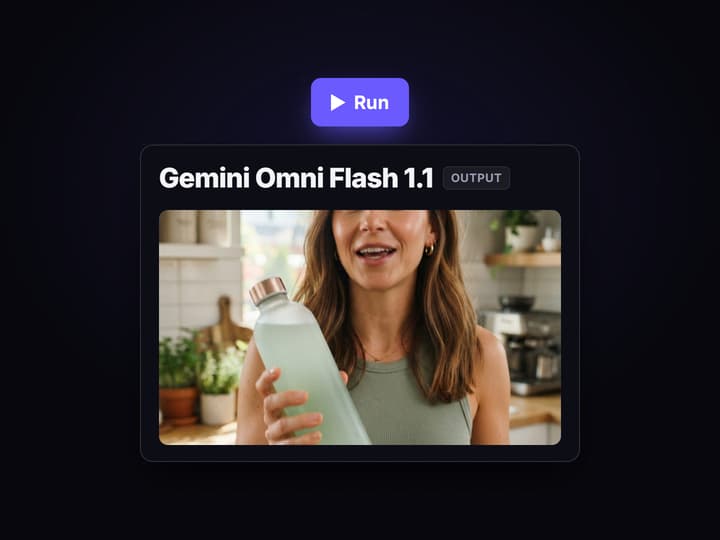
Render the shot and clip
Press Run. GPT Image 2.5 Flare renders the creator-holding-product still, then Gemini Omni Flash 1.1 animates it into a short talking-head spokesperson video from your script.
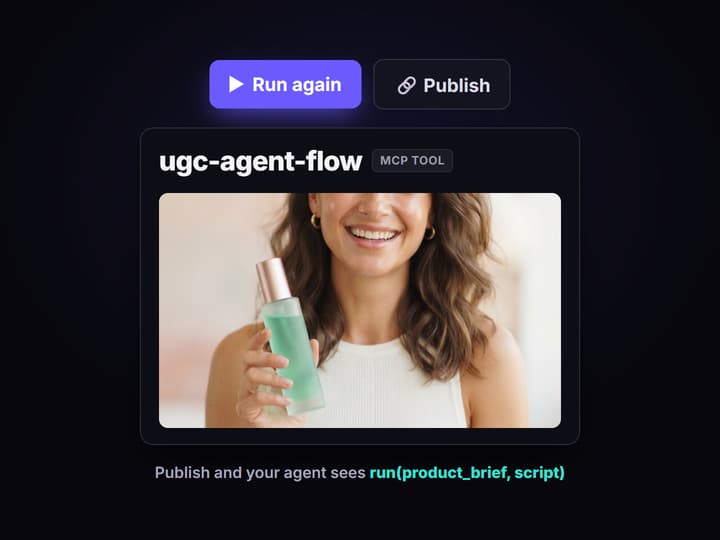
Publish, then let the agent run it
Change the brief and run again for the next product, or publish the graph so your agent can call it as a tool and loop it over a product feed.
What an AI UGC agent actually is
The phrase covers two things. Marketers mean a system that turns a brief into creator-style video ads at scale: script, render, caption, done. Engineers mean an agent that calls tools instead of improvising, so the output is repeatable. Both descriptions land on the same requirement, and it is the one most UGC tools skip: an agent that makes your ads is only worth handing work to when the pipeline it runs is visible and the same every time.
That is why this page is built around a workflow, not a promise. The flow on this page is a UGC agent as a literal graph: a Product Brief node, a GPT Image 2.5 Flare node that renders a photorealistic creator holding the product, and a Gemini Omni Flash 1.1 node that animates that still into a talking-head spokesperson clip driven by a script. It is the same division of labor that an AI content agent applies to a whole content set, pointed at UGC: the agent runs the pipeline, the graph keeps every step yours to inspect.
What the AI UGC agent loop can do
Brief in plain words
A Text Input node holds the product and the creator you want: brand, benefits, and the vibe of the person on camera.
Photoreal creator shots
GPT Image 2.5 Flare renders a creator holding the product in 9:16, the still the whole clip is built from.
Talking-head spokesperson
Gemini Omni Flash 1.1 turns that still into a short spokesperson video with synced speech from your script node.
Reuse on any product
Swap the brief and the script for the next product and the same graph runs the whole thing again.
Swap the models
The graph is model-agnostic: trade Gemini Omni Flash 1.1 for Kling AI Avatar or HeyGen Avatar4 without rewiring the flow.
Agent-callable
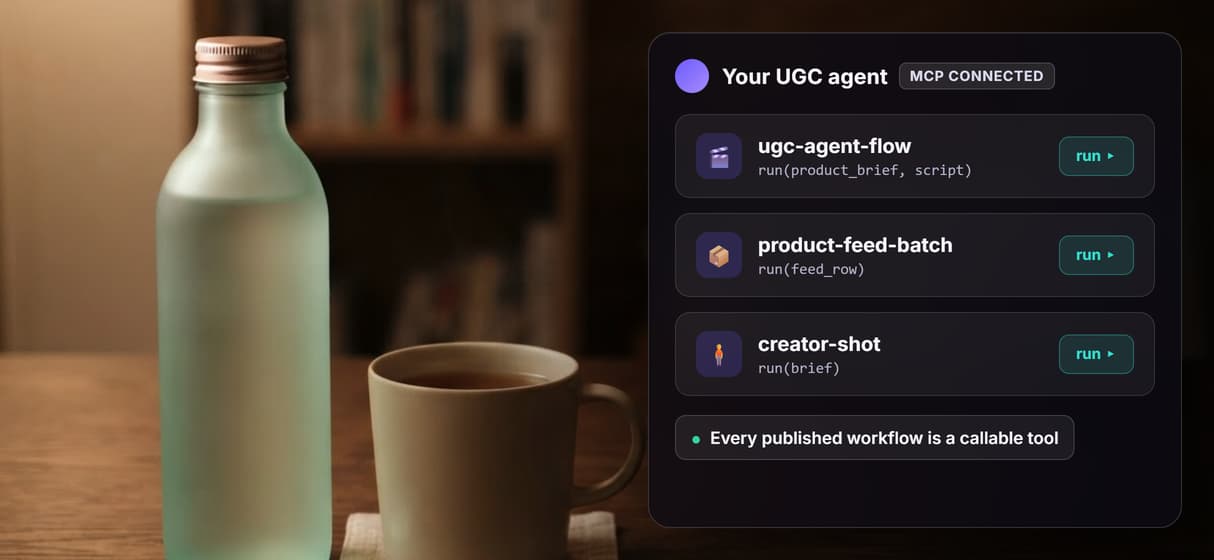
Publish the graph and it becomes an MCP tool and REST endpoint with typed inputs any agent can run.
The AI UGC agent pipeline, node by node
Open the flow and you are looking at a UGC pipeline with nothing hidden.
- Product Brief holds the intent. A Text Input node with the product and the creator description: brand, benefits, and how the person on camera should look and act. This is the part you rewrite per product.
- Spokesperson Script holds the words. A second Text Input node with the line the creator delivers to camera, so the message stays yours instead of a model guess.
- GPT Image 2.5 Flare renders the shot. It generates the photorealistic 9:16 creator-holding-product still on hosted compute, and switches to editing when you wire an image into its Image 1 input.
- Gemini Omni Flash 1.1 makes the clip. It takes that still as a start frame plus the script and animates a short talking-head spokesperson video with synced speech.
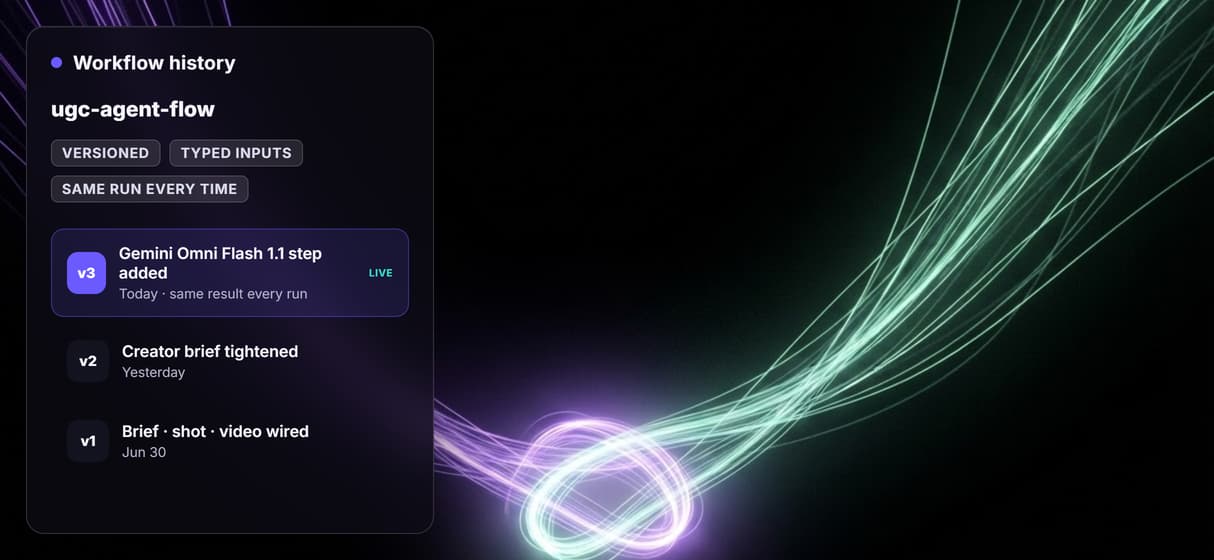
Putting the whole pipeline on the canvas is the point. A UGC tool that hides its steps behind an avatar picker gives you one output and no way to change how it was made; a graph is versioned server-side, so every clip traces back to the exact nodes that made it, and improving one node improves every future run. That is what makes the loop safe to hand to an agent, the same property that separates a multi-model workflow from a one-off render. The honest tradeoff: the pipeline generates the media, it does not decide your hook or judge which variant converts, so a person or agent still owns the message.
What an AI UGC agent on Wireflow is not
Wireflow is the generation layer of the loop, not the strategy. The pipeline renders creator shots and spokesperson clips, but the hook, the offer, and the read on which variant actually sells still come from you or the agent you bring. It is also not a roster of licensed human creators or a source of real customer testimonials: the output is AI-generated media, so disclose it the way your platform and local rules require. And it is not a one-click avatar studio with a stock-actor library; you build the pipeline, which is the whole reason you can inspect and change it.
Runs are metered too: building on the canvas is free, but every generation costs credits, so an agent looping over a large product feed unattended is a spend decision to cap deliberately. Comparing a canvas-first agent against the packaged UGC tools first is a fair move: see the best AI content agent tools roundup for where an inspectable pipeline wins and where a turnkey avatar farm is the faster call.
More Than Just AI UGC Agent
One canvas, the full UGC loop
Product brief to creator-shot render to spokesperson video, one graph small enough to audit at a glance.
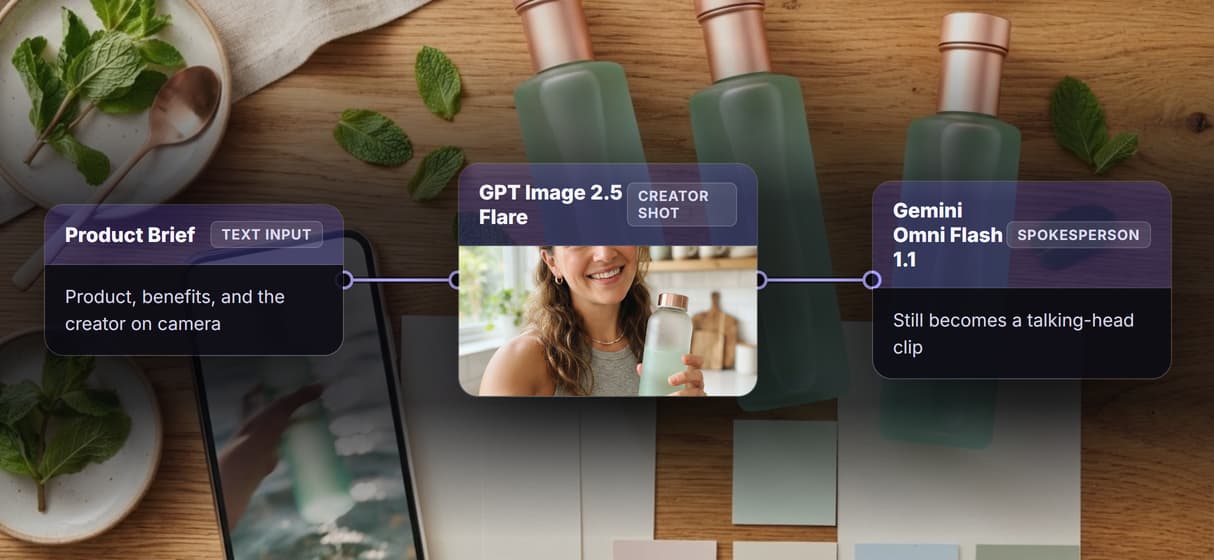
Two-stage UGC, still to video
GPT Image 2.5 Flare makes a photoreal 9:16 still of a creator holding the product; Gemini Omni Flash 1.1 animates the talking head.
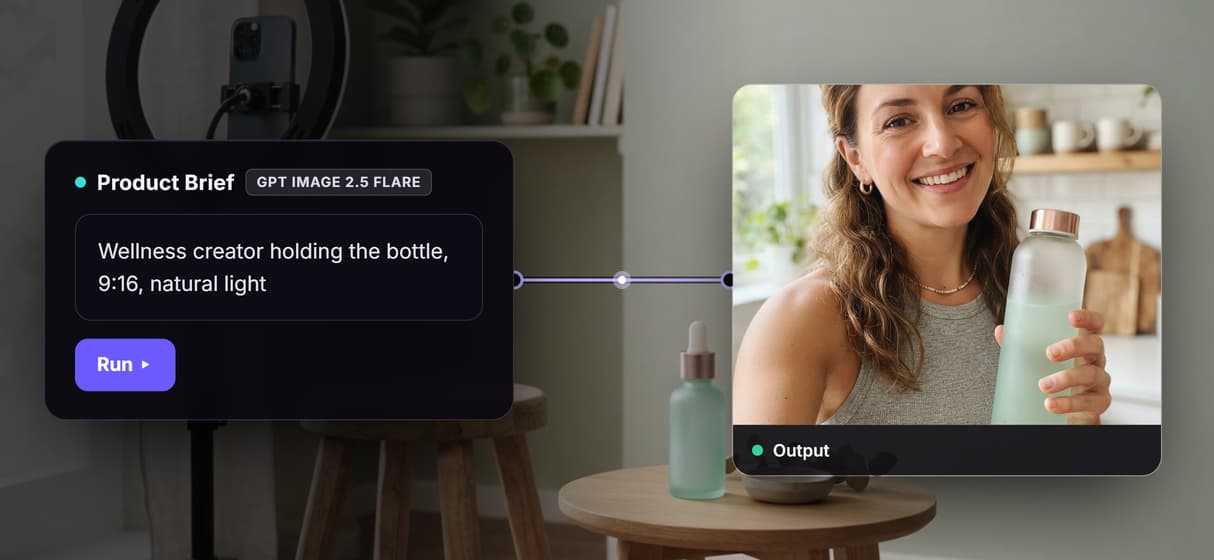
Same call, same result every time
The graph is versioned server-side, so a run is reproducible: the same inputs render the same pipeline, unlike a black-box tool, which is what a real workflow API gives an agent.
Your agent runs it as a tool
Publish a typed REST endpoint and MCP tool; the content agent loops feed briefs and gets asset URLs.
Swap avatars, keep the flow
Swap the render or video node, trading Gemini Omni Flash 1.1 for Kling AI Avatar or a talking photo node.
Build Any AI Workflow
AI Models Integrated
Full Commercial License
FAQs
It is an agent that generates creator-style content by calling a pipeline instead of one prompt. On Wireflow the pipeline is a node graph: a brief renders a creator shot, then a video node animates it into a talking-head spokesperson clip.
Discover related AI tools
- AI Pipeline Automation
- AI Workflow Templates
- AI Video Pipeline: Build One on a Node Canvas
- Batch AI Generation: Many Assets, One Run
- AI Model Chaining
- AI Asset Pipeline
- AI Workflow Builder
- AI Content Generation API
- AI Workflow API
- AI Orchestration API
- Headless AI Workflow Platform
- Krea AI API Alternative: Image and Video From One REST Endpoint
More From Wireflow
Written by
Andrew Adams · Co-Founder & Operations at Wireflow
Runs client operations and content strategy at Wireflow. Works directly with creative teams and agencies to build production AI workflows.
Wire an AI UGC agent your team can inspect
The flow behind this page is public: a product brief, a GPT Image 2.5 Flare creator shot, and a Gemini Omni Flash 1.1 spokesperson clip in one graph. Publish it and your agent calls the same pipeline as an MCP tool. The canvas is free to explore; generations are pay per run.