 Andrew Adams · Co-Founder & Operations at Wireflow ·
 Martini AI Alternative
Martini hands creative teams a node canvas for chaining AI models.
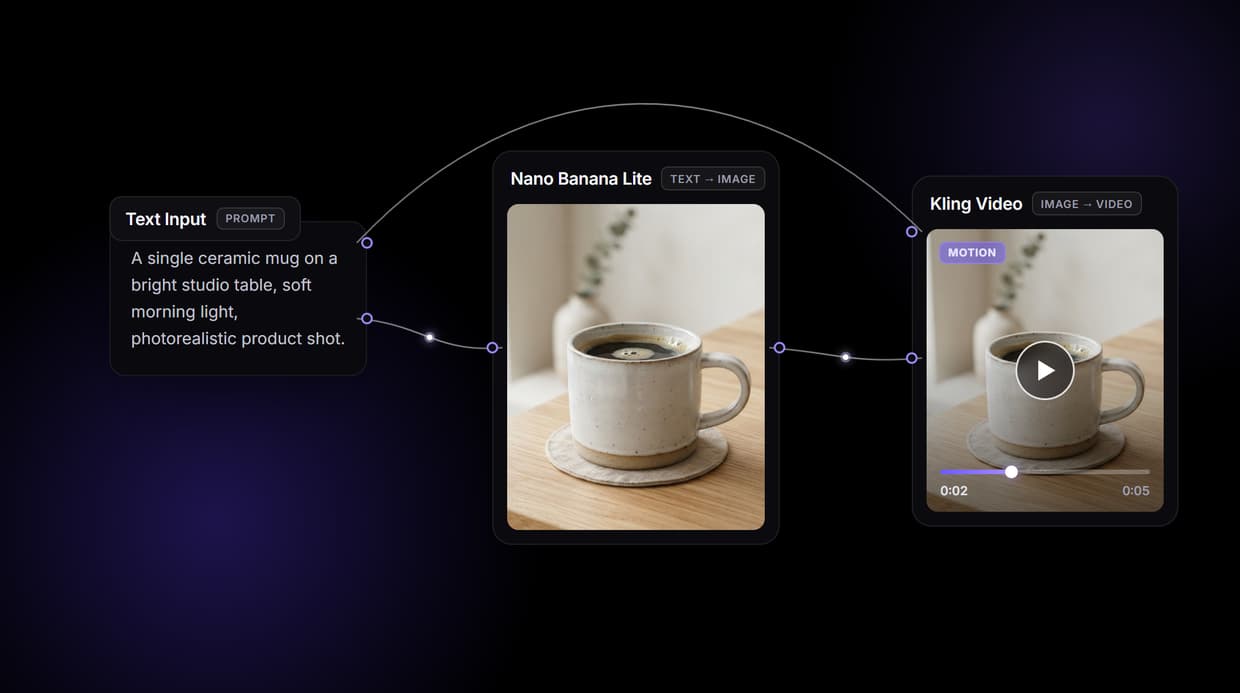
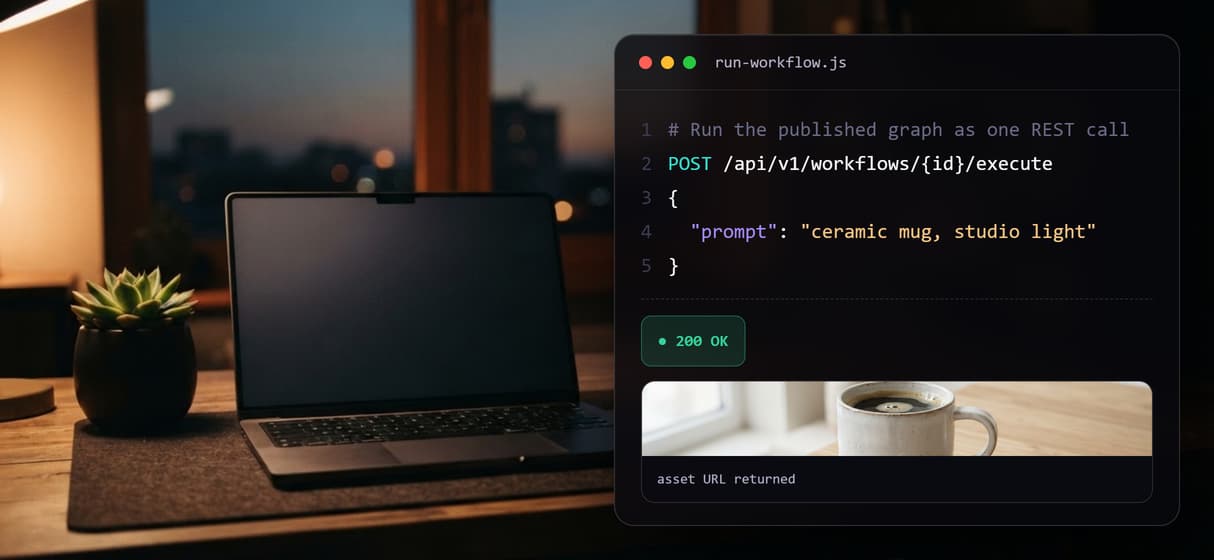
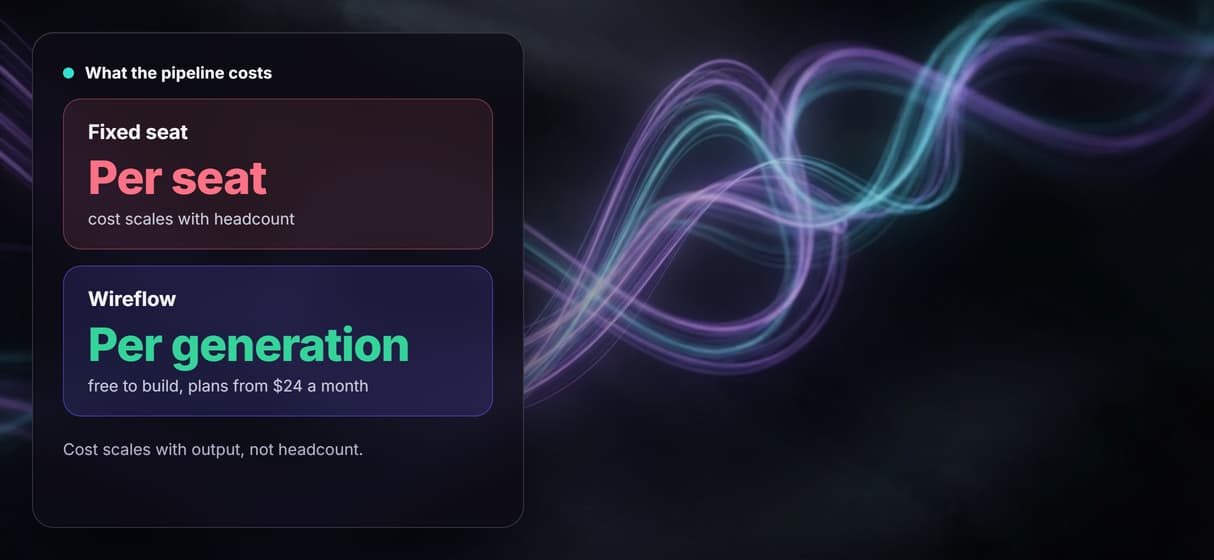
Wireflow hands you the same canvas plus a REST API: the workflow above turns a prompt into a product frame with Nano Banana Lite, animates it with Kling Video, and assembles the clip, then runs from code as one endpoint. Free to build, pay per generation.
Free to build · no credit card · See how it works ↓
How to Use Martini AI Alternative
Steps to get you started in Wireflow.
Describe the shot in the Text Input node
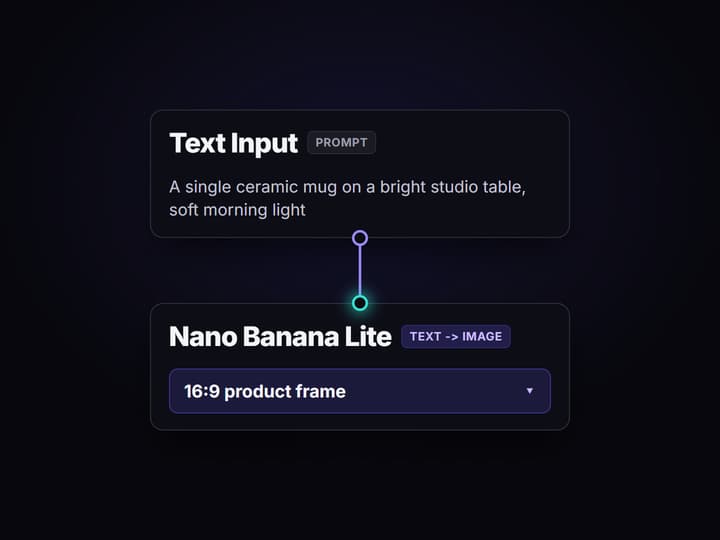
Open the flow and click the Text Input node. One line is enough, for example a single ceramic mug on a bright studio table, soft morning light, photorealistic product shot.
Run the graph once
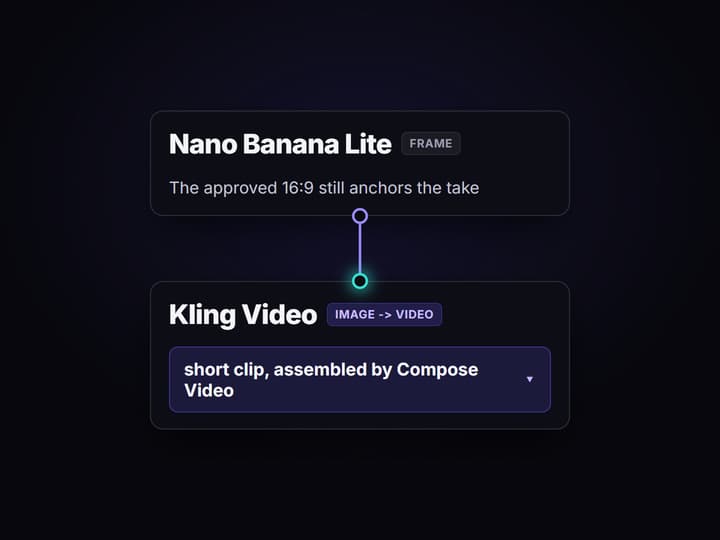
Nano Banana Lite turns the prompt into a 16:9 product frame, then Kling Video animates that frame into a short clip and Compose Video assembles it. A run finishes in a minute or two.
Swap a model, or call it from code
Swap the image or video node for another of the 70+ hosted models and run again. When it is ready, the same workflow runs as a REST endpoint, so a script or agent gets the finished asset URL back.
Why people search for a Martini AI alternative
Martini won a following by making a node canvas feel effortless: drop frontier image, video, and audio models onto an infinite board, wire them together, and watch a creative pipeline take shape without touching code. For a creative team that lives in that canvas, it is a genuinely good place to work, and this page will not pretend otherwise.
The search for an alternative usually starts when the pipeline has to leave the canvas. You want the same drag-and-drop graph, but you also need to run it from a script, embed it in your own product, or hand it to an agent. Wireflow answers with that exact shape: a node canvas for chaining models where every workflow you build is also a REST endpoint and an AI canvas API, running on hosted compute in the browser with nothing to install.
What the canvas gives you
Node canvas
Drag models onto a board and wire them together. The graph is the asset, not a one-off render.
Frame first
Nano Banana Lite renders the 16:9 still that sets the composition before you pay for motion.
Motion node
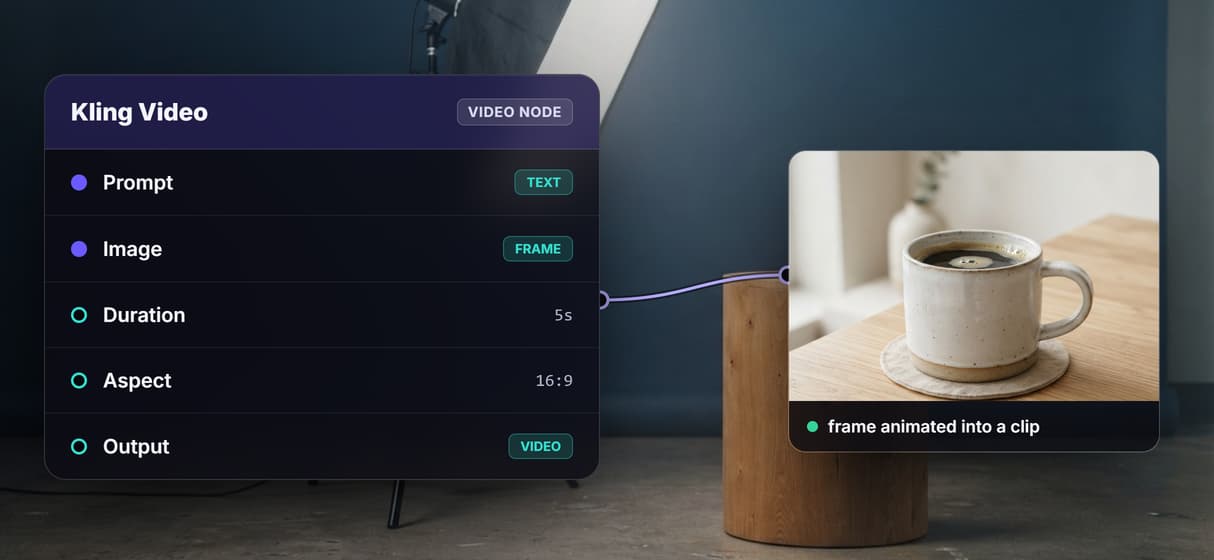
Kling Video animates the approved frame into a clip; Compose Video assembles the result.
REST endpoint
Every published workflow answers one API call, so the same graph runs from your own code.
MCP tool
The workflow also lists as an MCP tool, so an agent can run it with typed inputs and get URLs.
Versioned and shareable
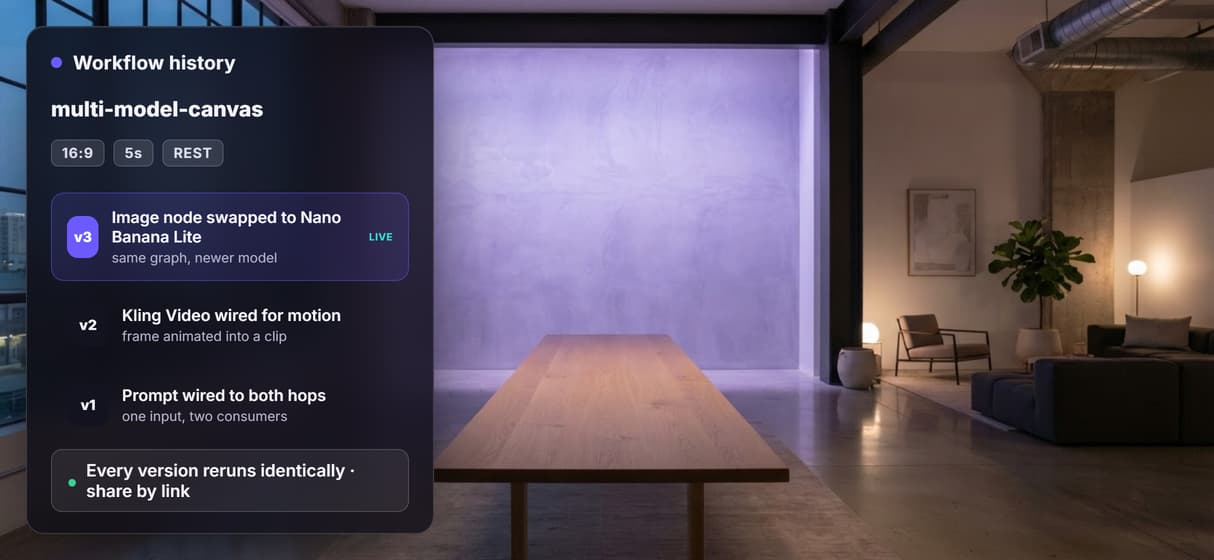
Workflows are versioned server side and shared by link; swap any model node as better ones ship.
How the workflow on this page actually runs
The flow behind this page's button is deliberately small so you can read it at a glance: four nodes, one straight chain.
- Text Input holds the prompt. One line about the subject, the setting, and the light is enough; a sticky note in the flow walks a first run through it.
- Nano Banana Lite renders the frame. The prompt becomes a 16:9 product still, so you approve the composition before spending on motion.
- Kling Video animates it. The node takes the same prompt plus the approved frame and returns a short clip, which Compose Video assembles as the final step.
That is the whole point of a canvas: each model is one node you can unplug and replace. Swap Nano Banana Lite for Flux 2, swap Kling for another of the 70+ hosted models, and the wiring stays put. And because the graph publishes as a REST endpoint, the pipeline you drew by hand becomes something a programmatic image generation platform can call at scale.
When Martini is still the better pick
If your work lives entirely inside the visual canvas, you want a polished infinite-board editing experience, and you export takes into a timeline to finish them, Martini is built around exactly that, and no API layer changes how good that feels. Wireflow is the generation layer, not a full non-linear editor: it will not write your brief, decide your creative strategy, or run offline, and it does not support custom Python nodes or local checkpoints.
Wireflow earns its place when the pipeline has to be callable. You want to test a graph visually, then run it from a script, embed generation in a SaaS product, or hand the workflow to an agent as a tool. If that is the job, build the graph here and pair it with a longer AI video pipeline when a single clip becomes a sequence.
More Than Just Martini AI Alternative
Chain models on one canvas
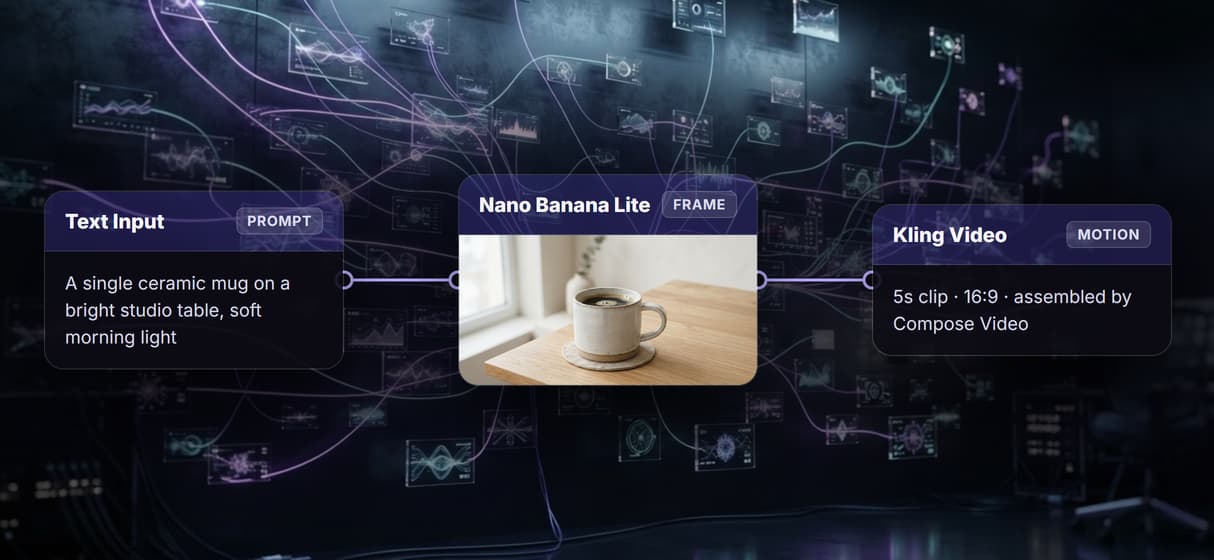
Wire frontier models from prompt to product frame to motion clip in one visible media-generation graph.
One REST call runs your canvas
Every published workflow is an endpoint, so the exact visual graph runs from code in one call.
Approve 16:9, then Kling motion
Nano Banana Lite makes the 16:9 frame before you pay for motion, then Kling animates it.
Per generation, no fixed seat
Build free; generations are metered. Ten teammates on one flow cost no more than one, like a free online video generator.
Same graph, one-node upgrades
Versioned flows share by link. Reruns use the same graph; swap one model and keep durable creative automation.
Martini alternative Workflows
No Code Required
API & Batch Processing
FAQs
It depends on what you need to keep. If you want the visual canvas experience for a creative team, other node-based creative tools are the closest match. If you want that canvas plus the ability to run pipelines from code, Wireflow replaces the board with a node graph that is also a REST endpoint: prompt in, frame, clip out, priced per generation.
Discover related AI tools
- Weavy AI Alternative: More Models, Same Node Canvas
- Flora AI Alternative
- Freepik Spaces Alternative
- RoboNeo AI Alternative: 79 Models in Your Browser
- Sotatech AI Alternative
- Pletor AI Alternative: 79 Models, No Black Box
- Fuser Studio AI Alternative
- AI Creative Workflows
- Visual Node Editor
- No Code AI Canvas
- Reusable AI Templates
- AI Pipeline API
More From Wireflow
Written by
Andrew Adams · Co-Founder & Operations at Wireflow
Runs client operations and content strategy at Wireflow. Works directly with creative teams and agencies to build production AI workflows.
Build the canvas, then call it from code
Open the flow, describe the shot, and run it: frame, motion, and assembly from one graph. Building is free; you pay per generation, and the same workflow runs as a REST endpoint.