How to Chain AI Models Together for Better Creative Outputs

In this article▾
Most AI tools run a single model in isolation: you type a prompt, get one result, and start over. But the real power of generative AI shows up when you connect multiple models into a sequence, where the output of one feeds directly into the next. This technique, called AI model chaining, lets you build repeatable pipelines that produce polished results without manual handoffs between tools. Wireflow is a visual platform built specifically for this kind of multi-step workflow, giving you a drag-and-drop canvas where each node represents a different AI model.
Below, you will learn what model chaining is, why it matters, and how to set up your first chain.
What Is AI Model Chaining?
AI model chaining is the practice of linking two or more AI models so that the output of one becomes the input of the next. Instead of copying and pasting results between separate apps, a chained pipeline automates the entire sequence. For a hands-on look, see the AI model chaining feature page.
A simple example: a text prompt generates an image through a text-to-image model, then that image is automatically passed to an upscaler model that increases its resolution. A more advanced chain might add a background removal step, a style transfer pass, and a final compositing stage, all running in order without human intervention.
The key idea is specialization. Each model handles one task it was trained for, rather than asking a single model to do everything. The result is higher quality at each step and a consistent, repeatable pipeline you can reuse whenever you need it.
Build this in Wireflow
Make the same kind of asset on a canvas you control, with a free account and no credit card.
Why Chain Models Instead of Using One?
Single-model workflows hit a ceiling quickly. A text-to-image generator might produce a solid draft, but it cannot upscale, remove backgrounds, or add motion in the same pass. You end up downloading the output, uploading it to a second tool, adjusting settings, and repeating the cycle for every asset.
Chaining solves three problems at once:
- Quality: each model operates in its area of expertise, so you get better output at every stage than a single model attempting all tasks
- Speed: automated handoffs between models eliminate the minutes (or hours) spent on manual file transfers, especially in batch generation scenarios where you produce dozens or hundreds of assets
- Consistency: a saved chain runs the same way every time, removing variation caused by human error or forgotten settings
For teams producing social media content, product photography, or video ads, chaining is the difference between a manual assembly line and an automated production system.
Common Model Chain Patterns
Not every chain looks the same. Here are four practical patterns that cover most creative production needs.
Text to Image to Upscale
The simplest chain. A text prompt enters a generation model like Nano Banana, which produces a base image. That image flows into an upscaler (such as ClarityAI Crystal Upscaler) to bring it to print or web resolution. Two nodes, fully automatic.
Image to Video to Audio
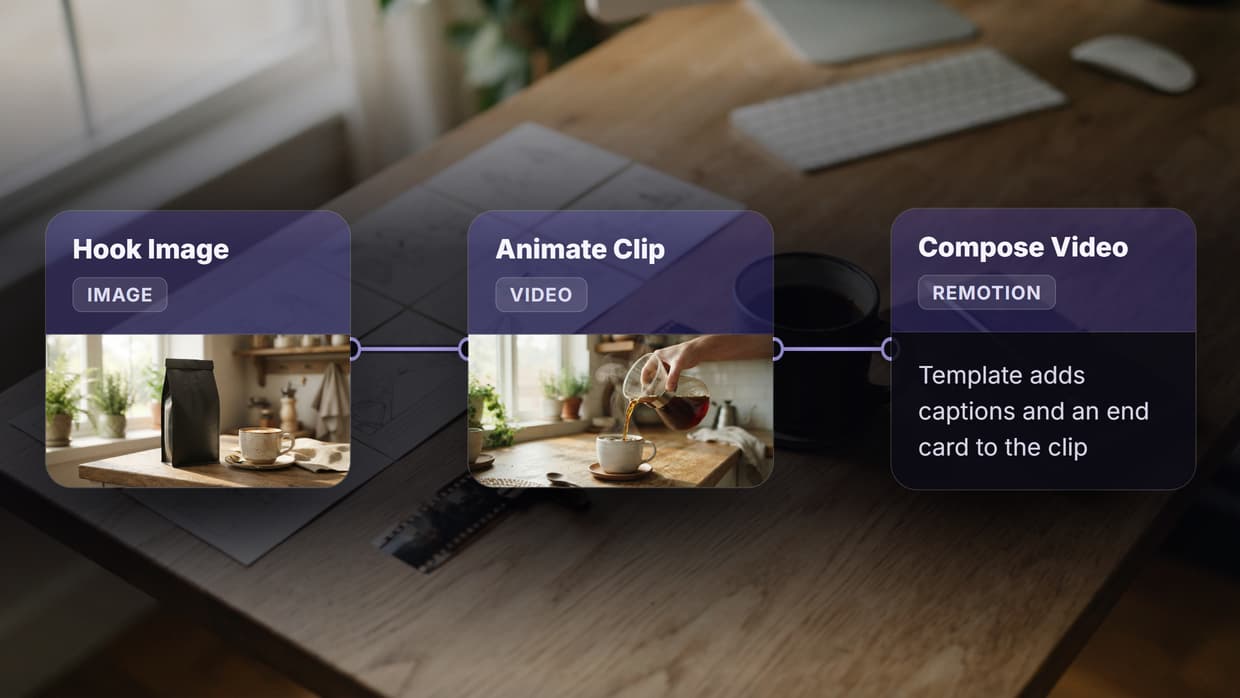
Start with a still image, pass it to an image-to-video model like Kling or Seedance to animate it, then route the video clip to a music generation model for a matching soundtrack. This three-step chain turns a single photograph into a ready-to-post social clip.
Generate, Edit, Composite
Use a text-to-image model for the subject, a background removal model (BiRefNet) to isolate it, and a compositing step to place it onto a branded template. E-commerce teams use this pattern to produce hundreds of product-on-lifestyle images from a single catalog shoot.

Prompt Refinement Chain
Feed a rough idea into an LLM to expand it into a detailed image prompt, then send that refined prompt to a generation model. This pattern is useful when you want consistent prompt engineering across a team without requiring everyone to be an expert at writing prompts for a specific model.
How to Build Your First Model Chain
Building a chain requires three things: a platform that supports node-based connections, the models you want to use, and a clear idea of the input-output flow. Here is a step-by-step walkthrough using a visual node editor.
Step 1: Define the Goal
Decide what goes in and what comes out. For this example, the goal is: "text prompt in, upscaled image out." That means two models: a text-to-image generator and an image upscaler.
Step 2: Add the Input Node
On the canvas, place a Text Input node. This is where you type (or programmatically send) your prompt. The node exposes a TEXT output port that other nodes can read.
Step 3: Connect the Generation Model
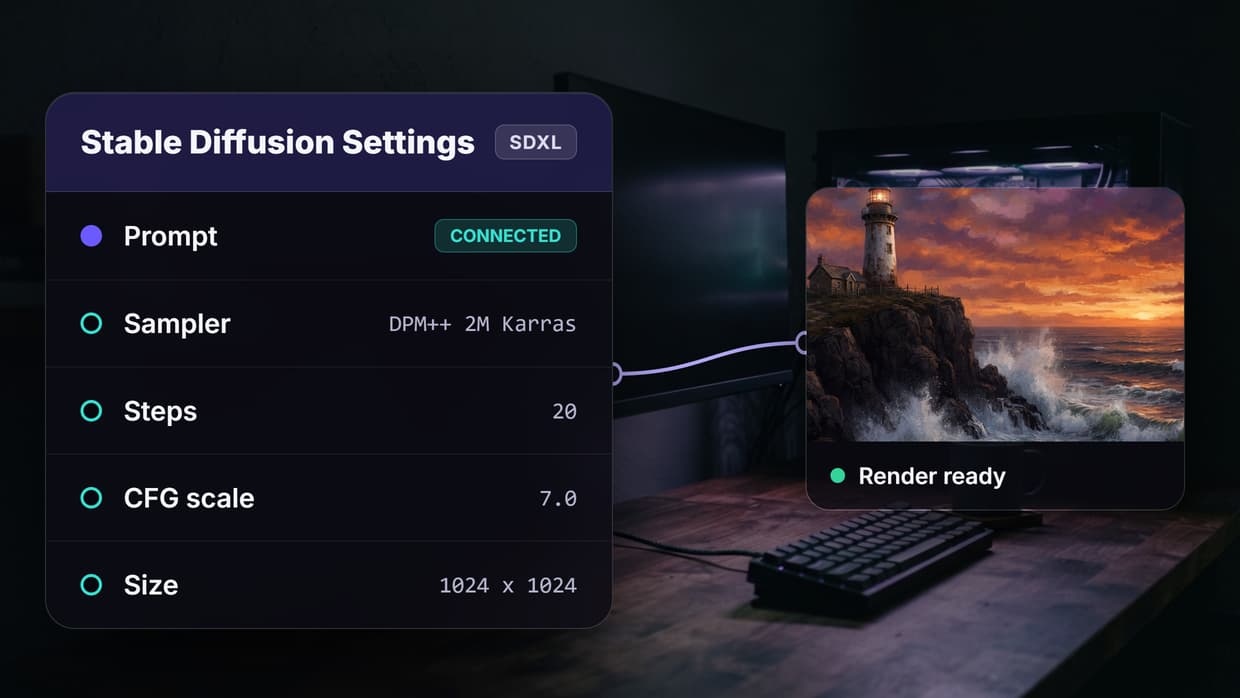
Add a text-to-image node (GPT Image 2.5 Flare works well for fast iteration). Draw an edge from the Text Input's output port to the generation model's prompt input. The connection tells the platform to pass your text directly into the model at runtime. You can configure parameters like aspect ratio and resolution on the no-code canvas without writing any code.
Step 4: Add the Processing Model
Place an upscaler node (ClarityAI Crystal Upscaler, for example) to the right of the generator. Connect the generator's image output to the upscaler's image input. Now the chain reads: text prompt enters the first node, an image is generated, and that image is immediately enhanced by the second node.
Step 5: Run the Chain
Hit the run button. The platform executes the nodes in dependency order: input first, generation second, upscaling third. Each node waits for its upstream data before starting. When the chain finishes, you can inspect outputs at every stage.
Step 6: Save as a Template
Once the chain works, save it as a reusable template. Anyone on your team can open the template, change the prompt, and run it without understanding the underlying model configuration. This is what turns a one-off experiment into a production tool.
Scaling Chains for Production
A two-node chain is useful for learning, but production workflows often need more. Here are practical considerations for scaling.
Branching: some chains need to split. An image might go to both an upscaler and a background remover in parallel, then both outputs converge into a compositing node. Platforms that support parallel execution can run these branches simultaneously, cutting total wait time.
Error handling: models can fail. A well-built chain includes fallback logic or retry behavior so that a single model timeout does not break the entire pipeline. Look for platforms that surface per-node logs so you can identify exactly where a failure occurred.
API access: for high-volume use cases, you need to trigger chains programmatically. An AI workflow API lets you POST a prompt and receive finished assets without ever opening the visual editor. This is how teams embed model chains directly into their own apps or content management systems.
Cost management: each node in a chain consumes compute. Chaining three models means paying for three inference calls per run. Platforms with usage-based pricing let you pay only for what you use, which makes experimentation affordable and production predictable.
Real-World Use Cases
Here are scenarios where teams use chains in daily production.
- Social media agencies chain a copywriting LLM, an image generator, and a video animator to produce ads from a single brief
- E-commerce brands chain product photo generation, background swaps, and automated brand content overlays to keep catalogs fresh without studio shoots
- Game studios chain concept art generators with style transfer models to maintain visual consistency across hundreds of assets
- Marketing teams chain text-to-video models with lip sync and voiceover generators to produce localized video ads from one script
A saved chain reduces the per-asset effort to a single click or API call.
Try it yourself: Build this workflow in Wireflow. The nodes are pre-configured with the exact setup discussed above.
Frequently Asked Questions
What does it mean to chain AI models together?
Chaining AI models means connecting two or more models in sequence so that the output of one model automatically becomes the input of the next. This creates an automated pipeline where each model handles a specialized task, producing better results than any single model could achieve alone.
Do I need to write code to chain AI models?
No. Visual workflow platforms let you chain models by dragging nodes onto a canvas and drawing connections between them. You configure each model's parameters through the interface. If you prefer code, most platforms also offer REST APIs that let you trigger the same chains programmatically.
How many models can I chain together?
There is no hard technical limit. Practical chains typically use two to five models. Beyond that, you should evaluate whether additional steps are genuinely improving output quality or just adding latency and cost.
What types of AI models can be chained?
Any model with a defined input and output can participate in a chain. Common types include text-to-image generators, image upscalers, background removers, style transfer models, video generators, audio generators, and large language models for text processing.
Does chaining models cost more than using one model?
Yes, each model in the chain consumes its own compute resources. However, the total cost is often lower than the manual labor it replaces. Usage-based pricing means you pay per inference call, so a three-model chain costs roughly three times a single-model call at the per-model rate.
Can I reuse a model chain across different projects?
Yes. Most workflow platforms let you save a chain as a template. You can open the template, swap out prompts or adjust parameters, and run it for a completely different project without rebuilding the chain structure.
What happens if one model in the chain fails?
The chain stops at the failed node. Good workflow platforms show per-node status and error logs so you can identify the problem quickly. Some platforms support automatic retries or fallback models so the chain can recover without manual intervention.
Is model chaining the same as prompt chaining?
Not exactly. Prompt chaining typically refers to sending a sequence of prompts to the same large language model, where each prompt builds on the previous response. Model chaining connects different specialized models (which may include LLMs) in a pipeline where outputs flow between distinct systems, not just between prompts within one model.
Getting Started
Chaining AI models together is the most practical way to move from single-shot experiments to repeatable, production-grade creative pipelines. Start with a simple two-node chain, verify the output quality at each stage, and expand from there. Wireflow provides the visual canvas, the model library, and the API access to build and scale these chains without managing infrastructure.

Co-Founder & Operations at Wireflow
Runs client operations and content strategy at Wireflow. Works directly with creative teams and agencies to build production AI workflows.
- Content Strategy
- Client Operations
Get unlimited ad creatives today.
One call to see if we are a fit and scope the first ad. If it fits, your first batch lands inside week one.