 Andrew Adams · Co-Founder & Operations at Wireflow ·
 AI Packshot Generator
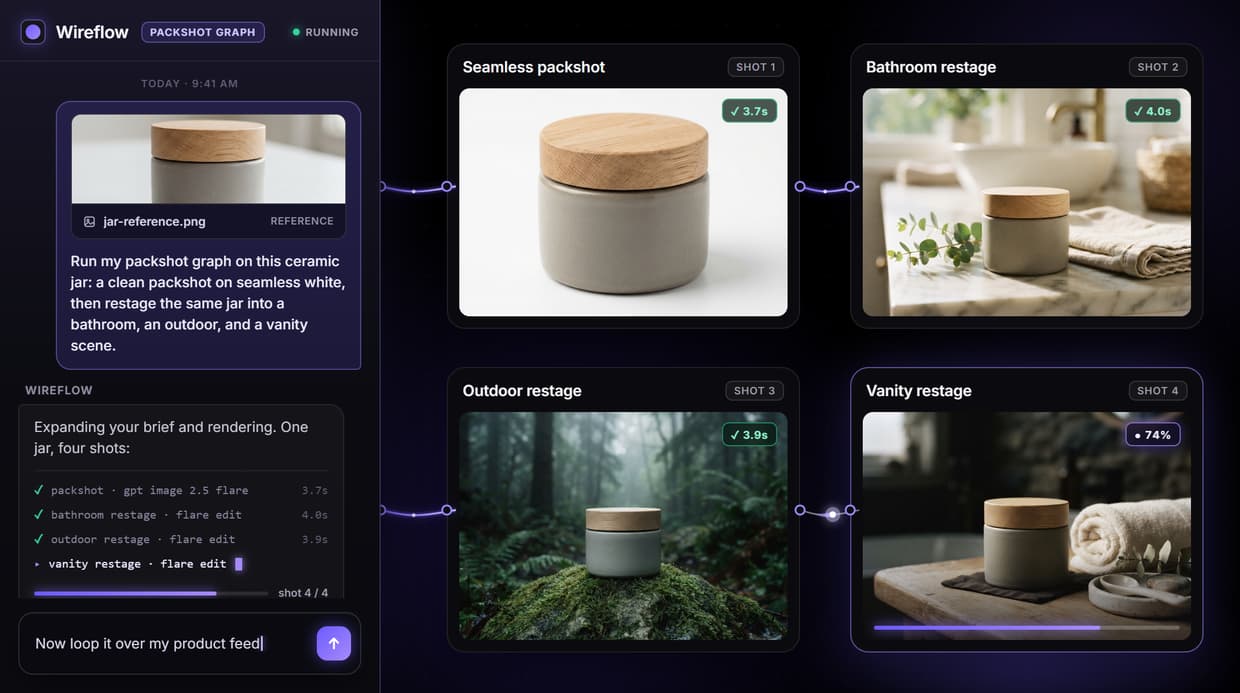
Wireflow is an AI packshot generator built on a node canvas: write a short product brief, Claude Sonnet 4.5 turns it into a detailed prompt, and GPT Image 2.5 Flare renders a clean packshot on a seamless background plus a restaged lifestyle scene from one run.
Free to build · no credit card · See how it works ↓
How to Use AI Packshot Generator
Steps to get you started in Wireflow.
Write the product brief
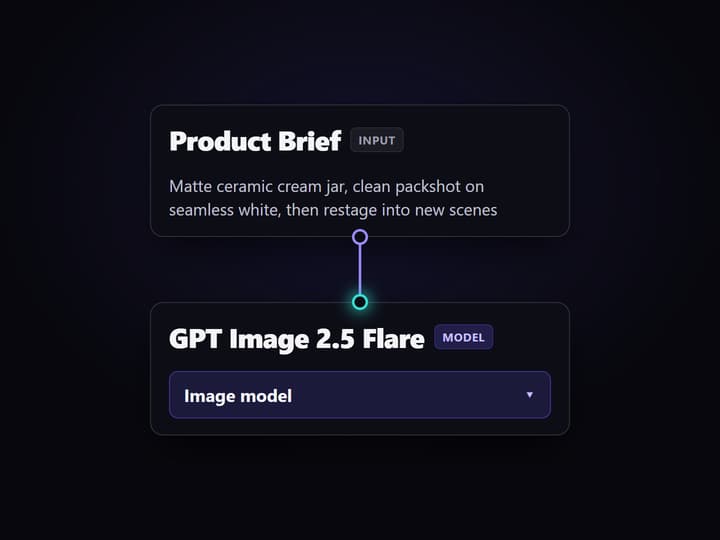
Type a short brief in the Product Brief node: the product, the mood, and the seamless background you want behind the packshot. That one text node feeds the whole graph, so you describe the shot instead of setting one up.
Let the graph expand and render
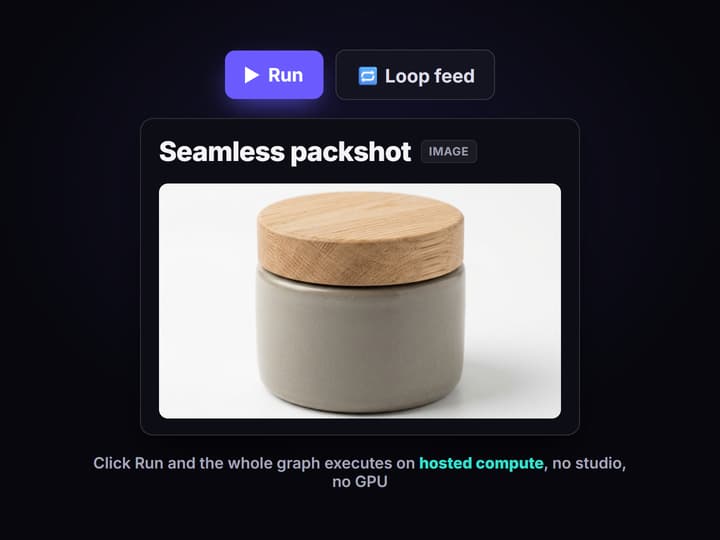
Claude Sonnet 4.5 expands the brief into a detailed image prompt, then GPT Image 2.5 Flare renders a clean packshot and a Flare Edit node restages the same product into a lifestyle scene. Click Run and both come back on hosted compute.
Iterate, swap, and export
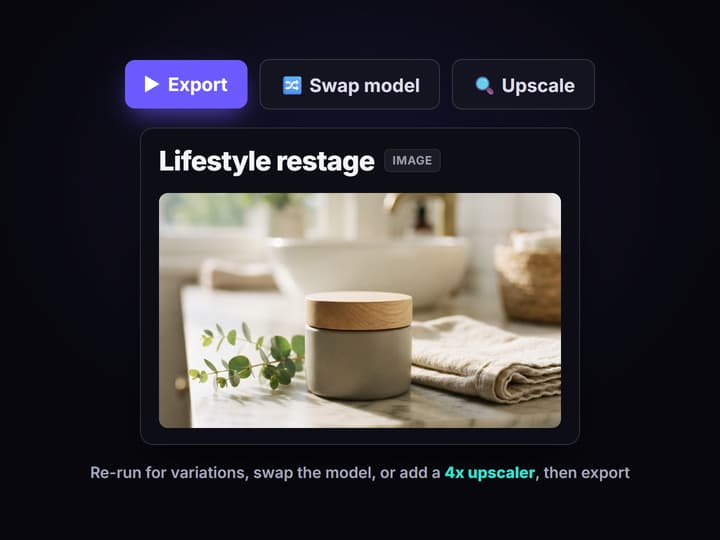
Re-run any node for fresh variations, swap the image node to Flux or Seedream for a different look, or add a 4x upscaler pass, then export each packshot at the size your store needs.
Packshots without the studio
A packshot is the clean, distraction-free product image that anchors a listing: the product lit evenly on a seamless background, in the format a marketplace expects. Traditional packshots mean a lightbox, studio time, and hours of retouching before one image goes live. An AI packshot generator removes that wall: you describe the shot, and the model renders it in seconds instead of days.
Wireflow does this as a node graph rather than a single black-box button. You write a short product brief, Claude Sonnet 4.5 expands it into a detailed image prompt, and GPT Image 2.5 Flare renders both a clean packshot on a seamless background and a restaged lifestyle scene from that one brief. The result is a repeatable pipeline you can see and edit, not a one off lucky render.
What the graph produces
Brief to prompt
Claude Sonnet 4.5 turns a one line brief into a detailed, shootable image prompt.
Seamless packshot
GPT Image 2.5 Flare renders a clean, catalog-ready packshot from the expanded prompt.
Lifestyle scene
A Flare Edit node restages the same product in a real-world context for listings and ads.
Any background
Pure white, gradient, marble, or outdoor: the scene is set by the prompt, not a physical set.
Swappable models
Every image node is a swap: drop in Flux, Seedream, or Nano Banana Pro without rewiring.
Upscale and clean
Chain a 4x upscaler or a background remover onto any packshot before it ships.
How one brief becomes two finished shots
The pipeline is a real graph, not a template. Each node does one job and passes its output to the next, so you can open any step and see exactly what it produced.
- Brief. You write a short product brief in a single text node: the product, the mood, and the seamless background you have in mind.
- Expand. Claude Sonnet 4.5 reads that brief and writes a detailed image prompt, filling in lighting, surface, and composition so you do not have to prompt-engineer by hand.
- Render. GPT Image 2.5 Flare renders a clean packshot, and a Flare Edit node restages the product into a lifestyle scene, both from the same expanded prompt.
This is the same graph behind our AI product photo generator, framed for catalog packshots: because the graph is published, you can loop it over a product feed so a whole catalog renders on brand, or swap any image node when a particular shot needs a different look.
What it does, and what it does not
Wireflow is the generation layer. It renders the packshots; it does not upload them to your marketplace, manage your inventory, or auto-size a listing for you. You set the aspect ratio and export each shot for the store you sell on.
It is hosted by design, so there is no offline mode, no custom Python nodes, and no local checkpoints. That is the honest trade for never touching a GPU. If your product is highly tactile, like fine jewelry, a real shoot may still win on the closest crops. For everything else, describing the shot and rendering it on the canvas is faster than booking a studio.
More Than Just AI Packshot Generator
A brief, not a shoot
Describe the product and the background in one text node and the graph renders the packshot. No lightbox, no backdrop, no reshoot when the idea changes.
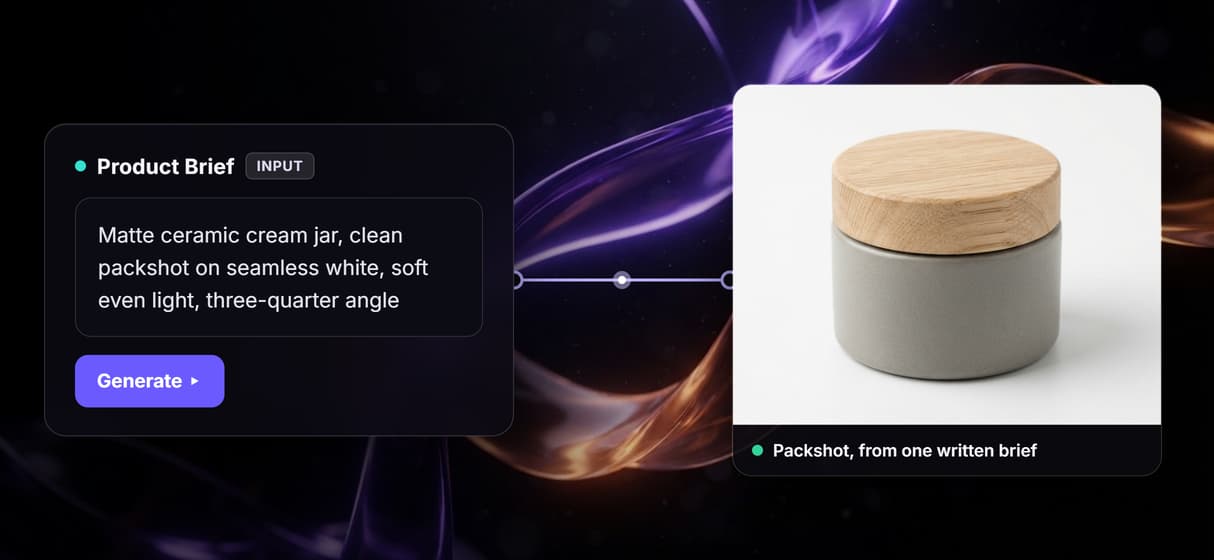
Packshot and lifestyle scene
One run returns a clean packshot on seamless white and a restaged lifestyle scene, so your ecommerce images stay consistent across the listing.
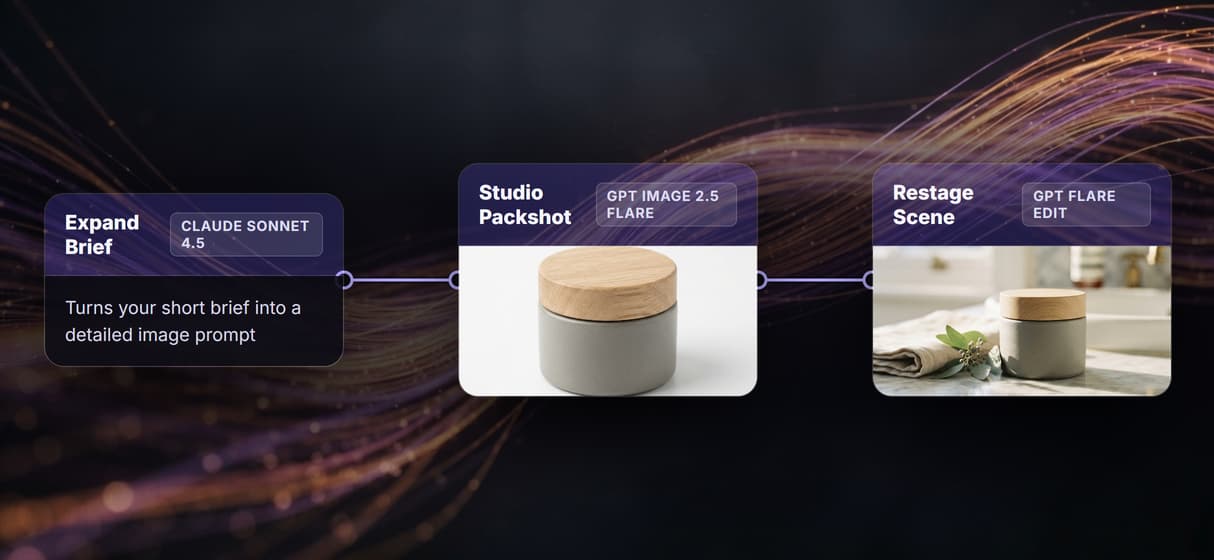
Any background you describe
Pure white, gradient, marble, or outdoor set: the prompt sets the scene. Swap plain shots for built environments the way the background generator does.
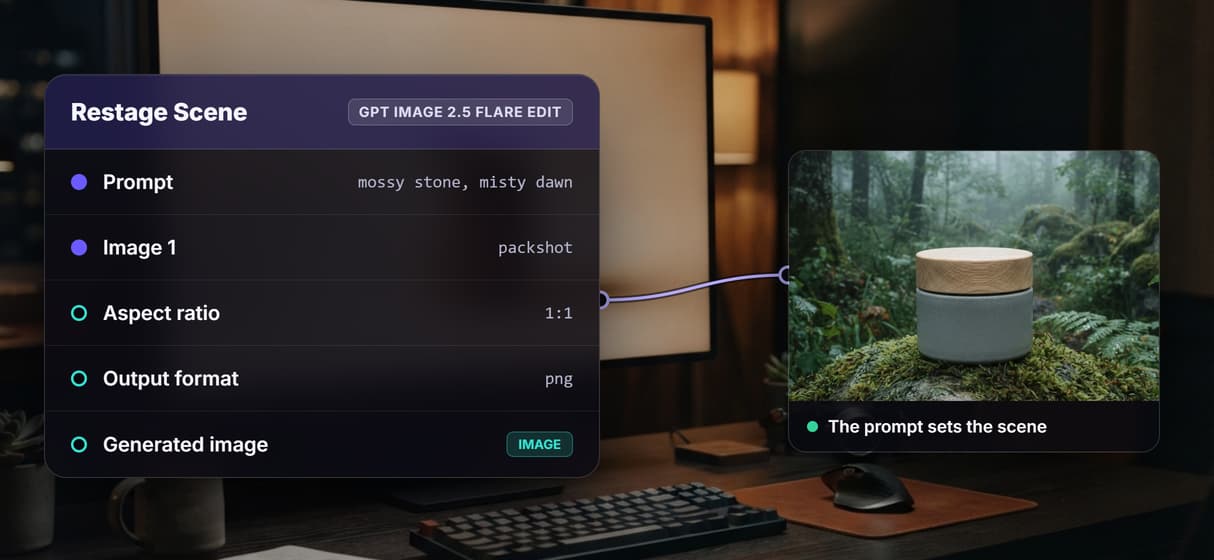
Swap the model per shot
GPT Image 2.5 Flare is wired by default, but each image node is a swap. Drop in Flux or Seedream, or clean edges with a transparent background pass.
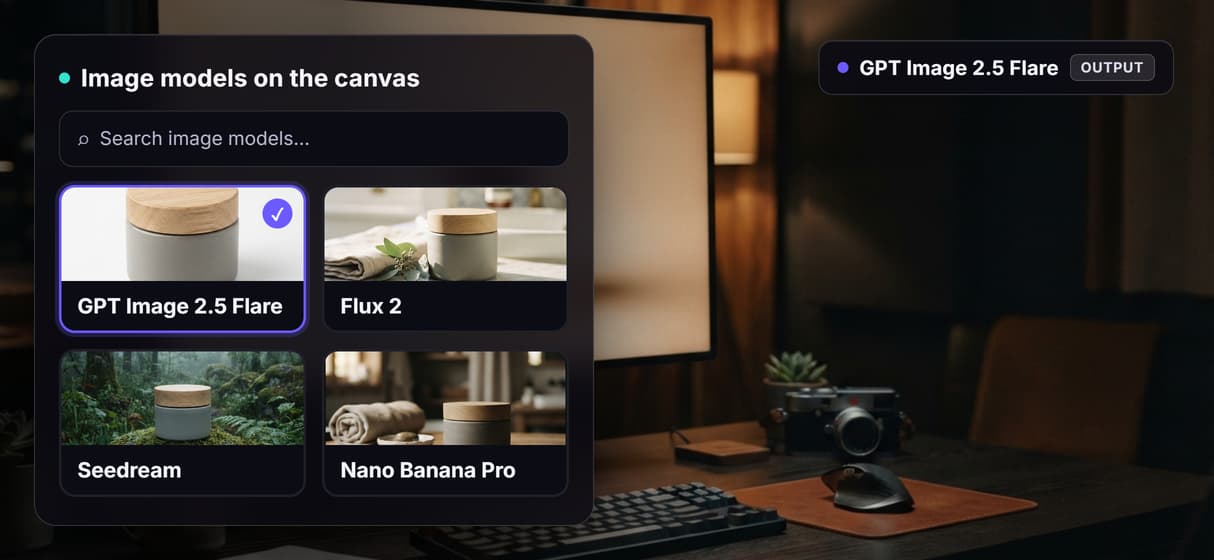
Batch a whole catalog
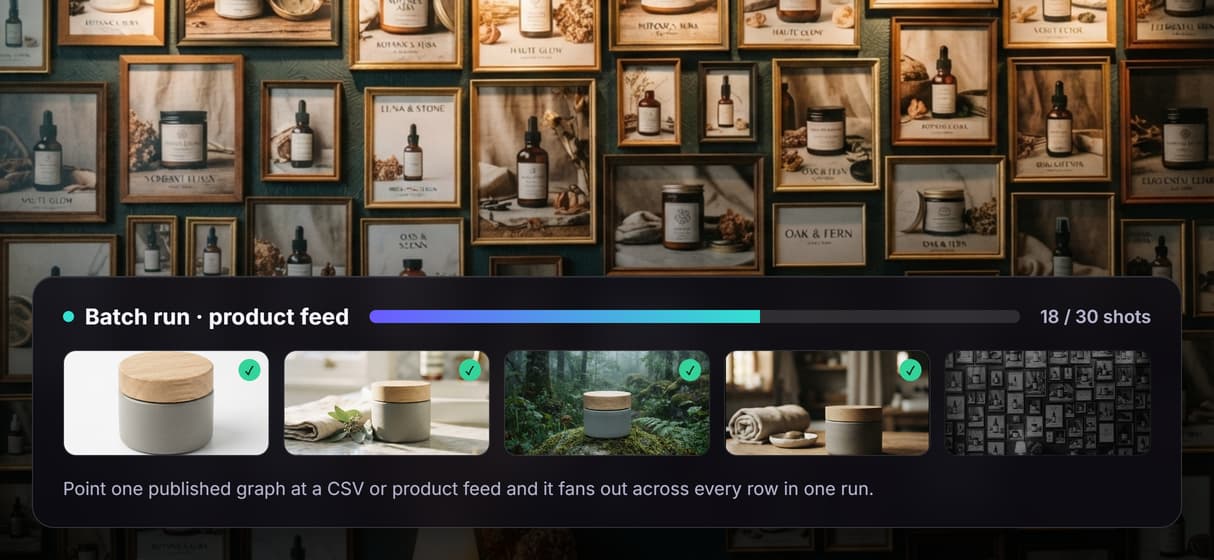
Publish the graph and loop it over a product feed so every SKU renders on brand. Chain a 4x image upscaler when a packshot needs print resolution.
AI Models Available
Automate Any Workflow
Included in Every Plan
FAQs
It creates a clean packshot on a seamless background from a written brief or a reference image instead of a studio shoot. Wireflow runs it as a node graph: Claude Sonnet 4.5 expands your brief and GPT Image 2.5 Flare renders the shots.
Discover related AI tools
- AI Image Upscaler: Upscale to 4K in a Visual Workflow
- AI Background Remover
- AI Image Generator: Flow-Based Canvas, 31 Models
- ComfyUI Alternative
- AI Face Swap Online: Photos and Video in Your Browser
- Virtual Try On
- AI Thumbnail Generator
- AI Photo Generator
- AI Image Editor
- AI Art Generator
- Midjourney Alternative
- AI Headshot Generator
More From Wireflow
Written by
Andrew Adams · Co-Founder & Operations at Wireflow
Runs client operations and content strategy at Wireflow. Works directly with creative teams and agencies to build production AI workflows.
Render your first packshot
Write a short product brief and let the graph do the rest: Claude Sonnet 4.5 expands it into a prompt, and GPT Image 2.5 Flare renders a clean packshot and a lifestyle scene from one run. No studio, no GPU.