 Andrew Adams · Co-Founder & Operations at Wireflow ·
 Digital Art Creator
Wire one canvas that turns an art idea into a finished piece: an expanded prompt, a render, a restyle into the art direction you pick, and a print upscale, all re-runnable, swappable, and callable as an API.
Free to build · no credit card · See how it works ↓
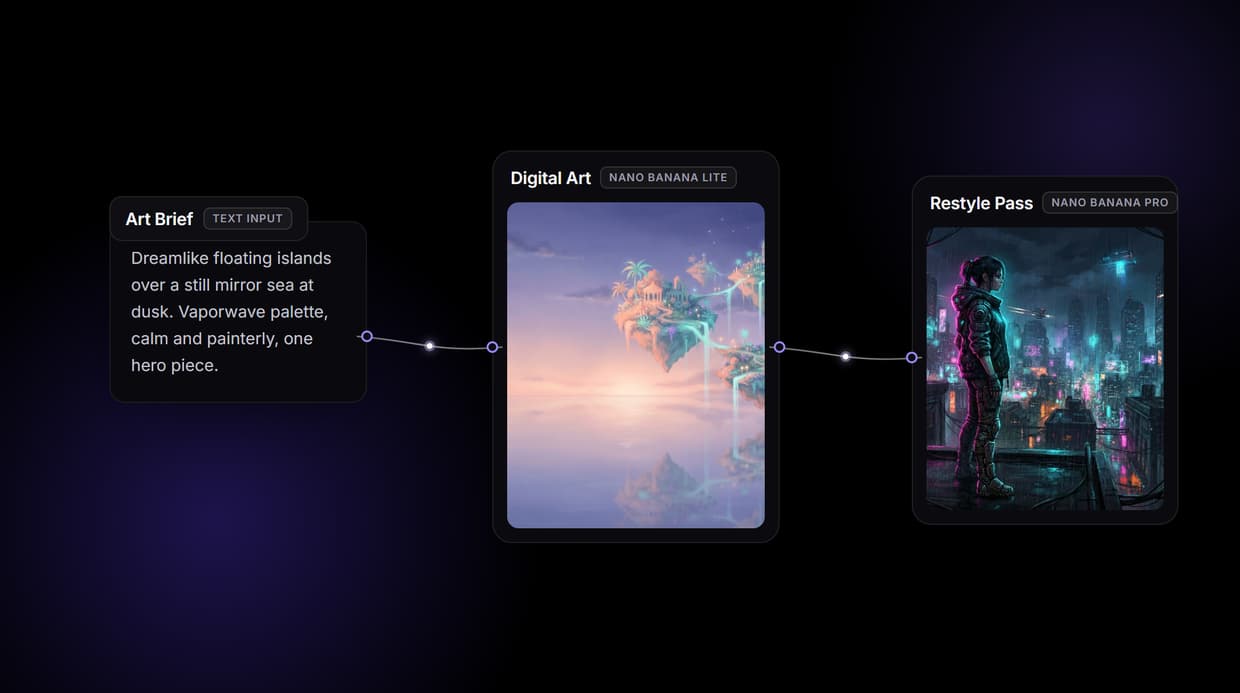
How to Use Digital Art Creator
Steps to get you started in Wireflow.
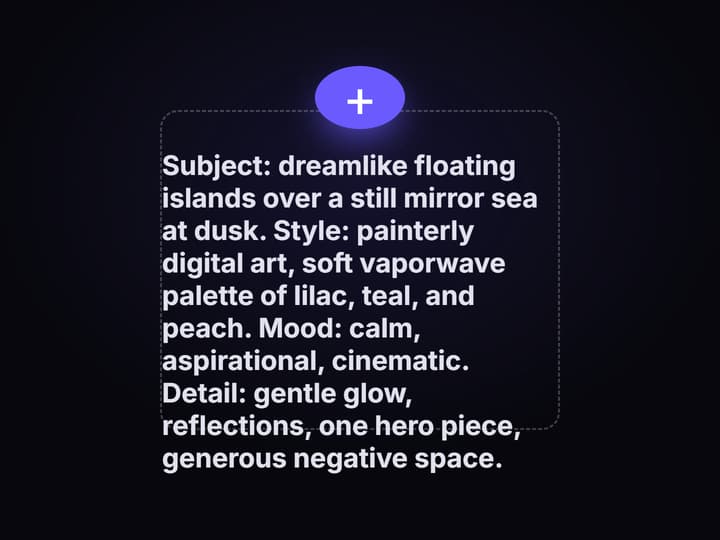
Write the art brief once
Drop a Text Input node and describe the subject, style, and mood. An Enhance Prompt node reads it and expands it into a detailed art prompt you can see on the canvas, so the direction lives in one place instead of a lost prompt box.
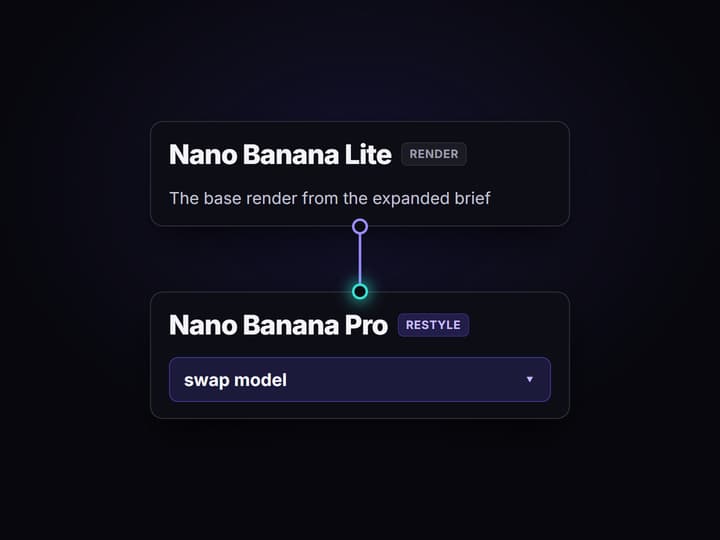
Render, then restyle the art
Send the expanded prompt into GPT Image 2.5 Flare for the base render, then feed that image into a GPT Image 2.5 Flare Edit restyle pass with a style instruction. Swap the render model for Flux Pro or Ideogram V4 without touching the rest.
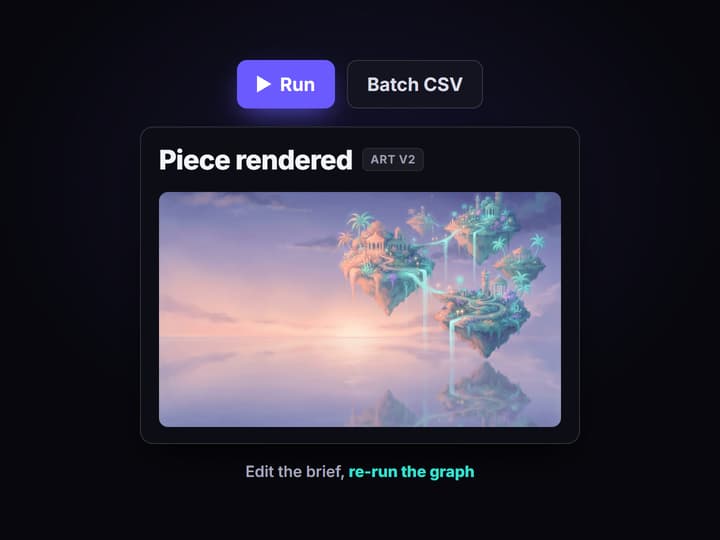
Upscale, re-run, or batch it
Run a Crystal Upscaler to make the piece print ready, then publish the graph. It is versioned server side, live as a REST endpoint and an MCP tool. Change the brief and run again, or loop the graph over a CSV of ideas to render a whole series.
Digital art is a pipeline, not a single button
Most digital art creators hand you one image and hide the machine behind a single Generate button. You type a line, you get one piece, and when you need a second that matches the first, or a whole set in the same style, you are back typing the same prompt and hoping the look holds. The art was never built as a pipeline, so it never behaves like one.
A digital art creator should solve the series, not the single frame. On Wireflow the piece is a node graph: one brief feeds an expanded prompt, the render, the restyle, and the upscale, all off the same words. Nothing downstream has to remember what the art looked like, because the brief is still wired to it, and the whole graph is a saved endpoint you re-run, batch, or call from your own app.
What the digital art graph produces
Expanded prompt
An Enhance Prompt node reads the brief and writes a detailed art prompt, shown on canvas so you can see the direction before it renders.
Base render
GPT Image 2.5 Flare renders the artwork from the expanded prompt, the anchor image every later step builds on.
Restyled piece
A GPT Image 2.5 Flare Edit restyle pass pushes the render into a chosen art direction, painterly, neon, ink, or flat color.
Print upscale
A Crystal Upscaler takes the approved piece to high resolution so it holds up on a poster, a cover, or a canvas print.
A whole series
Loop the graph over a CSV of ideas and it renders one piece per row, the same look reused across the set.
A reusable endpoint
The finished graph is a REST endpoint and an MCP tool, so a script or an agent can make the next piece on demand.
How the digital art graph is wired
The graph is small. Four ideas do all the work.
- One source of truth. A Text Input node holds the art brief. Every other node reads from it, so the direction exists in exactly one place on the canvas.
- A model per job. An Enhance Prompt node expands the brief, GPT Image 2.5 Flare renders it, and a restyle node sets the look. Picking the right model per step is the whole point of a multi-model AI workflow instead of one black box.
- Swap without rebuilding. The render node is just a node on a node based image generation canvas, so GPT Image 2.5 Flare comes out and Flux Pro or Ideogram V4 goes in, and the brief, restyle, and upscale stay wired.
- Consistency by reference. Lock an approved reference as a node reused across every run, so piece forty matches piece one instead of drifting frame to frame.
Finishing nodes hang off the end when a piece needs them: send the result through image upscaling for delivery, or into the AI image editor for a targeted fix. None of it needs a GPU, because the whole canvas runs on hosted compute.
What it is, and what it is not
This renders and chains the artwork, not the idea. It will not invent your concept, decide your style for you, or tell you which piece is good. Bring the idea, put it in the brief, and the canvas renders it. If you want an LLM node to expand a rough brief into a fuller art prompt, that is already wired in, but the creative call is yours.
Two more honest limits. This is not a freehand drawing or painting app. It does not give you a brush, layers, or a pressure-sensitive canvas, so for hand-drawn work you still want a tool like a tablet painting app, and you can bring that art in as a reference. And it exports raster images, PNG and JPG, not vector SVG source files, editable PSDs, print-ready PDFs, or fonts.
If you want a one-button consumer app that promises a masterpiece from a sentence, that is a different product. If you want the pipeline behind the art, visible, swappable, batchable, and callable, that is what this canvas is for.
More Than Just Digital Art Creator
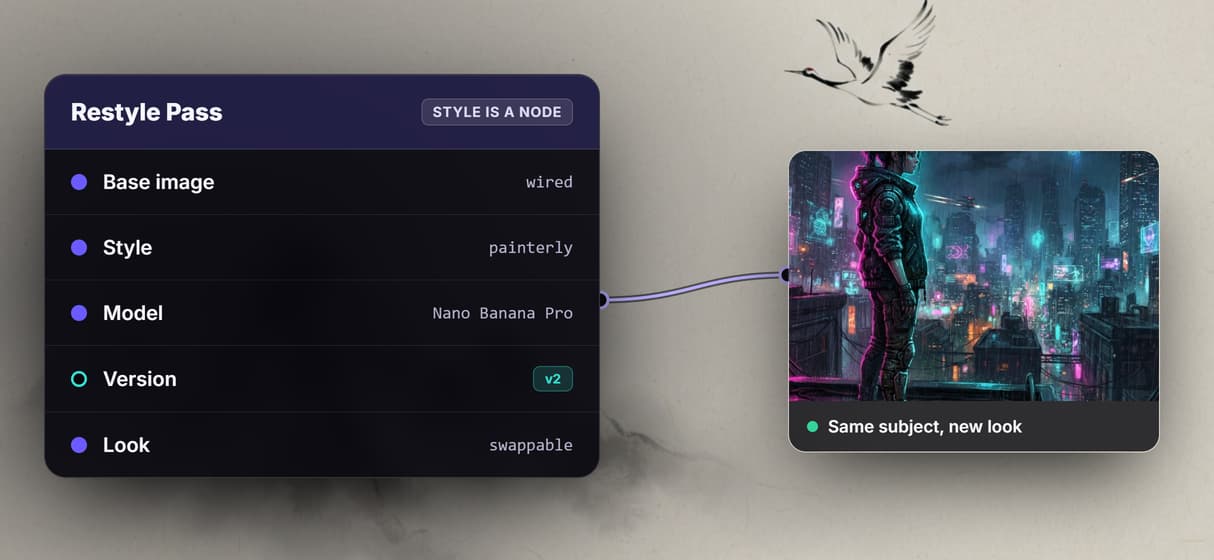
Style is a node you control
Set the art direction as an explicit GPT Image 2.5 Flare Edit restyle node, so painterly, neon, or ink is a wired choice, never a hidden preset.
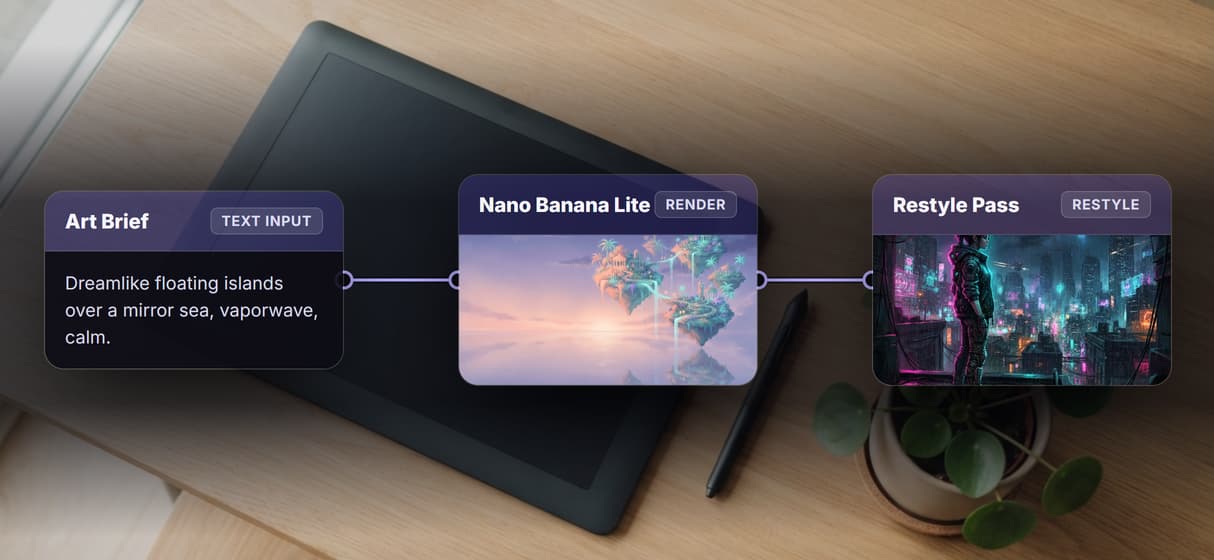
One brief becomes the whole piece
One art brief fans out to an expanded prompt, the GPT Image 2.5 Flare render, a restyle pass, and a print upscale on one canvas, built as one piece.
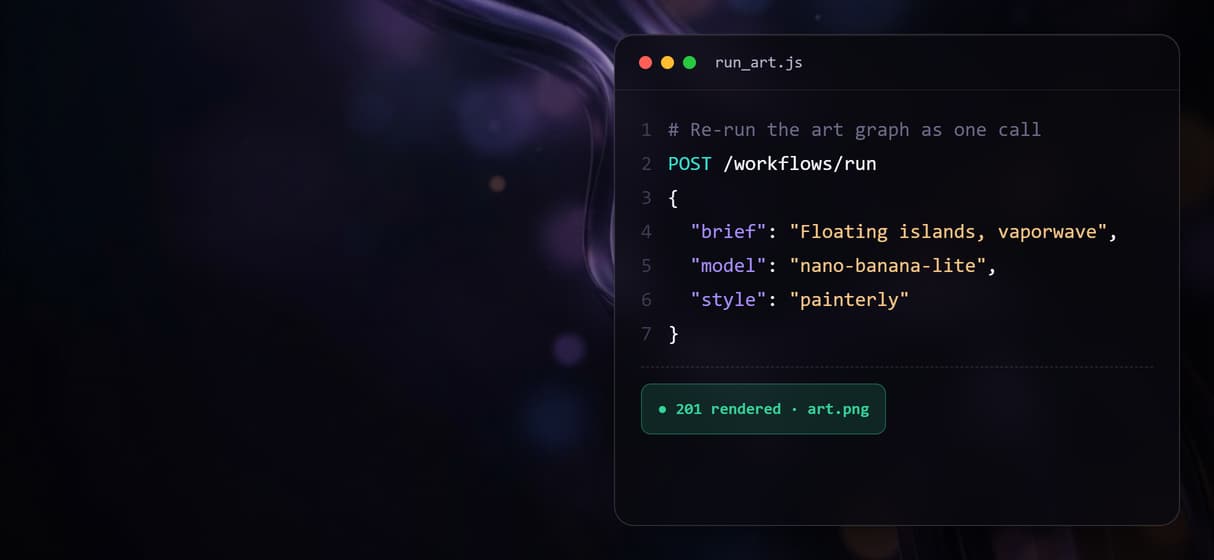
Re-run the exact look as one call
The graph is a saved REST endpoint and an MCP tool, so the same art style is a re-run with fresh inputs from a script or an agent, not a rebuild.
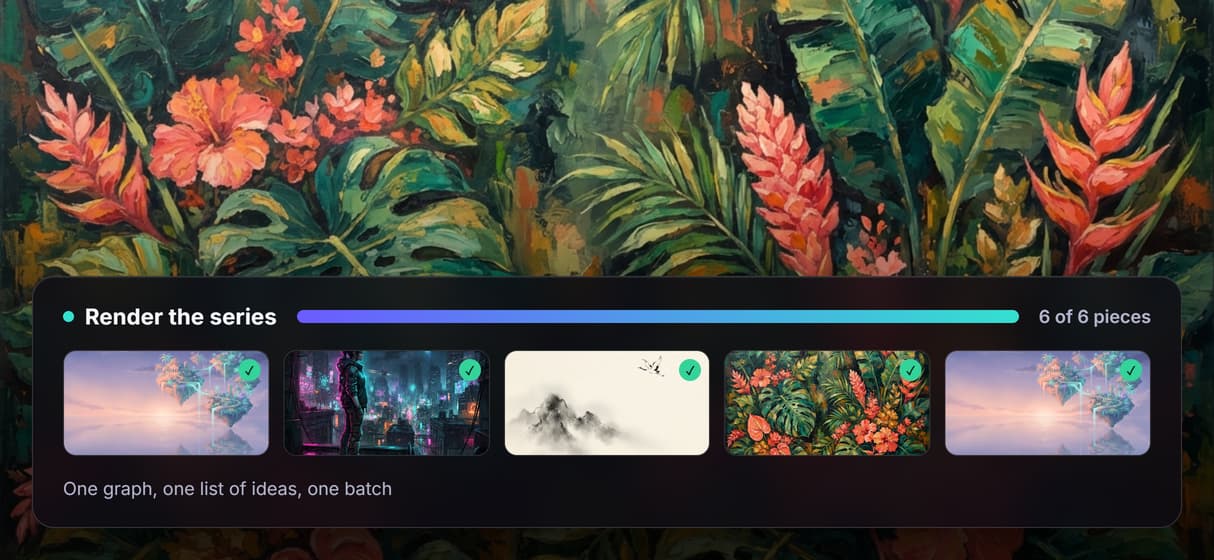
Batch a whole art series at once
Loop the one graph over a CSV of ideas and it renders a piece per row, the bulk output that a single-shot digital art button never actually gives you.
Swap the art model, keep the wiring
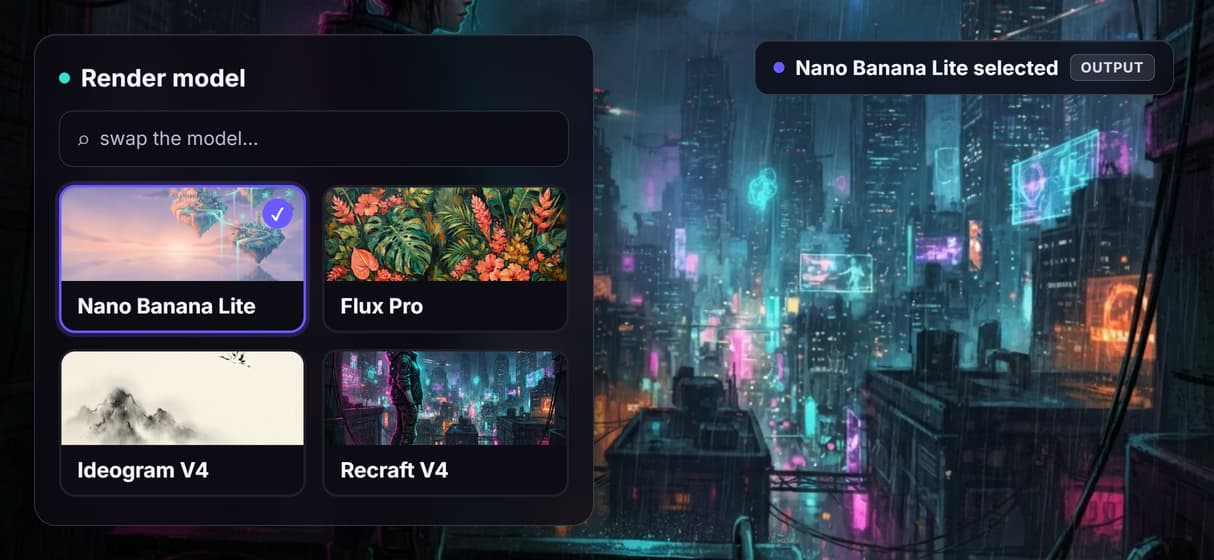
Pick the render model as a node, Nano Banana Lite, Flux Pro, or Ideogram V4, and the brief, restyle, and upscale stay wired when you change your mind.
AI Models Available
Automate Any Workflow
Included in Every Plan
FAQs
It is a tool that turns an idea into a finished digital artwork rather than a single guessed image. On Wireflow it is a node graph that produces an expanded prompt, a base render, a restyle into a chosen art direction, and a print upscale from the same brief, with the render model swappable and the whole graph saved as a reusable endpoint.
Discover related AI tools
- AI Image Upscaler: Upscale to 4K in a Visual Workflow
- AI Background Remover
- AI Image Generator: Flow-Based Canvas, 31 Models
- ComfyUI Alternative
- AI Face Swap Online: Photos and Video in Your Browser
- Virtual Try On
- AI Thumbnail Generator
- AI Photo Generator
- AI Image Editor
- AI Art Generator
- Midjourney Alternative
- AI Headshot Generator
More From Wireflow
Written by
Andrew Adams · Co-Founder & Operations at Wireflow
Runs client operations and content strategy at Wireflow. Works directly with creative teams and agencies to build production AI workflows.
Build your digital art pipeline on one canvas
Write the art brief once, wire the expanded prompt, the render, the restyle, and the print upscale into a single graph, pick the model per step, then re-run, batch a series, or call it as an API whenever the idea changes. No GPU, no install, building the canvas is free.