 Andrew Adams · Co-Founder & Operations at Wireflow ·
 UGC Style Ads
UGC style ads win because they feel like a real person talking, not a brand broadcasting.
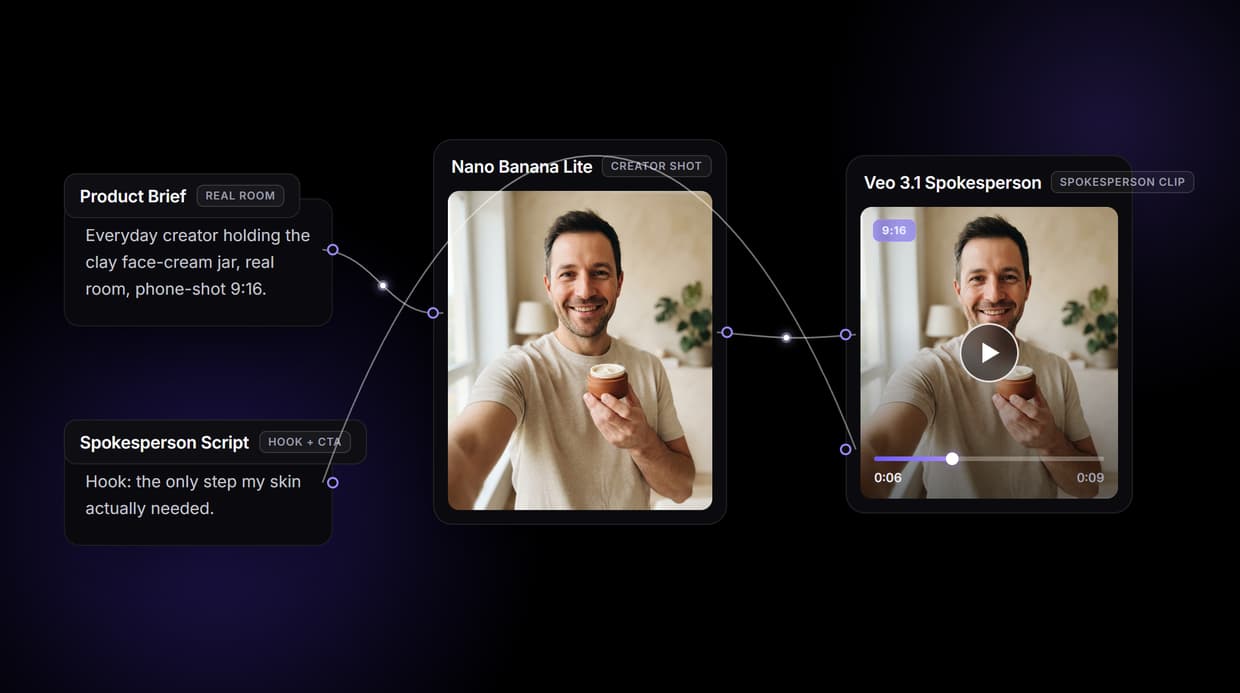
Wireflow gives you that look without booking a creator: a visible five node canvas renders a photoreal creator holding your product, then animates it into a talking head clip you can rerun for every hook.
Free to build · no credit card · See how it works ↓
How to Use UGC Style Ads
Steps to get you started in Wireflow.
Open the UGC ad pipeline
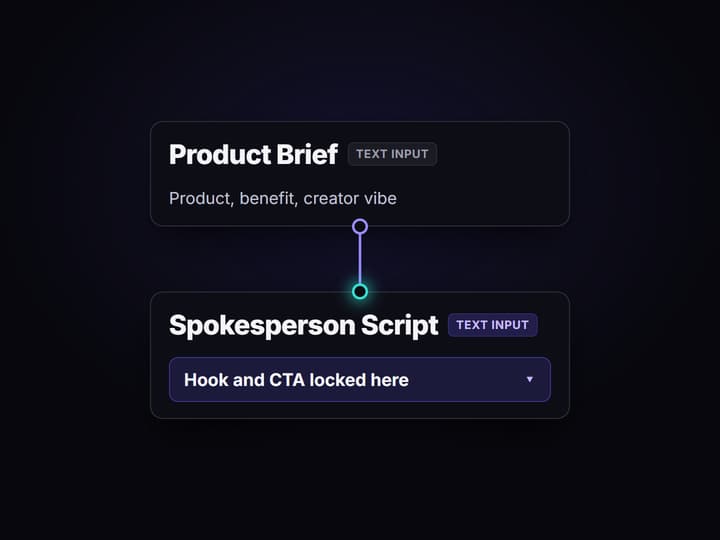
Open the five node UGC Ad Pipeline on Wireflow. Set the Product Brief node with the product and the creator vibe you want on camera, and the Spokesperson Script node with the hook and CTA. These two text inputs are the only things that change per ad.
Render the creator shot, then the clip
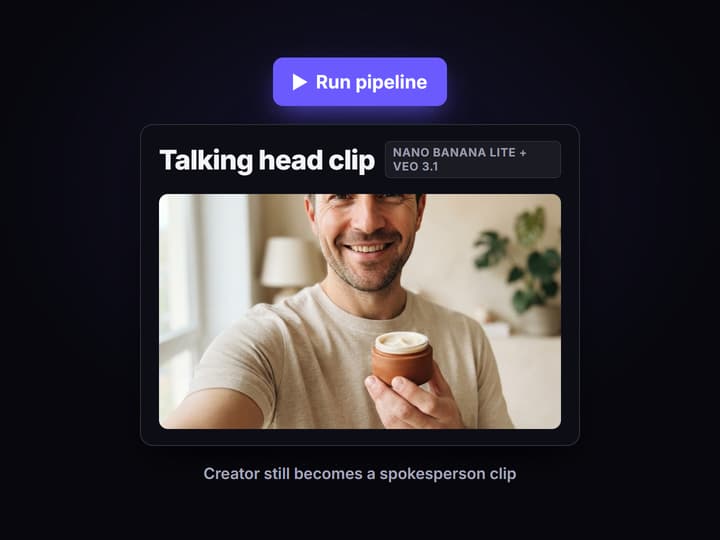
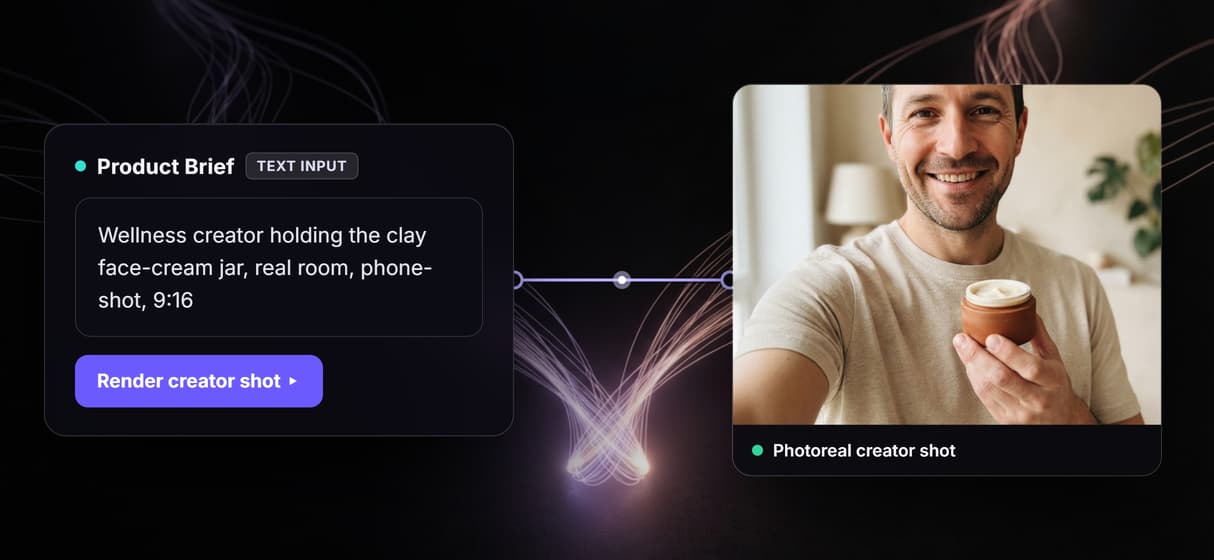
Nano Banana Lite renders the photorealistic 9:16 creator holding product still before any video spend. Veo 3.1 Spokesperson then takes that still as its start frame and the script as its text input and animates a talking head clip with synced speech.
Change the hook to spin up variations
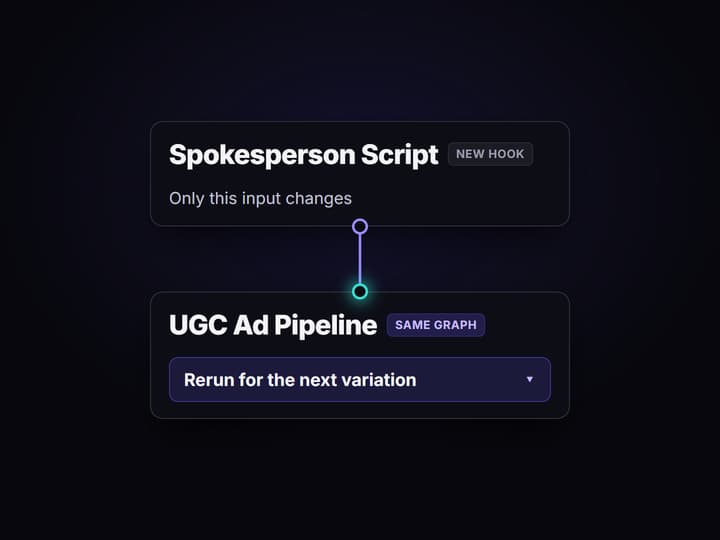
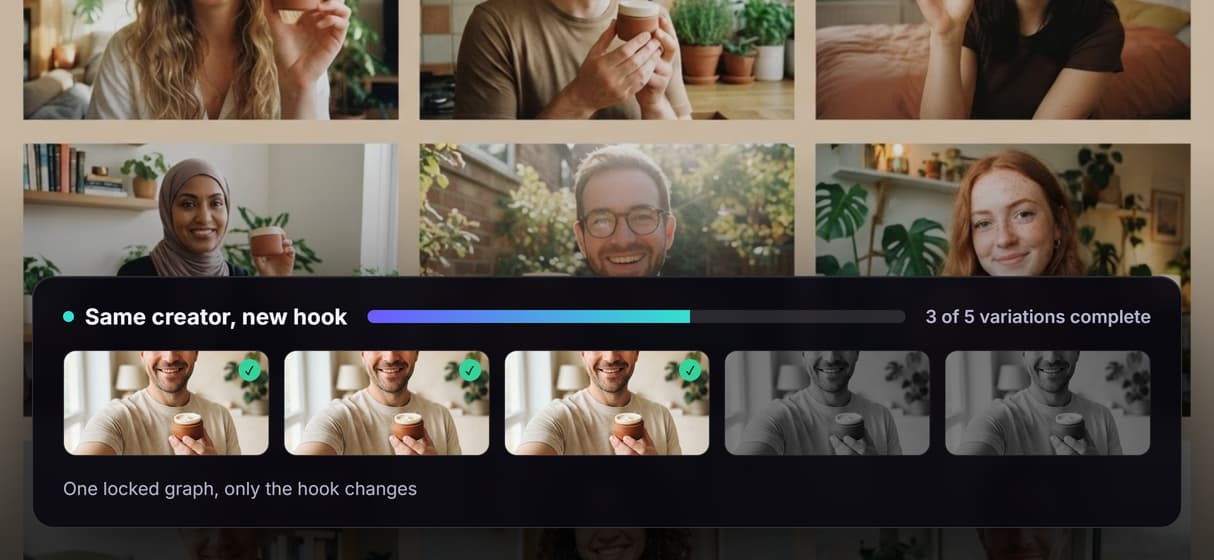
Leave the graph exactly as built and rewrite only the Product Brief and Spokesperson Script. The creator, product, and framing stay identical while the message changes, so every variation stays on brand. Publish the flow to trigger it from a script or agent.
What makes an ad UGC style
UGC style is a look before it is a sourcing method. It reads as a real person talking to camera: first person, direct address, shot in a real room on what looks like a phone, holding the product like they actually use it. That low production, high trust feel is why UGC style ads outperform polished brand spots on Meta and TikTok. The usual way to get it is to hire creators, brief them, wait for footage, and run revisions, which is why most teams stall at a handful of ads.
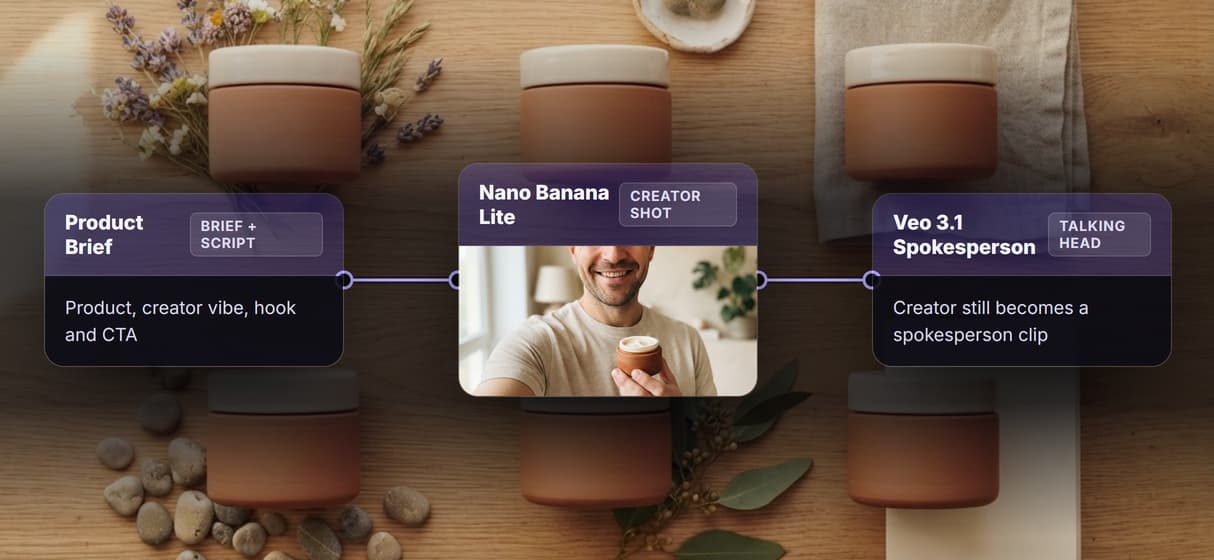
Wireflow gives you the look without the shoot. The AI UGC workflow is a five node canvas template: a Product Brief Text Input node and a Spokesperson Script Text Input node feed Nano Banana Lite, which renders the photorealistic creator holding product still, and then Veo 3.1 Spokesperson, which animates that still into a talking head clip with synced speech. The two text inputs carry your product and your hook; the graph does the rest.
The difference from a one button UGC generator is that this is a canvas you can see. Every step is a node you can open, tune, and rerun, and every published flow is also a REST endpoint and an MCP tool, so the same pipeline can run from a script or an agent.
How the pipeline produces the UGC look
Brief in plain words
The Product Brief Text Input node holds the product, the benefit, and the creator profile. Change it per ad; the graph stays identical.
Photoreal creator shot
Nano Banana Lite renders a 9:16 creator holding product still with real room, phone shot energy, before any motion spend.
Talking head clip
Veo 3.1 Spokesperson takes the still and the script and returns a clip with synced speech and direct address.
Open every node
Nothing is hidden. Inspect the brief, the image node, and the video node and adjust any step instead of regenerating blind.
Swap the avatar model
Change the model inside the Veo 3.1 Spokesperson node to Kling AI Avatar or HeyGen Avatar4 without rewiring the graph.
Trigger via REST or MCP
Publish the flow and it becomes an endpoint. Pass brief and script as JSON; get the clip URL back. No UI loop.
The five nodes, and why you can see all of them
Most AI UGC tools hand you one button and one output. Wireflow hands you the graph, so when a clip is off you fix the node that caused it instead of rerolling the whole thing. The workflow behind this page is deliberately small.
- Product Brief is a Text Input node holding the product, its key benefit, and the creator description: who is on camera and the energy they bring.
- Spokesperson Script is a second Text Input node holding the hook and CTA the creator delivers, so your message is explicit rather than model guessed.
- Nano Banana Lite renders the photorealistic 9:16 creator holding product still on hosted compute, before any video spend.
- Veo 3.1 Spokesperson receives the creator still as its start frame and the script as its text input, and animates a talking head clip with synced speech.
Because it is a graph and not a black box, control is granular. Swap the model inside the Veo 3.1 Spokesperson node to Kling AI Avatar or HeyGen Avatar4 for a different talking head style without touching the rest, or change the image model for a different creator look. Every run is versioned server side, so a winning ad is reproducible rather than a lucky one off, and an AI UGC agent can run the flow for you and hand back the result.
When Wireflow is not the right tool
Wireflow is the generation layer, not the creative strategy. It will produce the UGC look on demand, but it will not write the hook that converts, choose your audience, or decide which variation wins. Bring the angles and the testing plan; the pipeline supplies the executions. The output is AI generated media, not a roster of licensed human creators or real customer testimonials, and you must disclose AI generated content per Meta and TikTok policy and applicable local law. An unattended loop over a large matrix also needs a deliberate spend cap, since every generation costs credits.
If a campaign needs genuine, licensed human testimonials, a UGC talent platform is the right tool. If the deliverable is a long form training video assembled from slide decks, a tool like Synthesia is purpose built for that job. Wireflow wins when you want the UGC look under your control: you own the pipeline, see every node, rerun it for each hook, and swap in better model nodes as they ship. To turn the winners into static creative too, pair it with the AI ad generator.
More Than Just UGC Style Ads
Get the UGC look without booking creators
Nano Banana Lite renders a photoreal creator holding your product in a real room, so the ad reads as authentic first person content, not a studio spot.
See and control every step of the pipeline
The pipeline is a canvas you can open, not a black box. Inspect and tune the brief, creator shot, and video node instead of trusting a hidden button.
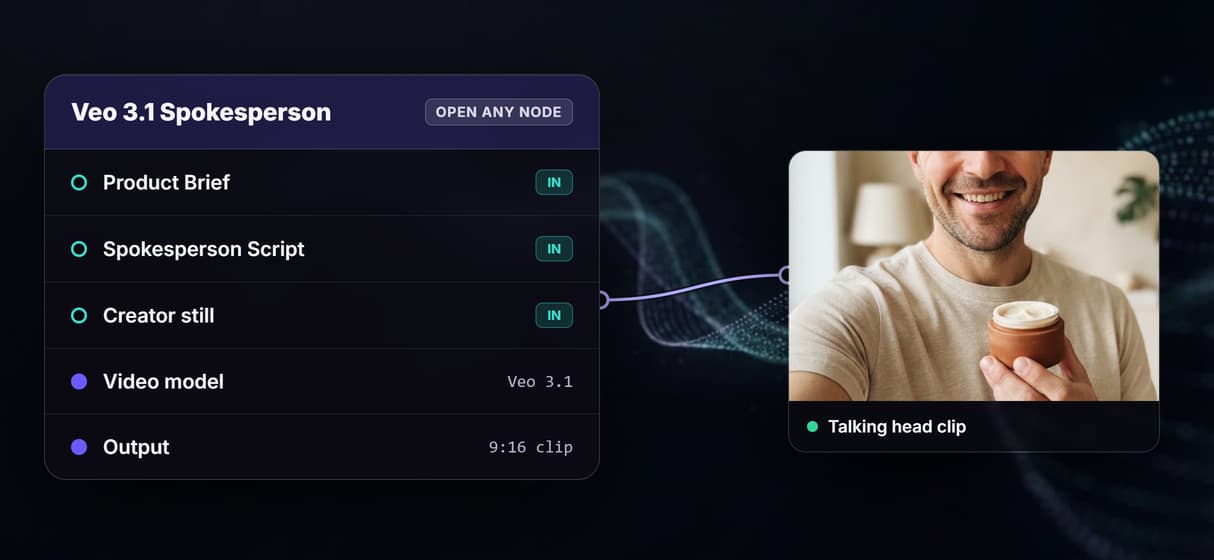
From a brief and script to a talking head clip
A Product Brief and Spokesperson Script feed Nano Banana Lite for the creator still, then Veo 3.1 Spokesperson animates it into a talking head clip.
Same creator and product across every variation
Reuse one locked graph for every ad, so the creator, product, and framing stay identical while only the hook and script change from clip to clip.
Per generation pricing, not per creator fees
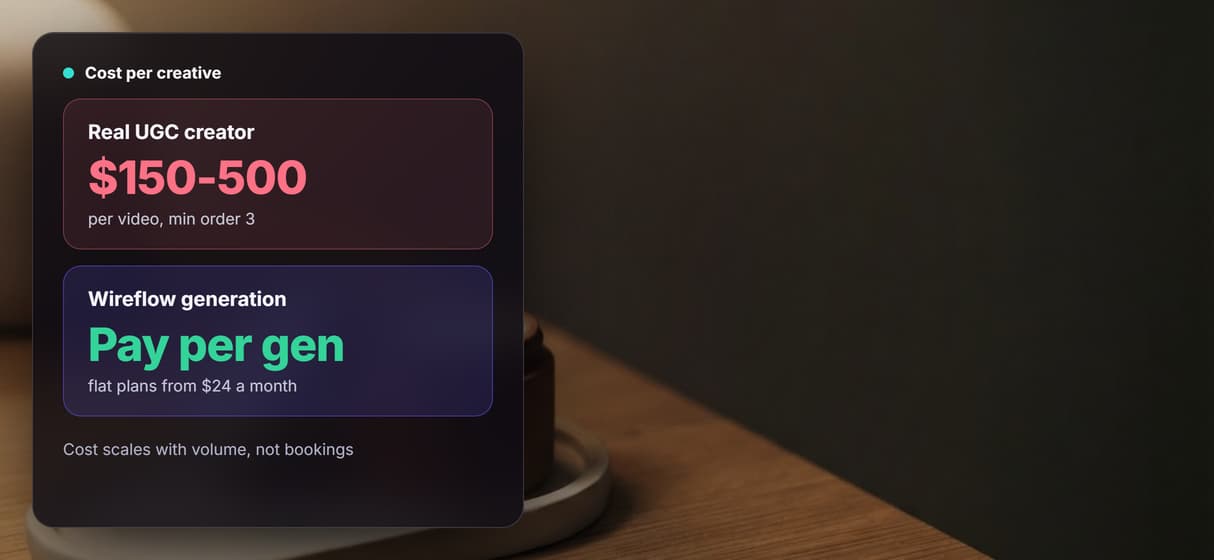
Building the canvas is free and generations cost credits on flat plans from $24 a month, so more UGC style variations cost credits, not new bookings.
Ugc style ads Workflows
No Code Required
API & Batch Processing
FAQs
UGC style ads are ads made to look like user generated content: a real person talking to camera in first person, shot in a real room with phone shot energy, holding and using the product. The look signals authenticity, which is why it outperforms polished brand spots on Meta and TikTok. On Wireflow you get that look from a five node pipeline instead of a shoot, using Nano Banana Lite for the creator shot and Veo 3.1 Spokesperson for the clip.
Discover related AI tools
- AI Video Generator: 12 Video Models, One Canvas (2026) | Wireflow
- TapNow AI Alternative
- Opencreator AI Alternative
- AI Video Workflow
- AI UGC Workflow
- Faceless AI Video Generator
- Text to Video
- Text to Video AI
- Happy Horse 1.0
- Free AI Video Generator Online
- Best AI Video Generators 2026
- Video Maker: One Prompt to a Finished Clip on a Canvas
More From Wireflow
Written by
Andrew Adams · Co-Founder & Operations at Wireflow
Runs client operations and content strategy at Wireflow. Works directly with creative teams and agencies to build production AI workflows.
Make your first UGC style ad
Open the five node pipeline, set the brief and script, and get a talking head clip.