 Andrew Adams · Co-Founder & Operations at Wireflow ·
 AI Image Restoration
Most AI photo restorers give you one button and a black box.
Wireflow gives you the graph: a damaged photo, a plain-words repair instruction, GPT Image 2.5 Flare to rebuild it, and a Crystal Upscaler to raise the resolution. Free to build, pay per generation.
Free to build · no credit card
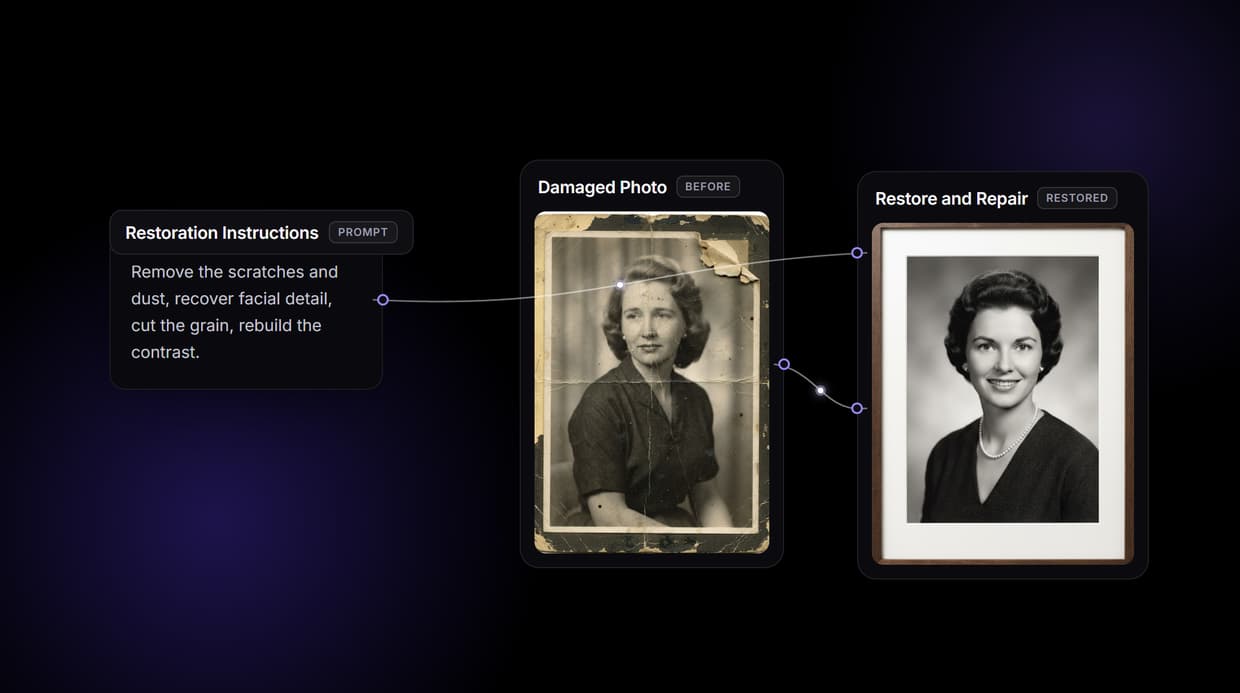
Why AI image restoration on a canvas
Most AI photo restorers are a one way door: drop in an old photo, press restore, and accept whatever comes back. When a face goes waxy or a scratch survives, there is nowhere to turn, no way to see how the repair was made, and no way to reuse the recipe on the next photo in the shoebox. The button is the ceiling, and the free version usually stamps a watermark on the way out.
Wireflow takes a different shape. Restoring a photo is a small workflow you own on a node canvas: a photo feeds a Restore and Repair node, a Restoration Instructions node holds the fix in plain words, and a Crystal Upscaler node raises the resolution. It runs on hosted compute in the browser with nothing to install, and the same canvas drives the rest of your image work, from an AI background remover pass to a full studio headshot.
What the restore flow gives you
Your damaged photo
The first node holds the photo to repair; swap it for an upload node and the restore step works on your real scan.
Plain-words repair
A text node sets the fix in one line: remove scratches and dust, recover detail, cut grain, rebuild contrast.
Rebuilt render
The Restore and Repair node runs GPT Image 2.5 Flare to return a clean, repaired version of the photo.
Real upscale
The Crystal Upscaler node raises the resolution up to 4x so the result holds up on a big screen or a print.
Swappable models
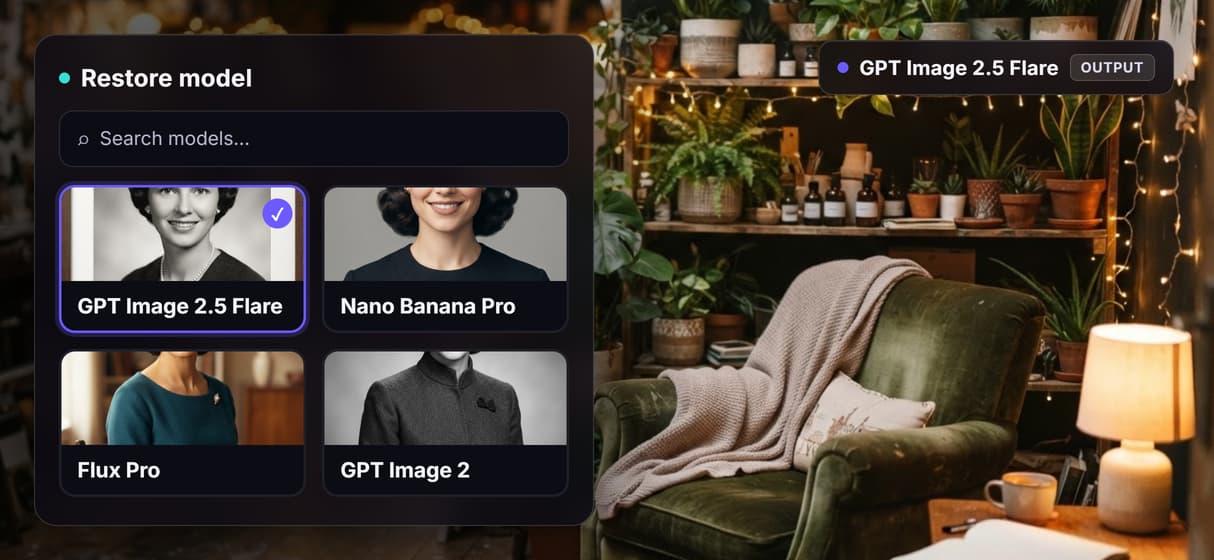
Drop Nano Banana Pro, Flux Pro, or GPT Image 2 into the restore node when a photo needs a different touch.
Share by link
The workflow is versioned and shareable, so a teammate runs the exact same restore graph.
How the restore graph runs
The workflow behind this page's button is deliberately small: a source node, a restore node, an upscaler, and a sticky note that walks a first run through it. It has already been run once, so the restore and upscale nodes carry real outputs.
- The first node holds a damaged photo. The demo generates a believably aged vintage photo so a full restore runs end to end; point this node at your own scan to repair a real image.
- Restoration Instructions holds the fix. One line of text, for example remove the scratches and dust, recover facial detail, and cut the grain, wires into the prompt input.
- Restore and Repair rebuilds it. GPT Image 2.5 Flare reads the photo and the instruction and re-renders a clean, repaired version in a single pass.
- Crystal Upscaler raises the resolution. The repaired photo flows straight into the upscale node so the final image is bigger and crisper, up to 4x.
Because the photo and the instruction meet at one node, the repair follows what you ask for while the rest of the graph stays visible and editable. And because the flow lives among the platform's hosted models, the restored photo can roll straight into more work, like an AI headshot generator pass, without leaving the browser.
When a one tap restore app is the better call
If you want a single button, a phone app, and a before and after slider with no canvas to touch, a consumer photo restorer is built for exactly that, and this page will not pretend otherwise. Wireflow gives you the graph instead, which is more control than a casual one off repair needs.
Wireflow is the generation layer, not a forensic archive tool: the restore node re-renders your photo, so the result is a rebuilt, guided version of the original rather than a pixel perfect recovery, and a heavily destroyed or very tiny image will not come back flawless. It fills missing regions with plausible detail, not certified-accurate history, so treat colorized or reconstructed areas as informed guesses. It is not a face swap or deepfake service and must not depict real people without consent. If a clean photo is one ingredient in a larger content flow, build it here, and pair it with an AI image editor when you want finer edits.
More Than Just AI Image Restoration
Own the restore pipeline
The whole repair sits open on a canvas: photo in, instructions in, rebuilt photo out, then upscale. Rewire any hop like a node based image generation graph.
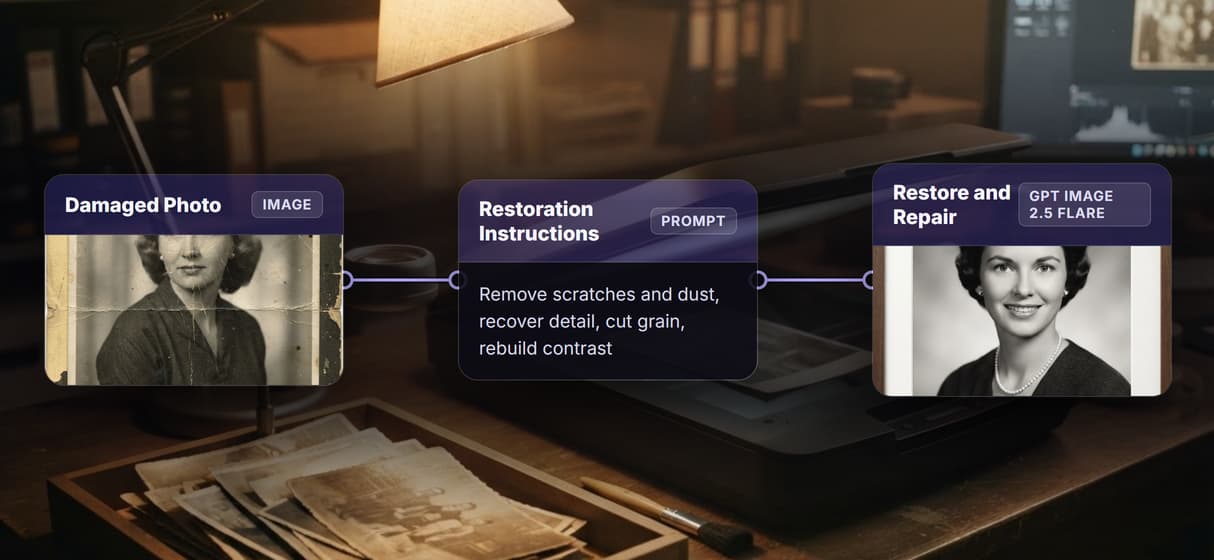
Repair in plain words
Say the fix in one line, remove scratches, recover detail, cut grain, rebuild contrast, then rerun. No hidden slider, the way a one tap AI photo enhancer hides it.
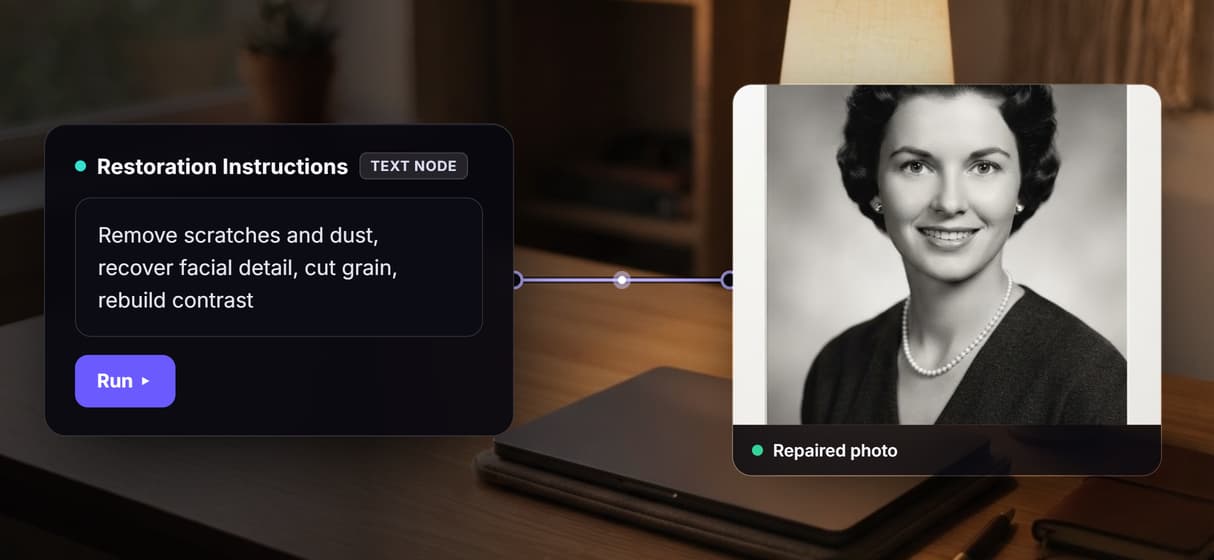
One node, many damage types
The restore node reads your instruction and handles scratches, detail, noise, and contrast in one pass. Stage a separate AI sharpen image node after it when you want more.
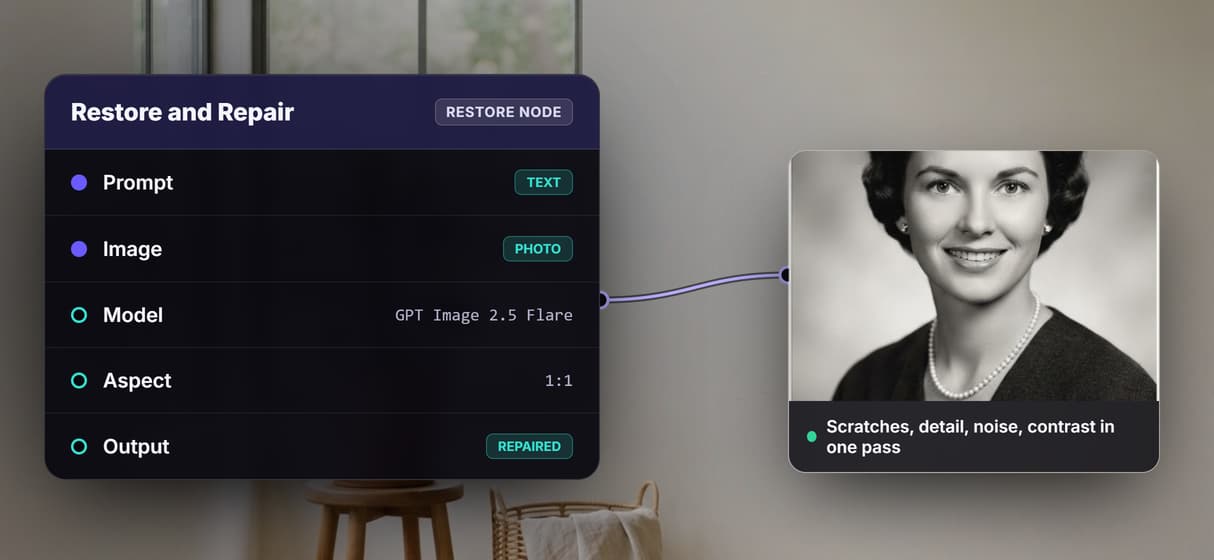
Swap the model, keep the graph
GPT Image 2.5 Flare rebuilds by default; drop in Nano Banana Pro, Flux Pro, or GPT Image 2 on the same node. Reuse the graph inside an AI headshot generator flow.
Real upscale, pay per generation
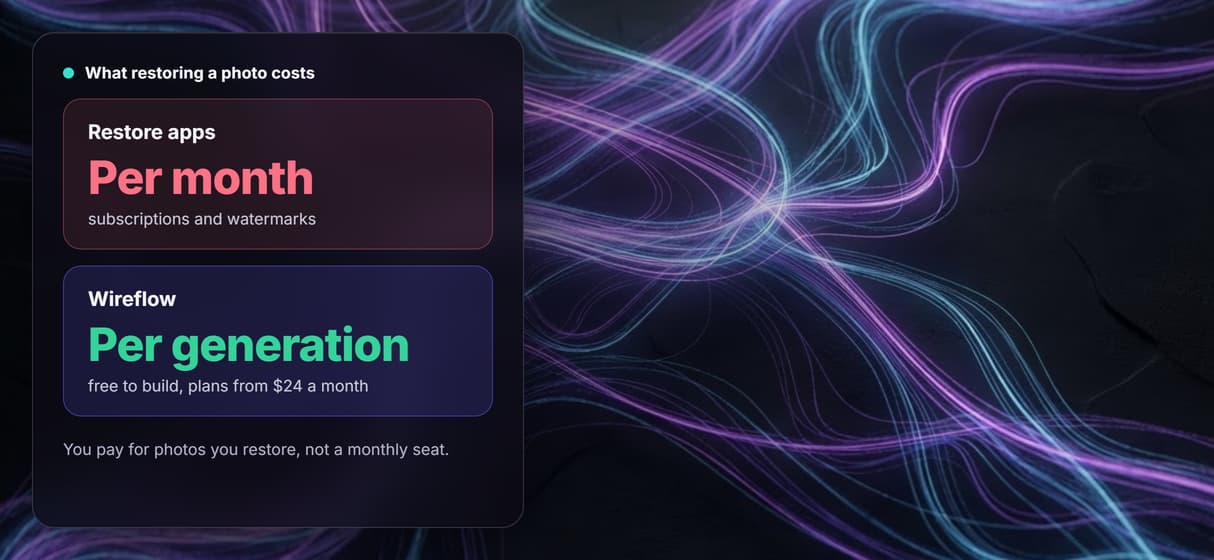
A real Crystal Upscaler step raises resolution up to 4x, and you pay per generation, not a monthly seat. Chain a bigger AI image upscaler pass any time.
Build Any AI Workflow
AI Models Integrated
Full Commercial License
FAQs
It handles scratches, creases, dust, fading, discoloration, noise, grain, blur, and compression artifacts. On Wireflow one Restore and Repair node reads your instruction and rebuilds those together, and you can add more nodes for a staged pipeline.
Written by
Andrew Adams · Co-Founder & Operations at Wireflow
Runs client operations and content strategy at Wireflow. Works directly with creative teams and agencies to build production AI workflows.
Restore a photo you own the recipe for
Open the flow, bring in a damaged photo, type the repair in plain words, and run it: a rebuilt, upscaled image from a graph you can rerun and reshape. Building is free; you pay per generation, not per month.