 Andrew Adams · Co-Founder & Operations at Wireflow ·
 AI Virtual Staging
Most virtual staging tools are a one click black box.
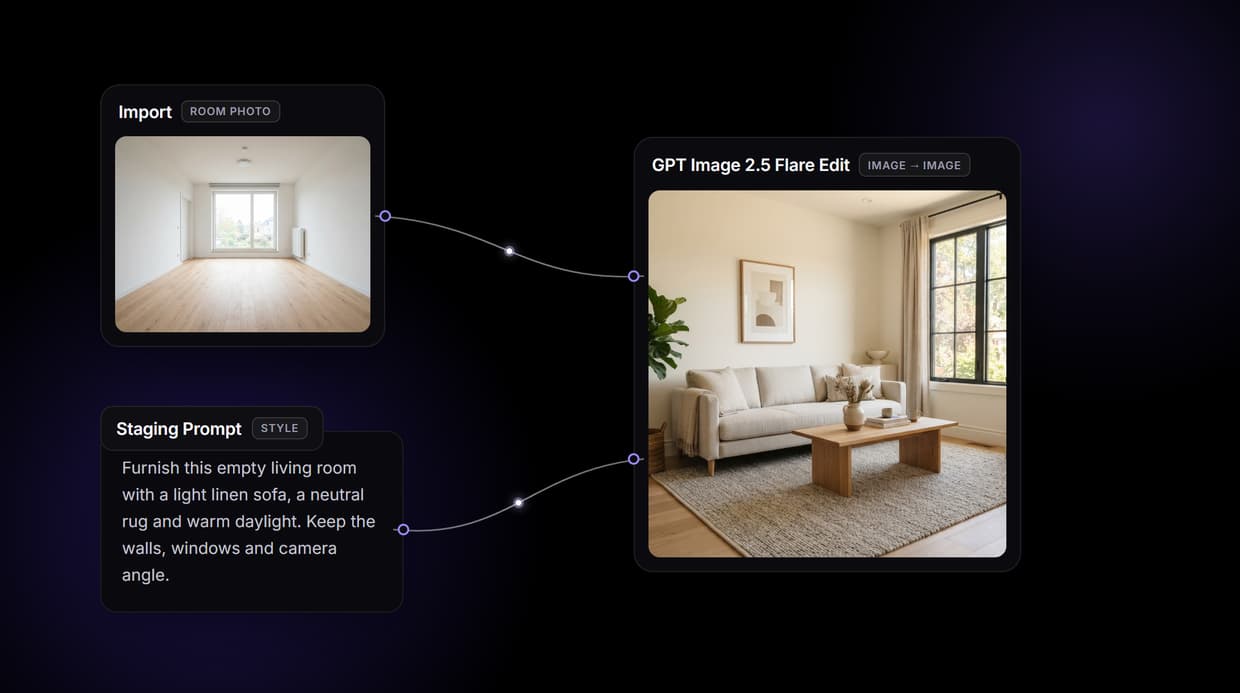
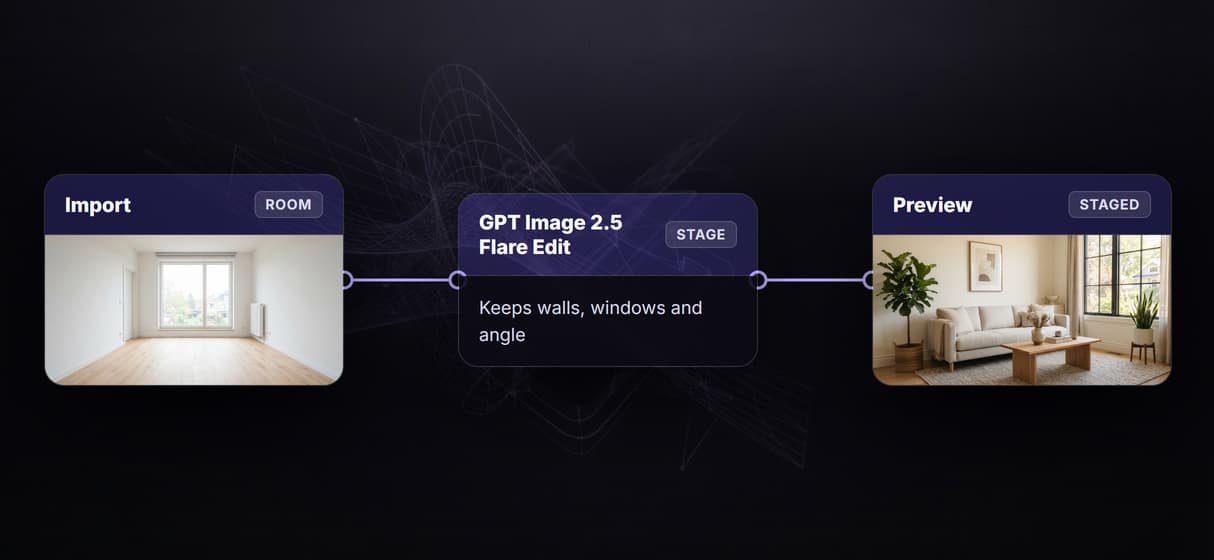
Wireflow hands you the pipeline: an Import node holds your room photo, a Staging Prompt node sets the style, and GPT Image 2.5 Flare Edit furnishes the room while keeping its real walls, windows and camera angle. Free to build, pay per generation.
Free to build · no credit card · See how it works ↓
How to Use AI Virtual Staging
Steps to get you started in Wireflow.

Import the room photo you want to stage
Open the flow and drop your listing photo into the Import node. An empty room or a cluttered one both work. The photo is the source of truth for the walls, windows, flooring and camera angle, so nothing structural moves.
Describe the furniture and the light
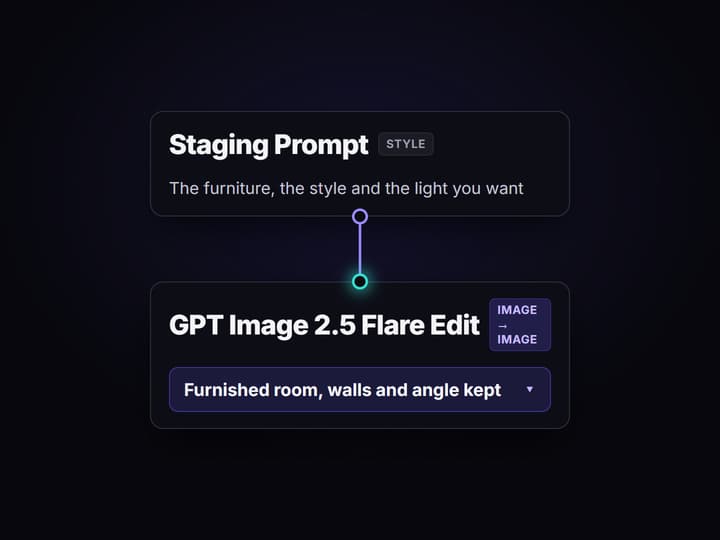
Type the staging brief into the Staging Prompt node: the style, the furniture, and the mood you want. Describe what to add, never the architecture, so the model keeps the exact room it was handed instead of inventing a new one.
Run once, then restage or batch
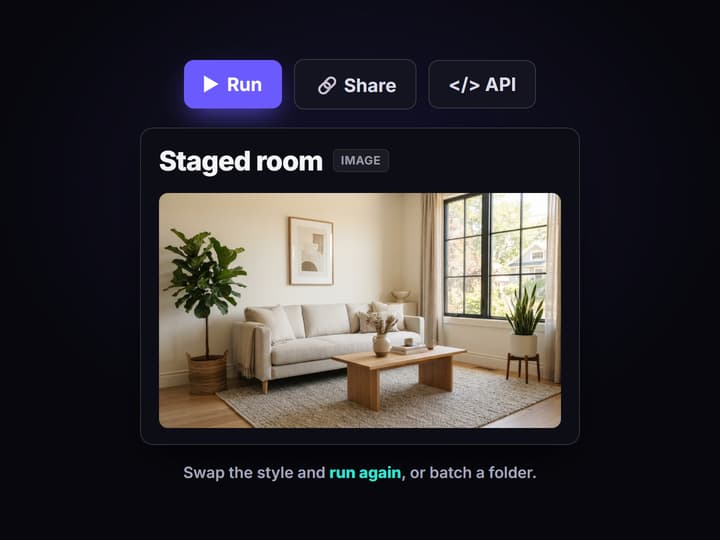
Run Virtual Staging and GPT Image 2.5 Flare Edit returns the furnished room in about a minute. Swap the style and run again for a second look, or point the same workflow at a folder of listings.
Why agents reach for AI virtual staging
An empty room photographs badly. Buyers cannot judge scale, the space reads cold, and the listing scrolls past. Physical staging fixes it but costs thousands and takes days, so virtual staging became the shortcut: furnish the room in software, post the shot, sell the feeling. Most tools that do it are a single upload box with one hidden model and per image credits, which is fine until you have forty rooms to turn around by Friday.
Wireflow answers with a different shape. Staging is a small workflow you own on a node canvas: an Import node holds the room photo, a Staging Prompt node carries the style, and GPT Image 2.5 Flare Edit furnishes the room while keeping the architecture from your photo. It runs on hosted compute in the browser, nothing to install, and the same visual AI canvas editor drives every other image job your listings need, from decluttering to a golden hour relight.
What replaces the single click staging app
Room intake
An Import node holds your listing photo. Swap it per room and rerun; the graph never moves.
Style prompt
A Staging Prompt node carries the furniture and mood, so changing the look is one text edit.
Flare Edit staging
GPT Image 2.5 Flare Edit furnishes the room and holds the walls, windows and camera angle.
Declutter first
Add an edit hop to clear existing furniture before restaging an occupied room.
Relight and upscale
Chain a relight and an image upscaler node so the final shot is print sharp.
Batch and rerun
Workflows are versioned and shareable by link; run one across a whole folder of rooms.
How the staging workflow actually runs
The workflow behind this page's button is deliberately small: import, prompt, edit, preview.
- Import holds the room. Your listing photo goes in once and becomes the source of truth for walls, windows and angle.
- The Staging Prompt sets the look. One or two sentences about the furniture and the light; a sticky note in the flow walks a first run through it.
- GPT Image 2.5 Flare Edit stages it. The node reads both the prompt and the photo and returns the furnished room, architecture intact, in about a minute.
Because the graph lives among 70+ hosted model nodes, that staged frame can roll straight into a longer run of AI creative workflows, a golden hour relight and an AI image upscaler included, without leaving the browser. Save the graph once and it is a staging recipe you reapply to every listing.
When a dedicated staging app is the better call
If you want to upload one photo, tap a preset, and never think about a canvas, a consumer staging app is built for exactly that, and this page will not pretend otherwise. Wireflow asks you to wire a workflow the first time, and the payoff is ownership and scale rather than a single tidy button.
Wireflow is the generation layer, not a real estate SaaS: it does not integrate with your MLS, it does not add the "virtually staged" disclosure label for you, and there is no human designer revision desk. What it offers instead is a pipeline you own, 70+ hosted models to swap between, batch over a folder, and per generation pricing. If staging is one step in how your brokerage or AI workflow software for agencies already works, build it here and call it from your own stack.
More Than Just AI Virtual Staging
Stage the photo you already have
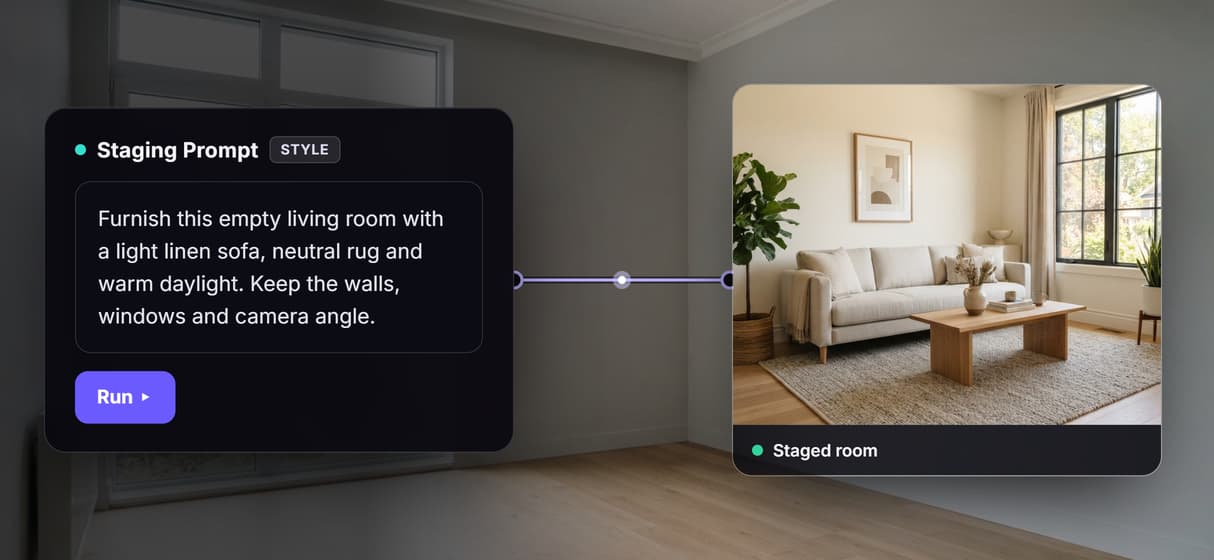
Drop in a listing shot and GPT Image 2.5 Flare Edit furnishes the empty room while holding the walls, windows and camera angle. It is an AI image editor run, not a redraw.
Own the staging pipeline, not one edit
Chain declutter, restage, relight and upscale as nodes on one canvas, so a whole visual AI pipeline runs per listing instead of a single black box click.
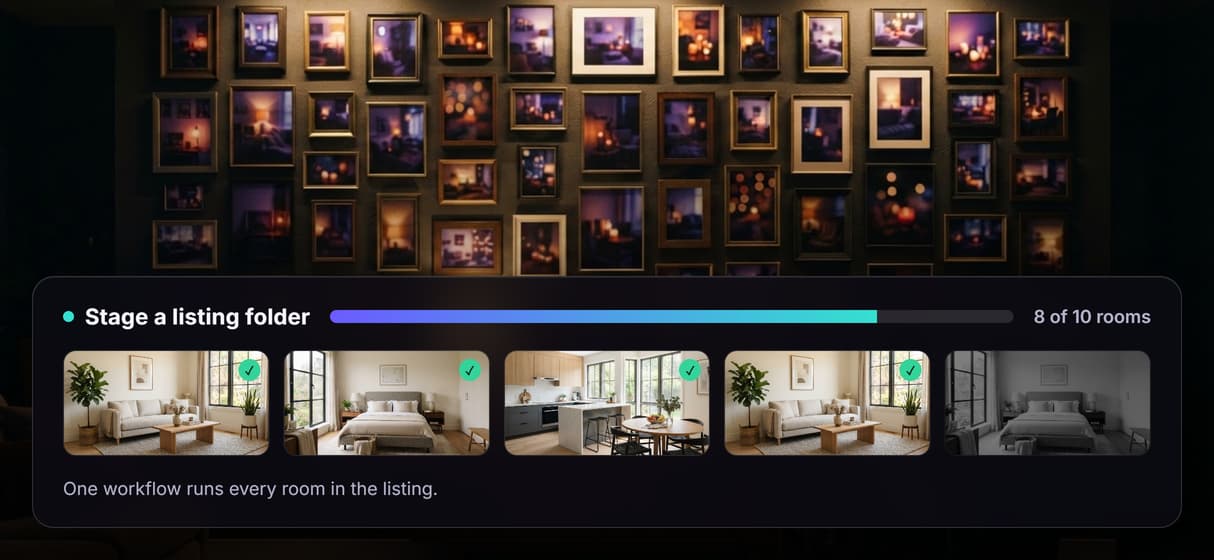
Stage a whole listing folder at once
Point the same workflow at a folder or feed of photos and bulk image generation stages every room, each run reproducible from the same saved recipe.
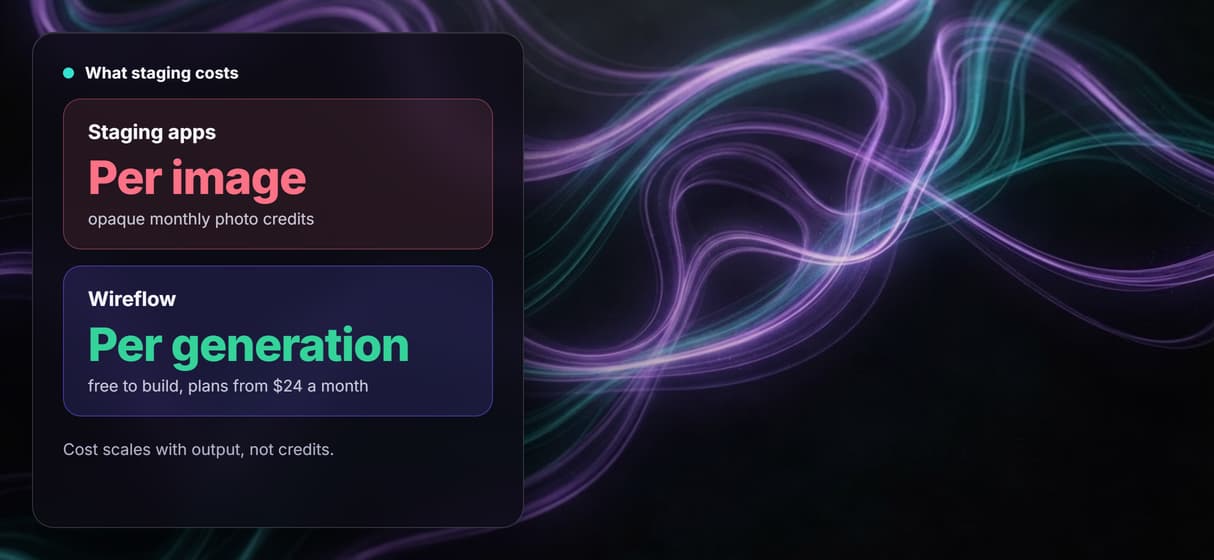
Pay per generation, not per image credit
Building on the canvas is free and you pay per staged render, so node based image generation costs scale with output, not opaque monthly photo credits. Plans from $24 a month.
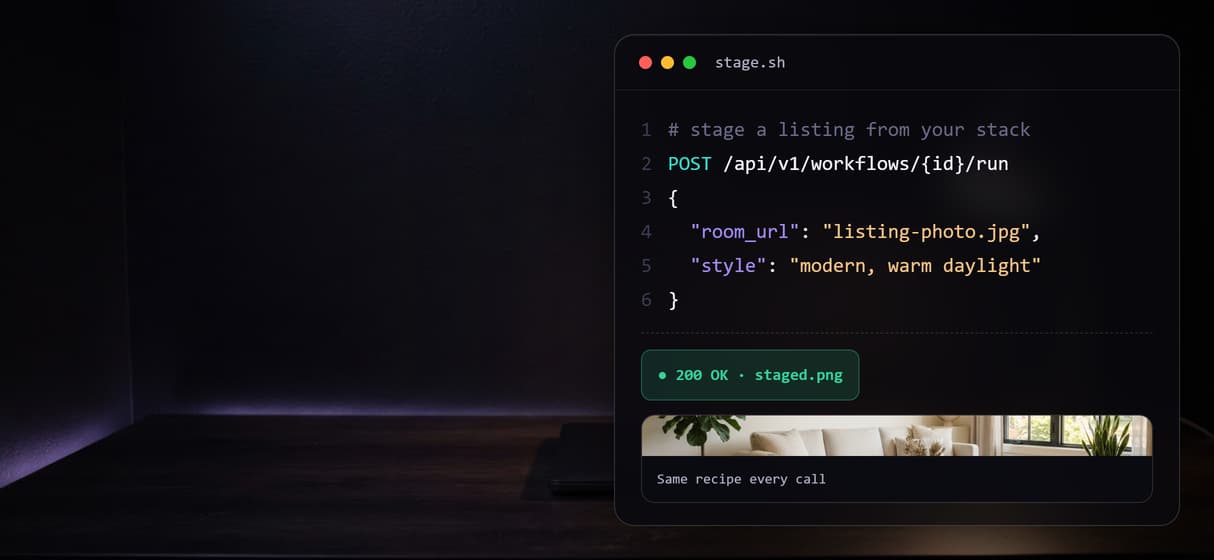
Call staging from your own stack
Every published workflow is also a REST endpoint and an MCP tool, so a node based AI platform with an API lets your listing system or agent stage rooms on demand.
Virtual staging Workflows
No Code Required
API & Batch Processing
FAQs
AI virtual staging uses an image model to furnish an empty or cluttered room photo with digital furniture so a listing looks move-in ready. On Wireflow it is a workflow you own: an Import node holds the room photo, a Staging Prompt node sets the style, and GPT Image 2.5 Flare Edit restages the room while keeping the real walls, windows and camera angle.
Discover related AI tools
- AI Image Upscaler: Upscale to 4K in a Visual Workflow
- AI Background Remover
- AI Image Generator: Flow-Based Canvas, 31 Models
- ComfyUI Alternative
- AI Face Swap Online: Photos and Video in Your Browser
- Virtual Try On
- AI Thumbnail Generator
- AI Photo Generator
- AI Image Editor
- AI Art Generator
- Midjourney Alternative
- AI Headshot Generator
More From Wireflow
Written by
Andrew Adams · Co-Founder & Operations at Wireflow
Runs client operations and content strategy at Wireflow. Works directly with creative teams and agencies to build production AI workflows.
Stage your next listing on a canvas you own
Open the flow, drop in a room photo, and run it: an empty room becomes a furnished, move-in-ready shot. Building is free; you pay per generation, not per seat.