 Andrew Adams · Co-Founder & Operations at Wireflow ·
 Arcads Alternative
Arcads is a casting-first studio: pick an AI actor, paste a script, get a talking ad.
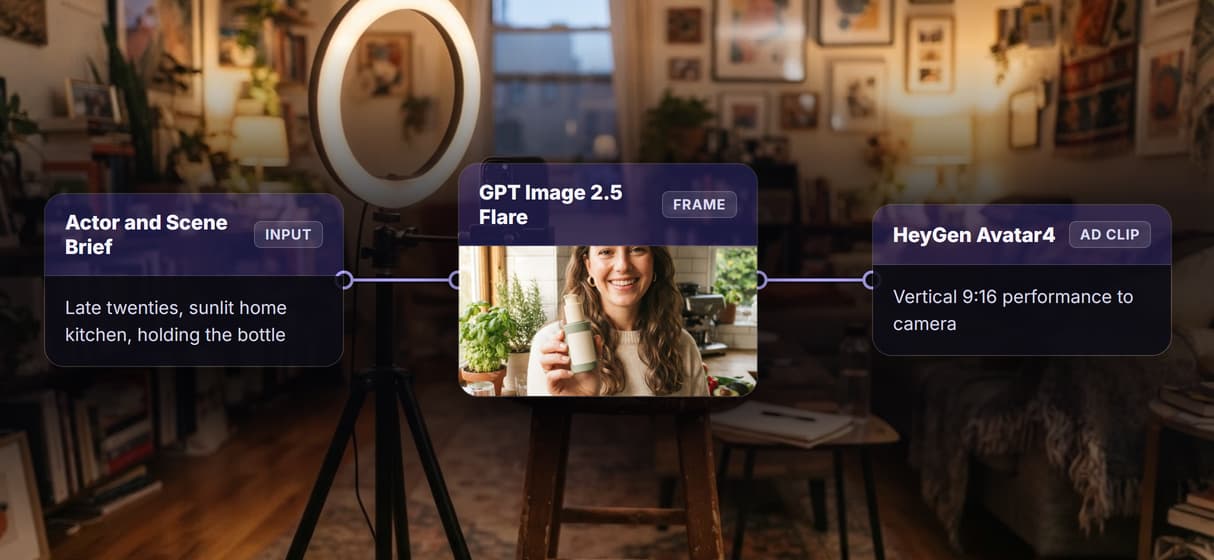
Wireflow is the open canvas underneath that idea, where the UGC ad is a graph you own: an Actor and Scene Brief renders a 9:16 frame on GPT Image 2.5 Flare, an Ad Script drives the HeyGen Avatar4 performance, and the Video Editor node cuts the finished vertical clip.
Free to build · no credit card · See how it works ↓
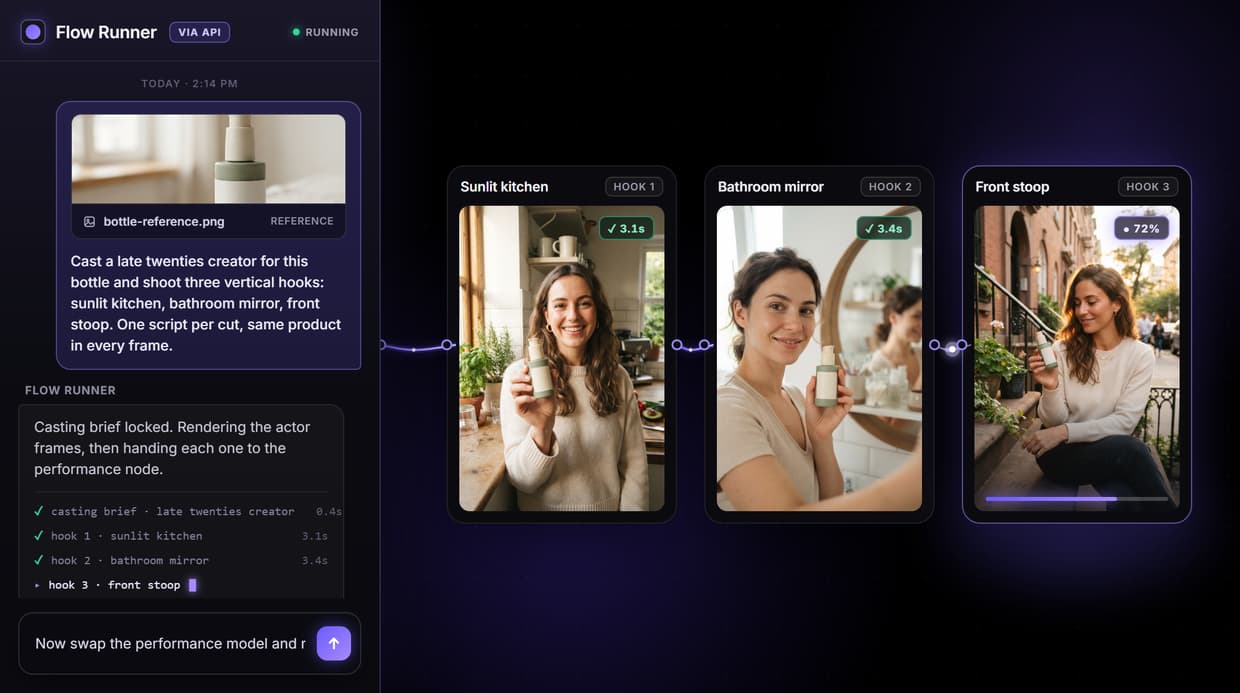
How to Use Arcads Alternative
Steps to get you started in Wireflow.
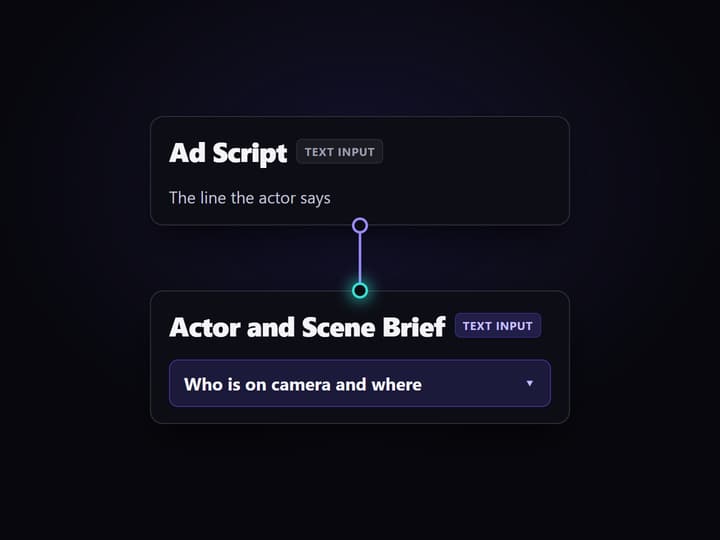
Write the script and the casting brief
Open the flow and fill the two Text Input nodes. Ad Script holds the line the actor says. Actor and Scene Brief describes who is on camera and where, which is the part a fixed roster normally decides for you.
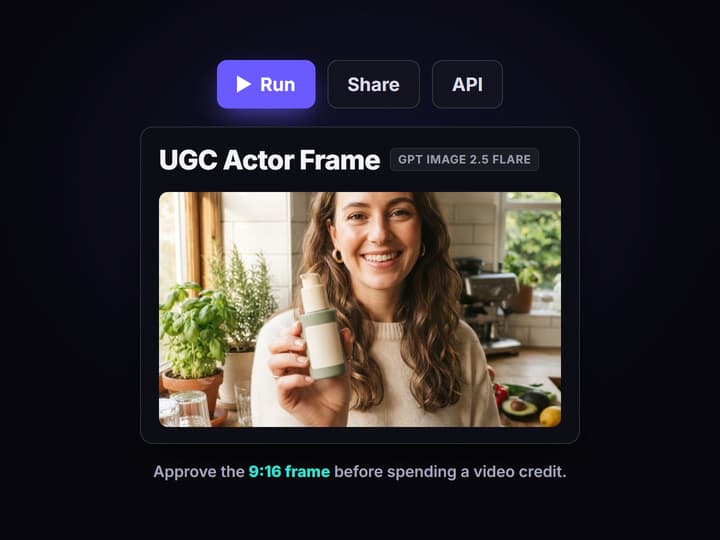
Render the actor frame on GPT Image 2.5 Flare
The brief feeds the GPT Image 2.5 Flare node, which returns a 9:16 vertical frame in seconds. Approve the look before you spend anything on video, the same checkpoint any working <a href="https://www.wireflow.ai/ai-ugc-workflow">AI UGC workflow</a> needs.
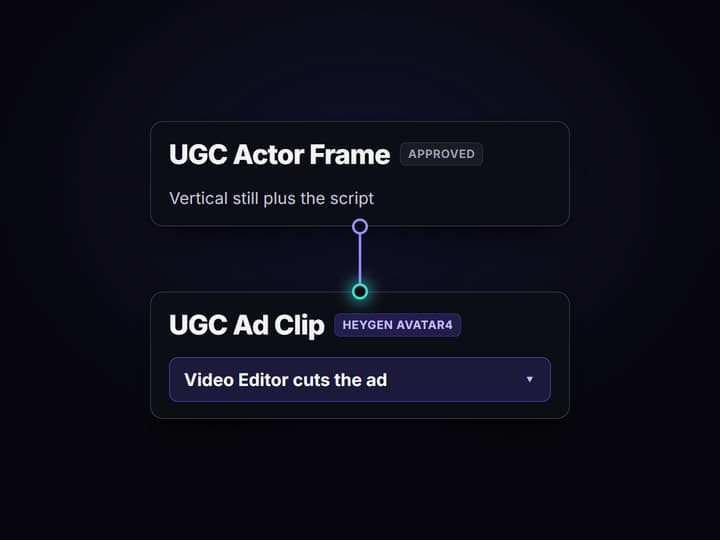
Perform the line and cut the ad
HeyGen Avatar4 takes the approved frame plus the script and performs it to camera, then the Video Editor node assembles the vertical cut. Change one line and rerun to get the next variant.
Why people look for an Arcads alternative
Arcads earned its audience honestly. It made one hard thing easy: choose an AI actor, paste a script, get a believable person talking your ad to camera, with no production day and no build step. If that is the whole job, a casting-first studio is a reasonable place to stay.
People start shopping when the job grows. They want the ad generator to be something their code calls, not a tab they open. They want to change the model behind the performance when a better one ships, without rebuilding an integration. Or they want the actor, the scene and the cut to be three decisions they control rather than one preset. Wireflow answers those by making the ad a graph: every hop is a visible node on a canvas, and the finished graph is one AI ad generator endpoint.
What the Wireflow UGC ad pipeline covers
Ad Script node
One Text Input node holds the spoken line. Change the words, rerun, and the rest of the graph stays exactly where it was.
Actor and Scene Brief node
A second Text Input describes who is on camera and where, so casting is a prompt you control instead of a roster you browse.
GPT Image 2.5 Flare frame
Renders the 9:16 vertical actor frame first, so you can approve the look before spending credits on video.
HeyGen Avatar4 performance
Takes the approved frame plus the script and performs the line to camera as a vertical clip.
Video Editor assemble
The final node cuts the performance and the frame into the deliverable vertical ad.
REST endpoint and MCP tool
Publishing the flow exposes it to your code and to agents with typed inputs and an asset URL back.
How the graph actually runs
The flow behind this page is six nodes and five wires, and it is worth reading in order.
- Two inputs, not one. Ad Script holds what gets said. Actor and Scene Brief holds who says it and where. Separating them is the whole point: you can hold casting steady and test ten hooks, or hold the hook steady and test ten actors.
- GPT Image 2.5 Flare renders the frame. The brief feeds the image node, which returns a 9:16 vertical still. This is the cheap checkpoint before any video credit is spent.
- HeyGen Avatar4 performs the line. The approved frame and the script both wire into the video node, which returns the talking clip.
- The Video Editor node cuts it. The performance and the frame land in the final assemble node, which produces the vertical deliverable.
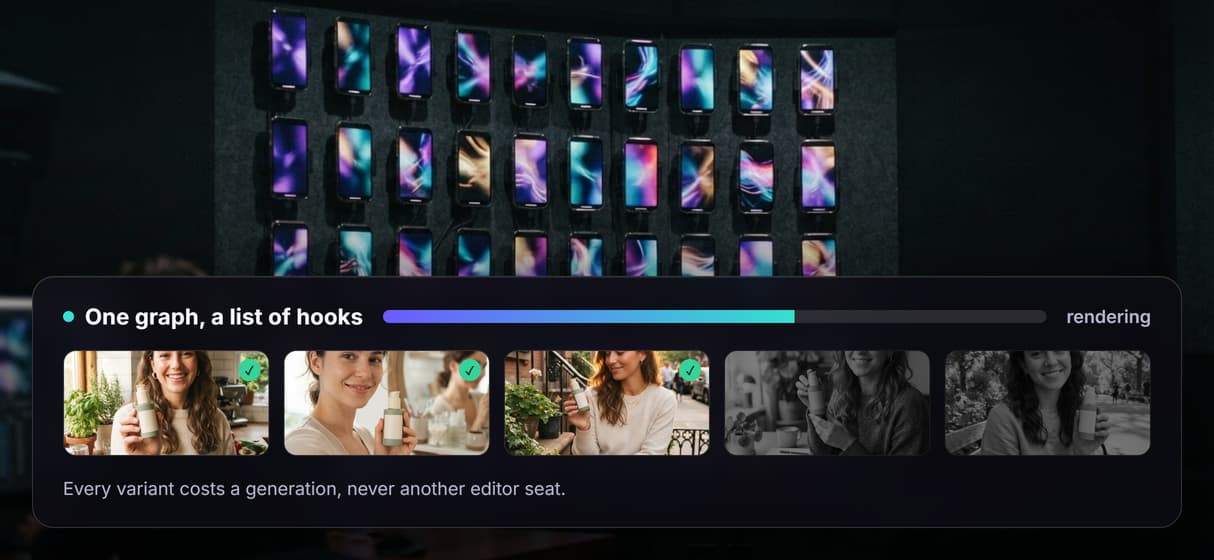
Because the graph sits among 70 plus hosted model nodes, extending it is a drop and a wire: add ElevenLabs TTS if you want a specific voice, add Sync Lipsync v3 for mouth-accurate animation, or add a Topaz upscale after the cut. That is also how a single ad becomes a video ad variant generator: same graph, a list of scripts, one endpoint called many times.
When Arcads is still the right call
If what you want is to open a tool, scroll a roster of ready AI actors, paste a script and publish, a casting-first studio like Arcads is doing exactly the job it was built for, and this page is not going to pretend otherwise. Wireflow has no browsable talent roster. You describe the person you want and a model renders them: more range and more art direction, but more work up front too.
Wireflow is the better fit on three specific jobs. You want the ad pipeline callable from your own code or from an agent rather than clicked through a UI. You want to swap the performance model when a better one ships without touching your integration. Or you want casting, script and assemble to be separate, versioned decisions so a winning ad can be rebuilt exactly rather than re-improvised. If none of those describe you, stay where you are. If all three do, the flow above is the smallest honest starting point, and the AI UGC agent page covers the version where an agent drives it end to end.
More Than Just Arcads Alternative
A UGC ad is a graph, not a template
Casting brief, script, actor frame, performance and assemble sit as separate nodes you can rewire, so the ad format stays yours to change.
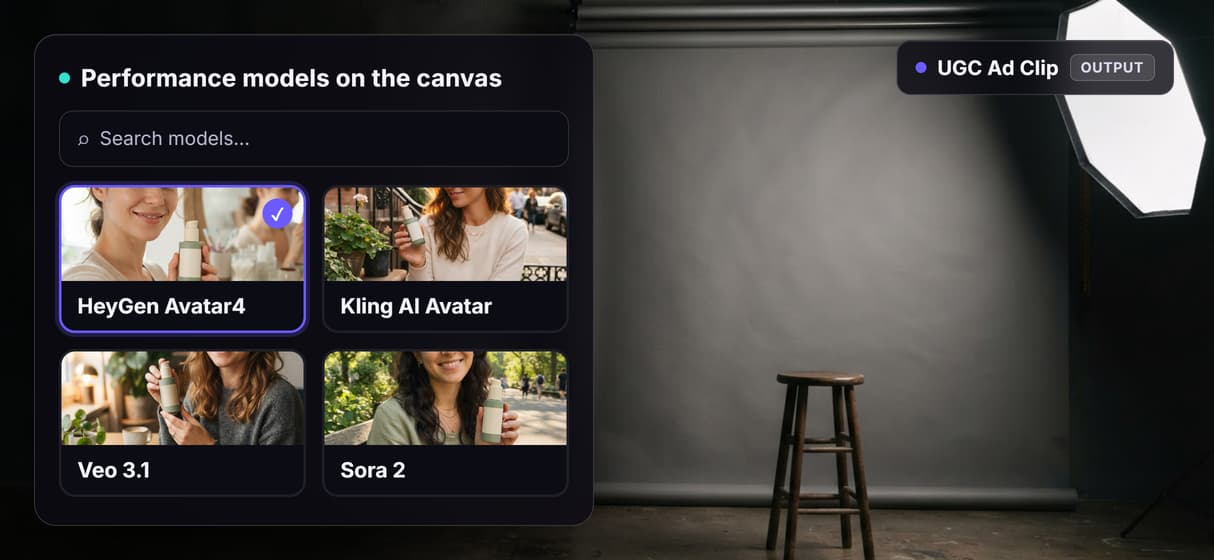
Swap the video model, keep the endpoint
HeyGen Avatar4 drives the performance today. Swap in Kling AI Avatar or Veo 3.1 when a better model ships and your REST endpoint stays put.
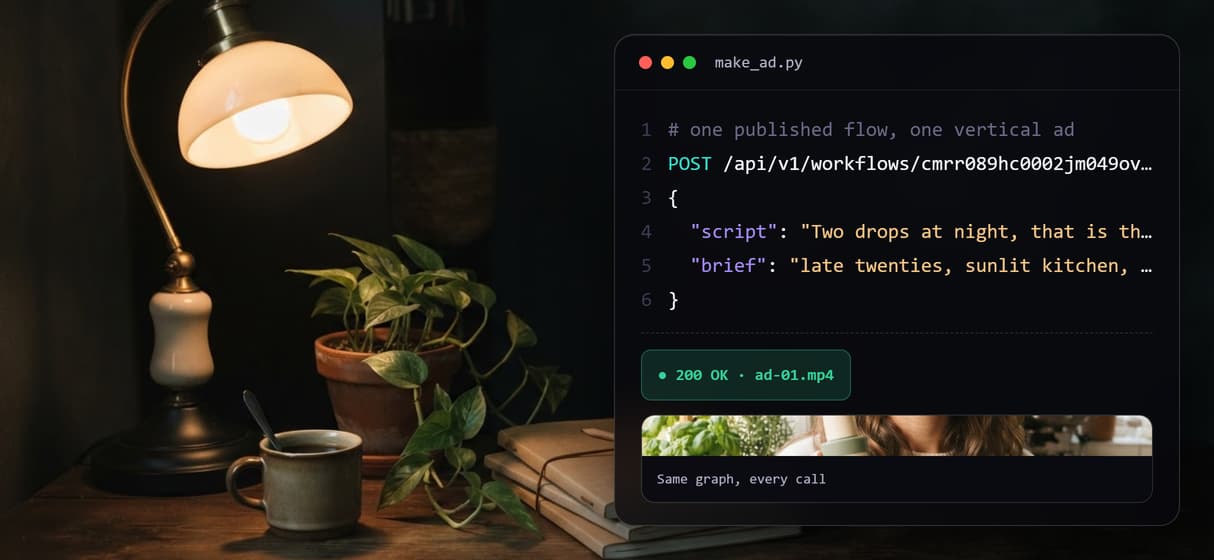
One REST call returns the finished ad
Publish the flow and POST a script to get the clip URL back. The same workflow is an MCP tool, so an agent can run it with no new glue code.
Variants come from a script list
Loop the same graph over a list of hooks and briefs to get a batch of vertical cuts. You pay per generation rather than per editor seat.
Every run is versioned and rerunnable
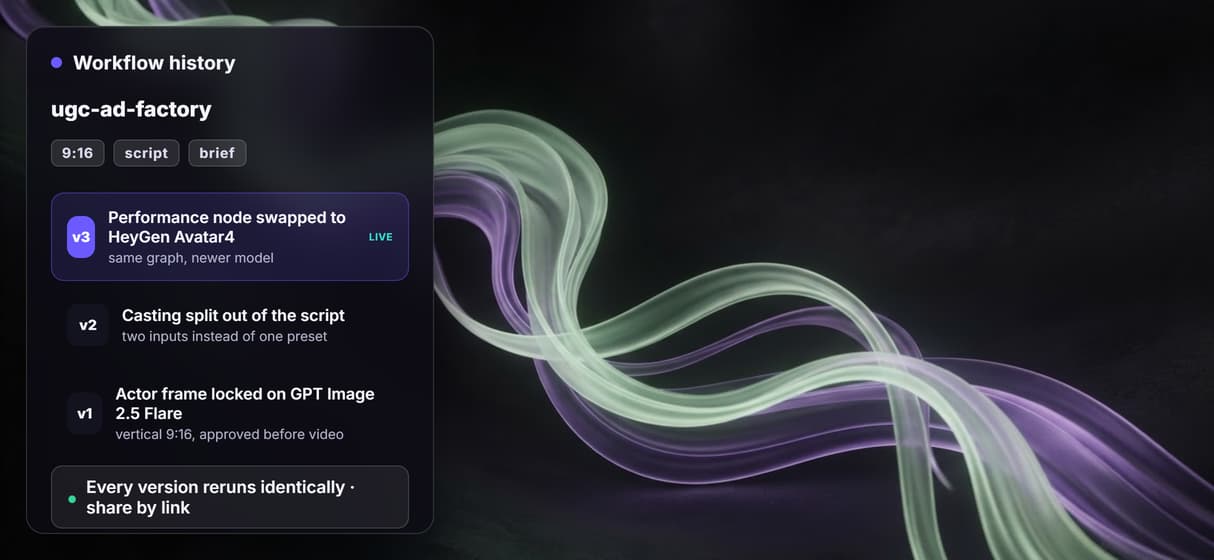
Workflows are versioned server side and shareable by link, so last quarter's winning ad rebuilds identically instead of being re-improvised.
Arcads alternative Workflows
No Code Required
API & Batch Processing
FAQs
That depends on which half of the job you want to keep. If you want to open a studio, choose an AI actor and get a talking ad without building anything, Arcads is built exactly for that and does it well. If you want the ad to be a pipeline you can inspect, rewire and call from code, Wireflow gives you the node canvas version: a casting brief, a script, an actor frame, a performance model and an assemble step, published as one endpoint.
Discover related AI tools
More From Wireflow
Written by
Andrew Adams · Co-Founder & Operations at Wireflow
Runs client operations and content strategy at Wireflow. Works directly with creative teams and agencies to build production AI workflows.
Build your own UGC ad pipeline
Open the flow: write the script and the casting brief, render the actor frame on GPT Image 2.5 Flare, perform it with HeyGen Avatar4 and cut the vertical ad. Building the canvas is free; you pay per generation, not per seat.