 Andrew Adams · Co-Founder & Operations at Wireflow ·
 Comfy Cloud Alternative: A Simpler Hosted Node Canvas
A hosted node canvas for AI media generation, no local GPU and no ComfyUI setup, with each node's cost shown before you run and every workflow callable as a REST endpoint and an MCP tool.
Free to build · no credit card · See how it works ↓
How to Use Comfy Cloud Alternative: A Simpler Hosted Node Canvas
Steps to get you started in Wireflow.
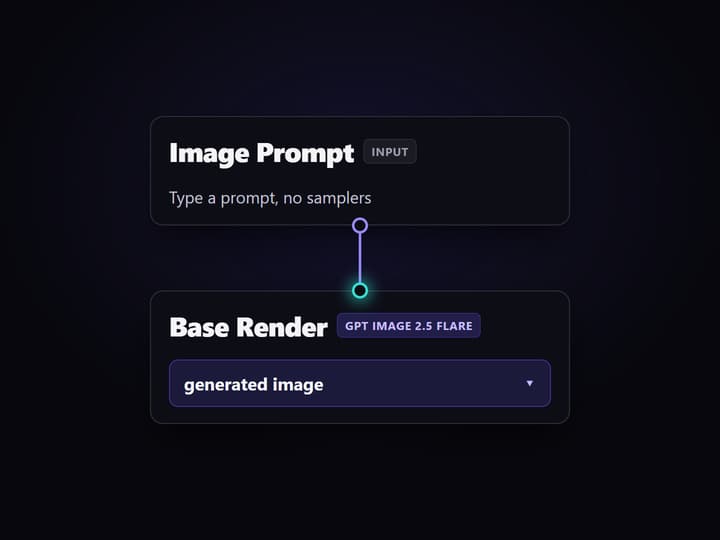
Write the prompt into the canvas
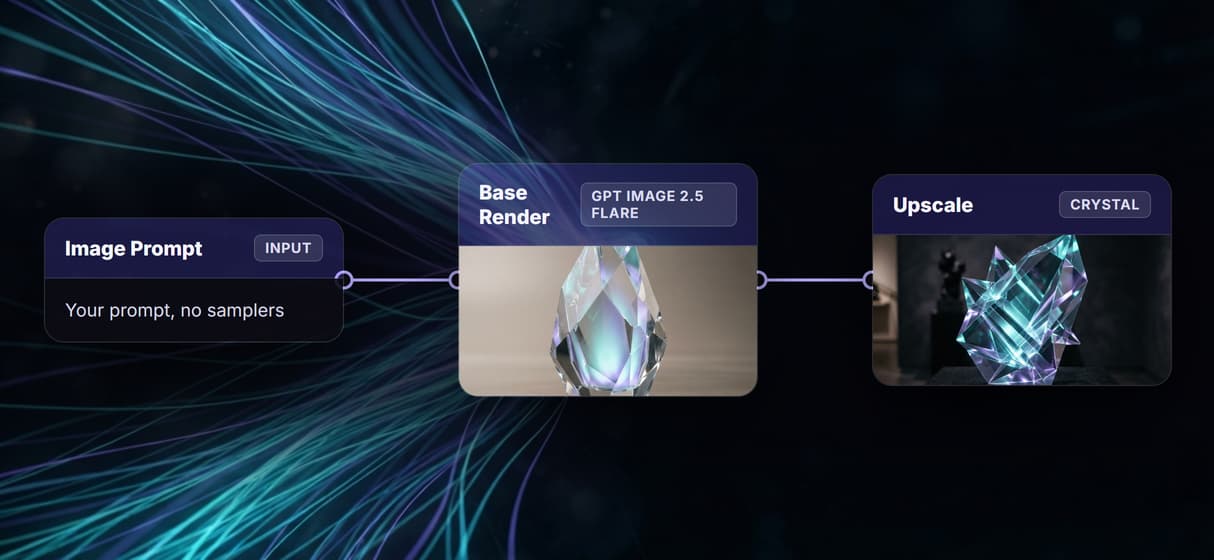
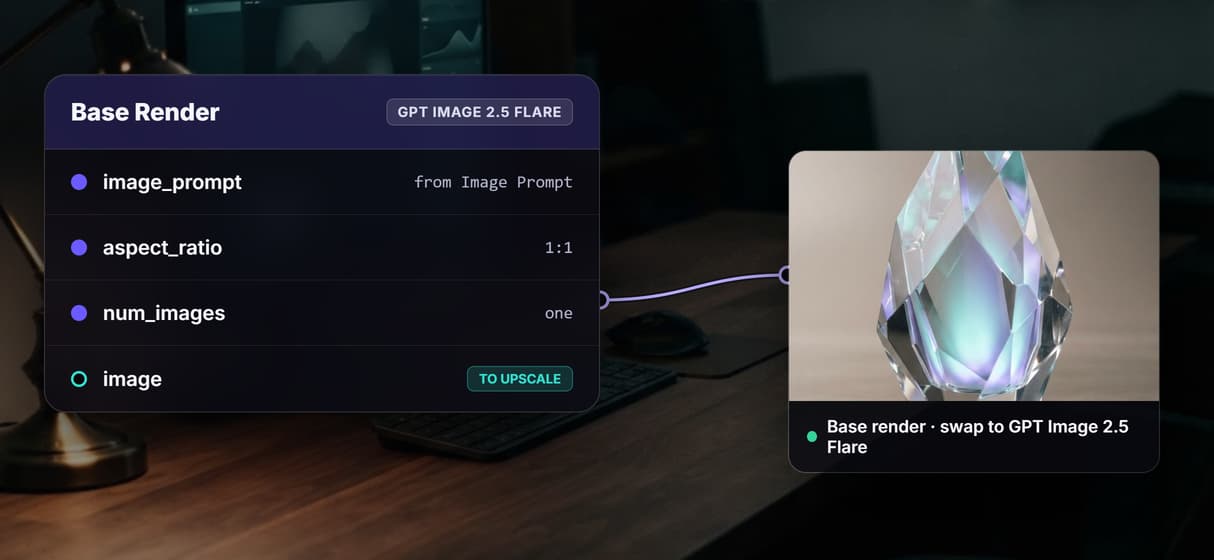
Open the template and type a prompt into the Image Prompt node. It wires straight into the GPT Image 2.5 Flare render node, so there are no samplers or latents to configure first.
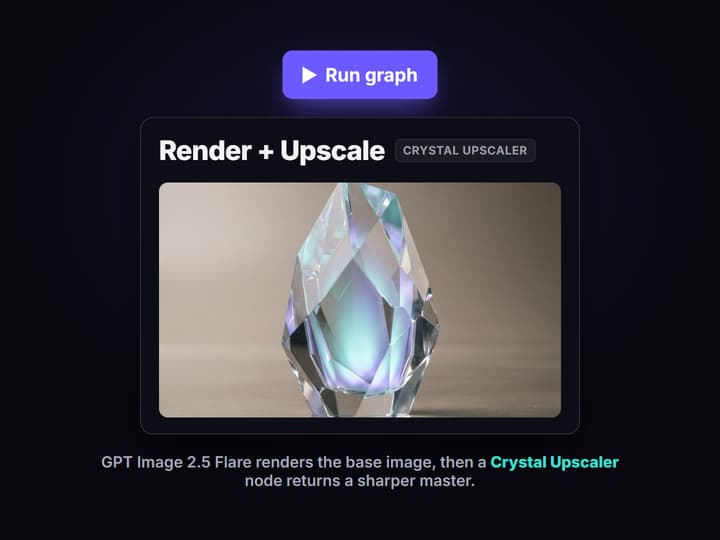
Render and upscale
Run the graph. GPT Image 2.5 Flare generates the base image, then the Crystal Upscaler node takes that image and returns a sharper, higher-resolution master.
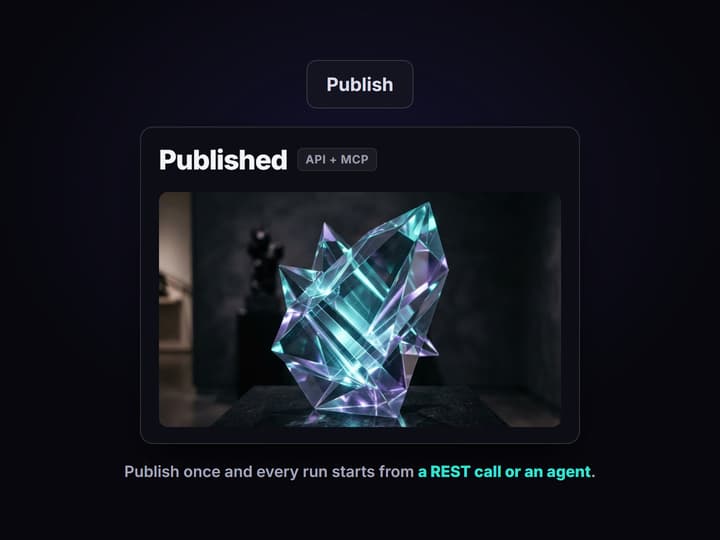
Publish and call it anywhere
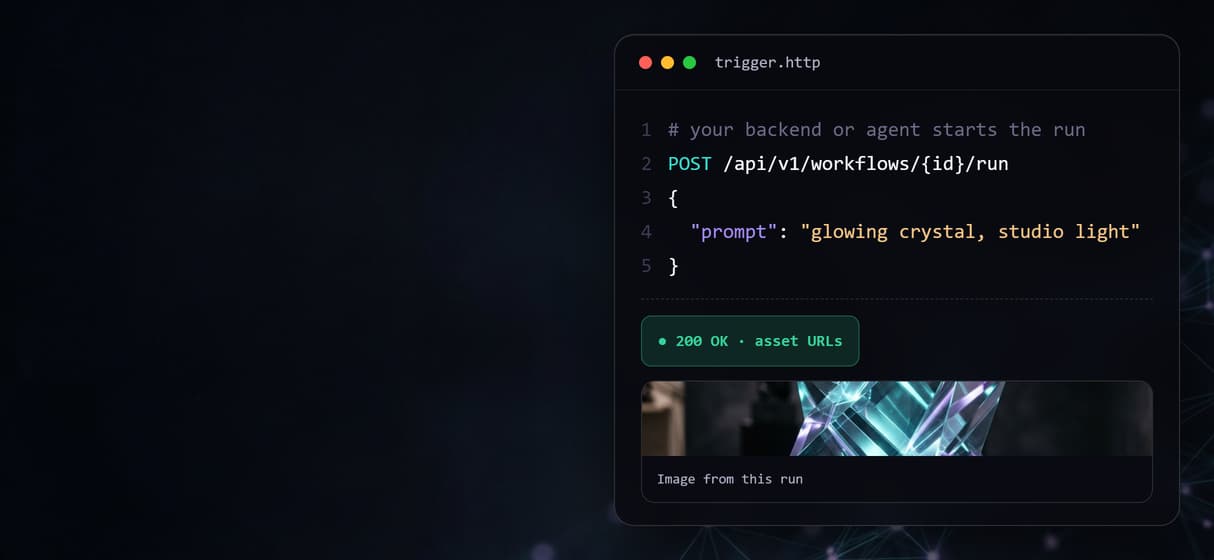
Publish the canvas and it becomes a REST endpoint and an MCP tool. Send a new prompt from your backend or an agent and finished image URLs come back in the response.
The node canvas without the ComfyUI setup
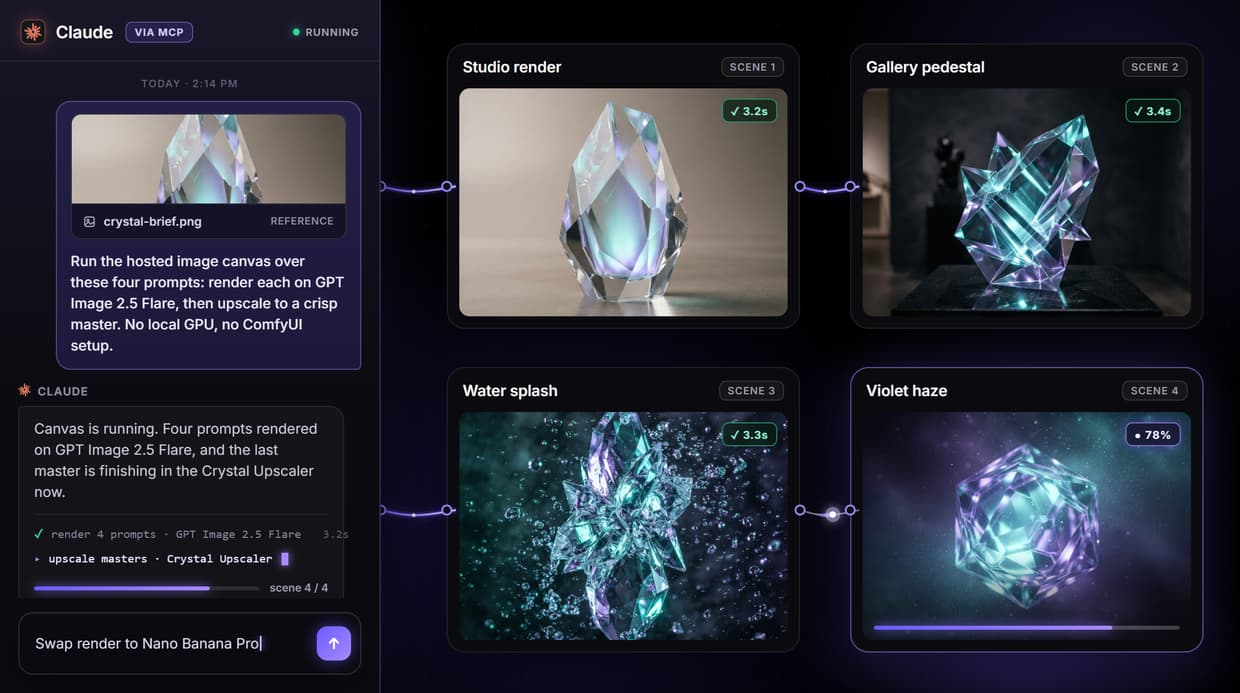
Comfy Cloud runs ComfyUI in the browser, which solves the install and the GPU but keeps everything else: the low-level graph of samplers, latents, VAEs, and checkpoints that ComfyUI is built on. Wireflow keeps the node idea and drops that layer. The workflow above is a live canvas you can open and copy. An Image Prompt node feeds a GPT Image 2.5 Flare render node, and that render feeds a Crystal Upscaler node for the final master.
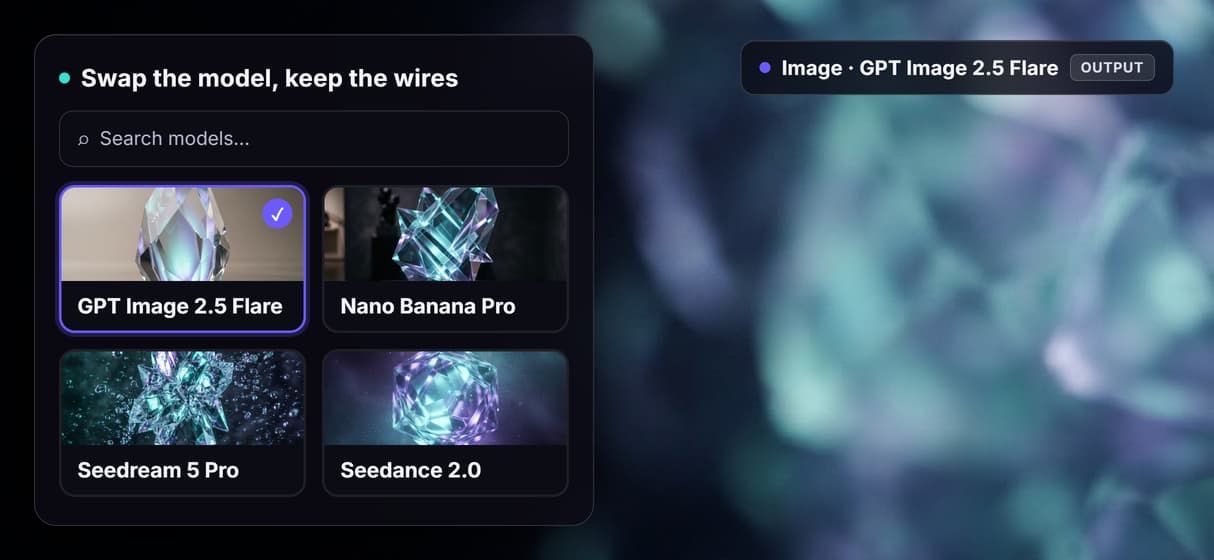
Each node is a whole model rather than a stage of one, so the graph stays short and readable. Swap the render node from GPT Image 2.5 Flare to Nano Banana Pro or Seedream 5 Pro for a sharper base, or add a video model to animate the frame, and the rest of the graph runs on unchanged. It is the ComfyUI alternative with no GPU for people who want the result, not the wiring.
Cost shows on the node, not on the clock
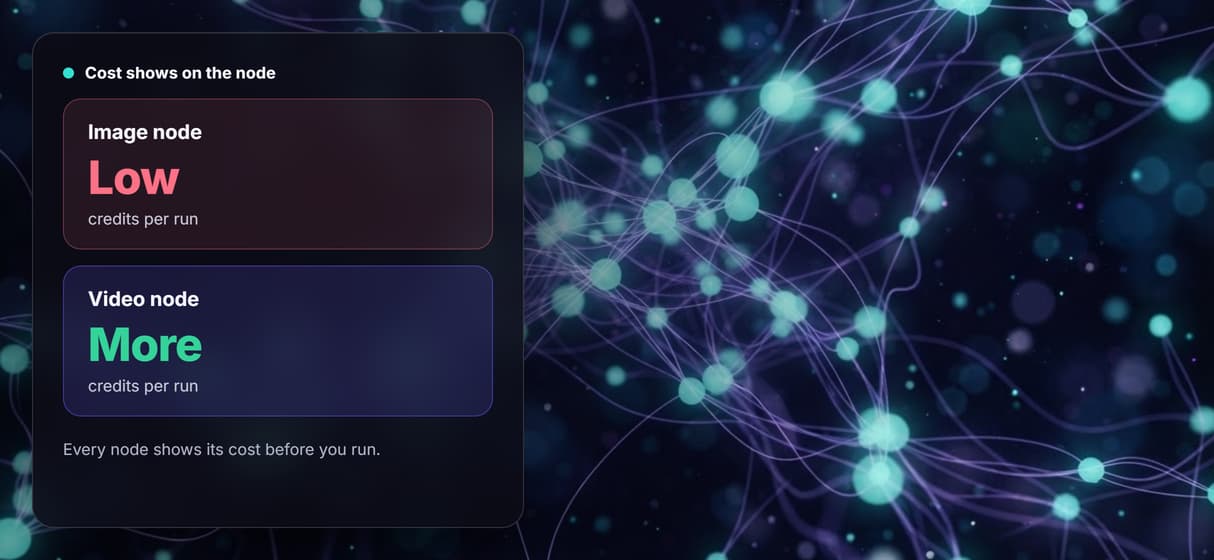
The loudest complaint about metered cloud GPUs is that the meter runs whether or not the render was worth it, and the balance can drain during a long or iterative session before you notice. Wireflow prices by generation instead of by minute. Every node shows its credit cost on the canvas before you run, so an expensive step is obvious next to a cheap one while you are still building.
Building on the canvas is free. You spend credits only when a node actually runs, so a quiet week costs nothing and a heavy render week is something you can see coming. There is no session runtime cap to work around, because a run is a run rather than a block of rented GPU time.
Every canvas is an API and an MCP tool
A hosted canvas is only half the value. The other half is running it without opening the canvas at all. When you publish a Wireflow workflow it becomes a REST endpoint and an MCP tool at the same time. Your backend can POST a prompt and get finished asset URLs back, and an agent connected through MCP can call the same workflow with typed inputs and receive the results in the conversation.
That is the piece a browser-only render tool tends to leave for later. If you want to trigger runs from your own code, this is the node-based AI platform with an API, so one workflow serves both the person on the canvas and the script that never opens it.
What the hosted canvas gives you
No local GPU
Render in the cloud with no CUDA, no install, and no driver upkeep to babysit.
70+ models
Image, video, and audio models across the major providers, added as they launch.
Per-node pricing
Each node shows its credit cost before you run, so spend is visible on the canvas.
Every workflow is an API
Publish the graph and call it as a REST endpoint from any backend or script.
Agents run it via MCP
Claude and other agents trigger the workflow as a typed MCP tool.
Swap models freely
Repoint any node to a different model and the rest of the graph runs unchanged.
When Comfy Cloud is still the better pick
Wireflow is not a drop-in replacement for ComfyUI, and it is honest about that. If your work depends on your existing ComfyUI graphs, on custom Python nodes, or on Civitai checkpoints and LoRAs you have tuned, Comfy Cloud runs the real ComfyUI and Wireflow does not. There is no import path for a ComfyUI .json file here, because the node sets are different. You rebuild the intent of a workflow, not the graph itself.
So pick Wireflow when your real goal is hosted AI media generation with a wide model range, cost you can see per node, and a canvas you can run from an API. Stay on Comfy Cloud when running specific ComfyUI graphs, custom nodes, or your own checkpoints is the whole point. If you want the middle path, the ComfyUI cloud API comparison covers the hosted-ComfyUI route in more detail.
More Than Just Comfy Cloud Alternative: A Simpler Hosted Node Canvas
Hosted, no ComfyUI setup
Render in the cloud with no local GPU and no install, the ComfyUI alternative with no GPU that skips the sampler and latent wiring.
Cost shown per node
Every node shows its credit cost on the canvas before you run, so a pricey AI image upscaler step never hides until the monthly bill.
Every model on one canvas
One graph holds 70+ image and video models, with new ones added the day they launch, so node-based image generation stays current.
Run it from your own code
Publish any canvas and it answers a REST call or an MCP agent, the node-based AI platform with an API your backend can call on demand.
Swap a node, keep the graph
Repoint the render node from GPT Image 2.5 Flare to a sharper model or a video step and the rest runs on, a ComfyUI alternative without the setup.
AI Models Available
Automate Any Workflow
Included in Every Plan
FAQs
Wireflow is a hosted node canvas built for the same job: wire a prompt into a model node and chain the outputs. It differs by not being tied to ComfyUI, so there is no local install, no GPU clock, and no low-level sampler wiring, plus 70+ models and an API for every workflow.
Discover related AI tools
- Weavy AI Alternative: More Models, Same Node Canvas
- Flora AI Alternative
- Freepik Spaces Alternative
- RoboNeo AI Alternative: 79 Models in Your Browser
- Sotatech AI Alternative
- Pletor AI Alternative: 79 Models, No Black Box
- Fuser Studio AI Alternative
- AI Creative Workflows
- Visual Node Editor
- No Code AI Canvas
- Reusable AI Templates
- AI Pipeline API
More From Wireflow
Written by
Andrew Adams · Co-Founder & Operations at Wireflow
Runs client operations and content strategy at Wireflow. Works directly with creative teams and agencies to build production AI workflows.
Try the hosted node canvas
Every node in this workflow is public and ready to copy. Open it, drop in your own prompt, and run the chain from a GPT Image 2.5 Flare render to a Crystal Upscaler master. Publish it, and your next run can start from an API call or an agent.