 Andrew Adams · Co-Founder & Operations at Wireflow ·
 Creatomate Alternative
A template-render API fills a layout you already designed.
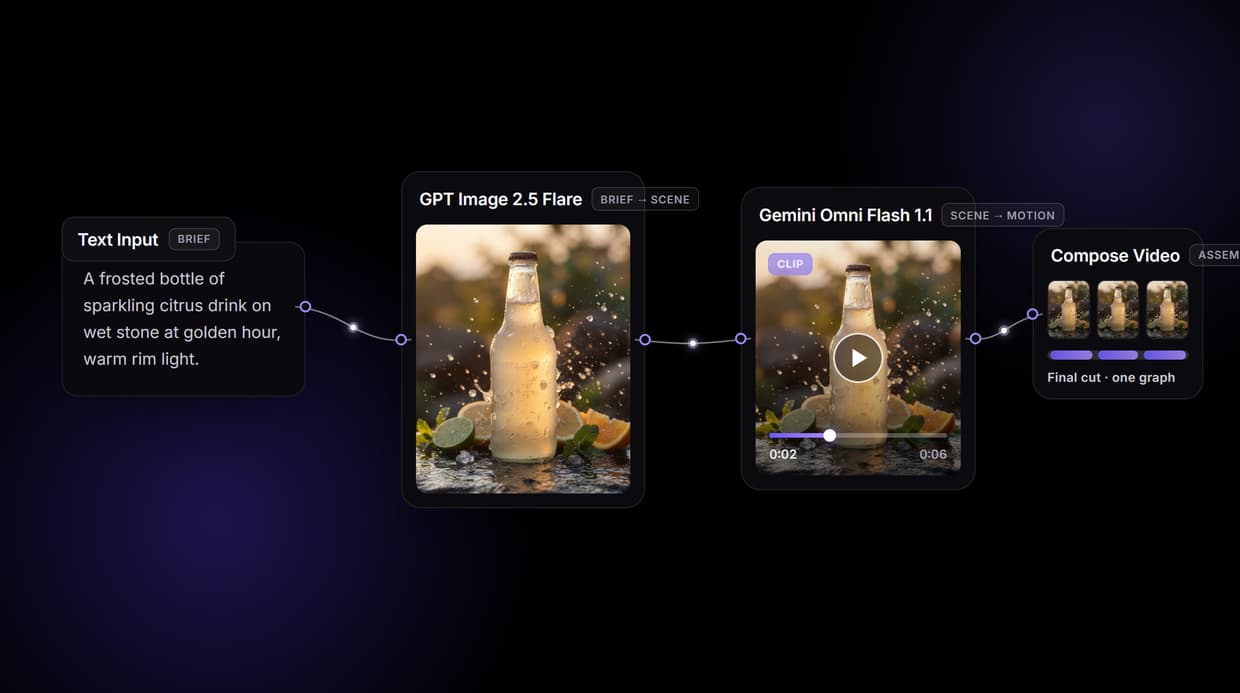
Wireflow generates the footage itself: a visual node graph where a brief becomes an AI scene with GPT Image 2.5 Flare, Gemini Omni Flash 1.1 animates it, and Compose Video assembles the cut. Build it once, then call the same graph over REST. Free to build, pay per generation.
Free to build · no credit card · See how it works ↓
How to Use Creatomate Alternative
Steps to get you started in Wireflow.
Describe the scene, do not design a template
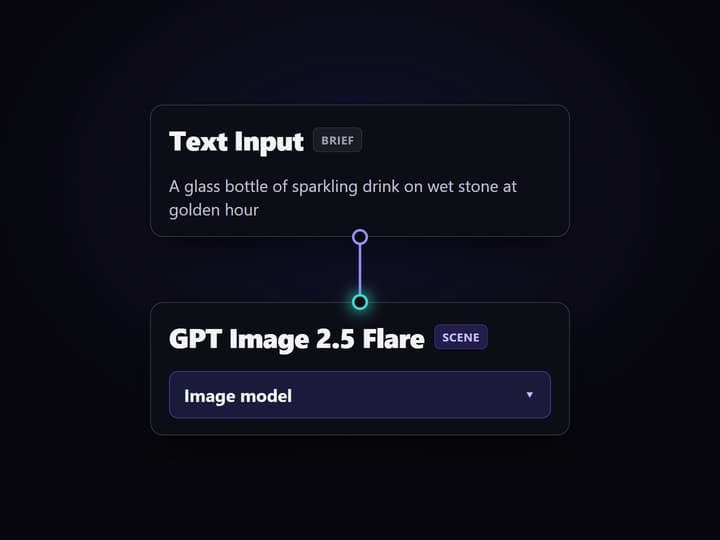
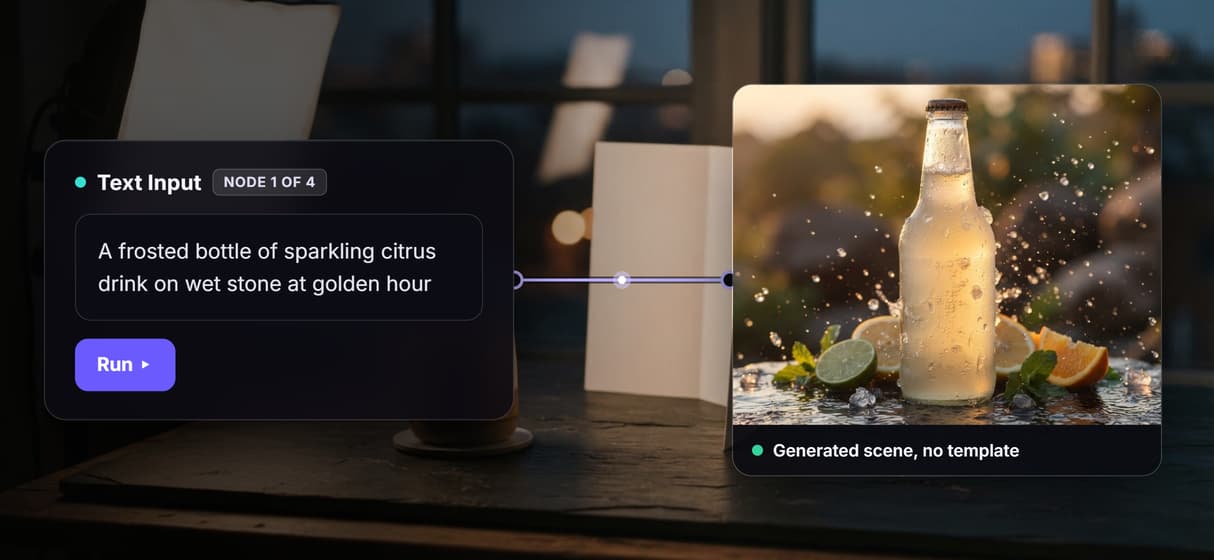
Open the flow and click the Text Input node. One brief covers it: the subject, the setting, and the mood, for example a glass bottle of sparkling drink on wet stone at golden hour. There is no layout to lay out first.
Run the generation chain once
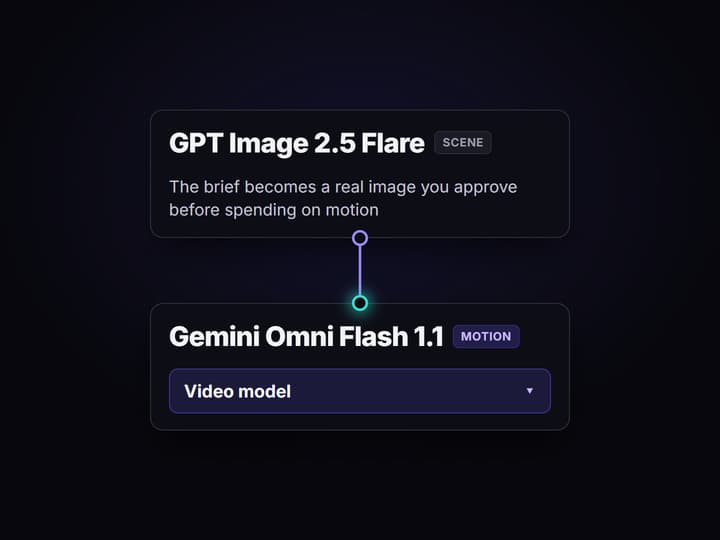
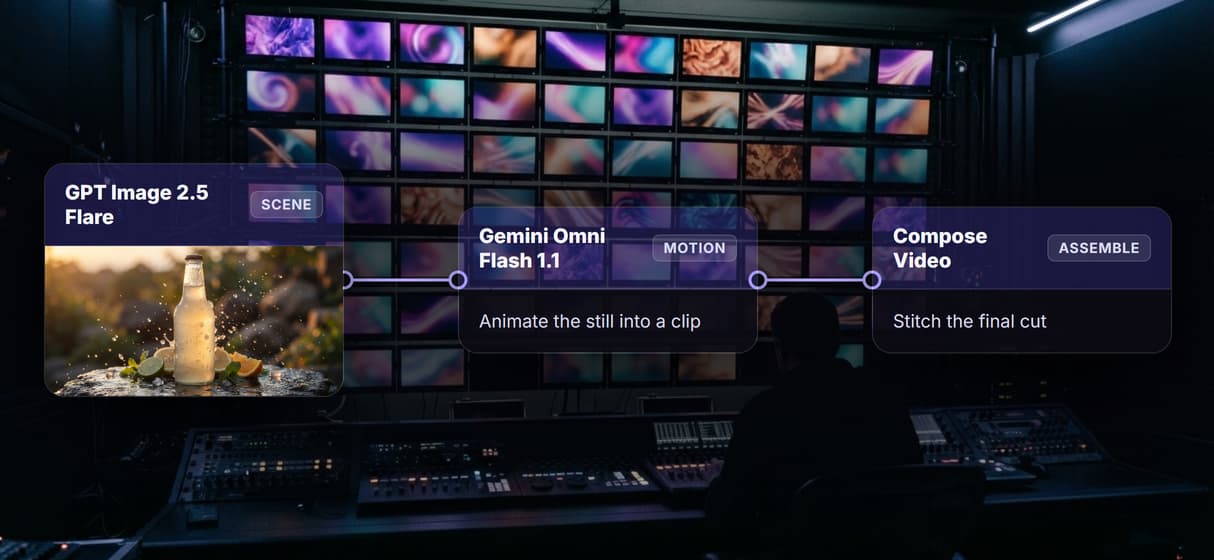
GPT Image 2.5 Flare renders the scene image from the brief, Gemini Omni Flash 1.1 turns that still into a short clip, and the Compose Video node assembles the cut. Each hop is a node you can inspect and rewire before spending on motion.
Publish it and call the same graph from code
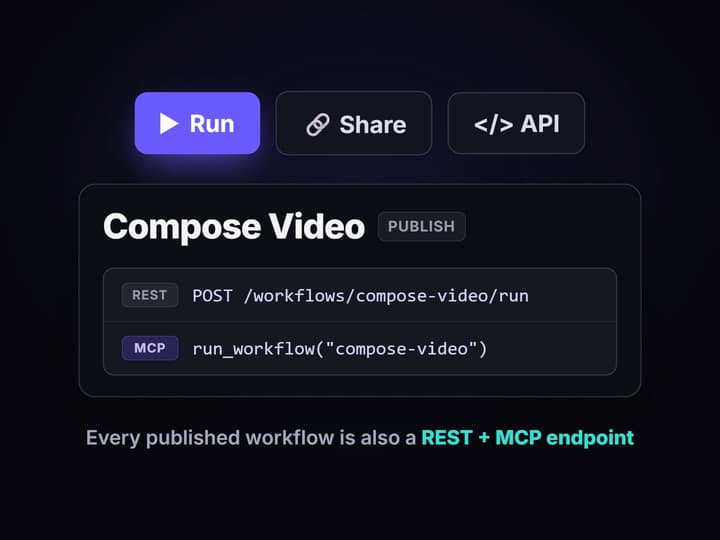
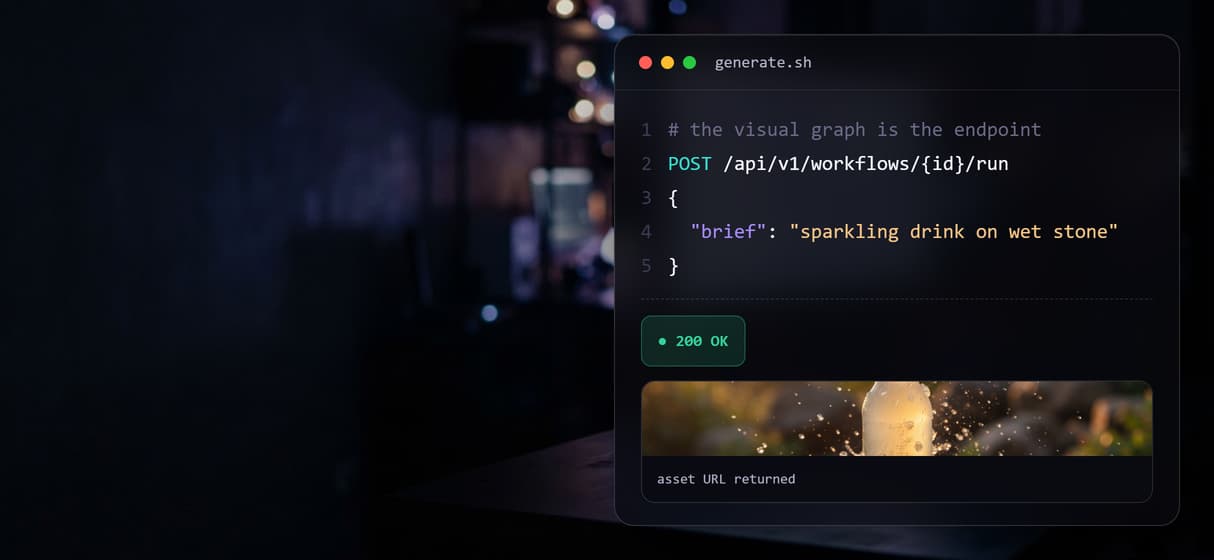
Publish the flow and it becomes a REST endpoint and an MCP tool with a typed brief input. Your app posts a new brief and gets the finished asset back, and you can swap the image or video model without changing the call.
Why teams look past a template render API
Template automation earned its place. When the video is already designed and you just need to merge names, prices, and product shots into it, a JSON to video API renders thousands of predictable variations fast and cheap. That is a solved problem, and Wireflow will not pretend it does that job better.
The ceiling shows up when the content itself has to be created, not filled in. You do not have a master layout yet, the scene changes per campaign, or you want a real generated clip instead of the same template with new text. That is where a template tool stops and a generation pipeline starts. On Wireflow, a brief becomes a small workflow you own on a node canvas: a Text Input feeds GPT Image 2.5 Flare to render the scene, Gemini Omni Flash 1.1 animates it, and a Compose Video node assembles the cut. It runs on hosted compute in the browser with nothing to install, the same canvas that drives every other AI video generator job your team has.
What replaces template rendering
Brief intake
A Text Input node holds the scene brief. Change the words and rerun; the graph stays put.
Generated scenes
GPT Image 2.5 Flare renders the scene image from the brief instead of pulling a fixed template.
AI motion
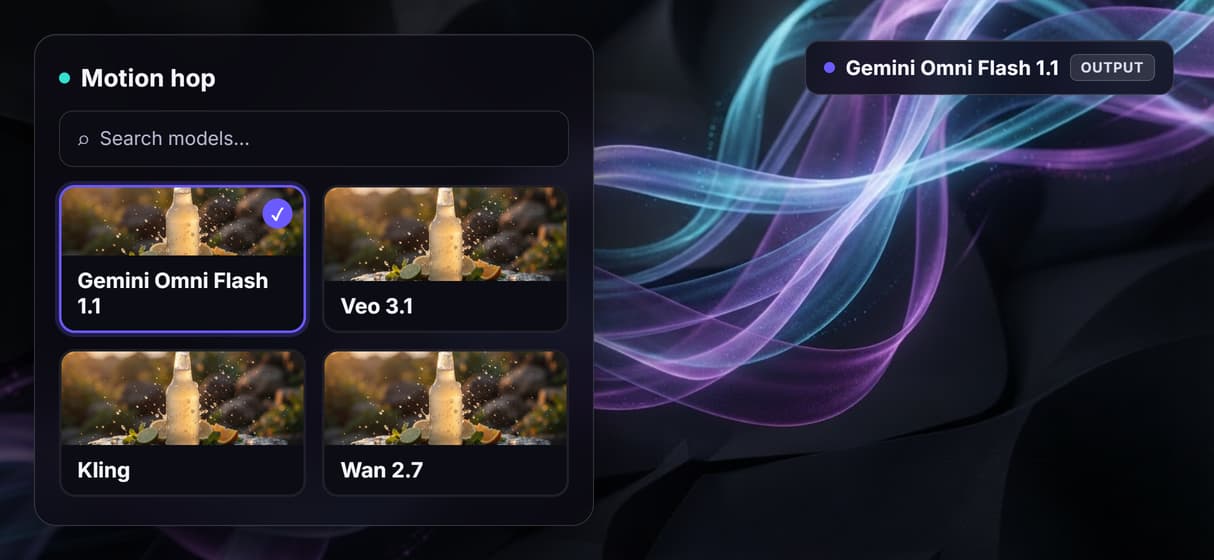
Gemini Omni Flash 1.1 animates the still into a short clip, and the model is a swappable node.
Compose Video assemble
A Compose Video node stitches the clips into the final cut as the last step in the graph.
Batch over a feed
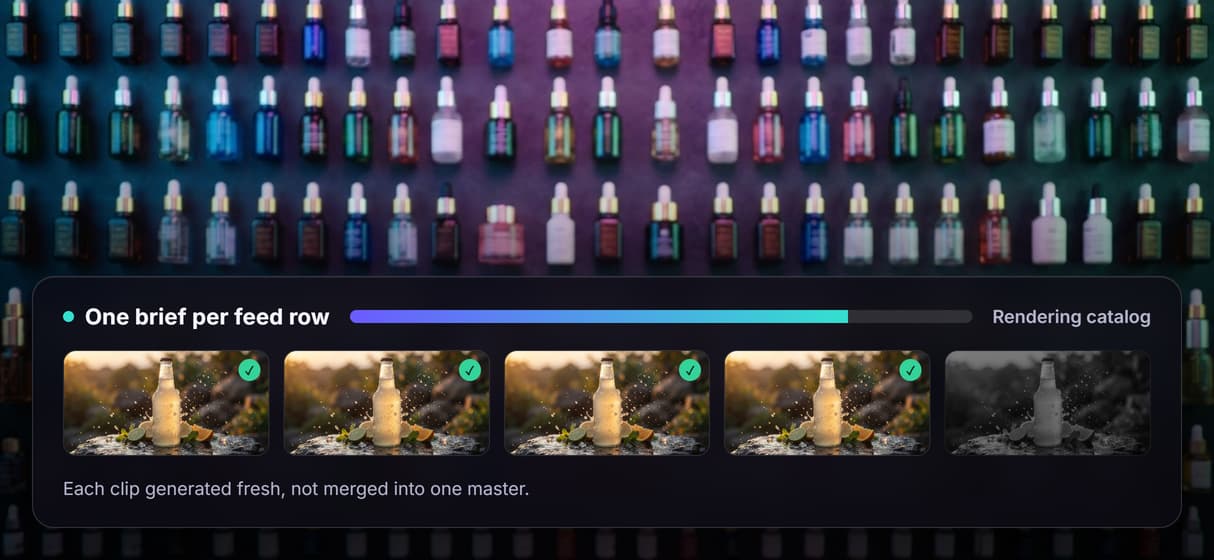
Loop the published endpoint across a CSV or product feed; every row renders through the same graph.
REST and MCP built in
Every published workflow is a REST endpoint and an MCP tool with typed inputs and asset URLs back.
How the generation chain actually runs
The workflow behind this page's button is deliberately small: a brief, a scene, a clip, an assemble.
- Text Input holds the brief. One sentence about the subject, setting, and mood is enough; a sticky note in the flow walks a first run through it.
- GPT Image 2.5 Flare renders the scene. The brief becomes a real image, so you approve the look before paying for motion.
- Gemini Omni Flash 1.1 animates it. The still becomes a short clip, and the video node ships without a prerun output because motion generation spends credits per run.
- Compose Video assembles the cut. The clips route into the final assemble node instead of a raw concat.
The point a template API cannot copy: every hop is a model you can swap. Trade the image node for text to video AI upstream, or the motion node for Veo 3.1, Kling, or Wan 2.7, and republish; the endpoint your product calls stays identical. Because the graph lives among 70+ hosted model nodes, the clip can roll straight into a longer AI video pipeline with Topaz upscaling, without leaving the browser.
When a template render API is the better pick
If you already have an approved layout and the job is to merge data into it and render thousands of pixel identical variations, a JSON to video template API is built for exactly that, and this page will not pretend otherwise. Wireflow generates media rather than versioning a fixed design, so deterministic template output is not what it is for. It also will not write your script, import an After Effects or HTML template, run offline, or add custom Python nodes.
Wireflow earns its place when the content has to be created, not filled: when you want a real generated scene and clip from a brief, chain an image model into a video model and an assemble step, keep one endpoint while models rotate underneath it, or hand the whole pipeline to an agent as an MCP tool. If that is the shape of your problem, the flow above is the smallest honest start, and it pairs with AI marketing video workflows when a campaign needs volume.
Wireflow vs Creatomate at a Glance
A template render API fills a layout you already designed. Wireflow generates the footage that goes in it. The right pick depends on whether the content exists yet.
Where Wireflow wins
- Chained AI models produce the scene and the clip instead of versioning a fixed design
- One visual node graph that is also a REST endpoint and an MCP tool
- A Remotion-native Compose Video node assembles the final cut in the same graph
- Swap models underneath the workflow while the endpoint URL stays the same
- 80+ hosted image, video, and audio models to chain from
Choose Creatomate if
- You already have an approved layout and need thousands of pixel-identical variations
- You need to import an After Effects or HTML template
- Deterministic template output, not generated content, is the requirement
Pricing, checked August 2026. Building on the Wireflow canvas is free and needs no credit card; generating runs on a paid plan. Starter is $24 a month for 1,600 credits, Professional is $45 a month for 4,300 credits with three-month rollover, and Team is $249 a month for 21,500 credits shared across four seats. Every node shows its credit cost on the canvas before you press run, so an expensive video step is visible up front instead of at the end of the month. Template render APIs bill per render against a fixed design; Wireflow bills credits per generation, so the comparison is renders against generations.
More Than Just Creatomate Alternative
Generated, not template-filled
Template APIs fill fixed layouts with data. GPT Image 2.5 Flare generates each brief's scene on a node graph.
Image, motion, cut, one graph
Brief to GPT Image 2.5 Flare, Gemini Omni Flash 1.1, then Compose Video, left to right on one canvas. Rewire any hop.
No-code graph to REST endpoint
Build code-free, then publish. Your product posts a brief and gets an asset URL from the programmatic video platform.
One brief, a whole batch
Loop the endpoint over a feed and every row walks the same graph: a catalog becomes on brand clips, creative workflow automation rendered fresh each run.
Swap the model, keep the pipeline
Every model is a node, not a vendor lock. Swap in Flux 2 Pro or Veo 3.1 and republish; the video generation API your app calls never changes.
Creatomate alternative Workflows
No Code Required
API & Batch Processing
FAQs
It depends on what you need. If you want to merge data into a layout you already designed and render predictable variations, a template render API is the closest match. If you need the media generated rather than filled in, Wireflow replaces the template with a node canvas that chains AI image and video models into a real clip, priced per generation.
Discover related AI tools
More From Wireflow
Written by
Andrew Adams · Co-Founder & Operations at Wireflow
Runs client operations and content strategy at Wireflow. Works directly with creative teams and agencies to build production AI workflows.
Generate the content, not just fill a template
Open the flow, type a brief, and run it: an AI scene, a motion clip, and a Compose Video assemble from one graph you can call over REST. Building is free; you pay per generation.