 Andrew Adams · Co-Founder & Operations at Wireflow ·
 HeyGen Alternative
HeyGen is a polished avatar studio for non-technical teams.
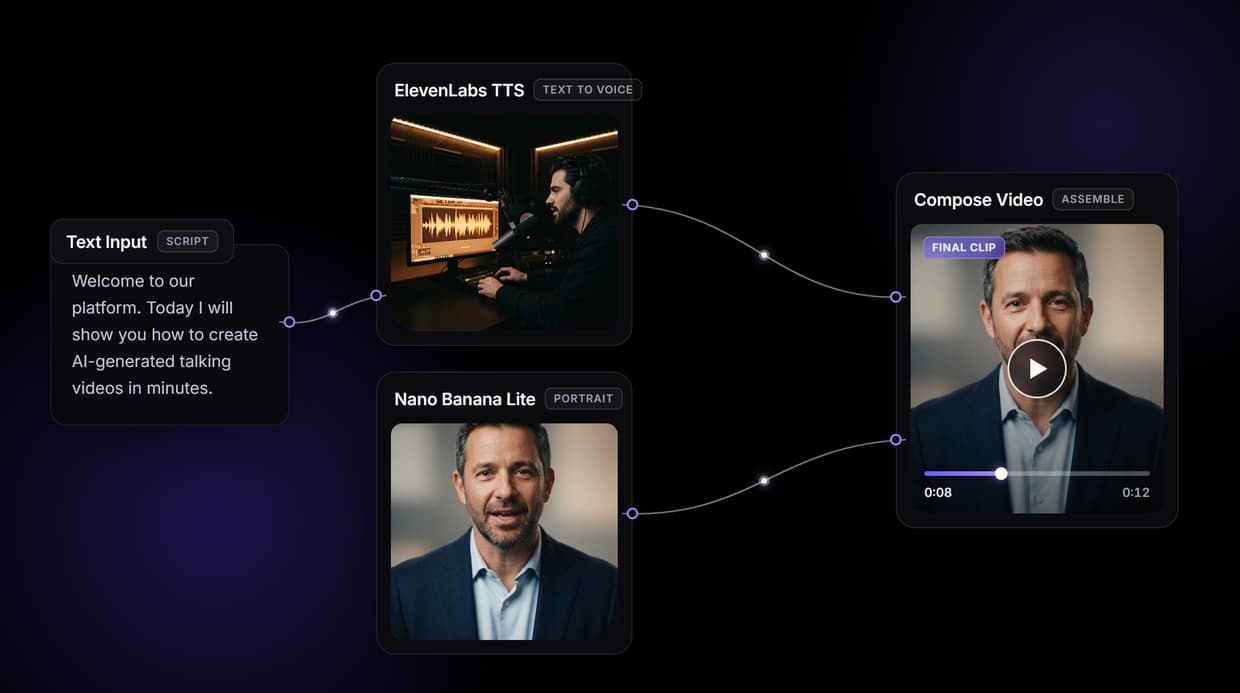
Wireflow is the open canvas layer where developers and builders design the talking-photo pipeline themselves: Text Input feeds ElevenLabs TTS; the Nano Banana Lite portrait and TTS audio both feed Compose Video, and the workflow is callable as one REST endpoint.
Free to build · no credit card · See how it works ↓
How to Use HeyGen Alternative
Steps to get you started in Wireflow.
Type the script and generate the voice
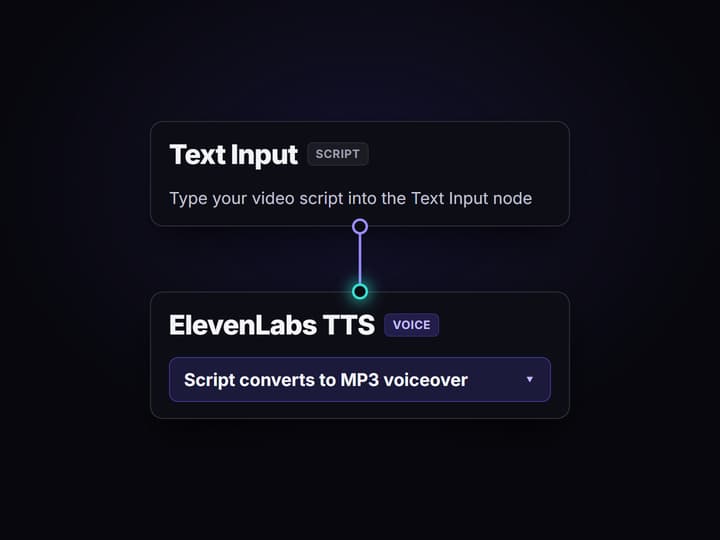
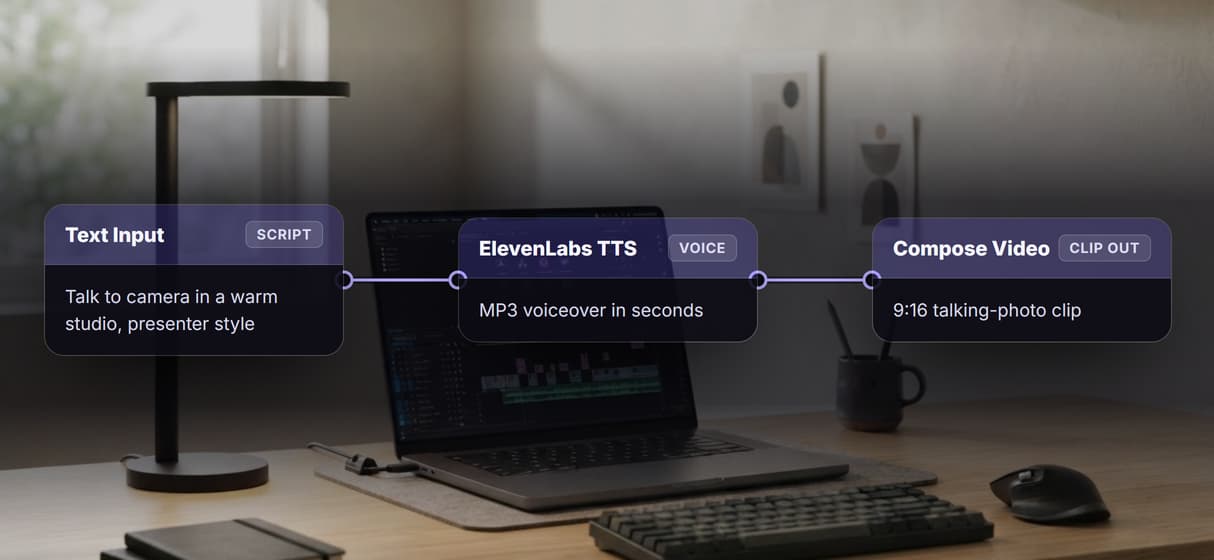
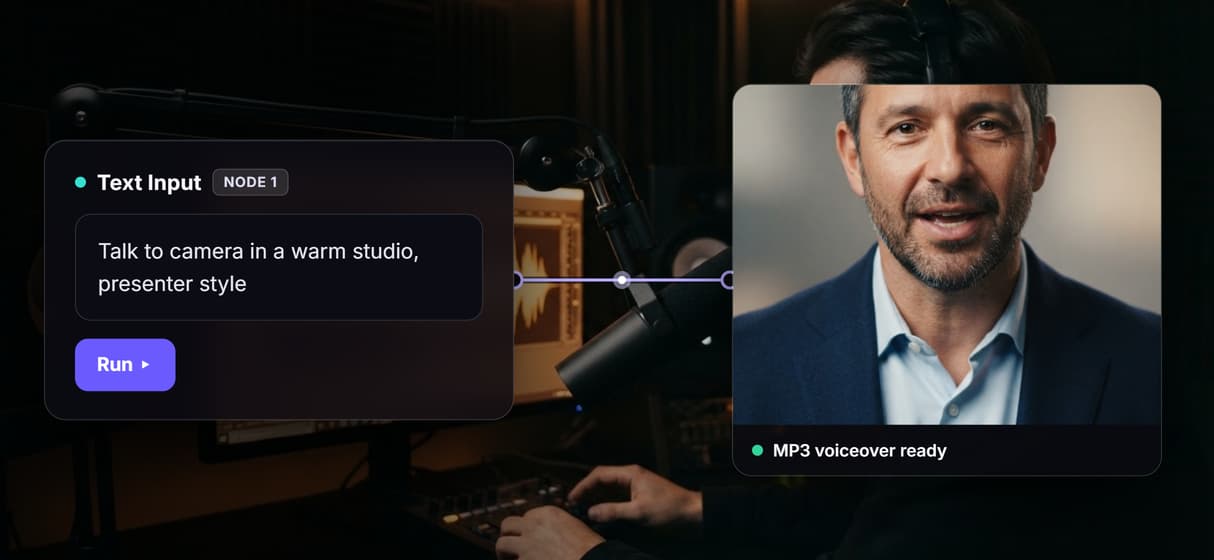
Open the flow and enter your script in the Text Input node. The ElevenLabs TTS node reads it and returns a voiced MP3 in seconds, giving you a clean audio track before spending on image or video.
Render the portrait frame with Nano Banana Lite
The Nano Banana Lite node generates a 9:16 portrait from a short image prompt. Approve the look here before animating, the same pattern behind any solid <a href="https://www.wireflow.ai/ai-talking-photo">AI talking photo</a> pipeline.
Assemble the clip (add lip-sync optionally)
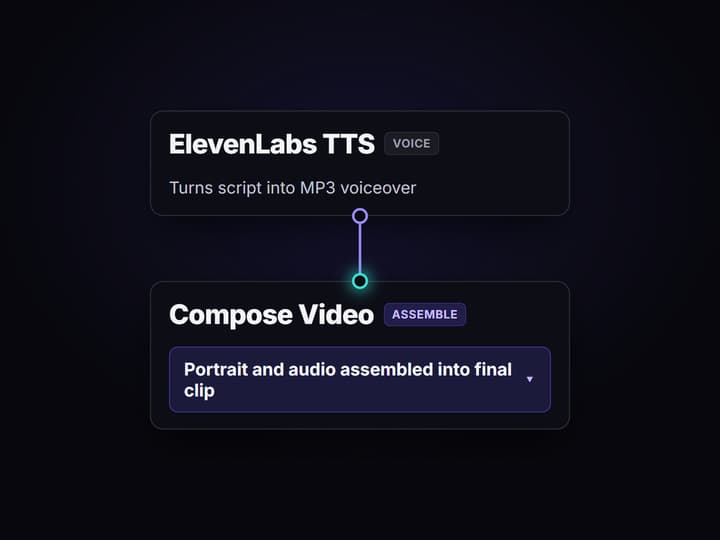
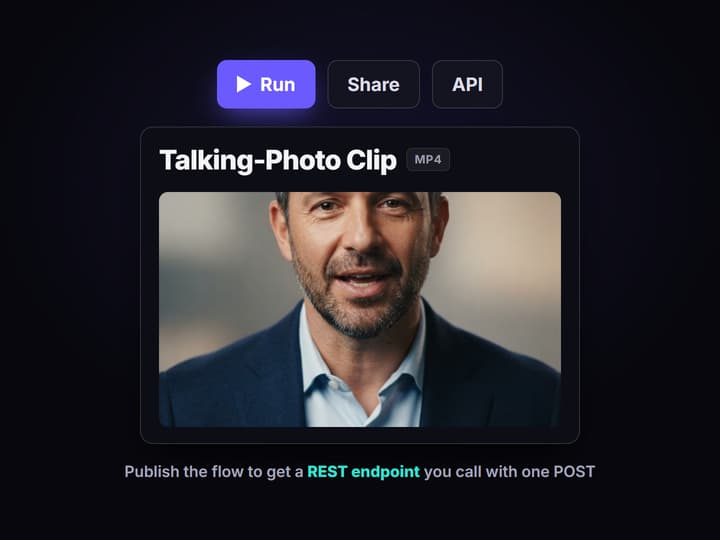
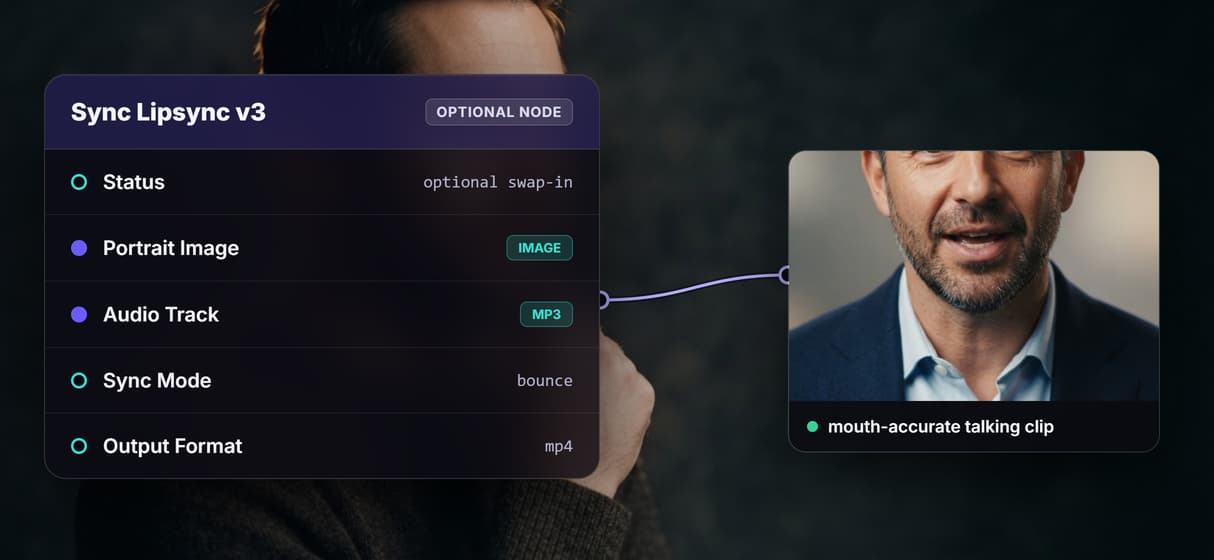
Compose Video assembles the Nano Banana Lite portrait and ElevenLabs TTS audio into the final 9:16 talking-photo clip. Sync Lipsync v3 is an optional swap-in before Compose Video when you need mouth-accurate animation. Share the flow link and call it from code with one POST.
Why builders look for a HeyGen alternative
HeyGen earned its place: a polished avatar studio with ready-made presenters and a no-code UI that non-technical teams genuinely love. If your team needs a polished talking-head video from a script in ten minutes and you have no interest in building the stack yourself, HeyGen is a legitimate first choice.
Teams go looking for alternatives when one of three things happens. They want to POST a payload to their own pipeline and get a video back, not navigate a GUI. They want to swap the lip-sync or TTS model when a better one ships without rebuilding an integration. Or they need a full creative pipeline: portrait generation, voiceover, and branded video assembly, with optional mouth animation, all in one API call. That is the job Wireflow does, on a node canvas where every hop is visible and swappable, then callable as a single AI video generator endpoint.
What the Wireflow talking-photo pipeline covers
Text Input node
One node holds the script. Change the words and rerun; the rest of the graph stays in place.
ElevenLabs TTS
Turns the script into a voiced MP3 inside the graph, no separate TTS subscription required.
Nano Banana Lite portrait
Renders a 9:16 presenter frame from a short image prompt; approve the look before animating.
Sync Lipsync v3 (optional swap)
Animates the portrait mouth to match the audio track; add this node as an optional swap-in before Compose Video when you need frame-accurate lip-sync.
Compose Video assembly
Assembles the portrait frame, audio, and any b-roll into the finished clip in one node.
REST endpoint and MCP tool
Publish the flow and it answers POST calls with typed inputs and an asset URL back.
How the three-node graph actually runs
The workflow behind this page has three wired model nodes and one sticky note.
- Text Input holds the script. The script feeds the ElevenLabs TTS node directly, so the voice matches the words without a copy-paste step.
- Nano Banana Lite renders the portrait. A short image prompt produces a 9:16 presenter frame you can approve before spending on animation. The node runs on hosted compute in the browser; no GPU needed.
- Compose Video assembles the clip. The Compose Video node takes the Nano Banana Lite portrait frame and the ElevenLabs audio track and produces the final deliverable. Want mouth-accurate lip-sync? Add a Sync Lipsync v3 node as an optional swap-in between the portrait and Compose Video.
Because the graph lives among 70 plus hosted model nodes, extending it is a node drop: add a Topaz upscaler after Compose Video for a higher resolution export, or wire a background remover before the portrait step for a cleaner AI video pipeline.
When HeyGen is still the right call
HeyGen is the better tool when a non-technical team needs a polished avatar video from a script in minutes, with no interest in touching a node canvas. Its ready-made avatar studio, polished UI, and quick no-code workflow are built around exactly that job. This page will not pretend otherwise.
Wireflow earns its place on three specific jobs: you want to POST a script and get a video back from a pipeline you control; you want to swap the TTS or lip-sync model when a better one ships without rebuilding an integration; or you need portrait generation, voiceover, and branded video assembly as one reproducible API call, with mouth animation available as an optional swap-in. If those are your constraints, the flow above is the smallest honest start. Pair it with the AI talking photo page for the narrower still-to-animated-mouth case.
Wireflow vs HeyGen at a Glance
HeyGen is a finished avatar studio. Wireflow is the layer underneath it, so the talking-photo pipeline is yours to wire, swap, and call from code.
Where Wireflow wins
- A three-node core you can read: TTS voice, portrait frame, and Compose Video assembly
- Sync Lipsync v3 wires in as an optional swap-in when you need mouth-accurate animation
- The published workflow is a REST endpoint and an MCP tool your code or agent calls
- Swap the TTS or video model when a better one ships and the endpoint URL never changes
- A Remotion-native Compose Video node handles branded assembly in the same graph
Choose HeyGen if
- A non-technical team needs a polished avatar video from a script in minutes
- A ready-made avatar and voice library matters more to you than pipeline control
- You have no interest in touching a node canvas at all
Pricing, checked August 2026. Building on the Wireflow canvas is free and needs no credit card; generating runs on a paid plan. Starter is $24 a month for 1,600 credits, Professional is $45 a month for 4,300 credits with three-month rollover, and Team is $249 a month for 21,500 credits shared across four seats. Every node shows its credit cost on the canvas before you press run, so an expensive video step is visible up front instead of at the end of the month. HeyGen sells subscription tiers metered in video minutes; Wireflow charges credits per generation, so a light month costs less and a heavy month costs more.
More Than Just HeyGen Alternative
A pipeline you design, not a studio you rent
See the full graph on an open canvas: TTS voice, portrait frame, and video assembly, with lip-sync available as an optional swap-in.
ElevenLabs TTS baked into the graph
The voice node turns your script into a clean MP3 inside the AI voiceover generator workflow, so TTS and video assembly run in one pipeline.
Optional lip-sync for mouth-accurate animation
Sync Lipsync v3 is an optional swap-in you can add before Compose Video when you need mouth-accurate animation; it is not wired into the default graph.
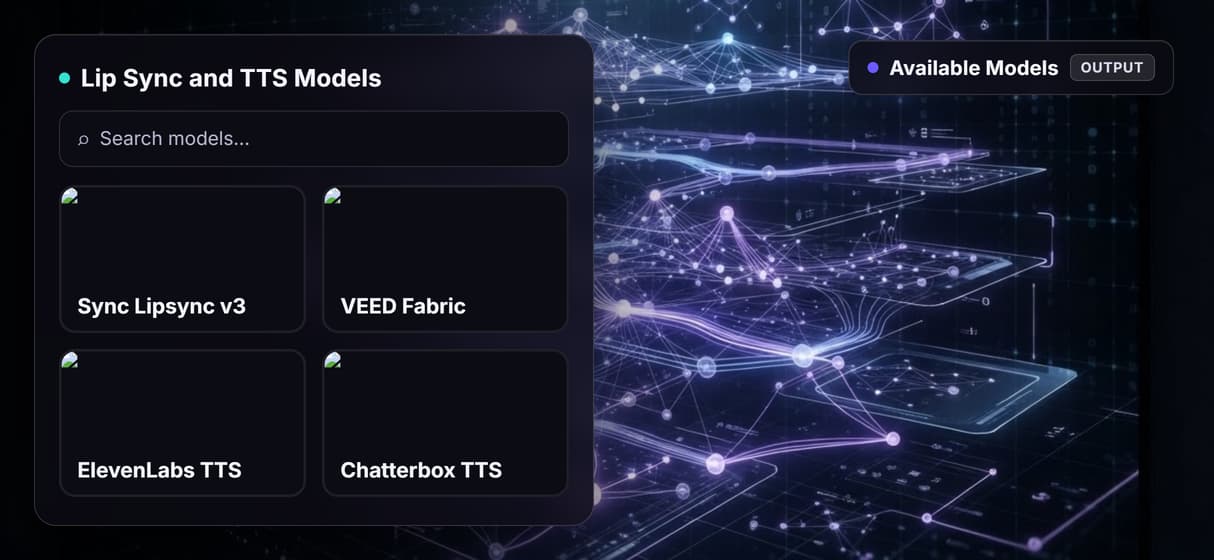
Model freedom: swap nodes as better ones ship
On this canvas swap any node when a stronger model ships; your AI avatar generator endpoint stays put.
One REST call returns the finished clip
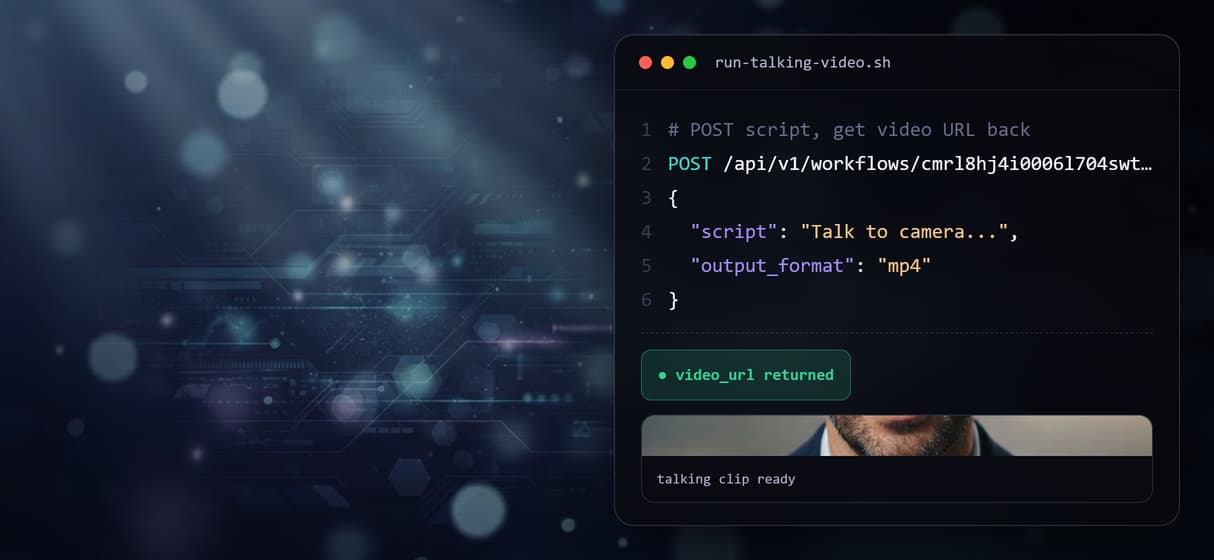
Publish the flow and POST the script to get back the video URL. Building the canvas is free before you pay per run.
AI Models Available
Automate Any Workflow
Included in Every Plan
FAQs
It depends on what you want to keep. For a polished closed studio with ready-made avatars and no-code video creation, HeyGen is hard to beat. For a pipeline you design and call from code, Wireflow replaces the studio with a node canvas: TTS voice, portrait frame, and video assembly, published as one REST endpoint.
Discover related AI tools
More From Wireflow
Written by
Andrew Adams · Co-Founder & Operations at Wireflow
Runs client operations and content strategy at Wireflow. Works directly with creative teams and agencies to build production AI workflows.
Build your own talking-photo pipeline
Open the flow: type a script, generate the voice with ElevenLabs TTS, render the portrait with Nano Banana Lite, and assemble the clip. Building is free; you pay per generation, not per avatar seat.