Features
Higgsfield Alternative
A Higgsfield alternative for people who want the video models and the editing in one workflow.
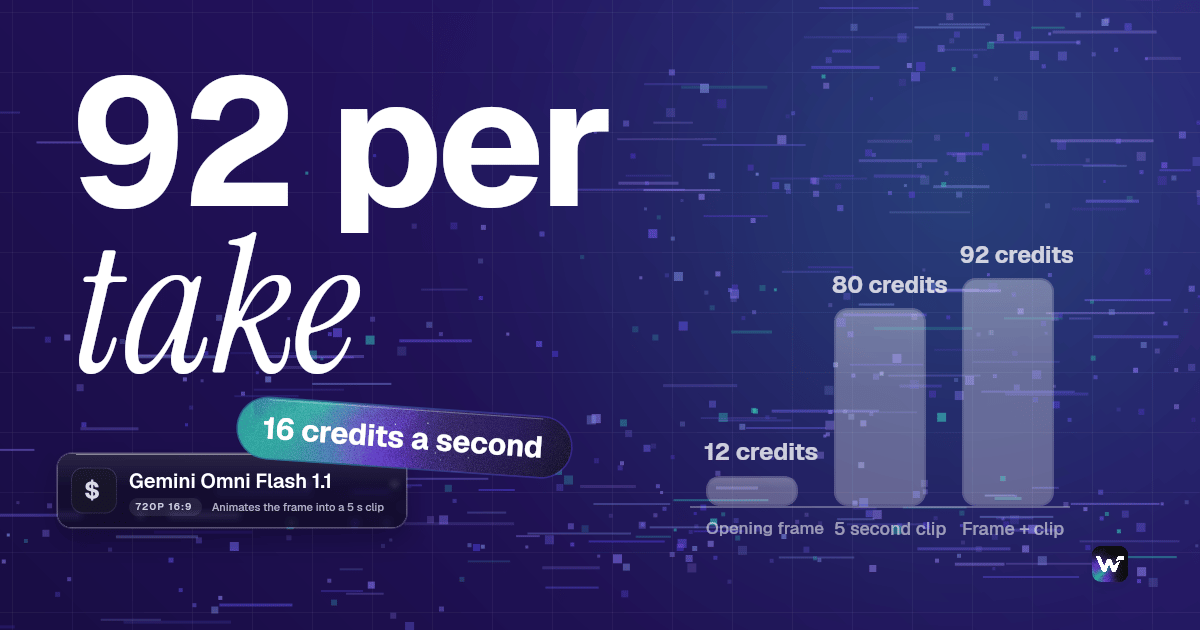
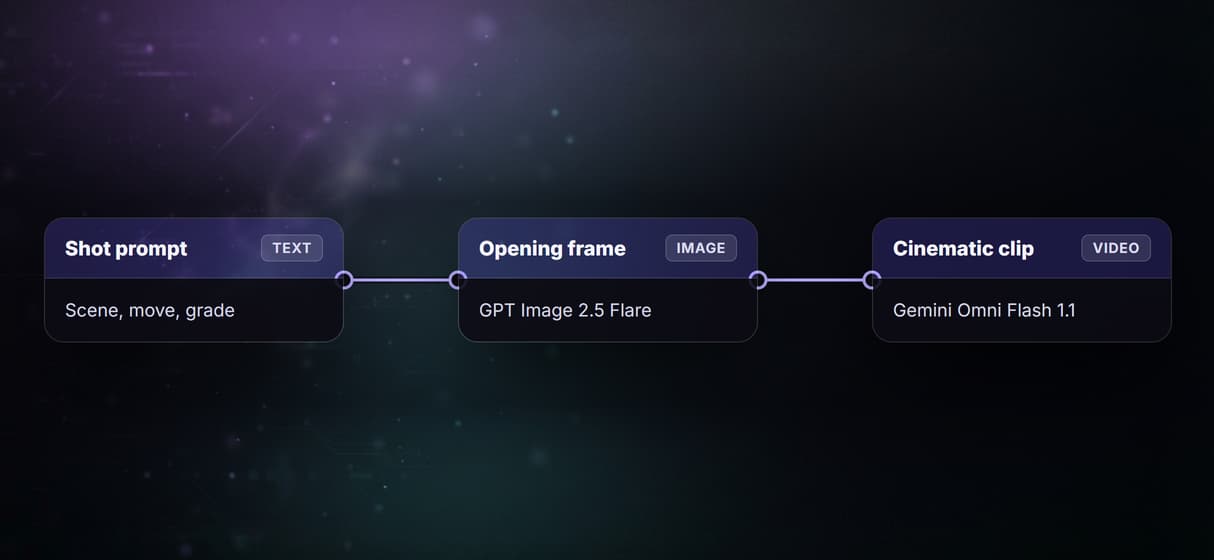
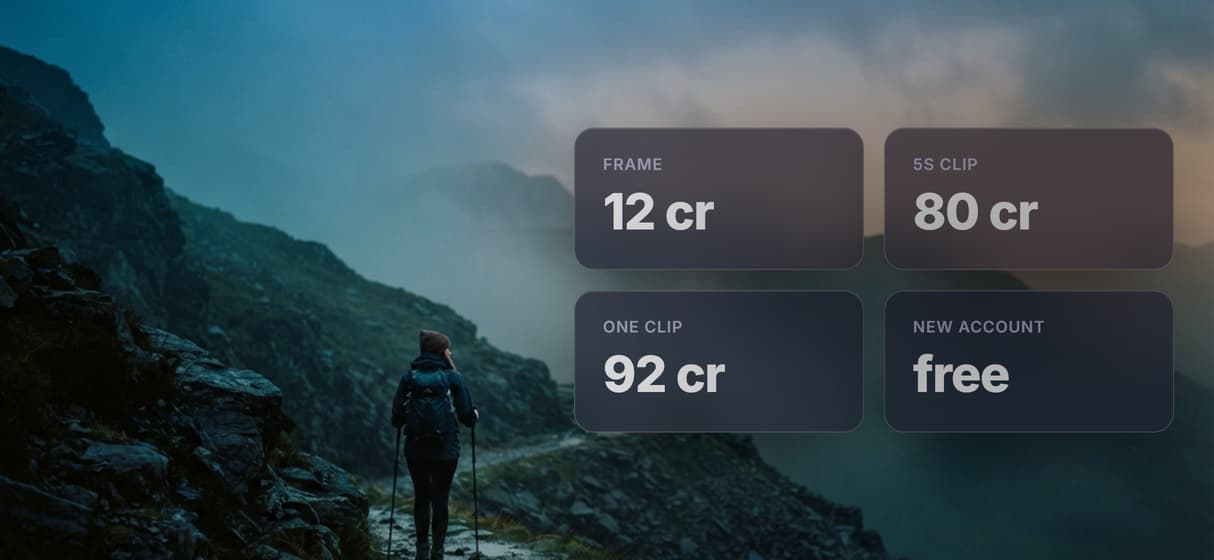
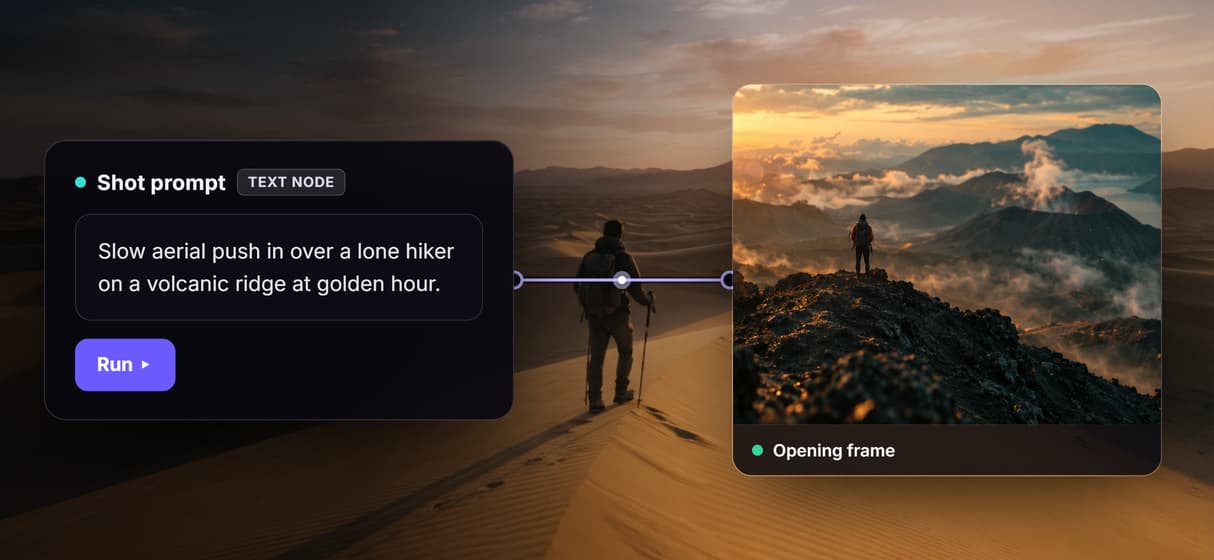
This flow turns a shot prompt into a 16:9 opening frame with GPT Image 2.5 Flare, then Gemini Omni Flash 1.1 animates that frame into a cinematic clip. You run it from the canvas, from Claude or from the API. Our frame cost 12 credits; the 5 second clip is 80 credits on the live models list. New accounts get a free video.
Free to build · no credit card · Read the agent docs · See how it works ↓
 Andrew Adams · Co-Founder & Operations at Wireflow ·
How to Use Higgsfield Alternative
Steps to get you started in Wireflow.
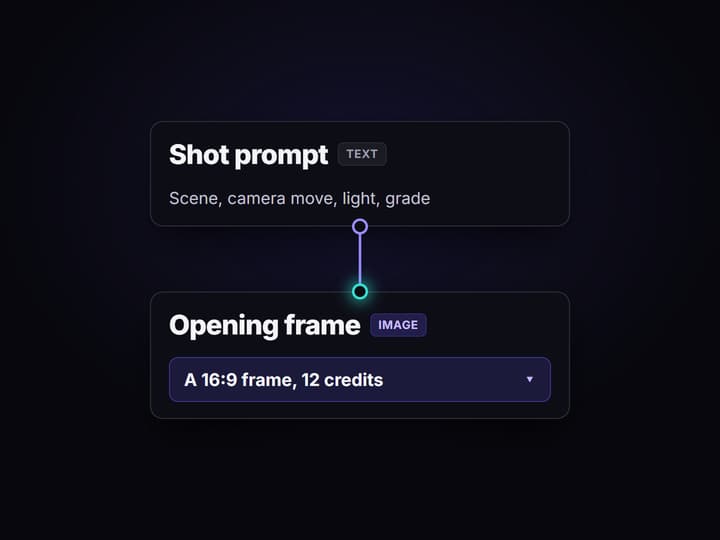
Write one shot prompt
Describe the scene, the camera move, the light and the grade in a line or two. Open the flow and copy it to your account.
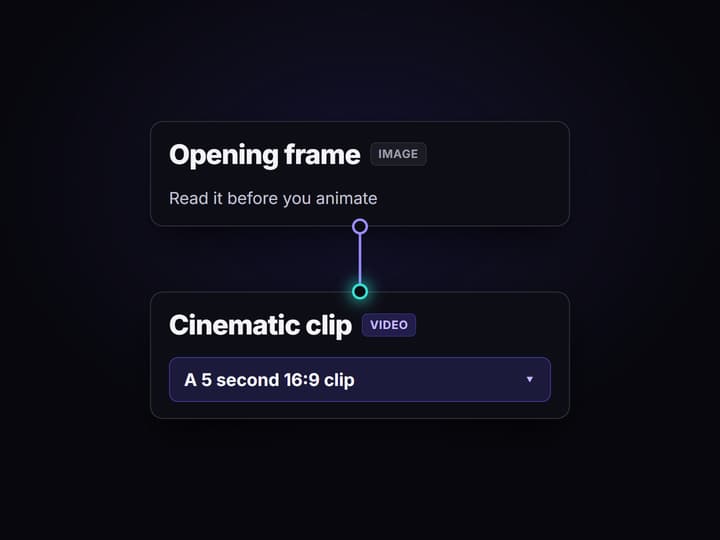
Make the opening frame
Run the frame node. GPT Image 2.5 Flare returns a 16:9 frame for 12 credits. Read it before you animate it.
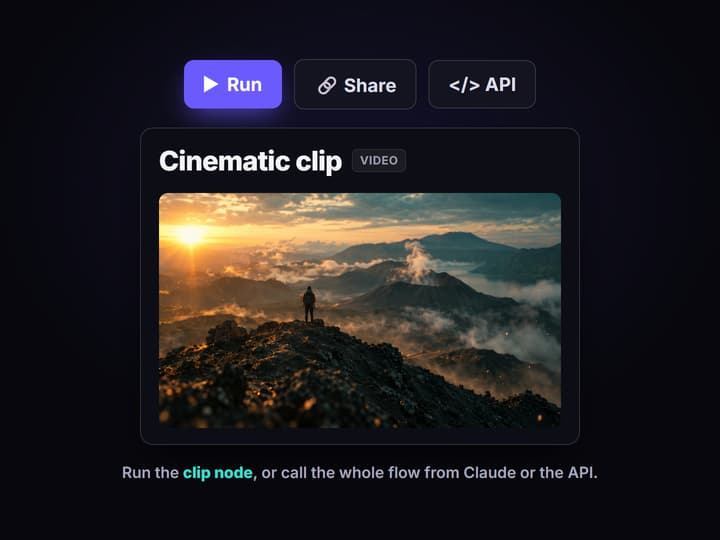
Animate it into a clip
Run the clip node. Gemini Omni Flash 1.1 turns the frame into a 5 second 16:9 clip for 80 credits, or free on a new account.
More Than Just Higgsfield Alternative
The whole pipeline, not one tap
You see every step: a prompt, a frame, then the clip, on a canvas you can open logged out and copy. Build with the AI video agent.
About 92 credits a clip
12 credits for the frame plus an 80 credit clip, read from the live models list, so you price every shot. Scale cuts with the video ad variant generator.
Generation and editing in one graph
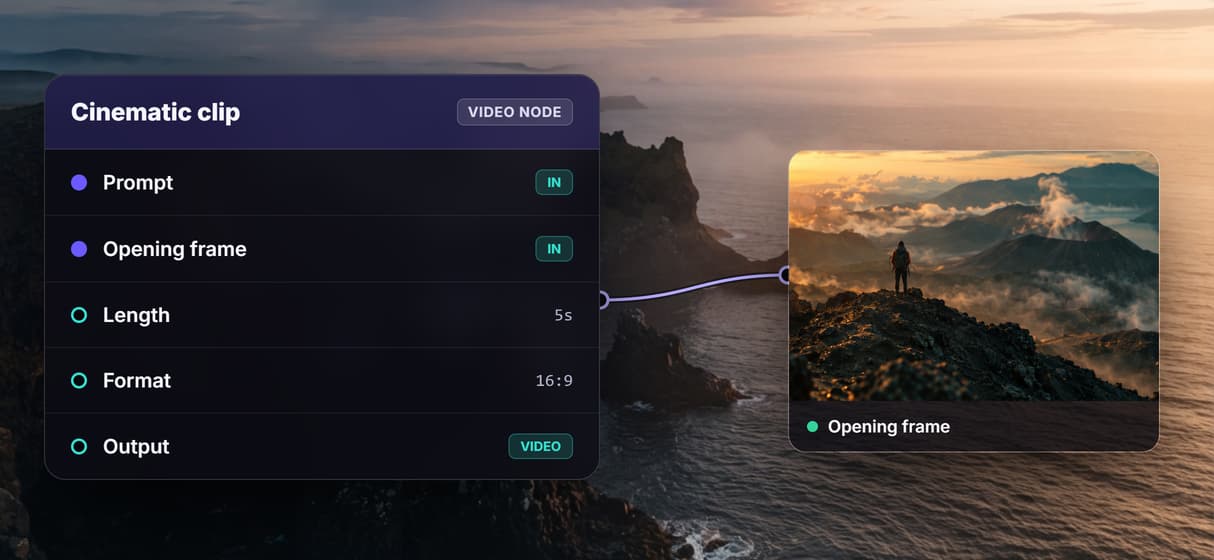
Make the frame, animate it, then add voice or captions in the same flow, not three apps. See AI creative workflows.
Run it from Claude or an agent
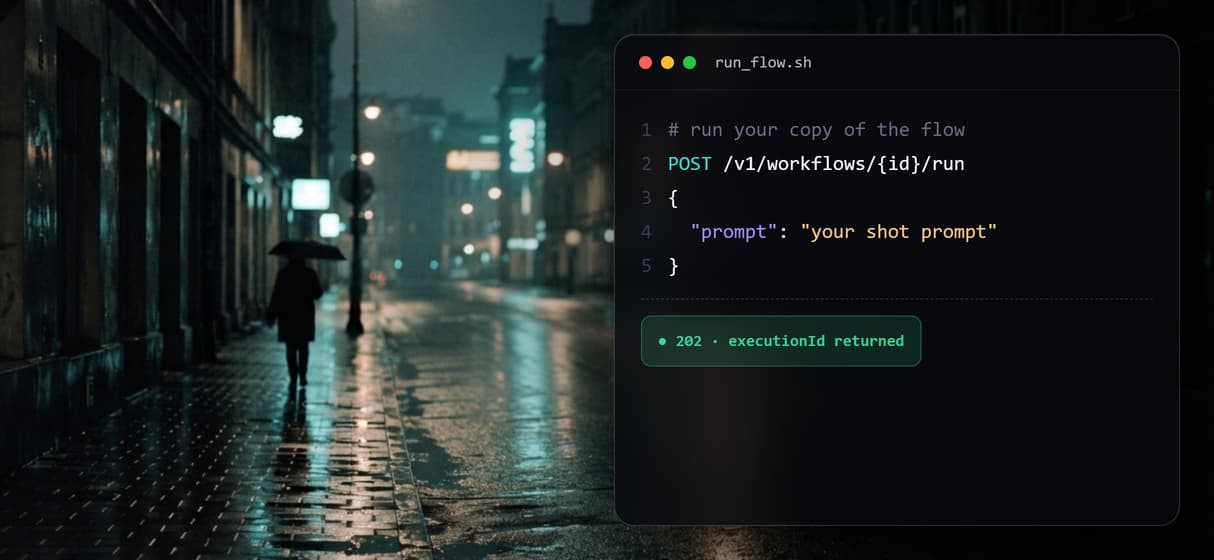
The flow is a REST endpoint and an MCP tool, so an agent can make a clip per prompt. Compare the Higgsfield MCP alternative.
Your shot, your frame, your grade
You write the camera move and the color grade, and read the frame before you animate it. Start from an AI workflow template.
Build Any AI Workflow
AI Models Integrated
Full Commercial License
The same cinematic shot, made in Wireflow
We wrote one shot prompt, a slow aerial push in over a lone hiker on a black volcanic ridge at golden hour, and ran the flow. GPT Image 2.5 Flare made the 16:9 opening frame below. This frame is a real output saved on the flow, so you can open it logged out and see it.

Gemini Omni Flash 1.1 then animates that frame into a 5 second 16:9 clip. The video step is expensive, so it ships without a generated output on the page; you run it when you are ready, and new accounts get a free video. To build this same video made in Wireflow into a bigger pipeline, start from the AI video generator.
What goes in and what comes out
One shot prompt goes in. A 16:9 opening frame and a cinematic clip come out.
- Shot prompt. Your scene, camera move, light and grade, as text.
- Opening frame. GPT Image 2.5 Flare turns the prompt into a 16:9 frame.
- Cinematic clip. Gemini Omni Flash 1.1 animates the frame into a 5 second clip.
Because it is a canvas, you can add a voiceover, captions or a Compose Video step later and keep the same graph.
What one clip costs
These are live prices from the Wireflow models list, read on the day, not a guess.
- GPT Image 2.5 Flare is 12 credits an image.
- Gemini Omni Flash 1.1 is 16 credits a second, so a 5 second clip is 80 credits.
Our run made the opening frame for 12 credits. One finished clip, frame plus the 5 second video, is about 92 credits. On Starter, which is $36 a month for 2,660 credits, that is roughly $1.25 a clip. Professional is $59 a month for 4,370 credits. New accounts get a free video, so your first clip costs nothing.
When Higgsfield is the better pick
We will not pretend one tool wins every job. If you want one tap preset camera moves and a polished phone app for fast social clips, a dedicated app like Higgsfield may suit you better, and you should use it. Wireflow does not ship preset motion buttons, and you wire or copy a flow before your first clip.
Wireflow is the swap when you want the pipeline itself: a reproducible graph you can inspect, a clip you can price to the credit, generation and editing in one place, and a flow you can call from code or an agent. If that is the part you keep fighting, this is the alternative.
Open the flow
Open the flow. It opens the board with the shot prompt, the opening frame and the clip node on it. You can see it logged out, then copy it to your account and swap in your own prompt.
Run it from Claude
- In Claude, open Customize, then Connectors. Click + Add and choose Add custom connector.
- Name it Wireflow and paste
https://www.wireflow.ai/api/mcpas the server URL. - Sign in to Wireflow when Claude asks, and approve the access.
The Claude app guide has the same steps with pictures.
Then paste this prompt:
Use Wireflow run_app on the published workflow cmwcp9lzc002qjs07zd3gbruw. Put this in the shot prompt: a slow aerial push in over a lone surfer on a black sand beach at dawn, soft mist, moody grade. Make the opening frame, then tell me the credit cost of the 5 second clip and wait for my yes before you run the video.
With that last line, Claude looks up the price and waits for your yes before it spends any credits.
Run it from the API
Every workflow is also a REST endpoint, so you can run this one from your own code.
curl -X POST https://www.wireflow.ai/api/v1/workflows/cmwcp9lzc002qjs07zd3gbruw/run \
-H "Authorization: Bearer $WIREFLOW_API_KEY" \
-H "Content-Type: application/json" \
-d '{"inputs":{"prompt":"your shot prompt, scene, camera move, light and grade"}}'
The run route works on workflows you own: open the flow, copy it to your account, and use your copy's id. POST returns 202 with an executionId; poll GET /api/v1/workflows/executions/{executionId}/poll, or pass a webhook. Docs: https://www.wireflow.ai/docs/api/run
What each part does
Shot prompt
Holds your scene, camera move, light and grade as text. The frame and the clip both read it.
Opening frame
GPT Image 2.5 Flare turns the prompt into a 16:9 frame. This one is pre-run so you can see it.
Cinematic clip
Gemini Omni Flash 1.1 animates the frame into a 5 second clip. It ships ungenerated; you run it.
The canvas
Add a voiceover, captions or a Compose Video step later and keep the same graph.
API and MCP
The flow is a REST endpoint and an MCP tool, so an agent can make a clip per row of a feed.
The cost
12 credits for the frame, 80 for a 5 second clip, about 92 a clip, roughly $1.25 on Starter.
What this flow does not do
It is the generation layer, not the creative director. It does not pick the shot or write the script for you; you bring the prompt. There are no one tap preset camera moves, so you describe the move in words or copy a flow that already has it. The video step is expensive and ships ungenerated on the page, so a clip is not instant or free after your first one. It runs in the cloud, not offline on your own machine. Read the opening frame before you animate it, since the model draws whatever the prompt says.
FAQs
Wireflow is the swap when you want the pipeline, not a preset app: one flow turns a shot prompt into a 16:9 frame with GPT Image 2.5 Flare, then Gemini Omni Flash 1.1 animates it into a cinematic clip you can run from the canvas, Claude or the API.
Discover related AI tools
- Weavy AI Alternative (Weavy.ai Is Now Figma Weave)
- Flora AI Alternative
- Freepik Spaces Alternative
- RoboNeo AI Alternative: 79 Models in Your Browser
- Sotatech AI Alternative
- Pletor AI Alternative: 79 Models, No Black Box
- Fuser Studio AI Alternative
- AI Creative Workflows
- Visual Node Editor
- No Code AI Canvas
- Reusable AI Templates
- AI Pipeline API
Written by
Andrew Adams · Co-Founder & Operations at Wireflow
Runs client operations and content strategy at Wireflow. Works directly with creative teams and agencies to build production AI workflows.
Open this cinematic clip flow
Open the flow, swap in your own shot prompt and run it. Building on the canvas costs nothing; you pay per generation.