Claude Music Generation: How to Make Songs and Soundtracks From Claude

In this article▾
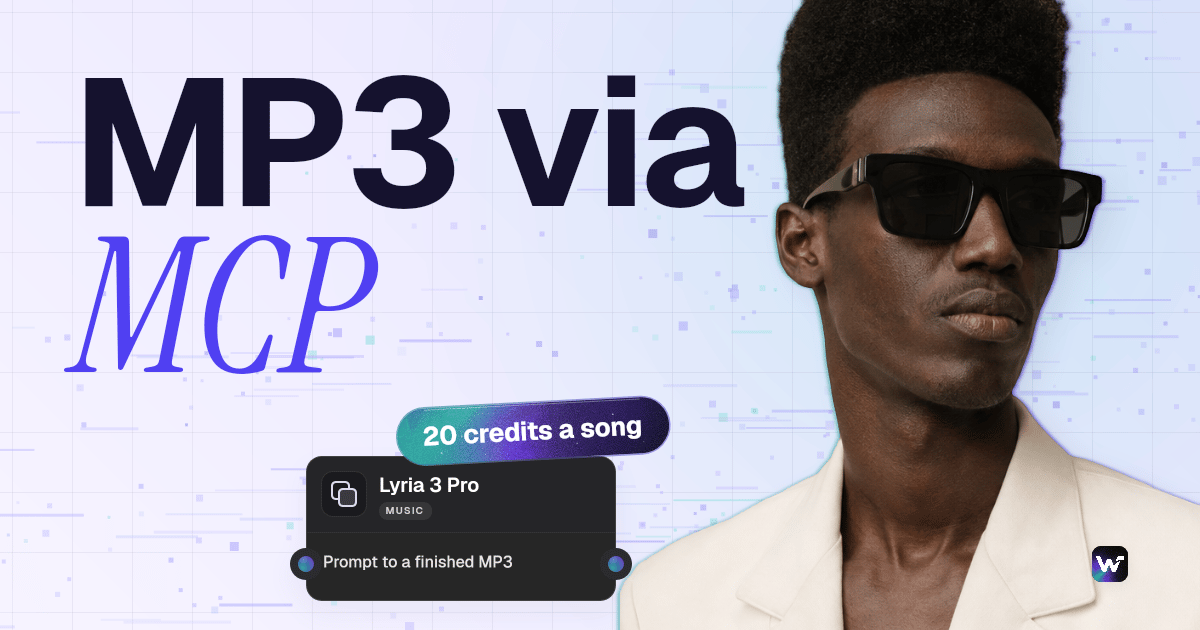
Claude music generation works through connected models: Claude cannot make audio itself, but over MCP it can run music models and hand back the finished MP3. We set that up on Wireflow as one flow that sends a track brief to Lyria 3 Pro and MiniMax Music 2.6 at the same time. On 2 November 2026 it returned two instrumental tracks in 40 seconds for 50 credits.
There are two routes to the same result. Inside Claude, the connector runs the models and each track comes back as a link in the chat. If you would rather click than type, the same track can be made in your browser with the AI background music generator, which runs the same two models. This guide covers the Claude route, with live credit prices and a real side-by-side run.
Can Claude Generate Music?
Not natively. Claude reads text and images and writes text and code, and none of its models output sound. What it does well is the layer before rendering: lyrics, chord charts, song structure and prompts written for a specific music model. The same limit applies to footage, which is why our guide to Claude video generation follows the same pattern as this one.
| Route | What makes the sound | What you need |
|---|---|---|
| Claude on its own | Nothing: lyrics, chord charts and prompts as text | Any Claude plan |
| Claude Code with a script | Code that writes MIDI or synthesized notes | A local setup; the result is programmed sound, not a produced track |
| A local model skill (ACE-Step) | A music model running on your own GPU | An NVIDIA GPU with 4 GB+ of VRAM (8 GB recommended) and about 10 GB of disk |
| Community Suno servers | Suno, through a community-built MCP server | A Suno account; setup varies by server |
| A hosted MCP connector | Lyria 3 Pro, MiniMax Music 2.6 or ElevenLabs Music | A sign-in and credits |
Our roundup of Suno MCP tools compares the community servers. The hosted route needs no GPU or install, and works in the Claude app as well as Claude Code.
Build this in Wireflow
Make the same kind of asset on a canvas you control, with a free account and no credit card.
How Claude Calls Music Models Through MCP
The Model Context Protocol (MCP) lets an app publish tools that Claude can call. A song takes from under a minute to a few minutes, so the hosted MCP server starts a run, returns an id and lets Claude check back. Four tools do the work:
list_modelsreturns the music models with their live credit prices.create_workflow_from_promptbuilds a small board from a description and saves it as a private draft. It costs nothing.run_workflowstarts a run and returns an execution id. This is the call that spends credits.get_executionreturns the status and, once finished, the MP3 links.
The Music Models Claude Can Run
The credits below come from the live models list on 2 November 2026; Claude can read the current figures with list_models before it runs anything.
| Model | Credits | Plan | Lyrics control |
|---|---|---|---|
| Lyria 3 Pro | 20 per song | Runs on starter credits | Writes its own lyrics from the prompt; an optional reference image steers the mood |
| MiniMax Music 2.6 | 30 per song | Paid plan | Sings your exact lyrics with section tags, or writes its own; Instrumental switch |
| ElevenLabs Music | 128 per minute | Paid plan | Length set in seconds; optional lyrics; instrumental by default |
Lyria 3 Pro is Google's song model. It has no lyrics input, so the prompt carries genre, mood, instruments, tempo and vocals, and its output carries Google's SynthID watermark. MiniMax Music 2.6 takes lyrics with tags such as [Verse] and [Chorus], which suits a jingle with set words, as in our guide on how to make an AI song ad.
ElevenLabs Music is the only one with a length setting, which matters for video, as our run shows. For a voiceover on the same board, see the ElevenLabs MCP page.
The Run: One Brief, Two Music Models
The flow has three nodes: a Track Brief text node feeds Lyria 3 Pro and MiniMax Music 2.6 in parallel, so any difference comes from the model. MiniMax had its Instrumental switch on; Lyria took its vocal choice from the brief. The brief, word for word:
Instrumental background track for a 60-second product video about a handmade ceramic coffee mug. Warm lo-fi hip hop at 85 BPM: soft Rhodes piano chords, mellow upright bass, brushed drums and light vinyl crackle. Calm, cozy and steady, with no big drops and a clean ending. Instrumental only, no vocals.
| Track | Model | Length | Ready after | Credits |
|---|---|---|---|---|
| A | Lyria 3 Pro | 57.6 s | 28 s | 20 |
| B | MiniMax Music 2.6 | 34.0 s | 40 s | 30 |
| Total | 40 s | 50 |
The run charged exactly its 50-credit quote, and both files came back as 44.1 kHz stereo MP3s:
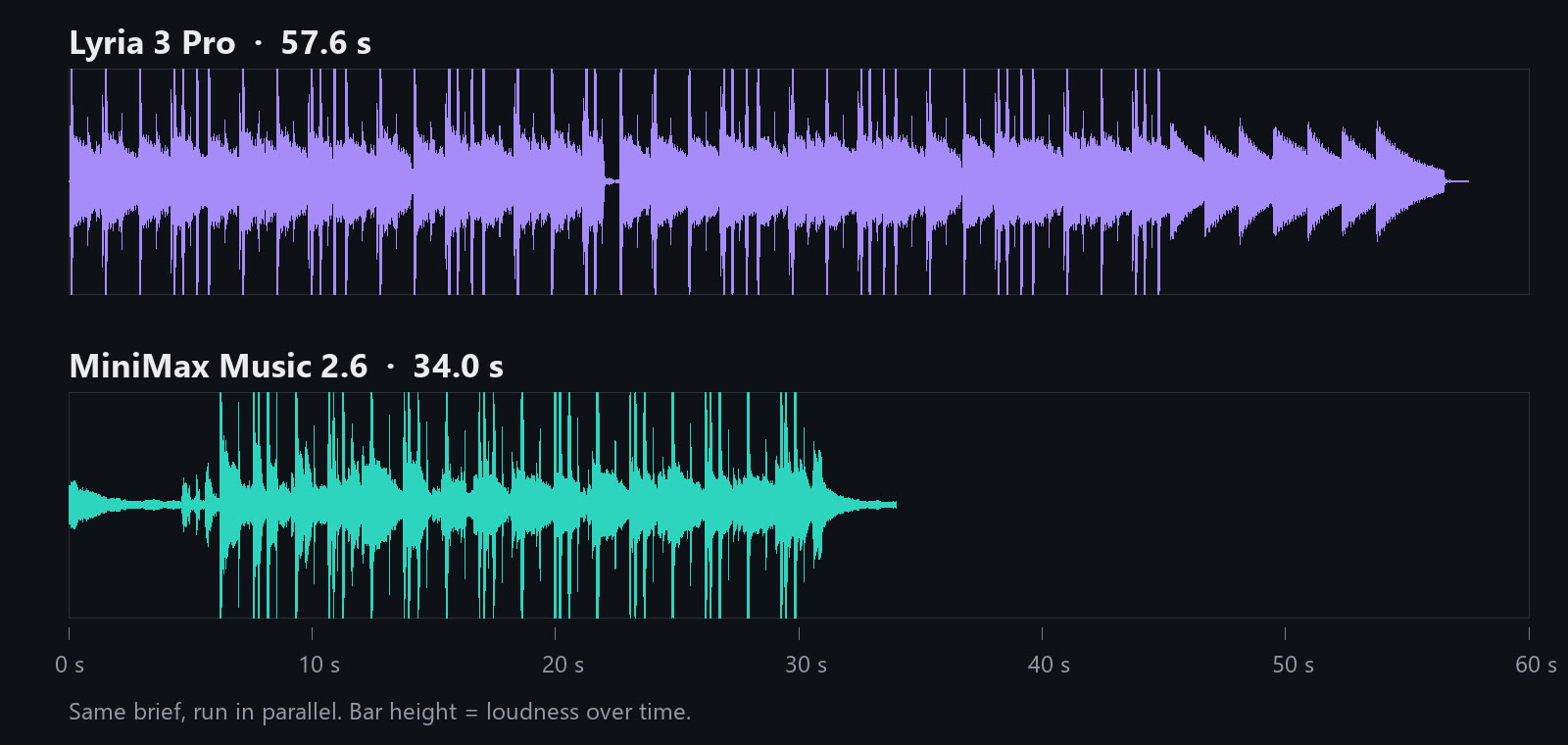
What the Two Models Did With the Same Brief
We measured both files: length with ffprobe, tempo with a beat tracker, loudness with an EBU R128 meter, and vocals with a speech-to-text pass. As in our AI soundtracks for YouTube videos guide, the test is whether the track fits the video.
- Lyria 3 Pro came closest to the brief: 57.6 seconds against the 60 asked for, with no length setting, and about 86 BPM against 85. It starts at full level, holds steady (a loudness range of 4.5 LU) and eases out over the last 10 seconds.
- MiniMax Music 2.6 returned 34.0 seconds, a little over half the length, and finished second. It opens with about 6 quiet seconds before the beat comes in, so its level swings more (11.5 LU); the beat tracker read about 78 BPM.
- Neither track has vocals. The speech-to-text pass found no words in either file, so Lyria followed "no vocals" from the prompt alone.
- Both came back mastered loud, about -13 LUFS. Under a voiceover, turn the music well down.
For a 60-second product video, Lyria's take fits as it is; MiniMax's needs a loop or a second take, though its quiet open suits a video that starts on a title card. That is the point of running two, and our list of the best AI music generators for content creators is a place to pick a third.
Set It Up and Make a Track From Claude
The connector is a remote MCP server with OAuth sign-in, so there is no API key to paste. Each permission is listed in the MCP connector guide, and you can revoke access at any time.
- Add the connector. In the Claude app, open Customize, then Connectors, click + Add, then Add custom connector, and paste
https://www.wireflow.ai/api/mcp. In Claude Code, runclaude mcp add --transport http wireflow https://www.wireflow.ai/api/mcp, then/mcpto sign in. - Sign in and approve. The default permissions cover building a private draft and running it. Running spends credits.
- Write the brief. Name the genre, tempo, three or four instruments, the energy shape, the length and whether you want vocals.
- Ask in plain words. For example: "Make a 60-second instrumental lo-fi track for my mug video with Lyria 3 Pro and MiniMax Music 2.6. Show me the credit cost first."
- Let Claude run it. It checks prices with
list_models, builds the board, runs it withrun_workflowand pollsget_executionfor the MP3 links.
Claude can write the brief too. In a terminal the connector fits the AI API with Claude Code integration route, and Claude Code can save the MP3s into your project.

Costs and Limits to Plan For
The credits and billing docs explain how a run is charged.
- A song costs 20 or 30 credits on Lyria 3 Pro and MiniMax Music 2.6, whatever its length. ElevenLabs Music charges by the minute.
- Length is not guaranteed. Ask for two takes, or use ElevenLabs Music when the length must be exact.
- MiniMax Music 2.6 and ElevenLabs Music need a paid plan. Lyria 3 Pro runs on starter credits.
- Two bills, not one. Claude's tool calls count toward your Claude plan's usage; the generation is charged to the account the connector signs in to.
Start With One Track
Claude music generation comes down to three moves: connect a music model, write a brief that names tempo, instruments and length, and compare two takes before you use one. Start with Lyria 3 Pro on starter credits, then add MiniMax Music 2.6 when you need set lyrics or a second option.
Try it yourself: Build this workflow in Wireflow. Edit the Track Brief and run both tracks to get one take from Lyria 3 Pro and one from MiniMax Music 2.6, the same run shown above. From Claude, one
run_workflowcall does the same. You can open and change this workflow for free. A new account gets up to 60 starter credits and a free video, and each run uses credits. Plans start at $36 a month for 2,660 credits.
FAQ
Can Claude generate music?
Not on its own. It writes lyrics and music prompts, and through an MCP connector it runs music models and returns the MP3.
Which Claude apps can use a music connector?
Custom MCP connectors work in claude.ai, Claude Desktop and Claude Code. On managed Team or Enterprise plans an admin may need to add or allow the connector first.
How much does it cost to make a song from Claude?
Lyria 3 Pro uses 20 credits a song and MiniMax Music 2.6 uses 30, so our run cost 50. Plans start at $36 a month for 2,660 credits.
Can I set the length of the track?
Only on ElevenLabs Music. Lyria 3 Pro and MiniMax Music 2.6 choose the length themselves: our 60-second brief came back at 57.6 and 34.0 seconds.
Can Claude write the lyrics too?
Yes. Ask Claude for lyrics with section tags such as [Verse] and [Chorus], and MiniMax Music 2.6 sings them word for word. Lyria 3 Pro writes its own.
Are the tracks watermarked?
Lyria 3 Pro output carries Google's SynthID watermark, which marks audio as AI-generated. Check each model provider's terms before you use a track commercially.
Can I put the music under a video?
Yes. A Video Editor node on the same board can lay the track under your clips, and our guide to connect Claude to video editing shows that step from Claude.

Co-Founder & Operations at Wireflow
Runs client operations and content strategy at Wireflow. Works directly with creative teams and agencies to build production AI workflows.
- Content Strategy
- Client Operations
Ask Claude for your next ad.
Connect once. Ask any time.
- No credit card
- You keep the rights to what you make
- Cancel anytime
More in In Claude
One model or job per post, run from a Claude chat.