FLUX 3: What It Is, How It Compares to FLUX 2, and How to Run It

In this article▾
FLUX 3 is Black Forest Labs' new multimodal model. What changed from FLUX 2, how the benchmarks compare, what access and API options exist, and which one to build on.
The short version: FLUX 3 is a bigger idea than FLUX 2, but most of it is not available yet. FLUX 2 is boring and reachable. That gap is the whole decision. FLUX 3 also generates video with native audio, and you can run it as a node on Wireflow with FLUX 3 video.
Quick summary
- Wireflow - Best overall place to run FLUX today. Canvas plus REST, model swap without rewiring.
- FLUX 2 Pro - Best available image quality in the FLUX line, hosted and callable now.
- FLUX 3 Video - Best new capability. Video with native audio, but gated early access only.
- FLUX 3 Image - Most anticipated. Announced with no release date and no benchmarks.
- FLUX Schnell - Best for speed and drafts when fidelity matters less than turnaround.
- FLUX 3 Dev - Best future option for self hosting. Open weights promised, no timeline.
What FLUX 3 actually is
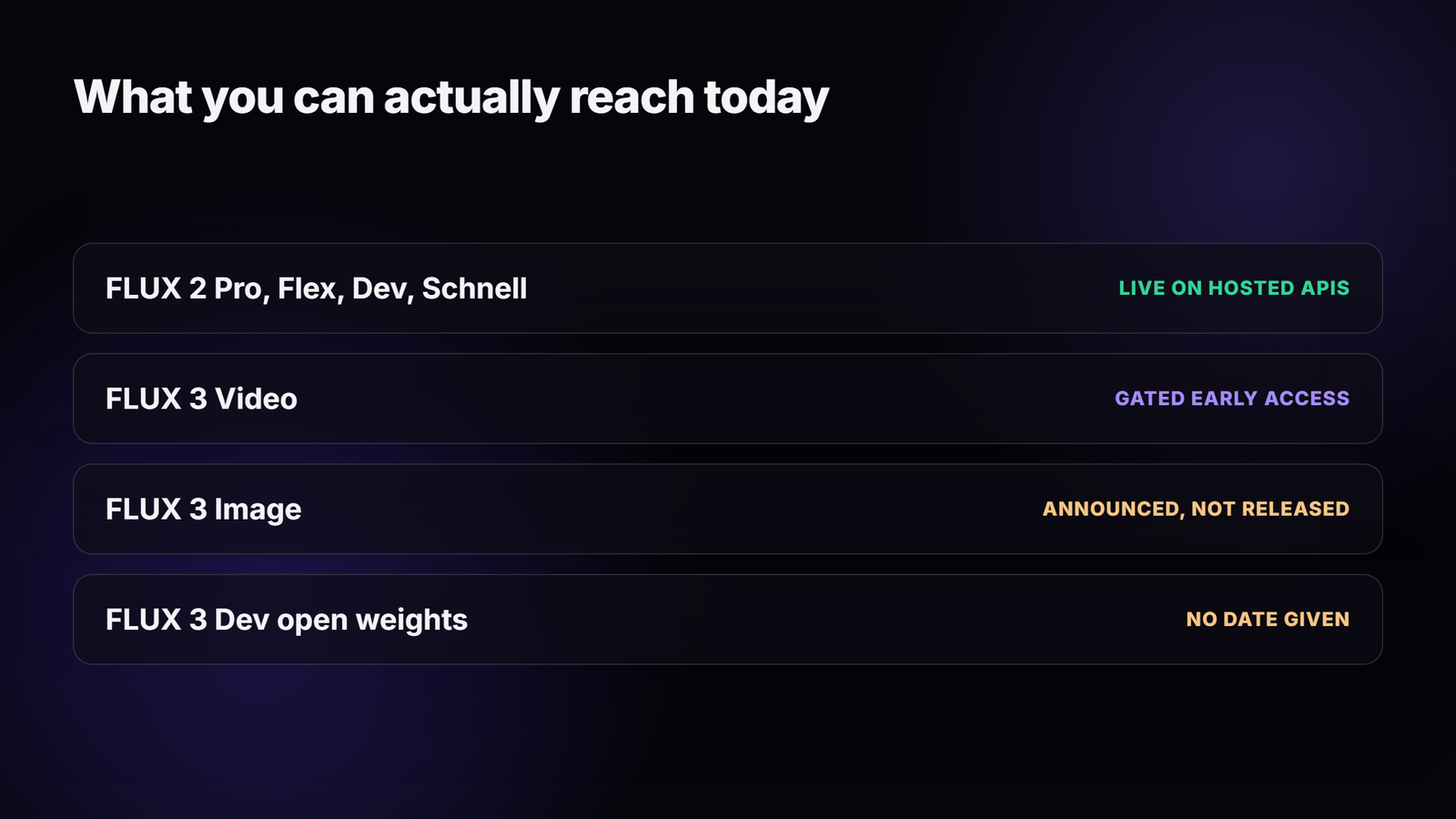
Black Forest Labs announced FLUX 3 on 23 July 2026. The framing is different from every previous FLUX release: instead of shipping an image model, they describe one flow model that spans image, video, audio and robot action prediction, a direction they call Real World Models. The family splits into four tiers, and only one of them is reachable right now. That single fact drives most of the practical advice on the new FLUX 3 feature page.
FLUX 3 Video is the tier in early access. It handles text to video, image to video, video to video and keyframe to video, produces clips up to 20 seconds, and generates synchronized audio inside the same model rather than bolting a separate audio pass on afterward. Multilingual dialogue is included, and Black Forest Labs describes chaining clips together agentically to assemble longer sequences. Preliminary evaluations were run at 720p, which is worth remembering before you plan a 4K deliverable around it. If you need video output in a pipeline this month, an existing AI video generator flow is still the realistic route.
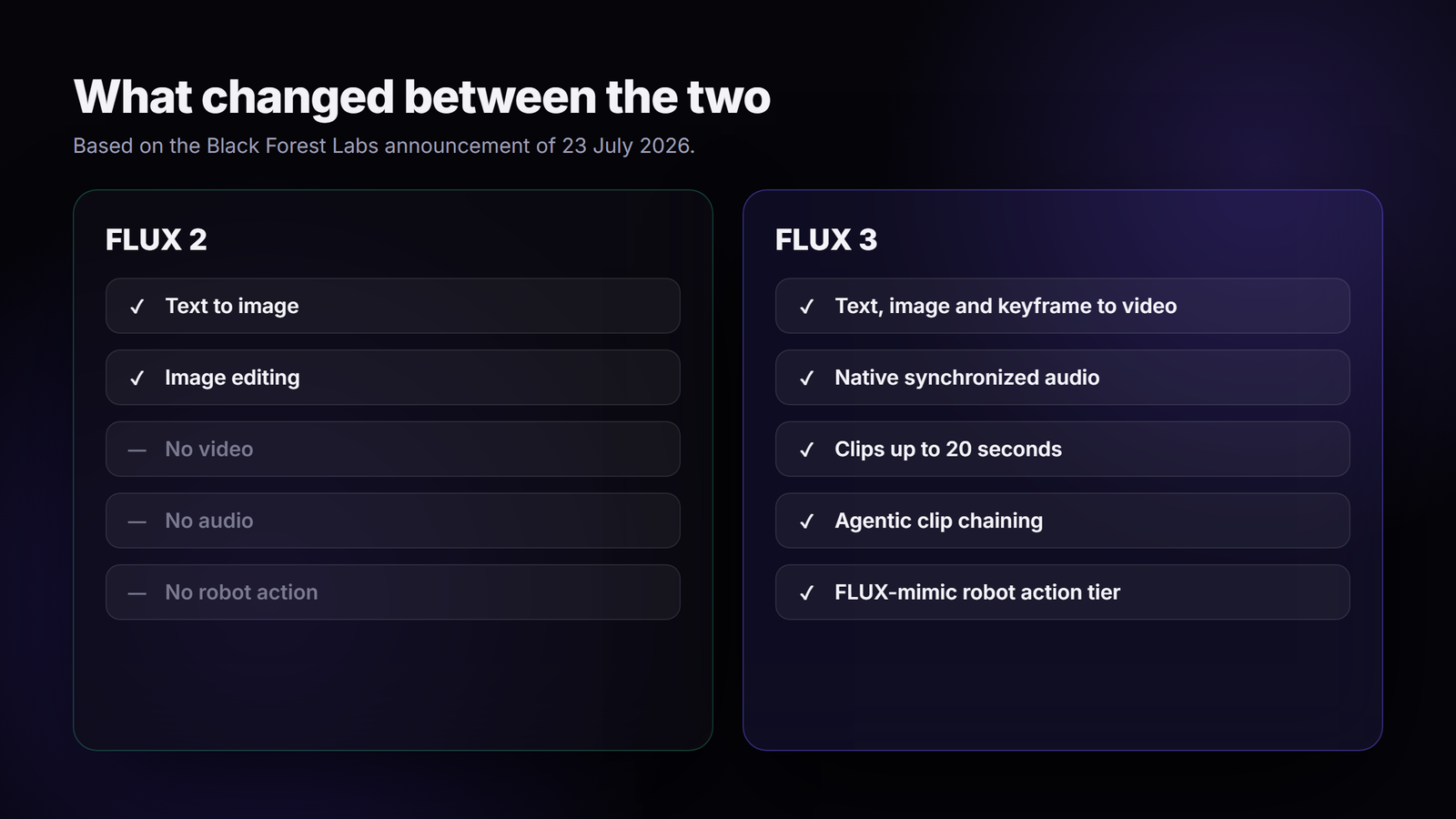
FLUX 3 Image is announced but not released. The claimed improvements are better handling of complex prompts, high accuracy multilingual text rendering, and editing across styles and aspect ratios. No image benchmarks have been published, so there is nothing to compare against your current AI image generator setup yet. FLUX-mimic covers robot action prediction, and FLUX 3 Dev is the promised open weight tier with no date attached.
Build this in Wireflow
Make the same kind of asset on a canvas you control, with a free account and no credit card.
What FLUX 2 is, and why it still matters
FLUX 2 is a straightforward image model, and that is exactly its advantage right now. It generates and edits images, comes in Pro, Flex, Dev and Schnell variants, and is carried by every major hosted provider. You can call it from code today, poll for a result, and put the output into production without applying for anything. The practical details are covered in our Flux 2 API page.
The older FLUX Pro line is also still in service, and for a lot of production work the difference between it and FLUX 2 is smaller than the marketing suggests. If you are picking between them on cost rather than on capability, the credit numbers and request samples in the Flux Pro API pricing and code examples breakdown will settle it faster than a benchmark chart will.
FLUX 3 vs FLUX 2 side by side
| FLUX 2 | FLUX 3 | |
|---|---|---|
| Model type | Image generation and editing | Multimodal flow model |
| Video | Not supported | Text, image, keyframe and video to video |
| Audio | Not supported | Native synchronized audio, multilingual dialogue |
| Max clip length | Not applicable | Up to 20 seconds |
| Robotics | Not supported | FLUX-mimic action prediction tier |
| Availability | Live on hosted APIs | Video tier gated, image tier not released |
| Open weights | FLUX 2 Dev available | FLUX 3 Dev promised, no date |
| Public pricing | Yes | None published |
| Third party hosts | Widely carried | None yet |
The table makes the trade obvious. FLUX 3 wins on scope, FLUX 2 wins on the only thing that matters when you have a deadline, which is whether you can call it. Teams that already run a Flux Pro API integration have very little to gain from waiting.
What the preference numbers say
Black Forest Labs published human preference results for the FLUX 3 video tier. Their reported win rates are 77 percent against Runway Gen-4.5, 93 percent against Luma Ray 3.2, 69 percent against Grok Imagine Video, and 60 percent against Kling v3 Pro. Against Seedance 2.0 and Gemini Omni Flash the results sit near 52 percent, which is close enough to call a tie. These are vendor published numbers on the vendor's own evaluation, so treat them as directional rather than independent, the way you would treat any claim in a model comparison roundup.
Nothing comparable exists for the image tier. There are no published FLUX 3 image benchmarks at all, so any claim that it beats FLUX 2 Pro on image quality is currently unverifiable. If image output is your use case, the honest position is that FLUX 2 Pro is the best measured FLUX image model available, and that is what an AI photo generator flow should be pointed at today.
Access, pricing and licensing
FLUX 3 access is gated. You request it through the Black Forest Labs site, and approval is not automatic. No public pricing has been posted for any tier. Black Forest Labs has said multiple license options will be offered at broader release, without naming them. There is no FLUX 3 endpoint on the usual hosted providers yet, so the model cannot currently be dropped into an orchestration API call the way FLUX 2 can.
FLUX 2 has none of those problems. It is priced, documented and carried by multiple hosts, which means the cost of a generation is knowable before you run it. That predictability is worth more in a production pipeline than a capability you cannot schedule around, especially once you add steps like an AI image upscaler after the generation node.
When to use which
Use FLUX 2 when you need images now, when cost has to be predictable, when you need open weights you can self host, or when the work is going through an automated pipeline that cannot wait on an access request. That covers most commercial image work today.
Use FLUX 3 when the job genuinely needs video with matched audio in a single generation, when you have early access approved, and when a 720p preliminary quality bar is acceptable for the deliverable. Also consider it when the alternative is stitching a separate video model and a separate audio pass together, since one model doing both removes a sync problem rather than saving a step. For everything else, a mixed flow that pairs FLUX with a model like Nano Banana covers more ground at lower risk.
How to run FLUX 2 today and swap later
The useful move is to build the pipeline now against a model you can reach, and treat the model choice as a setting rather than as architecture. On a canvas that means a text input node wired into an image model node. You pick FLUX 2 Pro, run it, and the generated image appears on the node. Everything downstream is wired to the node, not to the model, so the workflow API contract does not change when the model does.
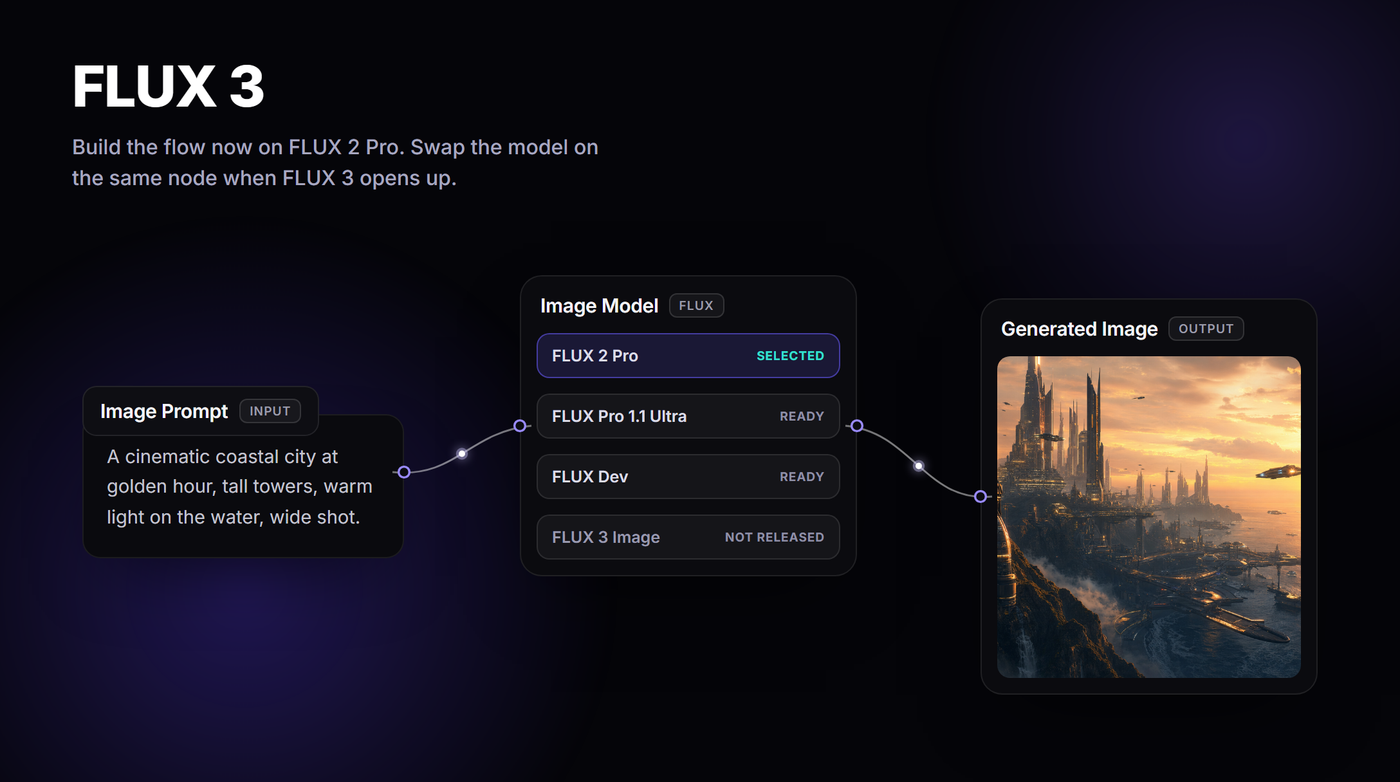
When FLUX 3 Image is released and appears in the model list, you change the model on that one node. Prompts, connections and downstream nodes stay as they are, and the same execute call keeps working. If you would rather drive the whole thing from code instead of the canvas, the curl and Python patterns in our guide on calling Flux 2 from code apply unchanged after the swap.
FAQ
Is FLUX 3 better than FLUX 2?
On scope, yes. FLUX 3 covers video, audio and robot action prediction, which FLUX 2 does not. On image quality there is no published evidence either way, because no FLUX 3 image benchmarks have been released.
Can I use FLUX 3 right now?
Only the video tier, and only through gated early access from Black Forest Labs. FLUX 3 Image and the open weight FLUX 3 Dev tier have not been released.
How much does FLUX 3 cost?
No public pricing exists. Black Forest Labs has said multiple license options will follow at broader release, but has not published figures, tiers or per second video rates.
Is FLUX 3 available on fal.ai or Replicate?
Not yet. Those hosts carry legacy FLUX endpoints such as FLUX Pro 1.1 Ultra and the FLUX 2 variants, but no FLUX 3 endpoint has appeared on either.
Does FLUX 3 generate audio with video?
Yes. Audio is produced inside the same model as the video rather than added by a second pass, and Black Forest Labs states it supports multilingual dialogue.
Will FLUX 3 have open weights like FLUX 2 Dev?
An open weight tier called FLUX 3 Dev was announced, but no release date or license terms were given, so plan around FLUX 2 Dev if self hosting matters to you.
Should I wait for FLUX 3 before building?
No. Build the pipeline now against FLUX 2, keep the model as a swappable node, and change it when FLUX 3 becomes reachable. Waiting costs you working output for an unscheduled release. For a plain rundown of what FLUX 3 is and what runs today, see the FLUX 3 model overview.
Conclusion
FLUX 3 is the more interesting model and FLUX 2 is the more useful one, and that will stay true until the image tier ships and third party hosts pick it up. The right response is not to pick a side but to build so the choice is cheap to reverse later. Keep the model behind a node, keep the pipeline stable, and swap when the release actually lands. If you want that setup ready before FLUX 3 opens up, the FLUX 3 page on Wireflow has the flow you can open and run today.

Co-Founder & Operations at Wireflow
Runs client operations and content strategy at Wireflow. Works directly with creative teams and agencies to build production AI workflows.
- Content Strategy
- Client Operations
Ask Claude for your next ad.
Connect once. Ask any time.
- No credit card
- You keep the rights to what you make
- Cancel anytime
Try this workflow
More in Alternatives
Head-to-heads and roundups of the tools people weigh up.