 Andrew Adams · Co-Founder & Operations at Wireflow ·
 AI Mockup Generator
Most mockup tools hand you a template library.
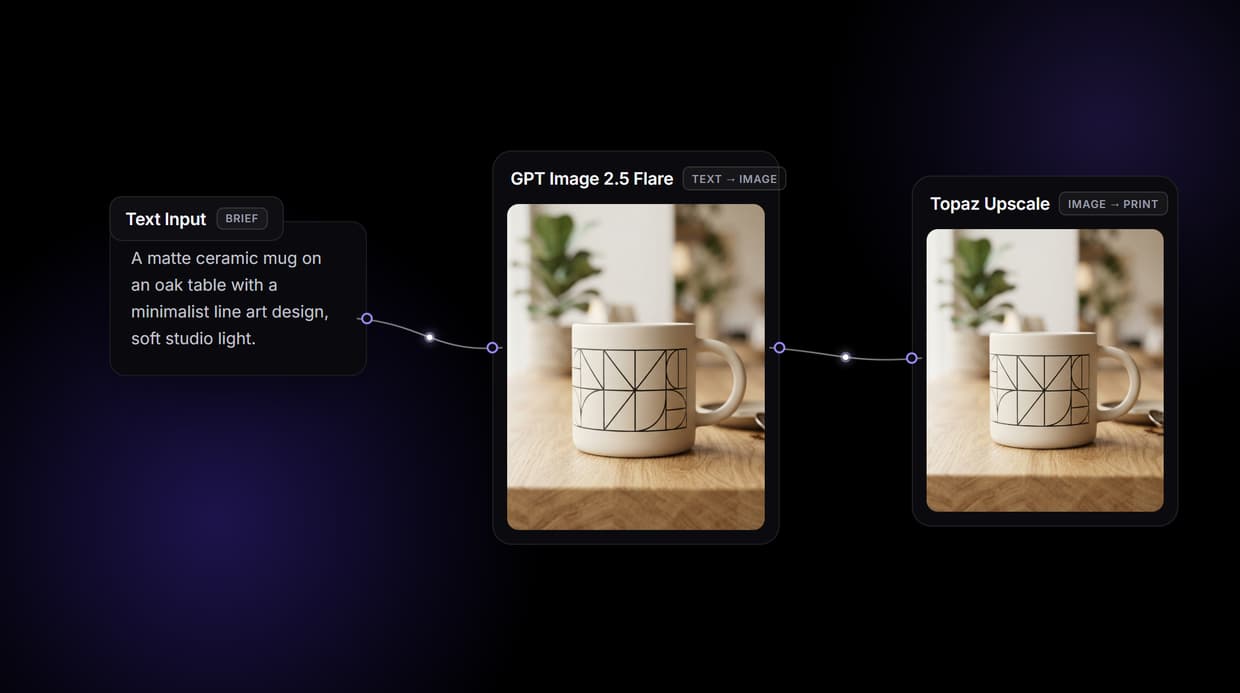
Wireflow hands you the pipeline: a three node canvas where a text brief becomes a photorealistic product mockup with GPT Image 2.5 Flare, then Topaz Upscale makes it print ready. Free to build, pay per generation.
Free to build · no credit card · See how it works ↓
How to Use AI Mockup Generator
Steps to get you started in Wireflow.
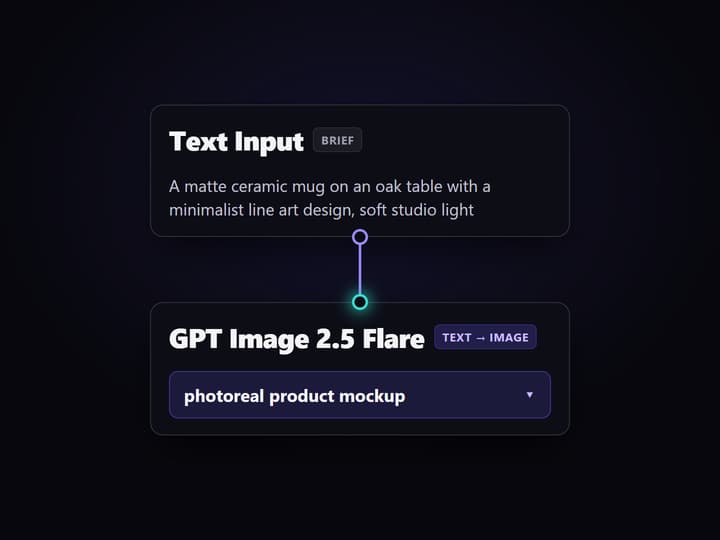
Write the mockup brief
Open the flow and click the Text Input node. One sentence covers it: the product, the design, and the scene, for example a matte ceramic mug on an oak table with a minimalist line art design in soft studio light.
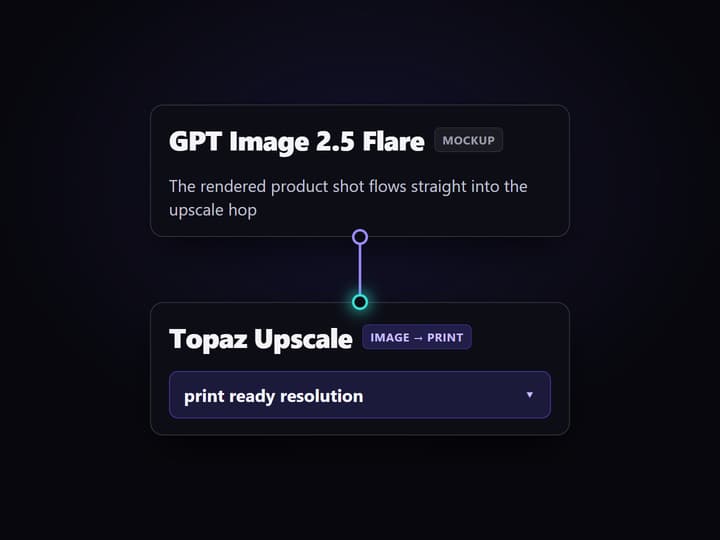
Run the graph once
GPT Image 2.5 Flare reads the brief and renders a photorealistic product mockup, then Topaz Upscale takes that image and returns a print ready resolution version in a run that finishes in seconds.
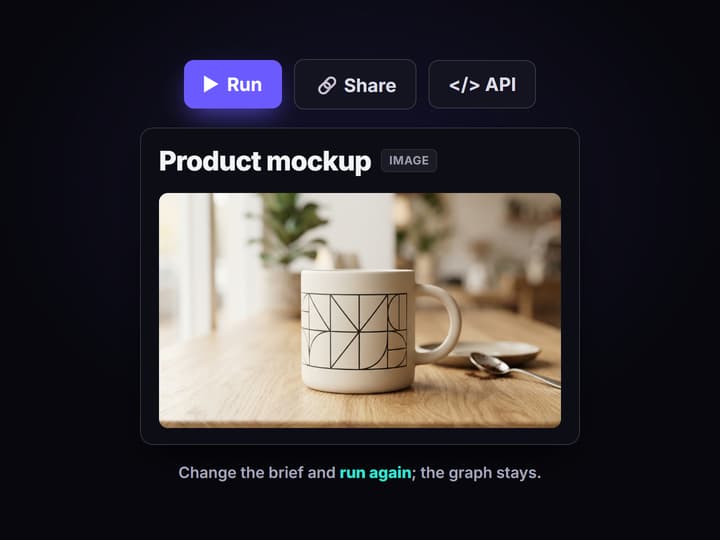
Change the brief, keep the pipeline
Edit the text and run again for a new product, swap the image node for another hosted model, or drop in your own logo with an edit node. Share the flow link and the whole team runs the same graph.
Why teams outgrow template mockup tools
Template mockup tools solve the first mile: pick a t-shirt or a mug scene, drop in your art, export. The friction shows up later. The scenes are the same ones every other store pulls from, the AI step is a black box you cannot tune, and the moment you need the same product across twenty SKUs or a different camera angle, you are back to clicking through a UI one image at a time.
Wireflow answers with a different shape. Instead of a template studio, a product mockup is a small workflow you own on a node canvas: a Text Input holds the brief, GPT Image 2.5 Flare renders the mockup, and Topaz Upscale makes it print ready. It runs on hosted compute in the browser, nothing to install, and the same canvas drives every other AI product photography job your team has.
What replaces the template studio
Brief intake
A Text Input node holds the product, design, and scene. Change the words and rerun; the graph never moves.
Mockup render
GPT Image 2.5 Flare turns the brief into a photorealistic product shot with lighting, material, and shadow.
Print ready upscale
Topaz Upscale takes the mockup to print resolution in the same run, no export and reimport.
Your own artwork
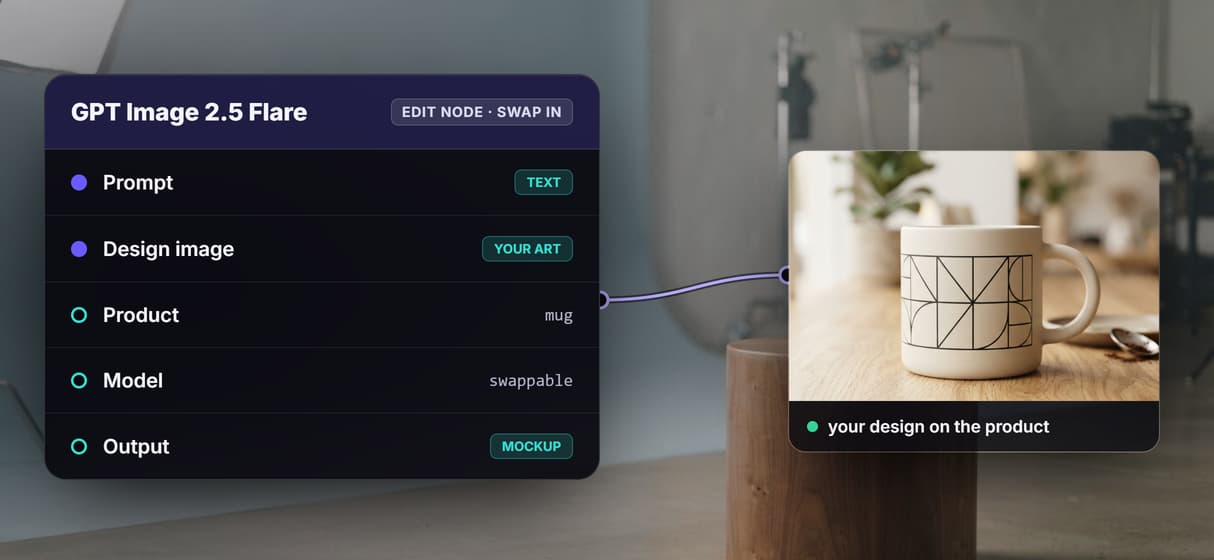
Add an edit node like Nano Banana Pro to composite a real logo or design onto the product surface.
Model choice
Swap GPT Image 2.5 Flare for Seedream, Flux, Recraft, or GPT Image when a look calls for a different model.
Whole catalog runs
The flow is a REST endpoint and an MCP tool, so an agent can loop it over a product list for bulk mockups.
How the three node graph actually runs
The workflow behind this page's button is deliberately small: three nodes, two wires.
- Text Input holds the brief. One sentence about the product, the design, and the scene is enough; a sticky note in the flow walks a first run through it.
- GPT Image 2.5 Flare renders the mockup. The brief becomes a photorealistic product shot, so you approve the look before paying for a high resolution pass.
- Topaz Upscale makes it print ready. The mockup flows straight into the upscale node and comes back at print resolution, no round trip through another app.
That is the detail worth copying: the mockup and the upscale live in one graph, so every run is reproducible and the same recipe applies to the next product. Because the flow lives among the platform's hosted image models, you can swap the render node or add an edit node to place your own design, and roll the result into a wider batch image generation job without leaving the browser.
When a template library is still the right call
If you want to browse thousands of ready made scenes, tap a phone frame, and export in ten seconds without writing a brief, a dedicated template mockup app is built around exactly that, and this page will not pretend otherwise. Wireflow starts from a prompt or your own design, not a scene picker, so the first mockup takes a sentence of setup rather than a click.
Wireflow is the generation layer, not a design suite: it will not lay out your packaging dielines, manage a template catalog, or replace a full editor. What it offers instead is ownership of the pipeline, a roster of hosted image models to swap between, and per generation pricing. If product mockups are one step in a bigger content machine, build here, and pair the flow with an AI product photo generator when the job needs a full scene from scratch.
Packaging, apparel, and scene mockups from one brief
A product mockup is really just a brief, so the same three node flow covers more than one product type. Describe a box or a pouch and GPT Image 2.5 Flare returns a packaging shot; describe a t-shirt or a hoodie on a person and it returns an apparel mockup; describe a device on a desk and it returns a scene. You change the words in the Text Input, not the graph, and the Topaz Upscale node still makes every result print ready.
When the product has to carry your real artwork, add an edit node such as Nano Banana Pro ahead of the render and wire in your design image, so the logo or label sits on the surface instead of being invented. That keeps one pipeline behind packaging, apparel, and lifestyle shots, the same way a single product photography workflow can feed a whole catalog.
More Than Just AI Mockup Generator
A mockup workflow you own, not a template you rent
Brief in, product mockup, print ready upscale out, all on one canvas you rewire like any node based image generation graph.
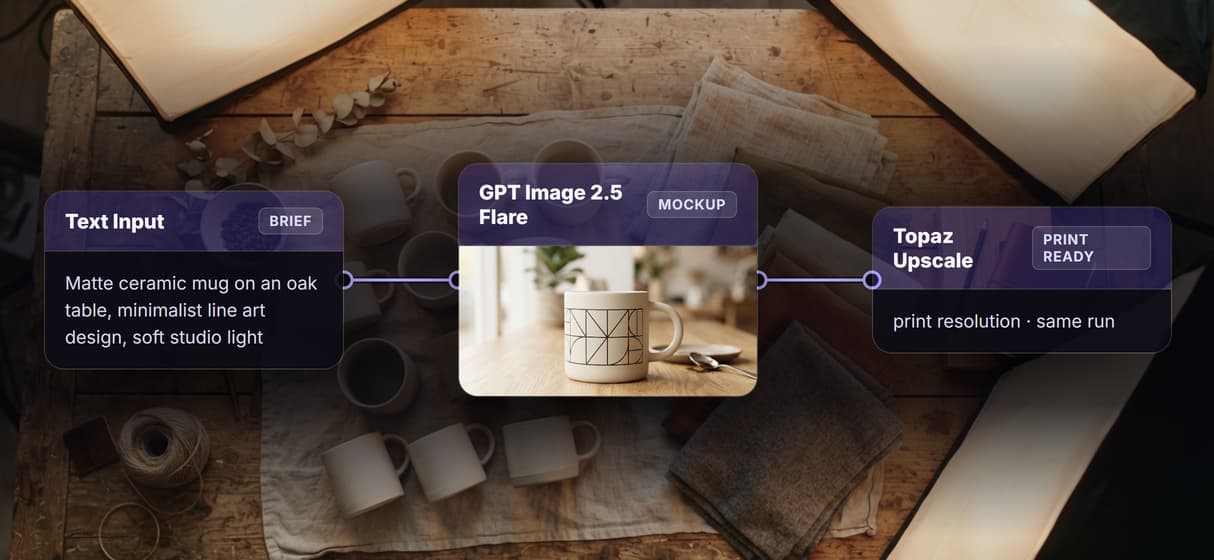
A text brief becomes a photoreal mockup
GPT Image 2.5 Flare reads your brief and renders the product shot, so one line is all the AI image generator needs to return it.
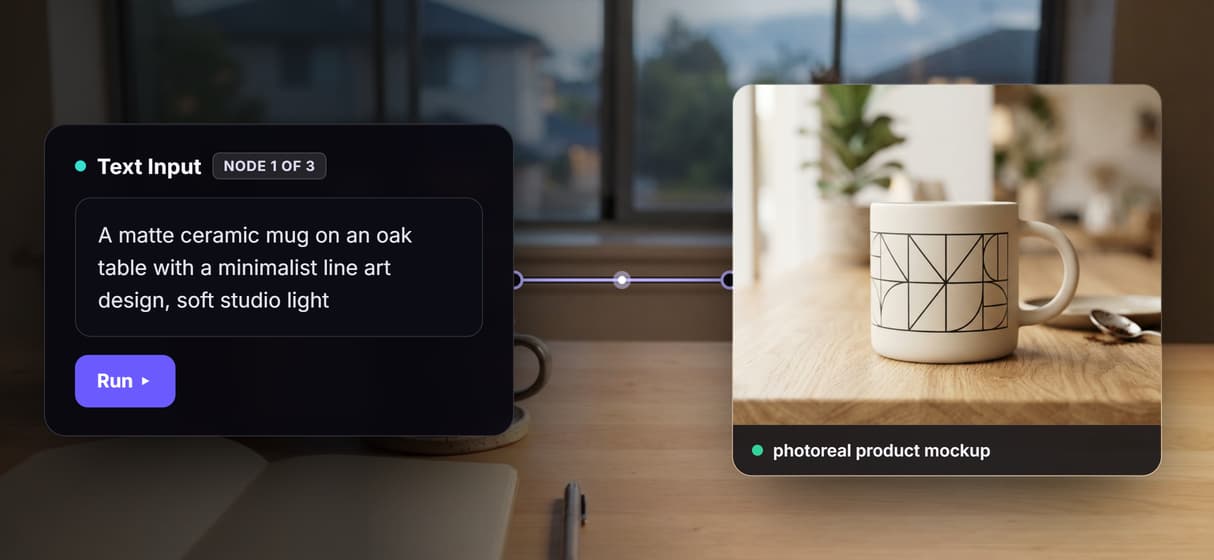
Place your own design or swap the model
Drop a logo into an AI image editor edit node to place your art, or swap the render model for Seedream or Flux. The graph stays. The same edit step can also furnish an empty room photo for a listing while keeping the real room.
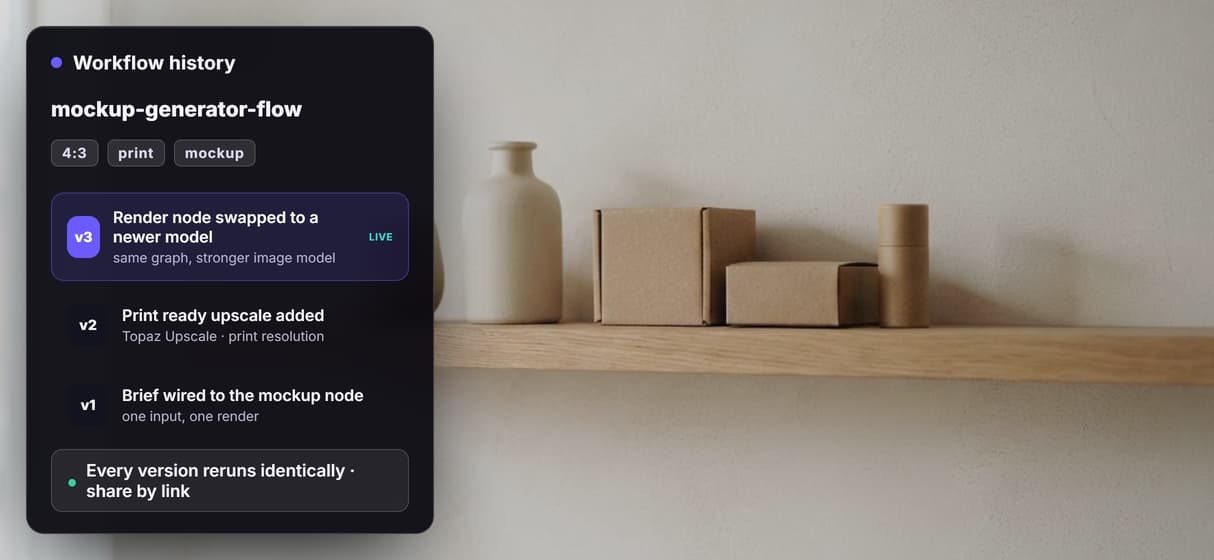
Reruns are identical, upgrades are one node
Flows are versioned and shareable, so your fiftieth mockup matches your first, and the print ready AI image upscaler hop never moves.
Per generation pricing, not per seat
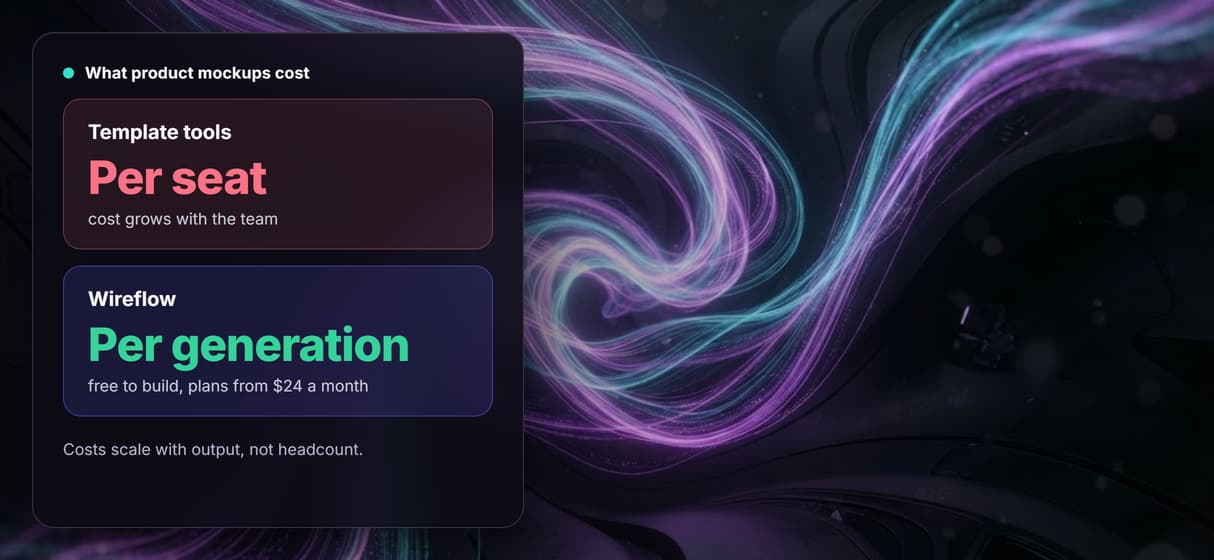
Building is free and generations are metered, so ten teammates cost no more than one. Start on the free AI image generator side.
Build Any AI Workflow
AI Models Integrated
Full Commercial License
FAQs
It depends on what you want to keep. If you want a scene picker with thousands of templates, a dedicated mockup app is the closest match. If you want to own the pipeline, Wireflow replaces the template studio with a three node canvas workflow: brief in, product mockup, print ready image out, priced per generation.
Discover related AI tools
- AI Image Upscaler: Upscale to 4K in a Visual Workflow
- AI Background Remover
- AI Image Generator: Flow-Based Canvas, 31 Models
- ComfyUI Alternative
- AI Face Swap Online: Photos and Video in Your Browser
- Virtual Try On
- AI Thumbnail Generator
- AI Photo Generator
- AI Image Editor
- AI Art Generator
- Midjourney Alternative
- AI Headshot Generator
More From Wireflow
Written by
Andrew Adams · Co-Founder & Operations at Wireflow
Runs client operations and content strategy at Wireflow. Works directly with creative teams and agencies to build production AI workflows.
Own the mockup pipeline, not a template library
Open the flow, write what the product and design should be, and run it: mockup and print ready upscale from one graph. Building is free; you pay per generation, not per seat.