 Andrew Adams · Co-Founder & Operations at Wireflow ·
 Hailuo AI Alternative
Hailuo AI packs one video model into one app.
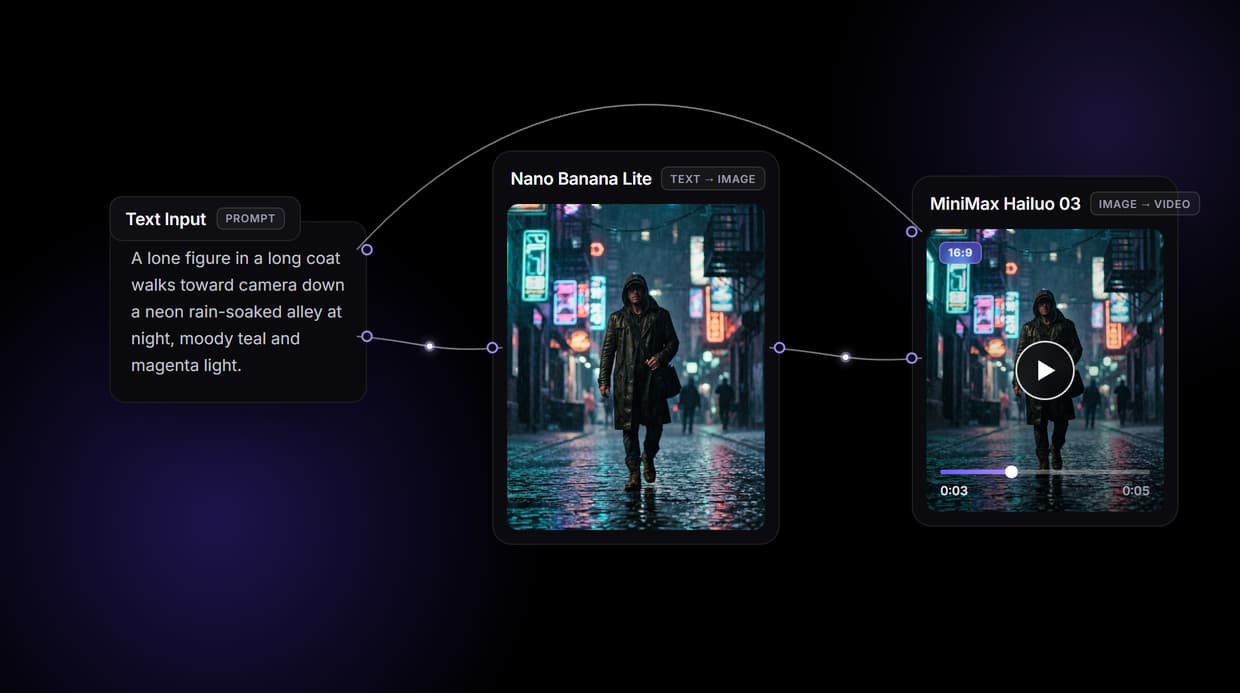
Wireflow hands you the pipeline: a node canvas where your prompt becomes a keyframe with GPT Image 2.5 Flare, then a 16:9 clip with MiniMax Hailuo 03, and any video model swaps into the same graph. Free to build, pay per generation.
Free to build · no credit card · See how it works ↓
How to Use Hailuo AI Alternative
Steps to get you started in Wireflow.
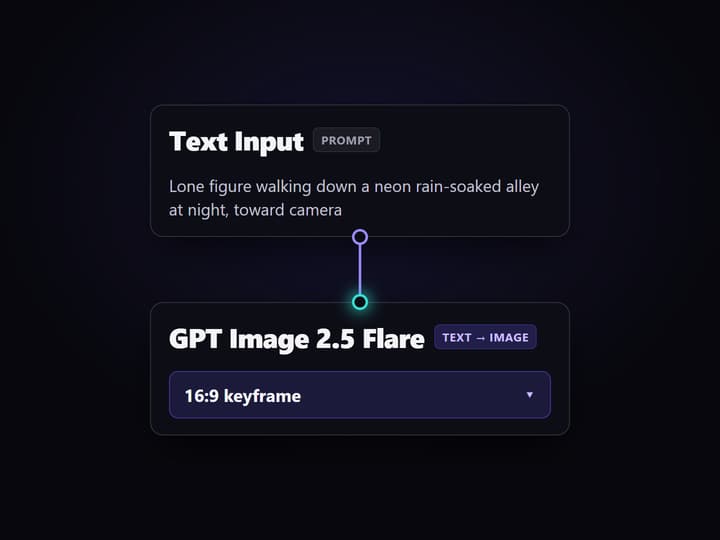
Type the scene your clip should show
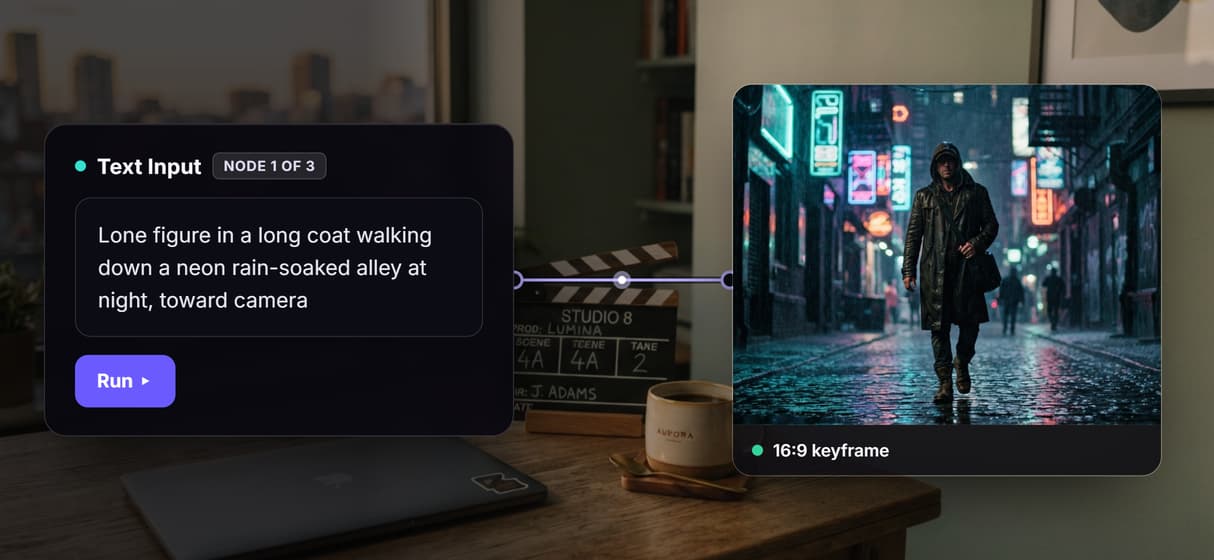
Open the flow and click the Text Input node. One sentence covers it: the subject, the setting, and the camera move, for example a slow dolly shot through a neon rain-soaked alley at night with a lone figure walking toward camera.
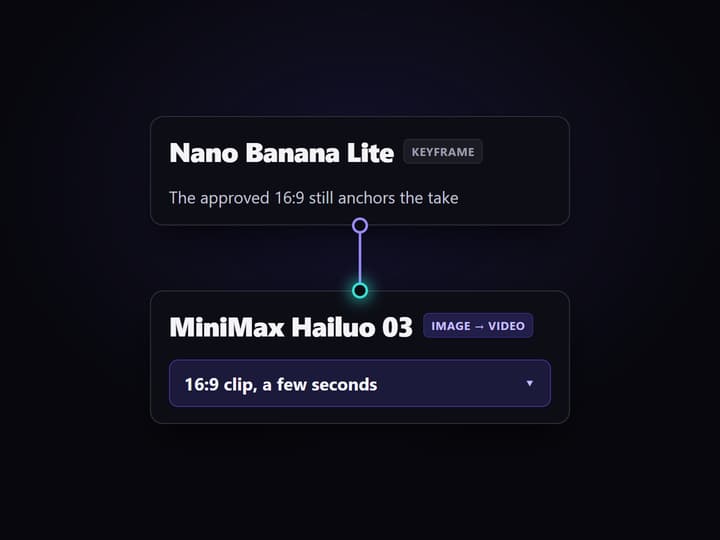
Run the graph once
GPT Image 2.5 Flare turns the prompt into a 16:9 keyframe, then MiniMax Hailuo 03 reads both the prompt and the frame and returns a 16:9 clip a few seconds long. Video takes a minute or two to finish.
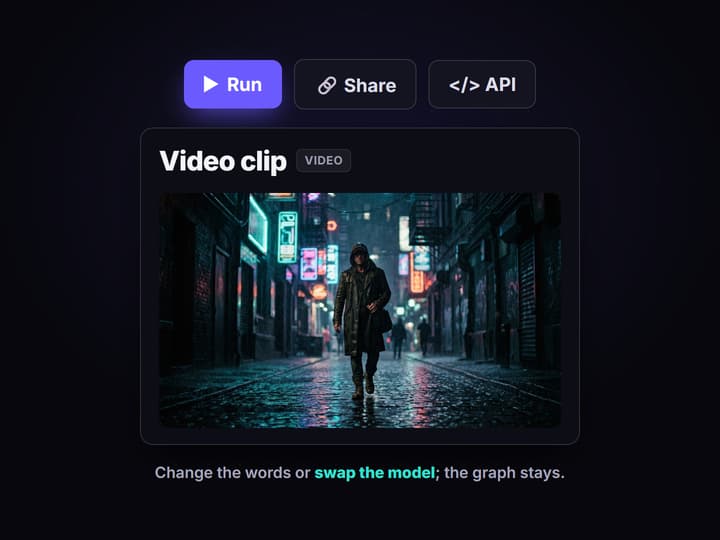
Change the words, or swap the model
Edit the text and run again for a new take, or swap the video node for Veo 3.1, Sora 2, Kling, or Seedance from the 70+ hosted models. Share the flow link and the whole team runs the same graph.
Why teams go looking for a Hailuo AI alternative
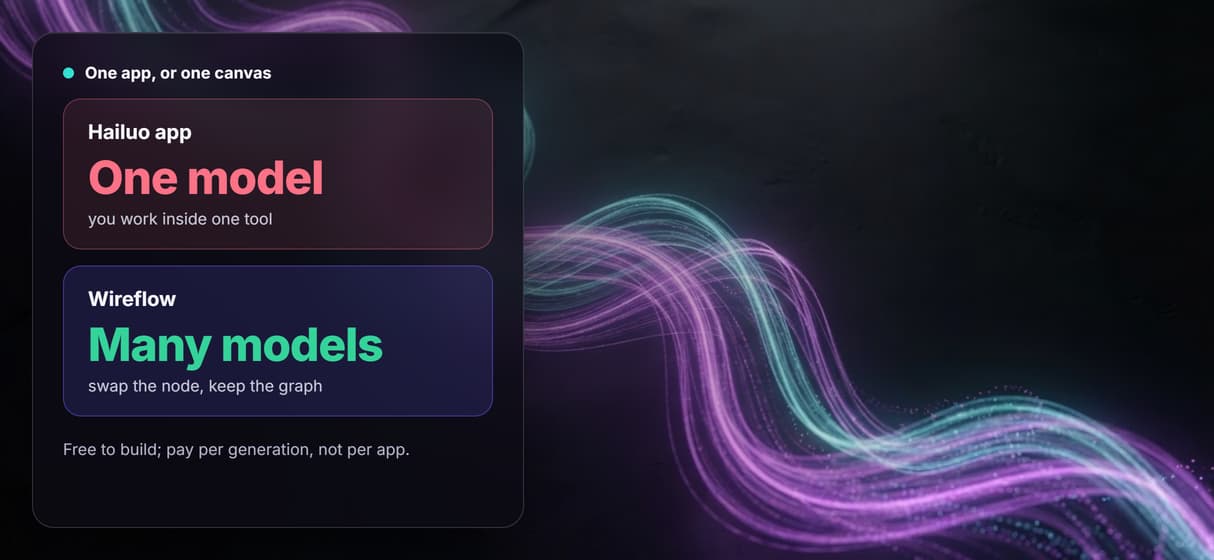
Hailuo AI earned its following: type a prompt, get a clean clip, pay very little. The friction shows up later. You work inside one app, on one model, in one queue, and the moment a shot needs a different look you are stuck waiting for that app to add it. The output is good; the ceiling arrives early, because the pipeline is not yours to change.
Wireflow answers with a different shape. Instead of one app, text to video is a small workflow you own on a node canvas: a Text Input holds the prompt, GPT Image 2.5 Flare renders the keyframe, and MiniMax Hailuo 03 turns that frame into footage. It runs on hosted compute in the browser, nothing to install, and the same canvas drives every other AI video generator job your team has, from product clips to social cutdowns.
What replaces the Hailuo app
Prompt intake
A Text Input node holds the scene. Change the words and rerun; the graph never moves.
Keyframes
GPT Image 2.5 Flare renders the 16:9 first frame that sets subject, look, and framing.
Motion
MiniMax Hailuo 03 turns the keyframe and prompt into a short 16:9 clip.
Model swaps
Veo 3.1, Sora 2, Kling, and Seedance are swappable nodes when a shot needs them.
Voice and lipsync
Extend the graph with ElevenLabs TTS narration and Sync Lipsync v3 when you need speech.
Rerun and share
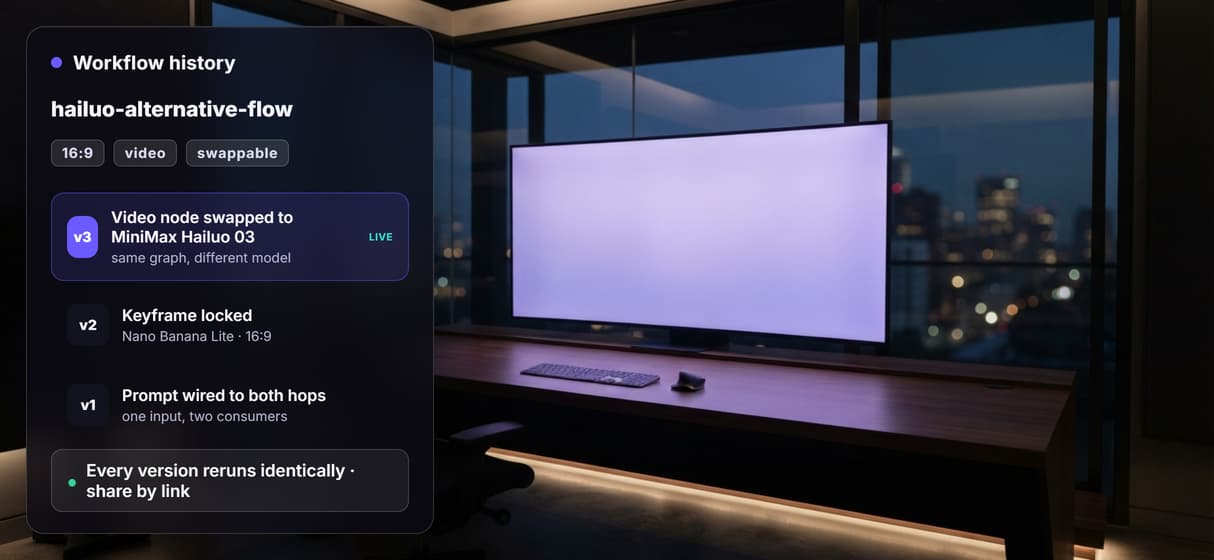
Workflows are versioned and shareable by link; every rerun comes out the same.
How the graph behind this page runs
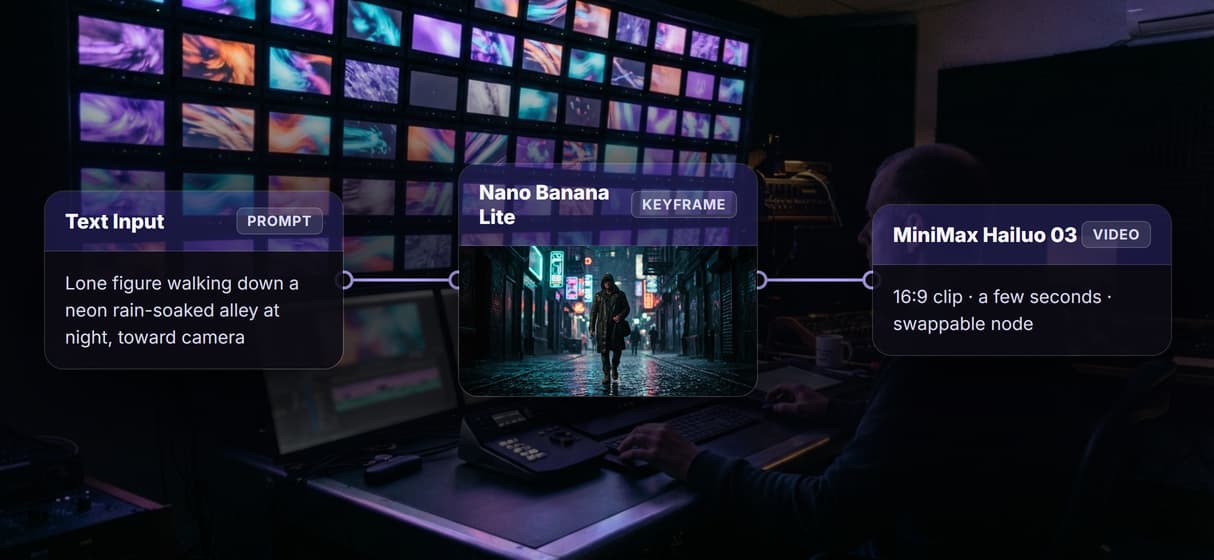
The workflow behind this page's button is deliberately small: three nodes, three wires.
- Text Input holds the prompt. One sentence about the subject, the setting, and the camera move is enough; a sticky note in the flow walks a first run through it.
- GPT Image 2.5 Flare renders the keyframe. The prompt becomes a 16:9 first frame, so you approve the look before paying for motion.
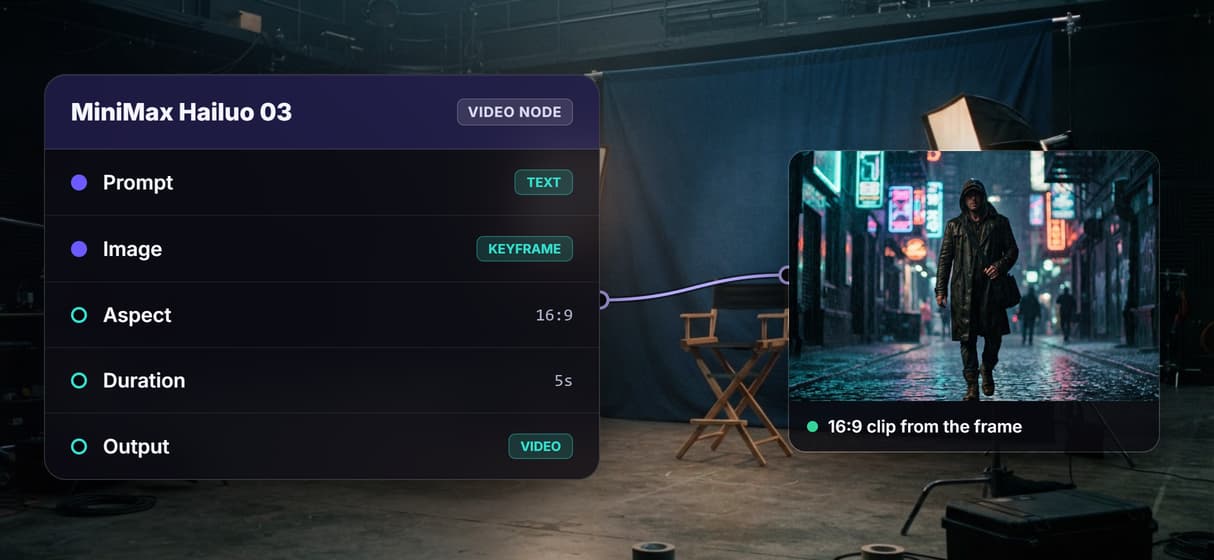
- MiniMax Hailuo 03 animates it. The node reads both the prompt and the frame, because the input wires to each, and returns a 16:9 clip a few seconds long in a minute or two.
That double wiring is the detail worth copying: the same words that pose the frame also direct the motion, so takes stay coherent instead of drifting between hops. And because the graph lives among 70+ hosted model nodes, the clip can roll straight into a longer AI video workflow, Topaz upscaling included, without leaving the browser. When you want the raw developer surface instead, the same models sit behind the Hailuo API page.
When the Hailuo app is still the right call
If all you need is a quick one-off clip from a single model, on your phone, with nothing to wire, the Hailuo app is built for exactly that, and this page will not pretend otherwise. Wireflow is not MiniMax's app or its API, and it is not affiliated with MiniMax; if you specifically need Hailuo's own service terms, use it directly.
Wireflow is the generation layer, not the reasoning brain: it will not write your script or decide your edit. What it offers instead is ownership of the pipeline, 70+ hosted models to swap between, and per generation pricing. If clips are an ingredient in a bigger content machine, build here, and pair the flow with a faceless AI video generator when the job calls for it.
Where MiniMax H3 fits, and what runs here today
MiniMax kept shipping after Hailuo. On 31 July 2026 it introduced MiniMax H3, a newer video model, on its own blog. If you are weighing a Hailuo AI alternative partly to reach the latest MiniMax research, that is the context worth having up front.
Two honest notes. MiniMax H3 is the model Wireflow lists as MiniMax Hailuo 03, and it runs on the canvas today alongside Hailuo 03 Max and Hailuo 03 Max Turbo. A single newest model is rarely the reason to move a pipeline anyway. The reason is choice: when a shot needs a different look, you swap the node, not the whole tool.
What that looks like here is a short list of video models that are live on the graph right now. Seedance 2.5, Kling O3, and Veo 3.1 are each a swappable node in the same flow, so you can test which one serves a given shot and leave the rest of the pipeline untouched. When you would rather drive those same models from code than from the canvas, the video generation API exposes them behind one endpoint.
More Than Just Hailuo AI Alternative
Keep the Hailuo model, own the pipeline
Run MiniMax Hailuo 03 as one node instead of inside a single app, then rewire any hop like you would in any node based video generation graph.
Approve the keyframe before you pay for motion
GPT Image 2.5 Flare turns your prompt into a 16:9 first frame, so you lock casting and framing before spending credits on the text to video AI motion pass.
MiniMax Hailuo 03 animates the frame
The video node reads your prompt plus the approved frame and returns a 16:9 clip. It is image to video AI with the wiring already done for you.
One app, or one canvas with many models
Hailuo runs one model in one app; here the same clip can roll into a longer AI video pipeline, upscaling included, without leaving the browser.
Swap the model, keep the graph
When a shot needs Veo 3.1, Sora 2, Kling, or Seedance, swap the video node and the AI video workflow survives, versioned and shareable by link.
AI Models Available
Automate Any Workflow
Included in Every Plan
FAQs
It depends on what you want to keep. If you want a single app for quick clips, other video apps are the closest match. If you want to own the pipeline, Wireflow replaces the app with a node canvas workflow: prompt in, 16:9 keyframe, short clip out, priced per generation, with the video model swappable for Veo 3.1, Sora 2, Kling, or Seedance.
Discover related AI tools
More From Wireflow
Written by
Andrew Adams · Co-Founder & Operations at Wireflow
Runs client operations and content strategy at Wireflow. Works directly with creative teams and agencies to build production AI workflows.
Own the video pipeline, not one app
Open the flow, type the scene, and run it: keyframe with GPT Image 2.5 Flare, then a 16:9 clip with MiniMax Hailuo 03. Building is free; you pay per generation, and any video model swaps in.