 Andrew Adams · Co-Founder & Operations at Wireflow ·
 json2video Alternative
json2video renders a JSON template over stock footage and text overlays.
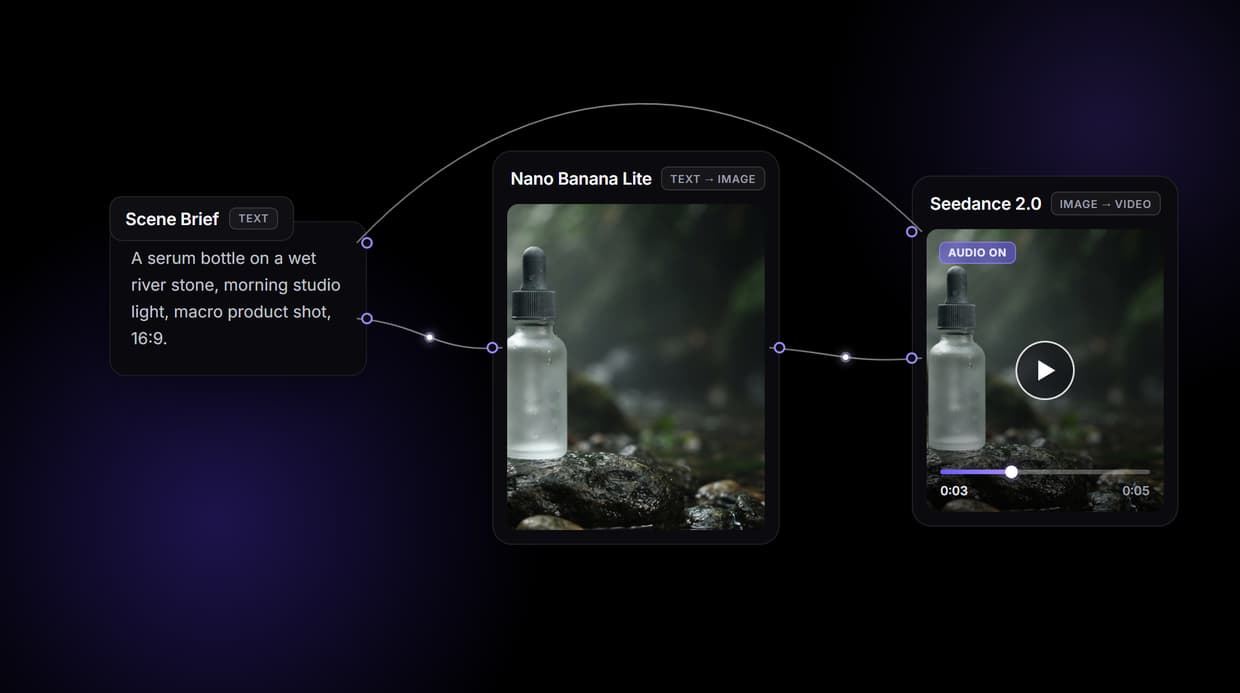
Wireflow generates the footage: wire a scene brief into Nano Banana Lite for the opening frame, Seedance 2.0 for the clip, and Compose Video for the MP4, on a visual canvas that also runs as a REST endpoint. Free to build, pay per generation.
Free to build · no credit card · See how it works ↓
How to Use json2video Alternative
Steps to get you started in Wireflow.
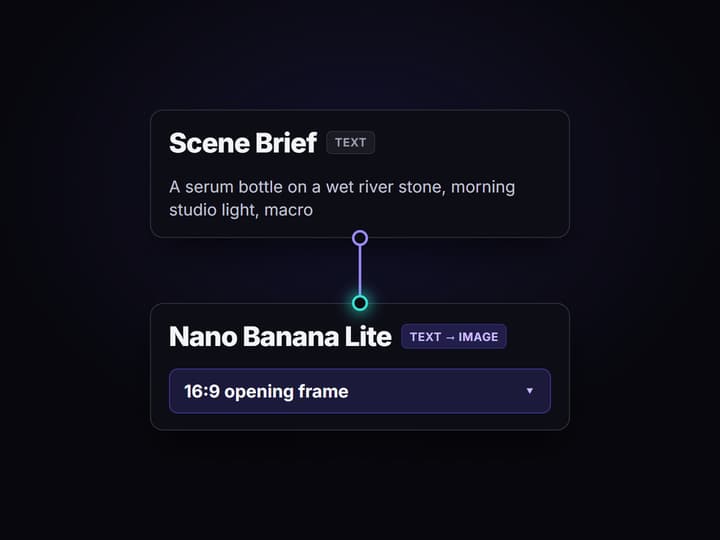
Write the scene brief in one node
Open the flow and click the Scene Brief text node. One sentence sets the shot: the subject, the setting, and the light, for example a serum bottle on a wet river stone in morning studio light.
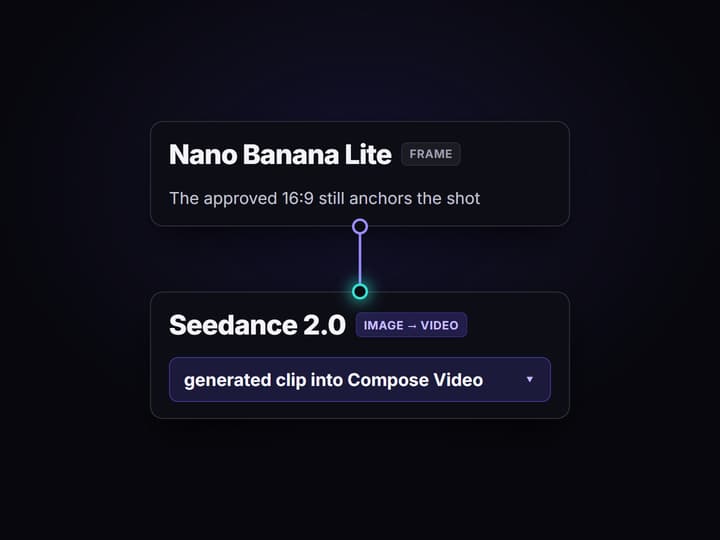
Run the graph once
Nano Banana Lite renders a 16:9 opening frame, Seedance 2.0 animates that frame into a clip driven by the same brief, and Compose Video assembles the final MP4 in a minute or two.
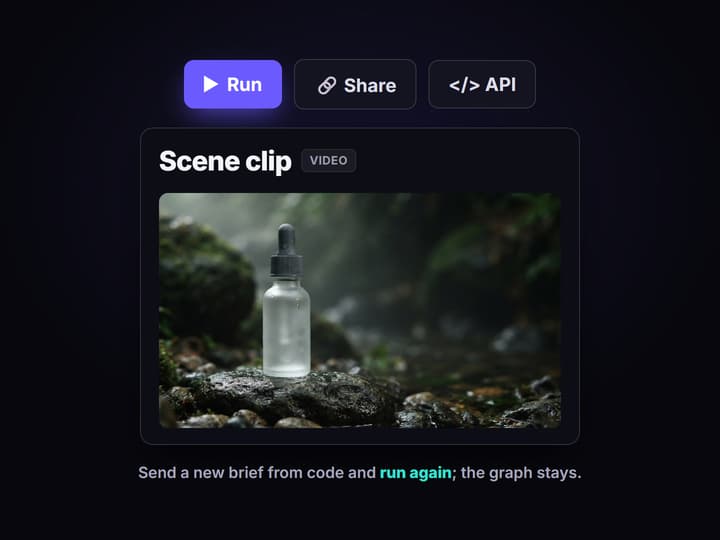
Run it again from code
Publish the flow and it becomes a REST endpoint and an MCP tool. Send a new brief from a script or an agent and get the finished clip URL back, no JSON template to hand-write.
Why developers look for a json2video alternative
json2video does one thing cleanly: you POST a JSON payload describing scenes and elements, and a REST endpoint returns a rendered MP4. It is a template renderer. The footage is stock or supplied, the motion is CSS-style animation on overlays, and the JSON is the whole interface. That is a great fit when you are stamping the same layout over changing text and clips, and a poor fit the moment you need the video content itself to be generated rather than composited.
Wireflow answers a different need. Instead of a JSON template over stock footage, a clip is a small workflow you design on a node canvas: a Scene Brief text node feeds Nano Banana Lite for the opening frame, Seedance 2.0 animates that frame into motion, and Compose Video assembles the MP4. It runs on hosted compute in the browser, nothing to install, and the same canvas drives every other AI video generator job your team has.
What replaces the JSON template
Scene brief intake
A Text Input node holds the brief in plain words. Change the sentence and rerun; the graph never moves.
Generated frames
Nano Banana Lite renders the 16:9 opening still that sets subject, framing, and light before motion.
Generated motion
Seedance 2.0 animates the frame into a clip driven by the same brief, not a template over stock.
Compose Video assemble
The final node stitches the clip into the delivered MP4, the last hop of every video flow here.
REST endpoint and MCP
Publish the flow and it becomes a REST endpoint and an MCP tool; call it from a script or an agent.
Rerun and swap
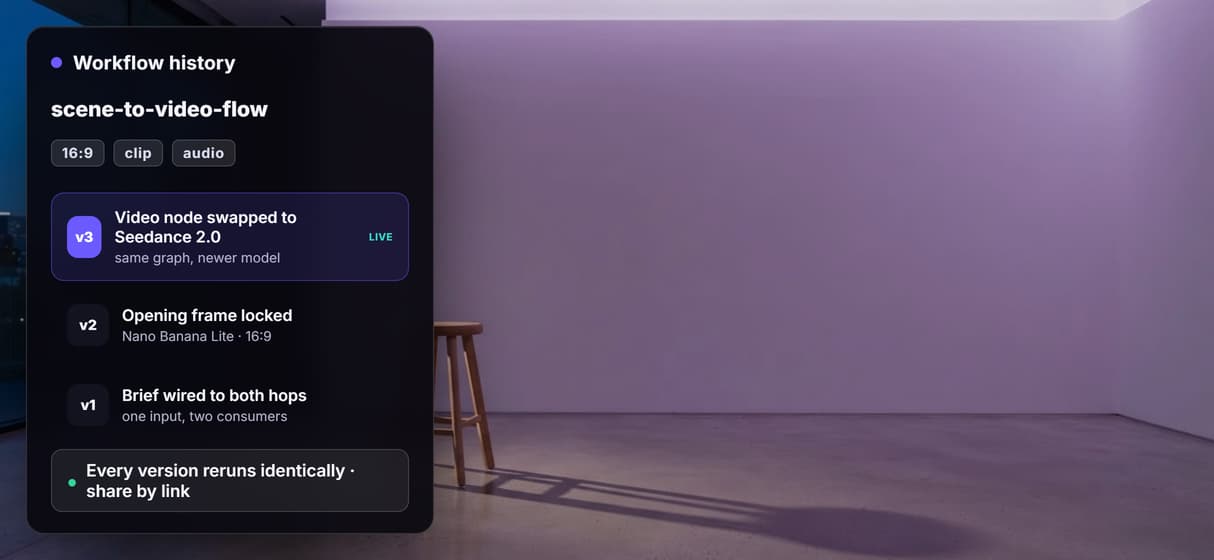
Workflows are versioned and shareable by link; swap any model node as better ones ship.
How the graph behind this page runs
The workflow behind this page's button is deliberately small: four nodes, four wires.
- Scene Brief holds the words. One sentence about the subject, the setting, and the light is enough; a sticky note in the flow walks a first run through it.
- Nano Banana Lite renders the frame. The brief becomes a 16:9 opening still, so you approve the look before paying for motion.
- Seedance 2.0 animates it. The video node reads both the brief and the frame, because the brief wires to each, and returns a clip.
- Compose Video assembles the MP4. The clip routes into the final assemble node, never a raw concat.
That double wiring is the detail worth copying: the same words that pose the frame also direct the motion, so shots stay coherent instead of drifting between hops. And because the graph lives among 70+ hosted model nodes, the clip can roll straight into a longer AI video pipeline, Topaz upscaling included, without leaving the browser.
When json2video is still the right call
If your job is stamping a fixed layout over changing text and supplied clips at high volume, a slideshow with lower thirds, a data-driven promo, a captioned reel from an existing video, json2video is built around exactly that, and this page will not pretend otherwise. A JSON template renders faster and cheaper than generating a frame and a clip when the content is already yours and only the words change.
Wireflow is the generation layer, not a template renderer: it will not lay out a slide deck, sequence supplied stock, or write your JSON schema. What it offers instead is generated footage, a visual canvas that also runs as a REST endpoint and an MCP tool, and per generation pricing. If the video content itself needs to be created rather than composited, build here, and pair the flow with a programmatic video generation platform when you need to run it at scale.
More Than Just json2video Alternative
Generate footage, not overlays
Template renderers overlay text on supplied clips. Seedance 2.0 generates a new shot from a prompt.
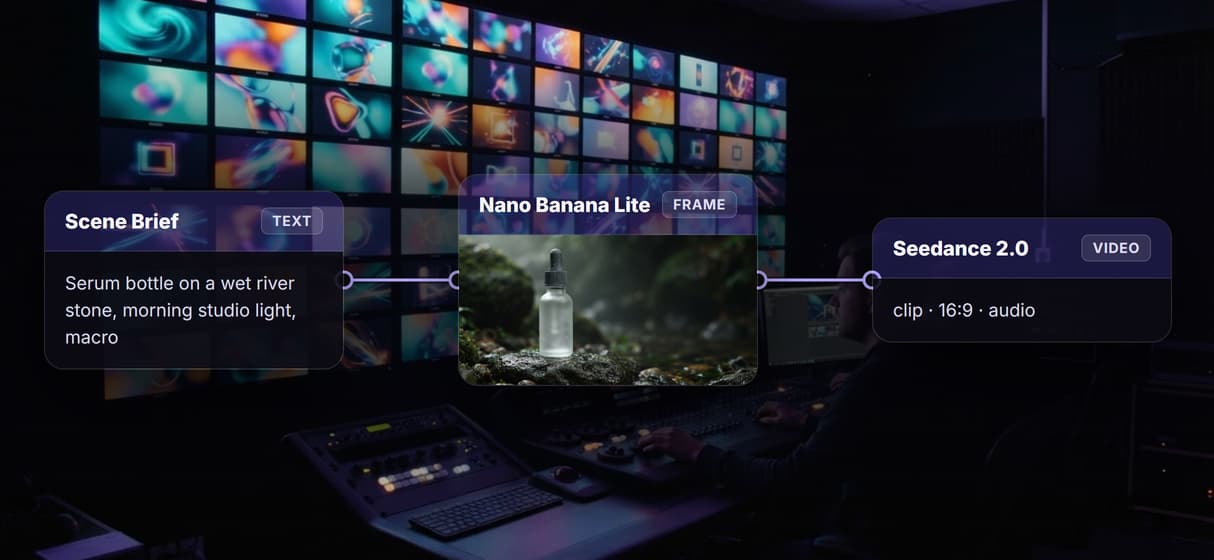
Canvas to endpoint, one pipeline
See every node-canvas hop, then publish and call that graph as an API. Prototype and production stay together.
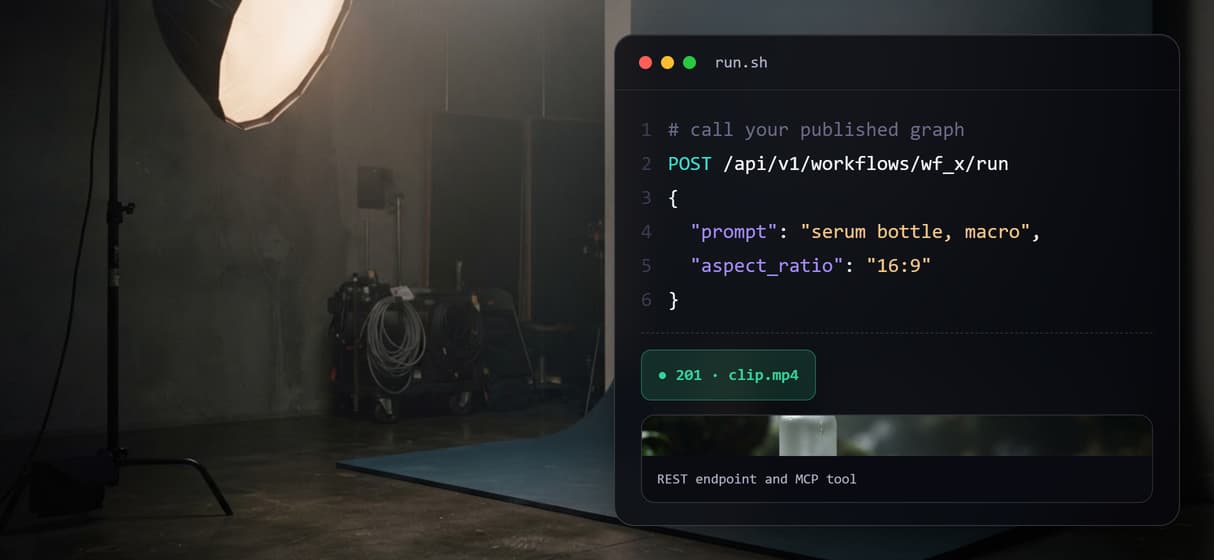
The frame anchors the clip
Nano Banana Lite renders a 16:9 opening frame so you approve framing before spending on motion. It is image to video AI with the wiring done for you.
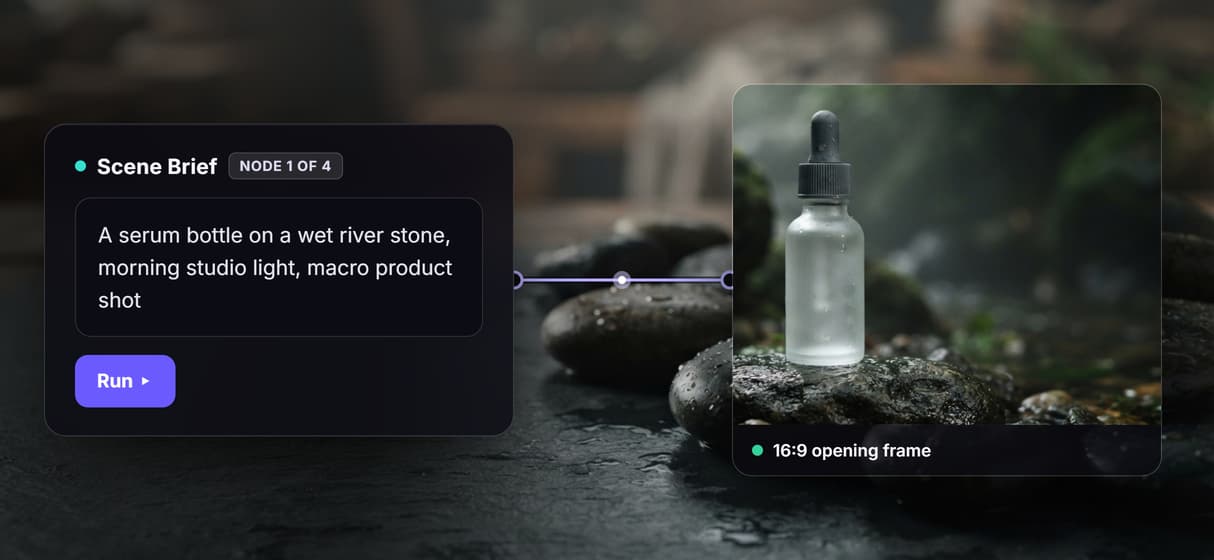
Per generation, not credit tiers
Build free; metered runs mean ten teammates cost no more than one. Start free, then pay per run.
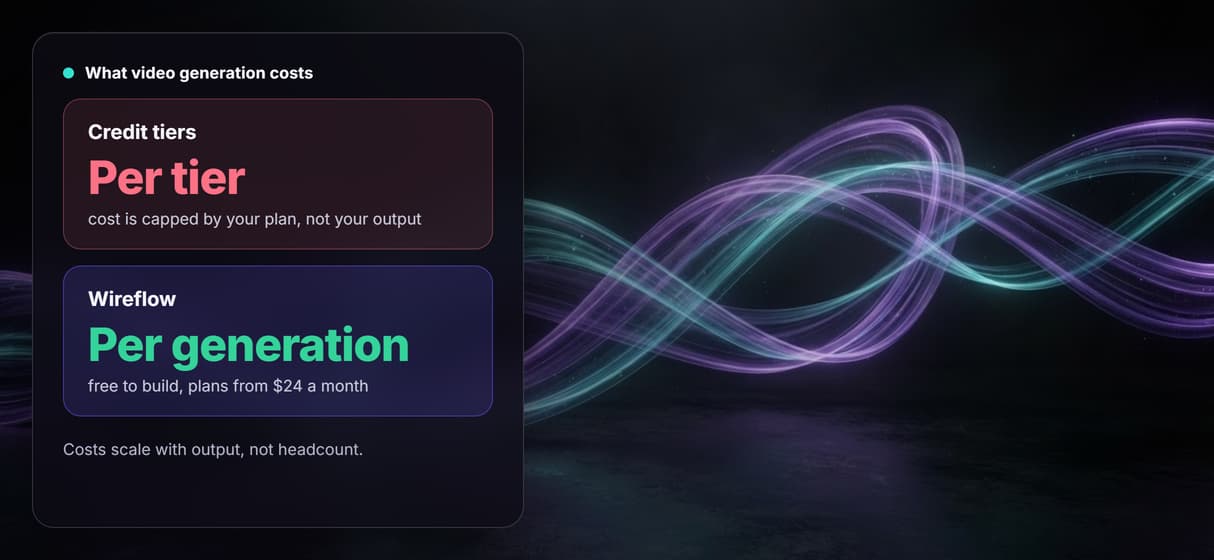
Rerun the same, swap one node
Versioned flows share by link, so reruns need no graph rebuild. Swap one video node when a stronger model ships.
Json2video alternative Workflows
No Code Required
API & Batch Processing
FAQs
It depends on what you want to keep. If you want a JSON template renderer that overlays text on supplied clips, the closest matches are other template-rendering APIs. If you want to generate real AI video, Wireflow replaces the template with a node canvas: a scene brief in, a generated frame, a Seedance 2.0 clip, and a composed MP4 out, priced per generation.
Discover related AI tools
More From Wireflow
Written by
Andrew Adams · Co-Founder & Operations at Wireflow
Runs client operations and content strategy at Wireflow. Works directly with creative teams and agencies to build production AI workflows.
Generate the video, do not template it
Open the flow, write one scene brief, and run it: frame, motion, and a composed MP4 from one graph. Building is free; you pay per generation, and the same graph runs as a REST endpoint.