 Andrew Adams · Co-Founder & Operations at Wireflow ·
 Bannerbear Alternative
Searching for a Bannerbear alternative usually means you want images your code can order at scale.
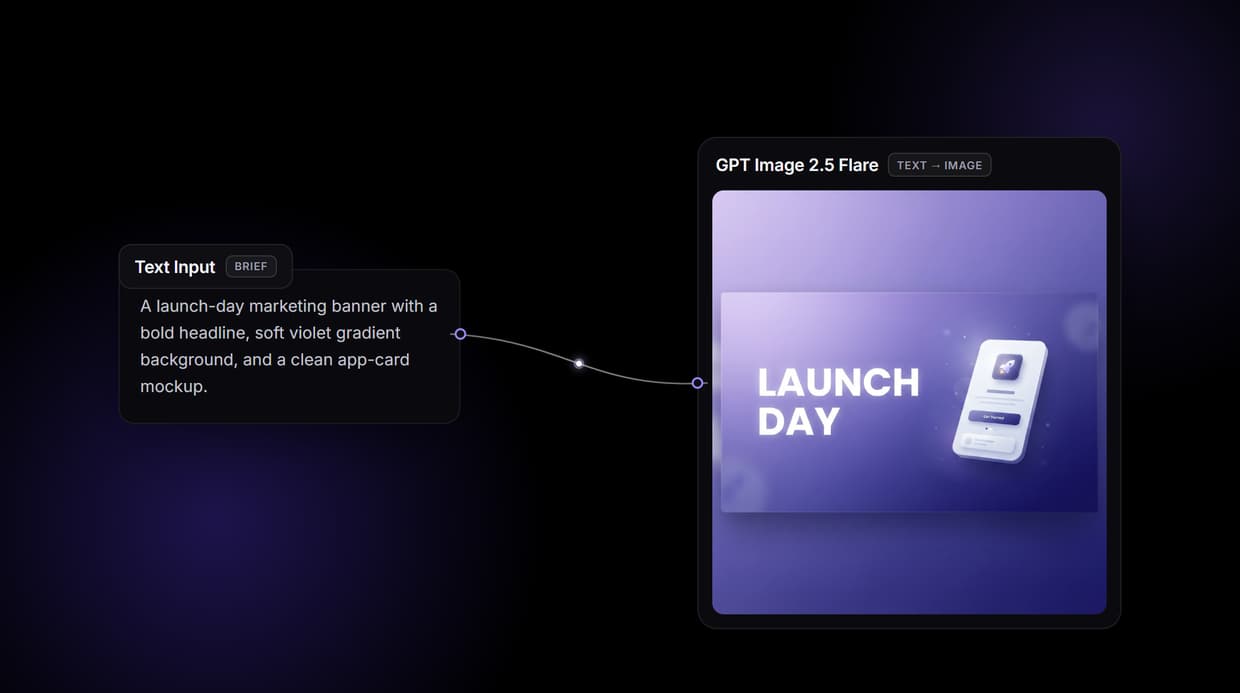
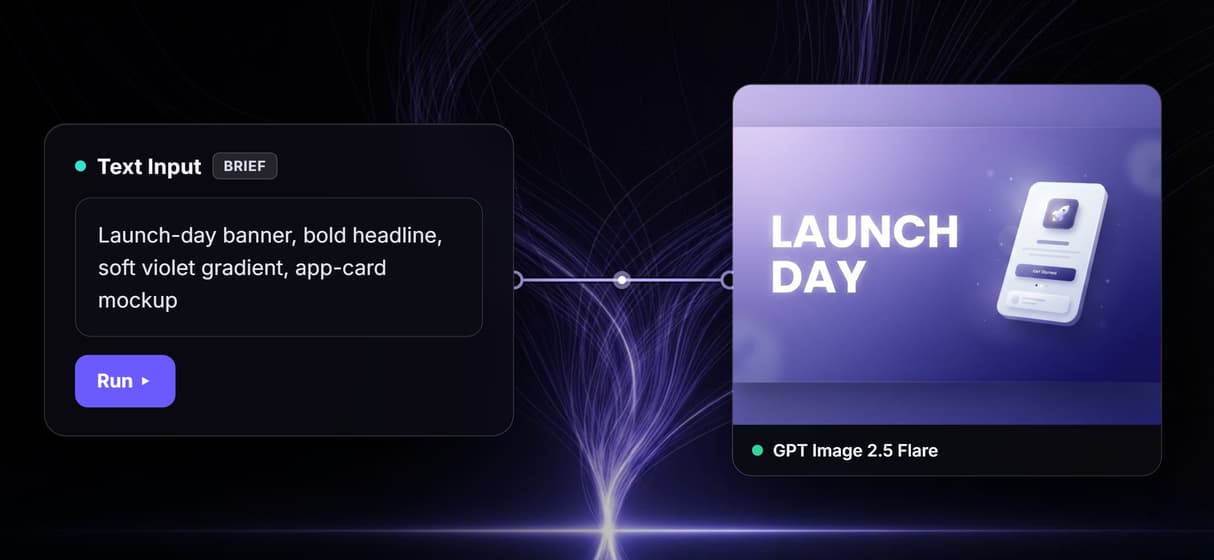
This page's workflow does exactly that: a Text Input wired into GPT Image 2.5 Flare, published as one REST endpoint you call.
Free to build · no credit card · See how it works ↓
How to Use Bannerbear Alternative
Steps to get you started in Wireflow.
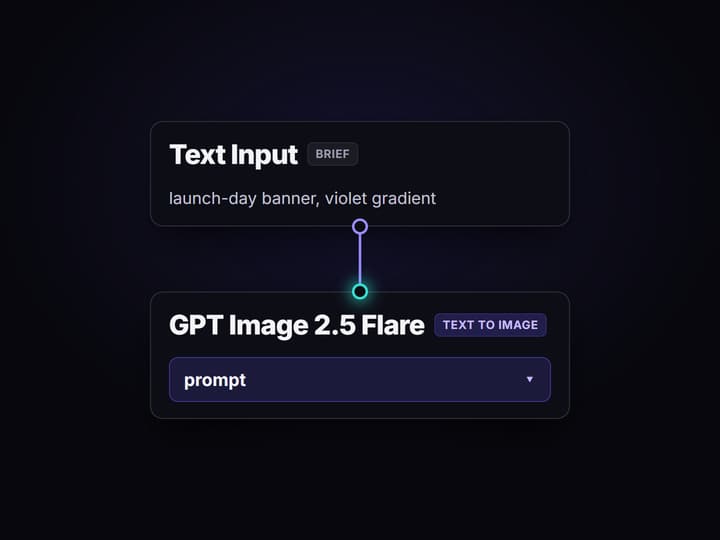
Wire the brief into the model
The flow is two nodes. A Text Input holds the creative brief, and its output wires into the prompt port of a GPT Image 2.5 Flare node that renders the graphic.
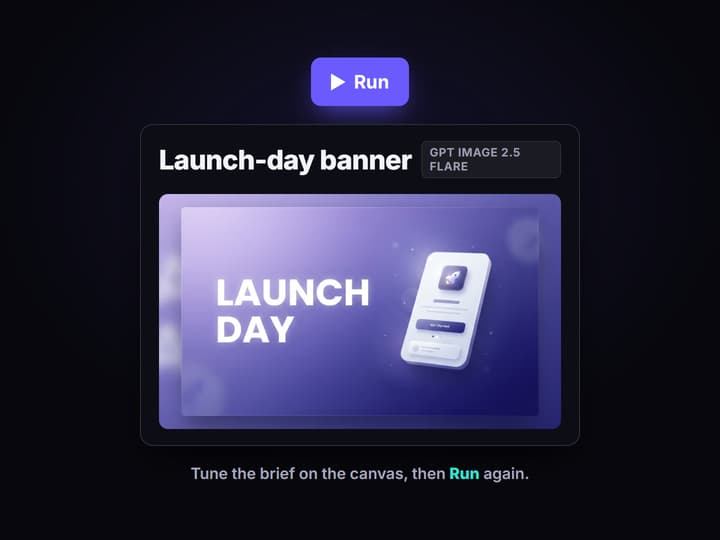
Run it on the canvas first
Type the brief and press Run; the finished graphic lands on the model node. Tune the wording here, where a weak prompt costs one run instead of a code deploy.
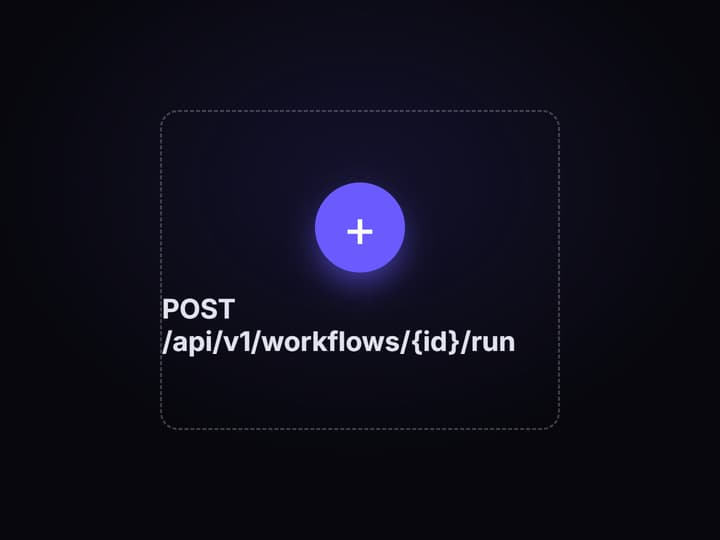
Publish it and call from code
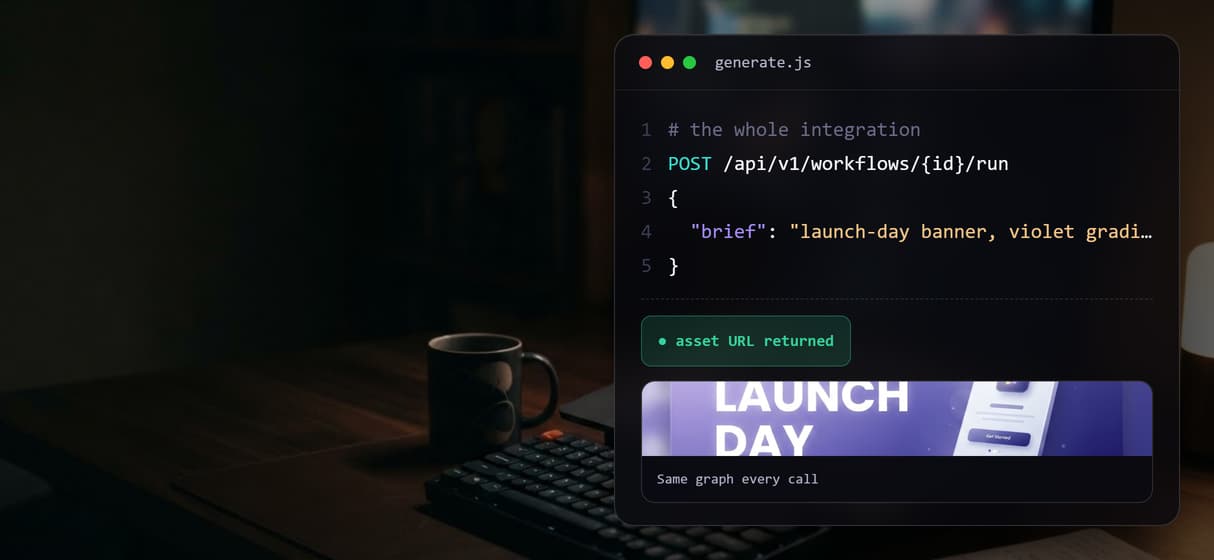
Publish the flow and it becomes a REST endpoint and an MCP tool with a typed brief input. Your app posts the brief and gets the asset URL back on every call.
An honest answer to the Bannerbear alternative search
Bannerbear is a template API: a designer builds a layered template, and the API fills named layers with your data to render a pixel-exact image every time. If that is the job, a template tool does it well, and Wireflow will not pretend otherwise. It is a different kind of tool and the two are not affiliated.
What most teams typing this search actually want is generated imagery they control from code: a strong model, callable over HTTP, swappable when a better one ships. That is what the workflow above is. A Text Input wired into GPT Image 2.5 Flare makes a working generator, and publishing the graph turns it into the API your product calls. You iterate on the canvas the same way you would create social media banners with AI, then let your code order them.
What the banner workflow API can do
70+ hosted models
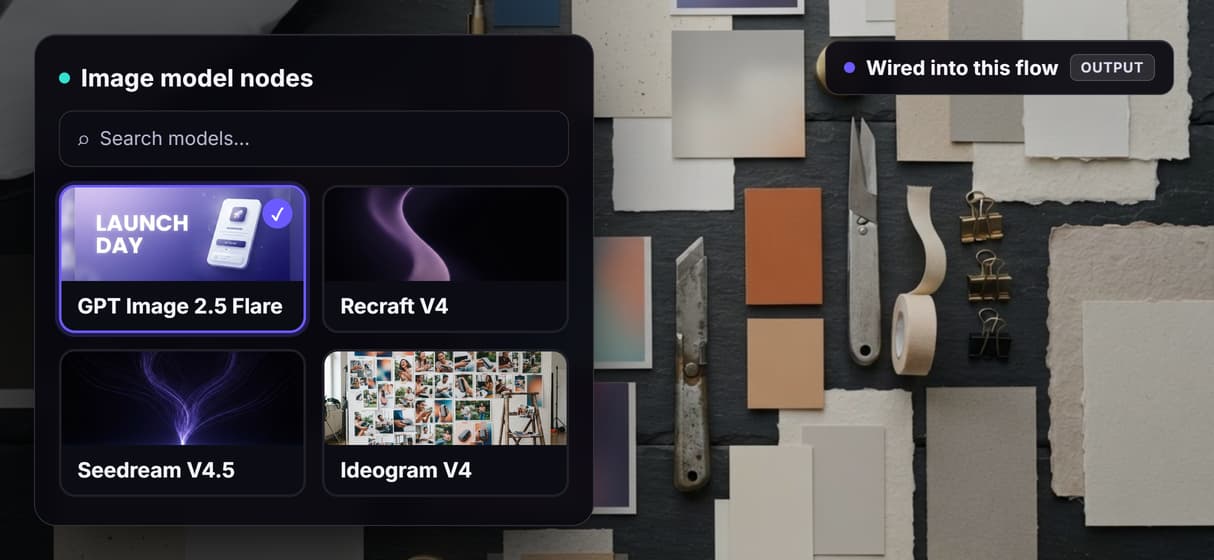
GPT Image 2.5 Flare, Recraft V4, Seedream V4.5, Ideogram V4, Flux 2 Pro, and Nano Banana 2 all run as canvas nodes.
Text baked into the art
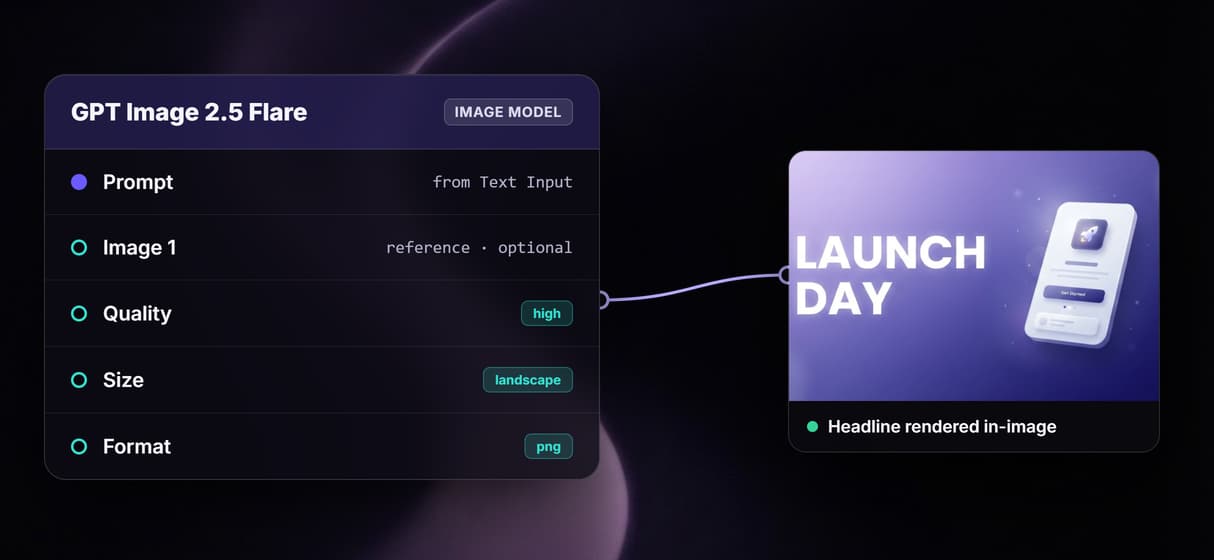
Models like GPT Image 2.5 Flare render headlines inside the image instead of stamping a layer on top.
Reference image ports
Feed a logo or product shot into a model's image port so every render keeps the same object.
Chained post-processing
Wire a Topaz Upscale or background remover after the model and the whole chain answers one API call.
Batch over a feed
Loop one workflow across a CSV or product feed and render every row through the same graph.
REST and MCP built in
Every published workflow is a REST endpoint and an MCP tool with typed inputs and asset URLs back.
What each approach generates through an API
A template API and a generation API answer different requests. A template tool takes your data and places it into slots a designer drew in advance, so the output is deterministic and only as varied as the templates behind it. Wireflow takes a brief and asks a model to produce the whole frame, so the output is new art every run, shaped by the prompt rather than a fixed layout.
The canvas makes that flexible without multiplying integrations. One graph can hold several models, run reference-guided edits, and pass results into an upscaler, yet still expose a single call to your code. That is the point of one workflow API over many models: the endpoint stays stable while the pipeline behind it grows or changes.
When Bannerbear is the better pick
If you need pixel-exact, deterministic output where a headline lands on the same coordinate every time and your brand's exact fonts and layout are non-negotiable, a template API is the right tool. Wireflow does not render from a fixed layered template, and a generative model will vary composition run to run. Certificates, receipts, and spec-locked personalized graphics are a template job.
Wireflow earns its place when the imagery itself is the work: on-brand scenes, backgrounds, product shots, and varied creative that a template cannot invent. If you want to test prompts visually, chain generation into upscaling, keep one endpoint while models rotate underneath it, or hand the whole workflow to an agent as an MCP tool, the two-node flow above is the smallest honest start.
More Than Just Bannerbear Alternative
Generate the whole graphic
Bannerbear stamps data into a fixed template. Wireflow generates the whole graphic, text and all, with the AI image generator behind one node.
Swap the model, keep the endpoint
The model is a node, not a vendor lock. Trade GPT Image 2.5 Flare for Recraft V4 on the AI canvas with a REST API and your code's URL never changes.
Call it from your code
Publish the flow once and it is both a REST endpoint and an MCP tool. Typed inputs go in and asset URLs come back, like batch image generation via API.
Render text that belongs
GPT Image 2.5 Flare writes legible headlines into the art itself, not a layer stamped on top. It is exactly the job behind add text to image generation.
One call, a whole campaign
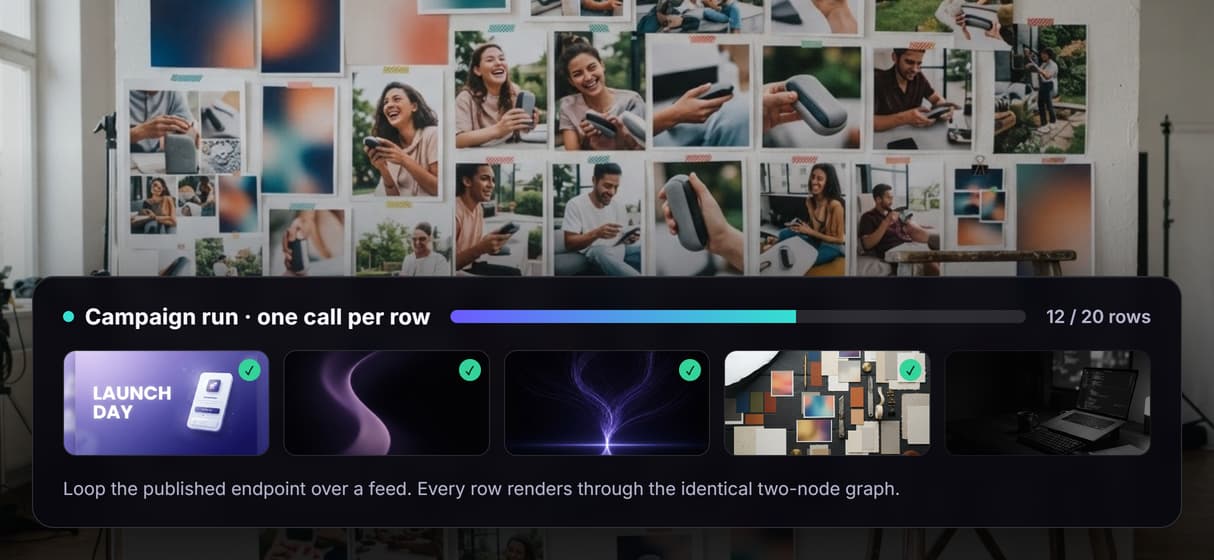
Loop the endpoint over a CSV or feed and every row walks the identical graph. That repeatability is what programmatic image generation really means.
AI Models Available
Automate Any Workflow
Included in Every Plan
FAQs
It depends on the job. For generated imagery you call from code, Wireflow runs models like GPT Image 2.5 Flare as workflows behind one REST endpoint. For fixed-template rendering, a template API is the closer fit.
Discover related AI tools
- AI Image Upscaler: Upscale to 4K in a Visual Workflow
- AI Background Remover
- AI Image Generator: Flow-Based Canvas, 31 Models
- ComfyUI Alternative
- AI Face Swap Online: Photos and Video in Your Browser
- Virtual Try On
- AI Thumbnail Generator
- AI Photo Generator
- AI Image Editor
- AI Art Generator
- Midjourney Alternative
- AI Headshot Generator
More From Wireflow
Written by
Andrew Adams · Co-Founder & Operations at Wireflow
Runs client operations and content strategy at Wireflow. Works directly with creative teams and agencies to build production AI workflows.
Open the two-node flow behind this page
It is live on the canvas: a Text Input wired into GPT Image 2.5 Flare. Run a brief, watch the graphic land on the node, then publish your own copy as the endpoint your code calls. Building is free; generations are pay per run.