 Andrew Adams · Co-Founder & Operations at Wireflow ·
 Google Flow Alternative
Google Flow keeps your film inside one app built on one Veo stack.
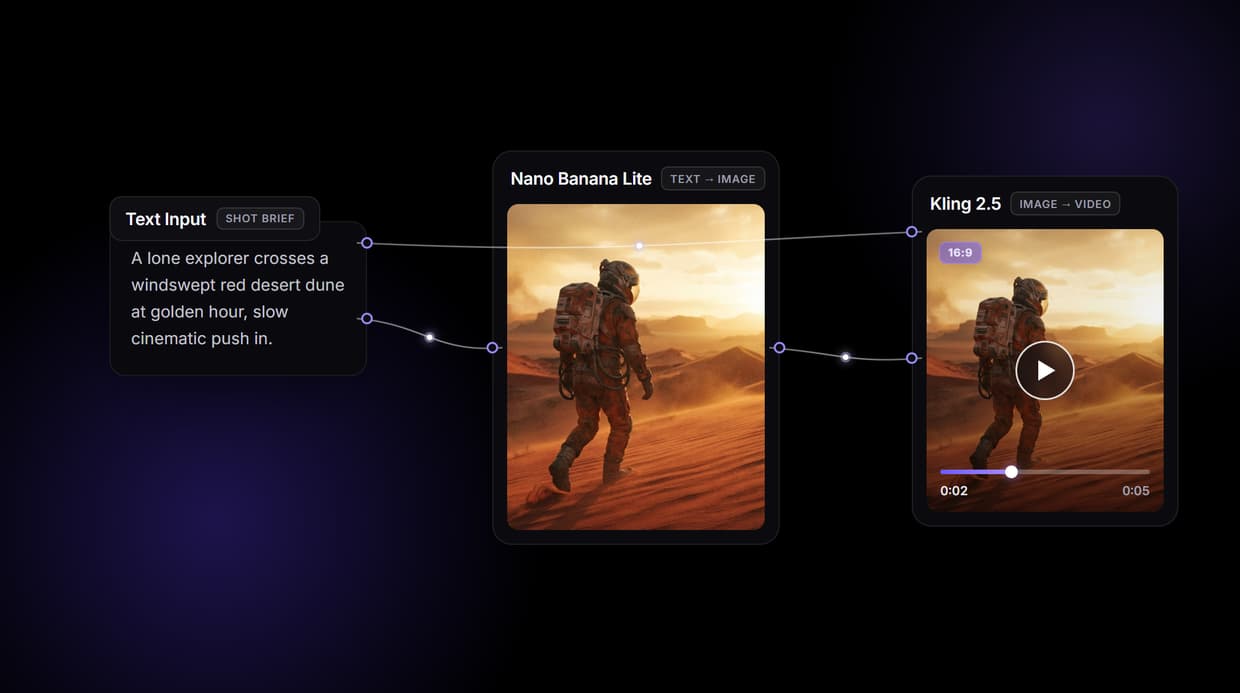
Wireflow is a node canvas where a shot brief becomes a keyframe with Nano Banana Lite, then a clip with Kling 3.0 Pro, and any other model is one swap away. Free to build, pay per generation.
Free to build · no credit card · See how it works ↓
How to Use Google Flow Alternative
Steps to get you started in Wireflow.
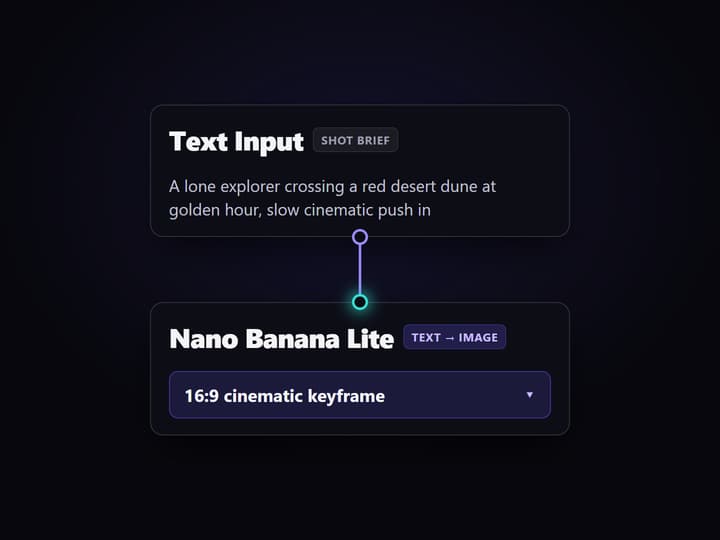
Describe the shot you want
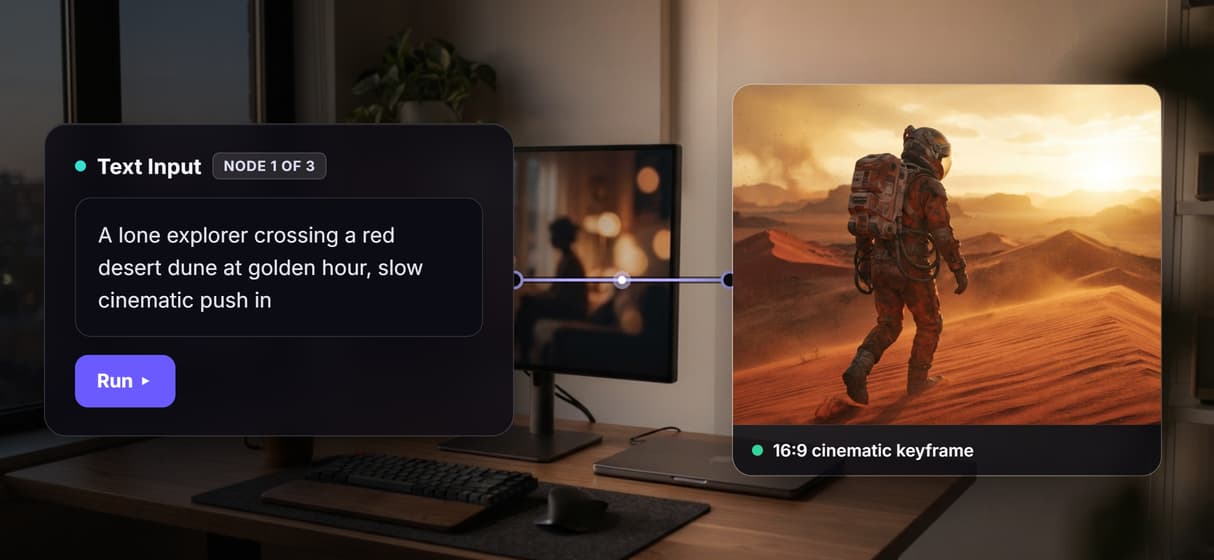
Open the flow and click the Text Input node. One sentence sets the scene, the subject, and the camera move, for example a lone explorer crossing a red desert dune at golden hour with a slow push in.
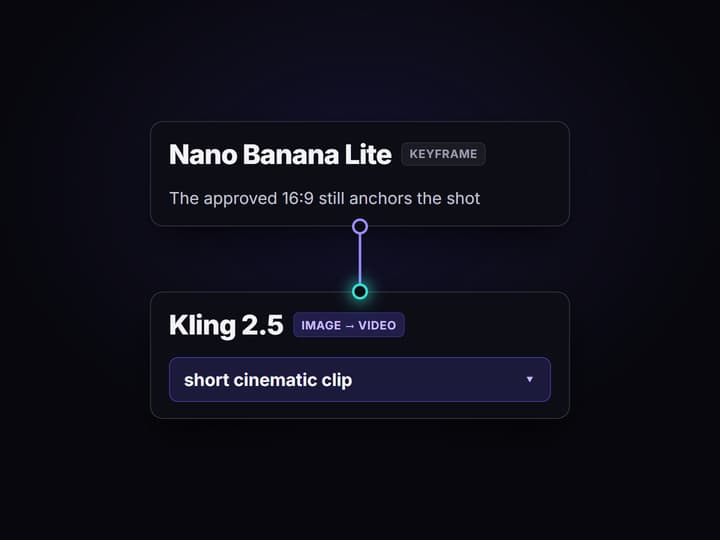
Run the graph once
Nano Banana Lite turns the brief into a 16:9 cinematic keyframe, then Kling 3.0 Pro reads that frame plus the brief and returns a short film clip. Review the still before you spend on motion.
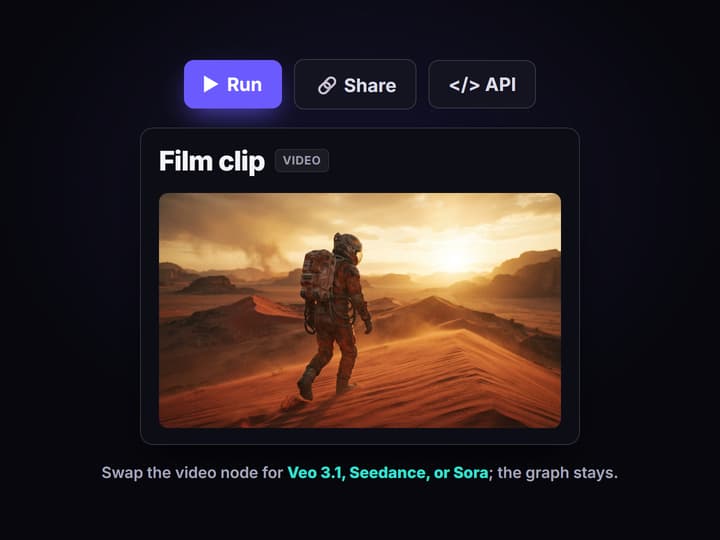
Change the words or swap the model
Edit the brief and run again for a new take, or drop Veo 3.1, Seedance, or Sora into the video node in place of Kling. Share the flow link and the whole team runs the exact same graph.
Why teams go looking for a Google Flow alternative
Google Flow earned its place: describe a scene, get a polished cinematic shot inside one clean app built on Google's Veo line. The friction shows up later. Everything you make lives in one closed studio, every shot runs through the same model stack, and there is no clean way to call a shot from your own code or run a hundred of them from a feed. Teams rarely leave because the footage is bad; they leave because the app is a room with one door.
Wireflow answers with a different shape. Instead of a single app, a shot is a small workflow you own on a node canvas: a Text Input holds the brief, Nano Banana Lite renders the keyframe, and Kling 3.0 Pro turns that frame into footage. It runs on hosted compute in the browser, nothing to install, and the same canvas drives every other free AI video generator online job your team has, from product clips to social cutdowns.
What replaces the Google Flow app
Shot intake
A Text Input node holds the brief. Change the words and rerun; the graph never moves.
Cinematic keyframes
Nano Banana Lite renders the 16:9 still that sets framing, light, and composition.
Motion on the frame
Kling 3.0 Pro reads the frame and brief and returns a short cinematic clip you can review.
Model choice
Veo 3.1, Seedance, and Sora are swappable nodes when a shot needs a different engine.
Chain and compose
Add upscale, audio, or a compose node to build the clip into a longer sequence.
Rerun and call
Workflows are versioned, shareable by link, and callable as a REST or MCP endpoint.
How the three node graph actually runs
The workflow behind this page's button is deliberately small: three nodes, three wires.
- Text Input holds the shot brief. One sentence about the subject, the setting, and the camera move is enough; a sticky note in the flow walks a first run through it.
- Nano Banana Lite renders the keyframe. The brief becomes a 16:9 cinematic still, so you approve the look before paying for motion.
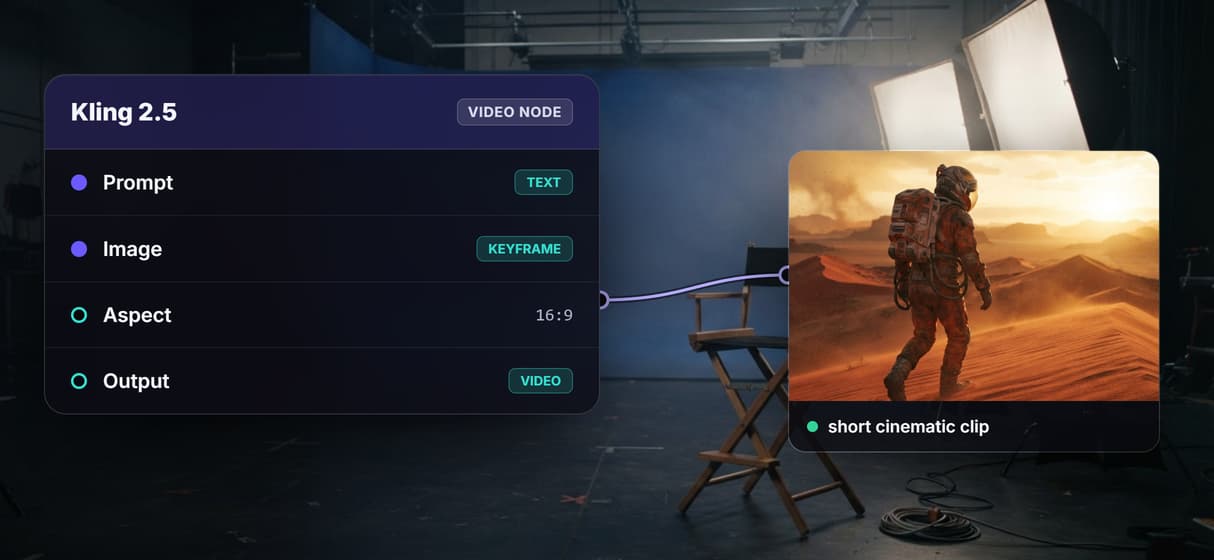
- Kling 3.0 Pro animates it. The node reads both the brief and the frame, because the input wires to each, and returns a short clip.
That double wiring is the detail worth copying: the same words that pose the frame also direct the motion, so takes stay coherent instead of drifting between hops. And because the graph lives among dozens of hosted model nodes, the clip can roll straight into a longer AI video pipeline, Topaz upscaling included, without leaving the browser.
When Google Flow is still the right call
If you want the tightest one-app filmmaking experience, a guided scene editor, and Google's Veo line polished into a single interface, Google Flow is built around exactly that, and this page will not pretend otherwise. Wireflow hands you the wiring instead of hiding it, which is more control and a little more setup on the first shot.
Wireflow is the generation layer, not the director: it will not write your script, storyboard your film, or decide the edit. What it offers instead is ownership of the pipeline, a canvas full of swappable models, an API for every flow, and per generation pricing. If cinematic clips are an ingredient in a bigger content machine, build here, and pair the flow with a faceless AI video generator when the job calls for narration over footage.
Wireflow vs Google Flow at a Glance
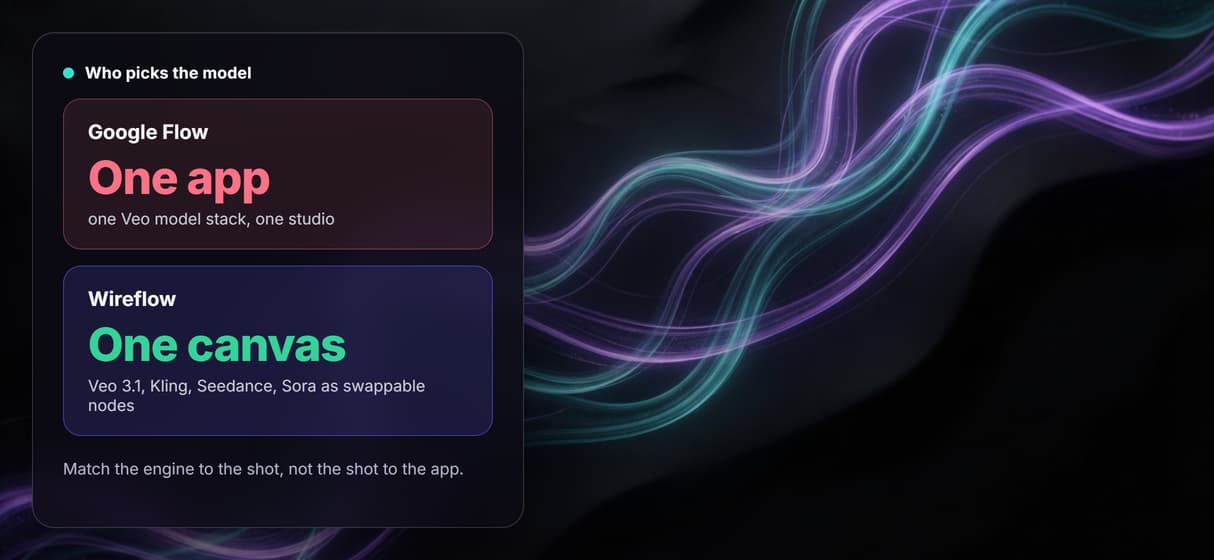
Google Flow is one polished app built on one model line. Wireflow is the wiring underneath, where the model is a node you can replace.
Where Wireflow wins
- Shot brief to keyframe to clip in one graph you can rerun with new words
- Never locked to one model line: swap the video node to Veo 3.1, Kling, Seedance, or Sora in a click
- 80+ hosted models across image, video, and audio on the same canvas
- Every published workflow is also a REST endpoint and an MCP tool
- A Remotion-native Compose Video node assembles the cut without leaving the graph
Choose Google Flow if
- You want the tightest one-app filmmaking experience with a guided scene editor
- You want Google's Veo line polished into a single interface and no wiring at all
- Storyboarding and directing inside the tool matter more than pipeline ownership
Pricing, checked August 2026. Building on the Wireflow canvas is free and needs no credit card; generating runs on a paid plan. Starter is $24 a month for 1,600 credits, Professional is $45 a month for 4,300 credits with three-month rollover, and Team is $249 a month for 21,500 credits shared across four seats. Every node shows its credit cost on the canvas before you press run, so an expensive video step is visible up front instead of at the end of the month. Google Flow rides Google AI subscription tiers; Wireflow is a credit plan you can start free and stop any month.
More Than Just Google Flow Alternative
A film pipeline you own, not one app you rent
The whole shot sits in the open on a canvas: brief in, keyframe, clip out. Rewire any hop like any node based video generation graph.
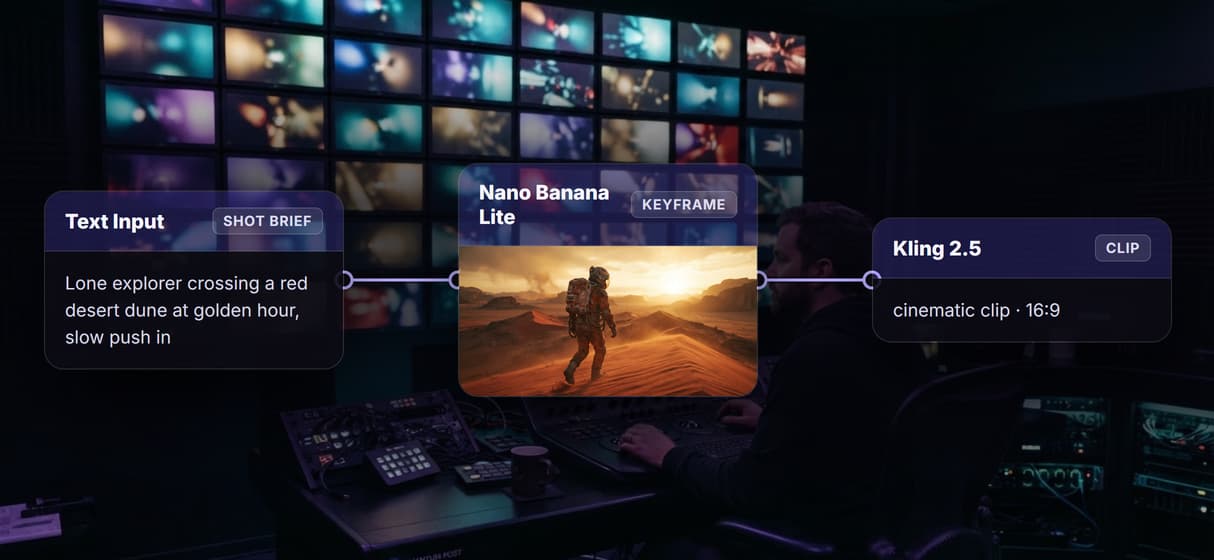
Shot brief to keyframe with Nano Banana Lite
The first hop does the text to video AI groundwork: Nano Banana Lite renders the 16:9 still, so you lock framing before paying for motion.
Kling 3.0 Pro animates the frame into a clip
The video node takes the brief plus the approved frame and returns a cinematic clip. It is image to video AI with the wiring already done.
Never locked to a single Veo stack
Swap the video node for Veo 3.1, Seedance, or Sora and keep the graph, so one AI video generator canvas covers every look instead of one app.
Reruns are identical and callable from code
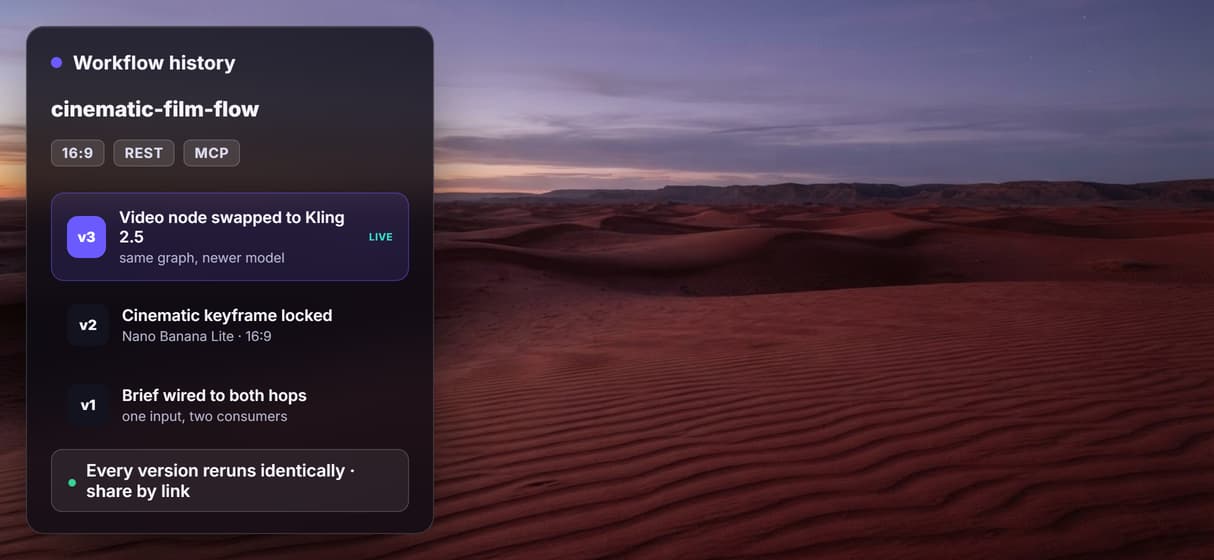
Every flow is versioned, shareable by link, and both a REST and MCP endpoint, the habit behind every durable AI video workflow.
AI Models Available
Automate Any Workflow
Included in Every Plan
FAQs
It depends on what you want to keep. If you want a single guided filmmaking app, other video studios are the closest match. If you want to own the pipeline, Wireflow replaces the app with a node canvas workflow: shot brief in, keyframe, cinematic clip out, with any model swappable and every flow callable from code.
Discover related AI tools
More From Wireflow
Written by
Andrew Adams · Co-Founder & Operations at Wireflow
Runs client operations and content strategy at Wireflow. Works directly with creative teams and agencies to build production AI workflows.
Own the film pipeline, not one app
Open the flow, describe a shot, and run it: keyframe and clip from one graph. Building is free, you pay per generation, and any model is one swap away.