Features
n8n Video Editing Workflow
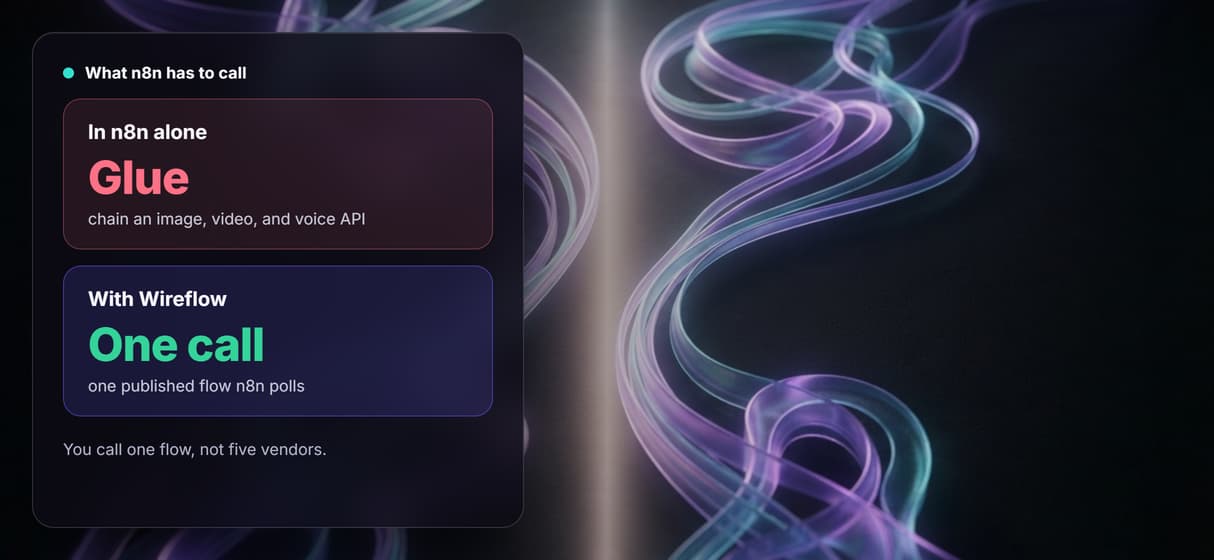
n8n is great at triggers and routing, but it has no AI media generation of its own: a video workflow means gluing an image API, a video API, and a voice API together by hand.
Wireflow gives you that generation pipeline as one node: build a Scene Brief to GPT Image 2.5 Flare to Gemini Omni Flash 1.1 graph on the canvas, publish it, and call it from an n8n HTTP Request node.
Free to build · no credit card · Read the agent docs · See how it works ↓
 Andrew Adams · Co-Founder & Operations at Wireflow ·
How to Use n8n Video Editing Workflow
Steps to get you started in Wireflow.
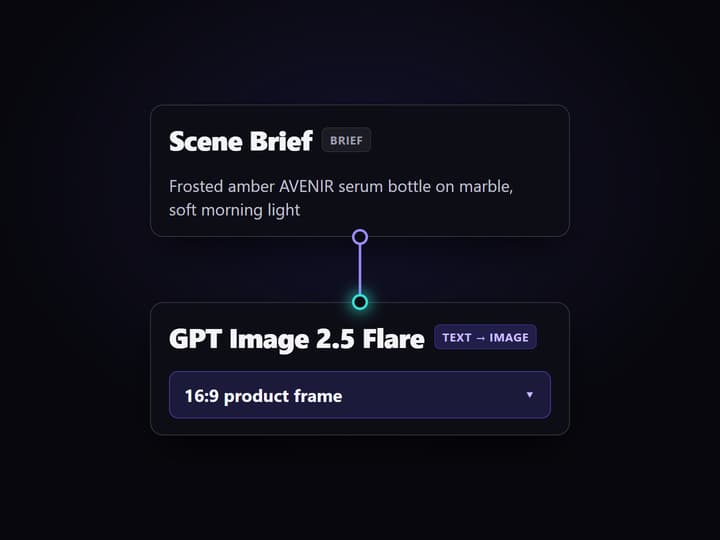
Build the pipeline on the canvas
Open the flow and fill the Scene Brief node with one line: the product, the setting, and the mood, for example a frosted amber AVENIR serum bottle on a marble vanity in soft morning light. A sticky note in the flow walks you through the first run.
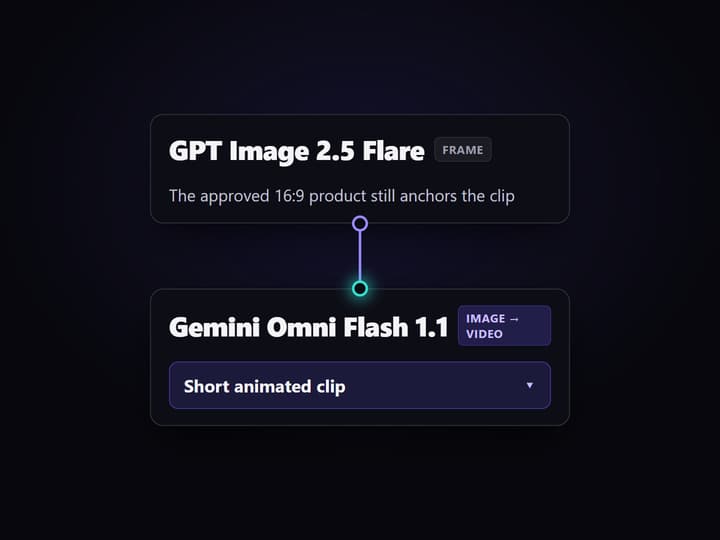
Render the frame, then animate the clip
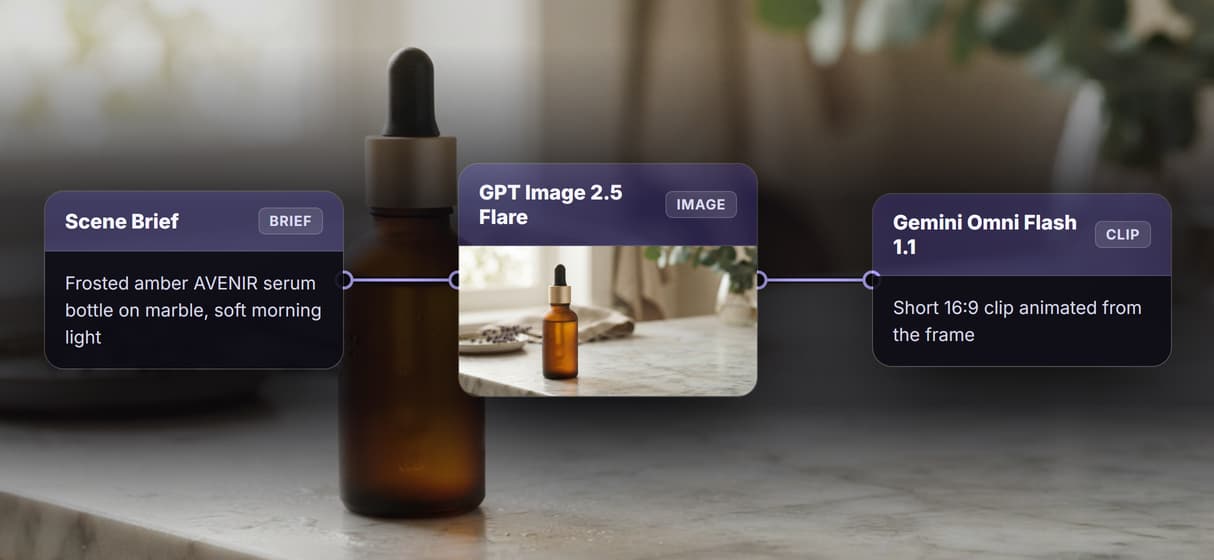
Run the graph and GPT Image 2.5 Flare turns the brief into a 16:9 product image. Gemini Omni Flash 1.1 reads that frame plus a separate Video Motion Prompt and returns a short clip, so you approve the still before paying for motion.
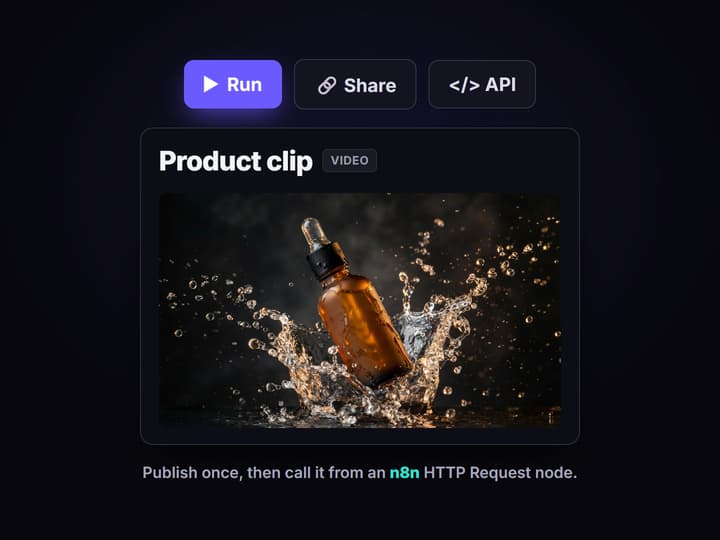
Call the flow from n8n
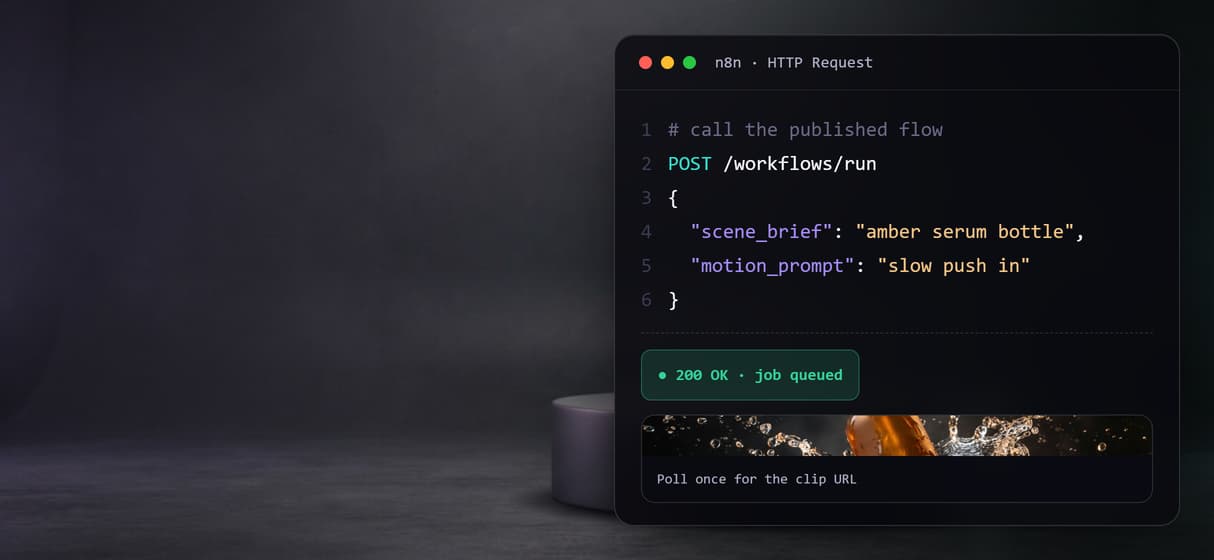
Publish the flow and it becomes a REST endpoint and an MCP tool. Point an n8n HTTP Request node at it, pass the typed brief and motion prompt, and poll the one job until the finished clip URL comes back.
Why an n8n video editing workflow gets messy
n8n is a strong automation core: it listens for a trigger, moves data between apps, and routes the result wherever it needs to go. The gap shows up the moment the job is to make a video. n8n does not generate media, so a video workflow becomes a chain of external calls: an LLM writes the script, an image API renders the frames, a separate video API animates them, a voice API adds narration, and something stitches the pieces together. Every hop is a different account, a different credential, and a different response shape you have to parse.
Wireflow changes what n8n has to call. Instead of five vendors wired node by node, the generation pipeline lives on a single canvas: a Scene Brief holds the copy, Nano Banana Lite renders the product frame, and Kling Video turns that frame into motion, with a separate Video Motion Prompt steering the camera. You publish that graph once, and n8n calls it like any other AI video generator endpoint, with one credential and one job to poll. n8n still owns the trigger, the schedule, and where the finished clip goes: Wireflow only replaces the messiest hop, the part that actually makes the video.
What the one node gives your n8n flow
Typed inputs
The Scene Brief and Video Motion Prompt are typed text inputs, so n8n sends structured fields, not a fragile prompt string.
Frame then motion
GPT Image 2.5 Flare renders the 16:9 still and Gemini Omni Flash 1.1 animates it, so you approve the frame before paying for the clip.
Swappable models
Veo 3.1 and Seedance 2.0 are drop-in nodes when a clip needs a different motion look; the n8n call never changes.
One job to poll
The flow returns a job you poll once for the finished clip URL, instead of chasing several vendor responses.
REST and MCP built in
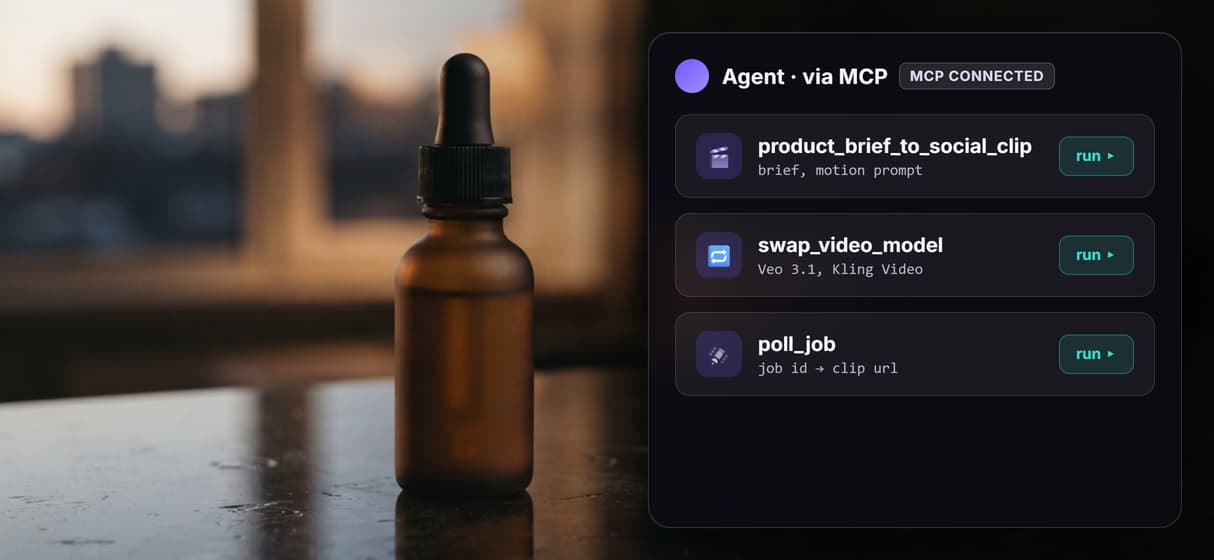
Every published flow is a REST endpoint and an MCP tool, so n8n or an agent can call the exact same pipeline.
Versioned and shareable
Workflows are versioned server-side and shared by link, so a scheduled n8n run walks the same graph every time.
How n8n actually calls the flow
The workflow behind this page's button is deliberately small: two typed inputs, two working models, and a sticky note.
- Scene Brief holds the copy. One line about the product, the setting, and the mood is enough, and n8n passes it as a typed field.
- GPT Image 2.5 Flare renders the frame. The brief becomes a 16:9 product still, so you approve the look before paying for motion.
- Gemini Omni Flash 1.1 animates it. The node reads the still on its start frame port and the Video Motion Prompt on its text port, then returns a short clip.
From n8n, that whole graph is one hop. An HTTP Request node posts the typed brief and motion prompt to the published flow, gets a job back, and a second poll returns the clip URL when the render finishes. The Gemini Omni Flash 1.1 node stays unrun until you ask for it: video generation is the expensive step, so iteration happens on the cheap image hop first. The same endpoint is a plain video generation API your own code can call without n8n at all.
When plain n8n is the better choice
If your workflow is mostly orchestration, moving records between a CRM, a sheet, and a notifier, then n8n on its own is exactly right and Wireflow adds nothing. n8n is also the better home for the trigger, the schedule, the branching logic, and the delivery step; Wireflow is not trying to replace that layer. This page is only about the one part n8n cannot do itself, which is generating the image and video.
Wireflow also has honest limits. It is the generation layer, not the reasoning brain, so it does not write your script or decide the campaign. It runs on hosted compute with no offline or local option, and it outputs short clips, so a longer piece means chaining takes. If the job is genuinely just automation with no media generation in it, keep it in n8n. If the job needs real AI image and video inside the flow, build that pipeline on the canvas and let n8n call it, or reach for a full AI pipeline automation when the whole run should live in one place.
More Than Just n8n Video Editing Workflow
Build the video pipeline once, then reuse it
The Scene Brief, GPT Image 2.5 Flare frame, and Gemini Omni Flash 1.1 clip live in one graph you build once on a node based video canvas.
Separate vendor APIs collapse into one call
Instead of gluing an image, video, and voice API together inside n8n, one published flow is a single AI video editing API endpoint.
Call it from n8n as one REST node
An n8n HTTP Request node runs the flow with typed inputs and polls one job for the clip URL, the way a clean video generation API should work.
Agents call the same flow as an MCP tool
That published flow is also an MCP tool an agent lists and runs with typed inputs, so it doubles as an AI workflow API for code and agents.
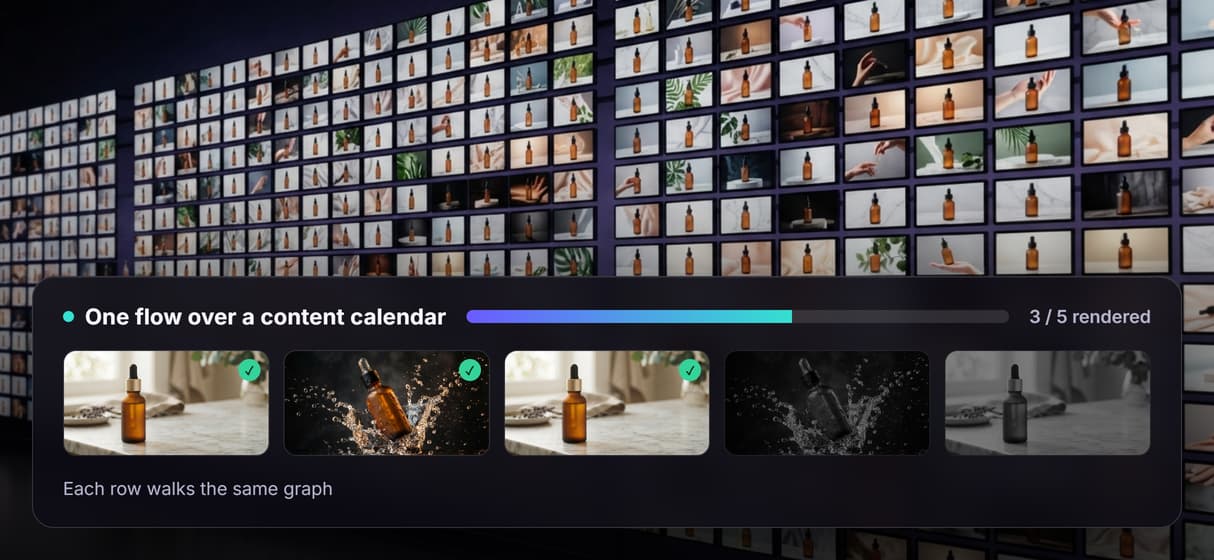
Loop one node over a content calendar
Feed n8n a spreadsheet and every row runs the same graph, the honest version of what an AI video pipeline does at scale.
Build Any AI Workflow
AI Models Integrated
Full Commercial License
FAQs
n8n orchestrates triggers, data, and API calls, but it does not generate or edit media itself. A video workflow in n8n works by calling external image, video, and voice APIs and stitching the results. Wireflow gives you that generation pipeline as one published flow, so n8n calls a single endpoint instead of wiring up several vendors.
Discover related AI tools
More From Wireflow
Written by
Andrew Adams · Co-Founder & Operations at Wireflow
Runs client operations and content strategy at Wireflow. Works directly with creative teams and agencies to build production AI workflows.
Build the video pipeline, then call it from n8n
Open the flow, write a scene brief, and run it: a product frame from GPT Image 2.5 Flare, then motion from Gemini Omni Flash 1.1. Building is free; you pay per generation, and n8n calls the finished flow as one endpoint.