 Andrew Adams · Co-Founder & Operations at Wireflow ·
 Shotstack Alternative
Every JSON video API assumes you already have the clips.
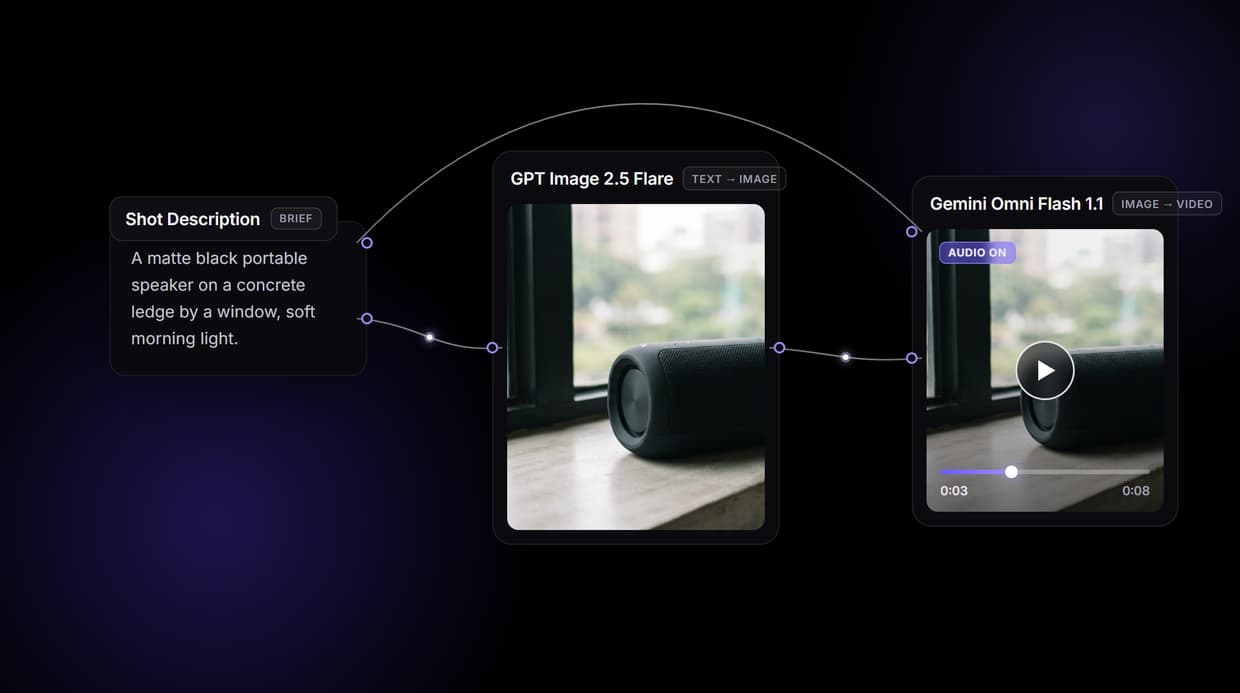
Wireflow generates them: a node canvas where a shot description becomes a source frame with GPT Image 2.5 Flare, Gemini Omni Flash 1.1 animates it into an 8 second clip, and Compose Video assembles the result. Design it visually, call it via REST. Free to build, pay per generation.
Free to build · no credit card · See how it works ↓
How to Use Shotstack Alternative
Steps to get you started in Wireflow.
Describe the shot you want
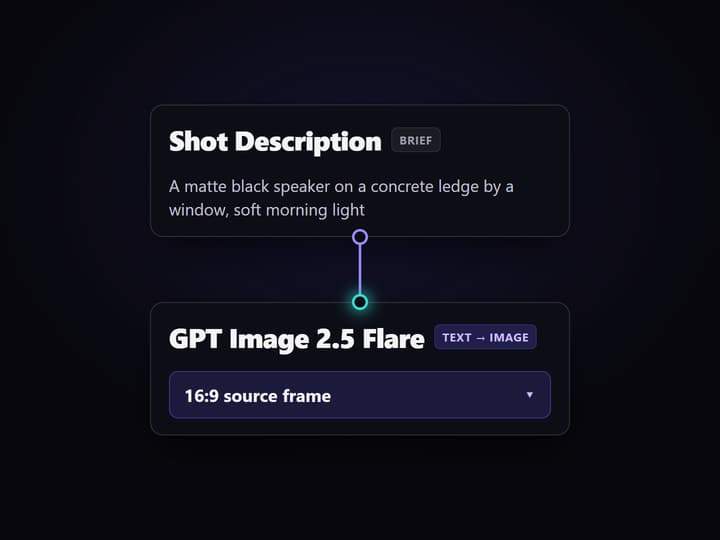
Open the flow and click the Shot Description node. One line covers it: the subject, the setting, and the mood, for example a matte black portable speaker on a concrete ledge by a window in soft morning light.
Run the graph once
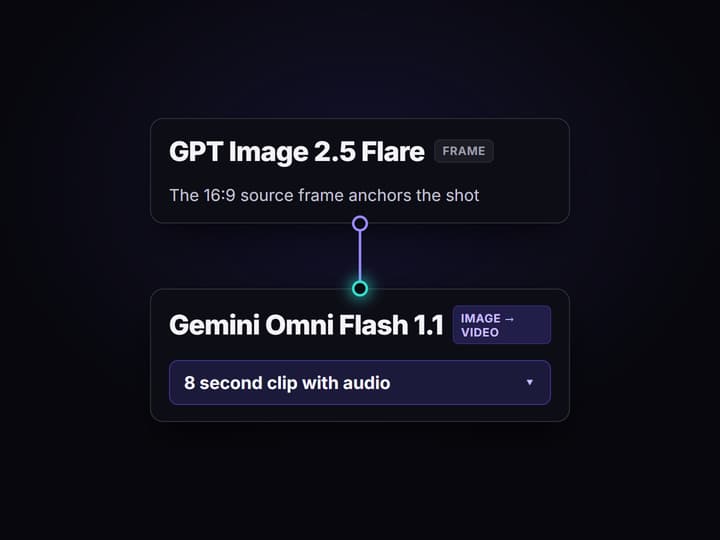
GPT Image 2.5 Flare turns the description into a 16:9 source frame, then Gemini Omni Flash 1.1 animates that frame into an 8 second clip with audio and Compose Video assembles it. No source footage needed.
Ship it as a REST endpoint
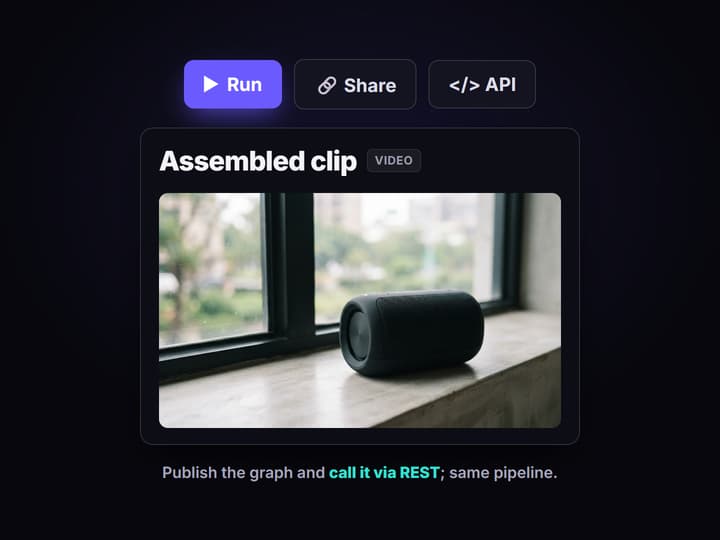
Every published Wireflow workflow is also a REST endpoint and an MCP tool. Send the shot description from code and get the finished clip URL back, or swap the video node for another of the 70+ hosted models.
Why developers look for a Shotstack alternative
Cloud video APIs earned their place: send JSON, get a rendered MP4 back, no render farm to run. The ceiling shows up once you need the source media itself. A clip-assembly API assumes you already have the footage, the stills, and the voice track sitting in a bucket somewhere. Generating that material is a separate problem, on separate tools, glued together with your own code.
Wireflow answers with a different shape. Instead of assembling media you brought, the pipeline generates it: a Shot Description node holds the brief, GPT Image 2.5 Flare renders a source frame, Gemini Omni Flash 1.1 animates that frame into footage with audio, and Compose Video assembles the result. It runs on hosted compute in the browser, nothing to install, and every graph you build is callable as a REST endpoint. The same canvas drives every other AI video generator job your team needs, from product clips to social cutdowns.
What replaces the clip-assembly API
Shot intake
A Shot Description node holds the brief. Change the words and rerun; the graph never moves.
Source frames
GPT Image 2.5 Flare renders the 16:9 still that anchors the shot, generated from text.
Motion with audio
Gemini Omni Flash 1.1 turns the frame into an 8 second clip with audio, no source footage required.
Assemble step
Compose Video takes the generated clip and assembles the final render inside the same run.
REST and MCP
Publish the graph and it becomes a REST endpoint and an MCP tool with typed inputs.
Rerun and swap
Workflows are versioned and shareable by link; swap any model node as better ones ship.
How the pipeline actually runs
The workflow behind this page's button is deliberately small: four nodes routed in a line.
- Shot Description holds the brief. One sentence about the subject, the setting, and the mood is enough; a sticky note in the flow walks a first run through it.
- GPT Image 2.5 Flare renders the source frame. The description becomes a 16:9 still, so you approve the look before paying for motion.
- Gemini Omni Flash 1.1 animates it. The node reads both the shot description and the approved frame and returns an 8 second clip with audio.
- Compose Video assembles. The generated clip routes into the composer as the final assemble step.
Because the graph lives among 70+ hosted model nodes, the clip can roll straight into a longer AI video pipeline, Topaz upscaling and ElevenLabs narration included, without leaving the browser. And because every published graph is a REST endpoint, the same pipeline you previewed on the canvas is the one your code calls in production. If you are wiring assembly on top of generated media, the video assembly API layer is already part of the graph.
When a dedicated render API is the better call
If your job is high-volume assembly of media you already produce, feeding a template thousands of times with your own clips, timestamps, and captions, a purpose-built clip-assembly render API is designed around exactly that and this page will not pretend otherwise. Wireflow's flow generates the source material first, which is the wrong tradeoff when you already have it and just need fast, deterministic rendering at scale.
Wireflow is the generation layer, not a reasoning brain: it will not write your script, decide your edit, or export to an LMS. What it offers instead is generating the media before you assemble it, a canvas you can preview before writing a request, 70+ hosted models to swap between, and per generation pricing. If your source clips do not exist yet, build here, and reach for a video generation API node when a specific model fits the shot.
More Than Just Shotstack Alternative
Generate clips, do not bring them
Clip-assembly APIs need supplied media. This graph generates the frame, so text-to-video starts from a prompt.
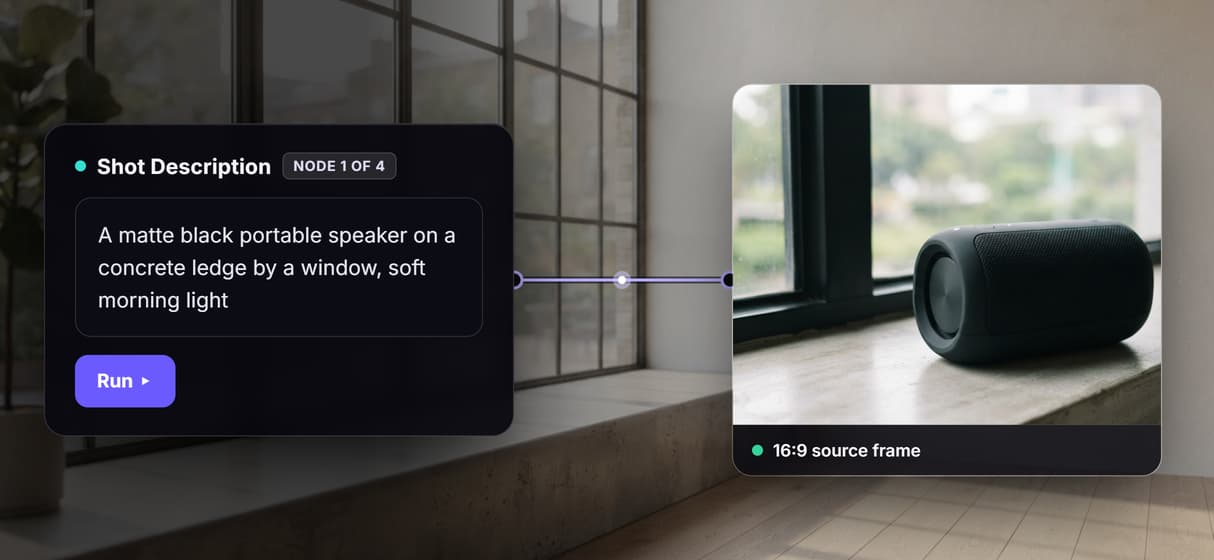
One canvas, then one REST call
Wire the pipeline visually, watch it run, then call the same graph from code. The AI canvas with REST API lets you preview before writing the request.
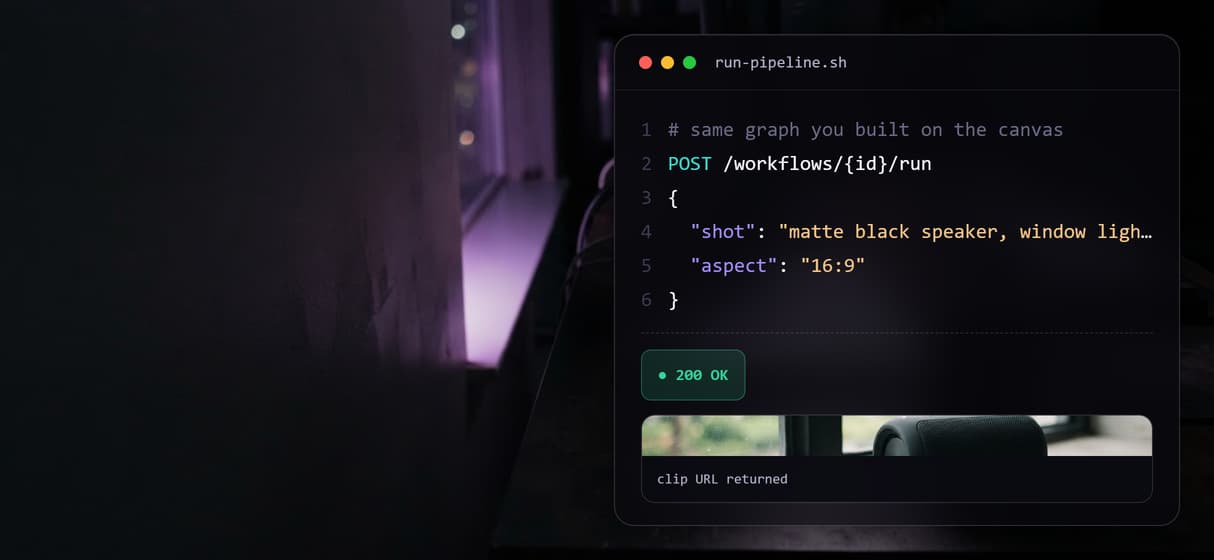
Chain models across one pipeline
Frame, motion, and assembly are separate nodes routed in sequence. Chain AI models so an image model feeds a video model feeds the composer, all in one run.
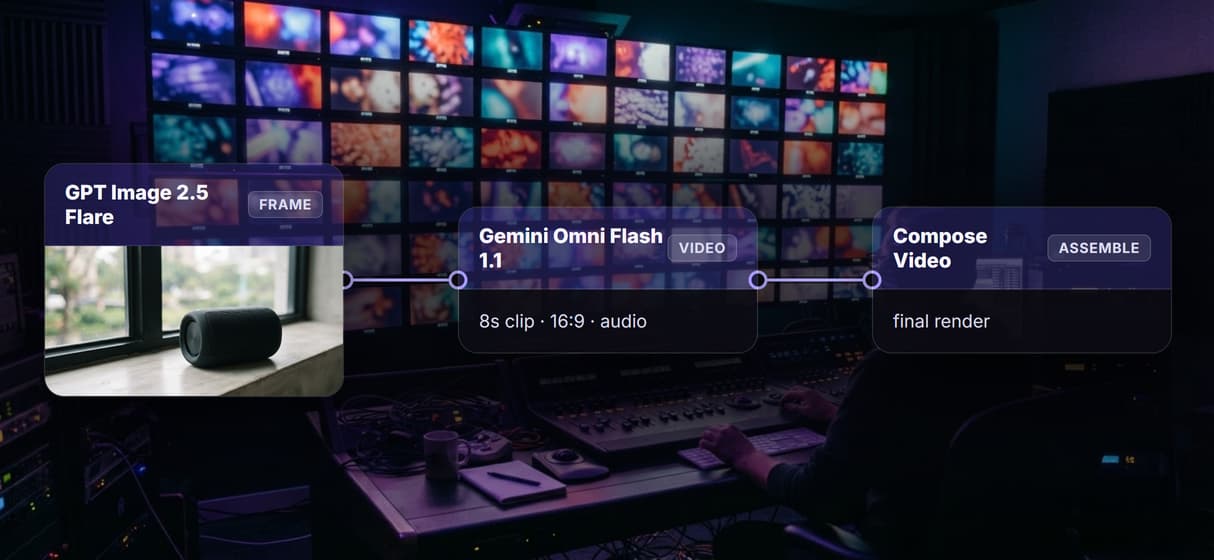
Gemini Omni Flash 1.1 motion, Compose assembly
Gemini Omni Flash 1.1 makes an 8-second 16:9 clip with audio, then Compose Video closes the wired image-to-video flow.
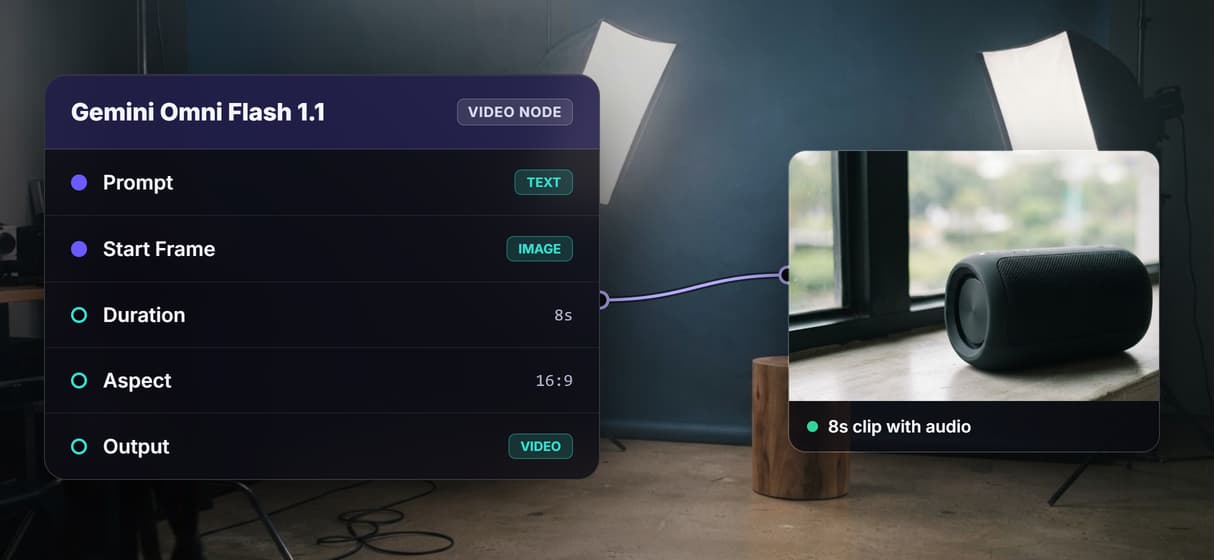
One credit covers both stages
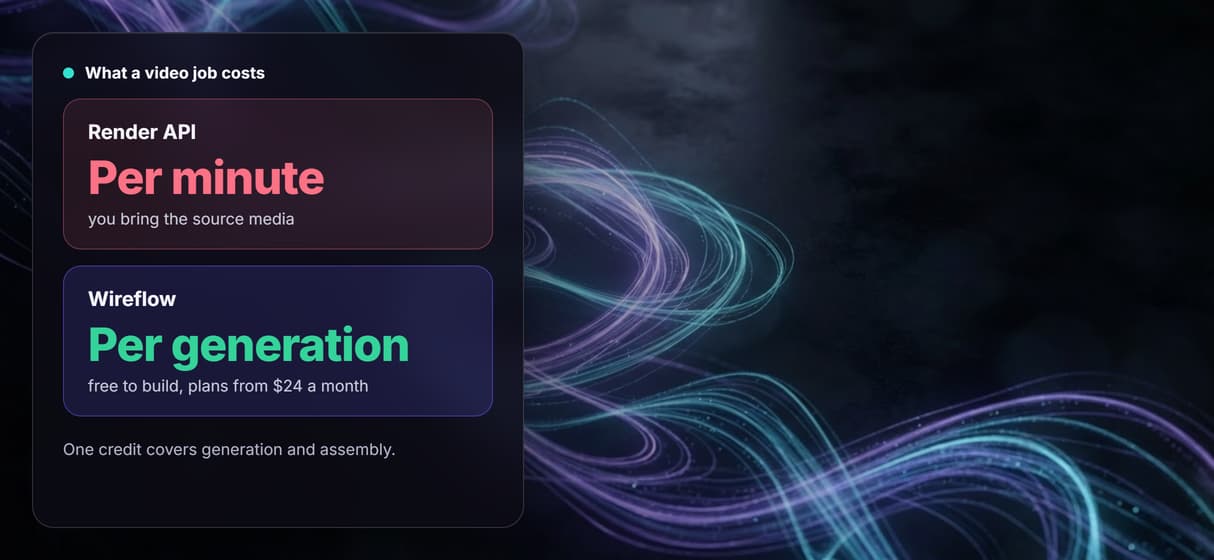
Building is free; generation and assembly are metered per run, not per minute. Try the free online AI video generator. For the render-only side of that comparison, see our Shotstack plan-by-plan cost breakdown.
AI Models Available
Automate Any Workflow
Included in Every Plan
FAQs
It depends on what you need. If you already have the source clips and want fast, deterministic assembly, a dedicated render API is the closest match. If you need to generate the source media too, Wireflow replaces the clip-assembly model with a node canvas that makes the frame, animates it, and assembles it in one run, priced per generation and callable via REST.
Discover related AI tools
More From Wireflow
Written by
Andrew Adams · Co-Founder & Operations at Wireflow
Runs client operations and content strategy at Wireflow. Works directly with creative teams and agencies to build production AI workflows.
Generate the clips, then assemble them
Open the flow, describe a shot, and run it: source frame, motion, and assembly from one graph. Building is free; you pay per generation, and the same pipeline is your REST endpoint.